Django Admin Customization in 2026: Actions, Filters and Interview Questions
Master Django admin customization with custom actions, list filters, fieldsets, and inlines. Covers Django 6 admin features including facets, show_facets, and common interview questions.
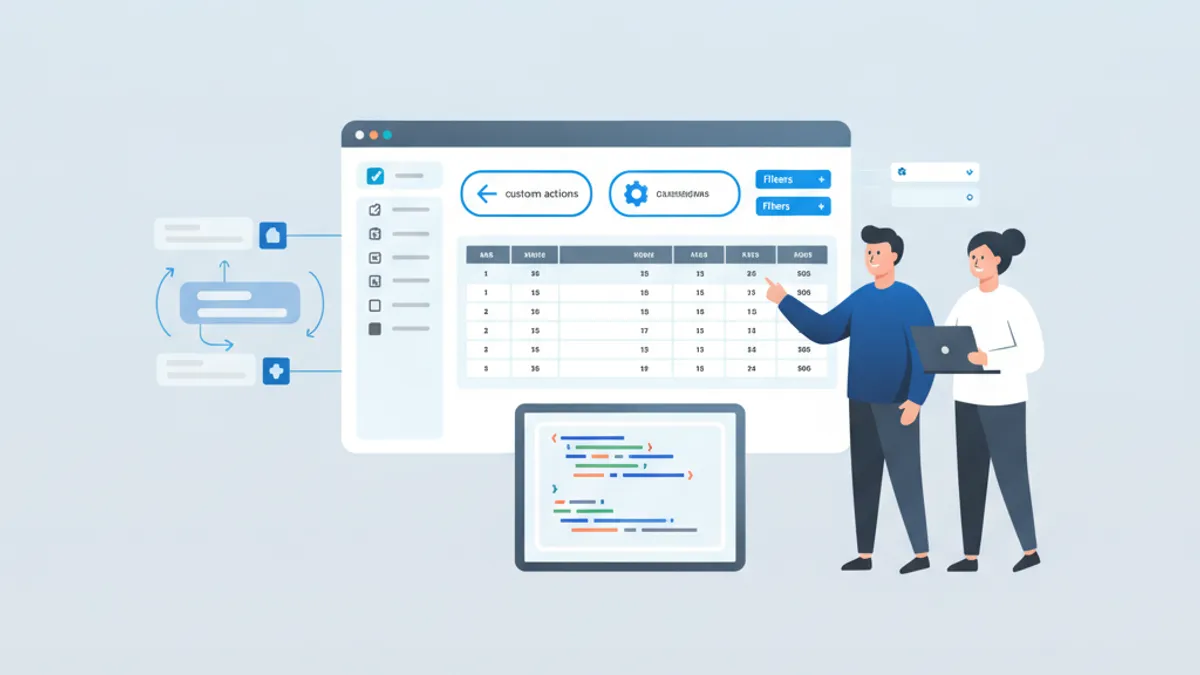
Django admin customization transforms the built-in admin interface from a scaffolded tool into a purpose-built back office for production applications. Django 6 ships with enhanced admin features including facet counts for filters, customizable password change forms, and Font Awesome icons, making a well-configured admin genuinely pleasant to use.
ModelAdmin is the central class for all admin customization. Master list_display, list_filter, search_fields, fieldsets, and custom actions to handle 90% of admin configuration needs.
ModelAdmin Basics: list_display and search_fields
list_display controls which columns appear on the change list page. Beyond simple field names, it accepts callables decorated with @admin.display() for computed values. search_fields enables the search box that filters records using icontains by default.
# admin.py
from django.contrib import admin
from django.utils.html import format_html
from .models import Article


class ArticleAdmin(admin.ModelAdmin):
    list_display = ["title", "author_name", "status", "publish_date", "is_recent"]
    search_fields = ["title", "author__email", "content"]
    list_per_page = 50
    list_select_related = ["author"]  # Avoid N+1 queries

    @admin.display(description="Author", ordering="author__last_name")
    def author_name(self, obj):
        return f"{obj.author.first_name} {obj.author.last_name}"

    @admin.display(description="Recent?", boolean=True)
    def is_recent(self, obj):
        from django.utils import timezone
        return obj.publish_date >= timezone.now() - timezone.timedelta(days=7)


admin.site.register(Article, ArticleAdmin)
The @admin.display() decorator replaces the older pattern of setting short_description as a function attribute. The boolean=True parameter renders a checkmark or X icon instead of True/False text. Using list_select_related prevents N+1 queries when accessing foreign key fields in list_display.
Custom list_filter with SimpleListFilter
list_filter activates sidebar filters on the change list page. Field names work for basic filtering, but SimpleListFilter handles complex filtering logic that spans multiple fields or requires custom queries.
# admin.py
from datetime import date, timedelta
from django.contrib import admin
from django.utils.translation import gettext_lazy as _
from .models import Article


class PublishDateFilter(admin.SimpleListFilter):
    title = _("publish period")
    parameter_name = "published"  # URL parameter: ?published=this_week

    def lookups(self, request, model_admin):
        # Returns (value, label) tuples for the filter sidebar
        return [
            ("this_week", _("This week")),
            ("this_month", _("This month")),
            ("this_year", _("This year")),
            ("unpublished", _("Not published")),
        ]

    def queryset(self, request, queryset):
        # Filter the queryset based on self.value()
        today = date.today()
        if self.value() == "this_week":
            return queryset.filter(publish_date__gte=today - timedelta(days=7))
        if self.value() == "this_month":
            return queryset.filter(
                publish_date__year=today.year, publish_date__month=today.month
            )
        if self.value() == "this_year":
            return queryset.filter(publish_date__year=today.year)
        if self.value() == "unpublished":
            return queryset.filter(publish_date__isnull=True)
        return queryset


class ArticleAdmin(admin.ModelAdmin):
    list_filter = [
        "status",
        PublishDateFilter,
        ("author", admin.RelatedOnlyFieldListFilter),  # Show only authors with articles
    ]
RelatedOnlyFieldListFilter limits the author dropdown to authors that actually have articles, rather than listing every user in the database. This improves usability when the related model has many records.
Django 6 Facets: Filter Counts in the Sidebar
Django 6 introduced facet counts that display the number of matching objects next to each filter option. The show_facets attribute controls this behavior.
# admin.py
from django.contrib import admin
from django.contrib.admin import ShowFacets
from .models import Article


class ArticleAdmin(admin.ModelAdmin):
    list_display = ["title", "status", "category"]
    list_filter = ["status", "category", "author"]
    show_facets = ShowFacets.ALWAYS  # Always display counts

    # Alternative values:
    # ShowFacets.ALLOW - Show counts when ?_facets=1 in URL
    # ShowFacets.NEVER - Never show counts (for large datasets)
Facet counts execute additional COUNT queries for each filter option. On tables with millions of rows, set show_facets = ShowFacets.NEVER to avoid performance degradation. The counts update dynamically as filters are applied, showing how many records match the current filter combination.
Custom Admin Actions for Bulk Operations
Admin actions perform bulk operations on selected objects. The @admin.action decorator sets permissions and the description shown in the dropdown.
# admin.py
from django.contrib import admin
from django.contrib import messages
from django.utils.translation import ngettext
from .models import Article


@admin.action(description="Publish selected articles", permissions=["change"])
def publish_articles(modeladmin, request, queryset):
    # Exclude already published articles
    unpublished = queryset.exclude(status="published")
    updated = unpublished.update(status="published")

    modeladmin.message_user(
        request,
        ngettext(
            "%d article was published.",
            "%d articles were published.",
            updated,
        )
        % updated,
        messages.SUCCESS,
    )


@admin.action(description="Export selected as JSON")
def export_as_json(modeladmin, request, queryset):
    from django.http import HttpResponse
    from django.core import serializers

    response = HttpResponse(content_type="application/json")
    response["Content-Disposition"] = 'attachment; filename="articles.json"'
    serializers.serialize("json", queryset, stream=response)
    return response  # Returning HttpResponse triggers file download


class ArticleAdmin(admin.ModelAdmin):
    actions = [publish_articles, export_as_json]

    def get_actions(self, request):
        # Conditionally remove actions based on user permissions
        actions = super().get_actions(request)
        if not request.user.has_perm("articles.delete_article"):
            del actions["delete_selected"]
        return actions
Returning an HttpResponse from an action triggers a file download or redirects to a confirmation page. The permissions parameter restricts the action to users with specific model permissions. Override get_actions() to dynamically show or hide actions based on the current request.
Ready to ace your Django interviews?
Practice with our interactive simulators, flashcards, and technical tests.
Fieldsets and Inline Models for Organized Forms
fieldsets organizes the add and change forms into collapsible sections. TabularInline and StackedInline embed related models directly in the parent form, eliminating navigation between pages.
# admin.py
from django.contrib import admin
from .models import Article, ArticleImage, ArticleComment


class ArticleImageInline(admin.TabularInline):
    model = ArticleImage
    extra = 1  # Number of empty forms to display
    max_num = 5  # Maximum images per article
    fields = ["image", "caption", "order"]


class ArticleCommentInline(admin.StackedInline):
    model = ArticleComment
    extra = 0
    readonly_fields = ["created_at", "author"]
    can_delete = True


class ArticleAdmin(admin.ModelAdmin):
    fieldsets = [
        (
            None,
            {
                "fields": ["title", "slug", "author"],
            },
        ),
        (
            "Content",
            {
                "fields": ["content", "excerpt"],
                "classes": ["wide"],  # Full-width fields
            },
        ),
        (
            "Publishing",
            {
                "fields": ["status", "publish_date", "category", "tags"],
                "classes": ["collapse"],  # Collapsed by default
            },
        ),
        (
            "SEO",
            {
                "fields": ["meta_title", "meta_description"],
                "classes": ["collapse"],
                "description": "Search engine optimization fields",
            },
        ),
    ]
    inlines = [ArticleImageInline, ArticleCommentInline]
    prepopulated_fields = {"slug": ["title"]}  # Auto-generate slug from title
    autocomplete_fields = ["author", "category"]  # AJAX-powered select
    filter_horizontal = ["tags"]  # Widget for M2M selection


admin.site.register(Article, ArticleAdmin)
TabularInline displays related objects in a compact table format, suitable for simple models with few fields. StackedInline shows each related object as a separate form block, better for models with many fields. The autocomplete_fields option replaces the default dropdown with an AJAX search widget, essential when the related model has thousands of records.
Customizing the Admin Site
Subclassing AdminSite allows multiple admin interfaces with different branding, permissions, or model registrations. Django 6 added password_change_form customization for stricter password policies.
# admin.py
from django.contrib import admin
from django.contrib.admin import AdminSite
from .models import Article, Category


class ContentAdminSite(AdminSite):
    site_header = "Content Management"
    site_title = "CMS"
    index_title = "Dashboard"

    def has_permission(self, request):
        # Restrict to staff in the 'editors' group
        return (
            request.user.is_active
            and request.user.is_staff
            and request.user.groups.filter(name="editors").exists()
        )


content_admin = ContentAdminSite(name="content_admin")
content_admin.register(Article, ArticleAdmin)
content_admin.register(Category)

# In urls.py:
# path('content-admin/', content_admin.urls),
Each AdminSite instance has its own URL namespace, login page, and set of registered models. This pattern suits applications with distinct user roles where editors should not see user management or system settings.
Interview Questions: Django Admin Customization
These questions frequently appear in Django technical interviews. Understanding the underlying mechanisms, not just the syntax, separates mid-level candidates from senior engineers.
Q: How do you add a computed column to list_display that cannot be sorted?
The @admin.display() decorator accepts an ordering parameter that specifies which database field to use for sorting. Without it, the column header is not clickable. Computed values that aggregate multiple records or call external services cannot be sorted because there is no underlying database column to order by.
Q: What is the performance impact of facet counts, and when should they be disabled?
Facets execute one COUNT query per filter option, multiplied by the number of active filters. On a table with 10 million rows and 5 filter options each on 3 fields, that is 15 additional COUNT queries per page load. Set show_facets = ShowFacets.NEVER when any filter targets a table over 100,000 rows without appropriate indexes.
Q: How do admin actions differ from custom admin views?
Actions operate on a queryset of selected objects and integrate with the change list's selection checkboxes. Custom admin views are standalone pages accessed via custom URLs, suitable for reports, imports, or dashboards that do not operate on selected records. Actions should not perform long-running operations because they block the request.
Q: Why use RelatedOnlyFieldListFilter instead of the default filter?
The default RelatedFieldListFilter queries all objects in the related table. When a ForeignKey points to a User model with 100,000 records, the filter dropdown loads all 100,000 options, freezing the browser. RelatedOnlyFieldListFilter queries only the values that exist in the current model's records, typically a much smaller set.
Common Mistakes to Avoid in Production
Several patterns that work in development cause issues at scale.
# admin.py
from django.contrib import admin
from .models import Order


class OrderAdmin(admin.ModelAdmin):
    # Mistake: Accessing related fields without list_select_related
    # This causes N+1 queries, one per row in the list view
    list_display = ["id", "customer_email", "total"]

    # Fix: Prefetch related objects
    list_select_related = ["customer"]

    def customer_email(self, obj):
        return obj.customer.email

    # Mistake: search_fields on unindexed large text columns
    # search_fields = ["notes"]  # Slow on large tables

    # Fix: Limit search to indexed fields
    search_fields = ["id", "customer__email"]

    # Mistake: Expensive computation in list_display
    # def order_total(self, obj):
    #     return sum(item.price * item.qty for item in obj.items.all())  # N+1

    # Fix: Use annotation in get_queryset
    def get_queryset(self, request):
        from django.db.models import Sum, F

        qs = super().get_queryset(request)
        return qs.annotate(computed_total=Sum(F("items__price") * F("items__qty")))

    @admin.display(description="Total", ordering="computed_total")
    def total(self, obj):
        return obj.computed_total
Overriding get_queryset() to add annotations keeps computed values in a single query rather than hitting the database once per row. Profile the admin with Django Debug Toolbar to catch N+1 queries before they reach production.
Third-Party Admin Themes: Django Unfold
Django Unfold is the most actively maintained admin theme for Django 6, built with Tailwind CSS. It extends rather than replaces the standard admin, so existing ModelAdmin configurations continue working.
# settings.py
INSTALLED_APPS = [
    "unfold",  # Must come before django.contrib.admin
    "unfold.contrib.filters",  # Advanced filter widgets
    "unfold.contrib.forms",  # Enhanced form widgets
    "django.contrib.admin",
    # ...
]
Unfold adds dark mode, responsive layouts, sidebar navigation, and advanced filter types like RangeNumericFilter and RangeDateFilter. The HTMX and Alpine.js integration provides interactivity without the overhead of a full SPA framework. For teams that need a polished admin without building a custom dashboard, Unfold saves weeks of frontend work.
Start practicing!
Test your knowledge with our interview simulators and technical tests.
What to Remember About Django Admin Customization
list_displaywith@admin.display()controls columns; addorderingfor sortable computed valuesSimpleListFilterhandles custom filter logic that spans multiple fields or requires date ranges- Django 6 facets show filter counts; disable with
ShowFacets.NEVERon large tables to avoid COUNT query overhead - Admin actions with
@admin.action(permissions=[...])handle bulk operations; returnHttpResponsefor file exports - Use
list_select_relatedand annotated querysets inget_queryset()to prevent N+1 queries in list views RelatedOnlyFieldListFilterprevents browser freezes when filtering by ForeignKey to large tables- Practice these patterns with Django interview questions that target admin configuration specifically
Can you spot the bug in Django?
One real snippet, one hidden bug, one attempt a day. No account needed to try.

Written by
Anthony Fillion-MailletFounder of SharpSkill
Full-stack developer for over 10 years. Runs SharpSkill and answers for everything published here.
Updated on September 13, 2026
Tags
Share
Related articles

Django 6.0 in 2026: Composite Primary Keys, Background Tasks and Interview Questions
Complete guide to Django's latest features: composite primary keys from Django 5.2, the built-in background tasks framework in Django 6.0, template partials, CSP middleware, and common interview questions.
Django 5.2: Custom Middleware and Signal Handling for Technical Interviews
Master Django 5.2 custom middleware and signal handling with practical examples. Covers middleware lifecycle, async middleware, pre_save/post_save signals, and common interview patterns.

Django and Python Interview Questions: Top 25 in 2026
The 25 most common Django and Python interview questions. ORM, views, middleware, DRF, signals and optimization with detailed answers and code examples.