Django 6.0 in 2026: Composite Primary Keys, Background Tasks and Interview Questions
Complete guide to Django's latest features: composite primary keys from Django 5.2, the built-in background tasks framework in Django 6.0, template partials, CSP middleware, and common interview questions.
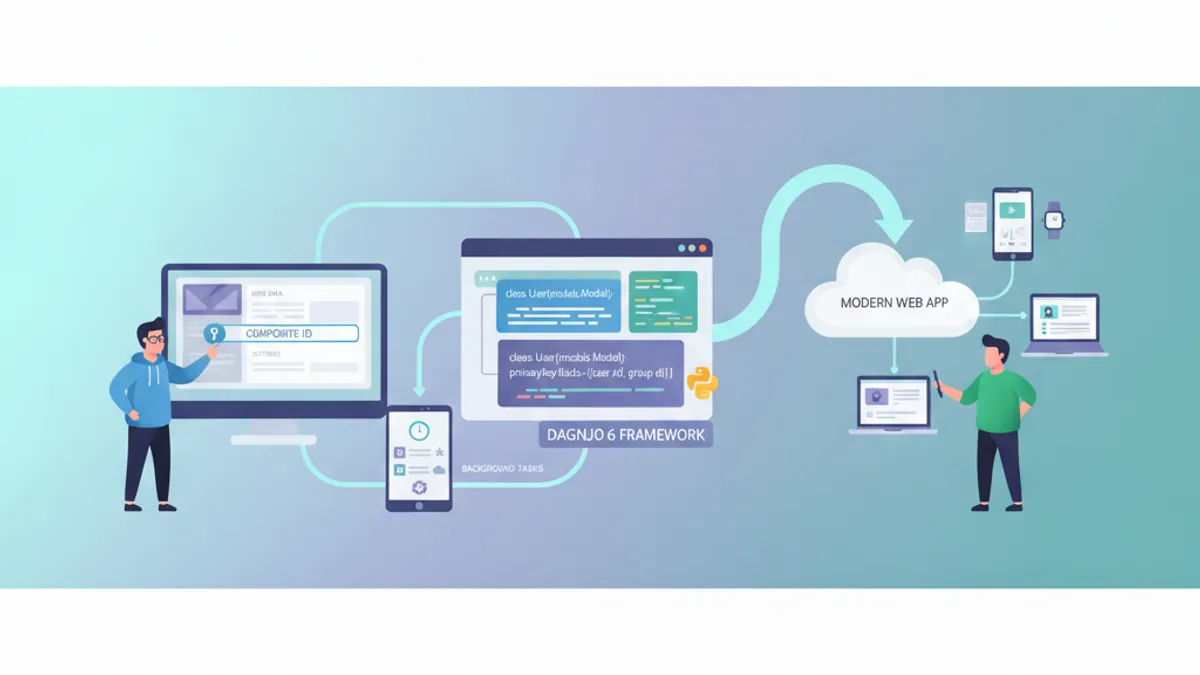
Django 6.0, released in December 2025, brings a built-in background tasks framework, template partials, and native Content Security Policy support to the most popular Python web framework. Combined with composite primary keys introduced in Django 5.2, the Django ecosystem in 2026 offers a significantly more capable toolkit for building production applications.
Django 5.2 LTS (April 2025) introduced composite primary keys. Django 6.0 (December 2025) added background tasks, template partials, and CSP middleware. Django 6.1 is currently under development with field fetch modes.
Composite Primary Keys with CompositePrimaryKey
For 18 years, Django forced every model to use a single-column primary key. Django 5.2 changed that with the CompositePrimaryKey class, enabling multi-column primary keys directly in the ORM.
Composite primary keys eliminate the need for surrogate AutoField columns on junction tables and any model where the natural key spans multiple columns. The database enforces uniqueness at the primary key level, reducing storage overhead and improving query performance on indexed lookups.
# models.py
from django.db import models

class Product(models.Model):
    name = models.CharField(max_length=100)
    sku = models.CharField(max_length=20, unique=True)

class Warehouse(models.Model):
    code = models.CharField(max_length=10, primary_key=True)
    location = models.CharField(max_length=200)

class Inventory(models.Model):
    pk = models.CompositePrimaryKey("product_id", "warehouse_id")
    product = models.ForeignKey(Product, on_delete=models.CASCADE)
    warehouse = models.ForeignKey(Warehouse, on_delete=models.CASCADE)
    quantity = models.PositiveIntegerField(default=0)
    last_restocked = models.DateTimeField(auto_now=True)
The Inventory model above creates a PRIMARY KEY (product_id, warehouse_id) constraint at the database level. No extra id column is generated.
Querying Composite Keys
Composite primary keys are represented as tuples in Python. Filtering, fetching, and assigning work through this tuple interface.
# views.py
from .models import Inventory, Product, Warehouse

# Create records
laptop = Product.objects.create(name="Laptop Pro", sku="LP-001")
warehouse_a = Warehouse.objects.create(code="WH-A", location="Berlin")

item = Inventory.objects.create(
    product=laptop,
    warehouse=warehouse_a,
    quantity=50
)

# Access the composite pk as a tuple
print(item.pk)  # (1, "WH-A")

# Filter by composite pk
result = Inventory.objects.filter(pk=(1, "WH-A")).first()

# Assign a composite pk directly
new_item = Inventory(pk=(2, "WH-B"))
print(new_item.product_id)  # 2
print(new_item.warehouse_id)  # "WH-B"
Three current limitations to keep in mind: ForeignKey cannot reference a model with a composite primary key (use ForeignObject instead), Django admin does not support composite key models yet, and migration between single and composite keys after table creation requires manual SQL.
Built-in Background Tasks in Django 6.0
Before Django 6.0, running code outside the request-response cycle required Celery, Django-Q, or similar third-party task queues. Django 6.0 ships a native tasks framework that handles task definition and enqueuing out of the box.
The @task decorator marks any function as enqueueable. Calling .enqueue() on the decorated function sends it to a backend for asynchronous execution. The framework separates task definition from task execution: Django handles the queue, but a separate worker process handles running the tasks.
# tasks.py
from django.tasks import task
from django.core.mail import send_mail

@task
def send_welcome_email(user_email, username):
    """Send a welcome email after user registration."""
    send_mail(
        subject="Welcome to the platform",
        message=f"Hello {username}, your account is ready.",
        from_email=None,  # uses DEFAULT_FROM_EMAIL
        recipient_list=[user_email],
    )
    return f"Email sent to {user_email}"

@task
def generate_report(report_id, format="pdf"):
    """Generate an export report asynchronously."""
    from .services import ReportService
    report = ReportService.generate(report_id, format=format)
return report.file_path# views.py
from .tasks import send_welcome_email, generate_report
def register_user(request):
# ... user creation logic ...
# Enqueue the task for background execution
send_welcome_email.enqueue(
user_email=user.email,
username=user.username
)
return redirect("dashboard")
def export_view(request, report_id):
generate_report.enqueue(report_id=report_id, format="csv")
return JsonResponse({"status": "processing"})The TASKS setting in settings.py configures the backend. Django ships two built-in backends for development and testing. Production deployments require a third-party backend or a custom implementation that connects to a message broker.
Django's built-in tasks framework covers simple use cases: fire-and-forget tasks, email sending, report generation. For advanced features like task chaining, periodic scheduling, rate limiting, or result backends, Celery remains the standard choice.
Template Partials for Reusable Fragments
Django 6.0 introduces {% partialdef %} and {% partial %} template tags. These allow defining named, reusable template fragments within a single file, reducing the need for small include files scattered across the template directory.
A partial is defined once with {% partialdef %} and rendered anywhere in the same template (or from other templates) with {% partial %}. Partials also accept the standard template_name#partial_name syntax with {% include %}.
<!-- templates/components/cards.html -->
{% partialdef product_card %}
<div class="card">
    <h3>{{ product.name }}</h3>
    <p class="price">{{ product.price|floatformat:2 }} EUR</p>
    <span class="stock {% if product.in_stock %}available{% else %}sold-out{% endif %}">
        {% if product.in_stock %}In Stock{% else %}Sold Out{% endif %}
    </span>
</div>
{% endpartialdef %}

{% partialdef product_row %}
<tr>
    <td>{{ product.name }}</td>
    <td>{{ product.price|floatformat:2 }} EUR</td>
    <td>{{ product.quantity }}</td>
</tr>
{% endpartialdef %}<!-- templates/shop/catalog.html -->
{% extends "base.html" %}
{% block content %}
<div class="product-grid">
{% for product in products %}
{% include "components/cards.html#product_card" %}
{% endfor %}
</div>
{% endblock %}This approach keeps related markup together. Instead of creating _product_card.html and _product_row.html as separate files, both partials live in a single cards.html component file.
Ready to ace your Django interviews?
Practice with our interactive simulators, flashcards, and technical tests.
Native Content Security Policy Middleware
Django 6.0 adds built-in CSP support through ContentSecurityPolicyMiddleware. Previously, this required the django-csp third-party package.
CSP headers tell the browser which sources of content (scripts, styles, images, fonts) are allowed to load on a page. This mitigates cross-site scripting (XSS) and data injection attacks.
# settings.py
from django.utils.csp import CSP

MIDDLEWARE = [
    "django.middleware.security.SecurityMiddleware",
    "django.middleware.security.ContentSecurityPolicyMiddleware",
    # ... other middleware
]

SECURE_CSP = {
    "default-src": [CSP.SELF],
    "script-src": [CSP.SELF, CSP.NONCE],
    "style-src": [CSP.SELF, "https://fonts.googleapis.com"],
    "img-src": [CSP.SELF, "https:", "data:"],
    "font-src": [CSP.SELF, "https://fonts.gstatic.com"],
    "connect-src": [CSP.SELF],
}

# Report-only mode for testing (does not block, only reports violations)
SECURE_CSP_REPORT_ONLY = {
    "default-src": [CSP.SELF],
    "report-uri": ["/csp-report/"],
}
The CSP.NONCE constant works with the csp() context processor to inject a per-request nonce into templates. Inline scripts tagged with this nonce pass the CSP check; all others are blocked.
Other Notable Django 6.0 Changes
Beyond the headline features, Django 6.0 includes several changes that affect daily development.
BigAutoField as default primary key. New projects now use BigAutoField (64-bit) instead of AutoField (32-bit) for auto-generated primary keys. Existing projects are unaffected unless DEFAULT_AUTO_FIELD is explicitly changed. This prevents the integer overflow issues that high-traffic applications eventually hit with 32-bit keys.
Async pagination. The new AsyncPaginator and AsyncPage classes bring native async support to pagination, useful in async views that query the database with Django's async ORM interface.
Shell auto-imports. The manage.py shell command now automatically imports all models and common Django utilities. No more typing from myapp.models import * every time a shell session starts.
Modern email API. Django's email classes now use Python's email.message.EmailMessage instead of the legacy MIME classes, improving Unicode handling and simplifying attachment management.
Django Interview Questions for 2026
Technical interviews in 2026 increasingly cover Django's newer features alongside the ORM, middleware, and REST framework fundamentals. Below are questions that reflect the current state of the framework.
What problem do composite primary keys solve, and what are their limitations?
Composite primary keys eliminate surrogate key columns on models where the natural key spans multiple fields (junction tables, audit logs, versioned records). The database enforces uniqueness and indexing at the primary key level. Current limitations include no ForeignKey support to composite key models, no Django admin integration, and no migration path from single to composite keys after table creation.
How does Django 6.0's background tasks framework differ from Celery?
Django's built-in @task decorator and .enqueue() method provide a lightweight task queue for simple async operations. It does not include periodic task scheduling, task chaining, rate limiting, or result storage. Celery remains necessary for complex workflow orchestration. The built-in framework suits fire-and-forget tasks like sending emails or triggering webhooks.
Explain Django's middleware execution order and how CSP middleware fits in.
Django processes middleware in order during the request phase (top to bottom in MIDDLEWARE) and in reverse order during the response phase. ContentSecurityPolicyMiddleware runs during the response phase, adding CSP headers before the response reaches the client. Placing it after SecurityMiddleware ensures HTTPS redirects happen before CSP headers are applied. For more on this topic, see the Django middleware interview questions.
What are template partials, and when should they replace {% include %}?
Template partials ({% partialdef %} / {% partial %}) define named fragments within a single template file. They reduce file proliferation compared to separate include files. Partials are ideal for small, tightly related components (card variants, table row formats) that belong in the same logical template. For large, standalone components used across unrelated pages, separate template files with {% include %} remain clearer.
Django 6.0 drops Python 3.10 and 3.11 support. The default DEFAULT_AUTO_FIELD changes to BigAutoField. Email classes now use Python's modern email API, breaking code that relies on legacy MIME internals. Test thoroughly before upgrading production applications.
Conclusion
- Composite primary keys (
CompositePrimaryKey) eliminate surrogate columns on junction tables — define thepkattribute as a tuple of field names and query with tuples - The built-in
@task/.enqueue()framework handles simple background work without Celery, though Celery remains necessary for scheduling and chaining - Template partials (
{% partialdef %}/{% partial %}) group related template fragments in a single file, accessed viatemplate_name#partial_namesyntax - Native CSP middleware (
ContentSecurityPolicyMiddleware) replacesdjango-cspfor most use cases, configured throughSECURE_CSPin settings - Django 6.0 defaults to
BigAutoField, adds async pagination, auto-imports in shell, and adopts Python's modern email API - Interview preparation should cover composite key limitations, the tasks framework vs Celery trade-offs, and middleware execution order with the new CSP layer
Start practicing!
Test your knowledge with our interview simulators and technical tests.
Can you spot the bug in Django?
One real snippet, one hidden bug, one attempt a day. No account needed to try.

Written by
Anthony Fillion-MailletFounder of SharpSkill
Full-stack developer for over 10 years. Runs SharpSkill and answers for everything published here.
Updated on June 9, 2026
Tags
Share
Related articles
Django Admin Customization in 2026: Actions, Filters and Interview Questions
Master Django admin customization with custom actions, list filters, fieldsets, and inlines. Covers Django 6 admin features including facets, show_facets, and common interview questions.
Django 5.2: Custom Middleware and Signal Handling for Technical Interviews
Master Django 5.2 custom middleware and signal handling with practical examples. Covers middleware lifecycle, async middleware, pre_save/post_save signals, and common interview patterns.

Django and Python Interview Questions: Top 25 in 2026
The 25 most common Django and Python interview questions. ORM, views, middleware, DRF, signals and optimization with detailed answers and code examples.