Vue 3 Script Setup and defineModel in 2026: Modern Syntax and Interview Questions
Master Vue 3 script setup syntax and defineModel for two-way binding. Learn reactive props destructure, TypeScript patterns, and prepare for Vue interview questions.
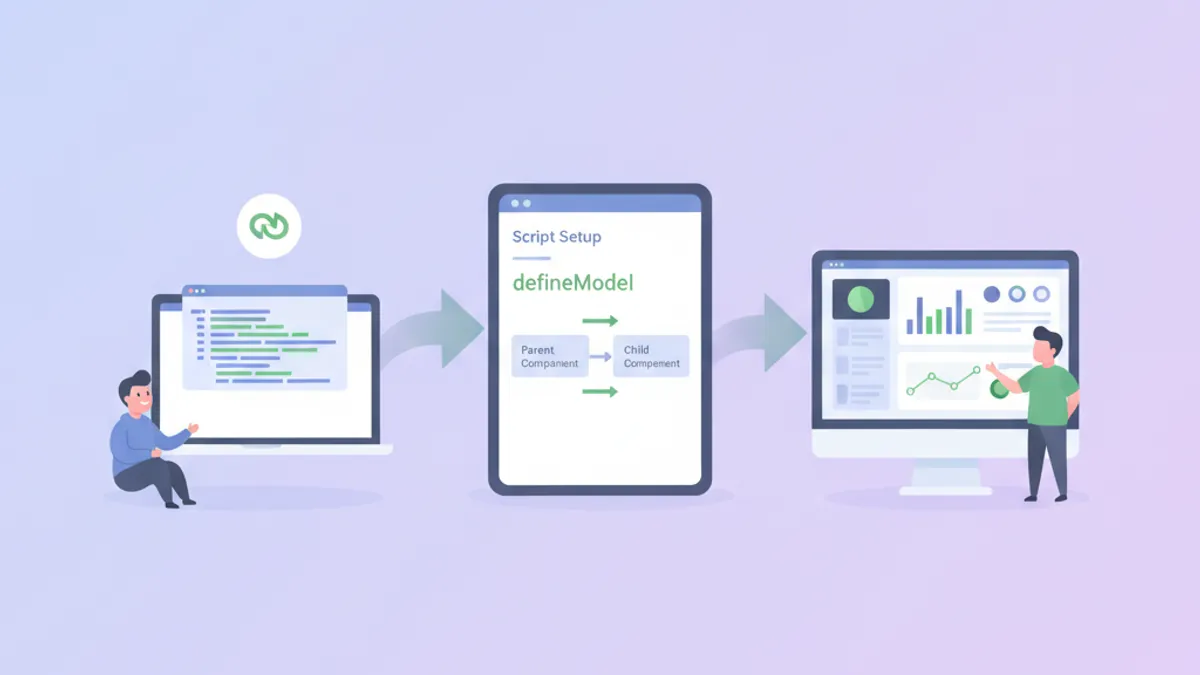
Vue 3 script setup syntax transforms how components are written by eliminating boilerplate and improving TypeScript integration. Combined with defineModel, introduced in Vue 3.3 as experimental and stabilized in Vue 3.4, building components with two-way data binding requires far less code than the Options API equivalent.
Starting in Vue 3.5, props can be destructured directly from defineProps while preserving reactivity. This eliminates the need for toRefs in most cases.
Script Setup Fundamentals in Vue 3.5
The <script setup> syntax is compile-time sugar for the Composition API inside Single File Components. Variables declared at the top level are automatically exposed to the template, and imports are directly usable without registration.
<!-- UserCard.vue -->
<script setup lang="ts">
import { ref, computed } from 'vue'
import type { User } from '@/types'

// Props with TypeScript interface
const props = defineProps<{
  user: User
  showEmail?: boolean
}>()

// Reactive state
const isExpanded = ref(false)

// Computed property
const displayName = computed(() => {
  return `${props.user.firstName} ${props.user.lastName}`
})

// Event emitter with typed payload
const emit = defineEmits<{
  select: [userId: string]
  delete: [userId: string]
}>()

// Methods are plain functions
function handleSelect() {
  emit('select', props.user.id)
}
</script>

<template>
  <div class="user-card" @click="handleSelect">
    <h3>{{ displayName }}</h3>
    <p v-if="showEmail">{{ user.email }}</p>
    <button @click.stop="isExpanded = !isExpanded">
      {{ isExpanded ? 'Collapse' : 'Expand' }}
    </button>
  </div>
</template>
The compiler handles export statements and component registration automatically. This reduces the cognitive load compared to explicitly returning values from a setup() function.
Reactive Props Destructure (Vue 3.5+)
Before Vue 3.5, destructuring props broke reactivity because JavaScript destructuring creates a snapshot of the value at that moment. Vue 3.5 introduces compiler-level tracking that preserves reactivity for destructured props.
<!-- SearchInput.vue -->
<script setup lang="ts">
import { watch } from 'vue'

// Destructure with defaults - stays reactive in 3.5+
const { query = '', placeholder = 'Search...' } = defineProps<{
  query?: string
  placeholder?: string
}>()

// Watch works on destructured props
watch(
  () => query,
  (newQuery) => {
    console.log('Query changed:', newQuery)
  }
)
</script>

<template>
  <input
    :value="query"
    :placeholder="placeholder"
    @input="$emit('update:query', ($event.target as HTMLInputElement).value)"
  />
</template>
This syntax requires Vue 3.5 or later. The Vue 3.5 release announcement documents the complete list of reactive props destructure behavior.
defineModel for Two-Way Binding
Before defineModel, implementing v-model on a custom component required declaring a prop and emitting an update event manually. This pattern appears in countless Vue codebases:
<!-- The old way - verbose but explicit -->
<script setup lang="ts">
const props = defineProps<{ modelValue: string }>()
const emit = defineEmits<{ 'update:modelValue': [value: string] }>()

function updateValue(event: Event) {
  emit('update:modelValue', (event.target as HTMLInputElement).value)
}
</script>
With defineModel, the same component becomes significantly shorter:
<!-- TextInput.vue -->
<script setup lang="ts">
// defineModel creates a ref that syncs with v-model
const model = defineModel<string>({ default: '' })
</script>

<template>
  <input
    v-model="model"
    type="text"
    class="text-input"
  />
</template>
The parent component uses standard v-model syntax:
<!-- ParentForm.vue -->
<script setup lang="ts">
import { ref } from 'vue'
import TextInput from './TextInput.vue'

const username = ref('')
</script>

<template>
  <TextInput v-model="username" />
  <p>Username: {{ username }}</p>
</template>
defineModel returns a ref that stays synchronized with the parent's bound value. Mutations to this ref automatically emit the update event.
Ready to ace your Vue.js / Nuxt.js interviews?
Practice with our interactive simulators, flashcards, and technical tests.
Named Models and Multiple v-model Bindings
Components sometimes need multiple two-way bindings. Vue supports named v-model bindings, and defineModel handles them by accepting a name argument.
<!-- DateRangePicker.vue -->
<script setup lang="ts">
// Named models for multiple v-model bindings
const startDate = defineModel<Date>('start', { required: true })
const endDate = defineModel<Date>('end', { required: true })

// Validation computed
const isValidRange = computed(() => {
  if (!startDate.value || !endDate.value) return true
  return startDate.value <= endDate.value
})
</script>

<template>
  <div class="date-range-picker">
    <input
      type="date"
      :value="startDate?.toISOString().split('T')[0]"
      @input="startDate = new Date(($event.target as HTMLInputElement).value)"
    />
    <span>to</span>
    <input
      type="date"
      :value="endDate?.toISOString().split('T')[0]"
      @input="endDate = new Date(($event.target as HTMLInputElement).value)"
    />
    <p v-if="!isValidRange" class="error">End date must be after start date</p>
  </div>
</template>
The parent binds both models:
<DateRangePicker v-model:start="filterStart" v-model:end="filterEnd" />v-model Modifiers with defineModel
Vue's built-in modifiers like .trim, .number, and .lazy work automatically with defineModel. Custom modifiers require explicit handling through the second element of the returned tuple.
<!-- CurrencyInput.vue -->
<script setup lang="ts">
// Access modifiers via the second return value
const [model, modifiers] = defineModel<number>({
  default: 0,
  // Transform functions for custom modifiers
  set(value) {
    // Round to 2 decimal places if 'round' modifier is present
    if (modifiers.round) {
      return Math.round(value * 100) / 100
    }
    return value
  }
})
</script>

<template>
  <div class="currency-input">
    <span>$</span>
    <input
      type="number"
      step="0.01"
      :value="model"
      @input="model = parseFloat(($event.target as HTMLInputElement).value) || 0"
    />
  </div>
</template>
Usage with the custom modifier:
<CurrencyInput v-model.round="price" />TypeScript Patterns for Script Setup
Type safety in <script setup> components relies on generics passed to compiler macros. The pattern varies slightly between props, emits, and models.
<!-- GenericList.vue -->
<script setup lang="ts" generic="T extends { id: string }">
import { computed } from 'vue'

// Generic component props
const props = defineProps<{
  items: T[]
  selected?: T
}>()

const emit = defineEmits<{
  select: [item: T]
  remove: [id: string]
}>()

// Slots can be typed too
defineSlots<{
  default: (props: { item: T; index: number }) => any
  empty: () => any
}>()

const hasItems = computed(() => props.items.length > 0)
</script>

<template>
  <ul v-if="hasItems">
    <li
      v-for="(item, index) in items"
      :key="item.id"
      :class="{ selected: selected?.id === item.id }"
      @click="emit('select', item)"
    >
      <slot :item="item" :index="index">
        {{ item.id }}
      </slot>
    </li>
  </ul>
  <div v-else>
    <slot name="empty">No items</slot>
  </div>
</template>
Generic components, available since Vue 3.3, enable reusable typed components without sacrificing type inference in the consuming code. For deeper patterns, the Vue documentation on TypeScript covers edge cases.
Common Interview Questions on Script Setup
Interviewers testing Vue knowledge often focus on the differences between script setup and the Options API, as well as the mechanics of reactivity.
Question: Why does destructuring props break reactivity, and how does Vue 3.5 solve this?
In JavaScript, destructuring creates new variables holding the values at destructure time. If props.count changes later, a destructured const { count } = props still holds the old value. Vue 3.5's compiler transforms the destructured variables into getters that re-evaluate when accessed, preserving reactivity without runtime overhead.
Question: What happens under the hood when defineModel is used?
The compiler expands defineModel into a prop declaration and an emit registration. At runtime, it creates a ref whose getter reads the prop value and whose setter calls emit('update:modelValue', newValue). This ref is not a true copy of the prop but a proxy that forwards reads and writes appropriately.
Question: When should a component use script setup versus a regular setup function?
Script setup is preferred for most single-file components because it reduces boilerplate and improves IDE support. A regular setup() function is necessary when the component needs to expose methods to parent components via defineExpose in complex patterns, or when building renderless components that return render functions directly. For interview preparation, explore more Vue composables patterns.
Migrating from Options API to Script Setup
Existing codebases often contain Options API components that benefit from migration. The conversion follows a predictable pattern:
<!-- Before: Options API -->
<script lang="ts">
import { defineComponent, PropType } from 'vue'

export default defineComponent({
  props: {
    items: { type: Array as PropType<string[]>, required: true }
  },
  emits: ['select'],
  data() {
    return { searchTerm: '' }
  },
  computed: {
    filteredItems() {
      return this.items.filter(item =>
        item.toLowerCase().includes(this.searchTerm.toLowerCase())
      )
    }
  },
  methods: {
    selectItem(item: string) {
      this.$emit('select', item)
    }
  }
})
</script><!-- After: Script Setup -->
<script setup lang="ts">
import { ref, computed } from 'vue'
const props = defineProps<{ items: string[] }>()
const emit = defineEmits<{ select: [item: string] }>()
const searchTerm = ref('')
const filteredItems = computed(() =>
props.items.filter(item =>
item.toLowerCase().includes(searchTerm.value.toLowerCase())
)
)
function selectItem(item: string) {
emit('select', item)
}
</script>The migrated version is shorter and type inference works without PropType casts. The Vue team provides vue-codemod for automated migrations, though manual review remains necessary for complex components.
Performance Considerations in Script Setup
Script setup components compile to more efficient code because the compiler knows the exact shape of the component at build time. Specifically:
- Template bindings resolve at compile time rather than runtime property lookup
- Unused imports are tree-shaken more effectively
- The lack of a wrapping function reduces closure overhead
For applications prioritizing bundle size, script setup with Vapor Mode (available in Vue 3.6+) eliminates the virtual DOM entirely for opted-in components, generating direct DOM operations instead.
Start practicing!
Test your knowledge with our interview simulators and technical tests.
Key Takeaways for Vue 3 Script Setup and defineModel
- Script setup reduces component boilerplate by automatically exposing top-level bindings to templates and handling component registration
defineModelreplaces the manual prop + emit pattern forv-model, returning a ref that syncs with the parent's bound value- Vue 3.5 introduces reactive props destructure, allowing
const { prop } = defineProps()without losing reactivity - Named models support multiple
v-modelbindings on a single component usingdefineModel('name') - TypeScript generics work with
defineProps,defineEmits,defineSlots, and generic components via thegenericattribute - Migration from Options API follows a mechanical pattern: data becomes refs, computed stays computed, methods become functions, and the compiler handles exports
Can you spot the bug in Vue.js / Nuxt.js?
One real snippet, one hidden bug, one attempt a day. No account needed to try.

Written by
Anthony Fillion-MailletFounder of SharpSkill
Full-stack developer for over 10 years. Runs SharpSkill and answers for everything published here.
Updated on September 18, 2026
Tags
Share
Related articles

Nuxt 4 SEO and Meta Tags in 2026: useHead, useSeoMeta and Interview Questions
Master Nuxt 4 SEO with useHead and useSeoMeta composables. Learn type-safe meta tags, performance optimization, AI crawler compatibility, and common interview questions.

Vue 3 Teleport and Suspense: Advanced Patterns and Interview Questions 2026
Master Vue 3 Teleport for DOM portaling and Suspense for async rendering. Covers the new defer prop, nested Suspense patterns, and interview questions for 2026.

Advanced Vue 3 Composables: Reusable Patterns and Interview Questions 2026
Master advanced Vue 3 composables with reusable patterns, Composition API techniques, and interview questions. Covers reactive state extraction, async composables, provide/inject, and testing strategies.