Vue 3 Teleport and Suspense: Advanced Patterns and Interview Questions 2026
Master Vue 3 Teleport for DOM portaling and Suspense for async rendering. Covers the new defer prop, nested Suspense patterns, and interview questions for 2026.
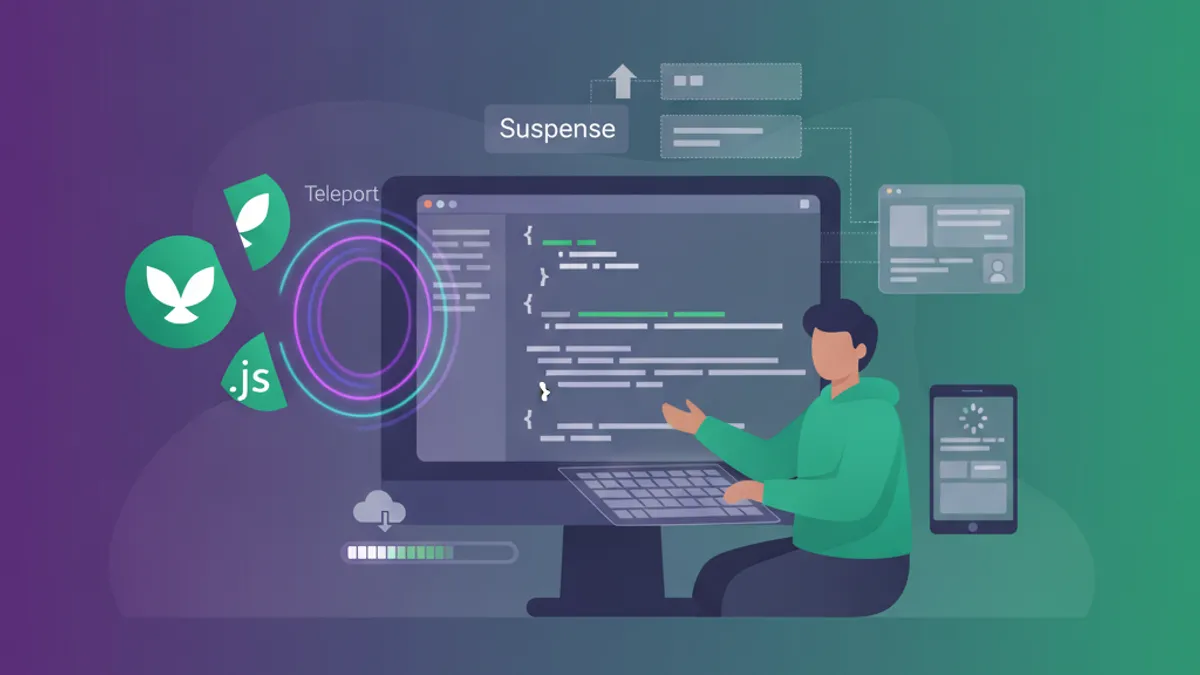
Vue 3 Teleport and Suspense solve two distinct rendering challenges: placing components outside their DOM hierarchy and coordinating async dependencies. Both are built-in components that require no imports, and both come up frequently in senior Vue developer interviews.
Vue 3.5 added the defer prop to Teleport, allowing targets rendered later in the component tree. This solves the common SSR timing issue where the portal target does not exist at mount time.
Teleport Fundamentals and the defer Prop
Teleport moves rendered content to a different DOM location while preserving the Vue component tree. The component remains a logical child of its parent: props, events, and provide/inject all work normally. Vue DevTools shows the teleported component nested under its parent, not under the target element.
<!-- ModalTrigger.vue -->
<script setup>
import { ref } from 'vue'

const isOpen = ref(false)
</script>

<template>
  <button @click="isOpen = true">Open Modal</button>

  <Teleport to="#modal-root">
    <div v-if="isOpen" class="modal-overlay" @click.self="isOpen = false">
      <div class="modal-content">
        <slot />
        <button @click="isOpen = false">Close</button>
      </div>
    </div>
  </Teleport>
</template>
The to prop accepts a CSS selector string or a DOM element reference. When the target does not exist at mount time, Teleport throws a warning and renders nothing. This creates problems with SSR and dynamic layouts.
The defer Prop (Vue 3.5+)
The defer prop tells Teleport to wait until other parts of the application have mounted before resolving the target. This enables teleporting to elements rendered later in the same component or in sibling components.
<!-- App.vue -->
<template>
  <Teleport defer to="#dynamic-target">
    <NotificationBanner />
  </Teleport>

  <!-- Target rendered after the Teleport -->
  <div id="dynamic-target"></div>
</template>
Without defer, this code fails because #dynamic-target does not exist when Teleport mounts. With defer, Vue resolves the target after all components in the same tick have mounted. The target must still render in the same mount or update cycle.
Multiple Teleports and Conditional Rendering
Multiple Teleport components can target the same element. Content appends in declaration order:
<template>
  <Teleport to="#notifications">
    <Toast message="First" />
  </Teleport>

  <Teleport to="#notifications">
    <Toast message="Second" />
  </Teleport>
</template>

<!-- Result in #notifications:
  <div>First</div>
  <div>Second</div>
-->
The disabled prop controls whether teleportation happens. When disabled, content renders inline. This pattern handles responsive layouts where modals should overlay on desktop but render inline on mobile:
<script setup>
import { useMediaQuery } from '@vueuse/core'

const isMobile = useMediaQuery('(max-width: 768px)')
</script>

<template>
  <Teleport to="body" :disabled="isMobile">
    <MobileDrawer />
  </Teleport>
</template>
Suspense for Async Component Orchestration
Suspense coordinates async dependencies across a component tree. When any descendant component has an unresolved async dependency, Suspense displays the fallback slot content. Once all dependencies resolve, Suspense switches to the default slot.
Suspense remains experimental in Vue 3.5. The API may change before reaching stable status. Production usage requires accepting this risk.
<!-- Dashboard.vue -->
<template>
  <Suspense>
    <template #default>
      <DashboardContent />
    </template>

    <template #fallback>
      <LoadingSpinner />
    </template>
  </Suspense>
</template>
Suspense tracks two types of async dependencies: components with async setup() and async components created with defineAsyncComponent.
Async Setup with Top-Level Await
Vue 3 script setup supports top-level await. Any component using top-level await becomes an async dependency that Suspense can track:
<!-- UserProfile.vue -->
<script setup>
const response = await fetch('/api/user/profile')
const user = await response.json()
</script>

<template>
  <div class="profile">
    <h1>{{ user.name }}</h1>
    <p>{{ user.email }}</p>
  </div>
</template>
This component cannot render until the fetch completes. A parent Suspense boundary displays the fallback until resolution. Without a Suspense boundary, the component simply does not render.
Nested Suspense with the suspensible Prop
Complex applications often have multiple async boundaries. Vue 3.3 introduced the suspensible prop to control how nested Suspense components interact with their parents.
<!-- PageLayout.vue -->
<template>
  <Suspense>
    <template #default>
      <header>
        <AsyncNavigation />
      </header>

      <main>
        <!-- Inner Suspense with its own fallback -->
        <Suspense suspensible>
          <template #default>
            <AsyncContent />
          </template>
          <template #fallback>
            <ContentSkeleton />
          </template>
        </Suspense>
      </main>
    </template>

    <template #fallback>
      <PageSkeleton />
    </template>
  </Suspense>
</template>
When suspensible is set, the inner Suspense registers with the parent Suspense boundary. The parent waits for both AsyncNavigation and AsyncContent to resolve before hiding its fallback. The inner Suspense still serves as a local boundary: if AsyncContent takes longer, ContentSkeleton displays while AsyncNavigation remains visible.
Without suspensible, the inner Suspense operates independently. The parent shows its fallback only while AsyncNavigation loads, ignoring AsyncContent entirely.
Ready to ace your Vue.js / Nuxt.js interviews?
Practice with our interactive simulators, flashcards, and technical tests.
Combining Teleport, Suspense, and Transitions
Real applications combine these patterns. A modal that loads content asynchronously benefits from all three:
<!-- AsyncModal.vue -->
<script setup>
import { ref, defineAsyncComponent } from 'vue'

const isOpen = ref(false)

const AsyncModalContent = defineAsyncComponent({
  loader: () => import('./ModalContent.vue'),
  loadingComponent: () => import('./ModalSkeleton.vue'),
  delay: 200,
  timeout: 10000
})
</script>

<template>
  <button @click="isOpen = true">Open</button>

  <Teleport to="body">
    <Transition name="modal">
      <div v-if="isOpen" class="modal-wrapper">
        <Suspense>
          <template #default>
            <AsyncModalContent @close="isOpen = false" />
          </template>
          <template #fallback>
            <ModalSkeleton />
          </template>
        </Suspense>
      </div>
    </Transition>
  </Teleport>
</template>

<style>
.modal-enter-active,
.modal-leave-active {
  transition: opacity 0.3s ease;
}

.modal-enter-from,
.modal-leave-to {
  opacity: 0;
}
</style>
The nesting order matters: Teleport wraps Transition, which wraps the conditional element, which contains Suspense. This ensures the transition animates the entire modal including loading states.
Error Handling with Suspense
Suspense does not handle errors. Failed async dependencies reject their promises and propagate errors up the component tree. The onErrorCaptured lifecycle hook catches these errors at the boundary:
<!-- ErrorBoundary.vue -->
<script setup>
import { ref, onErrorCaptured } from 'vue'

const error = ref(null)

onErrorCaptured((err) => {
  error.value = err
  return false // Prevent propagation
})
</script>

<template>
  <div v-if="error" class="error-state">
    <p>Failed to load: {{ error.message }}</p>
    <button @click="error = null">Retry</button>
  </div>

  <Suspense v-else>
    <template #default>
      <slot />
    </template>
    <template #fallback>
      <slot name="loading" />
    </template>
  </Suspense>
</template>
This pattern wraps any async component tree with both loading and error states. The retry button clears the error, causing Vue to re-render and re-attempt the async operation.
Interview Questions on Teleport and Suspense
Senior Vue positions increasingly test these patterns. Common questions and what distinguishes strong answers:
Q: When should Teleport be used over CSS positioning?
Weak answer: "When z-index does not work."
Strong answer: Teleport solves DOM hierarchy issues that CSS cannot. A modal inside a container with overflow: hidden or transform creates a new stacking context, breaking position: fixed. Teleport moves the modal to body, escaping these constraints while preserving Vue's logical component tree.
Q: How does Suspense differ from loading states in each component?
Weak answer: "Suspense is cleaner."
Strong answer: Suspense coordinates multiple async dependencies. Ten components with individual loading states flash ten spinners at different times. Suspense shows one spinner until all ten resolve, then reveals them together. This creates smoother perceived performance and simpler component code since async components do not need to manage their own loading states.
Q: What happens when a Teleport target does not exist?
The content does not render and Vue logs a warning. Vue 3.5's defer prop addresses this by waiting for other components to mount first. Without defer, ensure targets exist in index.html or in a parent component that mounts before children.
Q: Can Suspense work with the Options API?
Yes. Any component with async setup() triggers Suspense, regardless of whether it uses Composition API or Options API elsewhere. The setup function is the async boundary, not the component style.
Teleport and Suspense in Nuxt 3
Nuxt 3 extends these patterns with SSR considerations. The Nuxt documentation on SSR covers hydration timing.
For Teleport, Nuxt requires the target to exist before hydration. Add portal targets to app.vue or use the defer prop:
<!-- app.vue -->
<template>
  <NuxtLayout>
    <NuxtPage />
  </NuxtLayout>

  <!-- Portal targets for SSR -->
  <div id="modal-root"></div>
  <div id="toast-root"></div>
</template>
For Suspense, Nuxt's useFetch and useAsyncData integrate automatically. Page components using these composables work with Nuxt's built-in Suspense without manual configuration. See the SharpSkill Vue composables module for related interview preparation.
Production Patterns for Vue 3.5
- Teleport targets in index.html: Create stable portal targets that exist before any Vue code runs. This avoids timing issues entirely.
- Granular Suspense boundaries: One Suspense per independent loading unit. A dashboard with separate widgets benefits from separate Suspense boundaries so fast widgets appear immediately.
- Error boundaries above Suspense: Always wrap Suspense with error handling. Network failures and API errors must not crash the entire tree.
- Transition timing: When combining Suspense with Transition, set
mode="out-in"to prevent overlap during state changes.
Start practicing!
Test your knowledge with our interview simulators and technical tests.
Can you spot the bug in Vue.js / Nuxt.js?
One real snippet, one hidden bug, one attempt a day. No account needed to try.

Written by
Anthony Fillion-MailletFounder of SharpSkill
Full-stack developer for over 10 years. Runs SharpSkill and answers for everything published here.
Updated on August 28, 2026
Tags
Share
Related articles
Vue 3 Testing in 2026: Vitest, Vue Test Utils and Interview Questions
A hands-on guide to Vue testing in 2026: configuring Vitest, mounting components with Vue Test Utils, testing composables and Pinia stores, mocking APIs, measuring coverage, and the interview questions hiring teams ask.

Advanced Vue 3 Composables: Reusable Patterns and Interview Questions 2026
Master advanced Vue 3 composables with reusable patterns, Composition API techniques, and interview questions. Covers reactive state extraction, async composables, provide/inject, and testing strategies.

Vue 3 Pinia vs Vuex: Modern State Management and Interview Questions 2026
Pinia vs Vuex compared in depth: API design, TypeScript support, performance, migration strategies, and common Vue state management interview questions for 2026.