Vue 3 Testing in 2026: Vitest, Vue Test Utils and Interview Questions
A hands-on guide to Vue testing in 2026: configuring Vitest, mounting components with Vue Test Utils, testing composables and Pinia stores, mocking APIs, measuring coverage, and the interview questions hiring teams ask.
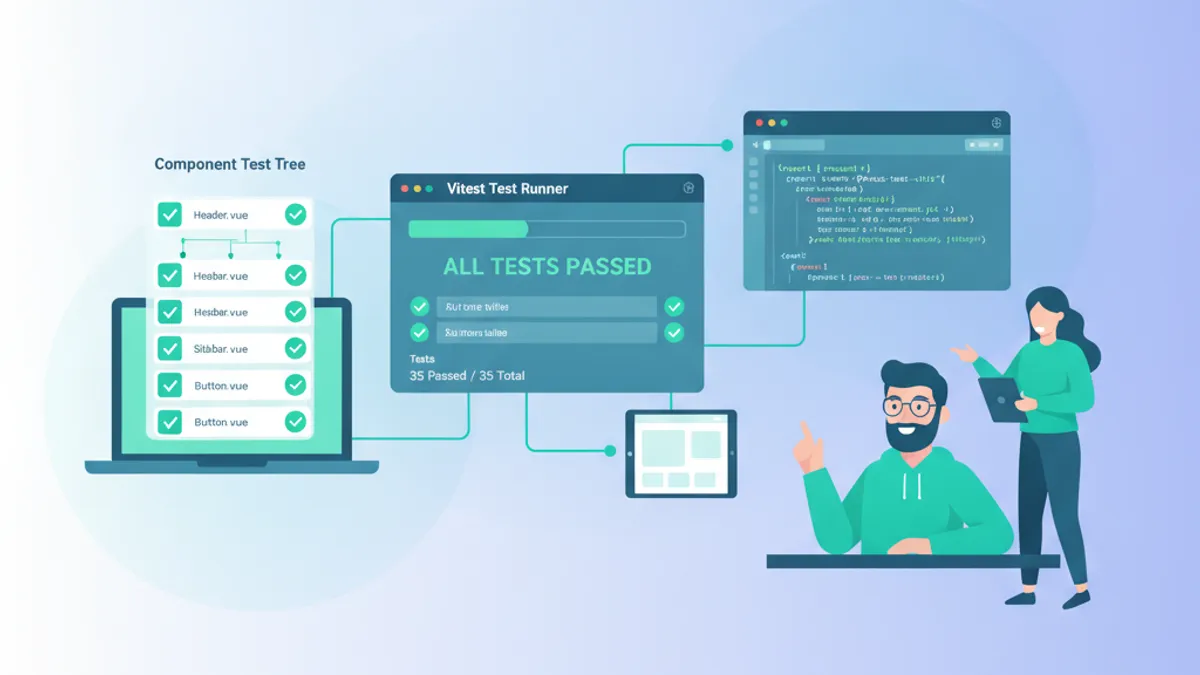
Vue testing separates confident refactors from fragile guesswork, and in 2026 the toolchain has consolidated around two libraries: Vitest for the runner and Vue Test Utils for mounting components. This guide walks through configuring the stack, testing components and composables, mocking dependencies, and answering the Vue testing interview questions that hiring teams actually ask.
The default recommendation from the Vue documentation is Vitest for unit and component tests, Vue Test Utils as the low-level mounting API, and Playwright or Cypress for end-to-end coverage. Vitest reuses the same Vite config as the app, so tests run through the identical transform pipeline with near-instant hot reload.
Configuring Vitest for a Vue 3 Project
Vitest shares the Vite pipeline, which means a single config file drives both the dev server and the test runner. The environment option must be set to jsdom or happy-dom so component tests have a DOM to render into. The globals: true flag exposes describe, it, and expect without importing them in every file.
import { defineConfig } from 'vitest/config'
import vue from '@vitejs/plugin-vue'
import { fileURLToPath } from 'node:url'

export default defineConfig({
  plugins: [vue()],
  test: {
    // jsdom provides document/window so components can mount
    environment: 'jsdom',
    // expose describe/it/expect globally
    globals: true,
    // run this before each test file (matchers, cleanup)
    setupFiles: ['./tests/setup.ts'],
    // only pick up *.spec.ts and *.test.ts files
    include: ['**/*.{test,spec}.ts'],
  },
  resolve: {
    alias: {
      // mirror the @ alias used across the app
      '@': fileURLToPath(new URL('./src', import.meta.url)),
    },
  },
})
With Vitest 3 the config above works out of the box after installing vitest, @vue/test-utils, @vitejs/plugin-vue, and jsdom. Because the alias mirrors the application config, imports like @/composables/useCart resolve identically in tests and production.
Mounting Components with Vue Test Utils
Vue Test Utils exposes two entry points: mount, which renders the full component tree, and shallowMount, which stubs child components. For most unit tests mount is preferred because it exercises real rendering behavior. The returned wrapper provides query helpers like find, get, and text to assert against the rendered output.
import { describe, it, expect } from 'vitest'
import { mount } from '@vue/test-utils'
import PriceTag from '@/components/PriceTag.vue'

describe('PriceTag', () => {
  it('formats the amount as currency', () => {
    const wrapper = mount(PriceTag, {
      // props are passed through the mounting options
      props: { amount: 4200, currency: 'EUR' },
    })

    // get() throws if the selector is missing, unlike find()
    expect(wrapper.get('[data-test="price"]').text()).toBe('€42.00')
  })

  it('applies a discount class when on sale', () => {
    const wrapper = mount(PriceTag, {
      props: { amount: 4200, currency: 'EUR', onSale: true },
    })

    // classes() returns the array of applied CSS classes
    expect(wrapper.get('[data-test="price"]').classes()).toContain('price--sale')
  })
})
Targeting elements through data-test attributes rather than CSS classes keeps tests resilient: a styling change to .price--sale will not break the selector, only a genuine behavior change will. This decoupling is a recurring theme in maintainable Vue testing.
Testing User Events and Emitted Events
Interactive components need assertions on what happens after a click or input. Vue Test Utils returns a promise from trigger, and awaiting it flushes Vue's reactivity queue so the DOM reflects the update. The emitted helper records every custom event a component fired, which is how parent-child contracts get verified.
import { describe, it, expect } from 'vitest'
import { mount } from '@vue/test-utils'
import SearchBar from '@/components/SearchBar.vue'

describe('SearchBar', () => {
  it('emits search with the typed query', async () => {
    const wrapper = mount(SearchBar)

    // setValue writes to the input and fires an input event
    await wrapper.get('input').setValue('vitest')
    // awaiting trigger flushes the reactivity queue before assertions
    await wrapper.get('[data-test="submit"]').trigger('click')

    // emitted() returns a record of every event and its payloads
    const events = wrapper.emitted('search')
    expect(events).toHaveLength(1)
    // events[0] is the first emission, [0] its first argument
    expect(events![0][0]).toBe('vitest')
  })
})Vue batches reactive updates asynchronously. Forgetting to await a trigger or setValue call is the most common cause of flaky Vue tests: assertions run before the DOM re-renders, so they read stale output. When a state change happens outside an event helper, import nextTick from vue and await nextTick() before asserting.
Testing Vue Composables in Isolation
Composables that only use reactivity APIs (ref, computed, watch) need no component at all: they are plain functions returning reactive state, so calling them directly and asserting on .value is sufficient. This is the fastest and most focused way to cover business logic, and it pairs well with the patterns in advanced Vue 3 composables.
import { describe, it, expect } from 'vitest'
import { useCart } from '@/composables/useCart'

describe('useCart', () => {
  it('tracks total price as items change', () => {
    // composables using only ref/computed run without mounting
    const { items, total, addItem } = useCart()

    expect(total.value).toBe(0)

    addItem({ id: 1, price: 1500, qty: 2 })
    // computed total recalculates synchronously on state change
    expect(total.value).toBe(3000)

    addItem({ id: 2, price: 500, qty: 1 })
    expect(items.value).toHaveLength(2)
    expect(total.value).toBe(3500)
  })
})
Composables that depend on lifecycle hooks such as onMounted are the exception: they must run inside a component instance. The common workaround is a tiny helper component that calls the composable in setup and exposes the result, then mounting that helper with Vue Test Utils.
Ready to ace your Vue.js / Nuxt.js interviews?
Practice with our interactive simulators, flashcards, and technical tests.
Mocking API Calls with vi.mock
Real network requests make tests slow and non-deterministic. Vitest replaces modules with vi.mock and creates spy functions with vi.fn. The pattern below mocks the module that wraps fetch, so the composable under test receives controlled data without ever hitting a server.
import { describe, it, expect, vi, beforeEach } from 'vitest'
import { useProducts } from '@/composables/useProducts'
import { getProducts } from '@/api/products'

// replace the whole module with mocked exports
vi.mock('@/api/products', () => ({
  getProducts: vi.fn(),
}))

describe('useProducts', () => {
  beforeEach(() => {
    // reset call history between tests to avoid leakage
    vi.mocked(getProducts).mockReset()
  })

  it('exposes fetched products and clears loading', async () => {
    // define what the mocked API returns for this test
    vi.mocked(getProducts).mockResolvedValue([
      { id: 1, name: 'Keyboard' },
    ])

    const { products, loading, load } = useProducts()
    await load()

    expect(getProducts).toHaveBeenCalledOnce()
    expect(loading.value).toBe(false)
    expect(products.value[0].name).toBe('Keyboard')
  })
})
Mocking at the module boundary keeps the composable's internal logic untouched while giving each test full control over the API response, including error paths. Calling mockRejectedValue instead lets a single test verify that failures set an error state and stop the spinner.
Testing Pinia Stores in 2026
Stores hold cross-component state, and the official @pinia/testing package makes them straightforward to test. createTestingPinia stubs every action by default so a component test can assert an action was dispatched without running its side effects. The Pinia testing guide recommends this approach for component-level tests.
import { describe, it, expect, vi } from 'vitest'
import { mount } from '@vue/test-utils'
import { createTestingPinia } from '@pinia/testing'
import CheckoutButton from '@/components/CheckoutButton.vue'
import { useCartStore } from '@/stores/cart'

describe('CheckoutButton', () => {
  it('dispatches checkout on click', async () => {
    const wrapper = mount(CheckoutButton, {
      global: {
        plugins: [
          // vi.fn spies on actions instead of executing them
          createTestingPinia({ createSpy: vi.fn }),
        ],
      },
    })

    const store = useCartStore()
    await wrapper.get('[data-test="checkout"]').trigger('click')

    // the action is stubbed, so only the dispatch is asserted
    expect(store.checkout).toHaveBeenCalledOnce()
  })
})
For testing store logic itself rather than component integration, pass stubActions: false so actions execute normally, then assert on the resulting state. This split between stubbed-action component tests and real-action store tests keeps each suite focused on a single responsibility.
Running Tests in Watch Mode and Measuring Coverage
Vitest ships a watch mode that reruns only the tests affected by a saved file, which shortens the feedback loop during development to a fraction of a second. Coverage reporting is built in through the @vitest/coverage-v8 provider and integrates cleanly into a continuous integration pipeline, where a failing test or a coverage regression can block a merge.
export default defineConfig({
  test: {
    coverage: {
      // v8 is the fastest provider and needs no instrumentation step
      provider: 'v8',
      reporter: ['text', 'html', 'lcov'],
      // fail CI when a threshold drops below the target
      thresholds: {
        statements: 80,
        branches: 75,
        functions: 80,
      },
      // exclude generated and config files from the report
      exclude: ['**/*.config.ts', '**/types/**'],
    },
  },
})
Running vitest alone starts watch mode locally, while vitest run --coverage executes a single pass suited to CI. Setting explicit thresholds turns coverage from a vanity metric into an enforced quality gate: a pull request that drops branch coverage below 75 percent fails automatically, which nudges contributors to test the paths they add rather than only the happy path.
Common Vue Testing Interview Questions and Answers
Testing questions surface in most senior Vue interviews because they reveal how a candidate thinks about maintainability. The answers below cover the concepts that come up most often, and the full set is drilled in the Vue testing interview module.
When should shallowMount be used instead of mount? Reach for shallowMount when a component renders heavy or already-tested children and the test only cares about the parent's own logic. Stubbing children isolates the unit and speeds up rendering, at the cost of not verifying real integration between components.
How are asynchronous updates handled in Vue Test Utils? Vue applies reactive changes on the next tick. Event helpers like trigger and setValue return promises that resolve after the DOM updates, so awaiting them is enough. For state changed outside those helpers, await nextTick() forces the queue to flush before assertions run.
What is the difference between find and get? find returns an empty wrapper when no element matches and never throws, which suits assertions like expect(wrapper.find('.error').exists()).toBe(false). get throws immediately on a missing element, making it the better choice when the element is expected to exist and its absence is a genuine failure.
Why prefer data-test attributes over class selectors? Class names change with styling and structure, so tests that query them break on cosmetic edits. A dedicated data-test hook expresses testing intent explicitly and survives refactors, reducing false negatives.
How is a composable that relies on onMounted tested? Lifecycle hooks only fire inside a component instance, so the composable cannot be called directly. The standard technique is a throwaway harness component that invokes the composable in setup and exposes its return value, then mounting that harness with Vue Test Utils and asserting through the wrapper. This keeps the reactivity and lifecycle wiring intact while still isolating the logic under test. More conceptual and coding questions are collected in the essential Vue.js interview questions guide.
Conclusion
A reliable Vue testing setup in 2026 comes down to a few deliberate choices:
- Run Vitest with
environment: 'jsdom'and the Vue plugin so tests share the app's exact Vite transform pipeline. - Prefer
mountovershallowMountunless a child component is heavy or already covered elsewhere. - Always
awaittrigger,setValue, andnextTickbefore asserting to eliminate flaky, timing-dependent tests. - Test composables that use only reactivity APIs by calling them directly and asserting on
.value. - Mock at the module boundary with
vi.mockso network behavior is deterministic and error paths are testable. - Use
createTestingPinia({ createSpy: vi.fn })for component tests andstubActions: falsewhen exercising store logic. - Query elements through
data-testattributes so tests break only on real behavior changes, never on styling.
Master these patterns and testing becomes a design tool rather than a chore, catching regressions before they reach production. Explore the full Vue and Nuxt learning path to keep building interview-ready skills.
Start practicing!
Test your knowledge with our interview simulators and technical tests.
Can you spot the bug in Vue.js / Nuxt.js?
One real snippet, one hidden bug, one attempt a day. No account needed to try.

Written by
Anthony Fillion-MailletFounder of SharpSkill
Full-stack developer for over 10 years. Runs SharpSkill and answers for everything published here.
Updated on July 6, 2026
Tags
Share
Related articles
Vue 3 Teleport and Suspense: Advanced Patterns and Interview Questions 2026
Master Vue 3 Teleport for DOM portaling and Suspense for async rendering. Covers the new defer prop, nested Suspense patterns, and interview questions for 2026.

Advanced Vue 3 Composables: Reusable Patterns and Interview Questions 2026
Master advanced Vue 3 composables with reusable patterns, Composition API techniques, and interview questions. Covers reactive state extraction, async composables, provide/inject, and testing strategies.

Vue 3 Pinia vs Vuex: Modern State Management and Interview Questions 2026
Pinia vs Vuex compared in depth: API design, TypeScript support, performance, migration strategies, and common Vue state management interview questions for 2026.