Spring Boot YAML vs Properties: Configuration Comparison and Interview Questions 2026
Compare application.yml and application.properties in Spring Boot 3.4. Learn when to use each format, understand the differences, and prepare for configuration-related interview questions.
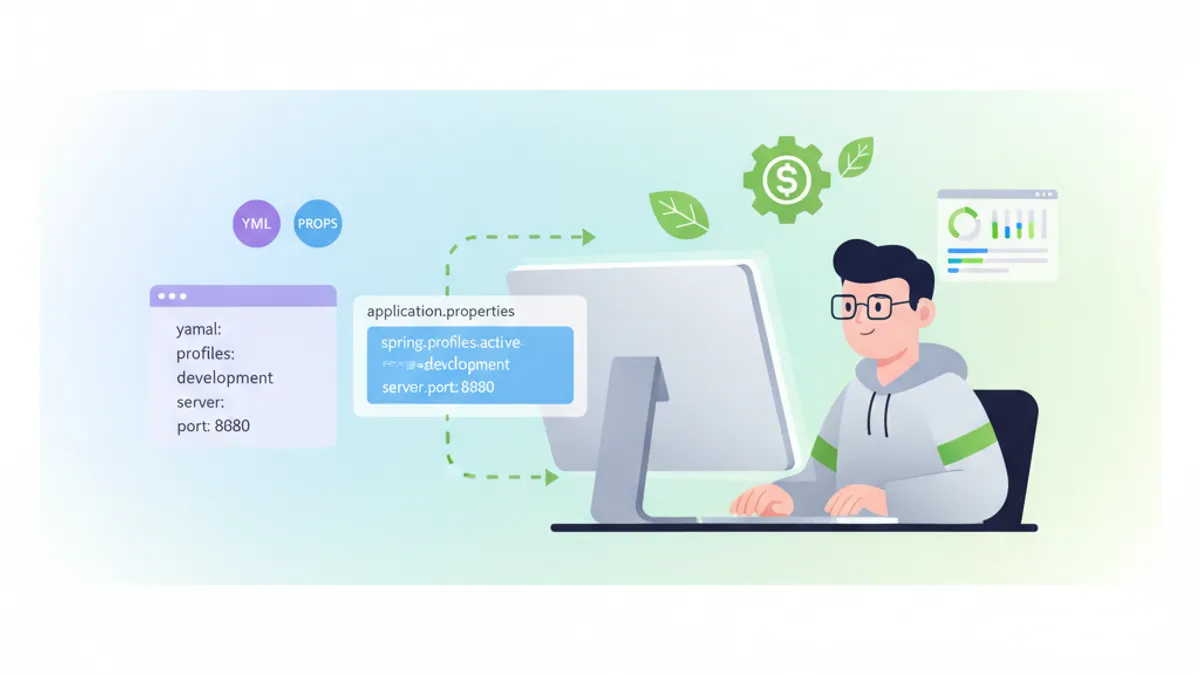
Spring Boot supports two configuration formats out of the box: YAML (application.yml) and Properties (application.properties). Both achieve the same goal, but they differ in syntax, readability, and specific use cases. This comparison breaks down the practical differences and covers the interview questions that come up around Spring Boot externalized configuration.
Use YAML for projects with deeply nested configuration or multiple profiles. Use Properties for simple flat configurations or when working with teams unfamiliar with YAML syntax.
Syntax Comparison Between YAML and Properties
The most visible difference is how each format represents hierarchical data. Properties files use dot notation on every line, while YAML uses indentation to express nesting.
# application.properties
server.port=8080
server.servlet.context-path=/api
spring.datasource.url=jdbc:postgresql://localhost:5432/mydb
spring.datasource.username=admin
spring.datasource.password=${DB_PASSWORD}
spring.jpa.hibernate.ddl-auto=validate
spring.jpa.show-sql=false
The equivalent YAML configuration groups related settings visually:
# application.yml
server:
  port: 8080
  servlet:
    context-path: /api

spring:
  datasource:
    url: jdbc:postgresql://localhost:5432/mydb
    username: admin
    password: ${DB_PASSWORD}
  jpa:
    hibernate:
      ddl-auto: validate
    show-sql: false
YAML reduces repetition when multiple properties share the same prefix. In the properties file, spring.datasource appears three times, while YAML declares it once.
Profile Management in Spring Boot Configuration
Spring Boot profiles allow different configurations for development, staging, and production environments. Both formats support profiles, but YAML handles them more elegantly.
With properties files, separate files are required for each profile:
# application-dev.properties
server.port=8080
spring.datasource.url=jdbc:h2:mem:devdb
logging.level.root=DEBUG

# application-prod.properties
server.port=80
spring.datasource.url=jdbc:postgresql://prod-server:5432/proddb
logging.level.root=WARN
YAML supports multi-document syntax within a single file using the --- separator:
# application.yml
spring:
  profiles:
    active: dev

---
spring:
  config:
    activate:
      on-profile: dev
server:
  port: 8080
logging:
  level:
    root: DEBUG

---
spring:
  config:
    activate:
      on-profile: prod
server:
  port: 80
logging:
  level:
    root: WARN
Since Spring Boot 2.4, the spring.config.activate.on-profile property replaced the older spring.profiles syntax. The Spring Boot documentation covers profile activation in detail.
Lists and Complex Data Structures
YAML excels at representing lists and nested structures. This matters for configurations like security rules, CORS mappings, or custom beans.
# application.yml
app:
  security:
    allowed-origins:
      - https://sharpskill.dev
      - https://api.sharpskill.dev
    cors:
      allowed-methods:
        - GET
        - POST
        - PUT
        - DELETE
    jwt:
      secret: ${JWT_SECRET}
      expiration-ms: 86400000
The properties equivalent requires index notation:
# application.properties
app.security.allowed-origins[0]=https://sharpskill.dev
app.security.allowed-origins[1]=https://api.sharpskill.dev
app.security.cors.allowed-methods[0]=GET
app.security.cors.allowed-methods[1]=POST
app.security.cors.allowed-methods[2]=PUT
app.security.cors.allowed-methods[3]=DELETE
app.security.jwt.secret=${JWT_SECRET}
app.security.jwt.expiration-ms=86400000
Adding a new origin to the YAML file means appending a line. In properties, every existing index must stay correct, and the new entry needs the next index number.
Ready to ace your Spring Boot interviews?
Practice with our interactive simulators, flashcards, and technical tests.
Type-Safe Configuration with @ConfigurationProperties
Spring Boot 3.4 binds configuration values to Java classes through @ConfigurationProperties. Both formats work identically with this annotation.
import org.springframework.boot.context.properties.ConfigurationProperties;
import java.util.List;

@ConfigurationProperties(prefix = "app.security")
public record AppSecurityProperties(
    List<String> allowedOrigins,
    CorsConfig cors,
    JwtConfig jwt
) {
    public record CorsConfig(List<String> allowedMethods) {}
    public record JwtConfig(String secret, long expirationMs) {}
}
Spring Boot relaxed binding converts between different naming conventions automatically. The property app.security.allowed-origins binds to allowedOrigins regardless of whether the source is YAML or properties.
import org.springframework.context.annotation.Configuration;
import org.springframework.boot.context.properties.EnableConfigurationProperties;

@Configuration
@EnableConfigurationProperties(AppSecurityProperties.class)
public class SecurityConfig {

    private final AppSecurityProperties securityProperties;

    public SecurityConfig(AppSecurityProperties securityProperties) {
        this.securityProperties = securityProperties;
    }

    // CORS configuration using securityProperties.cors().allowedMethods()
}
For more on Spring Security configuration patterns, see the Spring Security basics module.
Common Interview Questions About Spring Boot Configuration
Configuration is a frequent topic in Spring Boot interviews. Interviewers assess understanding of externalized configuration, environment-specific settings, and property binding.
Question: What is the order of precedence for configuration sources?
Spring Boot loads configuration from multiple sources in a specific order. Higher precedence sources override lower ones:
- Command-line arguments (
--server.port=9000) - Java system properties (
-Dserver.port=9000) - OS environment variables (
SERVER_PORT=9000) - Profile-specific properties (
application-{profile}.yml) - Application properties (
application.ymlorapplication.properties) @PropertySourceannotations- Default properties via
SpringApplication.setDefaultProperties
A candidate who knows this order demonstrates understanding of how Spring Boot resolves conflicting values.
Question: When would you choose properties over YAML?
Properties files have advantages in specific situations:
- IDE support: Some older IDEs provide better autocomplete for
.propertiesfiles - Team familiarity: Properties syntax is simpler for developers new to Spring Boot
- Single-line values: Flat configurations without nesting gain nothing from YAML
- Build tool integration: Maven and Gradle resource filtering works directly with properties
YAML works better when:
- Configuration has deep nesting (three or more levels)
- Multiple profiles belong in one file
- Lists require frequent modification
- Readability matters for complex configurations
Question: How do you handle sensitive configuration values?
Never commit secrets to version control. Spring Boot provides several approaches:
# application.yml - reference environment variable
spring:
  datasource:
    password: ${DB_PASSWORD}
For production systems, Spring Cloud Config Server or HashiCorp Vault provide centralized secret management. The Actuator monitoring guide covers securing sensitive endpoints.
Configuration Validation in Spring Boot 3.4
Spring Boot validates @ConfigurationProperties classes at startup when combined with Jakarta Bean Validation annotations.
import jakarta.validation.constraints.NotBlank;
import jakarta.validation.constraints.Positive;
import org.springframework.boot.context.properties.ConfigurationProperties;
import org.springframework.validation.annotation.Validated;

@Validated
@ConfigurationProperties(prefix = "app.database")
public record DatabaseProperties(
    @NotBlank String url,
    @NotBlank String username,
    @Positive int poolSize
) {}
If app.database.pool-size is missing or negative, the application fails fast during startup with a clear error message. This validation works identically for YAML and properties sources.
Environment-Specific Configuration Files
Spring Boot 3.4 supports additional configuration file locations beyond the default src/main/resources. The spring.config.import property loads external files:
# application.yml
spring:
  config:
    import:
      - optional:file:./config/
      - optional:configserver:http://config-server:8888
The optional: prefix prevents startup failure when the file does not exist. This pattern enables local development with default values while production pulls configuration from a central server.
| Feature | YAML | Properties |
|---|---|---|
| Nested configuration | Native hierarchy | Dot notation |
| Multi-profile in one file | Supported via --- | Requires separate files |
| List syntax | Native YAML arrays | Index notation [0], [1] |
| Comments | # on any line | # or ! on any line |
| IDE autocomplete | Good in IntelliJ, VS Code | Excellent across all IDEs |
| Learning curve | Requires YAML knowledge | Minimal |
Start practicing!
Test your knowledge with our interview simulators and technical tests.
Key Takeaways for Spring Boot Configuration
- YAML reduces repetition for configurations with shared prefixes and handles lists more cleanly
- Properties files work well for flat configurations and teams less familiar with YAML syntax
- Spring Boot 3.4 treats both formats equally for
@ConfigurationPropertiesbinding and validation - Profile management in YAML keeps related environments in one file, reducing file sprawl
- Configuration precedence follows a defined order: command-line arguments override environment variables, which override file-based configuration
- Sensitive values belong in environment variables or secret management systems, never in version-controlled files
- Use
spring.config.importto load configuration from external sources in production environments
Can you spot the bug in Spring Boot?
One real snippet, one hidden bug, one attempt a day. No account needed to try.

Written by
Anthony Fillion-MailletFounder of SharpSkill
Full-stack developer for over 10 years. Runs SharpSkill and answers for everything published here.
Updated on August 26, 2026
Tags
Share
Related articles

Spring Boot Observability in 2026: OpenTelemetry, Distributed Tracing and Interview Questions
Master Spring Boot observability with OpenTelemetry and Micrometer Tracing. Learn distributed tracing setup, the Observation API, OTLP export configuration, and prepare for technical interviews.
Spring GraphQL Interview: Resolvers, DataLoaders and N+1 Problem Solutions
Prepare for Spring GraphQL interviews with this complete guide. Resolvers, DataLoaders, N+1 problem handling, mutations, and best practices for technical questions.

Spring Boot Interview: Transaction Propagation Explained
Master Spring Boot transaction propagation: REQUIRED, REQUIRES_NEW, NESTED and more. 12 interview questions with code examples and common pitfalls.