Spring GraphQL Interview: Resolvers, DataLoaders and N+1 Problem Solutions
Prepare for Spring GraphQL interviews with this complete guide. Resolvers, DataLoaders, N+1 problem handling, mutations, and best practices for technical questions.
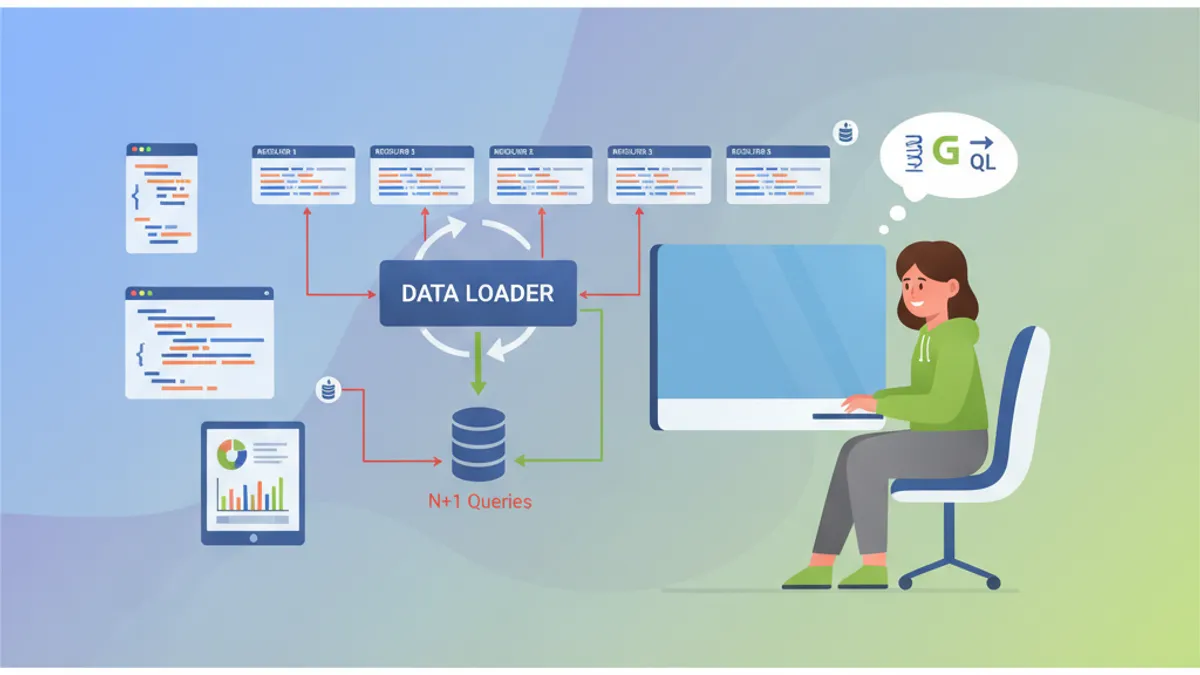
Spring for GraphQL simplifies GraphQL integration in Spring Boot applications. This technology has become essential for modern APIs, and interview questions on this topic are increasingly common. This guide covers the core concepts: resolvers, DataLoaders, the N+1 problem, and advanced patterns.
Recruiters particularly test understanding of the N+1 problem and DataLoader usage. These two topics represent 60% of Spring GraphQL interview questions.
What is Spring for GraphQL?
Spring for GraphQL is the official successor to GraphQL Java Spring, natively integrated into the Spring framework since version 2.7. This integration brings several advantages: Spring annotation support, Spring Security integration, and transparent use of WebFlux or MVC.
Basic configuration requires only the spring-boot-starter-graphql dependency and a GraphQL schema.
dependencies {
    // Spring GraphQL starter with Spring MVC
    implementation("org.springframework.boot:spring-boot-starter-graphql")
    implementation("org.springframework.boot:spring-boot-starter-web")

    // For GraphQL tests
    testImplementation("org.springframework.graphql:spring-graphql-test")
}
The GraphQL schema goes in src/main/resources/graphql/ with the .graphqls extension.
# schema.graphqls
type Query {
    # Retrieve an article by its identifier
    article(id: ID!): Article

    # Paginated list of articles
    articles(page: Int = 0, size: Int = 10): [Article!]!
}

type Article {
    id: ID!
    title: String!
    content: String!
    # Relationship to author
    author: Author!
    # List of comments
    comments: [Comment!]!
    createdAt: String!
}

type Author {
    id: ID!
    name: String!
    email: String!
    # Articles written by this author
    articles: [Article!]!
}

type Comment {
    id: ID!
    content: String!
    author: Author!
    createdAt: String!
}
This architecture declares types and their relationships. GraphQL automatically generates documentation and validates queries server-side.
How Do Spring GraphQL Resolvers Work?
Resolvers form the core of GraphQL execution. Each schema field can have a dedicated resolver. Spring uses the @QueryMapping annotation for root queries and @SchemaMapping for relationships.
@Controller
public class ArticleController {

    private final ArticleRepository articleRepository;
    private final AuthorRepository authorRepository;

    public ArticleController(ArticleRepository articleRepository,
                            AuthorRepository authorRepository) {
        this.articleRepository = articleRepository;
        this.authorRepository = authorRepository;
    }

    // Resolver for Query.article(id)
    @QueryMapping
    public Article article(@Argument Long id) {
        return articleRepository.findById(id)
            .orElseThrow(() -> new ArticleNotFoundException(id));
    }

    // Resolver for Query.articles(page, size)
    @QueryMapping
    public List<Article> articles(@Argument int page,
                                  @Argument int size) {
        Pageable pageable = PageRequest.of(page, size);
        return articleRepository.findAll(pageable).getContent();
    }

    // Resolver for Article.author - called for each article
    @SchemaMapping(typeName = "Article", field = "author")
    public Author author(Article article) {
        return authorRepository.findById(article.getAuthorId())
            .orElseThrow(() -> new AuthorNotFoundException(article.getAuthorId()));
    }
}
The author resolver executes for each returned article. This flexible architecture loads data on demand but introduces the N+1 problem.
A candidate who implements a @SchemaMapping resolver without mentioning the N+1 problem demonstrates incomplete GraphQL understanding. Recruiters systematically expect this analysis.
What is the N+1 Problem in GraphQL?
The N+1 problem occurs when a GraphQL query triggers N additional queries to load relationships. This destructive pattern happens systematically with basic resolvers.
Consider a query fetching 50 articles with their authors:
# GraphQL query
query {
    articles(size: 50) {
        id
        title
        author {
            name
        }
    }
}
With the previous resolver, this query executes:
- 1 query for the 50 articles
- 50 queries to load each author individually
-- Query 1: fetch articles
SELECT * FROM articles LIMIT 50

-- Queries 2-51: each author individually
SELECT * FROM authors WHERE id = 1
SELECT * FROM authors WHERE id = 2
SELECT * FROM authors WHERE id = 3
-- ... 47 more queries
This query multiplication drastically degrades performance. An endpoint responding in 50ms can jump to 2 seconds with N+1.
How Do DataLoaders Work?
DataLoaders batch individual queries into bulk requests. Instead of loading each author separately, the DataLoader collects all requested IDs and executes a single query.
@Component
public class AuthorBatchLoader {

    private final AuthorRepository authorRepository;

    public AuthorBatchLoader(AuthorRepository authorRepository) {
        this.authorRepository = authorRepository;
    }

    // Batch loading method
    public Mono<Map<Long, Author>> loadAuthors(Set<Long> authorIds) {
        // Single query for all authors
        List<Author> authors = authorRepository.findAllById(authorIds);

        // Transform to Map for fast lookup
        Map<Long, Author> authorMap = authors.stream()
            .collect(Collectors.toMap(Author::getId, Function.identity()));

        return Mono.just(authorMap);
    }
}
DataLoader registration happens via BatchLoaderRegistry in a dedicated configuration.
@Configuration
public class GraphQLConfig {

    @Bean
    public BatchLoaderRegistry batchLoaderRegistry(
            AuthorBatchLoader authorBatchLoader) {

        return registry -> {
            // Register DataLoader for authors
            registry.forTypePair(Long.class, Author.class)
                .registerMappedBatchLoader((authorIds, env) ->
                    authorBatchLoader.loadAuthors(authorIds));
        };
    }
}
The modified resolver now uses the DataLoader instead of direct access:
@Controller
public class ArticleController {

    private final ArticleRepository articleRepository;

    public ArticleController(ArticleRepository articleRepository) {
        this.articleRepository = articleRepository;
    }

    @QueryMapping
    public List<Article> articles(@Argument int page,
                                  @Argument int size) {
        Pageable pageable = PageRequest.of(page, size);
        return articleRepository.findAll(pageable).getContent();
    }

    // Optimized resolver with DataLoader
    @SchemaMapping(typeName = "Article", field = "author")
    public CompletableFuture<Author> author(
            Article article,
            DataLoader<Long, Author> authorDataLoader) {

        // DataLoader automatically batches calls
        return authorDataLoader.load(article.getAuthorId());
    }
}
With this approach, the same query for 50 articles executes only 2 SQL queries:
-- Query 1: fetch articles
SELECT * FROM articles LIMIT 50

-- Query 2: all authors at once
SELECT * FROM authors WHERE id IN (1, 2, 3, 4, 5, ..., 50)
Ready to ace your Spring Boot interviews?
Practice with our interactive simulators, flashcards, and technical tests.
How to Implement a DataLoader with Context?
Advanced DataLoaders sometimes require additional context, such as tenant ID for multi-tenant applications or security filters.
@Component
public class SecuredAuthorBatchLoader {

    private final AuthorRepository authorRepository;
    private final SecurityContextHolder securityContext;

    public SecuredAuthorBatchLoader(AuthorRepository authorRepository,
                                    SecurityContextHolder securityContext) {
        this.authorRepository = authorRepository;
        this.securityContext = securityContext;
    }

    public Mono<Map<Long, Author>> loadAuthorsForTenant(
            Set<Long> authorIds,
            BatchLoaderEnvironment env) {

        // Retrieve GraphQL context
        GraphQLContext context = env.getContext();
        String tenantId = context.get("tenantId");

        // Query filtered by tenant
        List<Author> authors = authorRepository
            .findAllByIdInAndTenantId(authorIds, tenantId);

        Map<Long, Author> authorMap = authors.stream()
            .collect(Collectors.toMap(Author::getId, Function.identity()));

        return Mono.just(authorMap);
    }
}
Context configuration happens via a WebGraphQL interceptor:
@Component
public class TenantInterceptor implements WebGraphQlInterceptor {

    @Override
    public Mono<WebGraphQlResponse> intercept(
            WebGraphQlRequest request,
            Chain chain) {

        // Extract tenant from headers
        String tenantId = request.getHeaders()
            .getFirst("X-Tenant-ID");

        // Add to GraphQL context
        request.configureExecutionInput((input, builder) ->
            builder.graphQLContext(ctx ->
                ctx.put("tenantId", tenantId)
            ).build()
        );

        return chain.next(request);
    }
}
What Are the Differences Between @QueryMapping and @SchemaMapping?
This classic interview question verifies understanding of the resolver hierarchy.
| Annotation | Usage | Equivalent |
|---|---|---|
@QueryMapping | Root fields of Query type | @SchemaMapping(typeName = "Query") |
@MutationMapping | Root fields of Mutation type | @SchemaMapping(typeName = "Mutation") |
@SubscriptionMapping | Real-time subscriptions | @SchemaMapping(typeName = "Subscription") |
@SchemaMapping | All fields of any type | Generic form |
@Controller
public class EquivalenceDemo {

    // These two declarations are equivalent
    @QueryMapping
    public Article article(@Argument Long id) {
        return findArticle(id);
    }

    @SchemaMapping(typeName = "Query", field = "article")
    public Article articleEquivalent(@Argument Long id) {
        return findArticle(id);
    }

    // For nested fields, only @SchemaMapping works
    @SchemaMapping(typeName = "Article", field = "author")
    public Author author(Article article) {
        return findAuthor(article.getAuthorId());
    }

    // Alternative syntax with type as parameter
    @SchemaMapping
    public Author author(Article article) {
        // Spring infers typeName = "Article" from parameter
        return findAuthor(article.getAuthorId());
    }
}
How to Handle Mutations with Validation?
GraphQL mutations modify data. Spring GraphQL integrates with Bean Validation to validate inputs.
# schema.graphqls
type Mutation {
    createArticle(input: CreateArticleInput!): Article!
    updateArticle(id: ID!, input: UpdateArticleInput!): Article!
    deleteArticle(id: ID!): Boolean!
}

input CreateArticleInput {
    title: String!
    content: String!
    authorId: ID!
}

input UpdateArticleInput {
    title: String
    content: String
}
The controller uses @Valid to trigger validation:
@Controller
public class ArticleMutationController {

    private final ArticleService articleService;

    public ArticleMutationController(ArticleService articleService) {
        this.articleService = articleService;
    }

    @MutationMapping
    public Article createArticle(@Argument @Valid CreateArticleInput input) {
        // Validation executes automatically
        return articleService.create(input);
    }

    @MutationMapping
    public Article updateArticle(@Argument Long id,
                                 @Argument @Valid UpdateArticleInput input) {
        return articleService.update(id, input);
    }

    @MutationMapping
    public boolean deleteArticle(@Argument Long id) {
        articleService.delete(id);
        return true;
    }
}public record CreateArticleInput(
@NotBlank(message = "Title is required")
@Size(min = 5, max = 200, message = "Title must be between 5 and 200 characters")
String title,
@NotBlank(message = "Content is required")
@Size(min = 100, message = "Content must be at least 100 characters")
String content,
@NotNull(message = "Author is required")
Long authorId
) {}Validation errors automatically return a structured GraphQL error with the invalid field path. Spring GraphQL formats these errors according to the GraphQL specification.
How to Optimize Queries with @BatchMapping?
The @BatchMapping annotation simplifies DataLoader creation directly in controllers. This approach avoids explicit BatchLoaderRegistry configuration.
@Controller
public class OptimizedArticleController {

    private final ArticleRepository articleRepository;
    private final AuthorRepository authorRepository;
    private final CommentRepository commentRepository;

    public OptimizedArticleController(ArticleRepository articleRepository,
                                      AuthorRepository authorRepository,
                                      CommentRepository commentRepository) {
        this.articleRepository = articleRepository;
        this.authorRepository = authorRepository;
        this.commentRepository = commentRepository;
    }

    @QueryMapping
    public List<Article> articles(@Argument int page,
                                  @Argument int size) {
        return articleRepository.findAll(PageRequest.of(page, size))
            .getContent();
    }

    // BatchMapping for authors - processes all articles at once
    @BatchMapping
    public Map<Article, Author> author(List<Article> articles) {
        // Collect unique author IDs
        Set<Long> authorIds = articles.stream()
            .map(Article::getAuthorId)
            .collect(Collectors.toSet());

        // Single query for all authors
        Map<Long, Author> authorsById = authorRepository
            .findAllById(authorIds)
            .stream()
            .collect(Collectors.toMap(Author::getId, Function.identity()));

        // Article -> author association
        return articles.stream()
            .collect(Collectors.toMap(
                Function.identity(),
                article -> authorsById.get(article.getAuthorId())
            ));
    }

    // BatchMapping for comments
    @BatchMapping
    public Map<Article, List<Comment>> comments(List<Article> articles) {
        List<Long> articleIds = articles.stream()
            .map(Article::getId)
            .toList();

        // Batch fetch comments
        List<Comment> allComments = commentRepository
            .findByArticleIdIn(articleIds);

        // Group by article
        Map<Long, List<Comment>> commentsByArticle = allComments.stream()
            .collect(Collectors.groupingBy(Comment::getArticleId));

        return articles.stream()
            .collect(Collectors.toMap(
                Function.identity(),
                article -> commentsByArticle
                    .getOrDefault(article.getId(), List.of())
            ));
    }
}
@BatchMapping provides more concise syntax than manual DataLoader configuration while delivering the same performance guarantees.
How to Test GraphQL Resolvers?
Spring GraphQL provides GraphQlTester for writing expressive and readable tests.
@SpringBootTest
@AutoConfigureGraphQlTester
class ArticleControllerTest {

    @Autowired
    private GraphQlTester graphQlTester;

    @Test
    void shouldReturnArticleById() {
        // Given: GraphQL document
        String query = """
            query {
                article(id: 1) {
                    id
                    title
                    author {
                        name
                    }
                }
            }
            """;

        // When & Then
        graphQlTester.document(query)
            .execute()
            .path("article.id").entity(String.class).isEqualTo("1")
            .path("article.title").entity(String.class).isNotEmpty()
            .path("article.author.name").entity(String.class).isNotEmpty();
    }

    @Test
    void shouldCreateArticle() {
        String mutation = """
            mutation {
                createArticle(input: {
                    title: "New title",
                    content: "Test content long enough to pass validation requirements",
                    authorId: 1
                }) {
                    id
                    title
                }
            }
            """;

        graphQlTester.document(mutation)
            .execute()
            .path("createArticle.id").entity(String.class).isNotEmpty()
            .path("createArticle.title").entity(String.class)
                .isEqualTo("New title");
    }

    @Test
    void shouldReturnErrorForInvalidInput() {
        String mutation = """
            mutation {
                createArticle(input: {
                    title: "",
                    content: "short",
                    authorId: 1
                }) {
                    id
                }
            }
            """;

        graphQlTester.document(mutation)
            .execute()
            .errors()
            .expect(error -> error.getMessage()
                .contains("Title is required"));
    }

    @Test
    void shouldHandleVariables() {
        String query = """
            query GetArticle($id: ID!) {
                article(id: $id) {
                    id
                    title
                }
            }
            """;

        graphQlTester.document(query)
            .variable("id", 42)
            .execute()
            .path("article").valueIsNull();
    }
}
Start practicing!
Test your knowledge with our interview simulators and technical tests.
How to Handle Real-Time Subscriptions?
Subscriptions enable pushing real-time data to clients via WebSocket.
# schema.graphqls
type Subscription {
    articleCreated: Article!
    commentAdded(articleId: ID!): Comment!
}@Controller
public class SubscriptionController {
private final Sinks.Many<Article> articleSink =
Sinks.many().multicast().onBackpressureBuffer();
private final Sinks.Many<Comment> commentSink =
Sinks.many().multicast().onBackpressureBuffer();
@SubscriptionMapping
public Flux<Article> articleCreated() {
return articleSink.asFlux();
}
@SubscriptionMapping
public Flux<Comment> commentAdded(@Argument Long articleId) {
return commentSink.asFlux()
.filter(comment -> comment.getArticleId().equals(articleId));
}
// Method called when an article is created
public void publishArticle(Article article) {
articleSink.tryEmitNext(article);
}
// Method called when a comment is added
public void publishComment(Comment comment) {
commentSink.tryEmitNext(comment);
}
}WebSocket configuration requires an additional dependency:
dependencies {
    implementation("org.springframework.boot:spring-boot-starter-websocket")
}@Configuration
public class WebSocketConfig {
@Bean
public ServerEndpointExporter serverEndpointExporter() {
return new ServerEndpointExporter();
}
}What Are GraphQL Security Best Practices?
GraphQL security requires multiple protection layers against denial-of-service attacks and unauthorized access.
@Configuration
@EnableMethodSecurity
public class SecurityConfig {

    @Bean
    public SecurityFilterChain filterChain(HttpSecurity http) throws Exception {
        return http
            .authorizeHttpRequests(auth -> auth
                // Protected GraphQL endpoint
                .requestMatchers("/graphql").authenticated()
                // GraphiQL accessible in dev only
                .requestMatchers("/graphiql").permitAll()
            )
            .oauth2ResourceServer(oauth2 -> oauth2.jwt(Customizer.withDefaults()))
            .build();
    }
}@Controller
public class SecuredArticleController {
private final ArticleRepository articleRepository;
public SecuredArticleController(ArticleRepository articleRepository) {
this.articleRepository = articleRepository;
}
// Access restricted to authenticated users
@QueryMapping
@PreAuthorize("isAuthenticated()")
public List<Article> articles(@Argument int page,
@Argument int size) {
return articleRepository.findAll(PageRequest.of(page, size))
.getContent();
}
// Only admins can delete
@MutationMapping
@PreAuthorize("hasRole('ADMIN')")
public boolean deleteArticle(@Argument Long id) {
articleRepository.deleteById(id);
return true;
}
// Fine-grained check: only the author can modify
@MutationMapping
@PreAuthorize("@articleSecurity.isAuthor(#id, authentication)")
public Article updateArticle(@Argument Long id,
@Argument UpdateArticleInput input) {
return articleRepository.findById(id)
.map(article -> {
article.setTitle(input.title());
article.setContent(input.content());
return articleRepository.save(article);
})
.orElseThrow();
}
}Protection against complex queries:
# application.yml
spring:
  graphql:
    schema:
      introspection:
        # Disable introspection in production
enabled: false@Component
public class QueryComplexityInstrumentation extends SimplePerformantInstrumentation {
private static final int MAX_COMPLEXITY = 100;
@Override
public InstrumentationState createState(InstrumentationCreateStateParameters parameters) {
return new ComplexityState();
}
@Override
public InstrumentationContext<ExecutionResult> beginExecution(
InstrumentationExecutionParameters parameters,
InstrumentationState state) {
int complexity = calculateComplexity(parameters.getDocument());
if (complexity > MAX_COMPLEXITY) {
throw new GraphQLException(
"Query too complex: " + complexity + " (max: " + MAX_COMPLEXITY + ")"
);
}
return super.beginExecution(parameters, state);
}
}Conclusion
Spring for GraphQL provides elegant integration of GraphQL into the Spring ecosystem. Mastering resolvers, DataLoaders, and N+1 problem management forms the knowledge foundation expected in interviews.
Spring GraphQL Interview Checklist:
- ✅ Explain the role of
@QueryMapping,@MutationMapping, and@SchemaMappingannotations - ✅ Describe the N+1 problem and its impact on GraphQL performance
- ✅ Implement a DataLoader with
@BatchMappingor BatchLoaderRegistry - ✅ Validate mutation inputs with Bean Validation
- ✅ Secure resolvers with
@PreAuthorizeand Spring Security - ✅ Test resolvers with GraphQlTester
- ✅ Configure subscriptions for real-time functionality
- ✅ Protect the API against excessively complex queries
Can you spot the bug in Spring Boot?
One real snippet, one hidden bug, one attempt a day. No account needed to try.

Written by
Anthony Fillion-MailletFounder of SharpSkill
Full-stack developer for over 10 years. Runs SharpSkill and answers for everything published here.
Updated on March 31, 2026
Tags
Share
Related articles
Spring Boot YAML vs Properties: Configuration Comparison and Interview Questions 2026
Compare application.yml and application.properties in Spring Boot 3.4. Learn when to use each format, understand the differences, and prepare for configuration-related interview questions.

Spring Boot Interview: Transaction Propagation Explained
Master Spring Boot transaction propagation: REQUIRED, REQUIRES_NEW, NESTED and more. 12 interview questions with code examples and common pitfalls.

Spring Data JPA N+1 Query Solutions: Fetch Join, EntityGraph and Hibernate 7.4
Complete guide to detecting and fixing the N+1 problem in Spring Data JPA. Fetch join, @EntityGraph, batch fetching, and query performance strategies.