Flutter Navigation 2.0 and GoRouter in 2026: Deep Linking and Interview Questions
Master Flutter navigation with GoRouter 17.5: declarative routing, deep linking, ShellRoute, route guards, and common interview questions with practical examples.

Flutter navigation has evolved significantly since the introduction of Navigation 2.0. GoRouter 17.5, the official Flutter team package, now handles the complexity of the Router API while providing declarative routing, automatic deep linking, and nested navigation out of the box.
The Flutter team considers GoRouter feature-complete as of 2026. It supports path parameters, query parameters, redirects, ShellRoute for persistent UI, and StatefulShellRoute for preserving tab state. Raw Navigator 2.0 is rarely hand-rolled in production anymore.
Understanding Navigator 2.0 Architecture
Navigator 2.0 introduced a declarative, URL-driven approach to Flutter navigation. Instead of imperative push and pop calls, the app state determines what appears on the navigation stack. The architecture relies on three core classes:
- Router: The top-level widget that coordinates navigation
- RouteInformationParser: Translates URLs into app state
- RouterDelegate: Builds the widget tree based on that state
When a deep link arrives from the OS or a URL changes in a web browser, the framework updates the state, and the UI reacts. The problem: writing a custom RouterDelegate and RouteInformationParser by hand requires significant boilerplate.
// Raw Navigator 2.0 approach - verbose and rarely used directly
class AppRouterDelegate extends RouterDelegate<AppRoutePath>
with ChangeNotifier, PopNavigatorRouterDelegateMixin<AppRoutePath> {
final GlobalKey<NavigatorState> navigatorKey = GlobalKey<NavigatorState>();
AppRoutePath? _currentPath;
AppRoutePath? get currentConfiguration => _currentPath;
Widget build(BuildContext context) {
return Navigator(
key: navigatorKey,
pages: [
const MaterialPage(child: HomeScreen()),
if (_currentPath?.isProductPage == true)
MaterialPage(child: ProductScreen(id: _currentPath!.productId!)),
],
onDidRemovePage: (page) {
// Handle page removal
},
);
}
Future<void> setNewRoutePath(AppRoutePath path) async {
_currentPath = path;
notifyListeners();
}
}This verbosity is why GoRouter exists. It wraps Navigator 2.0 and handles the boilerplate.
Setting Up GoRouter 17.5
GoRouter 17.5 introduces route metadata support and regular expression constraints for path parameters. The minimum SDK requirement is Flutter 3.32 and Dart 3.8.
import 'package:go_router/go_router.dart';

final goRouter = GoRouter(
  initialLocation: '/',
  debugLogDiagnostics: true, // Useful during development
  routes: [
    GoRoute(
      path: '/',
      name: 'home',
      builder: (context, state) => const HomeScreen(),
      routes: [
        GoRoute(
          path: 'products/:id', // Path parameter
          name: 'product',
          builder: (context, state) {
            final productId = state.pathParameters['id']!;
            return ProductScreen(productId: productId);
          },
        ),
        GoRoute(
          path: 'search',
          name: 'search',
          builder: (context, state) {
            // Query parameters: /search?q=flutter&category=books
            final query = state.uri.queryParameters['q'] ?? '';
            final category = state.uri.queryParameters['category'];
            return SearchScreen(query: query, category: category);
          },
        ),
      ],
    ),
  ],
);
The router integrates with MaterialApp.router:
import 'package:flutter/material.dart';
import 'router_config.dart';
void main() {
runApp(const MyApp());
}
class MyApp extends StatelessWidget {
const MyApp({super.key});
Widget build(BuildContext context) {
return MaterialApp.router(
routerConfig: goRouter,
title: 'GoRouter Demo',
);
}
}Deep Linking Configuration for Android and iOS
Deep linking allows external URLs to open specific screens in the app. GoRouter handles the routing automatically once the platform configuration is in place.
Android App Links
Android requires an intent-filter in AndroidManifest.xml and a Digital Asset Links file hosted on the domain:
<!-- android/app/src/main/AndroidManifest.xml -->
<activity android:name=".MainActivity">
  <intent-filter android:autoVerify="true">
    <action android:name="android.intent.action.VIEW" />
    <category android:name="android.intent.category.DEFAULT" />
    <category android:name="android.intent.category.BROWSABLE" />
    <data
      android:scheme="https"
      android:host="example.com"
      android:pathPrefix="/products" />
  </intent-filter>
</activity>
The assetlinks.json file must be served at https://example.com/.well-known/assetlinks.json.
iOS Universal Links
For iOS, the Associated Domains capability must be enabled in Xcode, and an apple-app-site-association file must be hosted:
{
  "applinks": {
    "apps": [],
    "details": [
      {
        "appID": "TEAMID.com.example.app",
        "paths": ["/products/*", "/search"]
      }
    ]
  }
}
GoRouter 17.5 fixed a critical bug where Android cold-start deep links with empty paths lost the scheme and authority. This means deep links now work reliably even when the app is not running.
Test Android deep links with adb shell am start -a android.intent.action.VIEW -d "https://example.com/products/123". For iOS, use xcrun simctl openurl booted "https://example.com/products/123".
ShellRoute for Persistent Navigation UI
ShellRoute wraps child routes with a persistent UI element like a BottomNavigationBar or Drawer. The shell stays visible while navigating between its children.
final goRouter = GoRouter(
initialLocation: '/home',
routes: [
ShellRoute(
builder: (context, state, child) {
return ScaffoldWithNavBar(child: child);
},
routes: [
GoRoute(
path: '/home',
name: 'home',
builder: (context, state) => const HomeTab(),
),
GoRoute(
path: '/explore',
name: 'explore',
builder: (context, state) => const ExploreTab(),
),
GoRoute(
path: '/profile',
name: 'profile',
builder: (context, state) => const ProfileTab(),
),
],
),
],
);
// scaffold_with_nav_bar.dart
class ScaffoldWithNavBar extends StatelessWidget {
final Widget child;
const ScaffoldWithNavBar({super.key, required this.child});
Widget build(BuildContext context) {
return Scaffold(
body: child,
bottomNavigationBar: BottomNavigationBar(
currentIndex: _calculateSelectedIndex(context),
onTap: (index) => _onItemTapped(index, context),
items: const [
BottomNavigationBarItem(icon: Icon(Icons.home), label: 'Home'),
BottomNavigationBarItem(icon: Icon(Icons.explore), label: 'Explore'),
BottomNavigationBarItem(icon: Icon(Icons.person), label: 'Profile'),
],
),
);
}
int _calculateSelectedIndex(BuildContext context) {
final location = GoRouterState.of(context).uri.toString();
if (location.startsWith('/explore')) return 1;
if (location.startsWith('/profile')) return 2;
return 0;
}
void _onItemTapped(int index, BuildContext context) {
switch (index) {
case 0: context.go('/home');
case 1: context.go('/explore');
case 2: context.go('/profile');
}
}
}GoRouter 17.5 fixed an issue where iOS back gestures would pop the entire ShellRoute instead of just the active sub-route.
Ready to ace your Flutter interviews?
Practice with our interactive simulators, flashcards, and technical tests.
StatefulShellRoute for Preserving Tab State
When users switch tabs, ShellRoute rebuilds the child. StatefulShellRoute preserves the navigation stack of each branch:
final goRouter = GoRouter(
  initialLocation: '/home',
  routes: [
    StatefulShellRoute.indexedStack(
      builder: (context, state, navigationShell) {
        return ScaffoldWithNavBar(navigationShell: navigationShell);
      },
      branches: [
        StatefulShellBranch(
          routes: [
            GoRoute(
              path: '/home',
              builder: (context, state) => const HomeTab(),
              routes: [
                GoRoute(
                  path: 'details/:id',
                  builder: (context, state) => DetailsScreen(
                    id: state.pathParameters['id']!,
                  ),
                ),
              ],
            ),
          ],
        ),
        StatefulShellBranch(
          routes: [
            GoRoute(
              path: '/explore',
              builder: (context, state) => const ExploreTab(),
            ),
          ],
        ),
        StatefulShellBranch(
          routes: [
            GoRoute(
              path: '/profile',
              builder: (context, state) => const ProfileTab(),
            ),
          ],
        ),
      ],
    ),
  ],
);
With this setup, if a user navigates to /home/details/42, switches to the Explore tab, then returns to Home, they will still be on the details screen.
Route Guards with Redirect
Redirects handle authentication checks and conditional navigation. The redirect callback runs before each navigation:
final goRouter = GoRouter(
  initialLocation: '/',
  redirect: (context, state) {
    final isLoggedIn = AuthService.instance.isLoggedIn;
    final isLoggingIn = state.matchedLocation == '/login';

    // Redirect to login if not authenticated
    if (!isLoggedIn && !isLoggingIn) {
      return '/login?redirect=${state.uri}';
    }

    // Redirect away from login if already authenticated
    if (isLoggedIn && isLoggingIn) {
      final redirect = state.uri.queryParameters['redirect'];
      return redirect ?? '/';
    }

    return null; // No redirect
  },
  routes: [
    GoRoute(
      path: '/',
      builder: (context, state) => const HomeScreen(),
    ),
    GoRoute(
      path: '/login',
      builder: (context, state) => const LoginScreen(),
    ),
    GoRoute(
      path: '/admin',
      redirect: (context, state) {
        // Route-level redirect for admin-only access
        if (!AuthService.instance.isAdmin) {
          return '/';
        }
        return null;
      },
      builder: (context, state) => const AdminScreen(),
    ),
  ],
);
GoRouter 17.5 added support for using context extension methods like context.namedLocation() within redirect callbacks.
Common Flutter Navigation Interview Questions
Interviewers frequently test navigation knowledge because it touches architecture, state management, and platform integration. Here are questions that distinguish senior candidates:
Q: What problem does Navigator 2.0 solve that Navigator 1.0 does not?
Navigator 1.0 uses imperative navigation: Navigator.push() and Navigator.pop(). The app cannot represent the navigation state as a URL, making deep linking and web support difficult. Navigator 2.0 is declarative: the app state determines the navigation stack, URLs are first-class citizens, and deep links work automatically.
Q: When would you use context.go() vs context.push()?
context.go('/path') replaces the current navigation stack up to the matched route. context.push('/path') adds a new route on top of the existing stack. Use go() for top-level navigation (switching tabs, going home) and push() for drilling into details while preserving back navigation.
Q: How do you preserve state across tab switches?
Use StatefulShellRoute.indexedStack(). It maintains separate navigation stacks for each branch and preserves them when switching tabs. Without it, switching tabs rebuilds the entire sub-tree.
Q: How do you pass complex objects between routes?
Three approaches exist. First, pass an ID in the path parameter and fetch the object on the destination screen. Second, use GoRouter's extra parameter to pass the object directly. Third, store the object in a state management solution (Riverpod, Bloc) and access it from the destination. The first approach is best for deep linking because the URL remains shareable.
// Passing via extra (not deep-linkable)
context.push('/product', extra: productObject);

// Receiving via extra
GoRoute(
  path: '/product',
  builder: (context, state) {
    final product = state.extra as Product?;
    return ProductScreen(product: product);
  },
),
Q: What is the onEnter callback in GoRouter 17.5?
The onEnter callback executes when entering a route and provides access to both the current and next route states. It allows running logic before the route fully loads, useful for analytics or conditional pre-loading.
Type-Safe Routes with code generation
GoRouter supports type-safe routing through code generation. Define route data classes and let build_runner generate the navigation code:
import 'package:go_router/go_router.dart';
part 'routes.g.dart';
<HomeRoute>(path: '/')
class HomeRoute extends GoRouteData {
const HomeRoute();
Widget build(BuildContext context, GoRouterState state) => const HomeScreen();
}
<ProductRoute>(path: '/product/:id')
class ProductRoute extends GoRouteData {
final String id;
const ProductRoute({required this.id});
Widget build(BuildContext context, GoRouterState state) =>
ProductScreen(productId: id);
}After running dart run build_runner build, navigate with compile-time safety:
// Type-safe navigation
ProductRoute(id: '123').go(context);
This eliminates typos in route paths and ensures parameters are always provided.
Mastering Flutter Navigation for Production Apps
- GoRouter 17.5 is the recommended navigation solution for Flutter apps requiring deep linking, nested navigation, or web support
- Use
ShellRoutefor persistent bottom navigation bars; useStatefulShellRouteto preserve each tab's navigation stack - Configure platform-specific deep linking (Android App Links, iOS Universal Links) separately from GoRouter, which handles the routing logic
- Implement authentication guards with the
redirectcallback at the router level or individual route level - For interview scenarios, focus on explaining the declarative model: app state drives the UI, URLs are derived from state, and GoRouter handles the translation
- Type-safe routes with code generation eliminate runtime errors from mistyped paths
- Check the Flutter navigation documentation and GoRouter changelog for version-specific features
Start practicing!
Test your knowledge with our interview simulators and technical tests.
Can you spot the bug in Flutter?
One real snippet, one hidden bug, one attempt a day. No account needed to try.

Written by
Anthony Fillion-MailletFounder of SharpSkill
Full-stack developer for over 10 years. Runs SharpSkill and answers for everything published here.
Updated on August 23, 2026
Tags
Share
Related articles

Flutter Performance Optimization in 2026: Impeller, Rebuilds and Best Practices
How to keep Flutter apps at a steady 60 or 120fps in 2026 using Impeller, disciplined widget rebuilds, RepaintBoundary, and DevTools profiling.
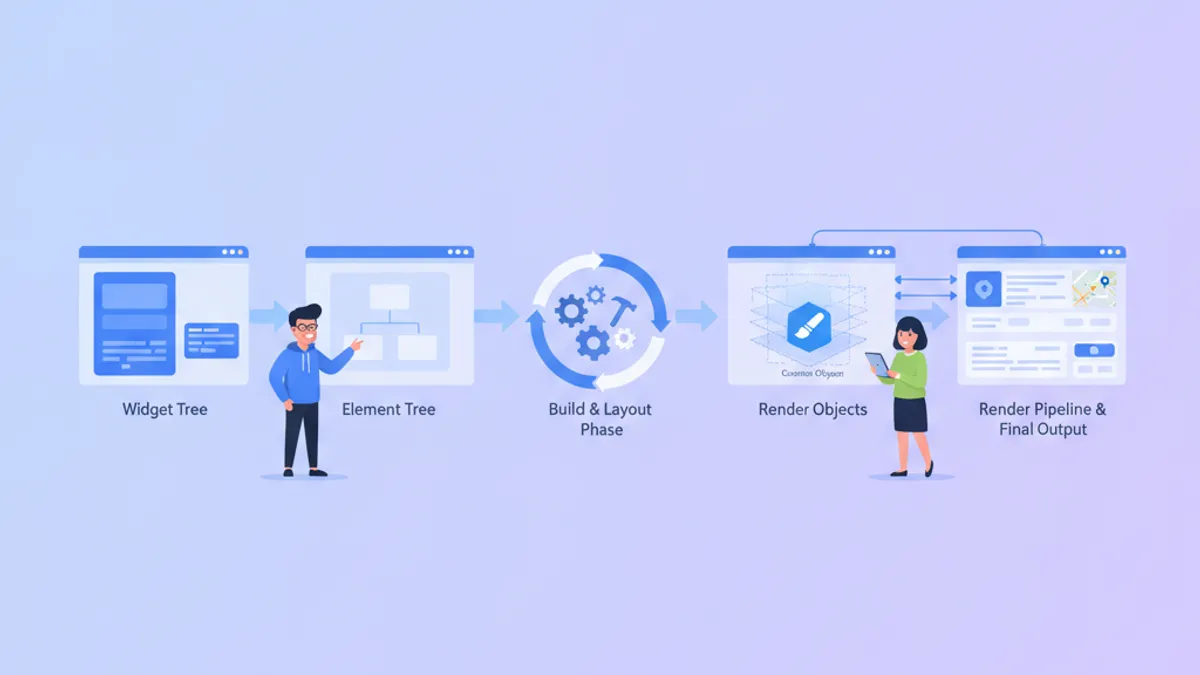
Flutter Custom Render Objects in 2026: Custom Painting and Interview Questions
Master Flutter's rendering pipeline with custom RenderObjects, learn when to choose CustomPainter vs RenderBox, and prepare for senior-level interview questions on the Element-RenderObject lifecycle.
Flutter vs React Native in 2026: Architecture, Performance, and When to Choose Each
A detailed comparison of Flutter 3.44 and React Native 0.86 covering rendering architecture, performance benchmarks, developer experience, and hiring considerations for cross-platform mobile development in 2026.