ความปลอดภัย Pipeline DevOps 2026: แนวปฏิบัติ DevSecOps และคำถามสัมภาษณ์
คู่มือครบถ้วนเกี่ยวกับความปลอดภัย Pipeline DevOps ในปี 2026 ครอบคลุมแนวปฏิบัติที่ดีที่สุดของ DevSecOps การติดตั้ง CI/CD ที่ปลอดภัย และคำถามสัมภาษณ์ทางเทคนิคเพื่อเตรียมความพร้อมสำหรับอาชีพ
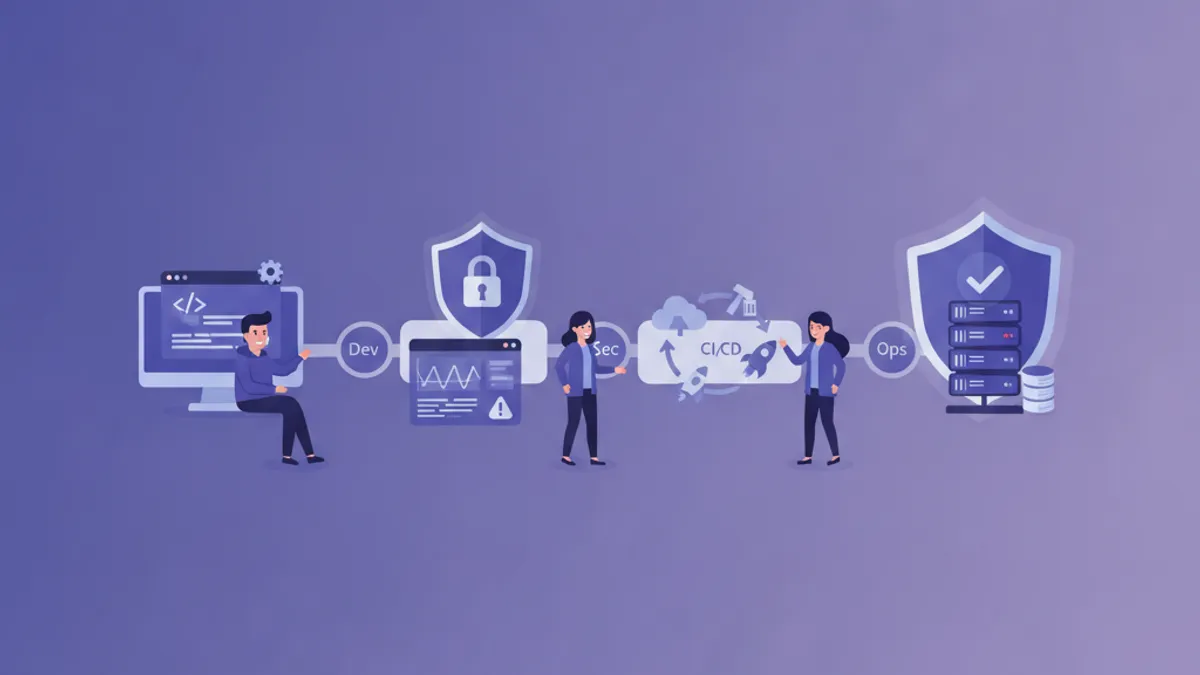
ความปลอดภัยของ Pipeline DevOps ได้กลายเป็นลำดับความสำคัญอันดับต้นๆ ขององค์กรทั่วโลกในปี 2026 ด้วยการเพิ่มขึ้นของการโจมตี Supply Chain และภัยคุกคามด้านความปลอดภัยที่ซับซ้อนมากขึ้น การนำ DevSecOps มาใช้อย่างครอบคลุมไม่ใช่ทางเลือกอีกต่อไป แต่เป็นสิ่งจำเป็น บทความนี้สำรวจแนวปฏิบัติที่ดีที่สุดในการรักษาความปลอดภัย Pipeline CI/CD และให้คำถามสัมภาษณ์ที่พบบ่อยในการสรรหาตำแหน่ง DevSecOps
DevSecOps ผสานรวมความปลอดภัยเข้าไปในทุกขั้นตอนของวงจรชีวิตการพัฒนาซอฟต์แวร์ แทนที่จะเป็นขั้นตอนสุดท้ายก่อน Deployment แนวทาง "Shift-left" นี้ช่วยให้ตรวจพบช่องโหว่ได้เร็วขึ้นและลดค่าใช้จ่ายในการแก้ไขอย่างมีนัยสำคัญ
ทำความเข้าใจภูมิทัศน์ความปลอดภัยของ Pipeline DevOps
Pipeline CI/CD สมัยใหม่เผชิญกับเวกเตอร์การโจมตีหลายรูปแบบที่ทีมความปลอดภัยต้องคาดการณ์ล่วงหน้า ตั้งแต่การฉีดโค้ดที่เป็นอันตรายจนถึงการขโมยข้อมูลประจำตัว ทุกขั้นตอนของ Pipeline มีความเสี่ยงเฉพาะของตัวเอง
ส่วนประกอบหลักที่ต้องให้ความสนใจด้านความปลอดภัยได้แก่:
- Source Code Repository: ที่เก็บซอร์สโค้ดที่ต้องได้รับการป้องกันจากการเข้าถึงที่ไม่ได้รับอนุญาต
- Build Environment: สภาพแวดล้อมที่โค้ดถูกคอมไพล์ซึ่งเสี่ยงต่อการถูกแก้ไข
- Artifact Registry: ที่เก็บผลลัพธ์ของ Build ที่ต้องรักษาความสมบูรณ์
- Deployment Target: โครงสร้างพื้นฐาน Production ที่เป็นเป้าหมายสุดท้าย
การติดตั้งการจัดการ Secret ที่ปลอดภัย
การจัดการ Secret เป็นรากฐานของความปลอดภัย Pipeline DevOps ข้อมูลประจำตัว API Key และใบรับรองต้องถูกจัดเก็บและเข้าถึงอย่างปลอดภัย
# ตัวอย่างการตั้งค่า HashiCorp Vault ใน Pipeline GitLab CI
variables:
  VAULT_ADDR: "https://vault.company.com:8200"

stages:
  - authenticate
  - build
  - deploy

vault_auth:
  stage: authenticate
  script:
    - export VAULT_TOKEN=$(vault write -field=token auth/jwt/login role=ci-role jwt=$CI_JOB_JWT)
    - vault kv get -field=password secret/database/prod > /tmp/db_password
  artifacts:
    paths:
      - /tmp/db_password
    expire_in: 5 minutes
แนวปฏิบัติที่ดีที่สุดสำหรับการจัดการ Secret:
- การหมุนเวียนอัตโนมัติ: ดำเนินการหมุนเวียนข้อมูลประจำตัวเป็นระยะ
- Least Privilege: ให้สิทธิ์การเข้าถึงขั้นต่ำที่จำเป็น
- Audit Trail: บันทึกการเข้าถึง Secret ทุกครั้งเพื่อการตรวจสอบ
- การเข้ารหัส at Rest: ให้แน่ใจว่า Secret ถูกเข้ารหัสเมื่อจัดเก็บ
การสแกนความปลอดภัยใน Pipeline CI/CD
การผสานรวมการสแกนความปลอดภัยหลายประเภทเข้าไปใน Pipeline ช่วยให้ตรวจพบช่องโหว่โดยอัตโนมัติก่อนที่โค้ดจะถึง Production
# GitHub Actions workflow พร้อมการสแกนความปลอดภัยครบถ้วน
name: Security Pipeline

on:
  push:
    branches: [main, develop]
  pull_request:
    branches: [main]

jobs:
  sast-scan:
    runs-on: ubuntu-latest
    steps:
      - uses: actions/checkout@v4

      - name: Run Semgrep SAST
        uses: returntocorp/semgrep-action@v1
        with:
          config: >-
            p/security-audit
            p/secrets
            p/owasp-top-ten
          generateSarif: true

      - name: Upload SARIF
        uses: github/codeql-action/upload-sarif@v3
        with:
          sarif_file: semgrep.sarif

  dependency-scan:
    runs-on: ubuntu-latest
    steps:
      - uses: actions/checkout@v4

      - name: Run Trivy vulnerability scanner
        uses: aquasecurity/trivy-action@master
        with:
          scan-type: 'fs'
          scan-ref: '.'
          format: 'sarif'
          output: 'trivy-results.sarif'
          severity: 'CRITICAL,HIGH'

  container-scan:
    runs-on: ubuntu-latest
    needs: [sast-scan]
    steps:
      - uses: actions/checkout@v4

      - name: Build container image
        run: docker build -t app:${{ github.sha }} .

      - name: Scan container image
        uses: aquasecurity/trivy-action@master
        with:
          image-ref: 'app:${{ github.sha }}'
          format: 'sarif'
          severity: 'CRITICAL,HIGH,MEDIUM'
ความปลอดภัย Infrastructure as Code
ความปลอดภัยของโครงสร้างพื้นฐานเริ่มต้นจากโค้ดที่กำหนดมัน การสแกน IaC ช่วยให้แน่ใจว่าการตั้งค่า Cloud ไม่มีการกำหนดค่าผิดพลาดที่เป็นอันตราย
# การตั้งค่า Terraform พร้อมแนวปฏิบัติความปลอดภัยที่ดีที่สุด
resource "aws_s3_bucket" "secure_bucket" {
  bucket = "company-secure-data-bucket"

  # Checkov: CKV_AWS_18 - Ensure S3 bucket has access logging enabled
  logging {
    target_bucket = aws_s3_bucket.log_bucket.id
    target_prefix = "log/"
  }
}

resource "aws_s3_bucket_versioning" "secure_bucket" {
  bucket = aws_s3_bucket.secure_bucket.id
  versioning_configuration {
    status = "Enabled"
  }
}

resource "aws_s3_bucket_server_side_encryption_configuration" "secure_bucket" {
  bucket = aws_s3_bucket.secure_bucket.id

  rule {
    apply_server_side_encryption_by_default {
      sse_algorithm     = "aws:kms"
      kms_master_key_id = aws_kms_key.bucket_key.arn
    }
    bucket_key_enabled = true
  }
}

resource "aws_s3_bucket_public_access_block" "secure_bucket" {
  bucket = aws_s3_bucket.secure_bucket.id

  block_public_acls       = true
  block_public_policy     = true
  ignore_public_acls      = true
  restrict_public_buckets = true
}
รันการสแกน IaC ด้วย Checkov:
# สแกนไฟล์ Terraform เพื่อหาปัญหาความปลอดภัย
checkov -d ./terraform --framework terraform \
  --check CKV_AWS_18,CKV_AWS_19,CKV_AWS_21 \
  --output sarif --output-file checkov-results.sarif

# สแกน Kubernetes manifests
checkov -d ./k8s --framework kubernetes \
  --soft-fail-on LOW \
  --hard-fail-on CRITICAL,HIGH
ความปลอดภัย Supply Chain ด้วย SLSA
Supply-chain Levels for Software Artifacts (SLSA) ให้ Framework เพื่อรับประกันความสมบูรณ์ของ Software Supply Chain
# SLSA Level 3 compliant build ด้วย GitHub Actions
name: SLSA Build

on:
  push:
    tags:
      - 'v*'

jobs:
  build:
    runs-on: ubuntu-latest
    outputs:
      digest: ${{ steps.build.outputs.digest }}
    steps:
      - uses: actions/checkout@v4

      - name: Build artifact
        id: build
        run: |
          npm ci --ignore-scripts
          npm run build
          sha256sum dist/app.js | awk '{print $1}' > digest.txt
          echo "digest=$(cat digest.txt)" >> $GITHUB_OUTPUT

      - name: Upload artifact
        uses: actions/upload-artifact@v4
        with:
          name: build-artifact
          path: dist/

  provenance:
    needs: build
    permissions:
      actions: read
      id-token: write
      contents: write
    uses: slsa-framework/slsa-github-generator/.github/workflows/generator_generic_slsa3.yml@v1.9.0
    with:
      base64-subjects: |
        ${{ needs.build.outputs.digest }} dist/app.js
ความปลอดภัย Runtime และการตรวจสอบ
ความปลอดภัยไม่หยุดหลังจาก Deployment การตรวจสอบ Runtime ช่วยให้แน่ใจว่าแอปพลิเคชันยังคงปลอดภัยระหว่างการดำเนินงาน
# Kubernetes Pod Security ด้วย Falco rules
apiVersion: v1
kind: ConfigMap
metadata:
  name: falco-rules
  namespace: falco-system
data:
  custom-rules.yaml: |
    - rule: Detect Crypto Mining
      desc: Detect crypto mining processes
      condition: >
        spawned_process and
        (proc.name in (crypto_miner_names) or
         proc.cmdline contains "stratum+tcp" or
         proc.cmdline contains "pool.")
      output: >
        Crypto mining detected
        (user=%user.name command=%proc.cmdline container=%container.name)
      priority: CRITICAL
      tags: [crypto, mining, security]

    - rule: Sensitive File Access
      desc: Detect access to sensitive files
      condition: >
        open_read and
        fd.name in (/etc/shadow, /etc/passwd, /etc/sudoers)
      output: >
        Sensitive file accessed
        (file=%fd.name user=%user.name container=%container.name)
      priority: WARNING
Policy as Code ด้วย OPA Gatekeeper
Open Policy Agent ช่วยให้สามารถกำหนดนโยบายความปลอดภัยเป็นโค้ดที่สามารถตรวจสอบและควบคุมเวอร์ชันได้
# Gatekeeper ConstraintTemplate สำหรับ Container Security
apiVersion: templates.gatekeeper.sh/v1
kind: ConstraintTemplate
metadata:
  name: k8srequiredsecuritycontext
spec:
  crd:
    spec:
      names:
        kind: K8sRequiredSecurityContext
  targets:
    - target: admission.k8s.gatekeeper.sh
      rego: |
        package k8srequiredsecuritycontext

        violation[{"msg": msg}] {
          container := input.review.object.spec.containers[_]
          not container.securityContext.runAsNonRoot
          msg := sprintf("Container %v must set runAsNonRoot to true", [container.name])
        }

        violation[{"msg": msg}] {
          container := input.review.object.spec.containers[_]
          not container.securityContext.readOnlyRootFilesystem
          msg := sprintf("Container %v must use read-only root filesystem", [container.name])
        }

        violation[{"msg": msg}] {
          container := input.review.object.spec.containers[_]
          container.securityContext.privileged == true
          msg := sprintf("Container %v must not run in privileged mode", [container.name])
        }
พร้อมที่จะพิชิตการสัมภาษณ์ DevOps แล้วหรือยังครับ?
ฝึกฝนด้วยตัวจำลองแบบโต้ตอบ, flashcards และแบบทดสอบเทคนิคครับ
คำถามสัมภาษณ์ DevSecOps
ต่อไปนี้เป็นคำถามที่มักถูกถามในการสัมภาษณ์ตำแหน่ง DevSecOps พร้อมประเด็นคำตอบที่คาดหวัง
คำถามเทคนิคพื้นฐาน
1. อธิบายความแตกต่างระหว่าง SAST, DAST และ IAST
- SAST (Static Application Security Testing): วิเคราะห์ซอร์สโค้ดโดยไม่ต้องรัน ตรวจจับช่องโหว่ในขั้นตอนการพัฒนา
- DAST (Dynamic Application Security Testing): ทดสอบแอปพลิเคชันที่กำลังทำงานจากมุมมองภายนอก
- IAST (Interactive Application Security Testing): รวมทั้งสองอย่าง ใช้ Instrumentation สำหรับการวิเคราะห์ Runtime
2. จะติดตั้ง Shift-left Security ใน Pipeline CI/CD ได้อย่างไร?
ประเด็นคำตอบ:
- ผสานรวม Pre-commit Hooks สำหรับการสแกนล่วงหน้า
- สแกน SAST ในทุก Pull Request
- สแกน Dependency อัตโนมัติ
- Security Unit Testing เป็นส่วนหนึ่งของ Test Suite
- การฝึกอบรมความปลอดภัยอย่างต่อเนื่องสำหรับนักพัฒนา
3. Software Supply Chain Attack คืออะไรและจะป้องกันได้อย่างไร?
ตัวอย่างการโจมตี: SolarWinds, Codecov, Log4j การป้องกัน:
- ติดตั้ง SLSA Framework
- Software Bill of Materials (SBOM)
- การยืนยันลายเซ็นสำหรับ Dependencies
- Private Registry พร้อม Vulnerability Scanning
คำถามสถานการณ์
4. จะจัดการกับ Secret ที่ถูก Commit โดยไม่ตั้งใจเข้าไปใน Repository ได้อย่างไร?
ขั้นตอน:
- หมุนเวียน Secret ที่ถูกเปิดเผยทันที
- ใช้เครื่องมืออย่าง git-filter-repo เพื่อลบออกจาก History
- ตรวจสอบ Access Logs เพื่อตรวจจับการใช้งานในทางที่ผิด
- ติดตั้ง Pre-commit Hooks เพื่อป้องกันเหตุการณ์ที่คล้ายกัน
5. ออกแบบสถาปัตยกรรมความปลอดภัยสำหรับ Pipeline Multi-cloud
ส่วนประกอบที่ต้องพูดถึง:
- การจัดการ Secret แบบรวมศูนย์ (HashiCorp Vault)
- Federated Identity ด้วย OIDC
- Network Segmentation และ Zero-trust
- Logging แบบรวมศูนย์และการผสานรวม SIEM
- Cross-cloud Policy Enforcement
คำถามเชิงปฏิบัติ
6. เครื่องมือใดบ้างที่ใช้ทั่วไปใน Pipeline DevSecOps?
หมวดหมู่และตัวอย่าง:
- SAST: Semgrep, SonarQube, Checkmarx
- DAST: OWASP ZAP, Burp Suite
- Container Security: Trivy, Clair, Snyk
- IaC Scanning: Checkov, tfsec, KICS
- Secret Detection: GitLeaks, TruffleHog
- Runtime Security: Falco, Sysdig
Metrics และ KPI ความปลอดภัย Pipeline
การวัดประสิทธิภาพของโปรแกรม DevSecOps ต้องการ Metrics ที่เหมาะสม:
# Script สำหรับคำนวณ Security Metrics
import json
from datetime import datetime, timedelta

def calculate_mttr(incidents: list) -> float:
    """Calculate Mean Time To Remediate for security issues"""
    remediation_times = []
    for incident in incidents:
        detected = datetime.fromisoformat(incident['detected_at'])
        resolved = datetime.fromisoformat(incident['resolved_at'])
        remediation_times.append((resolved - detected).total_seconds() / 3600)
    return sum(remediation_times) / len(remediation_times) if remediation_times else 0

def vulnerability_escape_rate(total_vulns: int, escaped_vulns: int) -> float:
    """Calculate percentage of vulnerabilities reaching production"""
    return (escaped_vulns / total_vulns * 100) if total_vulns > 0 else 0

def security_coverage(pipelines_with_security: int, total_pipelines: int) -> float:
    """Calculate percentage of pipelines with security scanning"""
    return (pipelines_with_security / total_pipelines * 100) if total_pipelines > 0 else 0
Metrics สำคัญที่ต้องติดตาม:
- Mean Time to Detect (MTTD): เวลาเฉลี่ยในการตรวจจับช่องโหว่
- Mean Time to Remediate (MTTR): เวลาเฉลี่ยในการแก้ไขช่องโหว่
- Vulnerability Escape Rate: เปอร์เซ็นต์ช่องโหว่ที่หลุดเข้าไปใน Production
- Security Test Coverage: ความครอบคลุมการทดสอบความปลอดภัยใน Pipeline
- False Positive Rate: อัตราการตรวจจับผิดพลาดสำหรับการปรับแต่งเครื่องมือ
สรุป
ความปลอดภัย Pipeline DevOps ในปี 2026 ต้องการแนวทางแบบองค์รวมที่ผสานรวมความปลอดภัยเข้าไปในทุกขั้นตอนของวงจรชีวิตการพัฒนาซอฟต์แวร์ ตั้งแต่การจัดการ Secret จนถึงการตรวจสอบ Runtime ทุกส่วนประกอบมีบทบาทสำคัญในการสร้างท่าทีความปลอดภัยที่แข็งแกร่ง
กุญแจสู่ความสำเร็จของ DevSecOps อยู่ที่:
- การทำให้การสแกนความปลอดภัยเป็นอัตโนมัติทั่วทั้ง Pipeline
- การติดตั้ง Policy as Code เพื่อความสม่ำเสมอ
- การตรวจสอบอย่างต่อเนื่องเพื่อตรวจจับภัยคุกคาม Runtime
- การวัดผลและปรับปรุงตาม Metrics
- วัฒนธรรม Security-first ทั่วทั้งทีม Engineering
ด้วยความเข้าใจอย่างลึกซึ้งเกี่ยวกับแนวปฏิบัติที่ดีที่สุดเหล่านี้และความสามารถในการตอบคำถามสัมภาษณ์ทางเทคนิค ผู้เชี่ยวชาญ DevOps สามารถวางตำแหน่งตัวเองเป็นผู้สมัครที่แข่งขันได้ในตลาดงานที่ให้ความสำคัญกับความปลอดภัยมากขึ้นเรื่อยๆ
คุณหาบั๊กใน DevOps เจอไหม
โค้ดจริงหนึ่งชิ้น บั๊กที่ซ่อนอยู่หนึ่งจุด วันละหนึ่งครั้ง ลองได้โดยไม่ต้องมีบัญชี

เขียนโดย
Anthony Fillion-Mailletผู้ก่อตั้ง SharpSkill
เป็นนักพัฒนาฟูลสแตกมากว่า 10 ปี ดูแล SharpSkill และรับผิดชอบทุกสิ่งที่เผยแพร่ที่นี่
อัปเดตเมื่อ 8 กันยายน 2569
แท็ก
แชร์
บทความที่เกี่ยวข้อง

คำถามสัมภาษณ์งาน CI/CD Pipeline: GitHub Actions, GitLab CI และ Jenkins ปี 2026
เตรียมตัวสำหรับคำถามสัมภาษณ์งาน CI/CD pipeline ที่ครอบคลุม GitHub Actions, GitLab CI และ Jenkins รวมถึงตัวอย่างโค้ดจริง รูปแบบการกำหนดค่า pipeline และแนวปฏิบัติด้านความปลอดภัยที่ดีที่สุดสำหรับปี 2026
การจัดการ Secrets ใน Kubernetes 2026: External Secrets, Vault และคำถามสัมภาษณ์
คู่มือครบถ้วนสำหรับการจัดการ secrets ใน Kubernetes ด้วย External Secrets Operator และ HashiCorp Vault รวมถึงการกำหนดค่า production, การหมุนเวียนอัตโนมัติ และคำถามสัมภาษณ์ DevOps
Kubernetes: ดีพลอยแอปพลิเคชันแรก
คู่มือเชิงปฏิบัติสำหรับการดีพลอยแอปพลิเคชันบน Kubernetes ตั้งแต่การติดตั้ง minikube ไปจนถึง Deployments, Services และ ConfigMaps พร้อมตัวอย่างที่เป็นรูปธรรม