Apache Spark กับ Python: สร้าง Data Pipeline ทีละขั้นตอน
บทเรียน PySpark ภาคปฏิบัติครอบคลุมการทำงานกับ DataFrame การสร้าง ETL pipeline และฟีเจอร์ของ Spark 4.0 พร้อมตัวอย่างโค้ดพร้อมใช้งานจริงสำหรับ data engineer ที่กำลังเตรียมสอบสัมภาษณ์เชิงเทคนิค
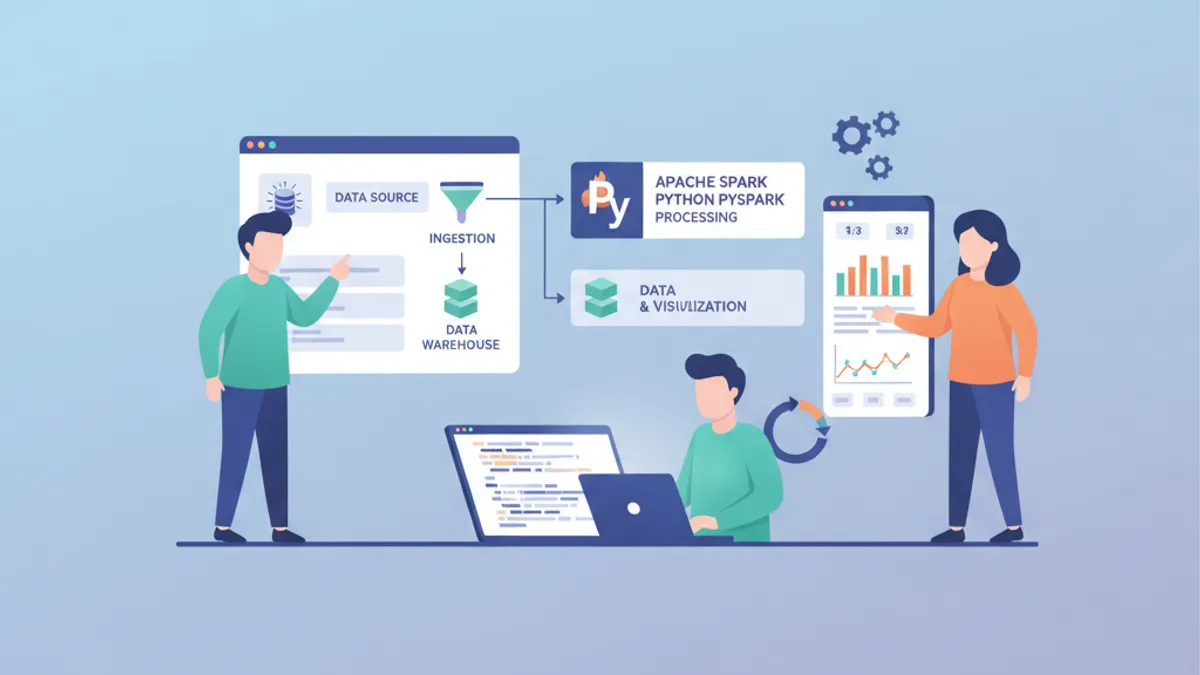
Apache Spark ยังคงเป็นเอนจินประมวลผลแบบกระจายที่ได้รับความนิยมสูงสุดสำหรับ data pipeline ขนาดใหญ่ในปี 2026 เมื่อใช้งานร่วมกับ PySpark จะได้ API แบบ Python เต็มรูปแบบที่รองรับทั้งงาน batch และ streaming บนคลัสเตอร์ขนาดใดก็ได้โดยไม่เสียประสิทธิภาพ
บทเรียนนี้จะพาสร้าง ETL data pipeline แบบสมบูรณ์ด้วย PySpark ตั้งแต่การดึงข้อมูลดิบจนถึงผลลัพธ์ที่สะอาด โดยใช้ความสามารถของ Spark 4.0 เช่น Python Data Source API และการพล็อต DataFrame แบบเนทีฟ
DataFrame ของ PySpark เป็นแบบ immutable ทุกการแปลงจะคืนค่า DataFrame ใหม่โดยไม่แตะของเดิม การออกแบบนี้ทำให้ lazy evaluation ของ Spark ทำงานได้ การแปลงจะถูกประมวลผลก็ต่อเมื่อ action (เช่น .show(), .write() หรือ .collect()) เรียกใช้แผนการคำนวณเท่านั้น
ตั้งค่าสภาพแวดล้อม PySpark 4.0
ก่อนจะสร้าง pipeline ใดๆ Spark session จำเป็นต้องถูกตั้งค่าให้เหมาะสม Spark 4.0 เปิดโหมด ANSI เป็นค่าเริ่มต้น ซึ่งบังคับใช้ semantic ของ SQL ที่เข้มงวดขึ้น ค่าตัวเลขที่ล้นจะโยน exception แทนที่จะถูกตัดทิ้งอย่างเงียบๆ เหมือนเดิม
# spark_setup.py
from pyspark.sql import SparkSession

spark = (
    SparkSession.builder
    .appName("ETLPipeline")
    .config("spark.sql.adaptive.enabled", "true")       # AQE for runtime optimization
    .config("spark.sql.shuffle.partitions", "200")       # Tune based on cluster size
    .config("spark.serializer", "org.apache.spark.serializer.KryoSerializer")
    .getOrCreate()
)

# Verify Spark version
print(spark.version)  # 4.0.0
Adaptive Query Execution (AQE) ที่เปิดใช้งานในที่นี้ จะปรับ shuffle partition และกลยุทธ์การ join แบบไดนามิกขณะรันไทม์ Spark 4.0 ทำงานเร็วขึ้น 20-50% บนงาน ETL ทั่วไปเมื่อเทียบกับ Spark 3.x ส่วนใหญ่มาจากการปรับปรุง AQE และ Catalyst optimizer
อ่านข้อมูลดิบด้วย DataFrame API
DataFrame ของ PySpark ซ่อนการคำนวณแบบกระจายไว้เบื้องหลัง API แบบตารางที่คุ้นเคย การอ่านข้อมูลจากแหล่งต่างๆ เช่น CSV, Parquet, JSON หรือฐานข้อมูล ล้วนใช้รูปแบบเดียวกัน
# read_sources.py
from pyspark.sql.types import StructType, StructField, StringType, DoubleType, TimestampType

# Define schema explicitly — avoids slow schema inference on large files
order_schema = StructType([
    StructField("order_id", StringType(), nullable=False),
    StructField("customer_id", StringType(), nullable=False),
    StructField("product_code", StringType(), nullable=True),
    StructField("amount", DoubleType(), nullable=True),
    StructField("order_date", TimestampType(), nullable=True),
    StructField("region", StringType(), nullable=True),
])

# Read CSV with explicit schema
raw_orders = (
    spark.read
    .schema(order_schema)                    # Skip inference, enforce types
    .option("header", "true")                # First row contains column names
    .option("mode", "DROPMALFORMED")         # Skip rows that don't match schema
    .csv("s3a://data-lake/raw/orders/")
)

# Read Parquet — schema is embedded in the file format
products = spark.read.parquet("s3a://data-lake/raw/products/")

raw_orders.printSchema()
raw_orders.show(5, truncate=False)
การกำหนด schema อย่างชัดเจนถือเป็นแนวปฏิบัติที่ดีสำหรับงานโปรดักชัน การให้ Spark อนุมาน schema ต้องสแกนข้อมูลทั้งหมดซึ่งมีต้นทุนสูงในดาต้าเซ็ตขนาดใหญ่ และอาจเดาประเภทข้อมูลผิด (เช่น ตีความรหัสไปรษณีย์เป็นตัวเลข integer)
ล้างและแปลง DataFrame
ข้อมูลดิบต้องผ่านการล้างเสมอ การแปลงของ PySpark ต่อกันได้อย่างเป็นธรรมชาติผ่าน DataFrame API และเนื่องจาก DataFrame เป็นแบบ immutable ทุกขั้นจึงสร้าง DataFrame ใหม่โดยไม่แตะของเดิม
# clean_orders.py
from pyspark.sql import functions as F

cleaned_orders = (
    raw_orders
    .filter(F.col("order_id").isNotNull())                     # Remove null primary keys
    .filter(F.col("amount") > 0)                               # Filter invalid amounts
    .withColumn("customer_id", F.trim(F.upper(F.col("customer_id"))))  # Normalize IDs
    .withColumn("order_date", F.to_date(F.col("order_date")))  # Cast to date type
    .withColumn("year_month",                                   # Extract partition key
        F.date_format(F.col("order_date"), "yyyy-MM"))
    .dropDuplicates(["order_id"])                               # Deduplicate by order ID
)

print(f"Raw: {raw_orders.count()} rows -> Cleaned: {cleaned_orders.count()} rows")
ลำดับการทำงานในการแปลงสำคัญมาก การ normalize customer_id ก่อนลบข้อมูลซ้ำช่วยให้การจับคู่สอดคล้องกัน การดึง year_month หลังจาก parse วันที่แล้วช่วยหลีกเลี่ยงค่าว่างในคอลัมน์ที่ใช้แบ่ง partition
การเรียก .collect() จะดึง DataFrame แบบกระจายทั้งหมดมาไว้ในหน่วยความจำของ driver บนดาต้าเซ็ตที่เกิน RAM ของ driver จะทำให้เกิด OutOfMemoryError ควรใช้ .show(), .take() หรือ .toPandas() บนชุดย่อยที่กรองไว้แล้วแทน
Join และ Aggregate จากหลายแหล่ง
Pipeline จริงต้องรวมข้อมูลจากหลายแหล่ง PySpark รองรับ join ทุกประเภทมาตรฐาน และ AQE ใน Spark 4.0 จะเลือก broadcast join ให้อัตโนมัติสำหรับตารางขนาดเล็กโดยไม่ต้องใส่ hint ด้วยตนเอง
# enrich_orders.py
# Join orders with product catalog
enriched = (
    cleaned_orders
    .join(products, on="product_code", how="left")      # Keep all orders, even unmatched
    .select(
        "order_id",
        "customer_id",
        "product_code",
        F.col("name").alias("product_name"),              # Rename for clarity
        "amount",
        F.col("category"),                                # From products table
        "order_date",
        "year_month",
    )
)

# Aggregate: monthly revenue per product category
monthly_revenue = (
    enriched
    .groupBy("year_month", "category")
    .agg(
        F.sum("amount").alias("total_revenue"),            # Sum all order amounts
        F.countDistinct("order_id").alias("order_count"),  # Unique orders
        F.avg("amount").alias("avg_order_value"),          # Average basket size
    )
    .orderBy(F.desc("total_revenue"))
)

monthly_revenue.show(10)
Left join รักษาคำสั่งซื้อทั้งหมดไว้ แม้ว่ารหัสสินค้าจะไม่มีใน catalog ก็ตาม เป็นสถานการณ์ที่พบบ่อยระหว่างการย้ายข้อมูล หรือเมื่อ product catalog ตามไม่ทันระบบธุรกรรม
พร้อมที่จะพิชิตการสัมภาษณ์ Data Engineering แล้วหรือยังครับ?
ฝึกฝนด้วยตัวจำลองแบบโต้ตอบ, flashcards และแบบทดสอบเทคนิคครับ
เขียนผลลัพธ์ให้เหมาะสมด้วยการทำ Partition
ขั้นตอนสุดท้ายของ ETL pipeline คือการเขียนข้อมูลที่แปลงแล้วไปยังชั้นเก็บข้อมูลปลายทาง การแบ่ง partition ผลลัพธ์ตามคอลัมน์ที่ถูก query บ่อยช่วยลดเวลาอ่านสำหรับผู้ใช้ downstream ได้อย่างมาก
# write_output.py
# Write enriched data partitioned by year_month
(
    enriched
    .repartition("year_month")                             # Align partitions with output
    .write
    .mode("overwrite")                                     # Replace existing partition data
    .partitionBy("year_month")                             # Physical directory partitioning
    .parquet("s3a://data-lake/curated/enriched_orders/")
)

# Write aggregated metrics as a single compact file
(
    monthly_revenue
    .coalesce(1)                                           # Single output file for small results
    .write
    .mode("overwrite")
    .parquet("s3a://data-lake/curated/monthly_revenue/")
)

print("Pipeline complete — output written to curated layer")
การใช้ .repartition() ก่อน .partitionBy() ทำให้แต่ละ physical partition มีจำนวนไฟล์ที่เหมาะสม หากไม่มีขั้นนี้ Spark อาจสร้างไฟล์เล็กๆ หลายร้อยไฟล์ต่อ partition ซึ่งเป็น anti-pattern ที่เรียกว่า "small files problem" และทำให้การอ่านบน HDFS และ object store ช้าลง
Spark 4.0: Python Data Source API สำหรับ Connector แบบกำหนดเอง
Spark 4.0 เปิดตัว Python Data Source API โดยยกเลิกข้อบังคับเดิมที่ต้องเขียน connector แบบกำหนดเองด้วย Java หรือ Scala ทำให้การเชื่อมต่อกับระบบเฉพาะทาง REST API หรือไฟล์รูปแบบพิเศษง่ายขึ้นมาก
# custom_source.py
from pyspark.sql.datasource import DataSource, DataSourceReader
from pyspark.sql.types import StructType, StructField, StringType, IntegerType

class APIDataSource(DataSource):
    """Custom data source reading from an internal REST API."""

    @classmethod
    def name(cls) -> str:
        return "internal_api"                              # Registered source name

    def schema(self) -> StructType:
        return StructType([                                # Define output schema
            StructField("id", IntegerType()),
            StructField("name", StringType()),
            StructField("status", StringType()),
        ])

    def reader(self, schema: StructType) -> "APIDataSourceReader":
        return APIDataSourceReader(self.options)           # Pass options to reader

class APIDataSourceReader(DataSourceReader):
    def __init__(self, options):
        self.endpoint = options.get("endpoint", "")        # API endpoint URL

    def read(self, partition):
        import requests                                    # Import inside read for serialization
        response = requests.get(self.endpoint)
        for record in response.json():
            yield (record["id"], record["name"], record["status"])

# Register and use the custom source
spark.dataSource.register(APIDataSource)
api_df = spark.read.format("internal_api").option("endpoint", "https://api.internal/users").load()
api_df.show()
Python Data Source API รองรับทั้งการอ่านแบบ batch และ streaming สำหรับการใช้งานจริง การเพิ่มการจัดการข้อผิดพลาดใน read() และการทำ parallelism ในระดับ partition จะช่วยเพิ่ม throughput ได้อย่างเห็นได้ชัด
Spark Connect แยกแอปพลิเคชันฝั่ง client ออกจากคลัสเตอร์ Spark ไคลเอนต์ PySpark แบบน้ำหนักเบา (pyspark-client) มีขนาดเพียง 1.5 MB เทียบกับแพ็กเกจ PySpark ฉบับเต็มที่ใหญ่ 355 MB ทำให้รันงาน Spark ได้จาก IDE หรือ notebook ใดก็ได้โดยไม่ต้องติดตั้ง Spark บนเครื่อง
เช็กลิสต์ปรับแต่งประสิทธิภาพสำหรับ PySpark Pipeline
การสร้าง pipeline ให้ทำงานได้เป็นเพียงส่วนหนึ่งของความท้าทาย การทำให้มันเร็วในระดับสเกลใหญ่ต้องใส่ใจเรื่อง partition, caching และกลยุทธ์ join
| เทคนิค | เมื่อไหร่ควรใช้ | ผลกระทบ |
|---|---|---|
| Schema แบบชัดเจน | ทุกการอ่านข้อมูล | กำจัดการสแกนเพื่ออนุมาน schema |
| Partition pruning | กรองดาต้าเซ็ตที่แบ่ง partition แล้ว | ข้าม partition ที่ไม่เกี่ยวข้องทั้งหมด |
| Broadcast join | ตารางเล็ก (< 10 MB) join กับตารางใหญ่ | หลีกเลี่ยง shuffle ที่ต้นทุนสูง |
| Caching | DataFrame ถูกใช้ซ้ำหลาย action | ป้องกันการคำนวณใหม่ |
| Coalesce vs Repartition | ลดจำนวน partition | coalesce หลีกเลี่ยง shuffle เต็มรูปแบบ |
| AQE | ตลอดเวลา (เป็นค่าเริ่มต้นใน Spark 4.0) | ปรับ join และ shuffle ในรันไทม์ |
การติดตามประสิทธิภาพผ่าน Spark UI ยังคงสำคัญ แผนภาพ DAG แสดงขอบเขตของ shuffle และแท็บ SQL แสดงแผนการทำงานเชิงฟิสิคัลที่ Catalyst optimizer เลือก
สรุป
- PySpark 4.0 มี API แบบ Python-first ที่สมบูรณ์สำหรับการสร้าง ETL pipeline ทุกขนาด โดยเปิดใช้งานความเข้ากันได้กับ ANSI SQL เป็นค่าเริ่มต้น
- การกำหนด schema ชัดเจน การแบ่ง partition ที่เหมาะสม และ AQE ขจัดคอขวดด้านประสิทธิภาพที่พบบ่อยที่สุดในโปรดักชัน
- Python Data Source API ตัวใหม่ช่วยทลายกำแพง Java/Scala สำหรับ connector แบบกำหนดเอง ไม่ว่าจะเป็น REST API รูปแบบไฟล์เฉพาะทาง หรือแหล่งข้อมูลแบบ streaming ล้วนเชื่อมต่อได้ด้วย Python ล้วน
- ลำดับของการแปลงข้อมูลสำคัญ: normalize ตัวระบุก่อนลบข้อมูลซ้ำ parse วันที่ก่อนดึงคีย์ partition
- คำถามสัมภาษณ์ Data Engineering มักถามเกี่ยวกับ internals ของ Spark เช่น lazy evaluation กลไกของ shuffle และกลยุทธ์การแบ่ง partition การเข้าใจพื้นฐาน pipeline เหล่านี้จึงเตรียมพร้อมสำหรับการสนทนาดังกล่าวโดยตรง
- ลองศึกษา รูปแบบ ETL และ ELT เพื่อทำความเข้าใจการตัดสินใจเชิงสถาปัตยกรรมของ pipeline อย่างลึกซึ้งยิ่งขึ้น
เริ่มฝึกซ้อมเลย!
ทดสอบความรู้ของคุณด้วยตัวจำลองสัมภาษณ์และแบบทดสอบเทคนิคครับ
คุณหาบั๊กใน Data Engineering เจอไหม
โค้ดจริงหนึ่งชิ้น บั๊กที่ซ่อนอยู่หนึ่งจุด วันละหนึ่งครั้ง ลองได้โดยไม่ต้องมีบัญชี

เขียนโดย
Anthony Fillion-Mailletผู้ก่อตั้ง SharpSkill
เป็นนักพัฒนาฟูลสแตกมากว่า 10 ปี ดูแล SharpSkill และรับผิดชอบทุกสิ่งที่เผยแพร่ที่นี่
อัปเดตเมื่อ 12 เมษายน 2569
แท็ก
แชร์
บทความที่เกี่ยวข้อง
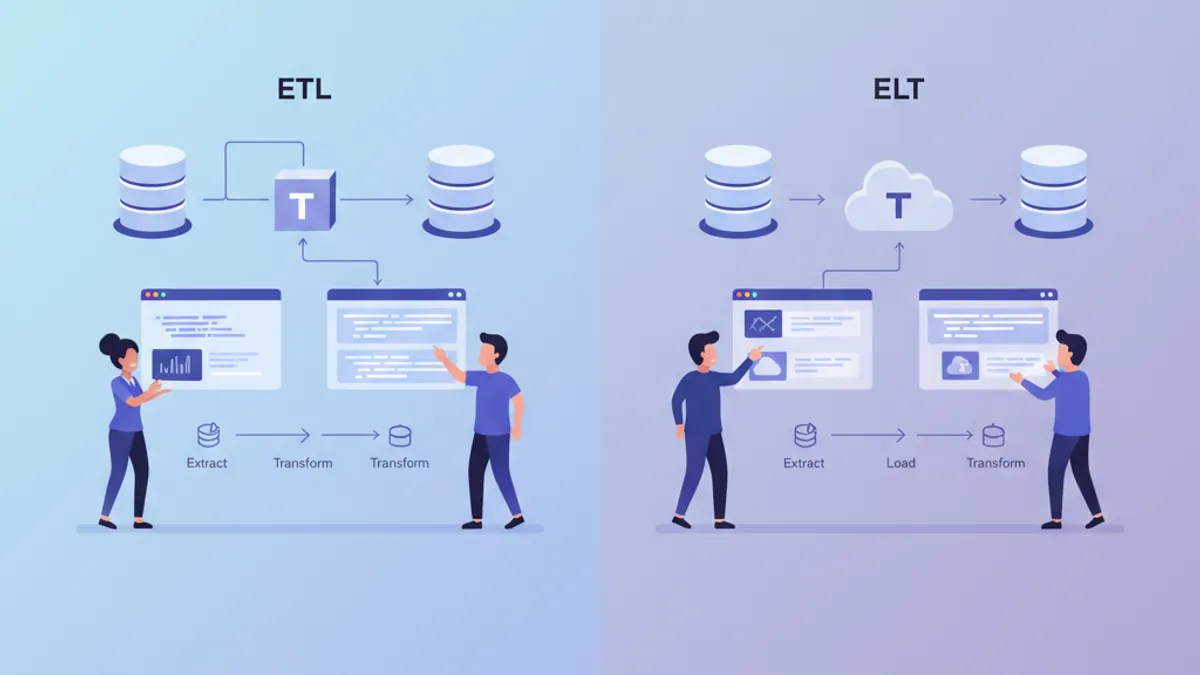
ETL vs ELT ในปี 2026: สถาปัตยกรรม Data Pipeline ที่ Data Engineer ต้องรู้
เปรียบเทียบ ETL และ ELT อย่างละเอียด พร้อมตัวอย่างโค้ด dbt และ Python เพื่อเลือกสถาปัตยกรรม data pipeline ที่เหมาะสมกับทีมของคุณในปี 2026

Great Expectations 2026: การตรวจสอบคุณภาพข้อมูลและคำถามสัมภาษณ์
คู่มือฉบับสมบูรณ์เกี่ยวกับ framework Great Expectations 1.22 สำหรับการตรวจสอบคุณภาพข้อมูลใน pipeline Python รวมถึงการผสานกับ Airflow และคำถามสัมภาษณ์ data engineering

Apache Beam vs Spark 2026: เปรียบเทียบ Pipeline แบบรวมและคำถามสัมภาษณ์
คู่มือครบถ้วนเปรียบเทียบ Apache Beam 2.76 และ Spark 4.2 สำหรับ data engineering เรียนรู้ความแตกต่างด้านสถาปัตยกรรม windowing ประสิทธิภาพ และคำถามสัมภาษณ์ที่พบบ่อย