Angular Forms ในปี 2026: Reactive Forms, Validation และคำถามสัมภาษณ์เทคนิค
คู่มือเชิงลึกเกี่ยวกับ Angular Reactive Forms: custom validator, async validator, FormArray แบบไดนามิก และคำถามสัมภาษณ์เทคนิคที่พบบ่อยในปี 2026
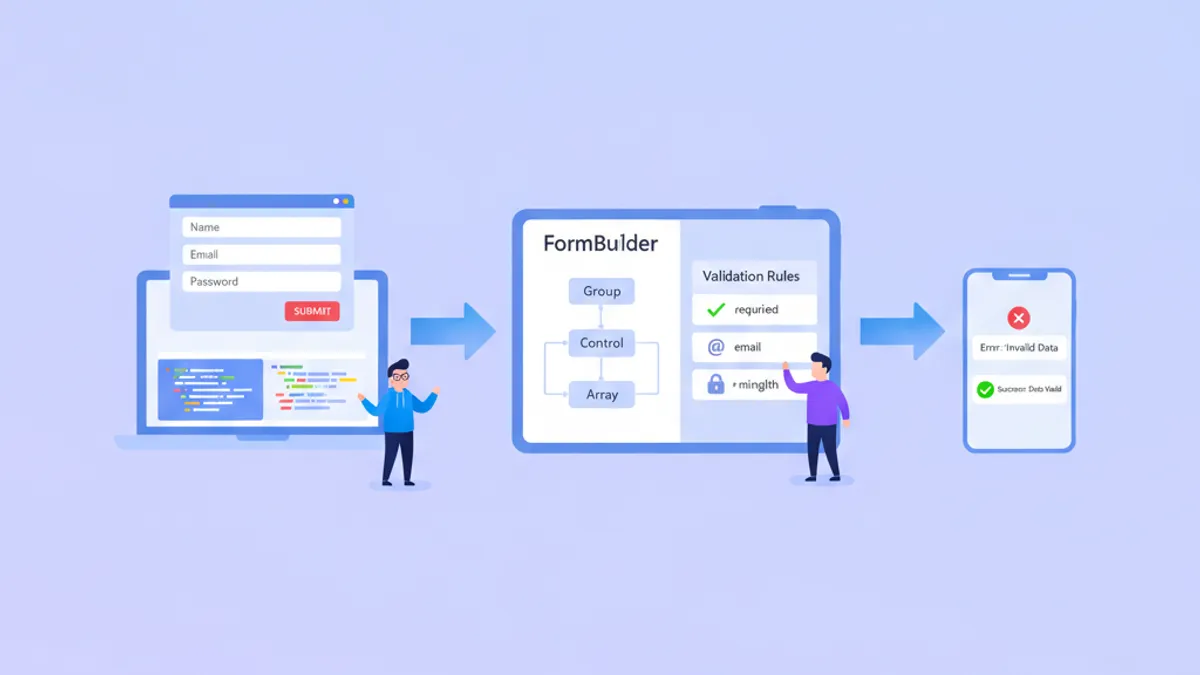
Angular Reactive Forms ยังคงเป็นรากฐานหลักของการพัฒนาฟอร์มระดับ enterprise ในปี 2026 โดยให้การจัดการฟอร์มที่ type-safe และทดสอบได้ ตั้งแต่หน้าจอเข้าสู่ระบบแบบง่ายไปจนถึง wizard หลายขั้นตอนที่ซับซ้อน ด้วย API ที่ได้รับการปรับปรุงใน Angular 19 และ Signal Forms ที่อยู่ในขั้น developer preview การเข้าใจทั้งมาตรฐานปัจจุบันและทิศทางในอนาคตจะให้ความได้เปรียบในการสัมภาษณ์เทคนิค
Reactive Forms ใช้วิธีการแบบ model-driven โดยโครงสร้างฟอร์มถูกกำหนดใน TypeScript ช่วยให้ควบคุมจังหวะการ validation, การจัดการ field แบบไดนามิก และการทดสอบ unit อย่างครอบคลุมโดยไม่ต้องโต้ตอบกับ DOM
ทำความเข้าใจสถาปัตยกรรม Reactive Forms
Reactive Forms ทำงานบนโมเดลข้อมูลแบบ immutable ทุกการเปลี่ยนแปลงจะสร้างออบเจกต์ state ใหม่ ทำให้พฤติกรรมของฟอร์มคาดเดาได้และง่ายต่อการ debug ส่วนประกอบหลักคือ FormControl, FormGroup และ FormArray ซึ่งทั้งหมดจัดการผ่าน service FormBuilder
การแยกระหว่าง form model (TypeScript) และ template (HTML) ช่วยให้ logic การ validation สามารถทดสอบแยกต่างหากได้ การเลือกสถาปัตยกรรมนี้ยังช่วยให้สามารถสร้างฟอร์มแบบไดนามิกตามการกำหนดค่าจาก backend ซึ่งเป็นความต้องการทั่วไปในแอปพลิเคชันระดับ enterprise
import { Component, inject } from '@angular/core';
import { FormBuilder, Validators, ReactiveFormsModule } from '@angular/forms';
import { CommonModule } from '@angular/common';

@Component({
  selector: 'app-user-profile',
  standalone: true,
  imports: [CommonModule, ReactiveFormsModule],
  template: `
    <form [formGroup]="profileForm" (ngSubmit)="onSubmit()">
      <input formControlName="email" placeholder="Email" />
      <input formControlName="name" placeholder="Full Name" />
      <button type="submit" [disabled]="profileForm.invalid">Save</button>
    </form>
  `
})
export class UserProfileComponent {
  private fb = inject(FormBuilder);

  // Typed form with NonNullable configuration
  profileForm = this.fb.nonNullable.group({
    email: ['', [Validators.required, Validators.email]],
    name: ['', [Validators.required, Validators.minLength(2)]]
  });

  onSubmit() {
    // profileForm.getRawValue() returns typed object
    const data = this.profileForm.getRawValue();
    console.log(data.email, data.name); // Both are string, not string | null
  }
}
การตั้งค่า form builder แบบ nonNullable ที่เปิดตัวใน Angular 14 จะลบประเภท nullable ออกจากค่าฟอร์ม ซึ่งช่วยลดการตรวจสอบ null ทั่วทั้ง codebase และทำให้การจัดการฟอร์มคาดเดาได้มากขึ้น
Custom Validator สำหรับกฎทางธุรกิจที่ซับซ้อน
Validator ในตัวครอบคลุมสถานการณ์ทั่วไป แต่แอปพลิเคชันจริงต้องการ logic การ validation แบบกำหนดเอง Angular รองรับทั้ง validator แบบ synchronous และ asynchronous โดย async validator มีประโยชน์สำหรับการตรวจสอบฝั่ง server เช่น การตรวจสอบความพร้อมใช้งานของ username
import { AbstractControl, ValidationErrors, ValidatorFn } from '@angular/forms';

// Synchronous validator: password strength
export function strongPassword(): ValidatorFn {
  return (control: AbstractControl): ValidationErrors | null => {
    const value = control.value;
    if (!value) return null;

    const hasUpperCase = /[A-Z]/.test(value);
    const hasLowerCase = /[a-z]/.test(value);
    const hasNumber = /\d/.test(value);
    const hasSpecial = /[!@#$%^&*]/.test(value);
    const isLongEnough = value.length >= 8;

    const valid = hasUpperCase && hasLowerCase && hasNumber && hasSpecial && isLongEnough;

    return valid ? null : {
      strongPassword: {
        hasUpperCase,
        hasLowerCase,
        hasNumber,
        hasSpecial,
        isLongEnough
      }
    };
  };
}

// Cross-field validator: password confirmation
export function passwordMatch(): ValidatorFn {
  return (group: AbstractControl): ValidationErrors | null => {
    const password = group.get('password')?.value;
    const confirm = group.get('confirmPassword')?.value;

    return password === confirm ? null : { passwordMismatch: true };
  };
}
ออบเจกต์ข้อผิดพลาดที่ส่งคืนจาก validator สามารถรวมข้อมูลรายละเอียดเกี่ยวกับการตรวจสอบเฉพาะที่ล้มเหลว ซึ่งช่วยให้แสดงข้อความข้อผิดพลาดที่ละเอียดแทนการตอบกลับทั่วไปเช่น "รหัสผ่านไม่ถูกต้อง"
@Component({
  selector: 'app-registration',
  standalone: true,
  imports: [CommonModule, ReactiveFormsModule],
  template: `
    <form [formGroup]="registrationForm" (ngSubmit)="register()">
      <input formControlName="password" type="password" />
      <input formControlName="confirmPassword" type="password" />

      @if (registrationForm.errors?.['passwordMismatch']) {
        <span class="error">Passwords do not match</span>
      }
    </form>
  `
})
export class RegistrationComponent {
  private fb = inject(FormBuilder);

  registrationForm = this.fb.nonNullable.group({
    password: ['', [Validators.required, strongPassword()]],
    confirmPassword: ['', Validators.required]
  }, { validators: passwordMatch() }); // Group-level validator
}
Validator ระดับกลุ่มจะรับ FormGroup ทั้งหมด ช่วยให้กฎการ validation ครอบคลุมหลาย field รูปแบบนี้ใช้ได้กับสถานการณ์ใดก็ตามที่ต้องการ logic ข้าม field: ช่วงวันที่, ข้อกำหนดแบบมีเงื่อนไข หรือการรวม field ที่เกี่ยวข้อง
Async Validator และ Debouncing
Async validator ทำการตรวจสอบฝั่ง server โดยไม่บล็อก UI กรณีการใช้งานทั่วไปรวมถึงการตรวจสอบ username ที่ไม่ซ้ำ, การตรวจสอบความพร้อมใช้งานของ email หรือการยืนยันรหัสโปรโมชั่นกับ API
import { AbstractControl, AsyncValidatorFn, ValidationErrors } from '@angular/forms';
import { Observable, of, timer } from 'rxjs';
import { map, switchMap, catchError } from 'rxjs/operators';
import { inject } from '@angular/core';
import { UserService } from '../services/user.service';

export function uniqueEmailValidator(userService: UserService): AsyncValidatorFn {
  return (control: AbstractControl): Observable<ValidationErrors | null> => {
    if (!control.value) {
      return of(null);
    }

    // Debounce 300ms to avoid excessive API calls
    return timer(300).pipe(
      switchMap(() => userService.checkEmailAvailable(control.value)),
      map(isAvailable => isAvailable ? null : { emailTaken: true }),
      catchError(() => of(null)) // Fail open on network errors
    );
  };
}
รูปแบบ debounce ที่ใช้ timer ป้องกันการเรียก API ทุกครั้งที่กดแป้นพิมพ์ Operator switchMap จะยกเลิก request ที่รอดำเนินการเมื่อมี input ใหม่ ทำให้มั่นใจว่าเฉพาะค่าล่าสุดเท่านั้นที่จะกระตุ้นการตรวจสอบกับ server
@Component({
  selector: 'app-signup',
  standalone: true,
  imports: [CommonModule, ReactiveFormsModule],
  template: `
    <form [formGroup]="signupForm">
      <input formControlName="email" />
      @if (emailControl.pending) {
        <span>Checking availability...</span>
      }
      @if (emailControl.errors?.['emailTaken']) {
        <span class="error">This email is already registered</span>
      }
    </form>
  `
})
export class SignupComponent {
  private fb = inject(FormBuilder);
  private userService = inject(UserService);

  signupForm = this.fb.nonNullable.group({
    email: ['',
      [Validators.required, Validators.email],
      [uniqueEmailValidator(this.userService)] // Async validator as 3rd argument
    ]
  });

  get emailControl() {
    return this.signupForm.controls.email;
  }
}
Async validator จะทำงานหลังจาก validator แบบ synchronous ผ่าน ซึ่งหลีกเลี่ยงการเรียก API ที่ไม่จำเป็นสำหรับ input ที่ไม่ถูกต้อง สถานะ pending บ่งบอกว่า validation กำลังดำเนินอยู่ ช่วยให้แสดงตัวบ่งชี้การโหลดใน template
พร้อมที่จะพิชิตการสัมภาษณ์ Angular แล้วหรือยังครับ?
ฝึกฝนด้วยตัวจำลองแบบโต้ตอบ, flashcards และแบบทดสอบเทคนิคครับ
ฟอร์มไดนามิกด้วย FormArray
FormArray ช่วยให้สร้างคอลเลกชันแบบไดนามิกของ form control ซึ่งจำเป็นสำหรับสถานการณ์เช่นการเพิ่มที่อยู่หลายรายการ, หมายเลขโทรศัพท์ หรือรายการสินค้าในคำสั่งซื้อ แต่ละองค์ประกอบของ array สามารถเป็น FormControl แบบง่ายหรือ FormGroup ที่ซ้อนกัน
import { Component, inject } from '@angular/core';
import { FormBuilder, FormArray, ReactiveFormsModule, Validators } from '@angular/forms';
import { CommonModule } from '@angular/common';

@Component({
  selector: 'app-order-form',
  standalone: true,
  imports: [CommonModule, ReactiveFormsModule],
  template: `
    <form [formGroup]="orderForm">
      <div formArrayName="items">
        @for (item of itemsArray.controls; track item; let i = $index) {
          <div [formGroupName]="i" class="item-row">
            <input formControlName="productName" placeholder="Product" />
            <input formControlName="quantity" type="number" />
            <input formControlName="price" type="number" />
            <button type="button" (click)="removeItem(i)">Remove</button>
          </div>
        }
      </div>
      <button type="button" (click)="addItem()">Add Item</button>
      <p>Total: {{ calculateTotal() | currency }}</p>
    </form>
  `
})
export class OrderFormComponent {
  private fb = inject(FormBuilder);

  orderForm = this.fb.group({
    items: this.fb.array<FormGroup>([])
  });

  get itemsArray(): FormArray {
    return this.orderForm.get('items') as FormArray;
  }

  addItem() {
    const itemGroup = this.fb.nonNullable.group({
      productName: ['', Validators.required],
      quantity: [1, [Validators.required, Validators.min(1)]],
      price: [0, [Validators.required, Validators.min(0)]]
    });
    this.itemsArray.push(itemGroup);
  }

  removeItem(index: number) {
    this.itemsArray.removeAt(index);
  }

  calculateTotal(): number {
    return this.itemsArray.controls.reduce((sum, control) => {
      const quantity = control.get('quantity')?.value || 0;
      const price = control.get('price')?.value || 0;
      return sum + (quantity * price);
    }, 0);
  }
}
บล็อก @for ที่มี track ทำให้ Angular อัปเดตเฉพาะรายการที่เปลี่ยนแปลงอย่างมีประสิทธิภาพ แทนที่จะ render ใหม่ทั้งรายการ สำหรับ array ขนาดใหญ่ การปรับแต่งนี้จะปรับปรุงประสิทธิภาพอย่างมีนัยสำคัญ
Signal Forms: อนาคตของการจัดการฟอร์มใน Angular
Angular 20 ได้เปิดตัว Signal Forms ใน developer preview ซึ่งเสนอทางเลือกแบบ signals สำหรับ Reactive Forms Angular 21.2 ได้เพิ่ม wrapper SignalFormControl สำหรับการย้ายแบบค่อยเป็นค่อยไป ช่วยให้ field ที่รองรับ signal อยู่ภายใน FormGroup แบบดั้งเดิม
import { Component, signal, computed } from '@angular/core';
import { SignalFormControl } from '@angular/forms';

@Component({
  selector: 'app-signal-form',
  standalone: true,
  template: `
    <input [value]="name()" (input)="name.set($any($event.target).value)" />
    <p>Character count: {{ charCount() }}</p>
    <p>Valid: {{ isValid() }}</p>
  `
})
export class SignalFormExampleComponent {
  // Signal-based form state
  name = signal('');

  // Computed values automatically update
  charCount = computed(() => this.name().length);
  isValid = computed(() => this.name().length >= 3);
}
Signal Forms ลดความต้องการในการ subscribe valueChanges Computed signal จะคำนวณสถานะ validation และค่าที่ขึ้นอยู่กันโดยอัตโนมัติ ซึ่งทำงานร่วมกับ change detection แบบ zoneless ของ Angular แม้ยังอยู่ใน developer preview แต่ Signal Forms แสดงถึงทิศทางที่ Angular กำลังมุ่งหน้าไปสำหรับการจัดการฟอร์ม
ความแตกต่างหลัก: Reactive Forms ใช้ RxJS Observables สำหรับการเปลี่ยนแปลง state ในขณะที่ Signal Forms ใช้ Angular Signals สำหรับโปรเจกต์ใหม่ที่เริ่มในปลายปี 2026 หรือหลังจากนั้น Signal Forms อาจกลายเป็นวิธีที่แนะนำหลังจากถึงสถานะเสถียร
คำถามสัมภาษณ์ที่พบบ่อยเกี่ยวกับ Angular Forms
การสัมภาษณ์เทคนิคมักทดสอบความรู้เกี่ยวกับการจัดการฟอร์ม นี่คือรูปแบบที่แยกแยะผู้สมัครระดับอาวุโส:
ถาม: จะจัดการการ reset state ของฟอร์มเทียบกับ reset form control อย่างไร?
// Reset entire form to initial values
this.form.reset(); // All controls become null (or default if nonNullable)

// Reset with specific values
this.form.reset({ email: '', name: 'Guest' });

// Reset single control
this.form.controls.email.reset();

// Mark as pristine without changing values
this.form.markAsPristine();
this.form.markAsUntouched();
ถาม: อะไรคือความแตกต่างระหว่าง setValue และ patchValue?
// setValue requires ALL controls - throws if missing any
this.form.setValue({ email: 'a@b.com', name: 'Test' }); // Must include both

// patchValue allows partial updates
this.form.patchValue({ email: 'a@b.com' }); // Name unchanged
ถาม: จะปิดใช้งาน form control โดยไม่สูญเสียค่าเมื่อ submit ได้อย่างไร?
this.form.controls.email.disable();
console.log(this.form.value); // { name: 'Test' } - email missing

// Use getRawValue() to include disabled controls
console.log(this.form.getRawValue()); // { email: 'a@b.com', name: 'Test' }
การเข้าใจรายละเอียดเหล่านี้แสดงถึงประสบการณ์จริง ผู้สัมภาษณ์มักสำรวจการรับรู้เกี่ยวกับ edge case ในการจัดการ state ของฟอร์ม โดยเฉพาะเกี่ยวกับ control ที่ถูกปิดใช้งานและการอัปเดตบางส่วน
สำหรับการฝึกฝนเชิงลึกเกี่ยวกับคำถามสัมภาษณ์ที่เกี่ยวข้องกับ Angular form โปรดสำรวจ โมดูลคำถามสัมภาษณ์ Reactive Forms และ โมดูล Template-Driven Forms
แนวปฏิบัติที่ดีที่สุดสำหรับฟอร์มระดับ Production
แอปพลิเคชันระดับ production ต้องการรูปแบบที่เกินกว่าการสร้างฟอร์มพื้นฐาน การจัดการข้อผิดพลาด, การเข้าถึง และประสิทธิภาพจะกลายเป็นสิ่งสำคัญในระดับ scale
import { Component, input } from '@angular/core';
import { AbstractControl, ValidationErrors } from '@angular/forms';

@Component({
  selector: 'app-form-errors',
  standalone: true,
  template: `
    @if (control().invalid && (control().dirty || control().touched)) {
      <div class="errors" role="alert">
        @if (control().errors?.['required']) {
          <span>This field is required</span>
        }
        @if (control().errors?.['email']) {
          <span>Enter a valid email address</span>
        }
        @if (control().errors?.['minlength']) {
          <span>Minimum {{ control().errors?.['minlength'].requiredLength }} characters</span>
        }
      </div>
    }
  `
})
export class FormErrorsComponent {
  control = input.required<AbstractControl>();
}
แอตทริบิวต์ role="alert" ทำให้ screen reader ประกาศข้อความข้อผิดพลาดเมื่อปรากฏขึ้น การตรวจสอบทั้ง dirty และ touched ป้องกันไม่ให้ข้อผิดพลาดแสดงก่อนที่ผู้ใช้จะโต้ตอบ หลีกเลี่ยงการตอบกลับ validation ก่อนเวลาที่น่าหงุดหงิด
สำหรับรูปแบบ validation ฟอร์มที่ครอบคลุมรวมถึง validation ข้าม field และการตรวจสอบ async โมดูล Angular RxJS Fundamentals ครอบคลุมรูปแบบ Observable ที่อยู่เบื้องหลังการจัดการ state ของฟอร์ม
สรุป
- Reactive Forms ให้การจัดการฟอร์มที่ type-safe และทดสอบได้ เหมาะสำหรับแอปพลิเคชัน enterprise ที่ซับซ้อน
- Custom validator รองรับทั้งกฎทางธุรกิจแบบ synchronous และการตรวจสอบฝั่ง server แบบ async พร้อม debouncing ในตัว
- FormArray ช่วยให้สร้างคอลเลกชันฟอร์มแบบไดนามิกพร้อมการติดตามการเปลี่ยนแปลงอย่างมีประสิทธิภาพผ่าน
track - Signal Forms (developer preview) เสนอโมเดล reactive ที่ง่ายกว่าซึ่งสอดคล้องกับอนาคตแบบ zoneless ของ Angular
- ฟอร์มระดับ production ต้องการการพิจารณาเรื่องการเข้าถึงและคอมโพเนนต์แสดงข้อผิดพลาดที่นำกลับมาใช้ใหม่ได้
- การเข้าใจ
setValueเทียบกับpatchValueและgetRawValue()เทียบกับvalueจะแยกแยะผู้สมัครระดับอาวุโส
เริ่มฝึกซ้อมเลย!
ทดสอบความรู้ของคุณด้วยตัวจำลองสัมภาษณ์และแบบทดสอบเทคนิคครับ

เขียนโดย
Anthony Fillion-Mailletนักพัฒนาฟูลสแตก ผู้ก่อตั้ง SharpSkill
เป็นนักพัฒนาฟูลสแตกมากว่า 10 ปี ดูแล SharpSkill และรับผิดชอบทุกสิ่งที่เผยแพร่ที่นี่
อัปเดตเมื่อ 17 สิงหาคม 2569
แชร์
บทความที่เกี่ยวข้อง

NgRx Signal Store vs Classic NgRx ในปี 2026: ควรเลือกแบบไหน?
เปรียบเทียบเชิงลึกระหว่าง NgRx Signal Store และ Classic NgRx สำหรับการจัดการ state ใน Angular ปี 2026 เรียนรู้ข้อดี ข้อเสีย และเวลาที่ควรใช้แต่ละวิธี

RxJS ใน Angular 2026: โอเปอเรเตอร์ Subject และ interop Signals
RxJS ใน Angular 2026: เชี่ยวชาญโอเปอเรเตอร์ Subject และรูปแบบ interop Signals ที่นักพัฒนา Angular ใช้จริงในโปรดักชัน พร้อมคำถามสัมภาษณ์ที่พบบ่อยที่สุด

Angular @defer ในปี 2026: Declarative Lazy Loading สำหรับแอปพลิเคชันที่เร็วขึ้น
เจาะลึก Angular @defer blocks สำหรับ declarative lazy loading พร้อม triggers ทุกประเภท prefetching, incremental hydration, พฤติกรรมบน SSR และรูปแบบการใช้งานจริงเพื่อเพิ่มประสิทธิภาพ