Room Database Migration ใน Android 2026: Auto-Migrations, การทดสอบ, Relations และ Coroutines
Room database migration บน Android ด้วย Room 2.8 และ Room 3: auto-migrations, Migration แบบ manual, การทดสอบด้วย MigrationTestHelper, error ที่พบบ่อย, relations และ Flow

Room คือไลบรารี persistence ของ Jetpack ที่ทำงานอยู่บน SQLite ใน Android โดย entities กลายเป็นตาราง DAOs กลายเป็น queries ที่ถูก generate และทุกการเปลี่ยนแปลง schema ระหว่างสองเวอร์ชันของแอปต้องผ่าน migration บนสาย stable 2.x (2.8.5 ณ เดือนกันยายน 2026) DAO แบบ suspend และ query แบบ Flow ถูกรวมอยู่ใน room-runtime แล้ว ส่วน Room 3.0 ย้าย API ทั้งหมดไปใช้ coroutines และ interfaces ของ SQLiteDriver
Room 2.8.5 (androidx.room) คือรีลีส 2.x ปัจจุบันและเป็นเวอร์ชันที่ codebase Android ส่วนใหญ่ใช้งานอยู่ Room 3.0 (androidx.room3, stable ตั้งแต่กรกฎาคม 2026, 3.0.3 ในเดือนกันยายน) เป็น package แยกที่เน้น Kotlin Multiplatform รองรับเฉพาะ KSP และเขียน migrations บน SQLiteConnection โค้ดด้านล่างใช้ Room 2.8 และมีส่วนเฉพาะที่แสดงสิ่งที่เปลี่ยนไปใน Room 3
Room Database Migration ทำงานอย่างไรบน Android
Room database migration คือโค้ดที่แปลง schema ของเวอร์ชัน N ให้เป็น schema ของเวอร์ชัน N+1 โดยไม่ลบข้อมูลผู้ใช้ Room เปรียบเทียบเวอร์ชันที่เก็บอยู่บนอุปกรณ์กับ version ใน @Database รันทุก migration บนเส้นทางตามลำดับ แล้วตรวจสอบผลลัพธ์กับ schema ที่ generate จาก entities หากไม่ตรงกันแม้แต่จุดเดียว แอปจะ crash ตอนเปิด database
มีสามกลยุทธ์ และการเลือกขึ้นอยู่กับประเภทของการเปลี่ยนแปลง schema:
| กลยุทธ์ | API | ใช้เมื่อใด | เก็บข้อมูลไว้ |
|---|---|---|---|
| Auto-migration | @AutoMigration(from, to) | เพิ่มตาราง คอลัมน์ หรือ index; เปลี่ยนชื่อและลบด้วย AutoMigrationSpec | ใช่ |
| Migration แบบ manual | Migration(start, end) + addMigrations() | แยกตาราง แปลงข้อมูล เปลี่ยน type และทุกอย่างที่ Room อนุมานเองไม่ได้ | ใช่ |
| Destructive fallback | fallbackToDestructiveMigration(dropAllTables = true) | Cache และข้อมูลที่ดาวน์โหลดใหม่ได้ | ไม่ |
คู่มือ migration อย่างเป็นทางการ ระบุว่าเมื่อทั้ง auto-migration และ migration แบบ manual ครอบคลุมเวอร์ชันเดียวกัน Room จะใช้แบบ manual
การตั้งค่า Room 2.8 ด้วย KSP และ Room Gradle Plugin
Room ต้องการสามองค์ประกอบหลัก: entities (ตาราง), DAOs (data access objects) และ database class ตัวประมวลผล KSP สร้าง implementation ในเวลา compile และตั้งแต่ Room 2.7 เมื่อใช้ KSP โค้ดที่สร้างออกมาจะเป็น Kotlin แทน Java
มีการเปลี่ยนแปลง dependency สองจุดที่มักทำให้โปรเจกต์ที่อัปเกรดตามบทเรียนเก่าสะดุด ตั้งแต่ Room 2.7 room-ktx ถูกรวมเข้ากับ room-runtime และเหลือเป็น artifact ว่าง จึงลบออกได้ และ Room Gradle Plugin เป็นวิธีที่แนะนำในปัจจุบันสำหรับการ export schema ซึ่งทั้ง auto-migrations และการทดสอบ migration ต้องใช้
plugins {
    id("com.google.devtools.ksp") // KSP 2.x, version declared in the root build file
    id("androidx.room") version "2.8.5"
}

room {
    // Schema JSON files used by auto-migrations and MigrationTestHelper
    schemaDirectory("$projectDir/schemas")
}

dependencies {
    val roomVersion = "2.8.5"
    implementation("androidx.room:room-runtime:$roomVersion") // includes coroutine support since 2.7
    ksp("androidx.room:room-compiler:$roomVersion")
    androidTestImplementation("androidx.room:room-testing:$roomVersion")
}
Room 2.7 ขึ้นไปต้องใช้ Kotlin 2.0 หรือใหม่กว่า และ Room 2.8 ปรับ minSdk ของไลบรารีจาก 21 เป็น 23 โฟลเดอร์ schemas/ ต้อง commit เข้า repository เพราะเป็นประวัติ schema ที่ทุก migration ในอนาคตจะถูกตรวจสอบเทียบด้วย
การกำหนด Entities พร้อม Primary Keys และ Indices
Entities ถูกแมปโดยตรงกับตาราง SQLite แต่ละ entity class ต้องมีอย่างน้อยหนึ่ง primary key การเพิ่ม indices บนคอลัมน์ที่ถูก query บ่อยช่วยปรับปรุงประสิทธิภาพการอ่านแลกกับการเขียนที่ช้าลงเล็กน้อย
import androidx.room.ColumnInfo
import androidx.room.Entity
import androidx.room.Index
import androidx.room.PrimaryKey

@Entity(
    tableName = "users",
    indices = [
        Index(value = ["email"], unique = true), // Unique constraint + index
        Index(value = ["created_at"]) // Index for sorting queries
    ]
)
data class User(
    @PrimaryKey(autoGenerate = true)
    val id: Long = 0,
    val email: String,
    @ColumnInfo(name = "display_name")
    val displayName: String,
    @ColumnInfo(name = "phone_number")
    val phoneNumber: String? = null, // Added in schema version 2
    @ColumnInfo(name = "created_at")
    val createdAt: Long = System.currentTimeMillis(),
    @ColumnInfo(name = "is_active")
    val isActive: Boolean = true
)
Annotation @ColumnInfo กำหนดชื่อคอลัมน์เมื่อแตกต่างจากชื่อ property ของ Kotlin หากไม่มี annotation นี้ คอลัมน์จะใช้ชื่อตาม property (isActive) และ query ที่กรองด้วย is_active จะล้มเหลวตั้งแต่ตอน compile
การสร้าง DAOs ด้วย Coroutines และ Flow
DAOs กำหนด operations ของ database Room 2.x รองรับ suspend functions สำหรับ operations แบบ one-shot, Flow สำหรับ reactive streams และ ListenableFuture หรือ RxJava สำหรับ Java interop
import androidx.room.*
import kotlinx.coroutines.flow.Flow

@Dao
interface UserDao {
    // Default strategy ABORT: a duplicate email throws SQLiteConstraintException
    @Insert
    suspend fun insertUser(user: User): Long

    // Batch insert - efficient for multiple records
    @Insert(onConflict = OnConflictStrategy.IGNORE)
    suspend fun insertUsers(users: List<User>)

    // Flow emits new data whenever the table changes
    @Query("SELECT * FROM users WHERE is_active = 1 ORDER BY created_at DESC")
    fun observeActiveUsers(): Flow<List<User>>

    // Suspend function for one-shot read
    @Query("SELECT * FROM users WHERE id = :userId")
    suspend fun getUserById(userId: Long): User?

    // Update returns the number of affected rows
    @Update
    suspend fun updateUser(user: User): Int

    // Delete by primary key
    @Delete
    suspend fun deleteUser(user: User)

    // Custom delete query
    @Query("DELETE FROM users WHERE is_active = 0")
    suspend fun deleteInactiveUsers(): Int
}
Queries ที่คืนค่า Flow จะ emit ผลลัพธ์ที่อัปเดตโดยอัตโนมัติเมื่อข้อมูลพื้นฐานเปลี่ยนแปลง สิ่งนี้กำจัด logic การ refresh แบบ manual ใน ViewModels
OnConflictStrategy.REPLACE เป็นกับดักคลาสสิกในการสัมภาษณ์ SQLite ทำงานกับมันด้วยการ delete แล้วตามด้วย insert แถวนั้นจึงเริ่มวงจรชีวิตใหม่ และแถวลูกทั้งหมดที่ประกาศด้วย ForeignKey.CASCADE จะถูกลบไปด้วย หากต้องการ upsert ที่เก็บแถวลูกไว้ @Upsert (Room 2.5+) จะอัปเดตแถวเดิมแทน
การสร้าง Room Database Class
Database class เชื่อมโยง entities และ DAOs เข้าด้วยกัน Pattern singleton ป้องกันการมีหลาย database instances ซึ่งอาจทำให้เกิดการรั่วไหลของ resource
import android.content.Context
import androidx.room.Database
import androidx.room.Room
import androidx.room.RoomDatabase

@Database(
    entities = [User::class, Post::class],
    version = 1,
    exportSchema = true // Writes schemas/<version>.json for migration validation
)
abstract class AppDatabase : RoomDatabase() {
    abstract fun userDao(): UserDao
    abstract fun postDao(): PostDao

    companion object {
        @Volatile
        private var INSTANCE: AppDatabase? = null

        fun getInstance(context: Context): AppDatabase {
            return INSTANCE ?: synchronized(this) {
                val instance = Room.databaseBuilder(
                    context.applicationContext,
                    AppDatabase::class.java,
                    "app_database"
                )
                    .fallbackToDestructiveMigration(dropAllTables = true) // Only for development
                    .build()
                INSTANCE = instance
                instance
            }
        }
    }
}
การตั้งค่า exportSchema = true จะเขียนไฟล์ JSON หนึ่งไฟล์ต่อเวอร์ชันลงในไดเรกทอรีที่กำหนดในบล็อก room ซึ่ง auto-migrations และการทดสอบ migration ใช้งาน ตั้งแต่ Room 2.7 fallbackToDestructiveMigration() แบบไม่มีอาร์กิวเมนต์ถูก deprecate และถูกแทนที่ด้วย overload ที่มี dropAllTables ซึ่งกำหนดว่าจะลบตารางที่ไม่มีอยู่ใน schema แล้วด้วยหรือไม่
อย่าใช้ fallbackToDestructiveMigration() ใน production กับข้อมูลผู้ใช้เด็ดขาด ฟังก์ชันนี้ลบทุกตารางเมื่อไม่พบเส้นทาง migration หากต้องการจำกัดความเสียหาย fallbackToDestructiveMigrationFrom() จำกัดไว้เฉพาะเวอร์ชันเก่าที่ระบุ และ fallbackToDestructiveMigrationOnDowngrade() จำกัดไว้เฉพาะการ downgrade
การเขียน Database Migrations ที่ปลอดภัย
Migrations รักษาข้อมูลผู้ใช้เมื่อ schema เปลี่ยนแปลงระหว่างเวอร์ชันของแอป Room ตรวจสอบ migrations ในเวลา runtime โดยเปรียบเทียบ schema ที่คาดหวังกับ database ที่ถูก migrate แล้ว
Migration กำหนดคำสั่ง SQL ที่จำเป็นในการแปลง database จากเวอร์ชัน N เป็นเวอร์ชัน N+1
import androidx.room.migration.Migration
import androidx.sqlite.db.SupportSQLiteDatabase

// Migration from version 1 to 2: add phone_number column
val MIGRATION_1_2 = object : Migration(1, 2) {
    override fun migrate(db: SupportSQLiteDatabase) {
        db.execSQL("ALTER TABLE users ADD COLUMN phone_number TEXT")
    }
}

// Migration from version 2 to 3: add posts table with foreign key
val MIGRATION_2_3 = object : Migration(2, 3) {
    override fun migrate(db: SupportSQLiteDatabase) {
        db.execSQL("""
            CREATE TABLE IF NOT EXISTS posts (
                id INTEGER PRIMARY KEY AUTOINCREMENT NOT NULL,
                user_id INTEGER NOT NULL,
                title TEXT NOT NULL,
                content TEXT NOT NULL,
                created_at INTEGER NOT NULL,
                FOREIGN KEY (user_id) REFERENCES users(id) ON DELETE CASCADE
            )
        """.trimIndent())
        db.execSQL("CREATE INDEX index_posts_user_id ON posts(user_id)")
    }
}

// Register migrations in database builder
fun getInstance(context: Context): AppDatabase {
    return INSTANCE ?: synchronized(this) {
        Room.databaseBuilder(
            context.applicationContext,
            AppDatabase::class.java,
            "app_database"
        )
            .addMigrations(MIGRATION_1_2, MIGRATION_2_3)
            .build()
            .also { INSTANCE = it }
    }
}
Room รองรับการ chain migrations หากผู้ใช้อัพเกรดจากเวอร์ชัน 1 เป็นเวอร์ชัน 3 Room จะประมวลผล MIGRATION_1_2 จากนั้น MIGRATION_2_3 ตามลำดับ หากลงทะเบียน Migration(1, 3) ไว้ด้วย ตัวนี้จะได้รับความสำคัญก่อน เพราะ Room เลือกเส้นทางที่สั้นที่สุด
การเพิ่มคอลัมน์ non-null คือจุดที่ migration ที่เขียนเองพังบ่อยที่สุด SQLite ยอมรับ ADD COLUMN ... NOT NULL เฉพาะเมื่อมีค่า DEFAULT และ Room จะคาดหวังค่า default เดียวกันบน entity ผ่าน @ColumnInfo(defaultValue = "0") การเปลี่ยน type ของคอลัมน์หรือการลบ constraint ทำไม่ได้ด้วย ALTER TABLE ของ SQLite ต้องสร้างตารางใหม่ คัดลอกข้อมูล ลบตารางเดิม แล้วเปลี่ยนชื่อภายใน migration
Auto-Migrations ด้วย AutoMigrationSpec
สำหรับการเปลี่ยนแปลง schema ที่ง่าย (เพิ่มคอลัมน์ ตาราง หรือ indices) Room สามารถสร้าง migrations โดยอัตโนมัติ สิ่งนี้ลด boilerplate สำหรับการอัปเดตที่ตรงไปตรงมา
@Database(
    entities = [User::class, Post::class],
    version = 3,
    autoMigrations = [
        AutoMigration(from = 1, to = 2), // Adding nullable column
        AutoMigration(
            from = 2,
            to = 3,
            spec = AutoMigration2To3::class // Complex changes need spec
        )
    ],
    exportSchema = true
)
abstract class AppDatabase : RoomDatabase() {
    // DAOs...
}

// Migration spec for changes that need hints
@RenameColumn(tableName = "users", fromColumnName = "name", toColumnName = "display_name")
class AutoMigration2To3 : AutoMigrationSpec
Auto-migrations ต้องใช้ schema ที่ export ไว้ของทั้งสองเวอร์ชันเพื่อเปรียบเทียบ สำหรับการเปลี่ยนชื่อคอลัมน์ การเปลี่ยนชื่อตาราง หรือการลบ Room จะล้มเหลวตอน compile จนกว่า AutoMigrationSpec จะมี @RenameColumn, @RenameTable, @DeleteColumn หรือ @DeleteTable การแปลงข้อมูลยังคงต้องใช้ onPostMigrate() ใน spec หรือ migration แบบ manual
การทดสอบ Room Migrations ด้วย MigrationTestHelper
Migration ที่ compile ผ่านยังอาจ crash ตอนเปิด database ได้ และเกิดเฉพาะบนอุปกรณ์ที่ข้ามบางเวอร์ชันไป MigrationTestHelper จาก room-testing สร้าง database ที่เวอร์ชันเก่าจาก schema JSON ที่ export ไว้ รัน migrations แล้วตรวจสอบผลลัพธ์กับ schema ที่คาดหวัง ทำให้จับ error ได้ก่อนถึง Play Store
import androidx.room.testing.MigrationTestHelper
import androidx.test.ext.junit.runners.AndroidJUnit4
import androidx.test.platform.app.InstrumentationRegistry
import org.junit.Assert.assertTrue
import org.junit.Rule
import org.junit.Test
import org.junit.runner.RunWith

@RunWith(AndroidJUnit4::class)
class MigrationTest {
    private val testDb = "migration-test"

    @get:Rule
    val helper = MigrationTestHelper(
        InstrumentationRegistry.getInstrumentation(),
        AppDatabase::class.java
    )

    @Test
    fun migrate1To2_keepsUsers() {
        // Version 1 schema: insert with raw SQL, DAOs expect the latest schema
        helper.createDatabase(testDb, 1).apply {
            execSQL("INSERT INTO users (id, email, display_name, created_at, is_active) VALUES (1, 'ada@example.com', 'Ada', 0, 1)")
            close()
        }

        // Runs MIGRATION_1_2 and checks the schema against schemas/2.json
        val db = helper.runMigrationsAndValidate(testDb, 2, true, MIGRATION_1_2)

        db.query("SELECT email, phone_number FROM users WHERE id = 1").use { cursor ->
            assertTrue(cursor.moveToFirst())
            assertTrue(cursor.isNull(1)) // New column exists and is empty
        }
    }
}
Helper นี้ตรวจสอบ schema ไม่ใช่ข้อมูล ดังนั้น assertion บนแถวที่ถูก migrate คือสิ่งที่พิสูจน์ว่าข้อมูลผู้ใช้ยังอยู่ครบ Auto-migrations ทดสอบด้วยวิธีเดียวกัน runMigrationsAndValidate จะใช้ auto-migrations ที่ประกาศใน @Database โดยไม่ต้องส่งเข้าไปเอง การทดสอบที่สองซึ่งสร้าง database จริงพร้อมทุก migration ตั้งแต่เวอร์ชัน 1 จะครอบคลุมเส้นทางที่การติดตั้งเก่าเดินผ่านจริง
Error ที่พบบ่อยใน Room Migration และวิธีแก้ไข
ข้อความเหล่านี้คือสิ่งที่ปรากฏใน crash report หลังรีลีส และเป็นคำถามที่ผู้สัมภาษณ์ใช้ตรวจสอบว่าผู้สมัครเคยปล่อยการเปลี่ยนแปลง schema จริงหรือไม่
| ข้อความ error (ส่วนต้น) | สาเหตุ | วิธีแก้ |
|---|---|---|
A migration from 1 to 2 was required but not found | เพิ่มเวอร์ชันแล้วแต่ไม่ได้ลงทะเบียน migration สำหรับขั้นนั้น | เพิ่ม Migration หรือ @AutoMigration ให้ทุกขั้น หรือ Migration(1, 3) โดยตรง |
Migration didn't properly handle: users | ตารางหลัง migrate ไม่ตรงกับ entity (type, nullability, default, index) | เปรียบเทียบ TableInfo ฝั่ง Expected และ Found ใน log แล้วปรับ SQL ให้ตรงกับ entity |
Room cannot verify the data integrity | Entities เปลี่ยนแต่ไม่ได้เพิ่ม version | เพิ่ม version และเพิ่ม migration |
Schema '1.json' required for migration was not found | Auto-migration ไม่มี schema ที่ export ไว้ของเวอร์ชันเก่า | กำหนด schemaDirectory และ commit schemas/ ตั้งแต่รีลีสแรก |
Cannot add a NOT NULL column with default value NULL | ADD COLUMN ... NOT NULL โดยไม่มี DEFAULT | เพิ่ม DEFAULT ใน SQL และ defaultValue ใน @ColumnInfo |
กรณี Migration didn't properly handle พบบ่อยที่สุด ฝั่ง Found มักแสดงคอลัมน์ที่ประกาศเป็น TEXT ขณะที่ entity คาดหวัง TEXT NOT NULL หรือ index ที่สร้างด้วยชื่อต่างจากรูปแบบ index_<table>_<column> ที่ Room generate
พร้อมที่จะพิชิตการสัมภาษณ์ Android แล้วหรือยังครับ?
ฝึกฝนด้วยตัวจำลองแบบโต้ตอบ, flashcards และแบบทดสอบเทคนิคครับ
Migrations ใน Room 3.0: สิ่งที่เปลี่ยนจาก Room 2.x
Room 3.0 ยังคงมี @Entity, @Dao, @Query, @Database และ annotations ของ auto-migration แต่อยู่ภายใต้ package และ Maven group androidx.room3 Breaking changes ที่ระบุไว้ใน release notes ของ Room 3.0 ล้วนกระทบโค้ด migration:
SupportSQLiteDatabaseถูกนำออก ต้องมีSQLiteDriverเพื่อ build database และ migrations จะได้รับSQLiteConnectionMigration.migrate()และAutoMigrationSpec.onPostMigrate()เป็น suspend functions- รองรับเฉพาะ KSP โดย KAPT และการสร้างโค้ด Java ถูกนำออก
- DAO functions ต้องเป็น suspend หรือคืนค่า reactive type เช่น
Flow @TypeConverterเปลี่ยนชื่อเป็น@ColumnTypeConverter
import androidx.room3.Room
import androidx.room3.migration.Migration
import androidx.sqlite.SQLiteConnection
import androidx.sqlite.driver.AndroidSQLiteDriver
import androidx.sqlite.executeSQL

val MIGRATION_1_2 = object : Migration(1, 2) {
    override suspend fun migrate(connection: SQLiteConnection) {
        connection.executeSQL("ALTER TABLE users ADD COLUMN phone_number TEXT")
    }
}

val db = Room.databaseBuilder<AppDatabase>(context, "app_database")
    .setDriver(AndroidSQLiteDriver()) // Required in Room 3
    .addMigrations(MIGRATION_1_2)
    .build()
SQL ภายในแต่ละ migration ยังคงเหมือนเดิม มีเพียง signature, package และ builder ที่เปลี่ยน สำหรับแอปที่ทำงานเฉพาะ Android และไม่มีโค้ดที่แชร์ สาย 2.x ยังคงออกรีลีสต่อเนื่อง (2.8.5 ในเดือนกันยายน 2026) และยังรอการอัปเกรดได้ สำหรับโปรเจกต์ที่แชร์ data layer กับ iOS หรือ desktop Room 3 คือเป้าหมาย โดย คู่มือ Kotlin Multiplatform อธิบายการตั้งค่านั้น โค้ดที่ยังพึ่งพา SupportSQLiteDatabase สามารถเรียก getSupportWrapper() จาก artifact room3-sqlite-wrapper ในช่วงเปลี่ยนผ่าน
การสร้างโมเดล Entity Relations ด้วย Embedded Objects
Room รองรับสาม relation patterns: embedded objects, one-to-many และ many-to-many ไม่เหมือนกับ ORMs Room คืนค่าข้อมูลแบบ flat ดังนั้น relations จึงต้องการ queries ที่ชัดเจน
One-to-Many: User กับ Posts
User หนึ่งคนสามารถมีหลาย posts กำหนด relation โดยใช้ annotation @Relation ใน data class ที่รวมทั้งสอง entities เข้าด้วยกัน
@Entity(
    tableName = "posts",
    foreignKeys = [
        ForeignKey(
            entity = User::class,
            parentColumns = ["id"],
            childColumns = ["user_id"],
            onDelete = ForeignKey.CASCADE // Delete posts when user deleted
        )
    ],
    indices = [Index("user_id")] // Required for foreign key performance
)
data class Post(
    @PrimaryKey(autoGenerate = true) val id: Long = 0,
    @ColumnInfo(name = "user_id") val userId: Long,
    val title: String,
    val content: String,
    @ColumnInfo(name = "created_at") val createdAt: Long = System.currentTimeMillis()
)

// UserWithPosts.kt - Relation container
data class UserWithPosts(
    @Embedded val user: User,
    @Relation(
        parentColumn = "id",
        entityColumn = "user_id"
    )
    val posts: List<Post>
)

// In UserDao.kt
@Transaction // Ensures atomic read of user + posts
@Query("SELECT * FROM users WHERE id = :userId")
suspend fun getUserWithPosts(userId: Long): UserWithPosts?

@Transaction
@Query("SELECT * FROM users WHERE is_active = 1")
fun observeActiveUsersWithPosts(): Flow<List<UserWithPosts>>
Annotation @Transaction ป้องกันการอ่านที่ไม่สอดคล้องกันเมื่อ relation ครอบคลุมหลาย queries ภายใน
Many-to-Many: Users และ Tags
Relations แบบ many-to-many ต้องการตาราง junction (cross-reference) ที่เก็บคู่ของ foreign keys
@Entity(tableName = "tags")
data class Tag(
    @PrimaryKey(autoGenerate = true) val tagId: Long = 0,
    val name: String
)

// UserTagCrossRef.kt - Junction table
@Entity(
    tableName = "user_tag_cross_ref",
    primaryKeys = ["userId", "tagId"],
    foreignKeys = [
        ForeignKey(entity = User::class, parentColumns = ["id"], childColumns = ["userId"], onDelete = ForeignKey.CASCADE),
        ForeignKey(entity = Tag::class, parentColumns = ["tagId"], childColumns = ["tagId"], onDelete = ForeignKey.CASCADE)
    ]
)
data class UserTagCrossRef(
    val userId: Long,
    val tagId: Long
)

// UserWithTags.kt
data class UserWithTags(
    @Embedded val user: User,
    @Relation(
        parentColumn = "id",
        entityColumn = "tagId",
        associateBy = Junction(UserTagCrossRef::class)
    )
    val tags: List<Tag>
)
Parameter associateBy ระบุตาราง junction ที่เชื่อมโยง users กับ tags
การผสานรวม Room กับ ViewModel และ Repository
สถาปัตยกรรมที่สะอาดแยก database layer ออกจาก UI Pattern repository ทำให้ data sources เป็น abstract ในขณะที่ ViewModel เปิดเผย state ให้กับ Compose UI
class UserRepository(private val userDao: UserDao) {

    val activeUsers: Flow<List<User>> = userDao.observeActiveUsers()

    suspend fun createUser(email: String, displayName: String): Long {
        val user = User(email = email, displayName = displayName)
        return userDao.insertUser(user)
    }

    suspend fun deactivateUser(userId: Long) {
        userDao.getUserById(userId)?.let { user ->
            userDao.updateUser(user.copy(isActive = false))
        }
    }
}

// UserViewModel.kt
class UserViewModel(
    private val repository: UserRepository
) : ViewModel() {

    val users: StateFlow<List<User>> = repository.activeUsers
        .stateIn(
            scope = viewModelScope,
            started = SharingStarted.WhileSubscribed(5000),
            initialValue = emptyList()
        )

    fun createUser(email: String, name: String) {
        viewModelScope.launch {
            repository.createUser(email, name)
            // No manual refresh needed - Flow emits automatically
        }
    }
}
Operator stateIn แปลง cold Flow จาก Room เป็น hot StateFlow ที่เหมาะสำหรับการ collect ใน Compose สำหรับรายละเอียดเพิ่มเติมเกี่ยวกับ coroutines patterns ดูคู่มือเกี่ยวกับ Kotlin Coroutines
Room มี in-memory database builder สำหรับการทดสอบ: Room.inMemoryDatabaseBuilder() การทดสอบทำงานเร็วขึ้นและไม่เก็บข้อมูลระหว่างการรัน การทดสอบ DAO ใช้ in-memory builder ส่วนการทดสอบ migration ใช้ MigrationTestHelper กับไฟล์จริง เพราะ database แบบ in-memory ไม่มีเวอร์ชันก่อนหน้าให้ migrate
Type Converters สำหรับ Types ที่ซับซ้อน
Room เก็บเฉพาะ primitive types โดยธรรมชาติ Type converters แปลง types ที่ซับซ้อน (dates, enums, lists) เป็นรูปแบบที่สามารถจัดเก็บได้
import androidx.room.TypeConverter
import java.time.Instant
import java.time.LocalDate
import java.time.ZoneOffset

class Converters {
    // Instant <-> Long (milliseconds)
    @TypeConverter
    fun fromInstant(instant: Instant?): Long? = instant?.toEpochMilli()

    @TypeConverter
    fun toInstant(millis: Long?): Instant? = millis?.let { Instant.ofEpochMilli(it) }

    // LocalDate <-> String (ISO format)
    @TypeConverter
    fun fromLocalDate(date: LocalDate?): String? = date?.toString()

    @TypeConverter
    fun toLocalDate(dateStr: String?): LocalDate? = dateStr?.let { LocalDate.parse(it) }

    // List<String> <-> JSON string
    @TypeConverter
    fun fromStringList(list: List<String>?): String? =
        list?.joinToString(separator = ",")

    @TypeConverter
    fun toStringList(data: String?): List<String>? =
        data?.split(",")?.filter { it.isNotBlank() }
}

// Register in database class
@Database(...)
@TypeConverters(Converters::class)
abstract class AppDatabase : RoomDatabase()
สำหรับการ serialize JSON ของ objects ที่ซับซ้อน พิจารณาใช้ kotlinx.serialization แทนการจัดการ string แบบ manual ใน Room 3.0 annotations เดียวกันนี้ใช้ชื่อ @ColumnTypeConverter และ @ColumnTypeConverters
การจัดการ Database Errors ใน Coroutines
Suspend DAO functions ทำงานบน query dispatcher ของ Room อยู่แล้ว การห่อด้วย withContext(Dispatchers.IO) จึงเพิ่มการสลับ context โดยไม่ได้เปลี่ยน thread safety หน้าที่ของ repository คือแปลง exceptions ของ SQLite ให้เป็น domain errors
import android.database.sqlite.SQLiteConstraintException

class UserRepository(private val userDao: UserDao) {

    suspend fun createUser(email: String, displayName: String): Result<Long> {
        return try {
            val id = userDao.insertUser(
                User(email = email, displayName = displayName)
            )
            Result.success(id)
        } catch (e: SQLiteConstraintException) {
            // Unique index on email, raised by the default ABORT strategy
            Result.failure(DuplicateEmailException(email))
        }
    }

    suspend fun deleteAllInactive(): Int = userDao.deleteInactiveUsers()
}

class DuplicateEmailException(email: String) : Exception("Email already exists: $email")
การห่อผลลัพธ์ใน Result<T> ช่วยให้ ViewModels จัดการ errors ได้โดยไม่ต้องใช้ boilerplate try-catch หากใช้ OnConflictStrategy.REPLACE กับ insertUser exception นี้จะไม่ถูกโยนออกมาเลย และ user เดิมจะถูกเขียนทับโดยไม่มีสัญญาณใดๆ
แหล่งอ้างอิง
- Release notes ของ Room: Room 2.7 (KMP, overloads ของ migration แบบ
SQLiteConnection,room-ktxรวมเข้ากับroom-runtime, Kotlin 2.0), Room 2.8 (minSdk23), 2.8.5 เป็นเวอร์ชัน stable ปัจจุบัน - Release notes ของ Room 3.0: package ใหม่
androidx.room3, ต้องใช้SQLiteDriver, เฉพาะ KSP, migrations แบบ suspend,@ColumnTypeConverter - Migrate your Room database: auto-migrations,
AutoMigrationSpec, การทดสอบ migration, destructive fallbacks - SQLite ALTER TABLE: ข้อจำกัดของ
ADD COLUMNและขั้นตอนการสร้างตารางใหม่ - KSP releases: เวอร์ชัน KSP 2.3 ไม่มี prefix เป็นเวอร์ชัน Kotlin อีกต่อไป
Checklist Room Migration สำหรับ Production และการสัมภาษณ์
การสร้าง Room database layer ที่พร้อมใช้งาน production ขึ้นอยู่กับแนวปฏิบัติไม่กี่ข้อ ซึ่งผู้สัมภาษณ์ก็มักถามถึงเช่นกัน:
- ใช้ KSP กับ Room 2.8 และลบ
room-ktxออก เพราะเป็น artifact ว่างตั้งแต่ 2.7 - กำหนด
schemaDirectoryและ commitschemas/ตั้งแต่รีลีสแรก หากไม่มีจะทำ auto-migrations และการทดสอบ migration ไม่ได้ - เพิ่ม
versionทุกครั้งที่ schema เปลี่ยน และเตรียมเส้นทางให้ทุกขั้น ไม่ว่าจะแบบอัตโนมัติหรือ manual - เพิ่มคอลัมน์ non-null พร้อม
DEFAULTใน SQL ที่ตรงกับ@ColumnInfo(defaultValue) - ทดสอบทุก migration ด้วย
MigrationTestHelperและ assert บนข้อมูลที่ถูก migrate ไม่ใช่แค่ schema - ใช้
fallbackToDestructiveMigration(dropAllTables = true)กับ cache เท่านั้น ห้ามใช้กับข้อมูลผู้ใช้ - เลือก
@UpsertแทนREPLACEเมื่อแถวลูกขึ้นกับแถวแม่ผ่านCASCADE - ใช้
@Transactionสำหรับ relation queries เพื่อให้แน่ใจว่าการอ่านมีความสอดคล้องกัน - วางแผนย้ายไป Room 3.0 หาก data layer ถูกแชร์กับแพลตฟอร์มอื่น: SQL เดิม,
migrate(SQLiteConnection)แบบ suspend, package ใหม่
คำถามสัมภาษณ์คลาสสิกคือ "จะเกิดอะไรขึ้นเมื่อผู้ใช้อัปเดตจากเวอร์ชัน 1 ไปเวอร์ชัน 4 โดยตรง?" คำตอบที่คาดหวังคือ Room จะต่อ migrations ที่ลงทะเบียนไว้ตามเส้นทางที่สั้นที่สุด ตรวจสอบ schema สุดท้าย และโยน IllegalStateException หากขาดขั้นใดขั้นหนึ่ง เว้นแต่จะกำหนด destructive fallback ไว้ ฝึกฝน patterns เหล่านี้ด้วย คำถามสัมภาษณ์ Room database
เริ่มฝึกซ้อมเลย!
ทดสอบความรู้ของคุณด้วยตัวจำลองสัมภาษณ์และแบบทดสอบเทคนิคครับ
คุณหาบั๊กใน Android เจอไหม
โค้ดจริงหนึ่งชิ้น บั๊กที่ซ่อนอยู่หนึ่งจุด วันละหนึ่งครั้ง ลองได้โดยไม่ต้องมีบัญชี

เขียนโดย
Anthony Fillion-Mailletผู้ก่อตั้ง SharpSkill
เป็นนักพัฒนาฟูลสแตกมากว่า 10 ปี ดูแล SharpSkill และรับผิดชอบทุกสิ่งที่เผยแพร่ที่นี่
อัปเดตเมื่อ 10 พฤศจิกายน 2569
แท็ก
แชร์
บทความที่เกี่ยวข้อง
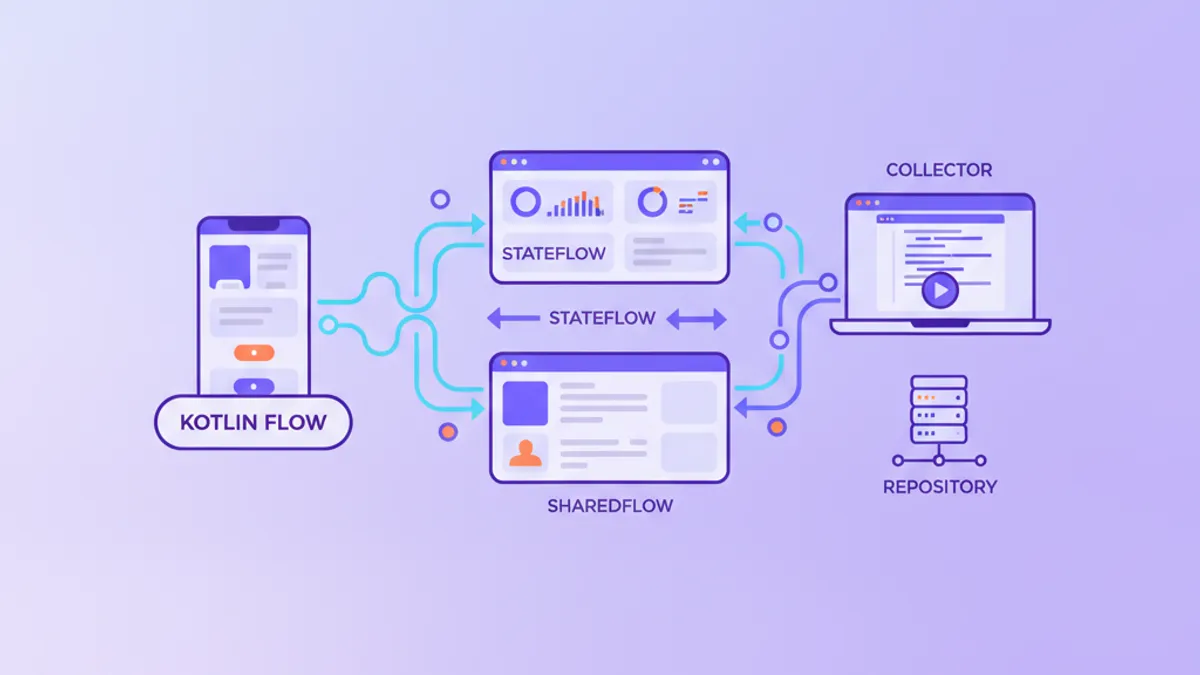
Kotlin Flow vs StateFlow vs SharedFlow: คำถามสัมภาษณ์ Android ปี 2026
คำถาม Kotlin Flow vs StateFlow vs SharedFlow ที่ผู้สัมภาษณ์ Android ถามในปี 2026 พร้อมคำตอบชัดเจน ตารางเปรียบเทียบ และโค้ดที่พร้อมใช้งานจริง
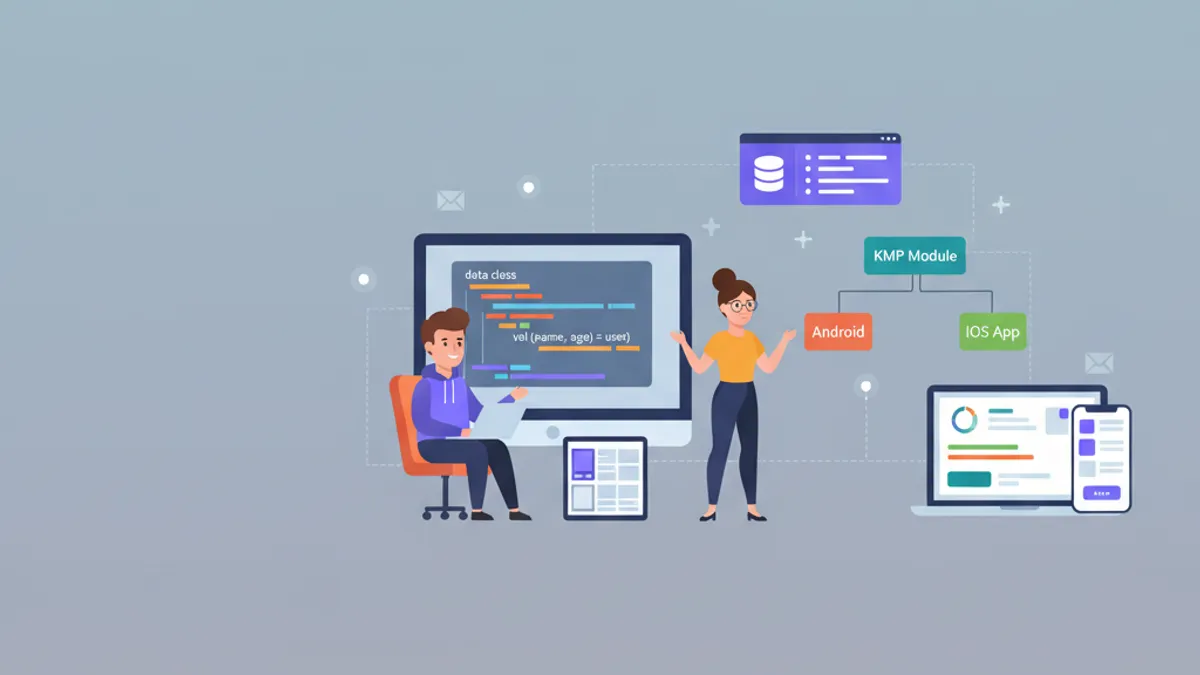
Kotlin 2.3 สำหรับ Android: Name-Based Destructuring, KMP และคำถามสัมภาษณ์ 2026
คำถามสัมภาษณ์ Kotlin 2.3 สำหรับนักพัฒนา Android ในปี 2026 ครอบคลุม name-based destructuring, KMP, context parameters, Flow และ coroutines พร้อมตัวอย่างโค้ด

Kotlin Coroutines สำหรับ Android: คู่มือฉบับสมบูรณ์ 2026
คู่มือครบถ้วนเกี่ยวกับ Kotlin coroutines ในการพัฒนา Android: suspend functions, scopes, dispatchers และ patterns ขั้นสูง