Kotlin 2.3 สำหรับ Android: Name-Based Destructuring, KMP และคำถามสัมภาษณ์ 2026
คำถามสัมภาษณ์ Kotlin 2.3 สำหรับนักพัฒนา Android ในปี 2026 ครอบคลุม name-based destructuring, KMP, context parameters, Flow และ coroutines พร้อมตัวอย่างโค้ด

คำถามสัมภาษณ์เกี่ยวกับ Kotlin 2.3 กลายเป็นหนึ่งในหัวข้อที่มีการค้นหามากที่สุดสำหรับตำแหน่งนักพัฒนา Android ในปี 2026 ด้วยการเปิดตัว name-based destructuring declarations, การทำให้ context parameters เสถียร และระบบนิเวศ Kotlin Multiplatform ที่เติบโตเต็มที่ ผู้สัมภาษณ์คาดหวังให้ผู้สมัครแสดงความเชี่ยวชาญในฟีเจอร์ใหม่เหล่านี้
Kotlin 2.3.20 เปิดตัวในเดือนมีนาคม 2026 นำเสนอ name-based destructuring declarations, การเปลี่ยนแปลง overload resolution สำหรับ context parameters และการปรับปรุง KMP interop กับ C และ TypeScript ฟีเจอร์เหล่านี้ปรากฏบ่อยในการสัมภาษณ์ Android ระดับอาวุโส
Name-Based Destructuring: คำถามสัมภาษณ์ Kotlin 2.3 ที่พบบ่อยที่สุด
ก่อน Kotlin 2.3 นั้น destructuring declarations อาศัยฟังก์ชัน componentN() ที่อิงตามตำแหน่ง สิ่งนี้สร้างกับดักที่รู้จักกันดี: การสลับลำดับ property ใน data class จะทำลาย destructuring ที่มีอยู่อย่างเงียบๆ
คำถามสัมภาษณ์คลาสสิกนำเสนอสถานการณ์นี้:
data class User(val username: String, val email: String)

fun main() {
    val user = User("alice", "alice@example.com")
    // Position-based: ลำดับสำคัญ ไม่ใช่ชื่อ
    val (email, username) = user
    println(email)    // พิมพ์ "alice" -- ผิด!
    println(username) // พิมพ์ "alice@example.com" -- ผิด!
}
Kotlin 2.3.20 แก้ปัญหานี้ด้วย name-based destructuring โดยมีสามโหมดของ compiler ที่ควบคุมพฤติกรรม:
kotlin {
    compilerOptions {
        // โหมด 1: เฉพาะ syntax ที่ระบุชัดเจน
        freeCompilerArgs.add("-Xname-based-destructuring=only-syntax")
        // โหมด 2: แจ้งเตือนเมื่อชื่อไม่ตรงกัน
        // freeCompilerArgs.add("-Xname-based-destructuring=name-mismatch")
        // โหมด 3: Name-based เต็มรูปแบบเป็นค่าเริ่มต้น
        // freeCompilerArgs.add("-Xname-based-destructuring=complete")
    }
}
เมื่อใช้โหมด complete วงเล็บกลมจะใช้การจับคู่ตามชื่อ และวงเล็บเหลี่ยมจะคงพฤติกรรมตามตำแหน่งไว้:
data class User(val username: String, val email: String)

fun main() {
    val user = User("alice", "alice@example.com")

    // Name-based: จับคู่ตามชื่อ property
    val (email, username) = user
    println(email)    // "alice@example.com" -- ถูกต้อง
    println(username) // "alice" -- ถูกต้อง

    // Position-based: วงเล็บเหลี่ยมคงพฤติกรรมเดิม
    val [first, second] = user
    println(first)  // "alice" (component1)
    println(second) // "alice@example.com" (component2)
}
คำตอบที่ดีในการสัมภาษณ์จะอธิบายทั้งสามโหมดและระบุว่าแต่ละโหมดใช้เมื่อใด: only-syntax สำหรับการย้ายระบบทีละขั้น, name-mismatch สำหรับตรวจจับบั๊กในโค้ดที่มีอยู่ และ complete สำหรับโปรเจกต์ใหม่
คำถามสัมภาษณ์ Kotlin Multiplatform สำหรับนักพัฒนา Android
KMP ผ่านพ้นระยะทดลองไปแล้ว Google สนับสนุนอย่างเป็นทางการสำหรับการแชร์ business logic ระหว่าง Android และ iOS และโปรเจกต์ multi-platform ใหม่ส่วนใหญ่ใช้สถาปัตยกรรม shared-core เป็นค่าเริ่มต้น
คำถามสัมภาษณ์ทั่วไปถามว่า: "จะจัดโครงสร้าง KMP module สำหรับ shared networking อย่างไร?"
import io.ktor.client.*
import io.ktor.client.request.*
import io.ktor.client.statement.*
import kotlinx.serialization.Serializable
import kotlinx.serialization.json.Json

@Serializable
data class UserProfile(
    val id: String,
    val displayName: String,
    val avatarUrl: String?
)

// Pattern expect/actual สำหรับ HTTP engine เฉพาะแพลตฟอร์ม
expect fun createHttpClient(): HttpClient

class ApiClient {
    private val client = createHttpClient()
    private val json = Json { ignoreUnknownKeys = true }

    // Suspend function ที่ใช้ร่วมกันระหว่าง Android และ iOS
    suspend fun fetchProfile(userId: String): UserProfile {
        val response = client.get("https://api.example.com/users/$userId")
        return json.decodeFromString(response.bodyAsText())
    }
}import io.ktor.client.*
import io.ktor.client.engine.okhttp.*
// Android ใช้ engine OkHttp
actual fun createHttpClient(): HttpClient = HttpClient(OkHttp) {
engine {
config {
retryOnConnectionFailure(true)
}
}
}ผู้สัมภาษณ์ประเมินว่าผู้สมัครเข้าใจกลไก expect/actual, dependency เฉพาะแพลตฟอร์ม และขอบเขตระหว่างโค้ดที่แชร์กับโค้ดเฉพาะแพลตฟอร์มหรือไม่
คำถามที่พบบ่อยอีกข้อหนึ่งเกี่ยวข้องกับ Swift Export ซึ่งพัฒนาไปมากในปี 2026 ฟังก์ชัน suspend ของ Kotlin ตอนนี้แมปตรงไปยัง async/await ของ Swift โดยไม่ต้องใช้ wrapper completion handler
Context Parameters: ทดแทน Context Receivers
Context parameters มาแทนที่ฟีเจอร์ context receivers ที่ถูกยกเลิก การเปลี่ยนแปลงนี้มักปรากฏเป็นคำถามหลอกในการสัมภาษณ์เพราะนักพัฒนาหลายคนยังใช้ syntax เก่าอยู่
class Logger {
    fun log(message: String) = println("[LOG] $message")
}

class Transaction {
    fun execute(query: String) = println("Executing: $query")
}

// Kotlin 2.3: context parameters (เสถียร)
context(logger: Logger, tx: Transaction)
fun saveUser(id: Int) {
    logger.log("Saving user $id")
    tx.execute("INSERT INTO users (id) VALUES ($id)")
}

fun main() {
    val logger = Logger()
    val tx = Transaction()
    context(logger, tx) {
        saveUser(42)
    }
}
การเปลี่ยนแปลงสำคัญใน Kotlin 2.3.20: overload resolution สำหรับ context parameters ตอนนี้ทำตามกฎที่แตกต่าง ฟังก์ชันที่มี context parameters ไม่ได้ถูกให้ความสำคัญก่อนฟังก์ชันที่ไม่มี context โดยอัตโนมัติอีกต่อไป:
class Logger {
    fun log(message: String) = println("[LOG] $message")
}

// ไม่มี context parameter
fun saveUser(id: Int) {
    println("Saving user $id (no logger)")
}

// มี context parameter
context(logger: Logger)
fun saveUser(id: Int) {
    logger.log("Saving user $id")
    println("Saving user $id (no logger)")
}

fun main() {
    val logger = Logger()
    // ตอนนี้จะเกิด error ความกำกวมใน Kotlin 2.3.20
    // context(logger) { saveUser(1) }

    // แก้ไข: เปลี่ยนชื่อหรือระบุ variant ที่มี context อย่างชัดเจน
}
ผู้สัมภาษณ์ใช้หัวข้อนี้เพื่อประเมินความตระหนักเรื่อง breaking changes และกลยุทธ์การย้ายระบบ ประเด็นสำคัญ: การพึ่งพา implicit context parameter resolution เพื่อ shadow overload ที่ไม่มี context ใช้ไม่ได้อีกต่อไป
Coroutines และ Flow: ยังคงเป็นหัวข้อสัมภาษณ์ Android อันดับหนึ่ง
แม้ Kotlin 2.3 จะเปิดตัวฟีเจอร์ใหม่ coroutines และ Flow ยังคงเป็นพื้นที่ที่ถูกทดสอบมากที่สุด คำถามสัมภาษณ์มักทดสอบความแตกต่างระหว่าง cold flow กับ hot flow, structured concurrency และ cancellation
import kotlinx.coroutines.*
import kotlinx.coroutines.flow.*

// Cold Flow: emit เฉพาะเมื่อมีการ collect
fun userUpdates(): Flow<String> = flow {
    println("Flow started") // ทำงานต่อ collector
    emit("User logged in")
    delay(1000)
    emit("User updated profile")
}

// Hot Flow: emit โดยไม่ขึ้นกับ collector
class UserRepository {
    // StateFlow เก็บค่าล่าสุด
    private val _state = MutableStateFlow("idle")
    val state: StateFlow<String> = _state.asStateFlow()

    // SharedFlow กระจายไปยังหลาย collector
    private val _events = MutableSharedFlow<String>()
    val events: SharedFlow<String> = _events.asSharedFlow()

    suspend fun login() {
        _state.value = "loading"
        delay(500)
        _state.value = "authenticated"
        _events.emit("login_success")
    }
}
คำถามต่อเนื่องมักถามเกี่ยวกับการ collect flow อย่างปลอดภัยใน Android:
import androidx.lifecycle.ViewModel
import androidx.lifecycle.viewModelScope
import kotlinx.coroutines.flow.*
import kotlinx.coroutines.launch

class UserViewModel(private val repo: UserRepository) : ViewModel() {

    // เปิดเผย state ให้ Compose UI
    val uiState: StateFlow<String> = repo.state
        .stateIn(
            scope = viewModelScope,
            started = SharingStarted.WhileSubscribed(5000),
            initialValue = "idle"
        )

    init {
        // Collect events อย่างปลอดภัยภายใน scope ของ ViewModel
        viewModelScope.launch {
            repo.events.collect { event ->
                // จัดการ event ครั้งเดียว
                println("Event received: $event")
            }
        }
    }
}
กลยุทธ์ WhileSubscribed(5000) รักษา upstream ให้ทำงานต่อไป 5 วินาทีหลังจาก subscriber ตัวสุดท้ายหายไป ป้องกันการรีสตาร์ทที่ไม่จำเป็นระหว่างการเปลี่ยนแปลง configuration เช่นการหมุนหน้าจอ
พร้อมที่จะพิชิตการสัมภาษณ์ Android แล้วหรือยังครับ?
ฝึกฝนด้วยตัวจำลองแบบโต้ตอบ, flashcards และแบบทดสอบเทคนิคครับ
Sealed Classes และ Exhaustive When: Pattern Matching ในการสัมภาษณ์
Sealed classes ปรากฏในการสัมภาษณ์ Android เกือบทุกครั้ง คำถามมักขอให้ผู้สมัครสร้างโมเดล UI state:
sealed interface UiState<out T> {
    data object Loading : UiState<Nothing>
    data class Success<T>(val data: T) : UiState<T>
    data class Error(val message: String, val retry: (() -> Unit)? = null) : UiState<Nothing>
}

// การใช้งานใน ViewModel
fun loadUsers(): Flow<UiState<List<UserProfile>>> = flow {
    emit(UiState.Loading)
    try {
        val users = apiClient.fetchUsers()
        emit(UiState.Success(users))
    } catch (e: Exception) {
        emit(UiState.Error(
            message = e.localizedMessage ?: "Unknown error",
            retry = { /* trigger reload */ }
        ))
    }
}
ใน Kotlin นิพจน์ when บน sealed types เป็น exhaustive ณ เวลา compile การเพิ่ม subtype ใหม่บังคับให้จัดการมันทุกที่ ซึ่งกำจัดบั๊ก runtime ทั้งหมวดหมู่ ผู้สัมภาษณ์ตรวจสอบเป็นพิเศษว่าผู้สมัครใช้ sealed interface (ไม่ใช่ sealed class) สำหรับ pattern นี้ เนื่องจาก interface อนุญาตลำดับชั้นที่ยืดหยุ่นกว่า
Kotlin/Wasm และ Target การคอมไพล์ Cross-Platform
Kotlin/Wasm บรรลุสถานะ Beta และให้ประสิทธิภาพใกล้เคียง native บนเบราว์เซอร์ แม้ยังไม่เป็นความกังวลประจำวันของนักพัฒนา Android แต่ผู้สัมภาษณ์ในบริษัทที่มีผลิตภัณฑ์ web+mobile มักถามเกี่ยวกับเรื่องนี้
ข้อเท็จจริงสำคัญสำหรับการสัมภาษณ์:
- Kotlin 2.3.20 ให้ string interpolation เร็วขึ้น 4.6 เท่าใน Wasm ผ่าน JS String builtins
- ขนาด binary ลดลงประมาณ 5%
- Clean build เร็วขึ้น 65%, incremental build เร็วขึ้น 21%
- Annotation
@nativeInvokeอนุญาตให้อ็อบเจกต์ Kotlin ทำหน้าที่เป็นฟังก์ชัน JavaScript
Kotlin/JS ยังได้รับความสามารถในการ implement Kotlin interface จาก TypeScript ซึ่งขจัดข้อจำกัดก่อนหน้า เมื่อรวมกับการรองรับ SWC สำหรับ transpilation Kotlin ตอนนี้ครอบคลุม Android, iOS (ผ่าน KMP), Web (ผ่าน Wasm/JS) และ server-side จาก codebase เดียว
Scope Functions: ตัวกรองการสัมภาษณ์ที่ดูง่ายแต่ลึกซึ้ง
Scope functions (let, run, with, apply, also) ดูเรียบง่ายแต่แยกนักพัฒนา Kotlin ที่มีประสบการณ์ออกจากมือใหม่ คำถามสัมภาษณ์มักถามว่า: "เมื่อใดจะใช้ let กับ apply?"
data class Request(
    var url: String = "",
    var method: String = "GET",
    var headers: MutableMap<String, String> = mutableMapOf(),
    var body: String? = null
)

fun buildRequest(): Request {
    // apply: กำหนดค่าอ็อบเจกต์ คืนค่าอ็อบเจกต์
    return Request().apply {
        url = "https://api.example.com/users"
        method = "POST"
        headers["Content-Type"] = "application/json"
        body = "{\"name\": \"Alice\"}"
    }
}

fun processNullable(input: String?) {
    // let: แปลง nullable คืนค่าผลลัพธ์ lambda
    val length = input?.let { value ->
        println("Processing: $value")
        value.trim().length
    } ?: 0

    // also: ผลข้างเคียง คืนค่าอ็อบเจกต์เดิม
    input?.also { println("Logging input: $it") }

    // run: รันบล็อกกับ receiver คืนค่าผลลัพธ์ lambda
    val result = input?.run {
        // 'this' คือ string
        uppercase().take(10)
    }
}
กรอบการตัดสินใจ: apply สำหรับกำหนดค่าอ็อบเจกต์ (คืนค่า receiver), let สำหรับแปลงค่า null-safe (คืนค่าผลลัพธ์ lambda), also สำหรับผลข้างเคียง (คืนค่า receiver), run สำหรับคำนวณผลลัพธ์กับบริบท receiver
Null Safety และอันตรายของ Double-Bang
Null safety ยังคงเป็นหัวข้อสัมภาษณ์พื้นฐาน คำถาม "ทำไม !! ถึงอันตราย?" ทดสอบว่าผู้สมัครเข้าใจระบบ type ของ Kotlin อย่างแท้จริงหรือไม่
fun findUser(id: String): User? {
    // คืนค่า null ถ้าไม่พบ user
    return database.queryUser(id)
}

// ไม่ดี: !! ทำลายจุดประสงค์ของ null safety
fun riskyApproach(id: String) {
    val user = findUser(id)!! // NullPointerException ถ้าเป็น null
    println(user.username)
}

// ดี: จัดการ null อย่างชัดเจน
fun safeApproach(id: String) {
    val user = findUser(id) ?: run {
        println("User not found")
        return
    }
    println(user.username)
}

// ดี: ให้ค่าเริ่มต้นด้วย Elvis operator
fun displayName(id: String): String {
    return findUser(id)?.username ?: "Anonymous"
}
คำตอบที่สมบูรณ์ต้องกล่าวถึงว่า !! ควรปรากฏเฉพาะในโค้ดทดสอบหรือขอบเขต interop กับแพลตฟอร์มที่ null เป็นไปไม่ได้จริงๆ เท่านั้น
เริ่มฝึกซ้อมเลย!
ทดสอบความรู้ของคุณด้วยตัวจำลองสัมภาษณ์และแบบทดสอบเทคนิคครับ
สรุป
- Name-based destructuring ใน Kotlin 2.3.20 กำจัดบั๊กที่ขึ้นกับตำแหน่ง ต้องรู้ทั้งสามโหมด compiler:
only-syntax,name-mismatch,complete - KMP พร้อมใช้งาน production ในปี 2026 เตรียมคำถามเกี่ยวกับ expect/actual, สถาปัตยกรรม shared module และ Swift Export interop
- Context parameters มาแทน context receivers การเปลี่ยนแปลง overload resolution ใน 2.3.20 เป็นคำถามหลอกที่พบบ่อย
- Coroutines และ Flow ครองการสัมภาษณ์ Android เชี่ยวชาญ
StateFlowvsSharedFlow,WhileSubscribedและ structured concurrency - Sealed interfaces สร้างโมเดล UI state ด้วยความครบถ้วนณเวลา compile ให้ใช้
sealed interfaceแทนsealed class - Scope functions ต้องการกรอบการตัดสินใจที่ชัดเจน: receiver vs argument, ค่าที่คืน vs receiver
- Null safety เป็นสิ่งที่ต่อรองไม่ได้ อธิบายได้ว่าทำไม
!!ทำลายระบบ type และแสดงทางเลือกอื่น
เริ่มฝึกซ้อมเลย!
ทดสอบความรู้ของคุณด้วยตัวจำลองสัมภาษณ์และแบบทดสอบเทคนิคครับ
คุณหาบั๊กใน Android เจอไหม
โค้ดจริงหนึ่งชิ้น บั๊กที่ซ่อนอยู่หนึ่งจุด วันละหนึ่งครั้ง ลองได้โดยไม่ต้องมีบัญชี

เขียนโดย
Anthony Fillion-Mailletผู้ก่อตั้ง SharpSkill
เป็นนักพัฒนาฟูลสแตกมากว่า 10 ปี ดูแล SharpSkill และรับผิดชอบทุกสิ่งที่เผยแพร่ที่นี่
อัปเดตเมื่อ 6 พฤษภาคม 2569
แท็ก
แชร์
บทความที่เกี่ยวข้อง

Kotlin Flow vs StateFlow vs SharedFlow: คำถามสัมภาษณ์ Android ปี 2026
คำถาม Kotlin Flow vs StateFlow vs SharedFlow ที่ผู้สัมภาษณ์ Android ถามในปี 2026 พร้อมคำตอบชัดเจน ตารางเปรียบเทียบ และโค้ดที่พร้อมใช้งานจริง
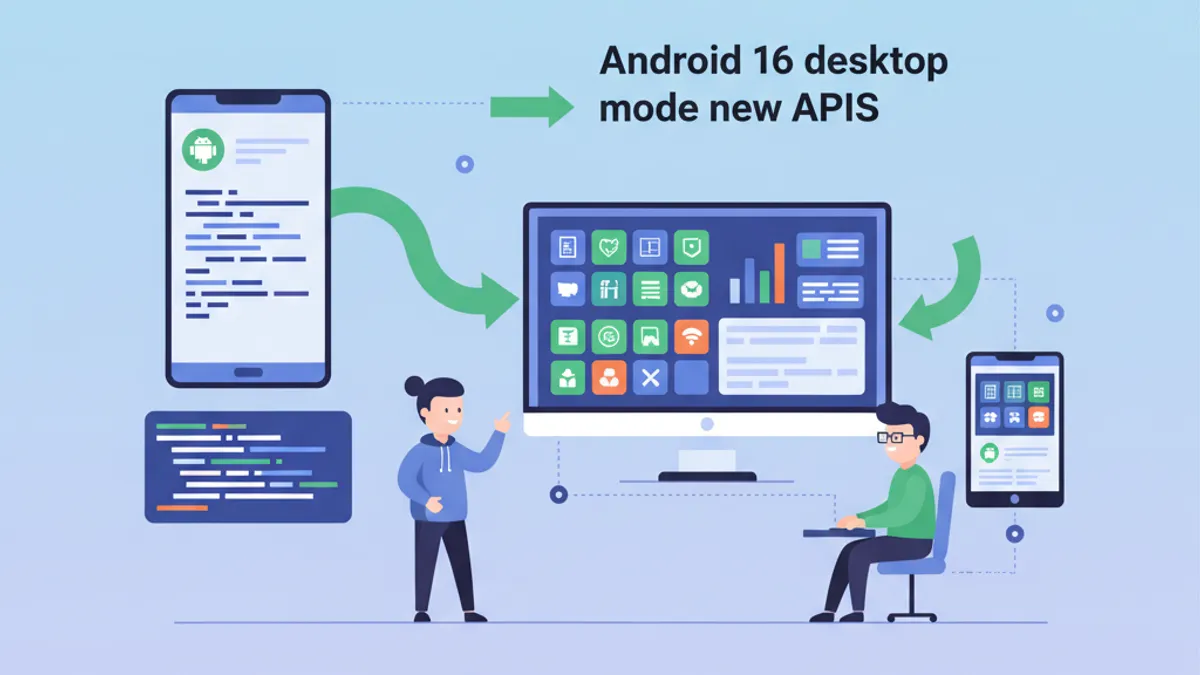
Android 16 ในปี 2026: API ใหม่ Desktop Mode และคำถามสัมภาษณ์
เจาะลึก Android 16 (API 36) ครอบคลุม desktop mode การแจ้งเตือน ProgressStyle, predictive back การบังคับใช้ edge-to-edge และคำถามสัมภาษณ์ที่มาพร้อมกับการเปลี่ยนแปลงเหล่านี้

20 คำถามสัมภาษณ์ Jetpack Compose ยอดนิยมประจำปี 2026
20 คำถามสัมภาษณ์ Jetpack Compose ที่พบบ่อยที่สุด: recomposition, การจัดการ state, navigation, ประสิทธิภาพ และ pattern สถาปัตยกรรม