Nuxt Nitro and Server Routes in 2026: Full-Stack Vue and API Endpoints
Master Nuxt Nitro server routes to build full-stack Vue applications. Learn API endpoints, middleware, database integration, and production deployment patterns with Nuxt 4.

Nuxt Nitro transforms Vue applications into full-stack powerhouses by providing a universal server engine that handles API routes, middleware, and server-side logic alongside frontend components. With Nuxt 4.3 and the upcoming Nitro v3, building production-ready backends has never been more integrated with Vue development.
Nitro enables shared TypeScript types between frontend and backend, eliminating API contract drift and reducing boilerplate. Server routes live in server/api/ and automatically become available at /api/* endpoints.
Understanding Nuxt Nitro Server Engine Architecture
Nitro serves as the universal JavaScript server runtime powering Nuxt's server directory. Unlike traditional Node.js servers, Nitro compiles to platform-optimized bundles that deploy seamlessly to Vercel, Netlify, Cloudflare Workers, and standard Node.js environments without code changes.
The architecture separates concerns through directory conventions:
export default defineEventHandler(async (event) => {
  // Nitro auto-serializes return values to JSON
  // HTTP method suffix (.get.ts) restricts to GET requests
  const users = await getUsersFromDatabase()
  return { users, count: users.length }
})
Nitro scans four directories: server/api for API routes with /api prefix, server/routes for routes without prefix, server/middleware for request interceptors, and server/utils for shared server utilities. Files outside these directories remain invisible to the server runtime.
Creating RESTful API Endpoints with defineEventHandler
Server routes follow file-based routing conventions where filenames map directly to URL paths. HTTP method suffixes control which requests each handler accepts.
// Handles GET /api/products/123
export default defineEventHandler(async (event) => {
  // Extract route parameter from URL
  const id = getRouterParam(event, 'id')

  if (!id) {
    throw createError({
      status: 400, // Nuxt 4 uses Web API naming (not statusCode)
      statusText: 'Product ID required' // Not statusMessage
    })
  }

  const product = await fetchProduct(id)

  if (!product) {
    throw createError({
      status: 404,
      statusText: 'Product not found'
    })
  }

  return product
})
Nuxt 4 adopts Web API naming conventions in preparation for Nitro v3. The statusCode property becomes status, and statusMessage becomes statusText. While legacy properties still function, migration to the new naming ensures forward compatibility with Nuxt 5.
Handling POST requests with body validation:
// Handles POST /api/products
import { z } from 'zod'

const ProductSchema = z.object({
  name: z.string().min(1).max(200),
  price: z.number().positive(),
  category: z.enum(['electronics', 'clothing', 'food'])
})

export default defineEventHandler(async (event) => {
  // readBody automatically parses JSON
  const body = await readBody(event)

  // Validate with Zod schema
  const result = ProductSchema.safeParse(body)

  if (!result.success) {
    throw createError({
      status: 422,
      statusText: 'Validation failed',
      data: result.error.flatten()
    })
  }

  const product = await createProduct(result.data)

  // Set 201 Created status for resource creation
  setResponseStatus(event, 201)
  return product
})
Server Middleware for Authentication and Logging
Middleware files execute before route handlers, enabling cross-cutting concerns like authentication, logging, and request transformation. Unlike route handlers, middleware does not return responses directly.
export default defineEventHandler(async (event) => {
  // Skip auth for public routes
  const publicRoutes = ['/api/health', '/api/auth/login']
  if (publicRoutes.includes(event.path)) {
    return // Continue to next handler
  }

  const authHeader = getHeader(event, 'authorization')

  if (!authHeader?.startsWith('Bearer ')) {
    throw createError({
      status: 401,
      statusText: 'Authentication required'
    })
  }

  const token = authHeader.slice(7)

  try {
    // Verify JWT and attach user to event context
    const user = await verifyToken(token)
    event.context.user = user
  } catch {
    throw createError({
      status: 401,
      statusText: 'Invalid or expired token'
    })
  }
})
The event.context object persists across middleware and handlers within a single request, providing a type-safe way to share data. Define context types in a declaration file:
declare module 'h3' {
  interface H3EventContext {
    user?: {
      id: string
      email: string
      role: 'admin' | 'user'
    }
  }
}
For interview preparation on Nuxt server concepts, review the Nuxt Server Routes interview questions module.
Ready to ace your Vue.js / Nuxt.js interviews?
Practice with our interactive simulators, flashcards, and technical tests.
Database Integration with Prisma and Server Utils
Server utilities in server/utils/ auto-import across all server code, making database clients and shared logic accessible without explicit imports.
import { PrismaClient } from '@prisma/client'

// Singleton pattern prevents multiple instances in development
const globalForPrisma = globalThis as unknown as {
  prisma: PrismaClient | undefined
}

export const prisma = globalForPrisma.prisma ?? new PrismaClient({
  log: process.env.NODE_ENV === 'development'
    ? ['query', 'error', 'warn']
    : ['error']
})

if (process.env.NODE_ENV !== 'production') {
  globalForPrisma.prisma = prisma
}
With the database client available globally, route handlers access it directly:
export default defineEventHandler(async (event) => {
  // Query parameters for pagination
  const query = getQuery(event)
  const page = Number(query.page) || 1
  const limit = Math.min(Number(query.limit) || 10, 100)
  const skip = (page - 1) * limit

  // Parallel queries for data and count
  const [posts, total] = await Promise.all([
    prisma.post.findMany({
      skip,
      take: limit,
      orderBy: { createdAt: 'desc' },
      include: { author: { select: { name: true, avatar: true } } }
    }),
    prisma.post.count()
  ])

  return {
    posts,
    pagination: {
      page,
      limit,
      total,
      pages: Math.ceil(total / limit)
    }
  }
})
Server Plugins for Runtime Initialization
Server plugins in server/plugins/ execute once when the server starts, ideal for initializing connections, scheduling tasks, or setting up monitoring.
export default defineNitroPlugin(async (nitroApp) => {
  // Verify database connection on startup
  try {
    await prisma.$connect()
    console.log('Database connected successfully')
  } catch (error) {
    console.error('Database connection failed:', error)
    process.exit(1) // Fail fast if DB unavailable
  }

  // Graceful shutdown hook
  nitroApp.hooks.hook('close', async () => {
    await prisma.$disconnect()
    console.log('Database disconnected')
  })
})
The plugin system integrates with Nitro hooks for lifecycle management. Hooks fire at specific points: request before handling, beforeResponse before sending, and close during shutdown.
Type-Safe API Calls from Vue Components
Nuxt's $fetch utility provides type inference from server routes when using the ~/server alias. Combined with useFetch composable, components consume APIs with full TypeScript support.
<script setup lang="ts">
// Inferred return type from server/api/products/[id].get.ts
const route = useRoute()
const { data: product, status, error } = await useFetch(
  `/api/products/${route.params.id}`
)

// Mutation with optimistic updates
const { execute: updateProduct, status: updateStatus } = useFetch(
  `/api/products/${route.params.id}`,
  {
    method: 'PATCH',
    immediate: false, // Don't fetch on mount
    watch: false // Don't refetch on dependency change
  }
)

async function handleUpdate(updates: Partial<Product>) {
  await updateProduct({ body: updates })
  // Refetch to sync state
  await refreshNuxtData(`product-${route.params.id}`)
}
</script>

<template>
  <div v-if="status === 'pending'">Loading...</div>
  <div v-else-if="error">{{ error.message }}</div>
  <ProductDetail v-else :product="product" @update="handleUpdate" />
</template>
Caching Strategies for Server Routes
Nuxt 4.3 introduces enhanced caching controls through routeRules in nuxt.config.ts. Server routes benefit from the same caching infrastructure as pages.
export default defineNuxtConfig({
  routeRules: {
    // Cache product listings for 5 minutes
    '/api/products': {
      cache: {
        maxAge: 300,
        staleMaxAge: 600, // Serve stale while revalidating
        swr: true
      }
    },
    // No cache for user-specific data
    '/api/user/**': { cache: false },
    // Pre-render static API responses at build time
    '/api/categories': { prerender: true }
  }
})
For dynamic cache invalidation, use the defineCachedEventHandler wrapper:
export default defineCachedEventHandler(async (event) => {
  const trending = await calculateTrendingProducts()
  return trending
}, {
  maxAge: 60 * 5, // 5 minutes
  name: 'trending-products',
  getKey: () => 'trending', // Cache key for invalidation
  shouldBypassCache: (event) => {
    // Bypass for admin users
    return event.context.user?.role === 'admin'
  }
})
Error Handling and Response Formatting
Consistent error responses improve API usability. Create a shared error handler utility:
import { H3Error } from 'h3'

export function handleDatabaseError(error: unknown): never {
  console.error('Database error:', error)

  // Prisma-specific error handling
  if (error instanceof Error && 'code' in error) {
    const prismaError = error as { code: string }

    if (prismaError.code === 'P2002') {
      throw createError({
        status: 409,
        statusText: 'Resource already exists'
      })
    }

    if (prismaError.code === 'P2025') {
      throw createError({
        status: 404,
        statusText: 'Resource not found'
      })
    }
  }

  throw createError({
    status: 500,
    statusText: 'Internal server error'
  })
}
For comprehensive Vue.js patterns and state management, explore the Pinia vs Vuex comparison article.
Before deploying Nitro servers: validate environment variables with Zod schemas, implement rate limiting middleware, add request logging for debugging, and configure CORS headers for cross-origin API access.
Deployment Across Platforms
Nitro's preset system generates optimized builds for each platform:
export default defineNuxtConfig({
  nitro: {
    // Auto-detected on Vercel/Netlify, or specify manually
    preset: 'node-server', // 'vercel', 'netlify', 'cloudflare-workers'

    // Compress responses
    compressPublicAssets: true,

    // External packages not to bundle
    externals: {
      external: ['@prisma/client']
    }
  }
})
For Node.js deployments, the output includes a standalone server:
# Build for production
npm run build

# Start the server
node .output/server/index.mjs
Nuxt 3 reaches end-of-life on July 31, 2026. Projects should migrate to Nuxt 4 using the official migration guide. Nuxt 5 with Nitro v3 follows shortly after.
Start practicing!
Test your knowledge with our interview simulators and technical tests.
Conclusion
- Server routes in
server/api/auto-map to/api/*endpoints with HTTP method suffixes (.get.ts,.post.ts) controlling request types - Middleware in
server/middleware/handles authentication, logging, and request transformation before routes execute - The
event.contextobject shares typed data between middleware and handlers within a request - Server utils in
server/utils/auto-import across server code, ideal for database clients and shared logic - Nuxt 4 adopts Web API naming (
status/statusText) in preparation for Nitro v3 defineCachedEventHandlerprovides route-level caching with invalidation controls- Nitro presets enable zero-config deployment to Vercel, Netlify, Cloudflare, and Node.js servers
Can you spot the bug in Vue.js / Nuxt.js?
One real snippet, one hidden bug, one attempt a day. No account needed to try.

Written by
Anthony Fillion-MailletFounder of SharpSkill
Full-stack developer for over 10 years. Runs SharpSkill and answers for everything published here.
Updated on July 16, 2026
Tags
Share
Related articles

Nuxt 4 SEO and Meta Tags in 2026: useHead, useSeoMeta and Interview Questions
Master Nuxt 4 SEO with useHead and useSeoMeta composables. Learn type-safe meta tags, performance optimization, AI crawler compatibility, and common interview questions.
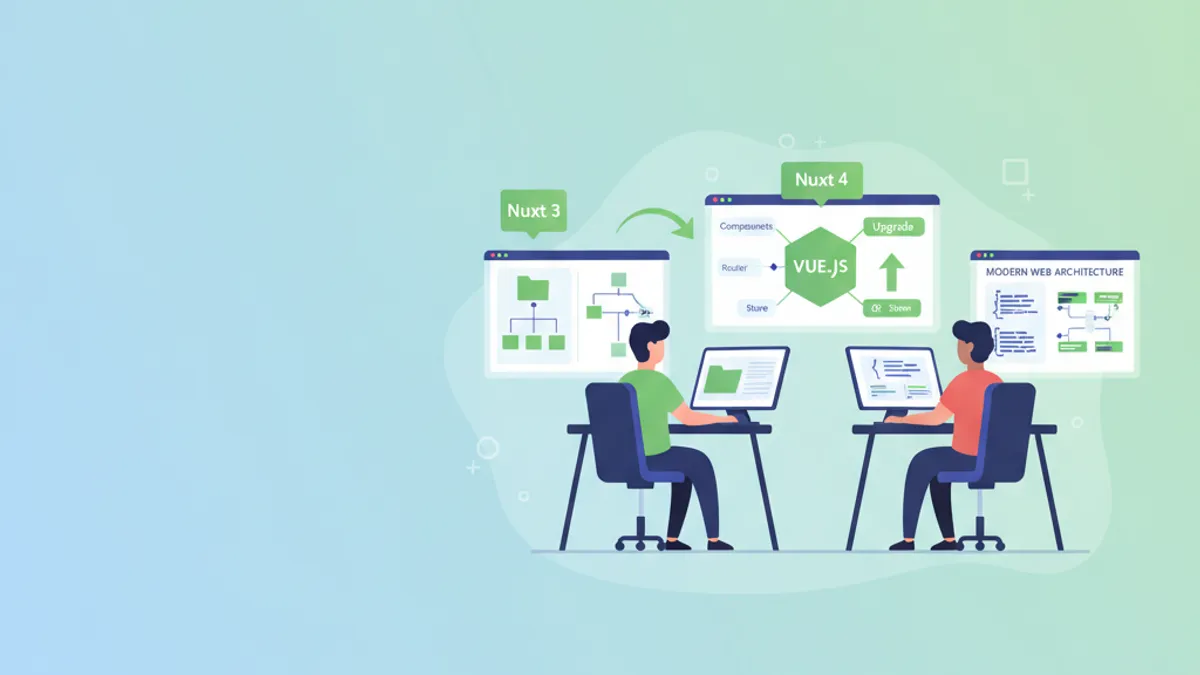
Nuxt 4 in 2026: New Directory Structure and Migration from Nuxt 3
Complete guide to Nuxt 4 directory structure, migration from Nuxt 3, data fetching changes, and TypeScript improvements. Step-by-step tutorial with code examples.
Vue 3 Teleport and Suspense: Advanced Patterns and Interview Questions 2026
Master Vue 3 Teleport for DOM portaling and Suspense for async rendering. Covers the new defer prop, nested Suspense patterns, and interview questions for 2026.