SignalR in ASP.NET Core 2026: Real-Time, Hubs and Interview Questions
Master SignalR for real-time web applications in ASP.NET Core. Complete guide covering hubs, groups, authentication, scaling with Redis, and common interview questions.
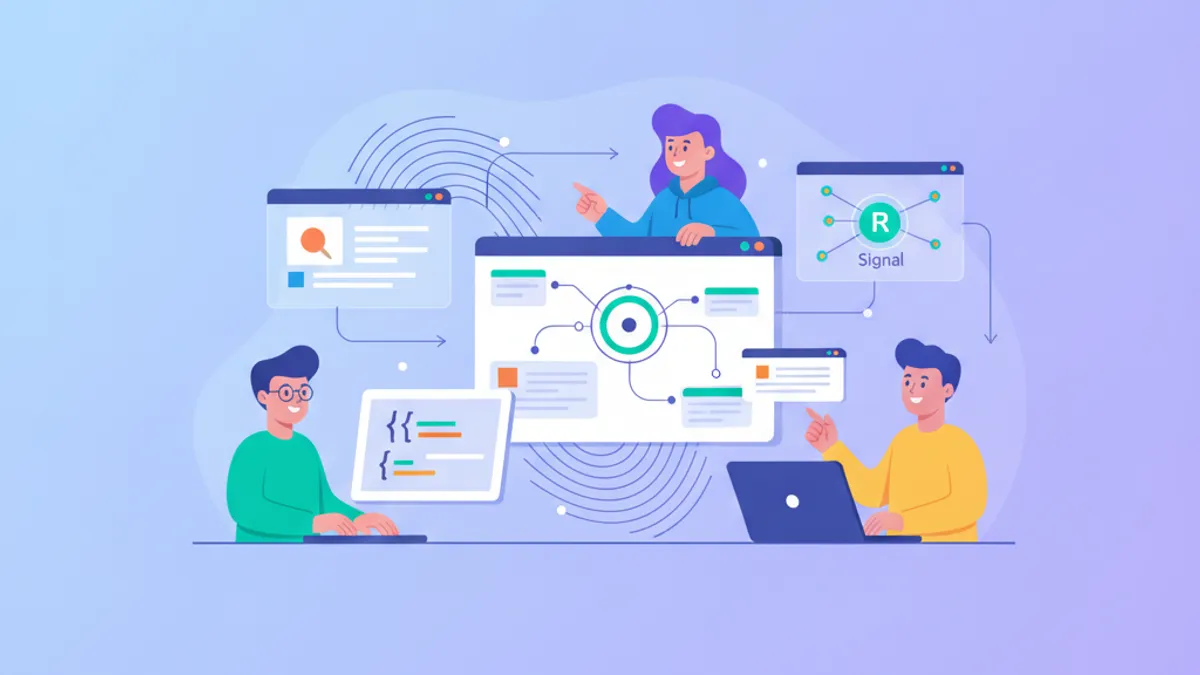
SignalR enables real-time bidirectional communication between servers and clients in ASP.NET Core applications. Unlike traditional HTTP request-response patterns, SignalR maintains persistent connections that allow servers to push updates to clients instantly—essential for chat applications, live dashboards, collaborative editing, and real-time notifications.
SignalR automatically selects the best transport available: WebSockets first, then Server-Sent Events, then Long Polling. This fallback mechanism ensures compatibility across all browsers and network configurations without any code changes.
How SignalR Hubs Enable Server-Client Communication
A Hub acts as a high-level pipeline that handles method invocations between clients and servers. Clients call methods on the hub, and the hub can invoke methods on connected clients. This abstraction eliminates the complexity of managing WebSocket connections manually.
The following example demonstrates a basic chat hub that broadcasts messages to all connected clients:
using Microsoft.AspNetCore.SignalR;

public class ChatHub : Hub
{
    // Called when a client sends a message
    public async Task SendMessage(string user, string message)
    {
        // Broadcast to ALL connected clients
        await Clients.All.SendAsync("ReceiveMessage", user, message);
    }

    // Called automatically when a client connects
    public override async Task OnConnectedAsync()
    {
        await Clients.Caller.SendAsync("Connected", Context.ConnectionId);
        await base.OnConnectedAsync();
    }

    // Called automatically when a client disconnects
    public override async Task OnDisconnectedAsync(Exception? exception)
    {
        // Clean up resources, notify other users, etc.
        await base.OnDisconnectedAsync(exception);
    }
}
The Clients property provides access to all connected clients through various targeting options: All, Caller, Others, Group, and User.
Configuring SignalR in ASP.NET Core 9
SignalR registration in ASP.NET Core 9 follows the standard middleware pattern. The configuration below enables JSON and MessagePack protocols with custom buffer sizes:
var builder = WebApplication.CreateBuilder(args);

// Add SignalR services with configuration
builder.Services.AddSignalR(options =>
{
    options.EnableDetailedErrors = builder.Environment.IsDevelopment();
    options.MaximumReceiveMessageSize = 64 * 1024; // 64 KB
    options.StreamBufferCapacity = 10;
    options.KeepAliveInterval = TimeSpan.FromSeconds(15);
    options.ClientTimeoutInterval = TimeSpan.FromSeconds(30);
})
.AddJsonProtocol(options =>
{
    options.PayloadSerializerOptions.PropertyNamingPolicy = null; // PascalCase
});

var app = builder.Build();

// Map the hub endpoint
app.MapHub<ChatHub>("/chathub");

app.Run();
The KeepAliveInterval and ClientTimeoutInterval settings control connection health monitoring. Clients that fail to respond within the timeout period are considered disconnected.
Managing Groups for Targeted Message Delivery
Groups provide a mechanism to organize connections and send messages to subsets of clients. A typical use case involves chat rooms, where users join specific rooms and only receive messages from those rooms.
public class GroupChatHub : Hub
{
    // Add the current connection to a group
    public async Task JoinRoom(string roomName)
    {
        await Groups.AddToGroupAsync(Context.ConnectionId, roomName);

        // Notify the group that someone joined
        await Clients.Group(roomName).SendAsync(
            "UserJoined",
            Context.User?.Identity?.Name ?? "Anonymous"
        );
    }

    // Remove the current connection from a group
    public async Task LeaveRoom(string roomName)
    {
        await Groups.RemoveFromGroupAsync(Context.ConnectionId, roomName);

        await Clients.Group(roomName).SendAsync(
            "UserLeft",
            Context.User?.Identity?.Name ?? "Anonymous"
        );
    }

    // Send a message to a specific group only
    public async Task SendToRoom(string roomName, string message)
    {
        await Clients.Group(roomName).SendAsync(
            "ReceiveMessage",
            Context.User?.Identity?.Name,
            message
        );
    }
}
Group membership is tied to connections, not users. When a user reconnects, they must rejoin their groups. For persistent group membership, store group associations in a database and rejoin automatically in OnConnectedAsync.
Groups exist only in memory and are not persisted across server restarts or in scaled-out scenarios without a backplane. For production deployments with multiple servers, use Redis or Azure SignalR Service as a backplane.
Securing SignalR Connections with Authentication
SignalR integrates with ASP.NET Core authentication. The [Authorize] attribute restricts hub access to authenticated users, and Context.User provides access to the authenticated user's claims.
using Microsoft.AspNetCore.Authorization;
using Microsoft.AspNetCore.SignalR;

[Authorize] // Require authentication for the entire hub
public class SecureHub : Hub
{
    // Access user claims through Context.User
    public async Task SendPrivateMessage(string recipientUserId, string message)
    {
        var senderName = Context.User?.Identity?.Name
            ?? throw new HubException("User not authenticated");

        // Send to a specific user (all their connections)
        await Clients.User(recipientUserId).SendAsync(
            "PrivateMessage",
            senderName,
            message
        );
    }

    [Authorize(Roles = "Admin")] // Role-based authorization on method
    public async Task BroadcastAnnouncement(string announcement)
    {
        await Clients.All.SendAsync("Announcement", announcement);
    }
}
For WebSocket connections, authentication tokens must be passed via query string since WebSockets do not support custom headers. Configure the JavaScript client to include the token:
import * as signalR from "@microsoft/signalr";

const connection = new signalR.HubConnectionBuilder()
    .withUrl("/securehub", {
        accessTokenFactory: () => localStorage.getItem("authToken") || ""
    })
    .withAutomaticReconnect()
    .build();

await connection.start();
On the server, configure JWT authentication to read the token from the query string:
builder.Services.AddAuthentication(JwtBearerDefaults.AuthenticationScheme)
    .AddJwtBearer(options =>
    {
        options.Events = new JwtBearerEvents
        {
            OnMessageReceived = context =>
            {
                // Read token from query string for SignalR
                var accessToken = context.Request.Query["access_token"];
                var path = context.HttpContext.Request.Path;

                if (!string.IsNullOrEmpty(accessToken) &&
                    path.StartsWithSegments("/securehub"))
                {
                    context.Token = accessToken;
                }
                return Task.CompletedTask;
            }
        };
    });
Ready to ace your .NET interviews?
Practice with our interactive simulators, flashcards, and technical tests.
Scaling SignalR with Redis Backplane
In a load-balanced environment, clients may connect to different server instances. Without a backplane, messages sent from one server only reach clients connected to that server. Redis serves as a backplane to synchronize messages across all server instances.
builder.Services.AddSignalR()
    .AddStackExchangeRedis(options =>
    {
        options.Configuration = builder.Configuration
            .GetConnectionString("Redis");

        // Optional: configure Redis-specific options
        options.Configuration.ChannelPrefix =
            RedisChannel.Literal("MyApp_SignalR_");
    });
The Redis backplane publishes all SignalR messages to Redis channels. Each server instance subscribes to these channels and delivers messages to its local clients. This approach adds minimal latency (typically 1-2ms) while enabling horizontal scaling.
For enterprise deployments, Azure SignalR Service provides a managed alternative that handles scaling, connection management, and availability automatically.
Strongly-Typed Hubs for Compile-Time Safety
Strongly-typed hubs replace magic strings with interface methods, enabling compile-time verification of client method calls:
public interface INotificationClient
{
    Task ReceiveNotification(string title, string message, string severity);
    Task UpdateProgress(int percentage);
    Task TaskCompleted(Guid taskId, bool success);
}

// NotificationHub.cs
public class NotificationHub : Hub<INotificationClient>
{
    public async Task NotifyAll(string title, string message)
    {
        // Compile-time checking - no magic strings
        await Clients.All.ReceiveNotification(title, message, "info");
    }

    public async Task ReportProgress(string groupName, int percentage)
    {
        // IDE autocomplete works here
        await Clients.Group(groupName).UpdateProgress(percentage);
    }
}
Refactoring becomes safer because renaming a method in the interface immediately shows all call sites that need updates.
Streaming Data with SignalR Channels
SignalR supports streaming for scenarios where data is produced incrementally, such as progress updates, log tailing, or real-time sensor data. Both server-to-client and client-to-server streaming are supported.
public class StreamingHub : Hub
{
    // Server-to-client streaming with IAsyncEnumerable
    public async IAsyncEnumerable<StockPrice> StreamStockPrices(
        string[] symbols,
        [EnumeratorCancellation] CancellationToken cancellationToken)
    {
        var random = new Random();

        while (!cancellationToken.IsCancellationRequested)
        {
            foreach (var symbol in symbols)
            {
                yield return new StockPrice
                {
                    Symbol = symbol,
                    Price = random.NextDouble() * 1000,
                    Timestamp = DateTime.UtcNow
                };
            }

            await Task.Delay(1000, cancellationToken);
        }
    }

    // Client-to-server streaming
    public async Task UploadStream(IAsyncEnumerable<LogEntry> stream)
    {
        await foreach (var entry in stream)
        {
            // Process each log entry as it arrives
            await ProcessLogEntry(entry);
        }
    }
}

public record StockPrice(string Symbol, double Price, DateTime Timestamp);
public record LogEntry(string Level, string Message, DateTime Timestamp);
The JavaScript client consumes the stream using an async iterator:
const stream = connection.stream("StreamStockPrices", ["AAPL", "MSFT"]);

stream.subscribe({
    next: (price) => console.log(`${price.symbol}: $${price.price}`),
    error: (err) => console.error(err),
    complete: () => console.log("Stream completed")
});
Common SignalR Interview Questions
Technical interviews frequently cover SignalR architecture and real-world scenarios. The following questions appear regularly in .NET interview sessions:
Explain the transport negotiation process: SignalR first attempts WebSockets, falls back to Server-Sent Events, then Long Polling. Understand when each transport is used and its limitations.
Q: How does SignalR handle connection state when a client temporarily loses connectivity?
SignalR maintains connection state on the server for a configurable period. With automatic reconnection enabled, the client attempts to reconnect using the same connection ID. If successful, the connection resumes without losing group memberships. If the disconnect exceeds the timeout, a new connection is established and the client must rejoin groups.
Q: What is the difference between Clients.User() and Clients.Client()?
Clients.User(userId) targets all connections belonging to a specific authenticated user—useful when one user has multiple browser tabs open. Clients.Client(connectionId) targets a single specific connection. User-based targeting requires authentication and uses IUserIdProvider to map connections to user IDs.
Q: How would you implement presence detection (showing who is online)?
Track connections in OnConnectedAsync and OnDisconnectedAsync. Store user-to-connection mappings in a concurrent dictionary or distributed cache. For scaled-out deployments, use a shared store like Redis. Broadcast presence updates to relevant groups when users connect or disconnect.
Q: Explain the purpose of a SignalR backplane.
A backplane synchronizes messages across multiple server instances in a load-balanced environment. Without it, a message sent from server A only reaches clients connected to server A. Redis and Azure SignalR Service are common backplane options. The backplane publishes messages to a shared channel that all servers subscribe to.
Performance Optimization Strategies
SignalR performance depends on message size, frequency, and connection count. The ASP.NET Core performance best practices documentation provides detailed benchmarks.
- Use MessagePack protocol for binary serialization—reduces payload size by 30-50% compared to JSON
- Batch messages when possible instead of sending many small messages
- Limit group sizes to thousands of members; for larger audiences, consider pub/sub patterns
- Enable compression for text-heavy payloads:
.AddJsonProtocol().AddHubOptions(o => o.EnableDetailedErrors = false) - Set appropriate timeouts to release resources from stale connections promptly
// MessagePack configuration for smaller payloads
builder.Services.AddSignalR()
    .AddMessagePackProtocol(options =>
    {
        options.SerializerOptions =
            MessagePackSerializerOptions.Standard
                .WithCompression(MessagePackCompression.Lz4Block);
    });
Conclusion
- SignalR abstracts transport selection (WebSockets, SSE, Long Polling) and provides a consistent programming model for real-time communication
- Hubs centralize connection management; strongly-typed hubs add compile-time safety for client method calls
- Groups enable targeted message delivery to subsets of connections—rejoin groups after reconnection
- Authentication integrates with ASP.NET Core identity; pass tokens via query string for WebSocket connections
- Scale horizontally with Redis backplane or Azure SignalR Service to synchronize messages across server instances
- Streaming supports incremental data delivery with
IAsyncEnumerablefor both server-to-client and client-to-server scenarios
Start practicing!
Test your knowledge with our interview simulators and technical tests.

Written by
Anthony Fillion-MailletFull-stack developer, founder of SharpSkill
Full-stack developer for over 10 years. Runs SharpSkill and answers for everything published here.
Updated on August 12, 2026
Tags
Share
Related articles

.NET 10 in 2026: New Features, Native AOT and C# 14 for Interview Preparation
.NET 10 ships as a long-term support release with Native AOT improvements, C# 14 extension members, the field keyword, and file-based apps. A complete guide covering new features, performance gains, and interview-ready knowledge for .NET developers in 2026.

.NET 9 Blazor: Full-Stack Development with Blazor United in 2026
.NET 9 Blazor United combines static SSR, Server, and WebAssembly render modes into one full-stack framework. A practical tutorial covering render modes, streaming rendering, constructor injection, and production-ready patterns.
Entity Framework Core: Performance Optimization and Best Practices in 2026
Master EF Core 10 performance optimization with AsNoTracking, compiled queries, split queries, batch operations, and the new LeftJoin operator. Practical C# examples for production .NET 10 applications.