DbContext Lifetime in ASP.NET Core: Performance vs Thread Safety in Async Operations
Master DbContext lifetime management in ASP.NET Core. Learn when to use scoped vs transient lifetimes, how to safely handle async operations, and optimize performance with DbContext pooling.
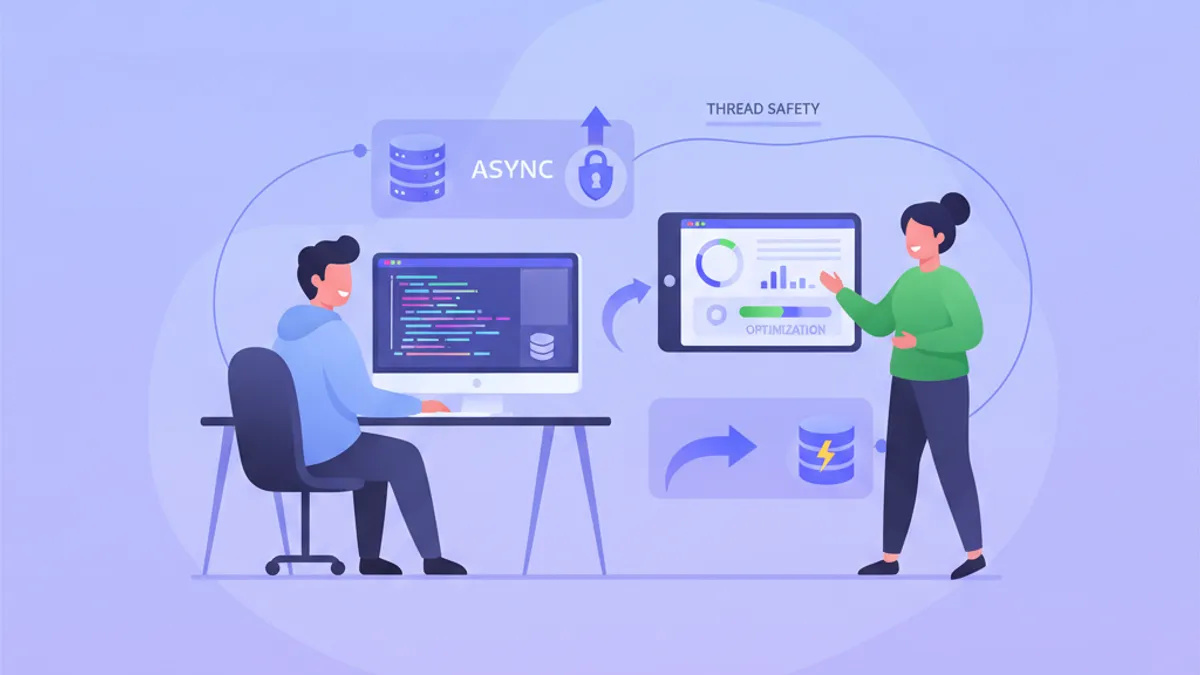
DbContext lifetime management is one of the most common sources of bugs in ASP.NET Core applications. Entity Framework Core's DbContext is not thread-safe, and misusing it in async operations leads to corrupted state, race conditions, and exceptions that are difficult to reproduce.
A single DbContext instance cannot be used across multiple threads simultaneously. If an async method is not awaited before another operation begins on the same context, the internal state becomes corrupted. This rule applies to all EF Core versions, including EF Core 9.
Why Scoped Lifetime Works for Web Requests
ASP.NET Core's dependency injection registers DbContext with a scoped lifetime by default when using AddDbContext<T>(). Each HTTP request receives its own DbContext instance, and that instance is disposed when the request completes.
This approach solves two problems: it ensures each request has isolated database state, and it aligns the context lifetime with the unit of work pattern where changes accumulate during request processing and commit together at the end.
builder.Services.AddDbContext<AppDbContext>(options =>
    options.UseNpgsql(builder.Configuration.GetConnectionString("Default")));
The scoped lifetime is appropriate for standard request-response flows. A controller action or Razor Page handler runs on a single thread, and as long as all async calls are properly awaited, the DbContext remains in a consistent state throughout the request.
public class OrderController : ControllerBase
{
    private readonly AppDbContext _context;

    public OrderController(AppDbContext context)
    {
        _context = context;
    }

    [HttpPost]
    public async Task<IActionResult> CreateOrder(CreateOrderDto dto)
    {
        var order = new Order { CustomerId = dto.CustomerId, Total = dto.Total };
        _context.Orders.Add(order);
        await _context.SaveChangesAsync();
        return CreatedAtAction(nameof(GetOrder), new { id = order.Id }, order);
    }
}
The key constraint: every async operation must complete before the next one starts. The code above is correct because SaveChangesAsync is awaited before the method returns.
The Thread Safety Problem in Parallel Operations
Problems emerge when developers try to parallelize database operations within a single request. Consider this broken example:
// BROKEN: Do not use
public async Task<IActionResult> GetDashboard()
{
    var ordersTask = _context.Orders.CountAsync();
    var productsTask = _context.Products.CountAsync();
    var customersTask = _context.Customers.CountAsync();

    // Running three queries on the same DbContext concurrently
    await Task.WhenAll(ordersTask, productsTask, customersTask);

    return Ok(new { Orders = ordersTask.Result, Products = productsTask.Result, Customers = customersTask.Result });
}
This code starts three async queries without awaiting each one individually. All three operations run concurrently on the same DbContext instance, violating EF Core's thread safety requirements. The result is unpredictable: sometimes it works, sometimes it throws InvalidOperationException, and sometimes it returns incorrect data.
The official Microsoft documentation explicitly states that async methods must be awaited immediately. The internal change tracker, connection state, and query compilation cache are not designed for concurrent access.
Ready to ace your .NET interviews?
Practice with our interactive simulators, flashcards, and technical tests.
Using IDbContextFactory for Parallel Queries
When parallel database operations are genuinely needed, IDbContextFactory<T> provides the solution. This factory creates new DbContext instances on demand, each with its own isolated state.
builder.Services.AddDbContextFactory<AppDbContext>(options =>
    options.UseNpgsql(builder.Configuration.GetConnectionString("Default")));
With the factory registered, inject it instead of the DbContext directly:
public class DashboardService
{
    private readonly IDbContextFactory<AppDbContext> _contextFactory;

    public DashboardService(IDbContextFactory<AppDbContext> contextFactory)
    {
        _contextFactory = contextFactory;
    }

    public async Task<DashboardStats> GetStatsAsync()
    {
        // Each task gets its own DbContext instance
        var ordersTask = Task.Run(async () =>
        {
            await using var context = _contextFactory.CreateDbContext();
            return await context.Orders.CountAsync();
        });

        var productsTask = Task.Run(async () =>
        {
            await using var context = _contextFactory.CreateDbContext();
            return await context.Products.CountAsync();
        });

        var customersTask = Task.Run(async () =>
        {
            await using var context = _contextFactory.CreateDbContext();
            return await context.Customers.CountAsync();
        });

        await Task.WhenAll(ordersTask, productsTask, customersTask);

        return new DashboardStats
        {
            Orders = ordersTask.Result,
            Products = productsTask.Result,
            Customers = customersTask.Result
        };
    }
}
Each task creates, uses, and disposes its own context. The await using statement ensures proper cleanup even if an exception occurs.
DbContext Pooling for High-Throughput Applications
Creating a new DbContext involves allocating memory, initializing the change tracker, and setting up internal caches. For high-throughput applications processing thousands of requests per second, this overhead becomes measurable.
DbContext pooling addresses this by reusing context instances. When a pooled context is disposed, EF Core resets its state and returns it to the pool instead of garbage collecting it.
builder.Services.AddDbContextPool<AppDbContext>(options =>
    options.UseNpgsql(builder.Configuration.GetConnectionString("Default")),
    poolSize: 128);
Benchmarks by Dave Callan show pooling reduces context creation time by over 90% in microbenchmarks. However, the real-world impact depends on the application's query patterns. If database queries dominate request processing time, the context creation overhead is negligible by comparison.
Pooling introduces one constraint: DbContext state resets on return to the pool. Any custom fields or properties added to the DbContext class will lose their values. The change tracker is cleared, so uncommitted changes disappear.
Combining Pooling with IDbContextFactory
For applications that need both pooling performance and parallel query support, use AddPooledDbContextFactory:
builder.Services.AddPooledDbContextFactory<AppDbContext>(options =>
    options.UseNpgsql(builder.Configuration.GetConnectionString("Default")),
    poolSize: 128);
This registration provides IDbContextFactory<AppDbContext> where contexts come from the pool. Each CreateDbContext() call retrieves a pooled instance, and disposing it returns the instance to the pool.
public class BatchProcessor
{
    private readonly IDbContextFactory<AppDbContext> _contextFactory;

    public BatchProcessor(IDbContextFactory<AppDbContext> contextFactory)
    {
        _contextFactory = contextFactory;
    }

    public async Task ProcessBatchAsync(IEnumerable<OrderUpdate> updates)
    {
        // Process in parallel chunks with pooled contexts
        var chunks = updates.Chunk(100);
        var tasks = chunks.Select(async chunk =>
        {
            await using var context = _contextFactory.CreateDbContext();
            foreach (var update in chunk)
            {
                var order = await context.Orders.FindAsync(update.OrderId);
                if (order != null)
                {
                    order.Status = update.NewStatus;
                }
            }
            await context.SaveChangesAsync();
        });

        await Task.WhenAll(tasks);
    }
}
Milan Jovanovic's analysis provides additional benchmarks showing pooled factory performance in batch processing scenarios.
Blazor Server: A Special Case
Blazor Server applications require extra care with DbContext lifetime. A Blazor circuit persists across multiple user interactions, unlike HTTP requests which have clear boundaries.
The default scoped lifetime becomes problematic: a single DbContext instance lives for the entire circuit duration, potentially hours. Long-lived contexts accumulate tracked entities, increasing memory usage and slowing down operations.
builder.Services.AddDbContextFactory<AppDbContext>(options =>
    options.UseNpgsql(builder.Configuration.GetConnectionString("Default")));
In Blazor components, inject the factory and create short-lived contexts:
public partial class OrderList : ComponentBase
{
    [Inject]
    private IDbContextFactory<AppDbContext> ContextFactory { get; set; } = default!;

    private List<Order> _orders = new();

    protected override async Task OnInitializedAsync()
    {
        await using var context = ContextFactory.CreateDbContext();
        _orders = await context.Orders
            .AsNoTracking()
            .OrderByDescending(o => o.CreatedAt)
            .Take(50)
            .ToListAsync();
    }
}
The AsNoTracking() call is particularly important in Blazor Server. Without it, every loaded entity stays in the change tracker, consuming memory until the circuit ends.
Background Services and Hosted Services
Background services registered as singletons cannot inject scoped DbContext directly. The service outlives any scope, creating lifetime mismatch errors.
public class OrderProcessingService : BackgroundService
{
    private readonly IServiceScopeFactory _scopeFactory;

    public OrderProcessingService(IServiceScopeFactory scopeFactory)
    {
        _scopeFactory = scopeFactory;
    }

    protected override async Task ExecuteAsync(CancellationToken stoppingToken)
    {
        while (!stoppingToken.IsCancellationRequested)
        {
            using var scope = _scopeFactory.CreateScope();
            var context = scope.ServiceProvider.GetRequiredService<AppDbContext>();

            var pendingOrders = await context.Orders
                .Where(o => o.Status == OrderStatus.Pending)
                .Take(10)
                .ToListAsync(stoppingToken);

            foreach (var order in pendingOrders)
            {
                order.Status = OrderStatus.Processing;
            }

            await context.SaveChangesAsync(stoppingToken);
            await Task.Delay(TimeSpan.FromSeconds(30), stoppingToken);
        }
    }
}
The IServiceScopeFactory creates a new scope for each iteration. The scope, and the DbContext within it, is disposed at the end of each loop iteration.
Alternatively, use IDbContextFactory for more granular control:
public class OrderProcessingService : BackgroundService
{
    private readonly IDbContextFactory<AppDbContext> _contextFactory;

    public OrderProcessingService(IDbContextFactory<AppDbContext> contextFactory)
    {
        _contextFactory = contextFactory;
    }

    protected override async Task ExecuteAsync(CancellationToken stoppingToken)
    {
        while (!stoppingToken.IsCancellationRequested)
        {
            await using var context = _contextFactory.CreateDbContext();

            var pendingOrders = await context.Orders
                .Where(o => o.Status == OrderStatus.Pending)
                .Take(10)
                .ToListAsync(stoppingToken);

            foreach (var order in pendingOrders)
            {
                order.Status = OrderStatus.Processing;
            }

            await context.SaveChangesAsync(stoppingToken);
            await Task.Delay(TimeSpan.FromSeconds(30), stoppingToken);
        }
    }
}
Common Mistakes That Cause Thread Safety Violations
Several patterns consistently cause DbContext thread safety issues in production code:
Storing DbContext in static fields or singletons: A DbContext should never outlive its intended scope. Static references make the same instance accessible from multiple threads.
Fire-and-forget async calls: Starting an async operation without awaiting it while continuing to use the context on the current thread creates concurrent access.
// BROKEN: Do not use
public void UpdateAndNotify(int orderId)
{
    var order = _context.Orders.Find(orderId);
    order.Status = OrderStatus.Shipped;
    _context.SaveChangesAsync(); // Not awaited!
    _notificationService.SendAsync(order.CustomerId); // Context might still be saving
}
Injecting DbContext into singleton services: The DI container throws an exception in development, but some configurations mask this error.
Using DbContext across multiple awaits without understanding execution flow: Each await is a suspension point. If the resumed code runs on a different thread than expected, concurrent access can occur with other code paths.
Start practicing!
Test your knowledge with our interview simulators and technical tests.
Decision Guide for DbContext Lifetime Configuration
Choosing the right DbContext configuration depends on the application type and performance requirements:
- Standard web API or MVC application: Use
AddDbContext<T>()with default scoped lifetime. This covers most scenarios correctly. - High-throughput API (thousands of requests/second): Use
AddDbContextPool<T>()to reduce allocation overhead. - Application requiring parallel database queries: Use
AddDbContextFactory<T>()orAddPooledDbContextFactory<T>(). - Blazor Server application: Use
AddDbContextFactory<T>()with short-lived contexts created per operation. - Background services: Use
IServiceScopeFactoryorIDbContextFactory<T>()to create contexts within the service. - Batch processing with parallelism: Use
AddPooledDbContextFactory<T>()for optimal throughput.
For deeper coverage of async patterns in ASP.NET Core, the async programming module covers related concepts. The EF Core advanced module expands on query optimization and change tracking behavior discussed here.
Can you spot the bug in .NET?
One real snippet, one hidden bug, one attempt a day. No account needed to try.

Written by
Anthony Fillion-MailletFounder of SharpSkill
Full-stack developer for over 10 years. Runs SharpSkill and answers for everything published here.
Updated on September 7, 2026
Tags
Share
Related articles

.NET 9 Blazor: Full-Stack Development with Blazor United in 2026
.NET 9 Blazor United combines static SSR, Server, and WebAssembly render modes into one full-stack framework. A practical tutorial covering render modes, streaming rendering, constructor injection, and production-ready patterns.
Entity Framework Core: Performance Optimization and Best Practices in 2026
Master EF Core 10 performance optimization with AsNoTracking, compiled queries, split queries, batch operations, and the new LeftJoin operator. Practical C# examples for production .NET 10 applications.
Clean Architecture .NET in 2026: CQRS, MediatR and Developer Interview Questions
Master Clean Architecture in .NET with CQRS and MediatR 14. Learn layered architecture patterns, pipeline behaviors, and prepare for technical interviews with real-world examples.