Entity Framework Core: Performance Optimization and Best Practices in 2026
Master EF Core 10 performance optimization with AsNoTracking, compiled queries, split queries, batch operations, and the new LeftJoin operator. Practical C# examples for production .NET 10 applications.
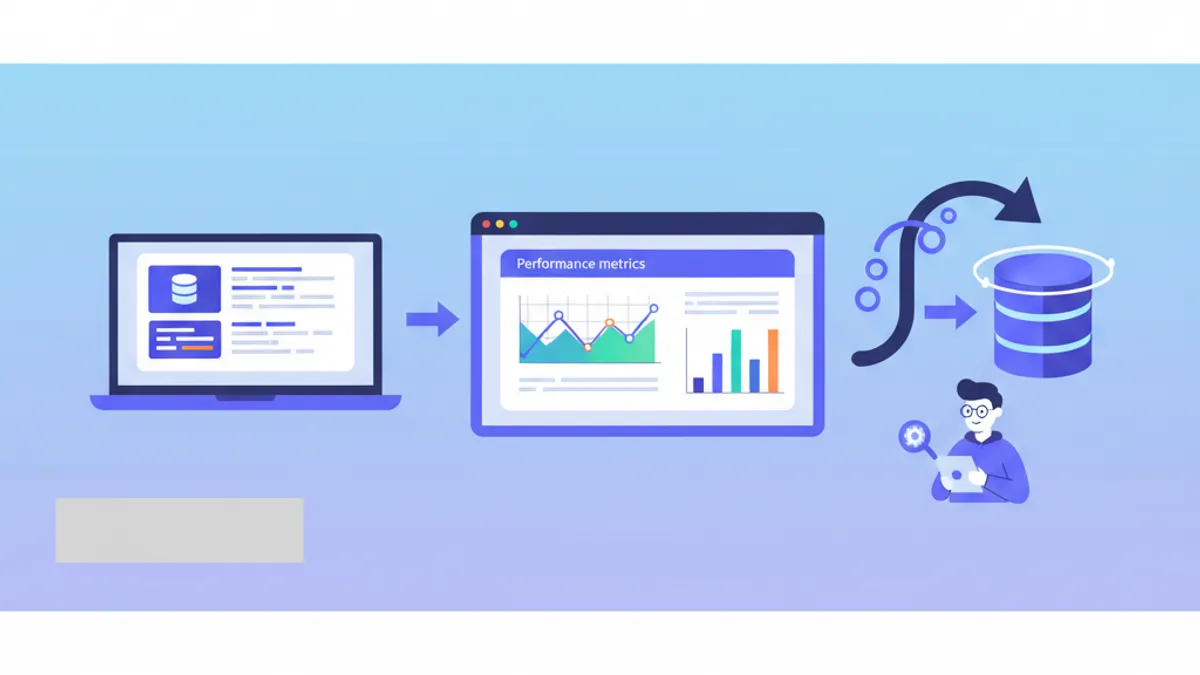
Entity Framework Core 10, shipped with .NET 10 LTS in November 2025, introduces LeftJoin operators, vector search, named query filters, and significant SQL translation improvements. This guide covers the EF Core best practices that directly impact query speed, memory allocation, and scalability in production.
EF Core 10 is a Long-Term Support release, supported until November 2028. It requires the .NET 10 SDK and runtime. Applications still on .NET 8 should target EF Core 8 (LTS) until migration is complete.
Query Tracking: When to Disable It and Why
Every call to DbSet<T> attaches returned entities to the change tracker by default. The tracker maintains a snapshot of original property values, computes diffs on SaveChanges, and resolves identity conflicts across navigations. That overhead is unnecessary when the data flows directly to an API response or a read-only view model.
public async Task<List<ProductDto>> GetActiveByCategoryAsync(
    int categoryId, CancellationToken ct)
{
    return await _context.Products
        .AsNoTracking()              // skip change tracker entirely
        .Where(p => p.CategoryId == categoryId && p.IsActive)
        .OrderBy(p => p.Name)
        .Select(p => new ProductDto   // project to DTO at the database level
        {
            Id = p.Id,
            Name = p.Name,
            Price = p.Price
        })
        .ToListAsync(ct);
}
AsNoTracking removes the per-entity overhead of snapshot creation and identity resolution. Combined with Select, only the needed columns hit the wire. On a table with 50,000 rows, this pattern typically reduces memory allocations by 40-60% compared to a tracked full-entity query.
For contexts that never modify data, set the default at registration:
builder.Services.AddDbContext<CatalogContext>(options =>
    options.UseSqlServer(connectionString)
           .UseQueryTrackingBehavior(QueryTrackingBehavior.NoTracking));
Split Queries to Avoid Cartesian Explosion
Loading an entity with multiple collection navigations via Include generates a single SQL statement with JOINs. When two or more collections are loaded simultaneously, the result set grows as a Cartesian product of the collections, duplicating the parent row data across every combination.
public async Task<Order?> GetWithDetailsAsync(int orderId, CancellationToken ct)
{
    return await _context.Orders
        .AsSplitQuery()              // one SQL per Include
        .Include(o => o.Items)
            .ThenInclude(i => i.Product)
        .Include(o => o.Payments)
        .Include(o => o.ShippingEvents)
        .FirstOrDefaultAsync(o => o.Id == orderId, ct);
}
AsSplitQuery breaks the load into separate SQL statements per navigation. The trade-off: multiple round-trips instead of one, but each result set stays small and avoids the row duplication problem. EF Core 10 also fixes a long-standing ordering inconsistency in split queries, ensuring the subquery ordering matches the primary query.
Single queries remain preferable when loading one collection navigation or when round-trip latency is high (cross-region database calls). Benchmark both modes for the specific access pattern before committing.
Batch Operations with ExecuteUpdate and ExecuteDelete
Traditional EF workflows load entities, modify properties, then call SaveChanges. For bulk operations affecting thousands of rows, this creates thousands of tracked instances and individual UPDATE statements. EF Core 7 introduced ExecuteUpdateAsync and ExecuteDeleteAsync to push the operation to a single SQL command. EF Core 10 simplifies the API further by accepting a plain lambda instead of an expression tree, as described in the EF Core 10 documentation.
public async Task ApplySeasonalDiscountAsync(
    int categoryId, decimal discountPercent, CancellationToken ct)
{
    var affected = await _context.Products
        .Where(p => p.CategoryId == categoryId && p.IsActive)
        .ExecuteUpdateAsync(s =>
        {
            s.SetProperty(p => p.Price, p => p.Price * (1 - discountPercent / 100));
            s.SetProperty(p => p.LastModified, DateTime.UtcNow);
        }, ct);

    // affected = number of rows updated
}
This translates to a single UPDATE ... SET ... WHERE statement. No entities are loaded into memory. For a 10,000-row update, execution time drops from seconds (tracked approach) to milliseconds.
The same pattern applies to deletions:
public async Task PurgeExpiredSessionsAsync(CancellationToken ct)
{
    await _context.Sessions
        .Where(s => s.ExpiresAt < DateTime.UtcNow)
        .ExecuteDeleteAsync(ct);
}
Ready to ace your .NET interviews?
Practice with our interactive simulators, flashcards, and technical tests.
The LeftJoin Operator in EF Core 10
Before EF Core 10, performing a LEFT JOIN required combining GroupJoin, SelectMany, and DefaultIfEmpty in a specific pattern that most developers had to look up every time. EF Core 10 adds LeftJoin as a first-class LINQ operator.
public async Task<List<EmployeeReportDto>> GetEmployeeDepartmentReportAsync(
    CancellationToken ct)
{
    return await _context.Employees
        .LeftJoin(
            _context.Departments,
            employee => employee.DepartmentId,
            department => department.Id,
            (employee, department) => new EmployeeReportDto
            {
                FullName = employee.FirstName + " " + employee.LastName,
                Department = department.Name ?? "Unassigned",
                HiredAt = employee.HiredAt
            })
        .OrderBy(r => r.FullName)
        .ToListAsync(ct);
}
The generated SQL uses a standard LEFT JOIN clause. The RightJoin operator is also available. Both operators eliminate the verbose three-method chain that was previously required.
Named Query Filters for Multi-Concern Filtering
Global query filters have been limited to a single filter per entity type since EF Core 2.0. Applications implementing both soft-delete and multi-tenancy had to combine conditions into one expression and could not selectively disable them. EF Core 10 introduces named query filters.
protected override void OnModelCreating(ModelBuilder modelBuilder)
{
    modelBuilder.Entity<Invoice>()
        .HasQueryFilter("SoftDelete", i => !i.IsDeleted)
        .HasQueryFilter("Tenant", i => i.TenantId == _tenantId);
}
Admin endpoints can disable the soft-delete filter while keeping tenant isolation active:
public async Task<List<Invoice>> GetAllIncludingDeletedAsync(CancellationToken ct)
{
    return await _context.Invoices
        .IgnoreQueryFilters(["SoftDelete"])  // tenant filter still applied
        .ToListAsync(ct);
}
This eliminates the need for custom IQueryable extension methods that manually appended filter conditions.
Connection Resiliency and Pooling Configuration
Transient database failures (network blips, Azure SQL failovers, connection pool exhaustion) cause exceptions that often crash request pipelines. EF Core provides built-in retry logic, but the defaults require explicit configuration.
builder.Services.AddDbContext<AppDbContext>(options =>
    options.UseSqlServer(connectionString, sqlOptions =>
    {
        sqlOptions.EnableRetryOnFailure(
            maxRetryCount: 5,
            maxRetryDelay: TimeSpan.FromSeconds(10),
            errorNumbersToAdd: null);    // retry on all transient errors
        sqlOptions.CommandTimeout(30);   // 30-second command timeout
    }));
Connection string pooling parameters also matter:
Server=db.example.com;Database=AppDb;Min Pool Size=5;Max Pool Size=100;Connection Timeout=15;Min Pool Size keeps warm connections ready for burst traffic. Max Pool Size caps the total open connections to prevent database overload. The default of 100 works for most web applications, but high-throughput services may need tuning based on actual concurrent query volume.
Automatic retries do not work inside user-initiated transactions. Wrap the entire transaction in a manual retry strategy using context.Database.CreateExecutionStrategy().ExecuteAsync(...) to handle transient failures across multiple operations.
Indexing Strategy and Query Analysis
EF Core migrations can define indexes declaratively, but choosing which columns to index requires understanding query patterns.
modelBuilder.Entity<Order>(entity =>
{
    // composite index for frequent query pattern
    entity.HasIndex(o => new { o.CustomerId, o.Status, o.CreatedAt })
          .HasDatabaseName("IX_Order_Customer_Status_Date");

    // filtered index for active orders only
    entity.HasIndex(o => o.Status)
          .HasFilter("[Status] <> 'Cancelled'")
          .HasDatabaseName("IX_Order_ActiveStatus");
});
Filtered indexes reduce index size by excluding rows that queries never target. For a table with 80% cancelled orders, a filtered index on active statuses can be 5x smaller and faster to scan.
To analyze generated SQL, enable logging in development:
builder.Services.AddDbContext<AppDbContext>(options =>
    options.UseSqlServer(connectionString)
           .LogTo(Console.WriteLine, LogLevel.Information)
           .EnableSensitiveDataLogging());
Copy the logged SQL into SQL Server Management Studio and run it with SET STATISTICS IO ON to check logical reads, or use EXPLAIN ANALYZE on PostgreSQL. Missing index suggestions from the query plan often reveal the highest-impact optimization opportunities.
Compiled Queries for Hot Paths
LINQ expression trees are parsed and translated to SQL on every execution. For queries that run thousands of times per minute (e.g., authentication lookups, session validation), this translation cost accumulates. Compiled queries cache the translation at application startup.
public static class UserQueries
{
    // compiled once, reused on every call
    public static readonly Func<AppDbContext, string, CancellationToken, Task<UserSession?>>
        GetActiveSession = EF.CompileAsyncQuery(
            (AppDbContext ctx, string token, CancellationToken ct) =>
                ctx.UserSessions
                    .AsNoTracking()
                    .FirstOrDefault(s => s.Token == token && s.ExpiresAt > DateTime.UtcNow));
}

// Usage in middleware
var session = await UserQueries.GetActiveSession(dbContext, bearerToken, ct);
Compiled queries skip the expression tree parsing phase entirely. The performance difference is measurable only on high-frequency paths (1,000+ calls/minute). For standard CRUD endpoints, the built-in query cache in EF Core already handles translation reuse.
Parameterized Collection Translation in EF Core 10
Queries filtering by a list of IDs represent one of the most common patterns in data access. EF Core 10 changes the default translation strategy for parameterized collections. Instead of encoding the list as a JSON array (EF Core 8-9) or inlining constants (EF Core 7 and earlier), EF Core 10 translates each value as a separate SQL parameter.
// Before (EF Core 8-9): JSON array parameter
// @__ids_0='[1,2,3]'
// SELECT ... WHERE Id IN (SELECT value FROM OPENJSON(@__ids_0))

// EF Core 10: individual parameters with padding
// SELECT ... WHERE Id IN (@ids1, @ids2, @ids3)

var orderIds = new[] { 101, 205, 389 };
var orders = await _context.Orders
    .Where(o => orderIds.Contains(o.Id))
    .ToListAsync(ct);
The new approach gives the database query planner cardinality information while still avoiding plan cache bloat through parameter padding. For cases where the JSON approach performs better (very large collections), override the behavior per query:
var orders = await _context.Orders
    .Where(o => EF.Parameter(orderIds).Contains(o.Id))  // force JSON mode
    .ToListAsync(ct);
Start practicing!
Test your knowledge with our interview simulators and technical tests.
Sources
- EF Core 10 What's New – official documentation of new features
- Change Tracking in EF Core – detailed explanation of tracking behavior
- EF Core Performance – Microsoft's performance guidelines
- GitHub: EF Core Release Notes – patch notes and breaking changes
EF Core Performance Checklist for Production
- Use
AsNoTracking()andSelectprojections on every read-only query to eliminate change tracker overhead - Apply
AsSplitQuery()when loading multiple collection navigations to avoid Cartesian explosion - Replace tracked load-modify-save patterns with
ExecuteUpdateAsyncandExecuteDeleteAsyncfor bulk operations - Adopt the
LeftJoinoperator from EF Core 10 to replace the verboseGroupJoin/SelectMany/DefaultIfEmptychain - Configure named query filters to manage soft-delete and multi-tenancy independently
- Set up
EnableRetryOnFailureand tune connection pool sizes for production resilience - Define composite and filtered indexes based on actual query patterns, not guesses
- Reserve compiled queries for genuinely hot paths exceeding 1,000 executions per minute
- Let EF Core 10 handle parameterized collection translation by default, and override only when benchmarks justify it
For interview preparation, the EF Core Advanced module covers these patterns in depth. The C# LINQ guide explains the underlying query operators, and the Clean Architecture with .NET guide demonstrates how to structure the repository and service layers that wrap these queries.
Start practicing!
Test your knowledge with our interview simulators and technical tests.
Can you spot the bug in .NET?
One real snippet, one hidden bug, one attempt a day. No account needed to try.

Written by
Anthony Fillion-MailletFounder of SharpSkill
Full-stack developer for over 10 years. Runs SharpSkill and answers for everything published here.
Updated on September 7, 2026
Tags
Share
Related articles
DbContext Lifetime in ASP.NET Core: Performance vs Thread Safety in Async Operations
Master DbContext lifetime management in ASP.NET Core. Learn when to use scoped vs transient lifetimes, how to safely handle async operations, and optimize performance with DbContext pooling.

Clean Architecture with .NET: Practical Guide
Master Clean Architecture in .NET with C#. Learn SOLID principles, layer separation, and implementation patterns for building maintainable applications.

C# and .NET Interview Questions: Complete Guide 2026
The 25 most common C# and .NET interview questions. LINQ, async/await, dependency injection, Entity Framework and best practices with detailed answers.