Clean Architecture with .NET: Practical Guide
Master Clean Architecture in .NET with C#. Learn SOLID principles, layer separation, and implementation patterns for building maintainable applications.
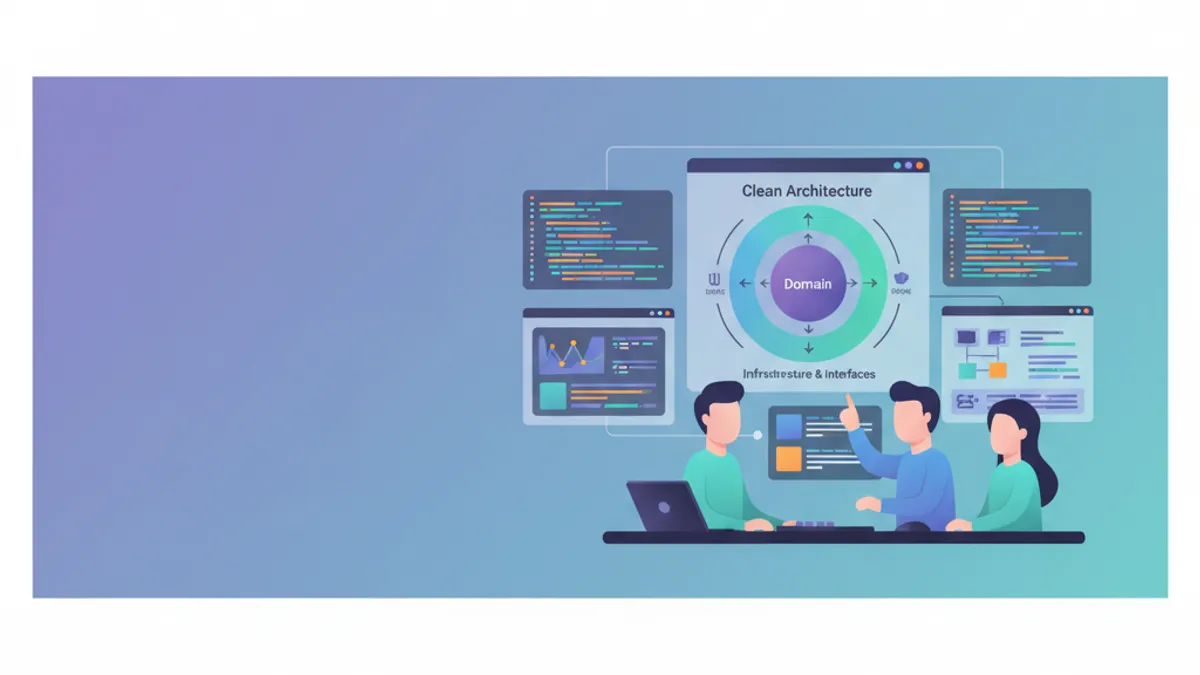
Clean Architecture, popularized by Robert C. Martin (Uncle Bob), organizes code with business logic at the application's center, independent of frameworks and implementation details. This architectural approach ensures testability, maintainability, and scalability for .NET applications. This guide presents a practical implementation with ASP.NET Core and addresses the 2025 MediatR licensing change that affects pattern adoption.
Applications mixing business logic with infrastructure code quickly become difficult to maintain. Clean Architecture enforces strict separation that allows technical details to change without impacting the business core.
Core Principles of Clean Architecture
Clean Architecture relies on dependency inversion: inner layers have no knowledge of outer layers. The business domain remains isolated and can evolve independently of technical choices like web frameworks or databases.
┌─────────────────────────────────────────────────────────┐
│                     Presentation                        │
│  (Controllers, Razor Pages, Blazor, API Endpoints)     │
├─────────────────────────────────────────────────────────┤
│                    Infrastructure                       │
│    (EF Core, External APIs, File System, Email)        │
├─────────────────────────────────────────────────────────┤
│                      Application                        │
│       (Use Cases, Commands, Queries, DTOs)             │
├─────────────────────────────────────────────────────────┤
│                        Domain                           │
│     (Entities, Value Objects, Domain Services)          │
└─────────────────────────────────────────────────────────┘
Dependencies always point inward: Presentation → Infrastructure → Application → Domain. The Domain references no other projects.
.NET Project Structure for Clean Architecture
The project organization reflects the different layers. Each layer corresponds to a distinct project in the Visual Studio solution, ensuring physical separation of responsibilities.
# terminal
# Create solution structure
dotnet new sln -n CleanArchitecture

# Create projects for each layer
dotnet new classlib -n CleanArchitecture.Domain -o src/CleanArchitecture.Domain
dotnet new classlib -n CleanArchitecture.Application -o src/CleanArchitecture.Application
dotnet new classlib -n CleanArchitecture.Infrastructure -o src/CleanArchitecture.Infrastructure
dotnet new webapi -n CleanArchitecture.Api -o src/CleanArchitecture.Api

# Add projects to solution
dotnet sln add src/CleanArchitecture.Domain
dotnet sln add src/CleanArchitecture.Application
dotnet sln add src/CleanArchitecture.Infrastructure
dotnet sln add src/CleanArchitecture.Api

# Configure project references
cd src/CleanArchitecture.Application
dotnet add reference ../CleanArchitecture.Domain

cd ../CleanArchitecture.Infrastructure
dotnet add reference ../CleanArchitecture.Application

cd ../CleanArchitecture.Api
dotnet add reference ../CleanArchitecture.Infrastructure
This structure ensures the Domain remains independent and dependencies follow Clean Architecture's Dependency Rule.
The Domain Layer: Business Core
The Domain layer contains business entities, Value Objects, and repository interfaces. No external dependencies are allowed in this layer.
namespace CleanArchitecture.Domain.Entities;

// Entity with identity and business lifecycle
public class Order
{
    // Unique order identifier
    public Guid Id { get; private set; }

    // Customer reference (Value Object for email)
    public string CustomerEmail { get; private set; }

    // Item collection (one-to-many relationship)
    private readonly List<OrderItem> _items = new();
    public IReadOnlyCollection<OrderItem> Items => _items.AsReadOnly();

    // Order status (business enum)
    public OrderStatus Status { get; private set; }

    // Calculated total amount
    public decimal TotalAmount => _items.Sum(i => i.TotalPrice);

    // Tracking dates
    public DateTime CreatedAt { get; private set; }
    public DateTime? ShippedAt { get; private set; }

    // Private constructor enforces factory method usage
    private Order() { }

    // Factory method to create a valid order
    public static Order Create(string customerEmail)
    {
        // Business rule validation at creation
        if (string.IsNullOrWhiteSpace(customerEmail))
            throw new DomainException("Customer email is required.");

        if (!IsValidEmail(customerEmail))
            throw new DomainException("Invalid email format.");

        return new Order
        {
            Id = Guid.NewGuid(),
            CustomerEmail = customerEmail,
            Status = OrderStatus.Pending,
            CreatedAt = DateTime.UtcNow
        };
    }

    // Business method: add an item
    public void AddItem(Product product, int quantity)
    {
        // Business rule: cannot modify a shipped order
        if (Status == OrderStatus.Shipped)
            throw new DomainException("Cannot modify a shipped order.");

        if (quantity <= 0)
            throw new DomainException("Quantity must be positive.");

        // Check if product already exists
        var existingItem = _items.FirstOrDefault(i => i.ProductId == product.Id);
        if (existingItem != null)
        {
            existingItem.IncreaseQuantity(quantity);
        }
        else
        {
            _items.Add(OrderItem.Create(this, product, quantity));
        }
    }

    // Business method: confirm the order
    public void Confirm()
    {
        if (Status != OrderStatus.Pending)
            throw new DomainException("Only pending orders can be confirmed.");

        if (!_items.Any())
            throw new DomainException("An order must contain at least one item.");

        Status = OrderStatus.Confirmed;
    }

    // Business method: ship the order
    public void Ship()
    {
        if (Status != OrderStatus.Confirmed)
            throw new DomainException("Order must be confirmed before shipping.");

        Status = OrderStatus.Shipped;
        ShippedAt = DateTime.UtcNow;
    }

    private static bool IsValidEmail(string email) =>
        email.Contains('@') && email.Contains('.');
}
The Order entity encapsulates business rules and protects its internal state. Modifications must go through business methods that validate invariants.
namespace CleanArchitecture.Domain.Entities;

// Child entity with its own identity
public class OrderItem
{
    public Guid Id { get; private set; }
    public Guid OrderId { get; private set; }
    public Guid ProductId { get; private set; }
    public string ProductName { get; private set; }
    public decimal UnitPrice { get; private set; }
    public int Quantity { get; private set; }

    // Line total price calculation
    public decimal TotalPrice => UnitPrice * Quantity;

    private OrderItem() { }

    // Factory method with validation
    public static OrderItem Create(Order order, Product product, int quantity)
    {
        return new OrderItem
        {
            Id = Guid.NewGuid(),
            OrderId = order.Id,
            ProductId = product.Id,
            ProductName = product.Name,
            UnitPrice = product.Price,
            Quantity = quantity
        };
    }

    // Method to increase quantity
    public void IncreaseQuantity(int additionalQuantity)
    {
        if (additionalQuantity <= 0)
            throw new DomainException("Additional quantity must be positive.");

        Quantity += additionalQuantity;
    }
}namespace CleanArchitecture.Domain.Enums;
// Order status enumeration
public enum OrderStatus
{
Pending = 0, // Awaiting confirmation
Confirmed = 1, // Confirmed, ready for shipping
Shipped = 2, // Shipped
Delivered = 3, // Delivered
Cancelled = 4 // Cancelled
}Value Objects like Money, Address, or Email encapsulate business concepts without their own identity. Their equality is based on values, not references. This approach strengthens domain expressiveness.
Repository Interfaces in the Domain
Repository interfaces are defined in the Domain, but their implementations reside in Infrastructure. This pattern respects the dependency inversion principle.
namespace CleanArchitecture.Domain.Interfaces;

// Order repository interface
public interface IOrderRepository
{
    // Retrieval by identifier
    Task<Order?> GetByIdAsync(Guid id, CancellationToken cancellationToken = default);

    // Retrieval with items included
    Task<Order?> GetByIdWithItemsAsync(Guid id, CancellationToken cancellationToken = default);

    // Retrieval by customer email
    Task<IEnumerable<Order>> GetByCustomerEmailAsync(
        string email,
        CancellationToken cancellationToken = default);

    // Add a new order
    Task AddAsync(Order order, CancellationToken cancellationToken = default);

    // Update an existing order
    Task UpdateAsync(Order order, CancellationToken cancellationToken = default);

    // Delete an order
    Task DeleteAsync(Guid id, CancellationToken cancellationToken = default);
}namespace CleanArchitecture.Domain.Interfaces;
// Unit of Work pattern for transactional management
public interface IUnitOfWork : IDisposable
{
// Repositories accessible via UoW
IOrderRepository Orders { get; }
IProductRepository Products { get; }
// Atomic save of all changes
Task<int> SaveChangesAsync(CancellationToken cancellationToken = default);
// Explicit transaction management
Task BeginTransactionAsync(CancellationToken cancellationToken = default);
Task CommitTransactionAsync(CancellationToken cancellationToken = default);
Task RollbackTransactionAsync(CancellationToken cancellationToken = default);
}The Unit of Work pattern coordinates operations across multiple repositories within a single transaction.
Ready to ace your .NET interviews?
Practice with our interactive simulators, flashcards, and technical tests.
The Application Layer: Use Case Orchestration
The Application layer contains application logic (use cases), DTOs, and external service interfaces. It orchestrates interactions between the domain and the outside world.
MediatR moved to commercial licensing in July 2025. For new projects, consider alternatives: implementing a simple mediator yourself, using FastEndpoints, or budgeting for the license. The CQRS patterns shown here remain valid regardless of the library choice.
using MediatR;

namespace CleanArchitecture.Application.Orders.Commands;

// Command representing the intent to create an order
public record CreateOrderCommand(
    string CustomerEmail,
    List<OrderItemDto> Items
) : IRequest<Guid>;

// DTO for order items
public record OrderItemDto(
    Guid ProductId,
    int Quantity
);using MediatR;
using CleanArchitecture.Domain.Entities;
using CleanArchitecture.Domain.Interfaces;
namespace CleanArchitecture.Application.Orders.Commands;
// Handler implementing the use case
public class CreateOrderCommandHandler : IRequestHandler<CreateOrderCommand, Guid>
{
private readonly IUnitOfWork _unitOfWork;
public CreateOrderCommandHandler(IUnitOfWork unitOfWork)
{
_unitOfWork = unitOfWork;
}
public async Task<Guid> Handle(
CreateOrderCommand request,
CancellationToken cancellationToken)
{
// Create Order entity via factory method
var order = Order.Create(request.CustomerEmail);
// Add items to the order
foreach (var item in request.Items)
{
// Retrieve product from repository
var product = await _unitOfWork.Products
.GetByIdAsync(item.ProductId, cancellationToken);
if (product == null)
throw new NotFoundException($"Product {item.ProductId} not found.");
// Use entity's business method
order.AddItem(product, item.Quantity);
}
// Persist via repository
await _unitOfWork.Orders.AddAsync(order, cancellationToken);
await _unitOfWork.SaveChangesAsync(cancellationToken);
return order.Id;
}
}MediatR implements the Mediator pattern to decouple handlers from controllers. Each command has a single handler responsible for its processing.
using MediatR;

namespace CleanArchitecture.Application.Orders.Queries;

// Query to retrieve an order by ID
public record GetOrderByIdQuery(Guid OrderId) : IRequest<OrderDto?>;

// Response DTO for an order
public record OrderDto(
    Guid Id,
    string CustomerEmail,
    string Status,
    decimal TotalAmount,
    DateTime CreatedAt,
    DateTime? ShippedAt,
    List<OrderItemResponseDto> Items
);

// DTO for items in the response
public record OrderItemResponseDto(
    Guid Id,
    string ProductName,
    decimal UnitPrice,
    int Quantity,
    decimal TotalPrice
);using MediatR;
using CleanArchitecture.Domain.Interfaces;
namespace CleanArchitecture.Application.Orders.Queries;
public class GetOrderByIdQueryHandler : IRequestHandler<GetOrderByIdQuery, OrderDto?>
{
private readonly IOrderRepository _orderRepository;
public GetOrderByIdQueryHandler(IOrderRepository orderRepository)
{
_orderRepository = orderRepository;
}
public async Task<OrderDto?> Handle(
GetOrderByIdQuery request,
CancellationToken cancellationToken)
{
// Retrieve with items included
var order = await _orderRepository
.GetByIdWithItemsAsync(request.OrderId, cancellationToken);
if (order == null)
return null;
// Map to DTO (manual projection)
return new OrderDto(
Id: order.Id,
CustomerEmail: order.CustomerEmail,
Status: order.Status.ToString(),
TotalAmount: order.TotalAmount,
CreatedAt: order.CreatedAt,
ShippedAt: order.ShippedAt,
Items: order.Items.Select(i => new OrderItemResponseDto(
Id: i.Id,
ProductName: i.ProductName,
UnitPrice: i.UnitPrice,
Quantity: i.Quantity,
TotalPrice: i.TotalPrice
)).ToList()
);
}
}The Commands/Queries separation follows the CQRS pattern (Command Query Responsibility Segregation), optimizing reads and writes independently.
Validation with FluentValidation
Command validation occurs in the Application layer, before handler execution. FluentValidation 12+ requires .NET 8 or later.
using FluentValidation;
using CleanArchitecture.Application.Orders.Commands;

namespace CleanArchitecture.Application.Orders.Validators;

public class CreateOrderCommandValidator : AbstractValidator<CreateOrderCommand>
{
    public CreateOrderCommandValidator()
    {
        // Email required and valid format
        RuleFor(x => x.CustomerEmail)
            .NotEmpty().WithMessage("Customer email is required.")
            .EmailAddress().WithMessage("Invalid email format.");

        // At least one item required
        RuleFor(x => x.Items)
            .NotEmpty().WithMessage("Order must contain at least one item.");

        // Validate each item
        RuleForEach(x => x.Items).ChildRules(item =>
        {
            item.RuleFor(i => i.ProductId)
                .NotEmpty().WithMessage("Product identifier is required.");

            item.RuleFor(i => i.Quantity)
                .GreaterThan(0).WithMessage("Quantity must be positive.")
                .LessThanOrEqualTo(100).WithMessage("Maximum quantity: 100.");
        });
    }
}using FluentValidation;
using MediatR;
namespace CleanArchitecture.Application.Common.Behaviors;
// Pipeline behavior for automatic validation
public class ValidationBehavior<TRequest, TResponse>
: IPipelineBehavior<TRequest, TResponse>
where TRequest : notnull
{
private readonly IEnumerable<IValidator<TRequest>> _validators;
public ValidationBehavior(IEnumerable<IValidator<TRequest>> validators)
{
_validators = validators;
}
public async Task<TResponse> Handle(
TRequest request,
RequestHandlerDelegate<TResponse> next,
CancellationToken cancellationToken)
{
// If no validators, continue
if (!_validators.Any())
return await next();
// Execute all validators
var context = new ValidationContext<TRequest>(request);
var validationResults = await Task.WhenAll(
_validators.Select(v => v.ValidateAsync(context, cancellationToken)));
// Aggregate errors
var failures = validationResults
.SelectMany(r => r.Errors)
.Where(f => f != null)
.ToList();
// Throw exception if errors exist
if (failures.Any())
throw new ValidationException(failures);
return await next();
}
}The ValidationBehavior runs automatically before each handler, ensuring only valid commands reach business logic.
The Infrastructure Layer: Technical Implementation
The Infrastructure layer provides concrete implementations of interfaces defined in Domain and Application. Entity Framework Core 10 introduces new LINQ operators (LeftJoin, RightJoin) and improved ExecuteUpdate capabilities that integrate well with repository patterns.
using Microsoft.EntityFrameworkCore;
using CleanArchitecture.Domain.Entities;

namespace CleanArchitecture.Infrastructure.Persistence;

public class AppDbContext : DbContext
{
    public AppDbContext(DbContextOptions<AppDbContext> options) : base(options)
    {
    }

    public DbSet<Order> Orders => Set<Order>();
    public DbSet<OrderItem> OrderItems => Set<OrderItem>();
    public DbSet<Product> Products => Set<Product>();

    protected override void OnModelCreating(ModelBuilder modelBuilder)
    {
        // Apply configurations from assembly
        modelBuilder.ApplyConfigurationsFromAssembly(typeof(AppDbContext).Assembly);
    }
}using Microsoft.EntityFrameworkCore;
using Microsoft.EntityFrameworkCore.Metadata.Builders;
using CleanArchitecture.Domain.Entities;
namespace CleanArchitecture.Infrastructure.Persistence.Configurations;
public class OrderConfiguration : IEntityTypeConfiguration<Order>
{
public void Configure(EntityTypeBuilder<Order> builder)
{
// Table and primary key
builder.ToTable("Orders");
builder.HasKey(o => o.Id);
// Properties
builder.Property(o => o.CustomerEmail)
.IsRequired()
.HasMaxLength(256);
builder.Property(o => o.Status)
.IsRequired()
.HasConversion<string>(); // Store as readable string
// Relationship with OrderItems
builder.HasMany(o => o.Items)
.WithOne()
.HasForeignKey(i => i.OrderId)
.OnDelete(DeleteBehavior.Cascade);
// Index for email search
builder.HasIndex(o => o.CustomerEmail);
// Access private field _items
builder.Navigation(o => o.Items)
.UsePropertyAccessMode(PropertyAccessMode.Field);
}
}using Microsoft.EntityFrameworkCore;
using CleanArchitecture.Domain.Entities;
using CleanArchitecture.Domain.Interfaces;
using CleanArchitecture.Infrastructure.Persistence;
namespace CleanArchitecture.Infrastructure.Repositories;
public class OrderRepository : IOrderRepository
{
private readonly AppDbContext _context;
public OrderRepository(AppDbContext context)
{
_context = context;
}
public async Task<Order?> GetByIdAsync(
Guid id,
CancellationToken cancellationToken = default)
{
return await _context.Orders
.FirstOrDefaultAsync(o => o.Id == id, cancellationToken);
}
public async Task<Order?> GetByIdWithItemsAsync(
Guid id,
CancellationToken cancellationToken = default)
{
// Eager loading items
return await _context.Orders
.Include(o => o.Items)
.FirstOrDefaultAsync(o => o.Id == id, cancellationToken);
}
public async Task<IEnumerable<Order>> GetByCustomerEmailAsync(
string email,
CancellationToken cancellationToken = default)
{
return await _context.Orders
.Include(o => o.Items)
.Where(o => o.CustomerEmail == email)
.OrderByDescending(o => o.CreatedAt)
.ToListAsync(cancellationToken);
}
public async Task AddAsync(
Order order,
CancellationToken cancellationToken = default)
{
await _context.Orders.AddAsync(order, cancellationToken);
}
public Task UpdateAsync(
Order order,
CancellationToken cancellationToken = default)
{
// EF Core automatically tracks changes
_context.Orders.Update(order);
return Task.CompletedTask;
}
public async Task DeleteAsync(
Guid id,
CancellationToken cancellationToken = default)
{
await _context.Orders
.Where(o => o.Id == id)
.ExecuteDeleteAsync(cancellationToken);
}
}Repositories should not expose IQueryable directly, as this would create a dependency on EF Core in upper layers. Prefer specific methods with clear parameters.
Unit of Work Implementation
using Microsoft.EntityFrameworkCore.Storage;
using CleanArchitecture.Domain.Interfaces;
using CleanArchitecture.Infrastructure.Repositories;

namespace CleanArchitecture.Infrastructure.Persistence;

public class UnitOfWork : IUnitOfWork
{
    private readonly AppDbContext _context;
    private IDbContextTransaction? _transaction;

    // Lazy loading repositories
    private IOrderRepository? _orderRepository;
    private IProductRepository? _productRepository;

    public UnitOfWork(AppDbContext context)
    {
        _context = context;
    }

    // On-demand creation (lazy initialization)
    public IOrderRepository Orders =>
        _orderRepository ??= new OrderRepository(_context);

    public IProductRepository Products =>
        _productRepository ??= new ProductRepository(_context);

    public async Task<int> SaveChangesAsync(
        CancellationToken cancellationToken = default)
    {
        return await _context.SaveChangesAsync(cancellationToken);
    }

    public async Task BeginTransactionAsync(
        CancellationToken cancellationToken = default)
    {
        _transaction = await _context.Database
            .BeginTransactionAsync(cancellationToken);
    }

    public async Task CommitTransactionAsync(
        CancellationToken cancellationToken = default)
    {
        if (_transaction == null)
            throw new InvalidOperationException("No active transaction.");

        await _transaction.CommitAsync(cancellationToken);
        await _transaction.DisposeAsync();
        _transaction = null;
    }

    public async Task RollbackTransactionAsync(
        CancellationToken cancellationToken = default)
    {
        if (_transaction == null)
            throw new InvalidOperationException("No active transaction.");

        await _transaction.RollbackAsync(cancellationToken);
        await _transaction.DisposeAsync();
        _transaction = null;
    }

    public void Dispose()
    {
        _transaction?.Dispose();
        _context.Dispose();
    }
}
Dependency Injection Configuration
Service registration occurs in each layer via extension methods, then orchestrated in Program.cs.
using Microsoft.EntityFrameworkCore;
using Microsoft.Extensions.Configuration;
using Microsoft.Extensions.DependencyInjection;
using CleanArchitecture.Domain.Interfaces;
using CleanArchitecture.Infrastructure.Persistence;
using CleanArchitecture.Infrastructure.Repositories;

namespace CleanArchitecture.Infrastructure;

public static class DependencyInjection
{
    public static IServiceCollection AddInfrastructure(
        this IServiceCollection services,
        IConfiguration configuration)
    {
        // Entity Framework configuration
        services.AddDbContext<AppDbContext>(options =>
            options.UseSqlServer(
                configuration.GetConnectionString("DefaultConnection"),
                b => b.MigrationsAssembly(typeof(AppDbContext).Assembly.FullName)));

        // Register Unit of Work (Scoped)
        services.AddScoped<IUnitOfWork, UnitOfWork>();

        // Individual repositories if needed
        services.AddScoped<IOrderRepository, OrderRepository>();
        services.AddScoped<IProductRepository, ProductRepository>();

        return services;
    }
}using FluentValidation;
using MediatR;
using Microsoft.Extensions.DependencyInjection;
using CleanArchitecture.Application.Common.Behaviors;
namespace CleanArchitecture.Application;
public static class DependencyInjection
{
public static IServiceCollection AddApplication(this IServiceCollection services)
{
var assembly = typeof(DependencyInjection).Assembly;
// Register MediatR with handlers
services.AddMediatR(cfg => cfg.RegisterServicesFromAssembly(assembly));
// Register FluentValidation validators
services.AddValidatorsFromAssembly(assembly);
// Pipeline behaviors (execution order matters)
services.AddTransient(typeof(IPipelineBehavior<,>), typeof(ValidationBehavior<,>));
return services;
}
}using CleanArchitecture.Application;
using CleanArchitecture.Infrastructure;
var builder = WebApplication.CreateBuilder(args);
// Register layers
builder.Services.AddApplication();
builder.Services.AddInfrastructure(builder.Configuration);
// API configuration
builder.Services.AddControllers();
builder.Services.AddEndpointsApiExplorer();
builder.Services.AddSwaggerGen();
var app = builder.Build();
if (app.Environment.IsDevelopment())
{
app.UseSwagger();
app.UseSwaggerUI();
}
app.UseHttpsRedirection();
app.UseAuthorization();
app.MapControllers();
app.Run();The Presentation Layer: API Controllers
Controllers are simple adapters that delegate work to MediatR. For simpler APIs, ASP.NET Core Minimal APIs offer a lighter approach while maintaining the same architectural separation.
using MediatR;
using Microsoft.AspNetCore.Mvc;
using CleanArchitecture.Application.Orders.Commands;
using CleanArchitecture.Application.Orders.Queries;

namespace CleanArchitecture.Api.Controllers;

[ApiController]
[Route("api/[controller]")]
public class OrdersController : ControllerBase
{
    private readonly IMediator _mediator;

    public OrdersController(IMediator mediator)
    {
        _mediator = mediator;
    }

    [HttpPost]
    [ProducesResponseType(typeof(Guid), StatusCodes.Status201Created)]
    [ProducesResponseType(StatusCodes.Status400BadRequest)]
    public async Task<IActionResult> Create(
        [FromBody] CreateOrderCommand command,
        CancellationToken cancellationToken)
    {
        // Full delegation to MediatR
        var orderId = await _mediator.Send(command, cancellationToken);

        return CreatedAtAction(
            nameof(GetById),
            new { id = orderId },
            orderId);
    }

    [HttpGet("{id:guid}")]
    [ProducesResponseType(typeof(OrderDto), StatusCodes.Status200OK)]
    [ProducesResponseType(StatusCodes.Status404NotFound)]
    public async Task<IActionResult> GetById(
        Guid id,
        CancellationToken cancellationToken)
    {
        var order = await _mediator.Send(
            new GetOrderByIdQuery(id),
            cancellationToken);

        if (order == null)
            return NotFound();

        return Ok(order);
    }

    [HttpPost("{id:guid}/confirm")]
    [ProducesResponseType(StatusCodes.Status204NoContent)]
    [ProducesResponseType(StatusCodes.Status404NotFound)]
    public async Task<IActionResult> Confirm(
        Guid id,
        CancellationToken cancellationToken)
    {
        await _mediator.Send(new ConfirmOrderCommand(id), cancellationToken);
        return NoContent();
    }

    [HttpPost("{id:guid}/ship")]
    [ProducesResponseType(StatusCodes.Status204NoContent)]
    [ProducesResponseType(StatusCodes.Status404NotFound)]
    public async Task<IActionResult> Ship(
        Guid id,
        CancellationToken cancellationToken)
    {
        await _mediator.Send(new ShipOrderCommand(id), cancellationToken);
        return NoContent();
    }
}
Controllers remain thin and contain no business logic, only HTTP mapping.
Application Layer Unit Tests
Clean Architecture facilitates unit testing through dependency isolation. Understanding C# and .NET testing patterns helps when designing testable architectures.
using Moq;
using Xunit;
using CleanArchitecture.Application.Orders.Commands;
using CleanArchitecture.Domain.Entities;
using CleanArchitecture.Domain.Interfaces;

namespace CleanArchitecture.Tests.Application;

public class CreateOrderCommandHandlerTests
{
    private readonly Mock<IUnitOfWork> _unitOfWorkMock;
    private readonly CreateOrderCommandHandler _handler;

    public CreateOrderCommandHandlerTests()
    {
        _unitOfWorkMock = new Mock<IUnitOfWork>();
        _handler = new CreateOrderCommandHandler(_unitOfWorkMock.Object);
    }

    [Fact]
    public async Task Handle_ValidCommand_CreatesOrderAndReturnsId()
    {
        // Arrange
        var product = new Product { Id = Guid.NewGuid(), Name = "Test", Price = 100 };

        _unitOfWorkMock.Setup(x => x.Products.GetByIdAsync(
            It.IsAny<Guid>(),
            It.IsAny<CancellationToken>()))
            .ReturnsAsync(product);

        _unitOfWorkMock.Setup(x => x.Orders.AddAsync(
            It.IsAny<Order>(),
            It.IsAny<CancellationToken>()))
            .Returns(Task.CompletedTask);

        _unitOfWorkMock.Setup(x => x.SaveChangesAsync(It.IsAny<CancellationToken>()))
            .ReturnsAsync(1);

        var command = new CreateOrderCommand(
            CustomerEmail: "test@example.com",
            Items: new List<OrderItemDto>
            {
                new(ProductId: product.Id, Quantity: 2)
            });

        // Act
        var result = await _handler.Handle(command, CancellationToken.None);

        // Assert
        Assert.NotEqual(Guid.Empty, result);
        _unitOfWorkMock.Verify(x => x.Orders.AddAsync(
            It.Is<Order>(o => o.CustomerEmail == "test@example.com"),
            It.IsAny<CancellationToken>()), Times.Once);
        _unitOfWorkMock.Verify(x => x.SaveChangesAsync(
            It.IsAny<CancellationToken>()), Times.Once);
    }

    [Fact]
    public async Task Handle_ProductNotFound_ThrowsNotFoundException()
    {
        // Arrange
        _unitOfWorkMock.Setup(x => x.Products.GetByIdAsync(
            It.IsAny<Guid>(),
            It.IsAny<CancellationToken>()))
            .ReturnsAsync((Product?)null);

        var command = new CreateOrderCommand(
            CustomerEmail: "test@example.com",
            Items: new List<OrderItemDto>
            {
                new(ProductId: Guid.NewGuid(), Quantity: 1)
            });

        // Act & Assert
        await Assert.ThrowsAsync<NotFoundException>(
            () => _handler.Handle(command, CancellationToken.None));
    }
}
Moq mocks allow isolating the handler from its dependencies, testing only orchestration logic.
Sources
- MediatR GitHub Repository - licensing and version information
- What's New in EF Core 10 - new LINQ operators and ExecuteUpdate improvements
- FluentValidation 12.0 Upgrade Guide - breaking changes and .NET 8 minimum requirement
Clean Architecture .NET Implementation Checklist
Clean Architecture with .NET provides a robust structure for enterprise applications. Strict separation of responsibilities between Domain, Application, Infrastructure, and Presentation layers ensures maintainable and testable code over the long term.
- Isolated Domain with no external dependencies
- Entities with encapsulated business logic
- Repository interfaces in the Domain
- Use Cases via Commands/Queries (CQRS)
- Validation with FluentValidation and Pipeline Behaviors
- Infrastructure implements Domain interfaces
- Thin controllers delegating to MediatR (or a custom mediator)
- Isolated unit tests with mocks
Start practicing!
Test your knowledge with our interview simulators and technical tests.
The initial investment in this architecture pays off quickly on medium to large projects, where technical requirement changes (database migration, framework changes) only impact outer layers, preserving the business core intact. For EF Core performance considerations in production, see the Entity Framework Core optimization guide.
Can you spot the bug in .NET?
One real snippet, one hidden bug, one attempt a day. No account needed to try.

Written by
Anthony Fillion-MailletFounder of SharpSkill
Full-stack developer for over 10 years. Runs SharpSkill and answers for everything published here.
Updated on September 3, 2026
Tags
Share
Related articles

C# and .NET Interview Questions: Complete Guide 2026
The 25 most common C# and .NET interview questions. LINQ, async/await, dependency injection, Entity Framework and best practices with detailed answers.

.NET 10: Building a REST API with ASP.NET Core
Complete guide to building a professional REST API with .NET 10 and ASP.NET Core. Controllers, Entity Framework Core, built-in validation and best practices explained.
Entity Framework Core: Performance Optimization and Best Practices in 2026
Master EF Core 10 performance optimization with AsNoTracking, compiled queries, split queries, batch operations, and the new LeftJoin operator. Practical C# examples for production .NET 10 applications.