Building a C# Blog in 2026: Technical Blogging with ASP.NET Core and Minimal APIs
Build a C# blog on .NET 10 with ASP.NET Core Minimal APIs: Markdown posts with front matter, a thread-safe post store with hot reload, Razor component pages, output caching and an RSS feed.
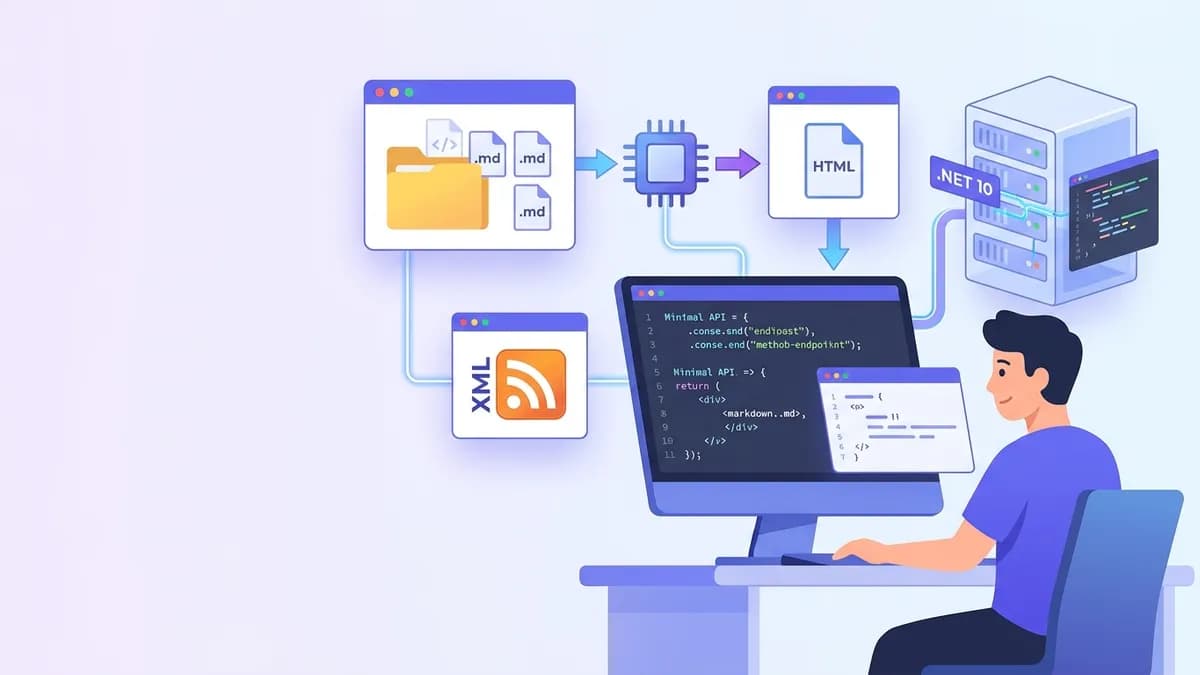
A C# blog built on ASP.NET Core Minimal APIs fits in a handful of files: Markdown posts on disk, a singleton store that parses them once, a few endpoints that render HTML, and an RSS feed. On .NET 10, the long-term support release published in November 2025, every piece of that stack ships in the framework or in two well-maintained NuGet packages, with no CMS and no database.
.NET 10 web project, Markdig for Markdown to HTML, YamlDotNet for front matter, an immutable in-memory post store reloaded on file change, Minimal API endpoints returning RazorComponentResult pages, output caching with tag eviction, and an RSS 2.0 feed from System.ServiceModel.Syndication. The whole engine stays under 300 lines of C#.
Why a Minimal API blog engine instead of a static site generator
Static site generators such as Hugo or Jekyll produce HTML files at build time. They are fast and cheap, but every behavior beyond templates (scheduled posts, a JSON API for a mobile app, per-tag feeds, analytics hooks) becomes a plugin in a language the .NET developer does not use daily.
An ASP.NET Core blog keeps the content as plain Markdown files in Git, renders them on the first request, and serves the result from memory afterwards. With output caching in front, the cost per request is close to serving a static file, and the code that runs is ordinary C# that can be debugged, tested and extended. It is also a compact project that exercises dependency injection, the request pipeline, caching and concurrency, which are exactly the topics a .NET technical interview covers.
| Concern | Static site generator | ASP.NET Core Minimal API blog |
|---|---|---|
| Content format | Markdown + front matter | Markdown + front matter |
| Rendering time | Build time | First request, then cached |
| Custom logic | Plugins, templates | Plain C# endpoints |
| Hosting | Any static host or CDN | Container, App Service, any VPS |
| Hot content update | Rebuild and redeploy | File watcher reloads the store |
Setting up the ASP.NET Core blog project on .NET 10
The project starts from the empty web template. dotnet new web creates a project on the Microsoft.NET.Sdk.Web SDK, which compiles .razor components without any extra setup. Three packages cover the rest: Markdig for CommonMark parsing, YamlDotNet for front matter, and System.ServiceModel.Syndication for the feed.
# terminal
dotnet new web -n CSharpBlog --framework net10.0
cd CSharpBlog
dotnet add package Markdig
dotnet add package YamlDotNet
dotnet add package System.ServiceModel.Syndication
mkdir posts Posts Endpoints Components
Program.cs wires everything together. The post store is a singleton because the parsed posts are shared by every request, and output caching sits in the pipeline before the endpoints so cached responses skip handler execution entirely.
var builder = WebApplication.CreateBuilder(args);

// Site settings bound from the "Blog" section of appsettings.json
builder.Services.Configure<BlogOptions>(builder.Configuration.GetSection("Blog"));

builder.Services.AddSingleton<PostStore>();   // one parsed snapshot shared by all requests
builder.Services.AddRazorComponents();        // enables RazorComponentResult rendering
builder.Services.AddOpenApi();                // OpenAPI 3.1 document for the JSON API
builder.Services.AddOutputCache(options =>
    options.AddBasePolicy(policy => policy.Expire(TimeSpan.FromHours(1))));

var app = builder.Build();

app.MapStaticAssets();   // CSS and images from wwwroot, fingerprinted since .NET 9
app.UseOutputCache();    // must run before the endpoints it caches
app.MapOpenApi();

app.MapBlogEndpoints();
app.MapFeedEndpoints();

app.Run();

public sealed class BlogOptions
{
    public string Title { get; set; } = "C# Notes";
    public string SiteUrl { get; set; } = "https://localhost:5001/";
}
The SiteUrl setting matters later: canonical links and feed URLs are built from configuration, never from the incoming Host header.
Parsing Markdown posts with front matter in C#
Each post is a file such as posts/output-caching-dotnet-10.md. The file name becomes the slug, and a YAML block at the top carries the metadata:
---
title: Output caching in .NET 10
summary: How tag-based eviction keeps cached pages fresh.
date: 2026-11-10
tags: [aspnet-core, performance]
draft: false
---
Output caching stores the full response on the server...
The parser splits the YAML block from the body, deserializes the metadata into a small class, and converts the body to HTML. Line endings are normalized first, otherwise a post saved on Windows breaks the --- delimiter search.
using Markdig;
using YamlDotNet.Serialization;
using YamlDotNet.Serialization.NamingConventions;

public sealed record Post(string Slug, string Title, string Summary,
    DateTime PublishedOn, IReadOnlyList<string> Tags, bool Draft, string Html);

public static class PostParser
{
    // Built once and reused by every reload
    private static readonly MarkdownPipeline Pipeline =
        new MarkdownPipelineBuilder().UseAdvancedExtensions().Build();

    private static readonly IDeserializer Yaml = new DeserializerBuilder()
        .WithNamingConvention(CamelCaseNamingConvention.Instance)
        .IgnoreUnmatchedProperties()   // unknown keys do not crash the reload
        .Build();

    public static Post Parse(string slug, string text)
    {
        text = text.ReplaceLineEndings("\n");
        if (!text.StartsWith("---\n"))
            throw new FormatException($"{slug}: missing front matter");

        var end = text.IndexOf("\n---", 4, StringComparison.Ordinal);
        if (end < 0)
            throw new FormatException($"{slug}: unterminated front matter");

        var meta = Yaml.Deserialize<FrontMatter>(text[4..end]);
        var html = Markdown.ToHtml(text[(end + 4)..], Pipeline);

        return new Post(slug, meta.Title, meta.Summary, meta.Date, meta.Tags, meta.Draft, html);
    }

    private sealed class FrontMatter
    {
        public string Title { get; set; } = "";
        public string Summary { get; set; } = "";
        public DateTime Date { get; set; }
        public List<string> Tags { get; set; } = [];
        public bool Draft { get; set; }
    }
}
UseAdvancedExtensions() turns on tables, footnotes, task lists, auto-identifiers on headings and the other Markdig extensions a technical blog needs. Markdig passes raw HTML through by default. That is acceptable for posts written by the site owner, but any user-supplied Markdown (comments, guest posts) needs DisableHtml() on its pipeline to avoid stored XSS.
A thread-safe singleton post store with hot reload
The store reads every file at startup and keeps the result in a FrozenDictionary (available since .NET 8), which is optimized for read-heavy lookups. When a file changes, the store builds a complete new dictionary and replaces the reference in one assignment. Readers never take a lock: each request sees either the old snapshot or the new one, never a half-built collection.
using System.Collections.Frozen;
using Microsoft.AspNetCore.OutputCaching;
using Microsoft.Extensions.FileProviders;
using Microsoft.Extensions.Primitives;

public sealed class PostStore
{
    private readonly PhysicalFileProvider _files;
    private readonly IOutputCacheStore _cache;
    private readonly ILogger<PostStore> _logger;
    private volatile FrozenDictionary<string, Post> _bySlug = FrozenDictionary<string, Post>.Empty;

    public PostStore(IWebHostEnvironment env, IOutputCacheStore cache, ILogger<PostStore> logger)
    {
        (_cache, _logger) = (cache, logger);
        _files = new PhysicalFileProvider(Path.Combine(env.ContentRootPath, "posts"));
        Reload();
        ChangeToken.OnChange(() => _files.Watch("*.md"), Reload);   // re-registers after each change
    }

    public Post? Find(string slug) => _bySlug.TryGetValue(slug, out var post) ? post : null;

    public IReadOnlyList<Post> Latest(int count) =>
        _bySlug.Values.OrderByDescending(p => p.PublishedOn).Take(count).ToList();

    private void Reload()
    {
        try
        {
            var snapshot = _files.GetDirectoryContents("")
                .Where(f => !f.IsDirectory && f.Name.EndsWith(".md", StringComparison.Ordinal))
                .Select(f => PostParser.Parse(Path.GetFileNameWithoutExtension(f.Name), File.ReadAllText(f.PhysicalPath!)))
                .Where(p => !p.Draft)
                .ToFrozenDictionary(p => p.Slug);

            _bySlug = snapshot;   // atomic reference swap
            _ = _cache.EvictByTagAsync("posts", CancellationToken.None).AsTask();
            _logger.LogInformation("Loaded {Count} posts", snapshot.Count);
        }
        catch (Exception ex)
        {
            _logger.LogError(ex, "Reload failed, keeping the previous snapshot");   // a typo never takes the site down
        }
    }
}
Three details make this production-safe. The volatile field guarantees that other threads read the latest reference after the swap. The try/catch keeps the last valid snapshot when a post has broken YAML, so a typo in one file does not empty the blog. And the call to EvictByTagAsync drops every cached page tagged posts, so the new content appears on the next request instead of after the one-hour expiry.
FileSystemWatcher relies on OS notifications that do not cross Docker bind mounts or network shares reliably. In a container that mounts the posts folder, set the environment variable DOTNET_USE_POLLING_FILE_WATCHER=true or PhysicalFileProvider.UsePollingFileWatcher = true. Editors also save files in several writes, so Reload can fire two or three times per save: harmless here, since each run produces the same snapshot.
Minimal API endpoints with route groups and TypedResults
The public pages are grouped under /blog with MapGroup, which applies the output cache policy and its tag to every endpoint in one place. Handlers return RazorComponentResult<T>, available since .NET 8, which renders a Razor component as the full HTTP response without MVC, Razor Pages or a Blazor router.
using CSharpBlog.Components;   // namespace of PostPage and PostListPage
using Microsoft.AspNetCore.Http.HttpResults;

public static class BlogEndpoints
{
    public static IEndpointRouteBuilder MapBlogEndpoints(this IEndpointRouteBuilder app)
    {
        var blog = app.MapGroup("/blog").CacheOutput(p => p.Tag("posts"));

        blog.MapGet("/", (PostStore store) =>
            new RazorComponentResult<PostListPage>(new { Posts = store.Latest(20) }));

        blog.MapGet("/{slug:regex(^[a-z0-9-]+$)}", GetPost);   // rejects odd slugs before the handler

        app.MapGet("/api/posts", (PostStore store) =>
                TypedResults.Ok(store.Latest(50).Select(p => new PostSummary(p.Slug, p.Title, p.Summary, p.PublishedOn))))
            .CacheOutput(p => p.Tag("posts"))
            .WithName("ListPosts");

        return app;
    }

    // The union return type documents both outcomes for OpenAPI and for unit tests
    private static Results<RazorComponentResult<PostPage>, NotFound> GetPost(string slug, PostStore store) =>
        store.Find(slug) is { } post
            ? new RazorComponentResult<PostPage>(new { Post = post })
            : TypedResults.NotFound();
}

public sealed record PostSummary(string Slug, string Title, string Summary, DateTime PublishedOn);
The Results<T1, T2> return type is what separates TypedResults from the older Results helpers. The compiler checks that the handler only returns the declared outcomes, the OpenAPI generator reads both status codes from the signature, and a unit test can assert result.Result is NotFound without spinning up a server. The JSON endpoint stays outside the /blog group so its URL does not collide with post slugs.
The post page is a regular Razor component. MarkupString tells Razor to emit the Markdig output as HTML instead of encoding it, and the canonical URL comes from BlogOptions.
@* Components/PostPage.razor *@
@using Microsoft.Extensions.Options
@inject IOptions<BlogOptions> Options

<!DOCTYPE html>
<html lang="en">
<head>
    <meta charset="utf-8" />
    <title>@Post.Title | @Options.Value.Title</title>
    <meta name="description" content="@Post.Summary" />
    <link rel="canonical" href="@(new Uri(new Uri(Options.Value.SiteUrl), $"blog/{Post.Slug}"))" />
    <link rel="alternate" type="application/rss+xml" title="@Options.Value.Title" href="/feed.xml" />
    <link rel="stylesheet" href="/site.css" />
</head>
<body>
    <article>
        <h1>@Post.Title</h1>
        <time datetime="@(Post.PublishedOn.ToString("yyyy-MM-dd"))">@(Post.PublishedOn.ToString("d MMMM yyyy"))</time>
        @((MarkupString)Post.Html)
    </article>
</body>
</html>

@code {
    [Parameter, EditorRequired] public Post Post { get; set; } = default!;
}
PostListPage.razor follows the same pattern with a Posts parameter and a loop over titles and summaries. The anonymous object passed to RazorComponentResult maps its property names to component parameters, so new { Post = post } must match the Post parameter exactly.
Ready to ace your .NET interviews?
Practice with our interactive simulators, flashcards, and technical tests.
Output caching for ASP.NET Core blog pages
Output caching, added in ASP.NET Core 7, stores the complete response on the server and replays it without running the handler or rendering the component again. It differs from the older response caching middleware, which follows HTTP Cache-Control semantics and lets a client bypass the cache with a no-cache header. The output caching documentation on Microsoft Learn details the default rules: only GET and HEAD requests returning 200 are cached, and responses that set cookies or come from authenticated requests are skipped.
Tags are what make output caching fit a content site. Every blog endpoint carries the posts tag, and the store evicts that tag after each reload. The one-hour base policy is only a safety net; in practice pages stay cached until content changes.
For a multi-instance deployment, the in-memory store is per process: evicting on one instance leaves the others stale. ASP.NET Core provides a Redis-backed store through the Microsoft.AspNetCore.OutputCaching.StackExchangeRedis package and AddStackExchangeRedisOutputCache, which shares cached entries and evictions across instances. A single small instance does not need it.
Generating an RSS feed from C# with SyndicationFeed
Technical readers still subscribe through feed readers, and aggregators pick up new posts from the feed rather than from the sitemap. SyndicationFeed and Rss20FeedFormatter produce a feed that follows the RSS 2.0 specification without writing XML by hand.
using System.ServiceModel.Syndication;
using System.Text;
using System.Xml;
using Microsoft.Extensions.Options;

public static class FeedEndpoints
{
    public static IEndpointRouteBuilder MapFeedEndpoints(this IEndpointRouteBuilder app)
    {
        app.MapGet("/feed.xml", (PostStore store, IOptions<BlogOptions> options) =>
        {
            var site = new Uri(options.Value.SiteUrl);   // never built from the Host header
            var items = store.Latest(20).Select(p =>
            {
                var date = new DateTimeOffset(DateTime.SpecifyKind(p.PublishedOn, DateTimeKind.Utc));
                return new SyndicationItem(p.Title, p.Summary, new Uri(site, $"blog/{p.Slug}"), p.Slug, date)
                {
                    PublishDate = date   // RSS pubDate comes from PublishDate, not LastUpdatedTime
                };
            });

            var feed = new SyndicationFeed(options.Value.Title, "Articles on C# and .NET", site, items);

            using var buffer = new MemoryStream();
            using (var writer = XmlWriter.Create(buffer, new XmlWriterSettings { Encoding = new UTF8Encoding(false) }))
                new Rss20FeedFormatter(feed).WriteTo(writer);   // writer flushes on dispose

            return TypedResults.Bytes(buffer.ToArray(), "application/rss+xml; charset=utf-8");
        }).CacheOutput(p => p.Tag("posts"));

        return app;
    }
}
Building absolute URLs from BlogOptions.SiteUrl instead of HttpContext.Request.Host closes a host header injection: without it, a single request with a forged Host value would be cached and served to every subscriber with links to another domain. The UTF8Encoding(false) argument removes the byte order mark, which some feed readers reject.
Deploying the C# technical blog and Native AOT limits
dotnet publish -c Release produces a framework-dependent build that runs on any host with the .NET 10 runtime. Since .NET 8 the SDK also builds container images without a Dockerfile: dotnet publish -c Release /t:PublishContainer creates an image based on the official ASP.NET Core runtime image. The posts folder can be baked into the image (content changes require a redeploy) or mounted as a volume (content changes are picked up by the file watcher).
Native AOT is tempting for startup time and memory, but this project is not a good candidate. The ASP.NET Core Native AOT compatibility table lists Minimal APIs as partially supported and Blazor Server as unsupported, and YamlDotNet's default deserializer relies on reflection. A blog serves cached pages from a long-running process, so startup time hardly matters. Switching to AOT would mean replacing Razor components with string templates and YAML with a source-generated JSON front matter, for little gain.
.NET interview questions this blog project prepares for
Each part of the engine maps to a question that appears in ASP.NET Core interviews. The .NET interview questions on SharpSkill cover them in depth, and the Minimal APIs module focuses on the endpoint side.
"Is a singleton service safe if many requests read it at once?" Only if its state is immutable or synchronized. The store above uses an immutable snapshot and a volatile reference swap, so readers never lock and writers never block readers. The classic trap is a singleton holding a List<T> that is mutated during reload, which throws InvalidOperationException mid-enumeration under load. The dependency injection module also covers the captive dependency problem: a singleton that receives a scoped service, such as a DbContext, keeps it alive for the lifetime of the app.
"What is the difference between output caching and response caching?" Output caching is server-controlled, supports tags and eviction, and ignores client cache headers. Response caching follows HTTP semantics and is mostly a hint for proxies and browsers.
"Why return TypedResults instead of Results?" Concrete result types give compile-time checking of the possible outcomes, automatic OpenAPI metadata and handlers that are testable as plain methods. The deeper comparison with controllers is in the article on Minimal APIs architecture and performance.
"Where does middleware order matter in this app?" UseOutputCache must be registered before the endpoints it caches, and after UseCors when CORS is enabled. A candidate who can also explain why the default policy never caches authenticated requests, and what a custom IOutputCachePolicy must check before caching them, shows an understanding of the pipeline rather than a memorized order.
Building a C# blog with ASP.NET Core: the takeaways
- Start from
dotnet new webon .NET 10 and add only Markdig, YamlDotNet andSystem.ServiceModel.Syndication; no CMS or database is needed for a technical blog. - Parse posts once into an immutable
FrozenDictionaryand swap the whole snapshot on reload, so readers never lock and a broken file never empties the site. - Render HTML with
RazorComponentResult<T>from Minimal API handlers, and declareResults<T1, T2>return types so OpenAPI and unit tests see every outcome. - Put every content endpoint behind output caching with a shared tag, and call
EvictByTagAsyncafter each reload instead of relying on short expirations. - Build canonical and feed URLs from configuration, never from the
Hostheader, and enableDisableHtml()on any pipeline that renders Markdown from users. - Set
DOTNET_USE_POLLING_FILE_WATCHER=truewhen the posts folder is mounted into a container. - Use the project as interview practice: be ready to explain the singleton thread safety, the cache choice and the middleware order out loud.
Start practicing!
Test your knowledge with our interview simulators and technical tests.
Can you spot the bug in .NET?
One real snippet, one hidden bug, one attempt a day. No account needed to try.

Written by
Anthony Fillion-MailletFounder of SharpSkill
Full-stack developer for over 10 years. Runs SharpSkill and answers for everything published here.
Updated on November 17, 2026
Tags
Share
Related articles

ASP.NET Core Minimal APIs in 2026: Architecture, Performance and Interview Questions
Master ASP.NET Core Minimal APIs with this deep dive covering route groups, endpoint filters, Native AOT compilation, typed results, and common interview questions.

DbContext Lifetime in ASP.NET Core: Performance vs Thread Safety in Async Operations
Master DbContext lifetime management in ASP.NET Core. Learn when to use scoped vs transient lifetimes, how to safely handle async operations, and optimize performance with DbContext pooling.

.NET 9 Blazor: Full-Stack Development with Blazor United in 2026
.NET 9 Blazor United combines static SSR, Server, and WebAssembly render modes into one full-stack framework. A practical tutorial covering render modes, streaming rendering, constructor injection, and production-ready patterns.