Android WorkManager in 2026: Background Tasks, Constraints and Interview Questions
Master Android WorkManager for reliable background task execution. Learn constraints, chaining, periodic work, and common interview questions with practical Kotlin examples.
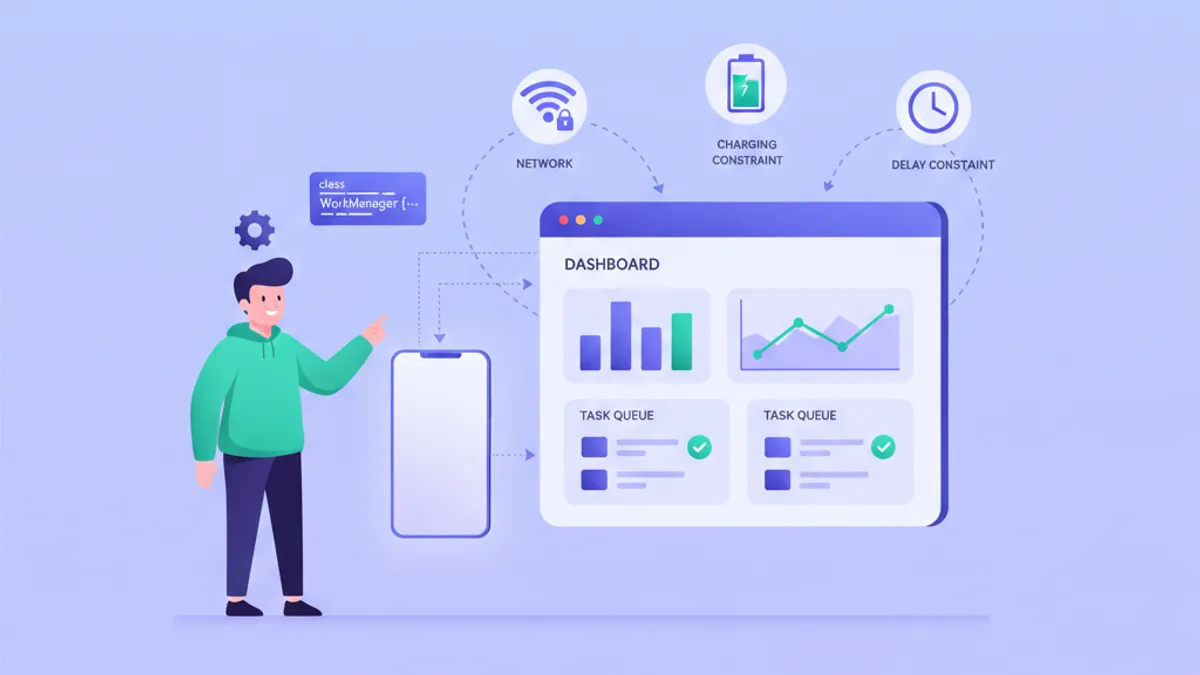
Android WorkManager handles deferrable, guaranteed background work that persists across app restarts and device reboots. Released as part of Android Jetpack, WorkManager 2.11.2 (stable, March 2026) provides a unified API that works on API 23+ while choosing the best underlying implementation (JobScheduler, AlarmManager, or Firebase JobDispatcher) based on the device's API level.
Use WorkManager for tasks that need guaranteed execution: uploading logs, syncing data, processing images. For immediate work that does not survive process death, use Kotlin Coroutines instead.
Setting up WorkManager 2.11 in a Kotlin Project
Before writing any worker, the dependency must be declared. WorkManager 2.11+ requires minSdk 23 and compileSdk 33.
dependencies {
    val workVersion = "2.11.2"
    implementation("androidx.work:work-runtime-ktx:$workVersion")
    // Optional: for testing
    androidTestImplementation("androidx.work:work-testing:$workVersion")
}
The work-runtime-ktx artifact includes Kotlin extensions and Coroutine support through CoroutineWorker. No additional configuration is needed for basic usage: WorkManager initializes itself via a ContentProvider.
Creating a Simple Worker with doWork()
A Worker class overrides doWork() and returns a Result. The system runs this method on a background thread.
class SyncWorker(
    context: Context,
    params: WorkerParameters
) : Worker(context, params) {

    override fun doWork(): Result {
        // Read input data
        val userId = inputData.getString("user_id") ?: return Result.failure()

        return try {
            // Perform sync operation
            val syncService = SyncService.getInstance(applicationContext)
            syncService.syncUserData(userId)
            Result.success()
        } catch (e: IOException) {
            // Retry on network errors
            Result.retry()
        } catch (e: Exception) {
            // Permanent failure
            Result.failure()
        }
    }
}
Three possible outcomes exist: Result.success() marks completion, Result.failure() stops retries, and Result.retry() reschedules according to the backoff policy.
Using CoroutineWorker for Suspend Functions
When the work involves suspend functions (Retrofit calls, Room queries), CoroutineWorker eliminates callback nesting.
class UploadWorker(
    context: Context,
    params: WorkerParameters
) : CoroutineWorker(context, params) {

    override suspend fun doWork(): Result {
        val imageUri = inputData.getString("image_uri")
            ?: return Result.failure()

        // Progress reporting (visible in WorkInfo observers)
        setProgress(workDataOf("status" to "compressing"))

        val compressed = ImageCompressor.compress(imageUri)

        setProgress(workDataOf("status" to "uploading"))

        return try {
            val response = ApiClient.imageService.upload(compressed)
            val outputData = workDataOf("url" to response.imageUrl)
            Result.success(outputData)
        } catch (e: HttpException) {
            if (e.code() in 500..599) Result.retry()
            else Result.failure()
        }
    }
}
CoroutineWorker.doWork() runs on Dispatchers.Default. To switch dispatchers, use withContext() inside the function.
Defining Constraints for Conditional Execution
Constraints prevent work from running until conditions are met. This saves battery and avoids failed attempts.
fun scheduleUpload(context: Context, imageUri: String) {
    val constraints = Constraints.Builder()
        .setRequiredNetworkType(NetworkType.UNMETERED) // WiFi only
        .setRequiresBatteryNotLow(true)
        .setRequiresStorageNotLow(true)
        .build()

    val uploadRequest = OneTimeWorkRequestBuilder<UploadWorker>()
        .setConstraints(constraints)
        .setInputData(workDataOf("image_uri" to imageUri))
        .setBackoffCriteria(
            BackoffPolicy.EXPONENTIAL,
            Duration.ofMinutes(1)
        )
        .addTag("upload")
        .build()

    WorkManager.getInstance(context)
        .enqueueUniqueWork(
            "upload_$imageUri",
            ExistingWorkPolicy.KEEP,
            uploadRequest
        )
}
Available constraints include network type (CONNECTED, UNMETERED, METERED, NOT_ROAMING), battery level, charging state, storage space, and device idle state. WorkManager 2.10+ also accepts a raw NetworkRequest for fine-grained network control.
A common interview question asks when to use KEEP vs REPLACE in enqueueUniqueWork. KEEP ignores new requests if work with the same name exists, REPLACE cancels existing work and starts fresh. Use KEEP for uploads where duplicates waste bandwidth, REPLACE for syncs where only the latest data matters.
Chaining Work Requests with then() and combine()
Complex workflows require sequential and parallel execution. WorkManager chains work requests using beginWith() and then().
fun processAndUploadImages(context: Context, imageUris: List<String>) {
    val workManager = WorkManager.getInstance(context)

    // Parallel compression workers
    val compressRequests = imageUris.map { uri ->
        OneTimeWorkRequestBuilder<CompressWorker>()
            .setInputData(workDataOf("uri" to uri))
            .build()
    }

    // Single upload worker runs after all compressions complete
    val uploadRequest = OneTimeWorkRequestBuilder<BatchUploadWorker>()
        .setConstraints(
            Constraints.Builder()
                .setRequiredNetworkType(NetworkType.CONNECTED)
                .build()
        )
        .build()

    // Cleanup runs after upload, regardless of success
    val cleanupRequest = OneTimeWorkRequestBuilder<CleanupWorker>()
        .build()

    workManager
        .beginWith(compressRequests) // Parallel
        .then(uploadRequest)          // Sequential
        .then(cleanupRequest)          // Sequential
        .enqueue()
}
Output from parallel workers merges into an ArrayCreatingInputMerger by default. The next worker receives all key-value pairs, with arrays created for duplicate keys.
Ready to ace your Android interviews?
Practice with our interactive simulators, flashcards, and technical tests.
Scheduling Periodic Work with PeriodicWorkRequest
PeriodicWorkRequest executes repeatedly with a minimum interval of 15 minutes (Android enforces this limit).
fun scheduleDailySync(context: Context) {
    val syncRequest = PeriodicWorkRequestBuilder<SyncWorker>(
        repeatInterval = 6,
        repeatIntervalTimeUnit = TimeUnit.HOURS,
        flexTimeWindow = 30,
        flexTimeUnit = TimeUnit.MINUTES
    )
        .setConstraints(
            Constraints.Builder()
                .setRequiredNetworkType(NetworkType.CONNECTED)
                .build()
        )
        .addTag("periodic_sync")
        .build()

    WorkManager.getInstance(context)
        .enqueueUniquePeriodicWork(
            "daily_sync",
            ExistingPeriodicWorkPolicy.UPDATE,
            syncRequest
        )
}
The flex window allows WorkManager to batch work with other jobs, improving battery efficiency. A 6-hour interval with 30-minute flex means execution happens sometime between 5:30 and 6:00 after the previous run.
Observing Work Status with LiveData and Flow
WorkManager exposes work state through WorkInfo. Observe it using LiveData or Kotlin Flow.
class UploadViewModel(application: Application) : AndroidViewModel(application) {

    private val workManager = WorkManager.getInstance(application)

    // Flow-based observation
    fun observeUpload(workId: UUID): Flow<WorkInfo?> {
        return workManager.getWorkInfoByIdFlow(workId)
    }

    // Check if any upload is running
    val activeUploads: Flow<List<WorkInfo>> =
        workManager.getWorkInfosByTagFlow("upload")
            .map { workInfos ->
                workInfos.filter { it.state == WorkInfo.State.RUNNING }
            }
}

// In Compose UI
@Composable
fun UploadProgress(workId: UUID, viewModel: UploadViewModel) {
    val workInfo by viewModel.observeUpload(workId)
        .collectAsState(initial = null)

    when (workInfo?.state) {
        WorkInfo.State.RUNNING -> {
            val status = workInfo?.progress?.getString("status") ?: "working"
            CircularProgressIndicator()
            Text(status)
        }
        WorkInfo.State.SUCCEEDED -> {
            val url = workInfo?.outputData?.getString("url")
            Text("Uploaded: $url")
        }
        WorkInfo.State.FAILED -> Text("Upload failed")
        else -> {}
    }
}
Work states follow a lifecycle: ENQUEUED, RUNNING, SUCCEEDED/FAILED/CANCELLED, BLOCKED (waiting on dependencies). For questions about coroutines and Flow, see the Kotlin Coroutines guide.
WorkManager 2.12 Work Metrics API
WorkManager 2.12.0-rc01 (August 2026) introduces WorkMetricsInfo for tracking execution history.
class MetricsRepository(private val context: Context) {

    private val workManager = WorkManager.getInstance(context)

    suspend fun getWorkerMetrics(workerName: String): List<WorkMetricsInfo> {
        val query = WorkMetricsQuery.Builder()
            .setWorkerClassName(workerName)
            .setLimit(100)
            .build()

        return workManager.getWorkMetrics(query)
    }

    fun analyzeFailures(metrics: List<WorkMetricsInfo>): Map<Int, Int> {
        // Count stop reasons
        return metrics
            .flatMap { it.stopReasonCounts.entries }
            .groupBy { it.key }
            .mapValues { entry -> entry.value.sumOf { it.value } }
    }
}
Metrics include execution duration, retry counts, stop reasons, and timestamps. The API enables debugging intermittent failures in production without custom logging infrastructure.
WorkMetricsInfo data is pruned after 7 days by default. Configure retention with Configuration.Builder().setWorkMetricsRetentionDuration().
Testing Workers with WorkManagerTestInitHelper
Unit testing workers requires the work-testing artifact. TestListenableWorkerBuilder creates workers without enqueuing them.
@RunWith(AndroidJUnit4::class)
class SyncWorkerTest {

    private lateinit var context: Context

    @Before
    fun setup() {
        context = ApplicationProvider.getApplicationContext()
        val config = Configuration.Builder()
            .setMinimumLoggingLevel(Log.DEBUG)
            .setExecutor(SynchronousExecutor())
            .build()
        WorkManagerTestInitHelper.initializeTestWorkManager(context, config)
    }

    @Test
    fun syncWorker_withValidUserId_succeeds() = runTest {
        val inputData = workDataOf("user_id" to "123")

        val worker = TestListenableWorkerBuilder<SyncWorker>(context)
            .setInputData(inputData)
            .build()

        val result = worker.doWork()

        assertThat(result).isEqualTo(ListenableWorker.Result.success())
    }

    @Test
    fun syncWorker_withoutUserId_fails() = runTest {
        val worker = TestListenableWorkerBuilder<SyncWorker>(context)
            .build()

        val result = worker.doWork()

        assertThat(result).isEqualTo(ListenableWorker.Result.failure())
    }
}
For integration tests that verify constraints and chaining, use TestDriver to simulate constraint satisfaction and time passage.
Common Interview Questions on WorkManager
Technical interviews frequently test understanding of WorkManager's guarantees and trade-offs. These questions appear in Android mid-level and senior interviews.
Q: What happens to a WorkRequest when the app is killed?
WorkManager persists work requests in a Room database. When the app restarts or the system signals constraint satisfaction, pending work resumes. This guarantee distinguishes WorkManager from CoroutineScope work that dies with the process.
Q: How does WorkManager differ from AlarmManager?
AlarmManager schedules exact-time alarms and runs code at specific clock times. WorkManager schedules deferrable work that runs when constraints are met, with no exact timing guarantee. Use AlarmManager for user-facing alarms, WorkManager for background data processing.
Q: Can WorkManager run work immediately?
Yes, with setExpedited(OutOfQuotaPolicy.RUN_AS_NON_EXPEDITED_WORK_REQUEST). Expedited work requests use the foreground service slot on API 31+ or JobScheduler.setImportantWhileForeground() on older APIs. Quota limits apply, so the OutOfQuotaPolicy defines fallback behavior.
Q: How would you cancel all pending uploads?
WorkManager.getInstance(context).cancelAllWorkByTag("upload")Tags enable bulk operations. Alternatively, cancelUniqueWork("name") cancels a specific chain.
For more Android background work interview questions, the SharpSkill module covers additional scenarios including foreground services and JobScheduler internals.
Handling System-Induced Stops with Backoff Policies
When the system stops a worker (battery optimization, memory pressure), the backoff policy determines retry timing.
val request = OneTimeWorkRequestBuilder<UploadWorker>()
    .setBackoffCriteria(
        BackoffPolicy.EXPONENTIAL,
        Duration.ofSeconds(30) // Initial delay, minimum 10 seconds
    )
    .setBackoffOnSystemInterruption(true) // New in 2.11
    .build()
Exponential backoff doubles the delay on each retry: 30s, 60s, 120s, up to a maximum of 5 hours. Linear backoff adds the initial delay each time: 30s, 60s, 90s. The new setBackoffOnSystemInterruption() flag in WorkManager 2.11 applies backoff even when the system (not the worker) caused the stop.
Start practicing!
Test your knowledge with our interview simulators and technical tests.
Key Takeaways for Production WorkManager Usage
- Prefer
CoroutineWorkeroverWorkerwhen calling suspend functions. It avoids blocking threads and integrates with existing coroutine code. - Use
enqueueUniqueWork()to prevent duplicate work. ChooseKEEPfor idempotent operations,REPLACEwhen only the latest request matters. - Set meaningful tags on every request. Tags enable observation, cancellation, and debugging across work chains.
- Test workers in isolation with
TestListenableWorkerBuilder, then test chains withTestDriverconstraint simulation. - WorkManager 2.12's
WorkMetricsInfoAPI provides execution history. Use it to debug retry patterns and stop reasons in production. - Constraints save battery. A worker that fails due to missing network wastes CPU cycles and drains power on retry attempts.
- The 15-minute minimum for periodic work is enforced by Android, not WorkManager. Design periodic tasks to tolerate this interval.
Can you spot the bug in Android?
One real snippet, one hidden bug, one attempt a day. No account needed to try.

Written by
Anthony Fillion-MailletFounder of SharpSkill
Full-stack developer for over 10 years. Runs SharpSkill and answers for everything published here.
Updated on August 22, 2026
Tags
Share
Related articles

Android CameraX in 2026: Photo and Video Capture with Interview Questions
Master Android CameraX 1.6 with practical photo and video capture implementation. Covers Preview, ImageCapture, VideoCapture use cases, CameraPipe architecture, and common interview questions.

Android Modularization in 2026: Multi-Module Architecture and Interview Questions
Master Android multi-module architecture with convention plugins, Gradle version catalogs, and feature modules. Includes common interview questions on modularization strategies.

Jetpack Navigation Compose in 2026: Type-Safe Navigation and Interview Questions
Master Jetpack Navigation Compose with type-safe routes using Kotlin Serialization. Learn Navigation 2.10, predictive back, argument passing, and common interview questions.