Vue 3 Script Setup และ defineModel ในปี 2026: ไวยากรณ์สมัยใหม่และคำถามสัมภาษณ์งาน
คู่มือฉบับสมบูรณ์เกี่ยวกับไวยากรณ์ script setup ของ Vue 3, defineModel สำหรับ two-way binding, reactive props destructure ใน Vue 3.5 และคำถามสัมภาษณ์ที่พบบ่อย
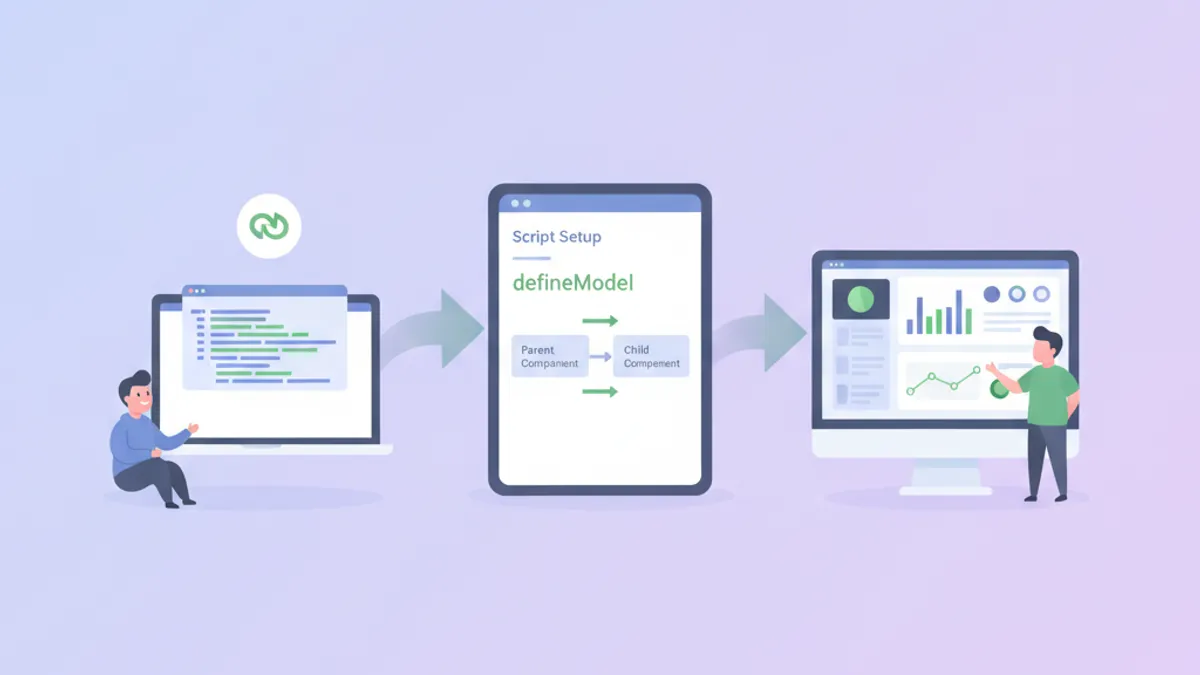
ไวยากรณ์ script setup ของ Vue 3 เปลี่ยนแปลงวิธีการเขียน component โดยการลด boilerplate และปรับปรุงการรวม TypeScript เข้าด้วยกัน เมื่อรวมกับ defineModel ซึ่งเปิดตัวใน Vue 3.3 ในรูปแบบทดลองและมีความเสถียรใน Vue 3.4 การสร้าง component ที่มี two-way data binding ต้องการโค้ดน้อยกว่า Options API อย่างมาก
เริ่มตั้งแต่ Vue 3.5 props สามารถถูก destructure โดยตรงจาก defineProps โดยยังคงรักษา reactivity ไว้ได้ ซึ่งช่วยลดความจำเป็นในการใช้ toRefs ในกรณีส่วนใหญ่
พื้นฐานของ Script Setup ใน Vue 3.5
ไวยากรณ์ <script setup> คือ compile-time sugar สำหรับ Composition API ภายใน Single File Components ตัวแปรที่ประกาศที่ระดับบนสุดจะถูก expose ไปยัง template โดยอัตโนมัติ และ imports สามารถใช้งานได้โดยตรงโดยไม่ต้องลงทะเบียน
<!-- UserCard.vue -->
<script setup lang="ts">
import { ref, computed } from 'vue'
import type { User } from '@/types'

// Props พร้อม TypeScript interface
const props = defineProps<{
  user: User
  showEmail?: boolean
}>()

// Reactive state
const isExpanded = ref(false)

// Computed property
const displayName = computed(() => {
  return `${props.user.firstName} ${props.user.lastName}`
})

// Event emitter พร้อม typed payload
const emit = defineEmits<{
  select: [userId: string]
  delete: [userId: string]
}>()

// Methods คือ plain functions
function handleSelect() {
  emit('select', props.user.id)
}
</script>

<template>
  <div class="user-card" @click="handleSelect">
    <h3>{{ displayName }}</h3>
    <p v-if="showEmail">{{ user.email }}</p>
    <button @click.stop="isExpanded = !isExpanded">
      {{ isExpanded ? 'Collapse' : 'Expand' }}
    </button>
  </div>
</template>
Compiler จัดการ export statements และการลงทะเบียน component โดยอัตโนมัติ ซึ่งลดภาระทางความคิดเมื่อเทียบกับการ return ค่าอย่างชัดเจนจากฟังก์ชัน setup()
Reactive Props Destructure (Vue 3.5+)
ก่อน Vue 3.5 การ destructure props จะทำลาย reactivity เพราะการ destructure ใน JavaScript สร้าง snapshot ของค่า ณ ขณะนั้น Vue 3.5 นำเสนอการ tracking ในระดับ compiler ที่รักษา reactivity สำหรับ props ที่ถูก destructure
<!-- SearchInput.vue -->
<script setup lang="ts">
import { watch } from 'vue'

// Destructure พร้อม defaults - ยังคง reactive ใน 3.5+
const { query = '', placeholder = 'Search...' } = defineProps<{
  query?: string
  placeholder?: string
}>()

// Watch ทำงานกับ props ที่ถูก destructure
watch(
  () => query,
  (newQuery) => {
    console.log('Query changed:', newQuery)
  }
)
</script>

<template>
  <input
    :value="query"
    :placeholder="placeholder"
    @input="$emit('update:query', ($event.target as HTMLInputElement).value)"
  />
</template>
ไวยากรณ์นี้ต้องการ Vue 3.5 หรือใหม่กว่า เอกสาร Vue 3.5 release announcement บันทึกรายการพฤติกรรมของ reactive props destructure อย่างครบถ้วน
defineModel สำหรับ Two-Way Binding
ก่อน defineModel การใช้งาน v-model บน component แบบกำหนดเองต้องประกาศ prop และ emit update event ด้วยตนเอง รูปแบบนี้ปรากฏในหลาย Vue codebases:
<!-- วิธีเดิม - ยืดยาวแต่ชัดเจน -->
<script setup lang="ts">
const props = defineProps<{ modelValue: string }>()
const emit = defineEmits<{ 'update:modelValue': [value: string] }>()

function updateValue(event: Event) {
  emit('update:modelValue', (event.target as HTMLInputElement).value)
}
</script>
ด้วย defineModel component เดียวกันจะสั้นลงอย่างมาก:
<!-- TextInput.vue -->
<script setup lang="ts">
// defineModel สร้าง ref ที่ซิงค์กับ v-model
const model = defineModel<string>({ default: '' })
</script>

<template>
  <input
    v-model="model"
    type="text"
    class="text-input"
  />
</template>
Component แม่ใช้ไวยากรณ์ v-model มาตรฐาน:
<!-- ParentForm.vue -->
<script setup lang="ts">
import { ref } from 'vue'
import TextInput from './TextInput.vue'

const username = ref('')
</script>

<template>
  <TextInput v-model="username" />
  <p>Username: {{ username }}</p>
</template>
defineModel คืนค่า ref ที่ซิงโครไนซ์กับค่าที่ถูก bind จาก parent การเปลี่ยนแปลง ref นี้จะ emit update event โดยอัตโนมัติ
พร้อมที่จะพิชิตการสัมภาษณ์ Vue.js / Nuxt.js แล้วหรือยังครับ?
ฝึกฝนด้วยตัวจำลองแบบโต้ตอบ, flashcards และแบบทดสอบเทคนิคครับ
Named Models และ Multiple v-model Bindings
บางครั้ง Components ต้องการหลาย two-way bindings Vue รองรับ named v-model bindings และ defineModel จัดการได้โดยรับ argument ชื่อ
<!-- DateRangePicker.vue -->
<script setup lang="ts">
// Named models สำหรับ multiple v-model bindings
const startDate = defineModel<Date>('start', { required: true })
const endDate = defineModel<Date>('end', { required: true })

// Validation computed
const isValidRange = computed(() => {
  if (!startDate.value || !endDate.value) return true
  return startDate.value <= endDate.value
})
</script>

<template>
  <div class="date-range-picker">
    <input
      type="date"
      :value="startDate?.toISOString().split('T')[0]"
      @input="startDate = new Date(($event.target as HTMLInputElement).value)"
    />
    <span>to</span>
    <input
      type="date"
      :value="endDate?.toISOString().split('T')[0]"
      @input="endDate = new Date(($event.target as HTMLInputElement).value)"
    />
    <p v-if="!isValidRange" class="error">End date must be after start date</p>
  </div>
</template>
Parent ผูกทั้งสอง models:
<DateRangePicker v-model:start="filterStart" v-model:end="filterEnd" />v-model Modifiers กับ defineModel
Modifiers ในตัวของ Vue เช่น .trim, .number และ .lazy ทำงานโดยอัตโนมัติกับ defineModel Modifiers แบบกำหนดเองต้องการการจัดการอย่างชัดเจนผ่านองค์ประกอบที่สองของ tuple ที่คืนค่า
<!-- CurrencyInput.vue -->
<script setup lang="ts">
// เข้าถึง modifiers ผ่านค่า return ที่สอง
const [model, modifiers] = defineModel<number>({
  default: 0,
  // ฟังก์ชัน transform สำหรับ custom modifiers
  set(value) {
    // ปัดเศษเป็น 2 ตำแหน่งทศนิยมถ้ามี modifier 'round'
    if (modifiers.round) {
      return Math.round(value * 100) / 100
    }
    return value
  }
})
</script>

<template>
  <div class="currency-input">
    <span>$</span>
    <input
      type="number"
      step="0.01"
      :value="model"
      @input="model = parseFloat(($event.target as HTMLInputElement).value) || 0"
    />
  </div>
</template>
การใช้งานกับ modifier แบบกำหนดเอง:
<CurrencyInput v-model.round="price" />รูปแบบ TypeScript สำหรับ Script Setup
ความปลอดภัยของ type ใน components <script setup> ขึ้นอยู่กับ generics ที่ส่งไปยัง compiler macros รูปแบบแตกต่างกันเล็กน้อยระหว่าง props, emits และ models
<!-- GenericList.vue -->
<script setup lang="ts" generic="T extends { id: string }">
import { computed } from 'vue'

// Generic component props
const props = defineProps<{
  items: T[]
  selected?: T
}>()

const emit = defineEmits<{
  select: [item: T]
  remove: [id: string]
}>()

// Slots ก็สามารถ typed ได้เช่นกัน
defineSlots<{
  default: (props: { item: T; index: number }) => any
  empty: () => any
}>()

const hasItems = computed(() => props.items.length > 0)
</script>

<template>
  <ul v-if="hasItems">
    <li
      v-for="(item, index) in items"
      :key="item.id"
      :class="{ selected: selected?.id === item.id }"
      @click="emit('select', item)"
    >
      <slot :item="item" :index="index">
        {{ item.id }}
      </slot>
    </li>
  </ul>
  <div v-else>
    <slot name="empty">No items</slot>
  </div>
</template>
Generic components มีให้ใช้ตั้งแต่ Vue 3.3 ช่วยให้สามารถสร้าง components แบบ typed ที่ใช้ซ้ำได้โดยไม่สูญเสีย type inference ในโค้ดที่ใช้งาน สำหรับรูปแบบที่ลึกขึ้น เอกสาร Vue เกี่ยวกับ TypeScript ครอบคลุม edge cases
คำถามสัมภาษณ์ที่พบบ่อยเกี่ยวกับ Script Setup
ผู้สัมภาษณ์ที่ทดสอบความรู้ Vue มักเน้นไปที่ความแตกต่างระหว่าง script setup และ Options API รวมถึงกลไกของ reactivity
คำถาม: ทำไมการ destructure props จึงทำลาย reactivity และ Vue 3.5 แก้ปัญหานี้อย่างไร?
ใน JavaScript การ destructure สร้างตัวแปรใหม่ที่เก็บค่า ณ เวลาที่ destructure ถ้า props.count เปลี่ยนในภายหลัง const { count } = props ที่ถูก destructure ยังคงเก็บค่าเก่า Compiler ของ Vue 3.5 แปลงตัวแปรที่ถูก destructure เป็น getters ที่ประเมินค่าใหม่เมื่อถูกเข้าถึง รักษา reactivity โดยไม่มี runtime overhead
คำถาม: เกิดอะไรขึ้นเบื้องหลังเมื่อใช้ defineModel?
Compiler ขยาย defineModel เป็นการประกาศ prop และการลงทะเบียน emit ณ runtime มันสร้าง ref ที่ getter อ่านค่า prop และ setter เรียก emit('update:modelValue', newValue) Ref นี้ไม่ใช่สำเนาจริงของ prop แต่เป็น proxy ที่ส่งต่อ reads และ writes อย่างเหมาะสม
คำถาม: เมื่อไหร่ที่ component ควรใช้ script setup เทียบกับฟังก์ชัน setup ปกติ?
Script setup เป็นที่นิยมสำหรับ single-file components ส่วนใหญ่เพราะลด boilerplate และปรับปรุงการรองรับ IDE ฟังก์ชัน setup() ปกติจำเป็นเมื่อ component ต้อง expose methods ไปยัง component แม่ผ่าน defineExpose ในรูปแบบที่ซับซ้อน หรือเมื่อสร้าง renderless components ที่คืนค่า render functions โดยตรง สำหรับการเตรียมสัมภาษณ์ สำรวจเพิ่มเติมเกี่ยวกับ รูปแบบ Vue composables
การย้ายจาก Options API ไปยัง Script Setup
Codebases ที่มีอยู่มักมี components Options API ที่สามารถได้รับประโยชน์จากการย้าย การแปลงเป็นไปตามรูปแบบที่คาดเดาได้:
<!-- ก่อน: Options API -->
<script lang="ts">
import { defineComponent, PropType } from 'vue'

export default defineComponent({
  props: {
    items: { type: Array as PropType<string[]>, required: true }
  },
  emits: ['select'],
  data() {
    return { searchTerm: '' }
  },
  computed: {
    filteredItems() {
      return this.items.filter(item =>
        item.toLowerCase().includes(this.searchTerm.toLowerCase())
      )
    }
  },
  methods: {
    selectItem(item: string) {
      this.$emit('select', item)
    }
  }
})
</script><!-- หลัง: Script Setup -->
<script setup lang="ts">
import { ref, computed } from 'vue'
const props = defineProps<{ items: string[] }>()
const emit = defineEmits<{ select: [item: string] }>()
const searchTerm = ref('')
const filteredItems = computed(() =>
props.items.filter(item =>
item.toLowerCase().includes(searchTerm.value.toLowerCase())
)
)
function selectItem(item: string) {
emit('select', item)
}
</script>เวอร์ชันที่ย้ายแล้วสั้นกว่าและ type inference ทำงานโดยไม่ต้องใช้ cast PropType ทีม Vue จัดหา vue-codemod สำหรับการย้ายอัตโนมัติ แม้ว่าการตรวจสอบด้วยตนเองยังคงจำเป็นสำหรับ components ที่ซับซ้อน
ข้อพิจารณาด้านประสิทธิภาพใน Script Setup
Components script setup ถูก compile เป็นโค้ดที่มีประสิทธิภาพมากขึ้นเพราะ compiler รู้รูปร่างที่แน่นอนของ component ณ เวลา build โดยเฉพาะ:
- Template bindings resolve ณ compile time แทนที่จะเป็น runtime property lookup
- Unused imports ถูก tree-shake ได้อย่างมีประสิทธิภาพมากขึ้น
- การไม่มี wrapping function ลด closure overhead
สำหรับแอปพลิเคชันที่ให้ความสำคัญกับ bundle size script setup กับ Vapor Mode (มีให้ใช้ใน Vue 3.6+) ลบ virtual DOM ออกทั้งหมดสำหรับ components ที่ opted-in โดยสร้างการดำเนินการ DOM โดยตรงแทน
เริ่มฝึกซ้อมเลย!
ทดสอบความรู้ของคุณด้วยตัวจำลองสัมภาษณ์และแบบทดสอบเทคนิคครับ
ประเด็นสำคัญสำหรับ Vue 3 Script Setup และ defineModel
- Script setup ลด boilerplate ของ component โดย expose top-level bindings ไปยัง templates โดยอัตโนมัติและจัดการการลงทะเบียน component
defineModelแทนที่รูปแบบ prop + emit ด้วยตนเองสำหรับv-modelโดยคืนค่า ref ที่ซิงค์กับค่าที่ถูก bind จาก parent- Vue 3.5 นำเสนอ reactive props destructure ทำให้
const { prop } = defineProps()โดยไม่สูญเสีย reactivity - Named models รองรับ multiple
v-modelbindings บน component เดียวโดยใช้defineModel('name') - TypeScript generics ทำงานกับ
defineProps,defineEmits,defineSlotsและ generic components ผ่าน attributegeneric - การย้ายจาก Options API เป็นไปตามรูปแบบเชิงกล: data กลายเป็น refs, computed ยังคงเป็น computed, methods กลายเป็น functions และ compiler จัดการ exports
คุณหาบั๊กใน Vue.js / Nuxt.js เจอไหม
โค้ดจริงหนึ่งชิ้น บั๊กที่ซ่อนอยู่หนึ่งจุด วันละหนึ่งครั้ง ลองได้โดยไม่ต้องมีบัญชี

เขียนโดย
Anthony Fillion-Mailletผู้ก่อตั้ง SharpSkill
เป็นนักพัฒนาฟูลสแตกมากว่า 10 ปี ดูแล SharpSkill และรับผิดชอบทุกสิ่งที่เผยแพร่ที่นี่
อัปเดตเมื่อ 18 กันยายน 2569
แท็ก
แชร์
บทความที่เกี่ยวข้อง

Vue 3 Reactivity Transform ในปี 2026: $ref, $computed และคำถามสัมภาษณ์งาน
คู่มือเชิงลึกเกี่ยวกับ Reactivity Transform ใน Vue 3 ครอบคลุม $ref, $computed และคำถามสัมภาษณ์ที่พบบ่อยสำหรับนักพัฒนา Vue ระดับสูง

Vue 3 กับ TypeScript ในปี 2026: Props, Emits และ Composable ที่ปลอดภัยด้านชนิดข้อมูล
เชี่ยวชาญคอมโพเนนต์ Vue 3 ที่ปลอดภัยด้านชนิดข้อมูลด้วย TypeScript: defineProps แบบ generic, defineEmits แบบ tuple, composable ที่มีชนิด, defineModel และ InjectionKey พร้อมคำถามสัมภาษณ์

Vue 3 Composition API: คู่มือฉบับสมบูรณ์เพื่อเชี่ยวชาญระบบ Reactivity
เชี่ยวชาญ Vue 3 Composition API ผ่านคู่มือเชิงปฏิบัตินี้ เรียนรู้ ref, reactive, computed, watch และ composables เพื่อสร้างแอปพลิเคชัน Vue ที่มีประสิทธิภาพสูง