Spring Boot 3.4 Virtual Threads: คำถามสัมภาษณ์และ Benchmark ประสิทธิภาพ
เชี่ยวชาญ Java 21 Virtual Threads ด้วย Spring Boot 3.4: 15 คำถามสัมภาษณ์ Benchmark ประสิทธิภาพ และรูปแบบการย้ายระบบสำหรับสอบสัมภาษณ์เทคนิค

Virtual Threads คือหนึ่งในความก้าวหน้าที่สำคัญที่สุดของ Java 21 และ Spring Boot 3.4 รองรับอย่างเป็น native คุณสมบัติของ Project Loom นี้เปลี่ยนวิธีจัดการ concurrency ในแอปพลิเคชัน backend อย่างสิ้นเชิง การสัมภาษณ์เทคนิคในปัจจุบันจะวัดความเข้าใจกลไกภายใน กรณีใช้งานที่เหมาะสม และข้อผิดพลาดที่ควรหลีกเลี่ยง
ผู้สัมภาษณ์จะแยกผู้สมัครที่เข้าใจ Virtual Threads อย่างแท้จริงออกจากผู้ที่ใช้งานแบบไม่เข้าใจ การรู้ว่าเมื่อใดไม่ควรใช้นั้นสำคัญเทียบเท่ากับการรู้ประโยชน์ของมัน
พื้นฐาน Virtual Threads
คำถามที่ 1: Virtual Thread คืออะไรและต่างจาก Platform Thread อย่างไร
Virtual Thread คือ thread แบบเบาที่ JVM เป็นผู้บริหารจัดการ ไม่ใช่ระบบปฏิบัติการ ต่างจาก Platform Threads (thread แบบดั้งเดิม) ตรงที่ Virtual Threads ไม่ได้แมปตรงกับ thread ของ OS โดย JVM สามารถสร้างมันได้นับล้านโดยใช้หน่วยความจำเพียงเล็กน้อย
// Comparing thread creation approaches
public class VirtualThreadDemo {

    public void demonstrateDifference() {
        // Platform Thread: ~1MB stack per thread
        // Practical limit: a few thousand on a standard JVM
        Thread platformThread = new Thread(() -> {
            performBlockingOperation();
        });

        // Virtual Thread: ~a few KB per thread
        // Can create millions without issues
        Thread virtualThread = Thread.ofVirtual().start(() -> {
            performBlockingOperation();
        });
    }

    // A Virtual Thread "mounts" onto a Platform Thread (carrier)
    // During I/O blocking, it releases the carrier for other Virtual Threads
    private void performBlockingOperation() {
        try {
            Thread.sleep(1000); // Virtual Thread detaches from carrier here
        } catch (InterruptedException e) {
            Thread.currentThread().interrupt();
        }
    }
}
ความแตกต่างที่สำคัญที่สุดอยู่ที่พฤติกรรมเมื่อเกิดการ blocking เมื่อ Platform Thread ถูก block (I/O, sleep) มันจะยังผูกอยู่กับ thread ของ OS ขณะที่ Virtual Thread จะถอดตัวเอง (unmount) ออกจาก carrier thread เพื่อปล่อยให้ Virtual Threads ตัวอื่นใช้ carrier นั้นได้
คำถามที่ 2: เปิดใช้งาน Virtual Threads ใน Spring Boot 3.4 อย่างไร
Spring Boot 3.4 ลดการเปิดใช้งาน Virtual Threads ให้เหลือเพียง property การตั้งค่าเดียว เฟรมเวิร์กทั้งหมดจะปรับตัวอัตโนมัติ ทั้ง Tomcat, REST controller และการเรียกแบบ blocking ได้รับประโยชน์จากการปรับแต่งนี้ทันที
# application.yml
# Global Virtual Threads activation
spring:
  threads:
    virtual:
      enabled: true

# Optional Tomcat pool configuration
server:
  tomcat:
    threads:
      max: 200  # Less critical with Virtual Threads
min-spare: 10// Programmatic activation if needed
@Configuration
public class WebConfig {
@Bean
public TomcatProtocolHandlerCustomizer<?> virtualThreadCustomizer() {
// Each HTTP request runs on a Virtual Thread
return protocolHandler -> {
protocolHandler.setExecutor(Executors.newVirtualThreadPerTaskExecutor());
};
}
}การเปิดใช้งานเปลี่ยนพฤติกรรมของ Tomcat แทนที่จะใช้ thread pool ขนาดคงที่ ทุก request จะได้รับ Virtual Thread เป็นของตัวเอง วิธีการนี้ขจัดคอขวดของ thread pool แบบเดิม
คำถามที่ 3: อธิบายแนวคิด "mounting" และ "unmounting"
Mounting หมายถึงการผูก Virtual Thread เข้ากับ carrier thread (Platform Thread) ส่วน unmounting เกิดขึ้นระหว่างการดำเนินการแบบ blocking โดยจะปล่อย carrier ให้ Virtual Threads อื่นได้ใช้ กลไกนี้ทำให้ใช้ทรัพยากร CPU ได้อย่างมีประสิทธิภาพสูงสุด
// Illustrating the mounting/unmounting cycle
public class MountingDemo {

    public void demonstrateMounting() {
        Thread.ofVirtual().start(() -> {
            // MOUNTED: Virtual Thread is using a carrier thread
            System.out.println("Carrier: " + getCurrentCarrier());

            // UNMOUNTING: releases carrier during blocking
            performDatabaseQuery(); // Blocking JDBC call

            // REMOUNTED: may be on a different carrier
            System.out.println("New carrier: " + getCurrentCarrier());
        });
    }

    // Blocking operations trigger unmounting automatically
    private void performDatabaseQuery() {
        // JDBC connection, file read, network call...
        // Virtual Thread detaches during I/O wait
    }

    private String getCurrentCarrier() {
        // Gets the current carrier thread name
        return Thread.currentThread().toString();
    }
}
กลไกนี้โปร่งใสสำหรับนักพัฒนา โค้ดยังเขียนในรูปแบบ imperative คลาสสิก แต่ JVM จะปรับการใช้ carrier ให้อัตโนมัติ pool ที่มี carrier เพียงไม่กี่ตัวก็สามารถรองรับ Virtual Thread นับล้านได้
จำนวน carrier thread โดยปริยายจะเท่ากับจำนวน core ของ CPU JVM ปรับขนาด pool นี้แบบไดนามิกผ่าน ForkJoinPool
กรณีใช้งานและ Anti-pattern
คำถามที่ 4: Virtual Threads ให้ผลด้านประสิทธิภาพเมื่อใด
Virtual Threads เปล่งประกายกับงาน I/O-bound เช่น การเรียก REST ภายนอก การ query ฐานข้อมูล หรือการอ่านไฟล์ ปฏิบัติการเหล่านี้ใช้เวลาส่วนใหญ่รอ ในช่วงเวลาดังกล่าว Virtual Thread จะปล่อย carrier ของตัวเอง
// Ideal case for Virtual Threads
@Service
public class IOBoundService {

    private final RestClient restClient;
    private final UserRepository userRepository;

    // Each call involves network and database waiting
    // Virtual Threads shine here
    public UserProfile enrichUserProfile(Long userId) {
        // DB call - VT detaches during SQL query
        User user = userRepository.findById(userId).orElseThrow();

        // External REST call - VT detaches during HTTP wait
        ExternalData externalData = restClient
            .get()
            .uri("/api/external/{id}", userId)
            .retrieve()
            .body(ExternalData.class);

        // Data aggregation
        return new UserProfile(user, externalData);
    }
}
ผลตอบแทนมาจากการรองรับ request พร้อมกันได้มากขึ้น Platform Threads จำนวน 200 และ request ละ 100ms ให้ throughput สูงสุดเพียง 2,000 req/s ในขณะที่ Virtual Threads สามารถไปถึงกว่า 50,000 req/s บนเครื่องเดียวกัน
คำถามที่ 5: ควรหลีกเลี่ยง Anti-pattern ใดเมื่อใช้ Virtual Threads
Virtual Threads ไม่เหมาะกับงาน CPU-bound หรือสถานการณ์ที่ทำให้เกิด "pinning" pinning เกิดขึ้นเมื่อ Virtual Thread ยังคงผูกกับ carrier แม้จะ block อยู่ ทำให้ประโยชน์ของการทำ virtualization หายไป
// Examples of cases to avoid
@Service
public class AntiPatterns {

    // ANTI-PATTERN 1: CPU-intensive computation
    // Virtual Threads provide no benefit here
    public BigInteger computeFactorial(int n) {
        // 100% CPU, no I/O, no unmounting possible
        BigInteger result = BigInteger.ONE;
        for (int i = 2; i <= n; i++) {
            result = result.multiply(BigInteger.valueOf(i));
        }
        return result; // Carrier is monopolized throughout
    }

    // ANTI-PATTERN 2: Synchronized causes pinning
    private final Object lock = new Object();

    public void pinnedOperation() {
        synchronized (lock) { // PINNING: VT stays on carrier
            performDatabaseQuery(); // Unmounting doesn't happen!
        }
    }

    // SOLUTION: Use ReentrantLock
    private final ReentrantLock reentrantLock = new ReentrantLock();

    public void unpinnedOperation() {
        reentrantLock.lock();
        try {
            performDatabaseQuery(); // Unmounting possible
        } finally {
            reentrantLock.unlock();
        }
    }
}
ในแง่ทรัพยากร pinning เปลี่ยน Virtual Thread ให้กลายเป็น Platform Thread สาเหตุหลักคือบล็อก synchronized และการเรียก JNI แบบ native การเปลี่ยนไปใช้ ReentrantLock แก้ปัญหาแรกได้
คำถามที่ 6: ตรวจจับ pinning ในแอปพลิเคชันได้อย่างไร
JVM มีตัวเลือกการวินิจฉัยเพื่อระบุกรณี pinning ข้อมูลนี้สำคัญมากในการย้ายระบบไป Virtual Threads เพราะ pinning อาจทำให้ประสิทธิภาพแย่ลงแทนที่จะดีขึ้น
// Configuration and pinning detection
public class PinningDiagnostics {

    // JVM option to log pinning
    // -Djdk.tracePinnedThreads=full (detailed)
    // -Djdk.tracePinnedThreads=short (summary)

    // Example code causing pinning
    public void demonstratePinning() {
        Thread.ofVirtual().start(() -> {
            synchronized (this) {
                // This log will appear with tracePinnedThreads enabled
                try {
                    Thread.sleep(100); // Pinned during sleep!
                } catch (InterruptedException e) {
                    Thread.currentThread().interrupt();
                }
            }
        });
    }
}# Typical output with -Djdk.tracePinnedThreads=full
Thread[#23,VirtualThread[#1]/runnable@ForkJoinPool-1-worker-1,5,CarrierThreads]
java.base/java.lang.VirtualThread$VThreadContinuation.onPinned(VirtualThread.java:183)
java.base/java.lang.VirtualThread.parkOnCarrierThread(VirtualThread.java:661)
com.example.PinningDiagnostics.demonstratePinning(PinningDiagnostics.java:15)การวิเคราะห์ log ของ pinning จะบ่งชี้จุดร้อนที่ต้องแก้ไข แอปพลิเคชันที่เกิด pinning บ่อยจะใช้ประโยชน์จาก Virtual Threads ได้ไม่เต็มที่ และอาจทำงานช้ากว่าการใช้ Platform Threads ด้วยซ้ำ
พร้อมที่จะพิชิตการสัมภาษณ์ Spring Boot แล้วหรือยังครับ?
ฝึกฝนด้วยตัวจำลองแบบโต้ตอบ, flashcards และแบบทดสอบเทคนิคครับ
Benchmark ประสิทธิภาพ
คำถามที่ 7: คาดหวังการเพิ่มประสิทธิภาพได้แค่ไหนจาก Virtual Threads
Benchmark แสดงการปรับปรุงอย่างมีนัยสำคัญในแอปพลิเคชัน I/O-bound ทั่วไป ผลตอบแทนขึ้นกับสัดส่วนระหว่างเวลา I/O กับเวลา CPU และระดับ concurrency ที่ต้องการ
// Endpoint for measuring performance
@RestController
@RequestMapping("/api/benchmark")
public class BenchmarkController {

    private final ExternalApiClient apiClient;

    // Simulation of a typical endpoint with external calls
    @GetMapping("/user/{id}")
    public ResponseEntity<UserData> getUser(@PathVariable Long id) {
        // Three sequential I/O calls
        UserInfo info = apiClient.fetchUserInfo(id);        // ~50ms
        List<Order> orders = apiClient.fetchOrders(id);     // ~80ms
        CreditScore score = apiClient.fetchCreditScore(id); // ~100ms

        return ResponseEntity.ok(new UserData(info, orders, score));
    }
}# Benchmark results - 10,000 concurrent requests
# Configuration: 8 cores, 16GB RAM, simulated latency 230ms/request
Platform Threads (pool 200):
- Throughput: 850 req/s
- P99 latency: 1250ms
- Heap memory: 2.1GB
Virtual Threads:
- Throughput: 4200 req/s
- P99 latency: 280ms
- Heap memory: 850MB
Gain: 5x throughput, 4.5x P99 latency reductionVirtual Threads ยังลดการใช้หน่วยความจำลง เนื่องจากแต่ละ thread จองหน่วยความจำเพียงไม่กี่ KB แทนที่จะเป็นประมาณ 1 MB ของ Platform Thread
คำถามที่ 8: ควรตั้งค่า connection pool อย่างไรเมื่อใช้ Virtual Threads
Connection pool (HikariCP, Lettuce) จะกลายเป็นคอขวดใหม่เมื่อใช้ Virtual Threads pool ที่มี 10 connection จะจำกัด query ฐานข้อมูลพร้อมกันไว้ที่ 10 ครั้ง แม้จะมี Virtual Thread นับล้านก็ตาม
# application.yml
# HikariCP configuration optimized for Virtual Threads
spring:
  datasource:
    hikari:
      # More connections since Virtual Threads allow more concurrency
      maximum-pool-size: 50
      minimum-idle: 10
      # Shorter timeout due to more concurrent requests
      connection-timeout: 5000
      # Fast validation
      validation-timeout: 3000

  # Redis with Lettuce - already async-friendly
  data:
    redis:
      lettuce:
        pool:
          max-active: 50
max-idle: 20// Pool monitoring to avoid contention
@Component
public class ConnectionPoolMonitor {
private final HikariDataSource dataSource;
@Scheduled(fixedRate = 10000)
public void logPoolStats() {
HikariPoolMXBean pool = dataSource.getHikariPoolMXBean();
log.info("Pool stats - Active: {}, Idle: {}, Waiting: {}",
pool.getActiveConnections(),
pool.getIdleConnections(),
pool.getThreadsAwaitingConnection());
// Alert if too many threads waiting
if (pool.getThreadsAwaitingConnection() > 100) {
log.warn("Connection pool contention detected!");
}
}
}ขนาดของ pool ขึ้นอยู่กับความสามารถของฐานข้อมูล ไม่ใช่จำนวน Virtual Threads PostgreSQL มาตรฐานรองรับการเชื่อมต่อใช้งานพร้อมกันราว 100-200 connection
คำถามที่ 9: วัดผลกระทบของ Virtual Threads ด้วย Micrometer ได้อย่างไร
Micrometer และ Spring Boot Actuator ให้ตัวชี้วัดสำคัญสำหรับประเมินประสิทธิภาพของ Virtual Threads ตัวชี้วัดเหล่านี้ยืนยันผลตอบแทนและเปิดเผยปัญหาที่อาจซ่อนอยู่
// Custom metrics for Virtual Threads
@Component
public class VirtualThreadMetrics {

    private final MeterRegistry registry;
    private final AtomicLong activeVirtualThreads = new AtomicLong(0);

    @PostConstruct
    public void registerMetrics() {
        // Active Virtual Threads counter
        Gauge.builder("virtual.threads.active", activeVirtualThreads, AtomicLong::get)
            .description("Number of active virtual threads")
            .register(registry);

        // JVM metrics for carriers
        Gauge.builder("virtual.threads.carriers", this::getCarrierCount)
            .description("Number of carrier threads")
            .register(registry);
    }

    private double getCarrierCount() {
        // Gets the ForkJoinPool carrier count
        return ForkJoinPool.commonPool().getPoolSize();
    }

    // Interceptor to trace requests
    public void trackVirtualThread(Runnable task) {
        activeVirtualThreads.incrementAndGet();
        try {
            task.run();
        } finally {
            activeVirtualThreads.decrementAndGet();
        }
    }
}# application.yml
# Metrics exposure
management:
endpoints:
web:
exposure:
include: health,metrics,prometheus
metrics:
tags:
application: ${spring.application.name}การวิเคราะห์ตัวชี้วัดเผยให้เห็นสัดส่วนระหว่าง Virtual Threads และ Carriers พร้อมระบุช่วงเวลาที่เกิด contention บน connection pool
การย้ายระบบและความเข้ากันได้
คำถามที่ 10: ไลบรารีใดที่เข้ากันได้กับ Virtual Threads
ความเข้ากันได้ขึ้นอยู่กับการใช้บล็อก synchronized และการเรียกแบบ native ระบบนิเวศของ Spring เข้ากันได้ในวงกว้าง แต่ไลบรารีบางตัวยังต้องการเวอร์ชันเฉพาะ
// Checking dependency compatibility
@Configuration
public class CompatibilityCheck {

    // Compatible libraries (recommended versions)
    // - Spring Boot 3.2+ (native support)
    // - HikariCP 5.1+ (ReentrantLock instead of synchronized)
    // - Lettuce 6.3+ (non-blocking I/O)
    // - Jackson 2.16+ (no synchronized)

    // Libraries requiring attention
    // - JDBC drivers: check version
    // - Some legacy HTTP clients

    @Bean
    public CommandLineRunner checkCompatibility() {
        return args -> {
            // Log versions for audit
            log.info("Java version: {}", System.getProperty("java.version"));
            log.info("Virtual threads available: {}",
                Thread.ofVirtual() != null);

            // Support verification
            if (Runtime.version().feature() < 21) {
                throw new IllegalStateException(
                    "Java 21+ required for Virtual Threads");
            }
        };
    }
}
เฟรมเวิร์กสมัยใหม่ส่วนใหญ่ย้ายมาใช้ ReentrantLock แล้ว สำหรับ dependency รุ่นเก่า การทดสอบโหลดด้วย -Djdk.tracePinnedThreads=short จะช่วยเปิดเผยปัญหา pinning
คำถามที่ 11: จะย้ายระบบไป Virtual Threads อย่างค่อยเป็นค่อยไปได้อย่างไร
การย้ายแบบค่อยเป็นค่อยไปทำให้สามารถยืนยันผลตอบแทนและตรวจพบปัญหาได้โดยไม่กระทบต่อ production กลยุทธ์ที่แนะนำคือแยก endpoint ที่ใช้ Virtual Threads ออกจาก endpoint แบบเดิม
// Configuration for progressive migration
@Configuration
public class DualExecutorConfig {

    // Traditional executor for legacy endpoints
    @Bean("platformExecutor")
    public ExecutorService platformExecutor() {
        return Executors.newFixedThreadPool(200);
    }

    // Virtual Threads executor for new endpoints
    @Bean("virtualExecutor")
    public ExecutorService virtualExecutor() {
        return Executors.newVirtualThreadPerTaskExecutor();
    }
}

@RestController
@RequestMapping("/api/v2")
public class MigratedController {

    @Qualifier("virtualExecutor")
    private final ExecutorService executor;

    // Endpoint migrated to Virtual Threads
    @GetMapping("/users/{id}")
    public CompletableFuture<User> getUser(@PathVariable Long id) {
        return CompletableFuture.supplyAsync(() -> {
            // Business code unchanged
            return userService.findById(id);
        }, executor);
    }
}# application.yml
# Feature flag for migration
features:
virtual-threads:
enabled: true
endpoints:
- /api/v2/**
- /api/reports/**
# Disable for quick rollback
# features.virtual-threads.enabled: falseไม่ควรเปิด Virtual Threads แบบ global ก่อนที่จะทดสอบ dependency ทั้งหมด pinning อาจทำให้ประสิทธิภาพแย่ลงอย่างมีนัยสำคัญ
คำถามที่ 12: ต้องทดสอบอะไรบ้างก่อนนำขึ้น production
การตรวจสอบ Virtual Threads ต้องอาศัยการทดสอบโหลด การทดสอบ pinning และการทดสอบความเข้ากันได้ การทดสอบเหล่านี้ต้องจำลองสภาพ production ตามจริง
// Load test with JUnit and Virtual Threads
@SpringBootTest(webEnvironment = WebEnvironment.RANDOM_PORT)
class VirtualThreadLoadTest {

    @LocalServerPort
    private int port;

    @Test
    void shouldHandleHighConcurrency() throws Exception {
        int concurrentRequests = 5000;
        CountDownLatch latch = new CountDownLatch(concurrentRequests);
        AtomicInteger successCount = new AtomicInteger(0);
        AtomicInteger errorCount = new AtomicInteger(0);

        HttpClient client = HttpClient.newHttpClient();

        // Launch 5000 simultaneous requests
        try (var executor = Executors.newVirtualThreadPerTaskExecutor()) {
            for (int i = 0; i < concurrentRequests; i++) {
                executor.submit(() -> {
                    try {
                        HttpRequest request = HttpRequest.newBuilder()
                            .uri(URI.create("http://localhost:" + port + "/api/test"))
                            .build();

                        HttpResponse<String> response = client.send(
                            request, BodyHandlers.ofString());

                        if (response.statusCode() == 200) {
                            successCount.incrementAndGet();
                        } else {
                            errorCount.incrementAndGet();
                        }
                    } catch (Exception e) {
                        errorCount.incrementAndGet();
                    } finally {
                        latch.countDown();
                    }
                });
            }
        }

        latch.await(60, TimeUnit.SECONDS);

        // Performance assertions
        assertThat(successCount.get()).isGreaterThan(4900); // >98% success
        assertThat(errorCount.get()).isLessThan(100);
    }
}
การทดสอบควรครอบคลุมสถานการณ์ contention (connection pool ตัน) timeouts และโหลดต่อเนื่องเป็นเวลาหลายนาที
คำถามขั้นสูง
คำถามที่ 13: Virtual Threads ทำงานร่วมกับ Structured Concurrency อย่างไร
Structured Concurrency (JEP 453) เสริม Virtual Threads ด้วยการรับประกันว่า task ที่ทำงานพร้อมกันมี lifecycle ร่วมกัน วิธีการนี้ทำให้การจัดการข้อผิดพลาดและการยกเลิกงานง่ายขึ้น
// Combining Virtual Threads + Structured Concurrency
public class StructuredConcurrencyExample {

    public UserDashboard fetchDashboard(Long userId) throws Exception {
        // StructuredTaskScope ensures all tasks complete together
        try (var scope = new StructuredTaskScope.ShutdownOnFailure()) {

            // Three parallel tasks on Virtual Threads
            Subtask<UserProfile> profileTask = scope.fork(() ->
                userService.getProfile(userId));

            Subtask<List<Notification>> notifTask = scope.fork(() ->
                notificationService.getRecent(userId));

            Subtask<AccountBalance> balanceTask = scope.fork(() ->
                accountService.getBalance(userId));

            // Wait for all tasks or fail on first error
            scope.join();
            scope.throwIfFailed();

            // All tasks succeeded - safe aggregation
            return new UserDashboard(
                profileTask.get(),
                notifTask.get(),
                balanceTask.get()
            );
        }
        // If one task fails, others are automatically cancelled
    }
}
Structured Concurrency ช่วยป้องกัน thread leak และทำให้การ debug ง่ายขึ้น เพราะ call stack สะท้อนโครงสร้างเชิงตรรกะของโค้ด
คำถามที่ 14: Virtual Threads ต่างจาก reactive programming อย่างไร
ทั้งสองแนวทางแก้ปัญหาเดียวกัน (ประสิทธิภาพ I/O) แต่ใช้รูปแบบการเขียนโปรแกรมต่างกัน Virtual Threads ให้เขียนโค้ดแบบ imperative คลาสสิก ในขณะที่ reactive ต้องเขียนใหม่ในรูปแบบ stream
// Same logic: imperative vs reactive
@Service
public class ComparisonService {

    // VIRTUAL THREADS APPROACH: classic imperative code
    // Easy to read, debug, and maintain
    public UserData getUserDataImperative(Long id) {
        User user = userRepository.findById(id).orElseThrow();
        List<Order> orders = orderRepository.findByUserId(id);
        PaymentInfo payment = paymentService.getInfo(id);

        return new UserData(user, orders, payment);
    }

    // REACTIVE APPROACH: streams and operators
    // More complex but native backpressure
    public Mono<UserData> getUserDataReactive(Long id) {
        return userRepository.findById(id)
            .zipWith(orderRepository.findByUserId(id).collectList())
            .zipWith(paymentService.getInfo(id))
            .map(tuple -> new UserData(
                tuple.getT1().getT1(),
                tuple.getT1().getT2(),
                tuple.getT2()
            ));
    }
}| เกณฑ์ | Virtual Threads | Reactive |
|---|---|---|
| เส้นโค้งการเรียนรู้ | ต่ำ | สูง |
| Debug | Stack trace แบบคลาสสิก | ซับซ้อน |
| Backpressure | ทำเอง | Native |
| ระบบนิเวศ | กำลังเติบโต | สมบูรณ์ |
| ย้าย legacy | ง่าย | เขียนใหม่ |
Virtual Threads แนะนำสำหรับแอปใหม่และการย้ายระบบ ส่วน reactive ยังเหมาะกับงานที่ต้องการ backpressure ซับซ้อน
คำถามที่ 15: จัดการ ThreadLocal กับ Virtual Threads อย่างไร
ThreadLocal ใช้ได้กับ Virtual Threads แต่กินหน่วยความจำต่อ instance Scoped Values (JEP 446) เป็นทางเลือกที่มีประสิทธิภาพมากกว่าในการแชร์ context
// Comparing context approaches
public class ThreadLocalVsScopedValue {

    // CLASSIC APPROACH: ThreadLocal
    // Works but expensive with millions of VT
    private static final ThreadLocal<RequestContext> requestContext =
        new ThreadLocal<>();

    public void processWithThreadLocal(Request request) {
        requestContext.set(new RequestContext(request.getTraceId()));
        try {
            // Context accessible everywhere in the thread
            processRequest();
        } finally {
            requestContext.remove(); // Important to prevent leaks
        }
    }

    // MODERN APPROACH: ScopedValue (Java 21+)
    // More efficient, immutable, explicit scope
    private static final ScopedValue<RequestContext> CONTEXT =
        ScopedValue.newInstance();

    public void processWithScopedValue(Request request) {
        ScopedValue.where(CONTEXT, new RequestContext(request.getTraceId()))
            .run(() -> {
                // Context accessible within this scope
                processRequest();
                // No cleanup needed - automatic at scope end
            });
    }

    private void processRequest() {
        // Context access
        String traceId = CONTEXT.isBound()
            ? CONTEXT.get().getTraceId()
            : "unknown";
        log.info("Processing with trace: {}", traceId);
    }
}
ScopedValues แนะนำสำหรับงานพัฒนาใหม่ ส่วนโค้ดเก่าที่ใช้ ThreadLocal ควรย้ายระบบทีละน้อย
พร้อมที่จะพิชิตการสัมภาษณ์ Spring Boot แล้วหรือยังครับ?
ฝึกฝนด้วยตัวจำลองแบบโต้ตอบ, flashcards และแบบทดสอบเทคนิคครับ
บทสรุป
Virtual Threads เปลี่ยนแปลงการพัฒนา backend ของ Java ด้วยการเขียนโค้ดแบบเรียบง่ายแต่ประสิทธิภาพสูง ประเด็นสำคัญ:
พื้นฐาน:
- เปิดใช้งานด้วย
spring.threads.virtual.enabled=true - เหมาะกับงาน I/O-bound (REST, DB, ไฟล์)
- หลีกเลี่ยงงานที่ใช้ CPU หนัก
ประสิทธิภาพ:
- กำหนดขนาด connection pool ให้เหมาะสม (คอขวดใหม่)
- ติดตาม pinning ด้วย
-Djdk.tracePinnedThreads - ย้าย
synchronizedไปใช้ReentrantLock
การย้ายระบบ:
- ทดสอบเป็นกลุ่ม endpoint อย่างค่อยเป็นค่อยไป
- ตรวจสอบความเข้ากันได้ของ dependency
- ใช้ Structured Concurrency กับงานขนาน
ความเชี่ยวชาญใน Virtual Threads ทำให้ผู้สมัครที่เข้าใจความท้าทายด้านประสิทธิภาพของแอปสมัยใหม่โดดเด่นออกมา แนวคิดเหล่านี้กลายเป็นสิ่งจำเป็นในการสัมภาษณ์ Spring Boot ในปัจจุบันแล้ว
เริ่มฝึกซ้อมเลย!
ทดสอบความรู้ของคุณด้วยตัวจำลองสัมภาษณ์และแบบทดสอบเทคนิคครับ
คุณหาบั๊กใน Spring Boot เจอไหม
โค้ดจริงหนึ่งชิ้น บั๊กที่ซ่อนอยู่หนึ่งจุด วันละหนึ่งครั้ง ลองได้โดยไม่ต้องมีบัญชี

เขียนโดย
Anthony Fillion-Mailletผู้ก่อตั้ง SharpSkill
เป็นนักพัฒนาฟูลสแตกมากว่า 10 ปี ดูแล SharpSkill และรับผิดชอบทุกสิ่งที่เผยแพร่ที่นี่
อัปเดตเมื่อ 1 พฤษภาคม 2569
แท็ก
แชร์
บทความที่เกี่ยวข้อง

Spring Modulith: สถาปัตยกรรม Monolith แบบโมดูลาร์
เรียนรู้ Spring Modulith เพื่อสร้าง monolith แบบโมดูลาร์ใน Java สถาปัตยกรรม โมดูล อีเวนต์อะซิงโครนัส การทดสอบ และ observability พร้อมตัวอย่างโค้ด Spring Boot 3 และ 4

สัมภาษณ์ Spring Batch 5: Partitioning, Chunk และ Fault Tolerance
เชี่ยวชาญการสัมภาษณ์ Spring Batch 5: 15 คำถามสำคัญเกี่ยวกับ partitioning การประมวลผลแบบ chunk และความทนทานต่อข้อผิดพลาด พร้อมตัวอย่างโค้ด Java 21
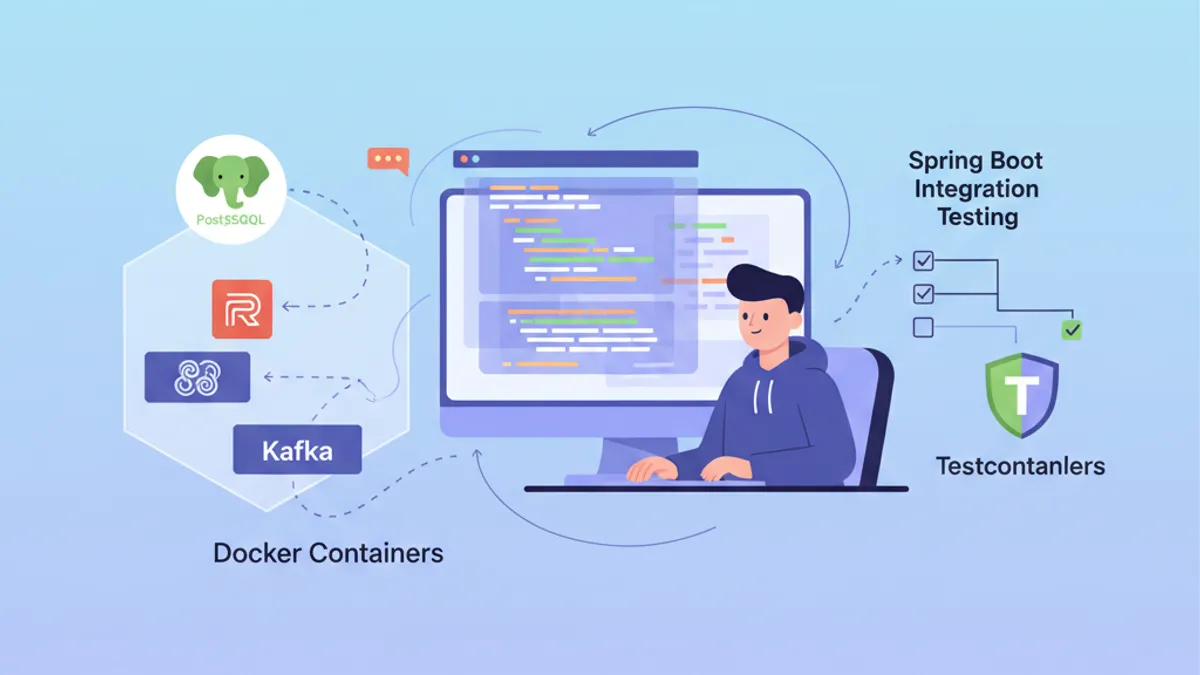
Testcontainers Spring Boot: การทดสอบ Integration ที่ไร้ความยุ่งยาก
คู่มือฉบับสมบูรณ์สำหรับการตั้งค่า Testcontainers ร่วมกับ Spring Boot 3.4 PostgreSQL, Redis และ Kafka ในคอนเทนเนอร์ Docker เพื่อการทดสอบ Integration ที่เชื่อถือได้และทำซ้ำได้