Testcontainers Spring Boot: การทดสอบ Integration ที่ไร้ความยุ่งยาก
คู่มือฉบับสมบูรณ์สำหรับการตั้งค่า Testcontainers ร่วมกับ Spring Boot 3.4 PostgreSQL, Redis และ Kafka ในคอนเทนเนอร์ Docker เพื่อการทดสอบ Integration ที่เชื่อถือได้และทำซ้ำได้
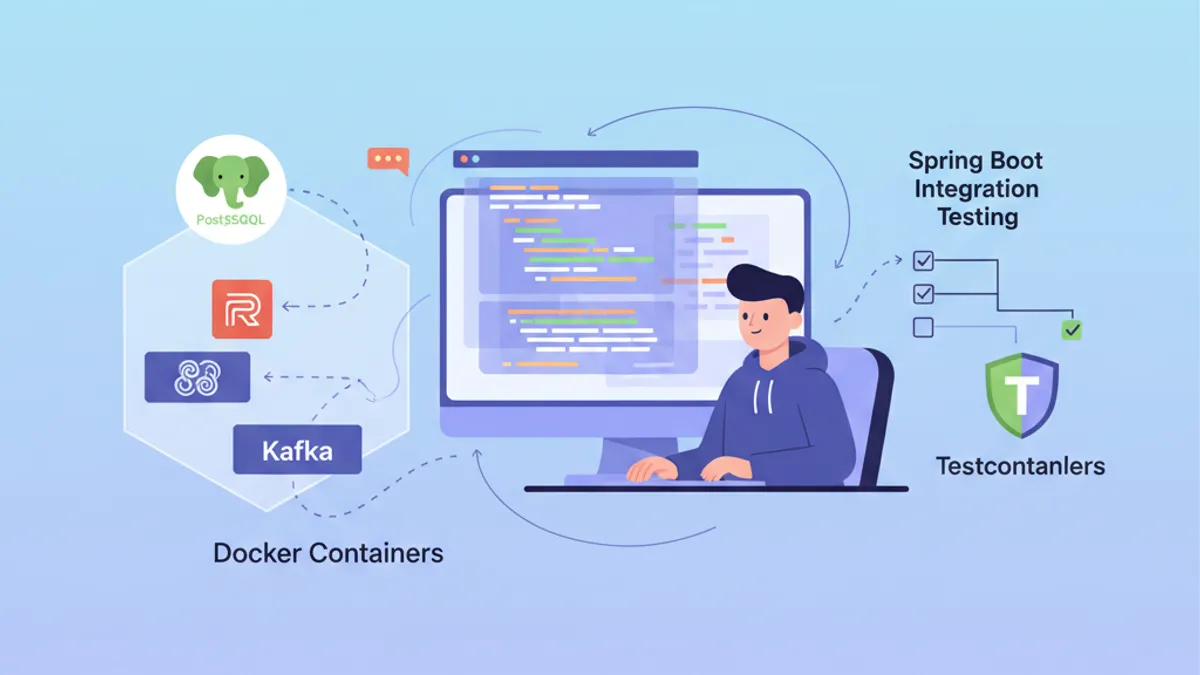
การทดสอบ Integration เป็นความท้าทายสำคัญในการพัฒนาแอปพลิเคชัน Spring Boot การทดสอบกับฐานข้อมูล PostgreSQL จริงหรือ Kafka broker ต้องใช้โครงสร้างพื้นฐานที่หนักหน่วงในการบำรุงรักษา Testcontainers แก้ปัญหานี้ด้วยการรันคอนเทนเนอร์ Docker ตามต้องการระหว่างการทดสอบ รับประกันสภาพแวดล้อมที่แยกอิสระและทำซ้ำได้
Spring Boot 3.4 มีการรองรับ Testcontainers แบบเนทีฟพร้อมการตั้งค่าอัตโนมัติ Dependency spring-boot-testcontainers ทำให้การติดตั้งง่ายขึ้นอย่างมากและรองรับการนำคอนเทนเนอร์กลับมาใช้ใหม่ระหว่างการทดสอบ
ทำความเข้าใจการผสานระหว่าง Testcontainers และ Spring Boot
Testcontainers จัดเตรียม Java API สำหรับการรันคอนเทนเนอร์ Docker ระหว่างการทดสอบ แทนที่จะ mock การพึ่งพาภายนอกหรือบำรุงรักษาฐานข้อมูลทดสอบที่ใช้ร่วมกัน การทดสอบแต่ละครั้งจะได้รับอินสแตนซ์ที่แยกอิสระของตัวเอง
สถาปัตยกรรมประกอบด้วยสามส่วนประกอบหลัก ได้แก่ ไลบรารี Testcontainers ที่ควบคุม Docker โมดูลเฉพาะสำหรับแต่ละเทคโนโลยี (PostgreSQL, Redis, Kafka) และการผสานกับ Spring Boot ที่ฉีดพารามิเตอร์การเชื่อมต่อโดยอัตโนมัติ
<!-- pom.xml -->
<dependencies>
    <!-- Main Testcontainers dependency -->
    <dependency>
        <groupId>org.springframework.boot</groupId>
        <artifactId>spring-boot-testcontainers</artifactId>
        <scope>test</scope>
    </dependency>

    <!-- PostgreSQL module -->
    <dependency>
        <groupId>org.testcontainers</groupId>
        <artifactId>postgresql</artifactId>
        <scope>test</scope>
    </dependency>

    <!-- JUnit 5 support -->
    <dependency>
        <groupId>org.testcontainers</groupId>
        <artifactId>junit-jupiter</artifactId>
        <scope>test</scope>
    </dependency>
</dependencies>

<dependencyManagement>
    <dependencies>
        <!-- Testcontainers BOM for version management -->
        <dependency>
            <groupId>org.testcontainers</groupId>
            <artifactId>testcontainers-bom</artifactId>
            <version>1.20.4</version>
            <type>pom</type>
            <scope>import</scope>
        </dependency>
    </dependencies>
</dependencyManagement>
BOM ของ Testcontainers ช่วยให้แน่ใจว่าเวอร์ชันสอดคล้องกันในทุกโมดูลที่ใช้ในโปรเจกต์
การตั้งค่าพื้นฐานด้วย PostgreSQL
กรณีการใช้งานที่พบบ่อยที่สุดคือการทดสอบกับฐานข้อมูล PostgreSQL จริง Spring Boot 3.4 มีสองแนวทาง ได้แก่ annotation @ServiceConnection สำหรับการตั้งค่าอัตโนมัติ หรือการตั้งค่าด้วยตนเองผ่าน @DynamicPropertySource
@DataJpaTest
@Testcontainers
@AutoConfigureTestDatabase(replace = Replace.NONE)
class UserRepositoryIntegrationTest {

    // Starts a PostgreSQL container before tests
    @Container
    @ServiceConnection
    static PostgreSQLContainer<?> postgres = new PostgreSQLContainer<>(
        DockerImageName.parse("postgres:16-alpine")
    );

    @Autowired
    private UserRepository userRepository;

    @Test
    void shouldSaveAndRetrieveUser() {
        // Given: a user to persist
        User user = new User();
        user.setEmail("test@example.com");
        user.setName("Test User");

        // When: save and retrieve
        User saved = userRepository.save(user);
        Optional<User> found = userRepository.findById(saved.getId());

        // Then: user is correctly persisted
        assertThat(found).isPresent();
        assertThat(found.get().getEmail()).isEqualTo("test@example.com");
    }

    @Test
    void shouldFindUserByEmail() {
        // Given: a user in database
        User user = new User();
        user.setEmail("search@example.com");
        user.setName("Search User");
        userRepository.save(user);

        // When: search by email
        Optional<User> found = userRepository.findByEmail("search@example.com");

        // Then: user is found
        assertThat(found).isPresent();
        assertThat(found.get().getName()).isEqualTo("Search User");
    }
}
Annotation @ServiceConnection ตรวจจับประเภทของคอนเทนเนอร์โดยอัตโนมัติและตั้งค่าคุณสมบัติของ Spring ที่สอดคล้องกัน (spring.datasource.url, spring.datasource.username ฯลฯ) แนวทางนี้ช่วยลดโค้ดการตั้งค่าซ้ำซ้อน
เมื่อใช้ @Container บน field แบบ static คอนเทนเนอร์จะเริ่มต้นเพียงครั้งเดียวก่อนการทดสอบทั้งหมดในคลาสและหยุดหลังการทดสอบสุดท้าย หากต้องการคอนเทนเนอร์หนึ่งตัวต่อการทดสอบหนึ่งครั้ง ควรใช้ field แบบ instance ที่ไม่ใช่ static
การตั้งค่าด้วยตนเองด้วย @DynamicPropertySource
บางสถานการณ์ต้องการการควบคุมที่ละเอียดกว่าในการฉีดคุณสมบัติ Annotation @DynamicPropertySource ช่วยให้สามารถกำหนดค่าการตั้งค่าได้อย่างชัดเจน
@DataJpaTest
@Testcontainers
@AutoConfigureTestDatabase(replace = Replace.NONE)
class OrderRepositoryIntegrationTest {

    @Container
    static PostgreSQLContainer<?> postgres = new PostgreSQLContainer<>(
        DockerImageName.parse("postgres:16-alpine")
    )
        // Specific container configuration
        .withDatabaseName("orders_test")
        .withUsername("test_user")
        .withPassword("test_password")
        // SQL initialization script
        .withInitScript("db/init-orders.sql");

    // Manual injection of dynamic properties
    @DynamicPropertySource
    static void configureProperties(DynamicPropertyRegistry registry) {
        // JDBC URL generated dynamically with mapped port
        registry.add("spring.datasource.url", postgres::getJdbcUrl);
        registry.add("spring.datasource.username", postgres::getUsername);
        registry.add("spring.datasource.password", postgres::getPassword);
        // Additional properties if needed
        registry.add("spring.jpa.hibernate.ddl-auto", () -> "validate");
    }

    @Autowired
    private OrderRepository orderRepository;

    @Autowired
    private EntityManager entityManager;

    @Test
    void shouldPersistOrderWithItems() {
        // Given: an order with items
        Order order = new Order();
        order.setOrderNumber("ORD-2026-001");
        order.setStatus(OrderStatus.PENDING);

        OrderItem item = new OrderItem();
        item.setProductId(1L);
        item.setQuantity(2);
        item.setUnitPrice(BigDecimal.valueOf(29.99));
        order.addItem(item);

        // When: save the order
        Order saved = orderRepository.save(order);
        entityManager.flush();
        entityManager.clear();

        // Then: order and its items are persisted
        Order found = orderRepository.findById(saved.getId()).orElseThrow();
        assertThat(found.getItems()).hasSize(1);
        assertThat(found.getItems().get(0).getQuantity()).isEqualTo(2);
    }
}
สคริปต์เริ่มต้น withInitScript เตรียม schema หรือแทรกข้อมูลอ้างอิงก่อนการรันการทดสอบ
การทดสอบ Integration แบบเต็มของ Spring Boot
เพื่อทดสอบแอปพลิเคชันทั้งหมดพร้อมส่วนประกอบทั้งหมดที่โหลดแล้ว @SpringBootTest แทนที่ @DataJpaTest การตั้งค่านี้เริ่มต้นบริบท Spring แบบเต็มร่วมกับคอนเทนเนอร์ PostgreSQL
@SpringBootTest(webEnvironment = WebEnvironment.RANDOM_PORT)
@Testcontainers
class UserServiceIntegrationTest {

    @Container
    @ServiceConnection
    static PostgreSQLContainer<?> postgres = new PostgreSQLContainer<>(
        DockerImageName.parse("postgres:16-alpine")
    );

    @Autowired
    private UserService userService;

    @Autowired
    private TestRestTemplate restTemplate;

    @Test
    void shouldCreateUserViaApi() {
        // Given: a creation request
        CreateUserRequest request = new CreateUserRequest(
            "api@example.com",
            "API User",
            "securePassword123"
        );

        // When: call the REST API
        ResponseEntity<UserResponse> response = restTemplate.postForEntity(
            "/api/users",
            request,
            UserResponse.class
        );

        // Then: user is created successfully
        assertThat(response.getStatusCode()).isEqualTo(HttpStatus.CREATED);
        assertThat(response.getBody()).isNotNull();
        assertThat(response.getBody().email()).isEqualTo("api@example.com");
    }

    @Test
    void shouldRetrieveUserById() {
        // Given: an existing user
        UserResponse created = userService.createUser(
            new CreateUserRequest("retrieve@example.com", "Retrieve User", "password")
        );

        // When: retrieve by ID
        ResponseEntity<UserResponse> response = restTemplate.getForEntity(
            "/api/users/" + created.id(),
            UserResponse.class
        );

        // Then: user is returned
        assertThat(response.getStatusCode()).isEqualTo(HttpStatus.OK);
        assertThat(response.getBody().name()).isEqualTo("Retrieve User");
    }
}
TestRestTemplate ที่ตั้งค่าโดยอัตโนมัติชี้ไปยังเซิร์ฟเวอร์ที่เริ่มต้นบนพอร์ตแบบสุ่ม หลีกเลี่ยงความขัดแย้งของพอร์ตระหว่างการทดสอบแบบขนาน
พร้อมที่จะพิชิตการสัมภาษณ์ Spring Boot แล้วหรือยังครับ?
ฝึกฝนด้วยตัวจำลองแบบโต้ตอบ, flashcards และแบบทดสอบเทคนิคครับ
การนำคอนเทนเนอร์กลับมาใช้ใหม่ระหว่างการทดสอบ
การเริ่มต้นคอนเทนเนอร์ Docker ใช้เวลาหลายวินาที เพื่อเร่งความเร็วการรันการทดสอบ Spring Boot 3.4 ให้สามารถนำคอนเทนเนอร์กลับมาใช้ใหม่ผ่านการตั้งค่าแบบรวมศูนย์
@TestConfiguration(proxyBeanMethods = false)
public class TestcontainersConfiguration {

    // Reusable container bean across all tests
    @Bean
    @ServiceConnection
    PostgreSQLContainer<?> postgresContainer() {
        return new PostgreSQLContainer<>(DockerImageName.parse("postgres:16-alpine"))
            .withReuse(true)
            .withLabel("reuse.UUID", "e06d7a87-7d7d-472e-a047-7c2c6d4b5f7a");
    }

    @Bean
    @ServiceConnection
    RedisContainer redisContainer() {
        return new RedisContainer(DockerImageName.parse("redis:7-alpine"))
            .withReuse(true)
            .withLabel("reuse.UUID", "b3c8f9d2-4a5e-4c8d-9f2a-1b3c5d7e9f0a");
    }
}
การทดสอบ import การตั้งค่านี้เพื่อแบ่งปันคอนเทนเนอร์เดียวกัน
@SpringBootTest
@Import(TestcontainersConfiguration.class)
class ProductServiceIntegrationTest {

    @Autowired
    private ProductService productService;

    @Autowired
    private ProductRepository productRepository;

    @Test
    void shouldCacheProductDetails() {
        // Given: a product in database
        Product product = new Product();
        product.setName("Cached Product");
        product.setPrice(BigDecimal.valueOf(99.99));
        productRepository.save(product);

        // When: two successive calls
        ProductDto first = productService.getProductById(product.getId());
        ProductDto second = productService.getProductById(product.getId());

        // Then: second call uses cache
        assertThat(first).isEqualTo(second);
    }
}
เพื่อเปิดใช้งานการนำคอนเทนเนอร์กลับมาใช้ใหม่ ต้องเพิ่มการตั้งค่าใน ~/.testcontainers.properties:
# ~/.testcontainers.properties
testcontainers.reuse.enable=trueเมื่อใช้การนำคอนเทนเนอร์กลับมาใช้ใหม่ ข้อมูลจะคงอยู่ระหว่างการรัน ควรใช้ @Sql หรือ @BeforeEach เพื่อล้างตารางก่อนการทดสอบแต่ละครั้ง หรือกำหนด schema ที่แตกต่างสำหรับแต่ละคลาสทดสอบ
การทดสอบกับ Redis และ Cache แบบกระจาย
Testcontainers รองรับ Redis สำหรับการทดสอบฟีเจอร์แคช โมดูล Redis จัดเตรียมคอนเทนเนอร์ที่ตั้งค่าไว้ล่วงหน้าและพร้อมใช้งาน
@SpringBootTest
@Testcontainers
class CacheServiceIntegrationTest {

    @Container
    @ServiceConnection
    static RedisContainer redis = new RedisContainer(
        DockerImageName.parse("redis:7-alpine")
    );

    @Autowired
    private CacheService cacheService;

    @Autowired
    private StringRedisTemplate redisTemplate;

    @Test
    void shouldStoreAndRetrieveFromCache() {
        // Given: a value to cache
        String key = "user:123";
        String value = "{\"id\":123,\"name\":\"Cached User\"}";

        // When: store in cache
        cacheService.put(key, value, Duration.ofMinutes(10));

        // Then: value is retrievable
        String cached = cacheService.get(key);
        assertThat(cached).isEqualTo(value);
    }

    @Test
    void shouldExpireAfterTtl() throws InterruptedException {
        // Given: a value with short TTL
        String key = "expiring:key";
        cacheService.put(key, "temporary", Duration.ofSeconds(1));

        // When: wait for expiration
        Thread.sleep(1500);

        // Then: key has expired
        String cached = cacheService.get(key);
        assertThat(cached).isNull();
    }

    @Test
    void shouldIncrementCounter() {
        // Given: a counter key
        String counterKey = "page:views:homepage";

        // When: multiple increments
        Long first = redisTemplate.opsForValue().increment(counterKey);
        Long second = redisTemplate.opsForValue().increment(counterKey);
        Long third = redisTemplate.opsForValue().increment(counterKey);

        // Then: counter increments correctly
        assertThat(first).isEqualTo(1);
        assertThat(second).isEqualTo(2);
        assertThat(third).isEqualTo(3);
    }
}
Spring Boot ตรวจจับ RedisContainer โดยอัตโนมัติผ่าน @ServiceConnection และตั้งค่า spring.data.redis.host และ spring.data.redis.port
การทดสอบกับ Kafka และการส่งข้อความแบบอะซิงโครนัส
แอปพลิเคชันที่ขับเคลื่อนด้วยอีเวนต์ต้องการการทดสอบกับ Kafka broker จริง Testcontainers จัดเตรียมโมดูล Kafka ที่เริ่มต้นคลัสเตอร์โหนดเดียวที่เหมาะสำหรับการทดสอบ
@SpringBootTest
@Testcontainers
@EmbeddedKafka(partitions = 1, topics = {"order-events"})
class OrderEventIntegrationTest {

    @Container
    @ServiceConnection
    static KafkaContainer kafka = new KafkaContainer(
        DockerImageName.parse("confluentinc/cp-kafka:7.6.0")
    );

    @Autowired
    private KafkaTemplate<String, OrderEvent> kafkaTemplate;

    @Autowired
    private OrderEventConsumer orderEventConsumer;

    @Test
    void shouldPublishAndConsumeOrderEvent() throws Exception {
        // Given: an order event
        OrderEvent event = new OrderEvent(
            "ORD-2026-100",
            OrderEventType.CREATED,
            LocalDateTime.now()
        );

        // When: publish to Kafka
        kafkaTemplate.send("order-events", event.orderId(), event).get();

        // Then: event is consumed (with timeout)
        await()
            .atMost(Duration.ofSeconds(10))
            .untilAsserted(() -> {
                assertThat(orderEventConsumer.getReceivedEvents())
                    .hasSize(1)
                    .first()
                    .extracting(OrderEvent::orderId)
                    .isEqualTo("ORD-2026-100");
            });
    }
}@Component
public class OrderEventConsumer {
private final List<OrderEvent> receivedEvents = new CopyOnWriteArrayList<>();
@KafkaListener(topics = "order-events", groupId = "test-group")
public void consume(OrderEvent event) {
receivedEvents.add(event);
}
public List<OrderEvent> getReceivedEvents() {
return List.copyOf(receivedEvents);
}
public void clear() {
receivedEvents.clear();
}
}ไลบรารี Awaitility จัดการการตรวจสอบแบบอะซิงโครนัสด้วย timeout หลีกเลี่ยงการเรียก Thread.sleep ที่เปราะบางในการทดสอบ
การตั้งค่าหลายคอนเทนเนอร์ด้วย Docker Compose
สำหรับแอปพลิเคชันที่ซับซ้อนซึ่งต้องการบริการหลายอย่างที่ขึ้นต่อกัน Testcontainers รองรับไฟล์ Docker Compose
# src/test/resources/docker-compose-test.yml
services:
  postgres:
    image: postgres:16-alpine
    environment:
      POSTGRES_DB: testdb
      POSTGRES_USER: testuser
      POSTGRES_PASSWORD: testpass
    ports:
      - "5432"

  redis:
    image: redis:7-alpine
    ports:
      - "6379"

  localstack:
    image: localstack/localstack:3.0
    environment:
      SERVICES: s3,sqs
      DEFAULT_REGION: eu-west-1
    ports:
- "4566"@SpringBootTest
@Testcontainers
class FullStackIntegrationTest {
@Container
static DockerComposeContainer<?> environment = new DockerComposeContainer<>(
new File("src/test/resources/docker-compose-test.yml")
)
.withExposedService("postgres", 5432)
.withExposedService("redis", 6379)
.withExposedService("localstack", 4566)
.waitingFor("postgres", Wait.forListeningPort())
.waitingFor("redis", Wait.forListeningPort())
.waitingFor("localstack", Wait.forLogMessage(".*Ready\\.$", 1));
@DynamicPropertySource
static void configureProperties(DynamicPropertyRegistry registry) {
// PostgreSQL configuration
String postgresHost = environment.getServiceHost("postgres", 5432);
Integer postgresPort = environment.getServicePort("postgres", 5432);
registry.add("spring.datasource.url",
() -> "jdbc:postgresql://" + postgresHost + ":" + postgresPort + "/testdb");
registry.add("spring.datasource.username", () -> "testuser");
registry.add("spring.datasource.password", () -> "testpass");
// Redis configuration
String redisHost = environment.getServiceHost("redis", 6379);
Integer redisPort = environment.getServicePort("redis", 6379);
registry.add("spring.data.redis.host", () -> redisHost);
registry.add("spring.data.redis.port", () -> redisPort);
// LocalStack S3 configuration
String localstackHost = environment.getServiceHost("localstack", 4566);
Integer localstackPort = environment.getServicePort("localstack", 4566);
registry.add("aws.s3.endpoint",
() -> "http://" + localstackHost + ":" + localstackPort);
}
@Autowired
private FileStorageService fileStorageService;
@Test
void shouldUploadFileToS3() {
// Given: a file to upload
byte[] content = "Test file content".getBytes();
String fileName = "test-file.txt";
// When: upload to S3 via LocalStack
String url = fileStorageService.upload(fileName, content);
// Then: file is accessible
assertThat(url).contains(fileName);
byte[] downloaded = fileStorageService.download(fileName);
assertThat(downloaded).isEqualTo(content);
}
}เริ่มฝึกซ้อมเลย!
ทดสอบความรู้ของคุณด้วยตัวจำลองสัมภาษณ์และแบบทดสอบเทคนิคครับ
แนวทางปฏิบัติที่ดีและการเพิ่มประสิทธิภาพ
การรัน Testcontainers อย่างมีประสิทธิภาพต้องการการเพิ่มประสิทธิภาพบางอย่างเพื่อลดเวลา build
@SpringBootTest
@Testcontainers
@ActiveProfiles("test")
public abstract class AbstractIntegrationTest {

    // Shared container across all inheriting classes
    @Container
    @ServiceConnection
    protected static PostgreSQLContainer<?> postgres = new PostgreSQLContainer<>(
        DockerImageName.parse("postgres:16-alpine")
    )
        .withReuse(true);

    @Autowired
    protected JdbcTemplate jdbcTemplate;

    @BeforeEach
    void cleanDatabase() {
        // Clean tables in order to respect FK constraints
        jdbcTemplate.execute("TRUNCATE TABLE order_items CASCADE");
        jdbcTemplate.execute("TRUNCATE TABLE orders CASCADE");
        jdbcTemplate.execute("TRUNCATE TABLE users CASCADE");
    }
}class UserIntegrationTest extends AbstractIntegrationTest {
@Autowired
private UserRepository userRepository;
@Test
void shouldCreateUser() {
// PostgreSQL container already started via parent class
User user = new User();
user.setEmail("inherited@test.com");
user.setName("Inherited Test");
User saved = userRepository.save(user);
assertThat(saved.getId()).isNotNull();
}
}คลาสนามธรรมรวมศูนย์การตั้งค่าคอนเทนเนอร์และการล้างฐานข้อมูล หลีกเลี่ยงการทำซ้ำของโค้ด
# src/test/resources/application-test.properties
# Test-specific configuration
spring.jpa.hibernate.ddl-auto=create-drop
spring.jpa.show-sql=false

# Disable Flyway/Liquibase if using ddl-auto
spring.flyway.enabled=false

# Reduced connection pool for tests
spring.datasource.hikari.maximum-pool-size=5
spring.datasource.hikari.minimum-idle=2ควรเลือกใช้ image แบบ Alpine (postgres:16-alpine, redis:7-alpine) ซึ่งมีขนาดเล็กกว่าและเริ่มต้นเร็วกว่า สำหรับการทดสอบ ความแตกต่างด้านฟังก์ชันจาก image แบบเต็มถือว่าน้อยมาก
การทดสอบ Migration ฐานข้อมูล
Testcontainers โดดเด่นในการทดสอบ migration ของ Flyway หรือ Liquibase กับฐานข้อมูลจริง
@DataJpaTest
@Testcontainers
@AutoConfigureTestDatabase(replace = Replace.NONE)
class FlywayMigrationTest {

    @Container
    @ServiceConnection
    static PostgreSQLContainer<?> postgres = new PostgreSQLContainer<>(
        DockerImageName.parse("postgres:16-alpine")
    );

    @Autowired
    private Flyway flyway;

    @Autowired
    private JdbcTemplate jdbcTemplate;

    @Test
    void shouldApplyAllMigrations() {
        // Given: migrations applied at startup

        // When: check state
        MigrationInfoService info = flyway.info();

        // Then: all migrations are applied
        assertThat(info.pending()).isEmpty();
        assertThat(info.applied()).isNotEmpty();
    }

    @Test
    void shouldCreateExpectedTables() {
        // Given: migrations applied

        // When: query system tables
        List<String> tables = jdbcTemplate.queryForList(
            "SELECT table_name FROM information_schema.tables " +
            "WHERE table_schema = 'public' AND table_type = 'BASE TABLE'",
            String.class
        );

        // Then: expected tables exist
        assertThat(tables).contains("users", "orders", "order_items", "products");
    }

    @Test
    void shouldHaveCorrectColumnTypes() {
        // Given: users table created

        // When: verify schema
        List<Map<String, Object>> columns = jdbcTemplate.queryForList(
            "SELECT column_name, data_type, is_nullable " +
            "FROM information_schema.columns " +
            "WHERE table_name = 'users'"
        );

        // Then: columns have correct types
        assertThat(columns)
            .extracting(c -> c.get("column_name"))
            .contains("id", "email", "name", "created_at");
    }
}
การทดสอบเหล่านี้รับประกันว่า migration SQL ทำงานอย่างถูกต้องก่อนการ deploy ไปยัง production
บทสรุป
Testcontainers เปลี่ยนแปลงการทดสอบ Integration ของ Spring Boot โดยทำให้เชื่อถือได้ ทำซ้ำได้ และเป็นอิสระจากสภาพแวดล้อมท้องถิ่น การรองรับแบบเนทีฟของ Spring Boot 3.4 ด้วย @ServiceConnection ช่วยลดความซับซ้อนในการตั้งค่าได้อย่างมาก ในขณะที่การนำคอนเทนเนอร์กลับมาใช้ใหม่ช่วยเพิ่มประสิทธิภาพเวลาในการรัน
รายการตรวจสอบ Testcontainers Spring Boot:
- ✅ ใช้
spring-boot-testcontainersสำหรับการตั้งค่าอัตโนมัติแบบเนทีฟ - ✅ เลือกใช้
@ServiceConnectionแทน@DynamicPropertySourceเมื่อทำได้ - ✅ เปิดใช้งาน
withReuse(true)เพื่อเร่งความเร็วการรันต่อเนื่อง - ✅ รวมศูนย์การตั้งค่าในคลาสนามธรรมหรือ
@TestConfiguration - ✅ ล้างข้อมูลระหว่างการทดสอบด้วย
@BeforeEachหรือ@Sql - ✅ ใช้ image แบบ Alpine เพื่อเริ่มต้นเร็วขึ้น
- ✅ ทดสอบ migration ของ Flyway/Liquibase กับ PostgreSQL จริง
- ✅ ใช้ Docker Compose สำหรับสภาพแวดล้อมหลายบริการ
คุณหาบั๊กใน Spring Boot เจอไหม
โค้ดจริงหนึ่งชิ้น บั๊กที่ซ่อนอยู่หนึ่งจุด วันละหนึ่งครั้ง ลองได้โดยไม่ต้องมีบัญชี

เขียนโดย
Anthony Fillion-Mailletผู้ก่อตั้ง SharpSkill
เป็นนักพัฒนาฟูลสแตกมากว่า 10 ปี ดูแล SharpSkill และรับผิดชอบทุกสิ่งที่เผยแพร่ที่นี่
อัปเดตเมื่อ 1 พฤษภาคม 2569
แท็ก
แชร์
บทความที่เกี่ยวข้อง

Spring Modulith: สถาปัตยกรรม Monolith แบบโมดูลาร์
เรียนรู้ Spring Modulith เพื่อสร้าง monolith แบบโมดูลาร์ใน Java สถาปัตยกรรม โมดูล อีเวนต์อะซิงโครนัส การทดสอบ และ observability พร้อมตัวอย่างโค้ด Spring Boot 3 และ 4

สัมภาษณ์ Spring Batch 5: Partitioning, Chunk และ Fault Tolerance
เชี่ยวชาญการสัมภาษณ์ Spring Batch 5: 15 คำถามสำคัญเกี่ยวกับ partitioning การประมวลผลแบบ chunk และความทนทานต่อข้อผิดพลาด พร้อมตัวอย่างโค้ด Java 21

สัมภาษณ์ Spring Boot: การกระจายธุรกรรม
เชี่ยวชาญการกระจายธุรกรรมใน Spring Boot: REQUIRED, REQUIRES_NEW, NESTED และอื่น ๆ 12 คำถามสัมภาษณ์พร้อมโค้ดและกับดักทั่วไป