GraalVM Native Image กับ Spring Boot 3 ในปี 2026: คอมไพล์ AOT ทีละขั้นตอน
คู่มือฉบับสมบูรณ์ในการคอมไพล์แอป Spring Boot 3 ให้เป็น native image ด้วย GraalVM. การตั้งค่า AOT, การปรับแต่ง และการดีพลอยขึ้นโปรดักชัน.
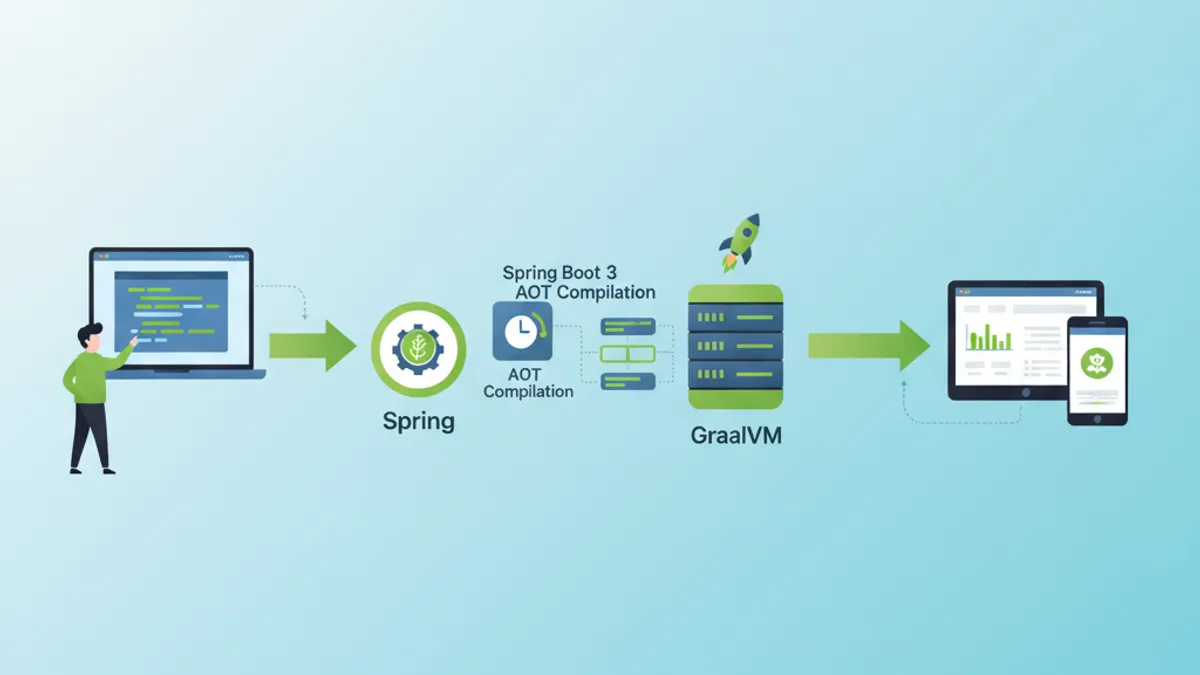
การคอมไพล์แบบ native ด้วย GraalVM เปลี่ยนแอปพลิเคชัน Spring Boot 3 ให้กลายเป็นไฟล์รันได้แบบ native เวลาเริ่มต้นลดจากหลักวินาทีเหลือเพียงมิลลิวินาที และการใช้หน่วยความจำลดลงอย่างมาก คู่มือนี้ครอบคลุมทุกขั้นตอน ตั้งแต่การตั้งค่า AOT ไปจนถึงการดีพลอยบนโปรดักชัน
GraalVM 22.3+ ที่ติดตั้ง Native Image แล้ว, Spring Boot 3.2+ และ Maven หรือ Gradle การคอมไพล์แบบ native ต้องการ RAM มากกว่า (แนะนำขั้นต่ำ 8 GB) และใช้เวลาหลายนาที
ทำความเข้าใจ AOT และการคอมไพล์ Native Image
ความแตกต่างระหว่าง JIT และ AOT
JVM ดั้งเดิมใช้การคอมไพล์แบบ Just-In-Time (JIT): bytecode จะถูกตีความและคอมไพล์เป็น machine code ระหว่างทำงาน GraalVM Native Image ใช้แนวทาง Ahead-Of-Time (AOT): โค้ดทั้งหมดถูกคอมไพล์ก่อนการรัน
┌─────────────────────────────────────────────────────────────┐
│                    JIT Compilation                          │
├─────────────────────────────────────────────────────────────┤
│                                                             │
│   .java → .class → JVM → Interpretation → JIT → Machine    │
│                           (runtime)        (runtime)        │
│                                                             │
│   Advantages: Adaptive optimizations, fast class loading   │
│   Disadvantages: Slow startup, high memory consumption     │
└─────────────────────────────────────────────────────────────┘

┌─────────────────────────────────────────────────────────────┐
│                    AOT Compilation                          │
├─────────────────────────────────────────────────────────────┤
│                                                             │
│   .java → .class → GraalVM Native Image → Native executable │
│                    (build time)                              │
│                                                             │
│   Advantages: Instant startup, low memory footprint         │
│   Disadvantages: Long build, no dynamic reflection          │
└─────────────────────────────────────────────────────────────┘
การคอมไพล์ AOT จะวิเคราะห์โค้ดทั้งหมดที่เข้าถึงได้จากจุดเริ่มต้นแบบสถิต โค้ดใดก็ตามที่ไม่ถูกตรวจพบในเวลาคอมไพล์จะไม่ถูกรวมเข้าไปใน native image จึงเป็นที่มาของข้อจำกัดเรื่อง reflection และการโหลดคลาสแบบไดนามิก
สถาปัตยกรรม Spring AOT
Spring Boot 3 ผนวกการรองรับ AOT ไว้แบบ native กระบวนการคอมไพล์จะสร้างซอร์สโค้ดเพิ่มเติมที่แทนที่กลไกแบบไดนามิกด้วยทางเลือกแบบสถิต
// Standard Spring configuration
@Configuration
@EnableCaching
public class ApplicationConfig {

    @Bean
    public CacheManager cacheManager() {
        // Bean created dynamically at runtime in JIT mode
        // Pre-generated statically in AOT mode
        return new ConcurrentMapCacheManager("users", "products");
    }

    @Bean
    @ConditionalOnProperty(name = "app.feature.enabled", havingValue = "true")
    public FeatureService featureService() {
        // Conditions are evaluated at build time in AOT
        return new FeatureServiceImpl();
    }
}
กระบวนการ Spring AOT จะสร้างไฟล์ใน target/spring-aot/main ให้อัตโนมัติ:
target/spring-aot/main/
├── sources/                    # Generated Java code
│   └── com/example/
│       └── ApplicationConfig__BeanDefinitions.java
├── resources/
│   └── META-INF/
│       └── native-image/
│           ├── reflect-config.json    # Reflection configuration
│           ├── resource-config.json   # Included resources
│           └── proxy-config.json      # JDK proxies
การตั้งค่าโปรเจกต์ Spring Boot
Dependency ของ Maven
การตั้งค่า Maven ใช้ปลั๊กอิน Spring Boot ร่วมกับโปรไฟล์ native ทุก dependency ต้องเข้ากันได้กับ GraalVM
<!-- pom.xml -->
<!-- Complete configuration for Spring Boot 3 Native -->
<?xml version="1.0" encoding="UTF-8"?>
<project xmlns="http://maven.apache.org/POM/4.0.0"
         xmlns:xsi="http://www.w3.org/2001/XMLSchema-instance"
         xsi:schemaLocation="http://maven.apache.org/POM/4.0.0
         https://maven.apache.org/xsd/maven-4.0.0.xsd">

    <modelVersion>4.0.0</modelVersion>

    <parent>
        <groupId>org.springframework.boot</groupId>
        <artifactId>spring-boot-starter-parent</artifactId>
        <version>3.4.2</version>
        <relativePath/>
    </parent>

    <groupId>com.example</groupId>
    <artifactId>native-demo</artifactId>
    <version>1.0.0</version>

    <properties>
        <java.version>21</java.version>
    </properties>

    <dependencies>
        <!-- Web starter with built-in native support -->
        <dependency>
            <groupId>org.springframework.boot</groupId>
            <artifactId>spring-boot-starter-web</artifactId>
        </dependency>

        <!-- JPA with native-compatible Hibernate 6 -->
        <dependency>
            <groupId>org.springframework.boot</groupId>
            <artifactId>spring-boot-starter-data-jpa</artifactId>
        </dependency>

        <!-- Native-compatible PostgreSQL driver -->
        <dependency>
            <groupId>org.postgresql</groupId>
            <artifactId>postgresql</artifactId>
            <scope>runtime</scope>
        </dependency>

        <!-- Validation with native hints -->
        <dependency>
            <groupId>org.springframework.boot</groupId>
            <artifactId>spring-boot-starter-validation</artifactId>
        </dependency>

        <!-- Tests with native support -->
        <dependency>
            <groupId>org.springframework.boot</groupId>
            <artifactId>spring-boot-starter-test</artifactId>
            <scope>test</scope>
        </dependency>
    </dependencies>

    <build>
        <plugins>
            <plugin>
                <groupId>org.springframework.boot</groupId>
                <artifactId>spring-boot-maven-plugin</artifactId>
            </plugin>

            <!-- GraalVM plugin for native compilation -->
            <plugin>
                <groupId>org.graalvm.buildtools</groupId>
                <artifactId>native-maven-plugin</artifactId>
            </plugin>
        </plugins>
    </build>

    <!-- Profile for native build -->
    <profiles>
        <profile>
            <id>native</id>
            <build>
                <plugins>
                    <plugin>
                        <groupId>org.graalvm.buildtools</groupId>
                        <artifactId>native-maven-plugin</artifactId>
                        <configuration>
                            <!-- Native build options -->
                            <buildArgs>
                                <!-- Size optimizations -->
                                <buildArg>-O2</buildArg>
                                <!-- Generate build report -->
                                <buildArg>--verbose</buildArg>
                                <!-- Enable HTTP/2 support -->
                                <buildArg>--enable-http</buildArg>
                                <buildArg>--enable-https</buildArg>
                            </buildArgs>
                            <!-- Memory for build -->
                            <jvmArgs>
                                <jvmArg>-Xmx8g</jvmArg>
                            </jvmArgs>
                        </configuration>
                    </plugin>
                </plugins>
            </build>
        </profile>
    </profiles>

</project>
การตั้งค่าฝั่ง Gradle ที่เทียบเท่า
สำหรับโปรเจกต์ Gradle การตั้งค่า native ใช้ปลั๊กอิน GraalVM native ในรูปแบบที่ใกล้เคียงกัน
// Gradle configuration for Spring Boot Native
plugins {
    java
    id("org.springframework.boot") version "3.4.2"
    id("io.spring.dependency-management") version "1.1.7"
    // GraalVM Native plugin
    id("org.graalvm.buildtools.native") version "0.10.4"
}

group = "com.example"
version = "1.0.0"

java {
    toolchain {
        languageVersion = JavaLanguageVersion.of(21)
    }
}

dependencies {
    implementation("org.springframework.boot:spring-boot-starter-web")
    implementation("org.springframework.boot:spring-boot-starter-data-jpa")
    runtimeOnly("org.postgresql:postgresql")
    testImplementation("org.springframework.boot:spring-boot-starter-test")
}

// Native build configuration
graalvmNative {
    binaries {
        named("main") {
            // Generated executable name
            imageName = "native-demo"

            // Compilation options
            buildArgs.addAll(
                "-O2",                    // Optimization level
                "--enable-http",          // HTTP support
                "--enable-https",         // HTTPS support
                "--verbose"               // Detailed logs
            )

            // Memory configuration for build
            jvmArgs.addAll("-Xmx8g")
        }

        named("test") {
            // Native tests with report
            buildArgs.add("--verbose")
        }
    }

    // Tracing agent for automatic discovery
    agent {
        defaultMode = "standard"
        enabled = true
    }
}

tasks.withType<Test> {
    useJUnitPlatform()
}Tracing agent (-agentlib:native-image-agent) จะตรวจจับการเรียก reflection ในระหว่างทำงานโดยอัตโนมัติ ให้รันแอปพลิเคชันร่วมกับ agent ใช้งานทุกฟีเจอร์ จากนั้นจึงนำไฟล์คอนฟิกที่ถูกสร้างขึ้นไปใช้
การจัดการ reflection และทรัพยากร
การตั้งค่า reflection ด้วยมือ
บางไลบรารีใช้ reflection ในรูปแบบที่การวิเคราะห์แบบสถิตตรวจไม่พบ จึงต้องตั้งค่าด้วยมือ
// Configuration for classes requiring reflection
[
  {
    "name": "com.example.entity.User",
    "allDeclaredConstructors": true,
    "allDeclaredMethods": true,
    "allDeclaredFields": true
  },
  {
    "name": "com.example.dto.UserDTO",
    "allDeclaredConstructors": true,
    "allDeclaredMethods": true,
    "allDeclaredFields": true
  },
  {
    "name": "com.example.config.DynamicProperties",
    "methods": [
      { "name": "getValue", "parameterTypes": [] },
      { "name": "setValue", "parameterTypes": ["java.lang.String"] }
    ]
  }
]
ใช้งาน Spring RuntimeHints
Spring Boot 3 มี API เชิงโปรแกรมสำหรับประกาศ native hint ซึ่งดูแลรักษาง่ายกว่าไฟล์ JSON
// Programmatic registration of native hints
@Configuration
@ImportRuntimeHints(NativeHintsRegistrar.AppRuntimeHints.class)
public class NativeHintsRegistrar {

    static class AppRuntimeHints implements RuntimeHintsRegistrar {

        @Override
        public void registerHints(RuntimeHints hints, ClassLoader classLoader) {
            // Register classes for reflection
            hints.reflection()
                // JPA entities with all members
                .registerType(User.class, MemberCategory.values())
                .registerType(Order.class, MemberCategory.values())
                // DTOs with constructors and getters/setters
                .registerType(UserDTO.class,
                    MemberCategory.INVOKE_DECLARED_CONSTRUCTORS,
                    MemberCategory.INVOKE_DECLARED_METHODS,
                    MemberCategory.DECLARED_FIELDS
                );

            // Register resources to include
            hints.resources()
                // Configuration files
                .registerPattern("application*.yml")
                .registerPattern("application*.properties")
                // Templates and static files
                .registerPattern("templates/*")
                .registerPattern("static/**/*")
                // Validation messages
                .registerPattern("ValidationMessages*.properties");

            // Register JDK proxies
            hints.proxies()
                .registerJdkProxy(
                    UserRepository.class,
                    Repository.class
                );

            // Serialization for caching
            hints.serialization()
                .registerType(User.class)
                .registerType(ArrayList.class);
        }
    }
}// Automatic hints for JPA entities
@Component
public class EntityRuntimeHints implements RuntimeHintsRegistrar {
@Override
public void registerHints(RuntimeHints hints, ClassLoader classLoader) {
// Automatic scan of entities in package
ClassPathScanningCandidateComponentProvider scanner =
new ClassPathScanningCandidateComponentProvider(false);
scanner.addIncludeFilter(new AnnotationTypeFilter(Entity.class));
for (BeanDefinition bd : scanner.findCandidateComponents("com.example.entity")) {
try {
Class<?> entityClass = Class.forName(bd.getBeanClassName());
// Register each entity for full reflection
hints.reflection().registerType(
entityClass,
MemberCategory.INVOKE_DECLARED_CONSTRUCTORS,
MemberCategory.INVOKE_DECLARED_METHODS,
MemberCategory.DECLARED_FIELDS
);
} catch (ClassNotFoundException e) {
// Log error without interrupting build
System.err.println("Entity class not found: " + bd.getBeanClassName());
}
}
}
}พร้อมที่จะพิชิตการสัมภาษณ์ Spring Boot แล้วหรือยังครับ?
ฝึกฝนด้วยตัวจำลองแบบโต้ตอบ, flashcards และแบบทดสอบเทคนิคครับ
การคอมไพล์และปรับแต่ง native image
คำสั่ง build
การคอมไพล์ native ใช้ Maven หรือ Gradle ก็ได้ กระบวนการนี้ใช้เวลาหลายนาทีและกินทรัพยากรมาก
# Maven build with native profile
# Generates executable in target/
mvn -Pnative native:compile

# Gradle build
# Generates executable in build/native/nativeCompile/
./gradlew nativeCompile

# Build with native tests included
mvn -Pnative native:compile -DskipTests=false

# Build with tracing agent enabled
mvn -Pnative -Dagent=true test
mvn -Pnative native:compile
ตัวเลือกการปรับแต่งขั้นสูง
ตัวเลือกของการคอมไพล์ส่งผลต่อขนาดของ image, เวลาเริ่มต้น และประสิทธิภาพในระหว่างทำงาน
<!-- pom.xml -->
<!-- Advanced native build configuration -->
<plugin>
    <groupId>org.graalvm.buildtools</groupId>
    <artifactId>native-maven-plugin</artifactId>
    <configuration>
        <buildArgs>
            <!-- Optimization level (0-3, default: 2) -->
            <buildArg>-O3</buildArg>

            <!-- Optimization for startup time -->
            <buildArg>--pgo-instrument</buildArg>

            <!-- Executable compression (reduces size) -->
            <buildArg>-H:+CompressStrings</buildArg>

            <!-- Optimal garbage collector for containers -->
            <buildArg>--gc=serial</buildArg>

            <!-- Build time initialization -->
            <buildArg>--initialize-at-build-time=org.slf4j</buildArg>

            <!-- Debug symbols (disable in prod) -->
            <buildArg>-H:-IncludeAllTimeZones</buildArg>

            <!-- Detailed build report -->
            <buildArg>-H:+ReportExceptionStackTraces</buildArg>
            <buildArg>--verbose</buildArg>

            <!-- Monitoring support -->
            <buildArg>--enable-monitoring=heapdump,jfr</buildArg>
        </buildArgs>

        <!-- Quickbuild for development (faster, less optimized) -->
        <quickBuild>false</quickBuild>

        <!-- Fallback to jar if native fails -->
        <fallback>false</fallback>
    </configuration>
</plugin>// Build time initialization to reduce startup
@Configuration
public class BuildTimeInitializer {
// These configurations are evaluated at build time
// not at runtime
static {
// Initialize loggers at build time
LoggerFactory.getLogger(BuildTimeInitializer.class);
}
@Bean
@NativeHint(options = "--initialize-at-build-time=com.example.Constants")
public ConstantsProvider constantsProvider() {
// Constants are computed once at build
return new ConstantsProvider();
}
}เปรียบเทียบประสิทธิภาพ
ผลประโยชน์ด้านประสิทธิภาพจากการคอมไพล์ native มีนัยสำคัญ
┌─────────────────────────────────────────────────────────────────────┐
│                    JIT vs Native Comparison                         │
├─────────────────────┬─────────────────┬─────────────────────────────┤
│ Metric              │ JIT (JVM)       │ Native (GraalVM)            │
├─────────────────────┼─────────────────┼─────────────────────────────┤
│ Startup time        │ 2.5 - 5 sec     │ 50 - 200 ms                 │
│ RSS Memory          │ 200 - 400 MB    │ 50 - 100 MB                 │
│ Executable size     │ JAR ~30 MB      │ Binary ~80 MB               │
│ First request time  │ 100 - 500 ms    │ < 10 ms                     │
│ Peak throughput     │ Excellent       │ Good (85-95% of JIT)        │
│ Build time          │ 30 sec          │ 3 - 10 min                  │
└─────────────────────┴─────────────────┴─────────────────────────────┘throughput สูงสุดในโหมด native อาจต่ำกว่าโหมด JIT เล็กน้อย เพราะการปรับแต่งแบบ adaptive ของ JIT ใช้ไม่ได้ สำหรับโหลดที่ต้องการประสิทธิภาพสูงต่อเนื่อง ควรประเมินทั้งสองโหมด
แก้ไขปัญหาที่พบบ่อย
ข้อผิดพลาดของ reflection
ข้อผิดพลาดที่พบบ่อยที่สุดมักเกิดจาก reflection ที่ไม่ได้ประกาศ ข้อยกเว้นจะระบุคลาสที่หายไป
// Diagnosing and resolving reflection errors
@Component
@Slf4j
public class ReflectionErrorHandler {

    // Typical error:
    // java.lang.ClassNotFoundException: com.example.SomeClass
    // when accessing via reflection

    // Solution 1: Add manual configuration
    // src/main/resources/META-INF/native-image/reflect-config.json

    // Solution 2: Use @RegisterReflection annotation
    @RegisterReflection(classes = {
        SomeClass.class,
        AnotherClass.class
    })
    public void configureReflection() {
        // Annotated classes will be available for reflection
    }

    // Solution 3: Programmatic RuntimeHints
    public void registerHints(RuntimeHints hints) {
        hints.reflection().registerType(
            SomeClass.class,
            MemberCategory.INVOKE_DECLARED_CONSTRUCTORS,
            MemberCategory.INVOKE_DECLARED_METHODS
        );
    }
}
ทรัพยากรที่หายไป
ไฟล์ทรัพยากรต้องประกาศอย่างชัดเจนเพื่อให้ถูกรวมเข้าไปใน native image
// Configuration for resources to include
{
  "resources": {
    "includes": [
      {"pattern": "application\\.yml"},
      {"pattern": "application-.*\\.yml"},
      {"pattern": "messages.*\\.properties"},
      {"pattern": "templates/.*\\.html"},
      {"pattern": "static/.*"},
      {"pattern": "db/migration/.*\\.sql"}
    ],
    "excludes": [
      {"pattern": ".*\\.java"},
      {"pattern": ".*\\.class"}
    ]
  },
  "bundles": [
    {"name": "messages"},
    {"name": "ValidationMessages"}
  ]
}// Programmatic resource configuration
@Configuration
@ImportRuntimeHints(ResourceHintsConfig.ResourceHints.class)
public class ResourceHintsConfig {
static class ResourceHints implements RuntimeHintsRegistrar {
@Override
public void registerHints(RuntimeHints hints, ClassLoader classLoader) {
// YAML/Properties files
hints.resources()
.registerPattern("application*.yml")
.registerPattern("application*.properties");
// Thymeleaf templates
hints.resources().registerPattern("templates/**");
// Flyway SQL scripts
hints.resources().registerPattern("db/migration/*.sql");
// Static files
hints.resources().registerPattern("static/**");
// Message bundles
hints.resources().registerResourceBundle("messages");
hints.resources().registerResourceBundle("ValidationMessages");
}
}
}ปัญหาเกี่ยวกับ proxy
Proxy ของ JDK และ CGLIB ต้องตั้งค่าเฉพาะเพื่อให้ทำงานในโหมด native ได้
// Managing proxies for native compilation
@Configuration
public class ProxyConfiguration implements RuntimeHintsRegistrar {

    @Override
    public void registerHints(RuntimeHints hints, ClassLoader classLoader) {
        // JDK proxies for Spring Data interfaces
        hints.proxies().registerJdkProxy(
            UserRepository.class,
            Repository.class,
            CrudRepository.class
        );

        // Proxies for service interfaces
        hints.proxies().registerJdkProxy(
            PaymentService.class,
            TransactionalService.class
        );
    }

    // Alternative: force CGLIB proxies
    @Bean
    public BeanFactoryPostProcessor forceProxyTargetClass() {
        return beanFactory -> {
            // Use CGLIB instead of JDK proxies
            // More compatible with native compilation
        };
    }
}
การดีพลอย Docker และ Kubernetes
Dockerfile แบบ multi-stage ที่ปรับแต่งแล้ว
การ build แบบ multi-stage แยกขั้นตอนคอมไพล์กับการรัน เพื่อให้ได้ image ขนาดเล็กที่สุด
# Dockerfile
# Multi-stage build for Spring Boot Native
# Stage 1: Build with GraalVM
FROM ghcr.io/graalvm/graalvm-community:21 AS builder
# Install Native Image
RUN gu install native-image
WORKDIR /app
# Copy build files
COPY pom.xml .
COPY src ./src
# Install Maven
RUN microdnf install -y maven
# Native build with dependency caching
RUN \
mvn -Pnative native:compile -DskipTests
# Stage 2: Minimal runtime image
FROM gcr.io/distroless/base-debian12
WORKDIR /app
# Copy native executable
COPY /app/target/native-demo /app/native-demo
# Exposed port
EXPOSE 8080
# Healthcheck
HEALTHCHECK \
CMD ["/app/native-demo", "--health"]
# Execution
ENTRYPOINT ["/app/native-demo"]# Dockerfile.alpine
# Alternative with Alpine for even smaller image
FROM ghcr.io/graalvm/native-image-community:21-muslib AS builder
WORKDIR /app
COPY pom.xml .
COPY src ./src
RUN \
mvn -Pnative native:compile \
-Dspring-boot.aot.jvmArguments="-Dspring.aot.processing.resource.matching.strategy=GLOB" \
-DskipTests
# Minimal Alpine image (< 20 MB)
FROM alpine:3.19
RUN apk add --no-cache libc6-compat
WORKDIR /app
COPY /app/target/native-demo /app/native-demo
EXPOSE 8080
ENTRYPOINT ["/app/native-demo"]ดีพลอย Kubernetes ด้วยทรัพยากรที่ปรับให้เหมาะสม
แอปพลิเคชัน native ใช้ทรัพยากรน้อยกว่าแอปพลิเคชัน JVM แบบเดิม
# kubernetes/deployment.yaml
# Optimized Kubernetes deployment for native
apiVersion: apps/v1
kind: Deployment
metadata:
  name: native-demo
spec:
  replicas: 3
  selector:
    matchLabels:
      app: native-demo
  template:
    metadata:
      labels:
        app: native-demo
    spec:
      containers:
        - name: native-demo
          image: registry.example.com/native-demo:1.0.0
          ports:
            - containerPort: 8080

          # Reduced resources thanks to native
          resources:
            requests:
              memory: "64Mi"    # vs 256Mi for JVM
              cpu: "50m"        # vs 200m for JVM
            limits:
              memory: "128Mi"   # vs 512Mi for JVM
              cpu: "200m"       # vs 500m for JVM

          # Fast probes (instant startup)
          readinessProbe:
            httpGet:
              path: /actuator/health/readiness
              port: 8080
            initialDelaySeconds: 1    # vs 30s for JVM
            periodSeconds: 5
            failureThreshold: 3

          livenessProbe:
            httpGet:
              path: /actuator/health/liveness
              port: 8080
            initialDelaySeconds: 2    # vs 60s for JVM
            periodSeconds: 10
            failureThreshold: 3

          # Environment variables
          env:
            - name: SPRING_PROFILES_ACTIVE
              value: "production"
            - name: JAVA_TOOL_OPTIONS
              value: ""  # No JVM options needed

---
apiVersion: v1
kind: Service
metadata:
  name: native-demo
spec:
  selector:
    app: native-demo
  ports:
    - port: 80
      targetPort: 8080
  type: ClusterIP

---
apiVersion: autoscaling/v2
kind: HorizontalPodAutoscaler
metadata:
  name: native-demo-hpa
spec:
  scaleTargetRef:
    apiVersion: apps/v1
    kind: Deployment
    name: native-demo
  minReplicas: 2
  maxReplicas: 10
  metrics:
    - type: Resource
      resource:
        name: cpu
        target:
          type: Utilization
averageUtilization: 70เวลาเริ่มต้นที่ทันใจช่วยให้สเกลแนวนอนได้รวดเร็วมาก พ็อดใหม่พร้อมใช้งานในไม่กี่วินาที เหมาะอย่างยิ่งกับโหลดที่มีจุดสูงสุดของทราฟฟิก
ทดสอบและตรวจสอบ native image
การตั้งค่าเทสต์แบบ native
เทสต์ก็สามารถคอมไพล์และรันในโหมด native ได้เพื่อยืนยันพฤติกรรม
// Integration tests for native validation
@SpringBootTest(webEnvironment = SpringBootTest.WebEnvironment.RANDOM_PORT)
@TestPropertySource(properties = {
    "spring.datasource.url=jdbc:h2:mem:testdb",
    "spring.jpa.hibernate.ddl-auto=create-drop"
})
class NativeIntegrationTest {

    @Autowired
    private TestRestTemplate restTemplate;

    @Autowired
    private UserRepository userRepository;

    @Test
    void shouldCreateAndRetrieveUser() {
        // Arrange: create a user
        UserDTO request = new UserDTO("John", "john@example.com");

        // Act: API call
        ResponseEntity<UserDTO> createResponse = restTemplate.postForEntity(
            "/api/users",
            request,
            UserDTO.class
        );

        // Assert: verify creation
        assertThat(createResponse.getStatusCode()).isEqualTo(HttpStatus.CREATED);
        assertThat(createResponse.getBody()).isNotNull();
        assertThat(createResponse.getBody().getName()).isEqualTo("John");

        // Verify retrieval
        Long userId = createResponse.getBody().getId();
        ResponseEntity<UserDTO> getResponse = restTemplate.getForEntity(
            "/api/users/{id}",
            UserDTO.class,
            userId
        );

        assertThat(getResponse.getStatusCode()).isEqualTo(HttpStatus.OK);
        assertThat(getResponse.getBody().getEmail()).isEqualTo("john@example.com");
    }

    @Test
    void shouldHandleReflectionCorrectly() {
        // Specific test to validate reflection configuration
        User user = new User();
        user.setName("Test");
        user.setEmail("test@example.com");

        // ORM uses reflection to map entities
        User saved = userRepository.save(user);

        assertThat(saved.getId()).isNotNull();
        assertThat(userRepository.findById(saved.getId())).isPresent();
    }
}<!-- pom.xml -->
<!-- Native tests configuration -->
<plugin>
<groupId>org.graalvm.buildtools</groupId>
<artifactId>native-maven-plugin</artifactId>
<configuration>
<testArgs>
<!-- Include tests in native build -->
<testArg>--verbose</testArg>
</testArgs>
</configuration>
<executions>
<execution>
<id>test-native</id>
<goals>
<goal>test</goal>
</goals>
<phase>test</phase>
</execution>
</executions>
</plugin>พร้อมที่จะพิชิตการสัมภาษณ์ Spring Boot แล้วหรือยังครับ?
ฝึกฝนด้วยตัวจำลองแบบโต้ตอบ, flashcards และแบบทดสอบเทคนิคครับ
บทสรุป
การคอมไพล์ native ด้วย GraalVM เปลี่ยนแอปพลิเคชัน Spring Boot 3 ให้กลายเป็นไฟล์รันได้ที่มีประสิทธิภาพสูง ประเด็นหลัก:
การตั้งค่าโปรเจกต์:
- ✅ Spring Boot 3.2+ พร้อมปลั๊กอิน GraalVM native
- ✅ RuntimeHints สำหรับ reflection และทรัพยากร
- ✅ Tracing agent สำหรับการตรวจหาอัตโนมัติ
การปรับแต่ง build:
- ✅ ตัวเลือกคอมไพล์ที่เหมาะสม (O2/O3, GC, การบีบอัด)
- ✅ การอินิเชียลไลซ์ใน build time สำหรับองค์ประกอบสถิต
- ✅ Quickbuild สำหรับการพัฒนา และ build เต็มสำหรับโปรดักชัน
การแก้ปัญหา:
- ✅ ตั้งค่า reflection แบบชัดเจนสำหรับไลบรารีภายนอก
- ✅ ระบุทรัพยากรที่ต้องรวมเข้ามา
- ✅ จัดการ proxy ของ JDK และ CGLIB
การดีพลอย:
- ✅ ภาพ Docker แบบ multi-stage ใช้ distroless
- ✅ ใช้ทรัพยากร Kubernetes ลดลง (64 Mi แทน 256 Mi)
- ✅ Probe ดีเลย์น้อย (เริ่มทำงานทันที)
การคอมไพล์ native เหมาะอย่างยิ่งกับ microservices ฟังก์ชัน serverless และสภาพแวดล้อมที่มีทรัพยากรจำกัด การเริ่มต้นทันใจและการใช้หน่วยความจำต่ำชดเชยเวลา build ที่ยาวนานขึ้นได้คุ้มค่า
เริ่มฝึกซ้อมเลย!
ทดสอบความรู้ของคุณด้วยตัวจำลองสัมภาษณ์และแบบทดสอบเทคนิคครับ
คุณหาบั๊กใน Spring Boot เจอไหม
โค้ดจริงหนึ่งชิ้น บั๊กที่ซ่อนอยู่หนึ่งจุด วันละหนึ่งครั้ง ลองได้โดยไม่ต้องมีบัญชี

เขียนโดย
Anthony Fillion-Mailletผู้ก่อตั้ง SharpSkill
เป็นนักพัฒนาฟูลสแตกมากว่า 10 ปี ดูแล SharpSkill และรับผิดชอบทุกสิ่งที่เผยแพร่ที่นี่
อัปเดตเมื่อ 1 พฤษภาคม 2569
แท็ก
แชร์
บทความที่เกี่ยวข้อง

Observability ใน Spring Boot 2026: OpenTelemetry, Distributed Tracing และคำถามสัมภาษณ์
เรียนรู้ observability ใน Spring Boot ด้วย OpenTelemetry และ Micrometer Tracing คู่มือการตั้งค่า distributed tracing, Observation API, การส่งออก OTLP และการเตรียมตัวสัมภาษณ์งานเทคนิค
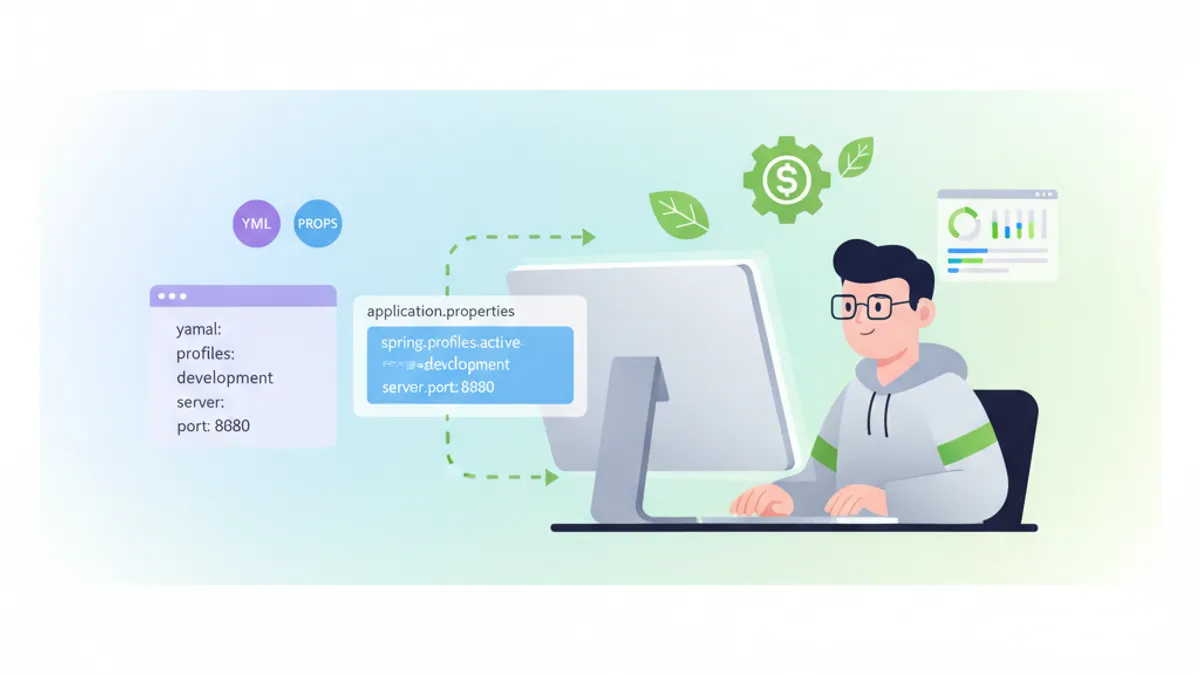
Spring Boot YAML vs Properties: เปรียบเทียบการตั้งค่าและคำถามสัมภาษณ์งาน 2026
คู่มือฉบับสมบูรณ์เปรียบเทียบรูปแบบการตั้งค่า YAML และ Properties ใน Spring Boot รวมถึงแนวทางปฏิบัติที่ดีที่สุดและคำถามสัมภาษณ์ที่พบบ่อย

Spring Boot Structured Logging ในปี 2026: Log JSON สำหรับ Production ด้วย Logback และ OpenTelemetry
คู่มือฉบับสมบูรณ์สำหรับ structured logging Spring Boot 4.x รองรับ JSON แบบ native, OpenTelemetry starter, MDC tracing และการรวมกับ ELK Stack สำหรับ observability ใน production