Flutter Navigation 2.0 และ GoRouter ในปี 2026: Deep Linking และคำถามสัมภาษณ์
คู่มือฉบับสมบูรณ์สำหรับการนำทาง Flutter ด้วย GoRouter 17.5: การ routing แบบ declarative, deep linking, ShellRoute, route guards และคำถามสัมภาษณ์พร้อมตัวอย่างโค้ด

การนำทาง Flutter ได้พัฒนาอย่างมีนัยสำคัญตั้งแต่การเปิดตัว Navigation 2.0 GoRouter 17.5 ซึ่งเป็นแพ็คเกจอย่างเป็นทางการจากทีม Flutter ปัจจุบันจัดการความซับซ้อนของ Router API พร้อมทั้งให้การ routing แบบ declarative, deep linking อัตโนมัติ และ nested navigation แบบพร้อมใช้งาน
ทีม Flutter ถือว่า GoRouter มีฟีเจอร์ครบถ้วนแล้วในปี 2026 รองรับ path parameters, query parameters, redirects, ShellRoute สำหรับ UI ถาวร และ StatefulShellRoute สำหรับรักษาสถานะแท็บ Navigator 2.0 แบบ raw แทบไม่ถูกเขียนด้วยมือใน production อีกต่อไป
ทำความเข้าใจสถาปัตยกรรม Navigator 2.0
Navigator 2.0 นำเสนอแนวทาง declarative ที่ขับเคลื่อนด้วย URL สำหรับการนำทาง Flutter แทนที่จะเรียก push และ pop แบบ imperative สถานะแอปจะกำหนดสิ่งที่ปรากฏบน navigation stack สถาปัตยกรรมอาศัยสามคลาสหลัก:
- Router: วิดเจ็ตระดับบนสุดที่ประสานงานการนำทาง
- RouteInformationParser: แปล URL เป็นสถานะแอป
- RouterDelegate: สร้าง widget tree ตามสถานะนั้น
เมื่อ deep link มาจาก OS หรือ URL เปลี่ยนในเว็บเบราว์เซอร์ framework จะอัปเดตสถานะ และ UI ตอบสนอง ปัญหาคือ: การเขียน RouterDelegate และ RouteInformationParser แบบกำหนดเองด้วยมือต้องใช้ boilerplate จำนวนมาก
// Raw Navigator 2.0 approach - verbose and rarely used directly
class AppRouterDelegate extends RouterDelegate<AppRoutePath>
with ChangeNotifier, PopNavigatorRouterDelegateMixin<AppRoutePath> {
final GlobalKey<NavigatorState> navigatorKey = GlobalKey<NavigatorState>();
AppRoutePath? _currentPath;
AppRoutePath? get currentConfiguration => _currentPath;
Widget build(BuildContext context) {
return Navigator(
key: navigatorKey,
pages: [
const MaterialPage(child: HomeScreen()),
if (_currentPath?.isProductPage == true)
MaterialPage(child: ProductScreen(id: _currentPath!.productId!)),
],
onDidRemovePage: (page) {
// Handle page removal
},
);
}
Future<void> setNewRoutePath(AppRoutePath path) async {
_currentPath = path;
notifyListeners();
}
}ความยืดยาวนี้คือเหตุผลที่ GoRouter มีอยู่ มันห่อหุ้ม Navigator 2.0 และจัดการ boilerplate
ตั้งค่า GoRouter 17.5
GoRouter 17.5 นำเสนอการรองรับ route metadata และข้อจำกัด regular expression สำหรับ path parameters ข้อกำหนด SDK ขั้นต่ำคือ Flutter 3.32 และ Dart 3.8
import 'package:go_router/go_router.dart';

final goRouter = GoRouter(
  initialLocation: '/',
  debugLogDiagnostics: true, // Useful during development
  routes: [
    GoRoute(
      path: '/',
      name: 'home',
      builder: (context, state) => const HomeScreen(),
      routes: [
        GoRoute(
          path: 'products/:id', // Path parameter
          name: 'product',
          builder: (context, state) {
            final productId = state.pathParameters['id']!;
            return ProductScreen(productId: productId);
          },
        ),
        GoRoute(
          path: 'search',
          name: 'search',
          builder: (context, state) {
            // Query parameters: /search?q=flutter&category=books
            final query = state.uri.queryParameters['q'] ?? '';
            final category = state.uri.queryParameters['category'];
            return SearchScreen(query: query, category: category);
          },
        ),
      ],
    ),
  ],
);
Router ทำงานร่วมกับ MaterialApp.router:
import 'package:flutter/material.dart';
import 'router_config.dart';
void main() {
runApp(const MyApp());
}
class MyApp extends StatelessWidget {
const MyApp({super.key});
Widget build(BuildContext context) {
return MaterialApp.router(
routerConfig: goRouter,
title: 'GoRouter Demo',
);
}
}การกำหนดค่า Deep Linking สำหรับ Android และ iOS
Deep linking อนุญาตให้ URL ภายนอกเปิดหน้าจอเฉพาะในแอป GoRouter จัดการการ routing โดยอัตโนมัติเมื่อการกำหนดค่าแพลตฟอร์มเสร็จสิ้น
Android App Links
Android ต้องการ intent-filter ใน AndroidManifest.xml และไฟล์ Digital Asset Links ที่โฮสต์บนโดเมน:
<!-- android/app/src/main/AndroidManifest.xml -->
<activity android:name=".MainActivity">
  <intent-filter android:autoVerify="true">
    <action android:name="android.intent.action.VIEW" />
    <category android:name="android.intent.category.DEFAULT" />
    <category android:name="android.intent.category.BROWSABLE" />
    <data
      android:scheme="https"
      android:host="example.com"
      android:pathPrefix="/products" />
  </intent-filter>
</activity>
ไฟล์ assetlinks.json ต้องถูกให้บริการที่ https://example.com/.well-known/assetlinks.json
iOS Universal Links
สำหรับ iOS ต้องเปิดใช้งานความสามารถ Associated Domains ใน Xcode และโฮสต์ไฟล์ apple-app-site-association:
{
  "applinks": {
    "apps": [],
    "details": [
      {
        "appID": "TEAMID.com.example.app",
        "paths": ["/products/*", "/search"]
      }
    ]
  }
}
GoRouter 17.5 แก้ไขบั๊กร้ายแรงที่ deep link cold-start Android ที่มี path ว่างเปล่าจะสูญเสีย scheme และ authority ซึ่งหมายความว่า deep links ตอนนี้ทำงานได้อย่างน่าเชื่อถือแม้ว่าแอปจะไม่ได้ทำงานอยู่
ทดสอบ deep links Android ด้วย adb shell am start -a android.intent.action.VIEW -d "https://example.com/products/123" สำหรับ iOS ใช้ xcrun simctl openurl booted "https://example.com/products/123"
ShellRoute สำหรับ UI การนำทางถาวร
ShellRoute ห่อหุ้ม child routes ด้วยองค์ประกอบ UI ถาวรเช่น BottomNavigationBar หรือ Drawer Shell ยังคงมองเห็นได้ขณะนำทางระหว่าง children
final goRouter = GoRouter(
initialLocation: '/home',
routes: [
ShellRoute(
builder: (context, state, child) {
return ScaffoldWithNavBar(child: child);
},
routes: [
GoRoute(
path: '/home',
name: 'home',
builder: (context, state) => const HomeTab(),
),
GoRoute(
path: '/explore',
name: 'explore',
builder: (context, state) => const ExploreTab(),
),
GoRoute(
path: '/profile',
name: 'profile',
builder: (context, state) => const ProfileTab(),
),
],
),
],
);
// scaffold_with_nav_bar.dart
class ScaffoldWithNavBar extends StatelessWidget {
final Widget child;
const ScaffoldWithNavBar({super.key, required this.child});
Widget build(BuildContext context) {
return Scaffold(
body: child,
bottomNavigationBar: BottomNavigationBar(
currentIndex: _calculateSelectedIndex(context),
onTap: (index) => _onItemTapped(index, context),
items: const [
BottomNavigationBarItem(icon: Icon(Icons.home), label: 'Home'),
BottomNavigationBarItem(icon: Icon(Icons.explore), label: 'Explore'),
BottomNavigationBarItem(icon: Icon(Icons.person), label: 'Profile'),
],
),
);
}
int _calculateSelectedIndex(BuildContext context) {
final location = GoRouterState.of(context).uri.toString();
if (location.startsWith('/explore')) return 1;
if (location.startsWith('/profile')) return 2;
return 0;
}
void _onItemTapped(int index, BuildContext context) {
switch (index) {
case 0: context.go('/home');
case 1: context.go('/explore');
case 2: context.go('/profile');
}
}
}GoRouter 17.5 แก้ไขปัญหาที่ท่าทางย้อนกลับ iOS จะ pop ทั้ง ShellRoute แทนที่จะเป็นแค่ sub-route ที่ใช้งานอยู่
พร้อมที่จะพิชิตการสัมภาษณ์ Flutter แล้วหรือยังครับ?
ฝึกฝนด้วยตัวจำลองแบบโต้ตอบ, flashcards และแบบทดสอบเทคนิคครับ
StatefulShellRoute สำหรับรักษาสถานะแท็บ
เมื่อผู้ใช้สลับแท็บ ShellRoute จะ rebuild child StatefulShellRoute รักษา navigation stack ของแต่ละ branch:
final goRouter = GoRouter(
  initialLocation: '/home',
  routes: [
    StatefulShellRoute.indexedStack(
      builder: (context, state, navigationShell) {
        return ScaffoldWithNavBar(navigationShell: navigationShell);
      },
      branches: [
        StatefulShellBranch(
          routes: [
            GoRoute(
              path: '/home',
              builder: (context, state) => const HomeTab(),
              routes: [
                GoRoute(
                  path: 'details/:id',
                  builder: (context, state) => DetailsScreen(
                    id: state.pathParameters['id']!,
                  ),
                ),
              ],
            ),
          ],
        ),
        StatefulShellBranch(
          routes: [
            GoRoute(
              path: '/explore',
              builder: (context, state) => const ExploreTab(),
            ),
          ],
        ),
        StatefulShellBranch(
          routes: [
            GoRoute(
              path: '/profile',
              builder: (context, state) => const ProfileTab(),
            ),
          ],
        ),
      ],
    ),
  ],
);
ด้วยการตั้งค่านี้ หากผู้ใช้นำทางไปที่ /home/details/42 สลับไปที่แท็บ Explore แล้วกลับมาที่ Home จะยังคงอยู่บนหน้าจอ details
Route Guards ด้วย Redirect
Redirects จัดการการตรวจสอบการยืนยันตัวตนและการนำทางแบบมีเงื่อนไข callback redirect ทำงานก่อนการนำทางแต่ละครั้ง:
final goRouter = GoRouter(
  initialLocation: '/',
  redirect: (context, state) {
    final isLoggedIn = AuthService.instance.isLoggedIn;
    final isLoggingIn = state.matchedLocation == '/login';

    // Redirect to login if not authenticated
    if (!isLoggedIn && !isLoggingIn) {
      return '/login?redirect=${state.uri}';
    }

    // Redirect away from login if already authenticated
    if (isLoggedIn && isLoggingIn) {
      final redirect = state.uri.queryParameters['redirect'];
      return redirect ?? '/';
    }

    return null; // No redirect
  },
  routes: [
    GoRoute(
      path: '/',
      builder: (context, state) => const HomeScreen(),
    ),
    GoRoute(
      path: '/login',
      builder: (context, state) => const LoginScreen(),
    ),
    GoRoute(
      path: '/admin',
      redirect: (context, state) {
        // Route-level redirect for admin-only access
        if (!AuthService.instance.isAdmin) {
          return '/';
        }
        return null;
      },
      builder: (context, state) => const AdminScreen(),
    ),
  ],
);
GoRouter 17.5 เพิ่มการรองรับการใช้ context extension methods เช่น context.namedLocation() ภายใน redirect callbacks
คำถามสัมภาษณ์การนำทาง Flutter ที่พบบ่อย
ผู้สัมภาษณ์มักทดสอบความรู้การนำทางเพราะมันเกี่ยวข้องกับสถาปัตยกรรม, การจัดการสถานะ และการรวมแพลตฟอร์ม ต่อไปนี้คือคำถามที่แยกผู้สมัครระดับอาวุโส:
Q: ปัญหาอะไรที่ Navigator 2.0 แก้ไขได้ที่ Navigator 1.0 ทำไม่ได้?
Navigator 1.0 ใช้การนำทางแบบ imperative: Navigator.push() และ Navigator.pop() แอปไม่สามารถแสดงสถานะการนำทางเป็น URL ทำให้ deep linking และการรองรับเว็บยาก Navigator 2.0 เป็น declarative: สถานะแอปกำหนด navigation stack, URLs เป็น first-class citizens และ deep links ทำงานอัตโนมัติ
Q: เมื่อไหร่ควรใช้ context.go() vs context.push()?
context.go('/path') แทนที่ navigation stack ปัจจุบันไปยัง route ที่ตรงกัน context.push('/path') เพิ่ม route ใหม่บน stack ที่มีอยู่ ใช้ go() สำหรับการนำทางระดับบนสุด (สลับแท็บ, ไปหน้าหลัก) และ push() สำหรับเจาะลึกรายละเอียดขณะรักษาการนำทางย้อนกลับ
Q: จะรักษาสถานะข้ามการสลับแท็บได้อย่างไร?
ใช้ StatefulShellRoute.indexedStack() มันรักษา navigation stacks แยกกันสำหรับแต่ละ branch และรักษาเมื่อสลับแท็บ หากไม่มี การสลับแท็บจะ rebuild sub-tree ทั้งหมด
Q: จะส่งออบเจ็กต์ซับซ้อนระหว่าง routes ได้อย่างไร?
มีสามวิธี หนึ่ง ส่ง ID ใน path parameter และ fetch ออบเจ็กต์บนหน้าจอปลายทาง สอง ใช้พารามิเตอร์ extra ของ GoRouter เพื่อส่งออบเจ็กต์โดยตรง สาม เก็บออบเจ็กต์ในโซลูชันการจัดการสถานะ (Riverpod, Bloc) และเข้าถึงจากปลายทาง วิธีแรกดีที่สุดสำหรับ deep linking เพราะ URL ยังสามารถแชร์ได้
// Passing via extra (not deep-linkable)
context.push('/product', extra: productObject);

// Receiving via extra
GoRoute(
  path: '/product',
  builder: (context, state) {
    final product = state.extra as Product?;
    return ProductScreen(product: product);
  },
),
Q: callback onEnter ใน GoRouter 17.5 คืออะไร?
Callback onEnter ทำงานเมื่อเข้าสู่ route และให้การเข้าถึงทั้งสถานะ route ปัจจุบันและถัดไป อนุญาตให้รัน logic ก่อนที่ route จะโหลดเต็มที่ มีประโยชน์สำหรับ analytics หรือ conditional pre-loading
Type-Safe Routes ด้วย Code Generation
GoRouter รองรับ type-safe routing ผ่าน code generation กำหนด route data classes และให้ build_runner สร้าง navigation code:
import 'package:go_router/go_router.dart';
part 'routes.g.dart';
<HomeRoute>(path: '/')
class HomeRoute extends GoRouteData {
const HomeRoute();
Widget build(BuildContext context, GoRouterState state) => const HomeScreen();
}
<ProductRoute>(path: '/product/:id')
class ProductRoute extends GoRouteData {
final String id;
const ProductRoute({required this.id});
Widget build(BuildContext context, GoRouterState state) =>
ProductScreen(productId: id);
}หลังจากรัน dart run build_runner build นำทางด้วย compile-time safety:
// Type-safe navigation
ProductRoute(id: '123').go(context);
สิ่งนี้กำจัดการพิมพ์ผิดใน route paths และรับประกันว่า parameters ถูกจัดหาเสมอ
เชี่ยวชาญการนำทาง Flutter สำหรับแอป Production
- GoRouter 17.5 เป็นโซลูชันการนำทางที่แนะนำสำหรับแอป Flutter ที่ต้องการ deep linking, nested navigation หรือการรองรับเว็บ
- ใช้
ShellRouteสำหรับ bottom navigation bars ถาวร; ใช้StatefulShellRouteเพื่อรักษา navigation stack ของแต่ละแท็บ - กำหนดค่า deep linking เฉพาะแพลตฟอร์ม (Android App Links, iOS Universal Links) แยกจาก GoRouter ซึ่งจัดการ routing logic
- implement authentication guards ด้วย callback
redirectในระดับ router หรือระดับ route แต่ละตัว - สำหรับสถานการณ์สัมภาษณ์ เน้นอธิบายโมเดล declarative: สถานะแอปขับเคลื่อน UI, URLs ถูกอนุมานจากสถานะ และ GoRouter จัดการการแปล
- Type-safe routes ด้วย code generation กำจัด runtime errors จาก paths ที่พิมพ์ผิด
- ตรวจสอบ เอกสารการนำทาง Flutter และ changelog GoRouter สำหรับฟีเจอร์เฉพาะเวอร์ชัน
เริ่มฝึกซ้อมเลย!
ทดสอบความรู้ของคุณด้วยตัวจำลองสัมภาษณ์และแบบทดสอบเทคนิคครับ
คุณหาบั๊กใน Flutter เจอไหม
โค้ดจริงหนึ่งชิ้น บั๊กที่ซ่อนอยู่หนึ่งจุด วันละหนึ่งครั้ง ลองได้โดยไม่ต้องมีบัญชี

เขียนโดย
Anthony Fillion-Mailletผู้ก่อตั้ง SharpSkill
เป็นนักพัฒนาฟูลสแตกมากว่า 10 ปี ดูแล SharpSkill และรับผิดชอบทุกสิ่งที่เผยแพร่ที่นี่
อัปเดตเมื่อ 23 สิงหาคม 2569
แชร์
บทความที่เกี่ยวข้อง

Flutter Impeller 2026: สถาปัตยกรรม Rendering Engine, ประสิทธิภาพ และคำถามสัมภาษณ์
Flutter Impeller แทนที่ Skia ด้วย shader ที่คอมไพล์แบบ AOT ขจัดปัญหา jank ขณะ runtime คู่มือนี้ครอบคลุมสถาปัตยกรรม การรองรับแพลตฟอร์ม benchmark ประสิทธิภาพ และคำถามสัมภาษณ์
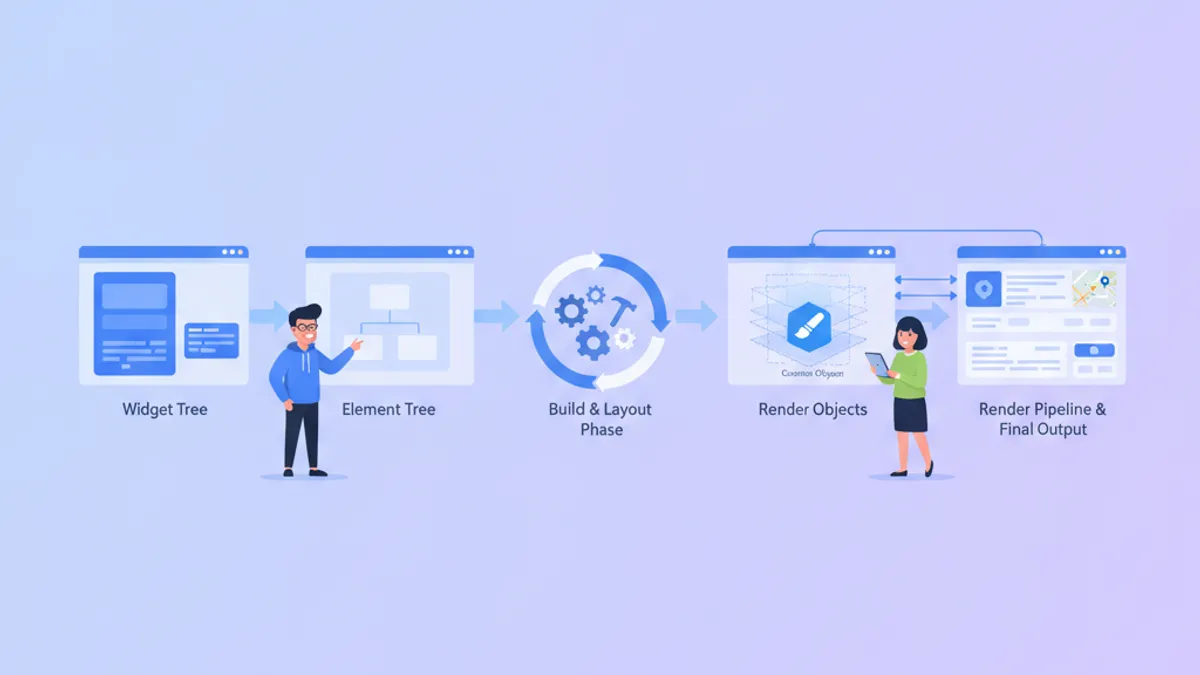
Flutter Custom Render Objects ปี 2026: Custom Painting และคำถามสัมภาษณ์
เชี่ยวชาญ rendering pipeline ของ Flutter ด้วย custom RenderObjects เรียนรู้ว่าควรเลือก CustomPainter หรือ RenderBox เมื่อใด และเตรียมตัวสำหรับคำถามสัมภาษณ์ระดับ senior เกี่ยวกับ lifecycle ของ Element-RenderObject
เปรียบเทียบ React Native กับ Flutter: สถาปัตยกรรมและประสิทธิภาพ 2026
คู่มือเปรียบเทียบ Flutter 3.44 และ React Native 0.86 อย่างครอบคลุม ครอบคลุมสถาปัตยกรรม ประสิทธิภาพ การจัดการ state และข้อพิจารณาด้านทีมพัฒนาในปี 2026