Spring Boot YAML vs Properties: 설정 파일 비교 및 면접 질문 2026
Spring Boot의 YAML과 Properties 파일 차이점을 상세히 비교합니다. application.yml과 application.properties 선택 기준, 모범 사례, 기술 면접 대비 가이드를 다룹니다.
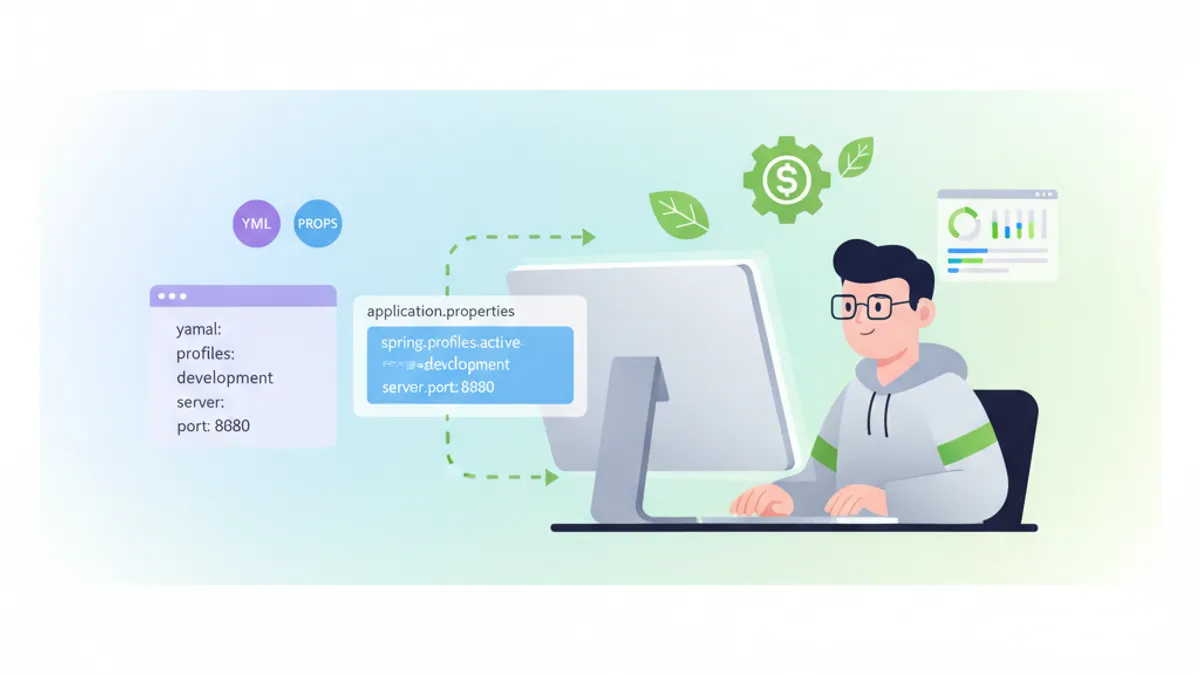
Spring Boot 애플리케이션의 설정 관리에서 YAML과 Properties 중 어떤 형식을 선택할지는 개발팀이 직면하는 중요한 결정 사항입니다. 두 형식은 각각 고유한 특성을 가지고 있으며, 프로젝트 요구사항과 팀의 선호도에 따라 최적의 선택이 달라집니다.
본 글에서는 Spring Boot 3.x에서 YAML과 Properties 파일의 상세한 비교를 진행하고, 실용적인 코드 예제와 함께 기술 면접에서 자주 출제되는 질문에 대한 대비 방법도 설명합니다.
Spring Boot 3.2 이후 버전에서는 두 형식 간의 기능적 차이가 거의 없습니다. 선택 기준은 팀의 관습, 설정의 복잡도, 가독성 관점에서 판단하는 것을 권장합니다.
기본 구문 비교
Properties 파일과 YAML 파일의 가장 기본적인 차이점은 구문에 있습니다. Properties 파일은 플랫한 키-값 형식을 사용하고, YAML은 계층 구조를 표현할 수 있습니다.
Properties 파일 구문
# application.properties
server.port=8080
server.servlet.context-path=/api

spring.datasource.url=jdbc:postgresql://localhost:5432/mydb
spring.datasource.username=admin
spring.datasource.password=secret
spring.datasource.driver-class-name=org.postgresql.Driver

spring.jpa.hibernate.ddl-auto=update
spring.jpa.show-sql=true
spring.jpa.properties.hibernate.format_sql=true
YAML 파일 구문
# application.yml
server:
  port: 8080
  servlet:
    context-path: /api

spring:
  datasource:
    url: jdbc:postgresql://localhost:5432/mydb
    username: admin
    password: secret
    driver-class-name: org.postgresql.Driver
  jpa:
    hibernate:
      ddl-auto: update
    show-sql: true
    properties:
      hibernate:
        format_sql: true
YAML 형식에서는 들여쓰기를 통한 계층 구조가 시각적으로 명확하며, 관련 설정 항목들이 그룹화됩니다. 반면 Properties 파일은 단순하고 각 행이 독립적이어서 특정 설정을 검색하기 쉽다는 장점이 있습니다.
프로파일 관리의 차이
Spring Boot의 프로파일 기능을 사용할 때 YAML과 Properties에서는 다른 접근 방식이 필요합니다.
Properties에서의 프로파일 관리
# application.properties (공통 설정)
spring.application.name=my-application
logging.level.root=INFO

# application-dev.properties
server.port=8080
spring.datasource.url=jdbc:postgresql://localhost:5432/devdb
logging.level.com.example=DEBUG

# application-prod.properties
server.port=80
spring.datasource.url=jdbc:postgresql://prod-db:5432/proddb
logging.level.com.example=WARN
YAML에서의 프로파일 관리
# application.yml - 단일 파일에서 여러 프로파일 정의
spring:
  application:
    name: my-application

logging:
  level:
    root: INFO

---
spring:
  config:
    activate:
      on-profile: dev

server:
  port: 8080

spring:
  datasource:
    url: jdbc:postgresql://localhost:5432/devdb

logging:
  level:
    com.example: DEBUG

---
spring:
  config:
    activate:
      on-profile: prod

server:
  port: 80

spring:
  datasource:
    url: jdbc:postgresql://prod-db:5432/proddb

logging:
  level:
    com.example: WARN
YAML의 --- 구분자를 사용하면 단일 파일 내에서 여러 프로파일 설정을 정의할 수 있습니다. 이는 파일 수를 줄이고 설정의 전체적인 구조를 파악하기 쉽게 만드는 장점이 있습니다.
복잡한 데이터 구조 표현
리스트나 맵과 같은 복잡한 데이터 구조를 다룰 때 YAML의 표현력이 두드러집니다.
리스트 구조 비교
# application.properties - 리스트 표현
app.allowed-origins[0]=http://localhost:3000
app.allowed-origins[1]=http://localhost:8080
app.allowed-origins[2]=https://example.com

app.security.roles[0].name=ADMIN
app.security.roles[0].permissions[0]=READ
app.security.roles[0].permissions[1]=WRITE
app.security.roles[0].permissions[2]=DELETE
app.security.roles[1].name=USER
app.security.roles[1].permissions[0]=READ# application.yml - 리스트 표현
app:
allowed-origins:
- http://localhost:3000
- http://localhost:8080
- https://example.com
security:
roles:
- name: ADMIN
permissions:
- READ
- WRITE
- DELETE
- name: USER
permissions:
- READ복잡한 중첩 구조에서 YAML의 가독성은 확연히 우수합니다.
설정 프로퍼티 클래스와의 통합
import org.springframework.boot.context.properties.ConfigurationProperties;
import org.springframework.stereotype.Component;
import java.util.List;

@Component
@ConfigurationProperties(prefix = "app")
public class AppProperties {

    private List<String> allowedOrigins;
    private Security security;

    public static class Security {
        private List<Role> roles;

        public static class Role {
            private String name;
            private List<String> permissions;

            // Getters and Setters
            public String getName() { return name; }
            public void setName(String name) { this.name = name; }
            public List<String> getPermissions() { return permissions; }
            public void setPermissions(List<String> permissions) {
                this.permissions = permissions;
            }
        }

        // Getters and Setters
        public List<Role> getRoles() { return roles; }
        public void setRoles(List<Role> roles) { this.roles = roles; }
    }

    // Getters and Setters
    public List<String> getAllowedOrigins() { return allowedOrigins; }
    public void setAllowedOrigins(List<String> allowedOrigins) {
        this.allowedOrigins = allowedOrigins;
    }
    public Security getSecurity() { return security; }
    public void setSecurity(Security security) { this.security = security; }
}
환경 변수와 플레이스홀더
두 형식 모두 환경 변수나 플레이스홀더 사용을 지원합니다.
# application.properties
spring.datasource.url=${DATABASE_URL:jdbc:postgresql://localhost:5432/defaultdb}
spring.datasource.username=${DB_USER:root}
spring.datasource.password=${DB_PASSWORD}

app.api-key=${API_KEY:}
app.feature.enabled=${FEATURE_FLAG:false}# application.yml
spring:
datasource:
url: ${DATABASE_URL:jdbc:postgresql://localhost:5432/defaultdb}
username: ${DB_USER:root}
password: ${DB_PASSWORD}
app:
api-key: ${API_KEY:}
feature:
enabled: ${FEATURE_FLAG:false}Spring Boot 3.x의 새로운 기능
Spring Boot 3.x에서는 설정 파일 처리와 관련된 여러 개선 사항이 도입되었습니다.
# application.yml - 임포트 기능
spring:
  config:
    import:
      - optional:file:./config/external.yml
      - optional:configserver:http://config-server:8888
      - classpath:additional-config.yml

---
spring:
  config:
    activate:
      on-cloud-platform: kubernetes
    import:
- optional:configtree:/etc/config/import org.springframework.boot.context.properties.ConfigurationProperties;
import org.springframework.boot.context.properties.bind.ConstructorBinding;
import java.util.List;
@ConfigurationProperties(prefix = "app.mail")
public record MailProperties(
String host,
int port,
String username,
String password,
List<String> recipients
) {
public MailProperties {
if (port <= 0 || port > 65535) {
throw new IllegalArgumentException("Invalid port number");
}
}
}성능과 시작 시간
Properties 파일과 YAML 파일의 파싱 성능에는 실질적인 차이가 거의 없습니다. Spring Boot는 시작 시 설정 파일을 한 번만 읽고, 이후에는 캐시된 값을 사용합니다.
import org.springframework.boot.SpringApplication;
import org.springframework.boot.autoconfigure.SpringBootApplication;
import org.springframework.boot.context.properties.ConfigurationPropertiesScan;

@SpringBootApplication
@ConfigurationPropertiesScan
public class Application {

    public static void main(String[] args) {
        long startTime = System.currentTimeMillis();
        SpringApplication.run(Application.class, args);
        long endTime = System.currentTimeMillis();
        System.out.println("Startup time: " + (endTime - startTime) + "ms");
    }
}
면접에서 자주 나오는 질문
Q1: YAML과 Properties의 주요 차이점은 무엇입니까?
YAML은 들여쓰기로 계층 구조를 표현할 수 있고, 복잡한 데이터 구조(리스트, 맵)의 기술이 용이합니다. 반면 Properties는 플랫한 키-값 형식으로 단순한 설정에 적합합니다. YAML은 단일 파일에서 여러 프로파일을 정의할 수 있다는 점도 특징입니다.
Q2: 설정 파일의 우선순위를 설명해 주십시오.
# 우선순위 (높은 순)
# 1. 커맨드라인 인자
# 2. SPRING_APPLICATION_JSON
# 3. ServletConfig/ServletContext 파라미터
# 4. JNDI 속성
# 5. Java System properties
# 6. OS 환경 변수
# 7. application-{profile}.properties/yml (패키지 외부)
# 8. application-{profile}.properties/yml (패키지 내부)
# 9. application.properties/yml (패키지 외부)
# 10. application.properties/yml (패키지 내부)
# 11. @PropertySource 어노테이션
# 12. 기본값
Q3: @Value와 @ConfigurationProperties의 차이점은?
import org.springframework.beans.factory.annotation.Value;
import org.springframework.stereotype.Component;

@Component
public class ValueExample {

    @Value("${app.name}")
    private String appName;

    @Value("${app.timeout:5000}")
    private int timeout;

    @Value("#{${app.map}}")
    private Map<String, String> configMap;
}@Value는 개별 프로퍼티 주입에 적합하고, @ConfigurationProperties는 관련 프로퍼티의 그룹화, 타입 안전성, 검증 기능을 제공합니다.
Q4: 설정 파일의 암호화는 어떻게 구현합니까?
import org.springframework.context.annotation.Bean;
import org.springframework.context.annotation.Configuration;
import org.springframework.security.crypto.encrypt.TextEncryptor;

@Configuration
public class EncryptionConfig {

    @Bean
    public TextEncryptor textEncryptor() {
        // 구현 예: Jasypt 등의 라이브러리 사용
        return new MyTextEncryptor();
    }
}# 암호화된 값 예시
spring:
datasource:
password: '{cipher}ENCRYPTED_VALUE_HERE'Spring Boot 면접 준비가 되셨나요?
인터랙티브 시뮬레이터, flashcards, 기술 테스트로 연습하세요.
모범 사례
1. 일관성 유지
프로젝트 내에서 하나의 형식으로 통일하는 것을 권장합니다. 혼재하면 설정 관리가 복잡해집니다.
2. 환경별 설정 분리
# application.yml - 공통 설정만
spring:
  application:
    name: my-service
  profiles:
    active: ${SPRING_PROFILES_ACTIVE:dev}
3. 민감 정보 관리
# 민감 정보는 환경 변수에서 가져오기
spring:
  datasource:
    password: ${DB_PASSWORD}

app:
  jwt:
    secret: ${JWT_SECRET}
4. 검증 활용
import jakarta.validation.constraints.NotBlank;
import jakarta.validation.constraints.Positive;
import org.springframework.boot.context.properties.ConfigurationProperties;
import org.springframework.validation.annotation.Validated;

@Validated
@ConfigurationProperties(prefix = "app")
public class ValidatedAppProperties {

    @NotBlank(message = "Application name is required")
    private String name;

    @Positive(message = "Timeout must be positive")
    private int timeout;

    // Getters and Setters
    public String getName() { return name; }
    public void setName(String name) { this.name = name; }
    public int getTimeout() { return timeout; }
    public void setTimeout(int timeout) { this.timeout = timeout; }
}
결론
Spring Boot에서 YAML과 Properties의 선택은 기술적 제약보다는 팀의 선호도와 프로젝트 특성에 따라 결정되어야 합니다. YAML은 복잡한 계층 구조와 여러 프로파일 관리에 우수하고, Properties는 단순함과 명시성을 제공합니다.
중요한 것은 선택한 형식을 프로젝트 전체에서 일관되게 사용하고, 적절한 검증과 민감 정보 관리를 구현하는 것입니다. 면접에서는 두 형식의 특징을 이해하고 실제 유스케이스에 맞는 선택을 할 수 있음을 보여주는 것이 요구됩니다.
Spring Boot 코드의 버그를 찾을 수 있나요
실제 코드 한 조각, 숨은 버그 하나, 하루 한 번. 계정 없이 바로 도전할 수 있습니다.

작성자
Anthony Fillion-MailletSharpSkill 창업자
10년 이상 풀스택 개발을 해왔습니다. SharpSkill을 운영하며 이곳에 게시되는 모든 내용에 책임을 집니다.
2026년 8월 26일 업데이트
공유
관련 기사

Spring Boot Observability 2026 완벽 가이드: OpenTelemetry, 분산 추적, 면접 질문
Spring Boot 3.4의 Observation API, OpenTelemetry 연동, 분산 추적 구현 방법을 상세히 설명합니다. Micrometer Tracing과 OTLP 내보내기 설정, 실무 면접 질문도 다룹니다.

2026년 Spring Boot 구조화 로깅: Logback과 OpenTelemetry로 운영 JSON 출력
Spring Boot 4.x 구조화 로깅 완벽 가이드입니다. 네이티브 JSON 출력, OpenTelemetry Starter, MDC 추적, 운영 옵저버빌리티를 위한 ELK Stack 연동을 다룹니다.
Spring Kafka: 회복탄력성을 갖춘 컨슈머로 구축하는 이벤트 기반 아키텍처
이벤트 기반 아키텍처를 위한 완전한 Spring Kafka 가이드. 설정, 회복탄력성을 갖춘 컨슈머, 재시도 정책, Dead Letter Queue, 분산 애플리케이션을 위한 운영 패턴.