GraalVM Native Image with Spring Boot 3 in 2026: AOT Compilation Step by Step
Complete guide to compile Spring Boot 3 applications to native images with GraalVM. AOT configuration, optimizations, and production deployment.
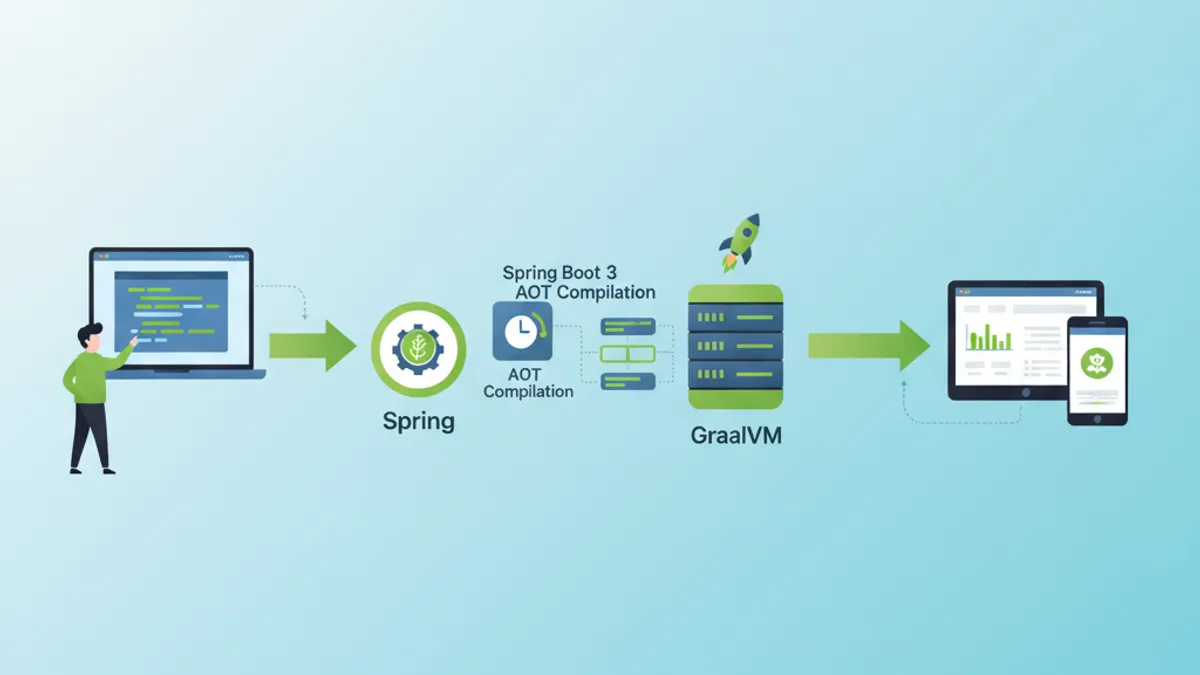
Native compilation with GraalVM transforms Spring Boot 3 applications into native executables. Startup time drops from seconds to milliseconds, and memory consumption decreases dramatically. This guide covers every step from AOT configuration to production deployment.
GraalVM 22.3+ with Native Image installed, Spring Boot 3.2+, and Maven or Gradle. Native compilation requires more RAM (8 GB minimum recommended) and takes several minutes.
Understanding AOT and Native Image Compilation
Difference Between JIT and AOT
The traditional JVM uses Just-In-Time (JIT) compilation: bytecode is interpreted and then compiled to machine code during execution. GraalVM Native Image takes the Ahead-Of-Time (AOT) approach: all code is compiled before execution.
┌─────────────────────────────────────────────────────────────┐
│                    JIT Compilation                          │
├─────────────────────────────────────────────────────────────┤
│                                                             │
│   .java → .class → JVM → Interpretation → JIT → Machine    │
│                           (runtime)        (runtime)        │
│                                                             │
│   Advantages: Adaptive optimizations, fast class loading   │
│   Disadvantages: Slow startup, high memory consumption     │
└─────────────────────────────────────────────────────────────┘

┌─────────────────────────────────────────────────────────────┐
│                    AOT Compilation                          │
├─────────────────────────────────────────────────────────────┤
│                                                             │
│   .java → .class → GraalVM Native Image → Native executable │
│                    (build time)                              │
│                                                             │
│   Advantages: Instant startup, low memory footprint         │
│   Disadvantages: Long build, no dynamic reflection          │
└─────────────────────────────────────────────────────────────┘
AOT compilation statically analyzes all code reachable from the entry point. Any code not detected at compile time is excluded from the native image, which explains the constraints on reflection and dynamic class loading.
Spring AOT Architecture
Spring Boot 3 natively integrates AOT support. The compilation process generates additional source code that replaces dynamic mechanisms with static equivalents.
// Standard Spring configuration
@Configuration
@EnableCaching
public class ApplicationConfig {

    @Bean
    public CacheManager cacheManager() {
        // Bean created dynamically at runtime in JIT mode
        // Pre-generated statically in AOT mode
        return new ConcurrentMapCacheManager("users", "products");
    }

    @Bean
    @ConditionalOnProperty(name = "app.feature.enabled", havingValue = "true")
    public FeatureService featureService() {
        // Conditions are evaluated at build time in AOT
        return new FeatureServiceImpl();
    }
}
The Spring AOT process automatically generates files in target/spring-aot/main:
target/spring-aot/main/
├── sources/                    # Generated Java code
│   └── com/example/
│       └── ApplicationConfig__BeanDefinitions.java
├── resources/
│   └── META-INF/
│       └── native-image/
│           ├── reflect-config.json    # Reflection configuration
│           ├── resource-config.json   # Included resources
│           └── proxy-config.json      # JDK proxies
Spring Boot Project Configuration
Maven Dependencies
Maven configuration uses the Spring Boot plugin with the native profile. Dependencies must be GraalVM compatible.
<!-- pom.xml -->
<!-- Complete configuration for Spring Boot 3 Native -->
<?xml version="1.0" encoding="UTF-8"?>
<project xmlns="http://maven.apache.org/POM/4.0.0"
         xmlns:xsi="http://www.w3.org/2001/XMLSchema-instance"
         xsi:schemaLocation="http://maven.apache.org/POM/4.0.0
         https://maven.apache.org/xsd/maven-4.0.0.xsd">

    <modelVersion>4.0.0</modelVersion>

    <parent>
        <groupId>org.springframework.boot</groupId>
        <artifactId>spring-boot-starter-parent</artifactId>
        <version>3.4.2</version>
        <relativePath/>
    </parent>

    <groupId>com.example</groupId>
    <artifactId>native-demo</artifactId>
    <version>1.0.0</version>

    <properties>
        <java.version>21</java.version>
    </properties>

    <dependencies>
        <!-- Web starter with built-in native support -->
        <dependency>
            <groupId>org.springframework.boot</groupId>
            <artifactId>spring-boot-starter-web</artifactId>
        </dependency>

        <!-- JPA with native-compatible Hibernate 6 -->
        <dependency>
            <groupId>org.springframework.boot</groupId>
            <artifactId>spring-boot-starter-data-jpa</artifactId>
        </dependency>

        <!-- Native-compatible PostgreSQL driver -->
        <dependency>
            <groupId>org.postgresql</groupId>
            <artifactId>postgresql</artifactId>
            <scope>runtime</scope>
        </dependency>

        <!-- Validation with native hints -->
        <dependency>
            <groupId>org.springframework.boot</groupId>
            <artifactId>spring-boot-starter-validation</artifactId>
        </dependency>

        <!-- Tests with native support -->
        <dependency>
            <groupId>org.springframework.boot</groupId>
            <artifactId>spring-boot-starter-test</artifactId>
            <scope>test</scope>
        </dependency>
    </dependencies>

    <build>
        <plugins>
            <plugin>
                <groupId>org.springframework.boot</groupId>
                <artifactId>spring-boot-maven-plugin</artifactId>
            </plugin>

            <!-- GraalVM plugin for native compilation -->
            <plugin>
                <groupId>org.graalvm.buildtools</groupId>
                <artifactId>native-maven-plugin</artifactId>
            </plugin>
        </plugins>
    </build>

    <!-- Profile for native build -->
    <profiles>
        <profile>
            <id>native</id>
            <build>
                <plugins>
                    <plugin>
                        <groupId>org.graalvm.buildtools</groupId>
                        <artifactId>native-maven-plugin</artifactId>
                        <configuration>
                            <!-- Native build options -->
                            <buildArgs>
                                <!-- Size optimizations -->
                                <buildArg>-O2</buildArg>
                                <!-- Generate build report -->
                                <buildArg>--verbose</buildArg>
                                <!-- Enable HTTP/2 support -->
                                <buildArg>--enable-http</buildArg>
                                <buildArg>--enable-https</buildArg>
                            </buildArgs>
                            <!-- Memory for build -->
                            <jvmArgs>
                                <jvmArg>-Xmx8g</jvmArg>
                            </jvmArgs>
                        </configuration>
                    </plugin>
                </plugins>
            </build>
        </profile>
    </profiles>

</project>
Equivalent Gradle Configuration
For Gradle projects, native configuration is similar using the GraalVM native plugin.
// Gradle configuration for Spring Boot Native
plugins {
    java
    id("org.springframework.boot") version "3.4.2"
    id("io.spring.dependency-management") version "1.1.7"
    // GraalVM Native plugin
    id("org.graalvm.buildtools.native") version "0.10.4"
}

group = "com.example"
version = "1.0.0"

java {
    toolchain {
        languageVersion = JavaLanguageVersion.of(21)
    }
}

dependencies {
    implementation("org.springframework.boot:spring-boot-starter-web")
    implementation("org.springframework.boot:spring-boot-starter-data-jpa")
    runtimeOnly("org.postgresql:postgresql")
    testImplementation("org.springframework.boot:spring-boot-starter-test")
}

// Native build configuration
graalvmNative {
    binaries {
        named("main") {
            // Generated executable name
            imageName = "native-demo"

            // Compilation options
            buildArgs.addAll(
                "-O2",                    // Optimization level
                "--enable-http",          // HTTP support
                "--enable-https",         // HTTPS support
                "--verbose"               // Detailed logs
            )

            // Memory configuration for build
            jvmArgs.addAll("-Xmx8g")
        }

        named("test") {
            // Native tests with report
            buildArgs.add("--verbose")
        }
    }

    // Tracing agent for automatic discovery
    agent {
        defaultMode = "standard"
        enabled = true
    }
}

tasks.withType<Test> {
    useJUnitPlatform()
}The tracing agent (-agentlib:native-image-agent) automatically discovers reflection calls during execution. Run the application with the agent, exercise all features, then use the generated configuration files.
Managing Reflection and Resources
Manual Reflection Configuration
Some libraries use reflection in ways not detectable by static analysis. Manual configuration becomes necessary.
// Configuration for classes requiring reflection
[
  {
    "name": "com.example.entity.User",
    "allDeclaredConstructors": true,
    "allDeclaredMethods": true,
    "allDeclaredFields": true
  },
  {
    "name": "com.example.dto.UserDTO",
    "allDeclaredConstructors": true,
    "allDeclaredMethods": true,
    "allDeclaredFields": true
  },
  {
    "name": "com.example.config.DynamicProperties",
    "methods": [
      { "name": "getValue", "parameterTypes": [] },
      { "name": "setValue", "parameterTypes": ["java.lang.String"] }
    ]
  }
]
Using Spring RuntimeHints
Spring Boot 3 provides a programmatic API for declaring native hints, more maintainable than JSON files.
// Programmatic registration of native hints
@Configuration
@ImportRuntimeHints(NativeHintsRegistrar.AppRuntimeHints.class)
public class NativeHintsRegistrar {

    static class AppRuntimeHints implements RuntimeHintsRegistrar {

        @Override
        public void registerHints(RuntimeHints hints, ClassLoader classLoader) {
            // Register classes for reflection
            hints.reflection()
                // JPA entities with all members
                .registerType(User.class, MemberCategory.values())
                .registerType(Order.class, MemberCategory.values())
                // DTOs with constructors and getters/setters
                .registerType(UserDTO.class,
                    MemberCategory.INVOKE_DECLARED_CONSTRUCTORS,
                    MemberCategory.INVOKE_DECLARED_METHODS,
                    MemberCategory.DECLARED_FIELDS
                );

            // Register resources to include
            hints.resources()
                // Configuration files
                .registerPattern("application*.yml")
                .registerPattern("application*.properties")
                // Templates and static files
                .registerPattern("templates/*")
                .registerPattern("static/**/*")
                // Validation messages
                .registerPattern("ValidationMessages*.properties");

            // Register JDK proxies
            hints.proxies()
                .registerJdkProxy(
                    UserRepository.class,
                    Repository.class
                );

            // Serialization for caching
            hints.serialization()
                .registerType(User.class)
                .registerType(ArrayList.class);
        }
    }
}// Automatic hints for JPA entities
@Component
public class EntityRuntimeHints implements RuntimeHintsRegistrar {
@Override
public void registerHints(RuntimeHints hints, ClassLoader classLoader) {
// Automatic scan of entities in package
ClassPathScanningCandidateComponentProvider scanner =
new ClassPathScanningCandidateComponentProvider(false);
scanner.addIncludeFilter(new AnnotationTypeFilter(Entity.class));
for (BeanDefinition bd : scanner.findCandidateComponents("com.example.entity")) {
try {
Class<?> entityClass = Class.forName(bd.getBeanClassName());
// Register each entity for full reflection
hints.reflection().registerType(
entityClass,
MemberCategory.INVOKE_DECLARED_CONSTRUCTORS,
MemberCategory.INVOKE_DECLARED_METHODS,
MemberCategory.DECLARED_FIELDS
);
} catch (ClassNotFoundException e) {
// Log error without interrupting build
System.err.println("Entity class not found: " + bd.getBeanClassName());
}
}
}
}Ready to ace your Spring Boot interviews?
Practice with our interactive simulators, flashcards, and technical tests.
Native Image Compilation and Optimization
Build Commands
Native compilation is performed with Maven or Gradle. The process takes several minutes and consumes significant resources.
# Maven build with native profile
# Generates executable in target/
mvn -Pnative native:compile

# Gradle build
# Generates executable in build/native/nativeCompile/
./gradlew nativeCompile

# Build with native tests included
mvn -Pnative native:compile -DskipTests=false

# Build with tracing agent enabled
mvn -Pnative -Dagent=true test
mvn -Pnative native:compile
Advanced Optimization Options
Compilation options affect image size, startup time, and runtime performance.
<!-- pom.xml -->
<!-- Advanced native build configuration -->
<plugin>
    <groupId>org.graalvm.buildtools</groupId>
    <artifactId>native-maven-plugin</artifactId>
    <configuration>
        <buildArgs>
            <!-- Optimization level (0-3, default: 2) -->
            <buildArg>-O3</buildArg>

            <!-- Optimization for startup time -->
            <buildArg>--pgo-instrument</buildArg>

            <!-- Executable compression (reduces size) -->
            <buildArg>-H:+CompressStrings</buildArg>

            <!-- Optimal garbage collector for containers -->
            <buildArg>--gc=serial</buildArg>

            <!-- Build time initialization -->
            <buildArg>--initialize-at-build-time=org.slf4j</buildArg>

            <!-- Debug symbols (disable in prod) -->
            <buildArg>-H:-IncludeAllTimeZones</buildArg>

            <!-- Detailed build report -->
            <buildArg>-H:+ReportExceptionStackTraces</buildArg>
            <buildArg>--verbose</buildArg>

            <!-- Monitoring support -->
            <buildArg>--enable-monitoring=heapdump,jfr</buildArg>
        </buildArgs>

        <!-- Quickbuild for development (faster, less optimized) -->
        <quickBuild>false</quickBuild>

        <!-- Fallback to jar if native fails -->
        <fallback>false</fallback>
    </configuration>
</plugin>// Build time initialization to reduce startup
@Configuration
public class BuildTimeInitializer {
// These configurations are evaluated at build time
// not at runtime
static {
// Initialize loggers at build time
LoggerFactory.getLogger(BuildTimeInitializer.class);
}
@Bean
@NativeHint(options = "--initialize-at-build-time=com.example.Constants")
public ConstantsProvider constantsProvider() {
// Constants are computed once at build
return new ConstantsProvider();
}
}Performance Comparison
Performance gains with native compilation are significant.
┌─────────────────────────────────────────────────────────────────────┐
│                    JIT vs Native Comparison                         │
├─────────────────────┬─────────────────┬─────────────────────────────┤
│ Metric              │ JIT (JVM)       │ Native (GraalVM)            │
├─────────────────────┼─────────────────┼─────────────────────────────┤
│ Startup time        │ 2.5 - 5 sec     │ 50 - 200 ms                 │
│ RSS Memory          │ 200 - 400 MB    │ 50 - 100 MB                 │
│ Executable size     │ JAR ~30 MB      │ Binary ~80 MB               │
│ First request time  │ 100 - 500 ms    │ < 10 ms                     │
│ Peak throughput     │ Excellent       │ Good (85-95% of JIT)        │
│ Build time          │ 30 sec          │ 3 - 10 min                  │
└─────────────────────┴─────────────────┴─────────────────────────────┘Maximum throughput in native mode may be slightly lower than JIT mode because JIT adaptive optimizations are unavailable. For high sustained performance workloads, evaluate both modes.
Troubleshooting Common Issues
Reflection Errors
The most frequent error involves undeclared reflection. The exception indicates the missing class.
// Diagnosing and resolving reflection errors
@Component
@Slf4j
public class ReflectionErrorHandler {

    // Typical error:
    // java.lang.ClassNotFoundException: com.example.SomeClass
    // when accessing via reflection

    // Solution 1: Add manual configuration
    // src/main/resources/META-INF/native-image/reflect-config.json

    // Solution 2: Use @RegisterReflection annotation
    @RegisterReflection(classes = {
        SomeClass.class,
        AnotherClass.class
    })
    public void configureReflection() {
        // Annotated classes will be available for reflection
    }

    // Solution 3: Programmatic RuntimeHints
    public void registerHints(RuntimeHints hints) {
        hints.reflection().registerType(
            SomeClass.class,
            MemberCategory.INVOKE_DECLARED_CONSTRUCTORS,
            MemberCategory.INVOKE_DECLARED_METHODS
        );
    }
}
Missing Resources
Resource files must be explicitly declared for inclusion in the native image.
// Configuration for resources to include
{
  "resources": {
    "includes": [
      {"pattern": "application\\.yml"},
      {"pattern": "application-.*\\.yml"},
      {"pattern": "messages.*\\.properties"},
      {"pattern": "templates/.*\\.html"},
      {"pattern": "static/.*"},
      {"pattern": "db/migration/.*\\.sql"}
    ],
    "excludes": [
      {"pattern": ".*\\.java"},
      {"pattern": ".*\\.class"}
    ]
  },
  "bundles": [
    {"name": "messages"},
    {"name": "ValidationMessages"}
  ]
}// Programmatic resource configuration
@Configuration
@ImportRuntimeHints(ResourceHintsConfig.ResourceHints.class)
public class ResourceHintsConfig {
static class ResourceHints implements RuntimeHintsRegistrar {
@Override
public void registerHints(RuntimeHints hints, ClassLoader classLoader) {
// YAML/Properties files
hints.resources()
.registerPattern("application*.yml")
.registerPattern("application*.properties");
// Thymeleaf templates
hints.resources().registerPattern("templates/**");
// Flyway SQL scripts
hints.resources().registerPattern("db/migration/*.sql");
// Static files
hints.resources().registerPattern("static/**");
// Message bundles
hints.resources().registerResourceBundle("messages");
hints.resources().registerResourceBundle("ValidationMessages");
}
}
}Proxy Issues
JDK and CGLIB proxies require specific configuration to work in native mode.
// Managing proxies for native compilation
@Configuration
public class ProxyConfiguration implements RuntimeHintsRegistrar {

    @Override
    public void registerHints(RuntimeHints hints, ClassLoader classLoader) {
        // JDK proxies for Spring Data interfaces
        hints.proxies().registerJdkProxy(
            UserRepository.class,
            Repository.class,
            CrudRepository.class
        );

        // Proxies for service interfaces
        hints.proxies().registerJdkProxy(
            PaymentService.class,
            TransactionalService.class
        );
    }

    // Alternative: force CGLIB proxies
    @Bean
    public BeanFactoryPostProcessor forceProxyTargetClass() {
        return beanFactory -> {
            // Use CGLIB instead of JDK proxies
            // More compatible with native compilation
        };
    }
}
Docker and Kubernetes Deployment
Optimized Multi-Stage Dockerfile
Multi-stage build separates compilation from execution for a minimal image.
# Dockerfile
# Multi-stage build for Spring Boot Native
# Stage 1: Build with GraalVM
FROM ghcr.io/graalvm/graalvm-community:21 AS builder
# Install Native Image
RUN gu install native-image
WORKDIR /app
# Copy build files
COPY pom.xml .
COPY src ./src
# Install Maven
RUN microdnf install -y maven
# Native build with dependency caching
RUN \
mvn -Pnative native:compile -DskipTests
# Stage 2: Minimal runtime image
FROM gcr.io/distroless/base-debian12
WORKDIR /app
# Copy native executable
COPY /app/target/native-demo /app/native-demo
# Exposed port
EXPOSE 8080
# Healthcheck
HEALTHCHECK \
CMD ["/app/native-demo", "--health"]
# Execution
ENTRYPOINT ["/app/native-demo"]# Dockerfile.alpine
# Alternative with Alpine for even smaller image
FROM ghcr.io/graalvm/native-image-community:21-muslib AS builder
WORKDIR /app
COPY pom.xml .
COPY src ./src
RUN \
mvn -Pnative native:compile \
-Dspring-boot.aot.jvmArguments="-Dspring.aot.processing.resource.matching.strategy=GLOB" \
-DskipTests
# Minimal Alpine image (< 20 MB)
FROM alpine:3.19
RUN apk add --no-cache libc6-compat
WORKDIR /app
COPY /app/target/native-demo /app/native-demo
EXPOSE 8080
ENTRYPOINT ["/app/native-demo"]Kubernetes Deployment with Optimized Resources
Native applications require fewer resources than traditional JVM applications.
# kubernetes/deployment.yaml
# Optimized Kubernetes deployment for native
apiVersion: apps/v1
kind: Deployment
metadata:
  name: native-demo
spec:
  replicas: 3
  selector:
    matchLabels:
      app: native-demo
  template:
    metadata:
      labels:
        app: native-demo
    spec:
      containers:
        - name: native-demo
          image: registry.example.com/native-demo:1.0.0
          ports:
            - containerPort: 8080

          # Reduced resources thanks to native
          resources:
            requests:
              memory: "64Mi"    # vs 256Mi for JVM
              cpu: "50m"        # vs 200m for JVM
            limits:
              memory: "128Mi"   # vs 512Mi for JVM
              cpu: "200m"       # vs 500m for JVM

          # Fast probes (instant startup)
          readinessProbe:
            httpGet:
              path: /actuator/health/readiness
              port: 8080
            initialDelaySeconds: 1    # vs 30s for JVM
            periodSeconds: 5
            failureThreshold: 3

          livenessProbe:
            httpGet:
              path: /actuator/health/liveness
              port: 8080
            initialDelaySeconds: 2    # vs 60s for JVM
            periodSeconds: 10
            failureThreshold: 3

          # Environment variables
          env:
            - name: SPRING_PROFILES_ACTIVE
              value: "production"
            - name: JAVA_TOOL_OPTIONS
              value: ""  # No JVM options needed

---
apiVersion: v1
kind: Service
metadata:
  name: native-demo
spec:
  selector:
    app: native-demo
  ports:
    - port: 80
      targetPort: 8080
  type: ClusterIP

---
apiVersion: autoscaling/v2
kind: HorizontalPodAutoscaler
metadata:
  name: native-demo-hpa
spec:
  scaleTargetRef:
    apiVersion: apps/v1
    kind: Deployment
    name: native-demo
  minReplicas: 2
  maxReplicas: 10
  metrics:
    - type: Resource
      resource:
        name: cpu
        target:
          type: Utilization
averageUtilization: 70Instant startup time enables very fast horizontal scaling. New pods are ready in seconds, ideal for workloads with traffic spikes.
Testing and Validating the Native Image
Native Test Configuration
Tests can also be compiled and run in native mode to validate behavior.
// Integration tests for native validation
@SpringBootTest(webEnvironment = SpringBootTest.WebEnvironment.RANDOM_PORT)
@TestPropertySource(properties = {
    "spring.datasource.url=jdbc:h2:mem:testdb",
    "spring.jpa.hibernate.ddl-auto=create-drop"
})
class NativeIntegrationTest {

    @Autowired
    private TestRestTemplate restTemplate;

    @Autowired
    private UserRepository userRepository;

    @Test
    void shouldCreateAndRetrieveUser() {
        // Arrange: create a user
        UserDTO request = new UserDTO("John", "john@example.com");

        // Act: API call
        ResponseEntity<UserDTO> createResponse = restTemplate.postForEntity(
            "/api/users",
            request,
            UserDTO.class
        );

        // Assert: verify creation
        assertThat(createResponse.getStatusCode()).isEqualTo(HttpStatus.CREATED);
        assertThat(createResponse.getBody()).isNotNull();
        assertThat(createResponse.getBody().getName()).isEqualTo("John");

        // Verify retrieval
        Long userId = createResponse.getBody().getId();
        ResponseEntity<UserDTO> getResponse = restTemplate.getForEntity(
            "/api/users/{id}",
            UserDTO.class,
            userId
        );

        assertThat(getResponse.getStatusCode()).isEqualTo(HttpStatus.OK);
        assertThat(getResponse.getBody().getEmail()).isEqualTo("john@example.com");
    }

    @Test
    void shouldHandleReflectionCorrectly() {
        // Specific test to validate reflection configuration
        User user = new User();
        user.setName("Test");
        user.setEmail("test@example.com");

        // ORM uses reflection to map entities
        User saved = userRepository.save(user);

        assertThat(saved.getId()).isNotNull();
        assertThat(userRepository.findById(saved.getId())).isPresent();
    }
}<!-- pom.xml -->
<!-- Native tests configuration -->
<plugin>
<groupId>org.graalvm.buildtools</groupId>
<artifactId>native-maven-plugin</artifactId>
<configuration>
<testArgs>
<!-- Include tests in native build -->
<testArg>--verbose</testArg>
</testArgs>
</configuration>
<executions>
<execution>
<id>test-native</id>
<goals>
<goal>test</goal>
</goals>
<phase>test</phase>
</execution>
</executions>
</plugin>Ready to ace your Spring Boot interviews?
Practice with our interactive simulators, flashcards, and technical tests.
Conclusion
Native compilation with GraalVM transforms Spring Boot 3 applications into performant executables. Key takeaways:
Project configuration:
- ✅ Spring Boot 3.2+ with GraalVM native plugin
- ✅ RuntimeHints for reflection and resources
- ✅ Tracing agent for automatic discovery
Build optimizations:
- ✅ Appropriate compilation options (O2/O3, GC, compression)
- ✅ Build time initialization for static components
- ✅ Quickbuild for development, full build for production
Troubleshooting:
- ✅ Explicit reflection configuration for third-party libraries
- ✅ Declaration of resources to include
- ✅ JDK and CGLIB proxy management
Deployment:
- ✅ Multi-stage Docker images with distroless
- ✅ Reduced Kubernetes resources (64 Mi vs 256 Mi)
- ✅ Probes with minimal delays (instant startup)
Native compilation is ideal for microservices, serverless functions, and resource-constrained environments. Instant startup time and low memory consumption far outweigh the longer build time.
Start practicing!
Test your knowledge with our interview simulators and technical tests.
Can you spot the bug in Spring Boot?
One real snippet, one hidden bug, one attempt a day. No account needed to try.

Written by
Anthony Fillion-MailletFounder of SharpSkill
Full-stack developer for over 10 years. Runs SharpSkill and answers for everything published here.
Updated on March 31, 2026
Tags
Share
Related articles

Spring Boot Observability in 2026: OpenTelemetry, Distributed Tracing and Interview Questions
Master Spring Boot observability with OpenTelemetry and Micrometer Tracing. Learn distributed tracing setup, the Observation API, OTLP export configuration, and prepare for technical interviews.
Spring Boot YAML vs Properties: Configuration Comparison and Interview Questions 2026
Compare application.yml and application.properties in Spring Boot 3.4. Learn when to use each format, understand the differences, and prepare for configuration-related interview questions.

Spring Boot Structured Logging in 2026: JSON Logs for Production with Logback and OpenTelemetry
Complete guide to Spring Boot 4.x structured logging. Native JSON support, OpenTelemetry starter, MDC tracing, and ELK Stack integration for production observability.