Spring Kafka: Event-Driven Architecture with Resilient Consumers
Complete Spring Kafka guide for event-driven architectures. Configuration, resilient consumers, retry policies, dead letter queues and production patterns for distributed applications.
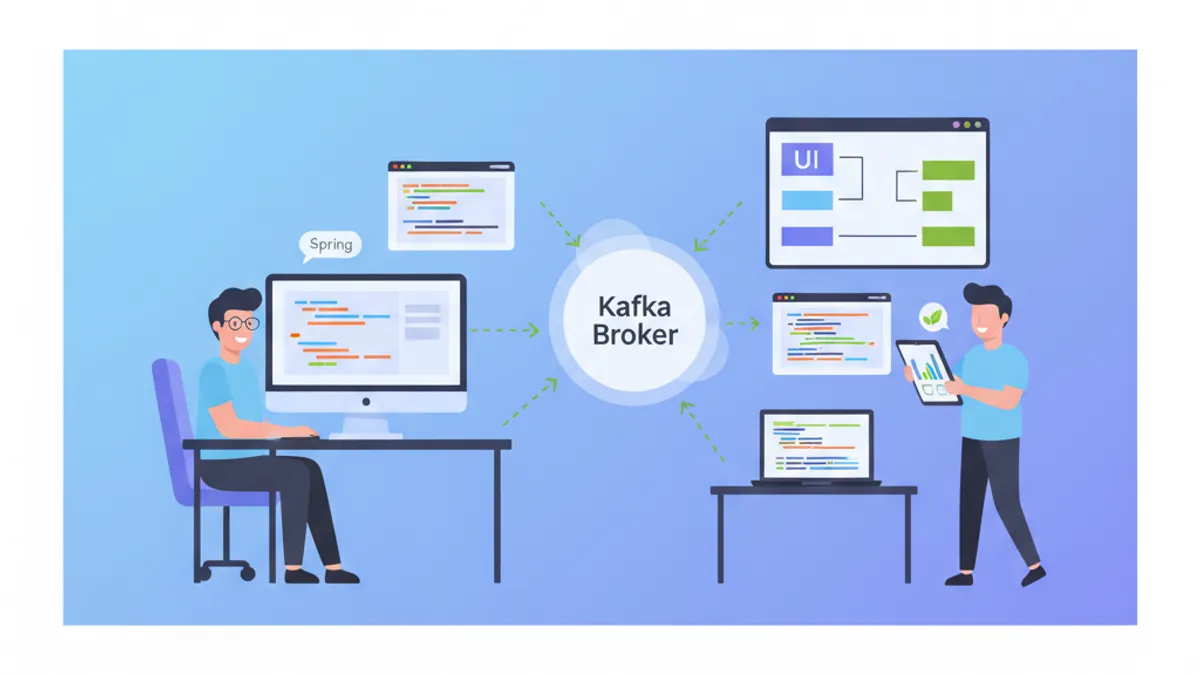
Apache Kafka has become the de facto standard for large-scale event-driven architectures. Spring Kafka simplifies its integration into Spring Boot applications while providing essential resilience mechanisms for production environments. This guide explores configuration, consumption patterns and error handling strategies in depth.
This guide assumes familiarity with core Kafka concepts: topics, partitions, consumer groups and offsets. The focus is on Spring integration and resilience patterns.
Why Choose Event-Driven Architecture?
Event-driven architectures decouple system components using asynchronous events. Unlike synchronous REST calls, producers emit events without waiting for responses, allowing consumers to process at their own pace.
This approach delivers several critical benefits: independent horizontal scalability per service, increased resilience against temporary failures, and complete traceability through Kafka's immutable log.
public record OrderEvent(
    // Unique event identifier for idempotence
    String eventId,
    // Event type for routing
    String eventType,
    // Creation timestamp
    Instant createdAt,
    // Business payload
    OrderPayload payload
) {
    // Factory method ensuring eventId uniqueness
    public static OrderEvent created(OrderPayload payload) {
        return new OrderEvent(
            UUID.randomUUID().toString(),
            "ORDER_CREATED",
            Instant.now(),
            payload
        );
    }
}

public record OrderPayload(
    Long orderId,
    Long customerId,
    List<OrderItem> items,
    BigDecimal totalAmount
) {}
The event structure systematically includes a unique identifier, type and timestamp. These metadata enable consumer-side filtering, duplicate detection and temporal tracking.
Basic Spring Kafka Configuration
Integration starts with the spring-kafka starter and minimal YAML configuration. Spring Boot auto-configures essential beans: KafkaTemplate for producing and ConcurrentKafkaListenerContainerFactory for consuming.
# application.yml
spring:
  kafka:
    # Kafka broker addresses (cluster)
    bootstrap-servers: localhost:9092

    # Producer configuration
    producer:
      # String key serialization
      key-serializer: org.apache.kafka.common.serialization.StringSerializer
      # JSON value serialization
      value-serializer: org.springframework.kafka.support.serializer.JsonSerializer
      # Wait for all replicas acknowledgment
      acks: all
      # Number of retries on network failure
      retries: 3

    # Consumer configuration
    consumer:
      # Consumer group identifier
      group-id: order-service
      # Key deserialization
      key-deserializer: org.apache.kafka.common.serialization.StringDeserializer
      # JSON deserialization with target type
      value-deserializer: org.springframework.kafka.support.serializer.JsonDeserializer
      # Starting position if no offset recorded
      auto-offset-reset: earliest
      # Disable auto-commit for manual control
      enable-auto-commit: false
      properties:
        # Trusted package for deserialization
        spring.json.trusted.packages: com.example.events
Disabling enable-auto-commit is an essential production practice. Manual offset commits ensure a message is marked as processed only after actual processing completes.
Creating a Kafka Producer
The KafkaTemplate encapsulates send logic to Kafka. Direct injection enables immediate use within business services.
@Service
@Slf4j
public class OrderEventPublisher {

    private final KafkaTemplate<String, OrderEvent> kafkaTemplate;

    // Destination topic (externalized in config)
    @Value("${app.kafka.topics.orders}")
    private String ordersTopic;

    public OrderEventPublisher(KafkaTemplate<String, OrderEvent> kafkaTemplate) {
        this.kafkaTemplate = kafkaTemplate;
    }

    public CompletableFuture<SendResult<String, OrderEvent>> publishOrderCreated(
            OrderPayload payload) {

        // Event creation with metadata
        OrderEvent event = OrderEvent.created(payload);

        // Using orderId as partition key
        // Guarantees event ordering for the same order
        String partitionKey = payload.orderId().toString();

        log.info("Publishing ORDER_CREATED event: {} to topic: {}",
            event.eventId(), ordersTopic);

        // Asynchronous send with callback
        return kafkaTemplate.send(ordersTopic, partitionKey, event)
            .whenComplete((result, ex) -> {
                if (ex == null) {
                    // Success: log send metadata
                    RecordMetadata metadata = result.getRecordMetadata();
                    log.info("Event sent successfully: topic={}, partition={}, offset={}",
                        metadata.topic(), metadata.partition(), metadata.offset());
                } else {
                    // Failure: log error for investigation
                    log.error("Failed to send event: {}", event.eventId(), ex);
                }
            });
    }
}
Using a partition key based on the business identifier ensures all events for the same entity land in the same partition, thus preserving their chronological order.
A null key distributes messages round-robin across partitions. This maximizes parallelism but loses ordering guarantees. Key choice depends on business requirements.
Basic Consumer with @KafkaListener
The @KafkaListener annotation transforms a method into a Kafka consumer. Spring automatically handles the polling loop, deserialization and offset commits.
@Service
@Slf4j
public class OrderEventConsumer {

    private final OrderProcessingService processingService;

    public OrderEventConsumer(OrderProcessingService processingService) {
        this.processingService = processingService;
    }

    @KafkaListener(
        // Topic(s) to listen to
        topics = "${app.kafka.topics.orders}",
        // Consumer group
        groupId = "${spring.kafka.consumer.group-id}",
        // Custom factory for advanced configuration
        containerFactory = "kafkaListenerContainerFactory"
    )
    public void handleOrderEvent(
            // Automatically deserialized payload
            OrderEvent event,
            // Injected Kafka metadata
            @Header(KafkaHeaders.RECEIVED_PARTITION) int partition,
            @Header(KafkaHeaders.OFFSET) long offset,
            @Header(KafkaHeaders.RECEIVED_TIMESTAMP) long timestamp,
            // Acknowledgment for manual commit
            Acknowledgment acknowledgment) {

        log.info("Received event: type={}, partition={}, offset={}",
            event.eventType(), partition, offset);

        try {
            // Business processing
            processingService.process(event);

            // Commit offset only after successful processing
            acknowledgment.acknowledge();

            log.info("Event processed successfully: {}", event.eventId());

        } catch (Exception ex) {
            // Missing acknowledge() causes reprocessing
            log.error("Failed to process event: {}", event.eventId(), ex);
            throw ex;
        }
    }
}
Injecting Acknowledgment enables explicit commit control. Without calling acknowledge(), the offset remains uncommitted and the message will be redelivered on the next poll.
Advanced ConsumerFactory Configuration
Default configuration suits development but requires adjustments for production. A custom factory provides fine-grained control over consumer behavior.
@Configuration
@EnableKafka
public class KafkaConsumerConfig {

    @Value("${spring.kafka.bootstrap-servers}")
    private String bootstrapServers;

    @Value("${spring.kafka.consumer.group-id}")
    private String groupId;

    @Bean
    public ConsumerFactory<String, OrderEvent> consumerFactory() {
        Map<String, Object> props = new HashMap<>();

        // Connection configuration
        props.put(ConsumerConfig.BOOTSTRAP_SERVERS_CONFIG, bootstrapServers);
        props.put(ConsumerConfig.GROUP_ID_CONFIG, groupId);

        // Deserialization
        props.put(ConsumerConfig.KEY_DESERIALIZER_CLASS_CONFIG,
            StringDeserializer.class);
        props.put(ConsumerConfig.VALUE_DESERIALIZER_CLASS_CONFIG,
            JsonDeserializer.class);

        // Offset management
        props.put(ConsumerConfig.AUTO_OFFSET_RESET_CONFIG, "earliest");
        props.put(ConsumerConfig.ENABLE_AUTO_COMMIT_CONFIG, false);

        // Performance: records per poll
        props.put(ConsumerConfig.MAX_POLL_RECORDS_CONFIG, 100);

        // Session timeout for failure detection
        props.put(ConsumerConfig.SESSION_TIMEOUT_MS_CONFIG, 30000);

        // Heartbeat interval (1/3 of session timeout)
        props.put(ConsumerConfig.HEARTBEAT_INTERVAL_MS_CONFIG, 10000);

        // Max processing timeout before rebalance
        props.put(ConsumerConfig.MAX_POLL_INTERVAL_MS_CONFIG, 300000);

        // JSON deserializer configuration
        JsonDeserializer<OrderEvent> deserializer = new JsonDeserializer<>(OrderEvent.class);
        deserializer.addTrustedPackages("com.example.events");
        deserializer.setUseTypeMapperForKey(false);

        return new DefaultKafkaConsumerFactory<>(
            props,
            new StringDeserializer(),
            deserializer
        );
    }

    @Bean
    public ConcurrentKafkaListenerContainerFactory<String, OrderEvent>
            kafkaListenerContainerFactory() {

        ConcurrentKafkaListenerContainerFactory<String, OrderEvent> factory =
            new ConcurrentKafkaListenerContainerFactory<>();

        factory.setConsumerFactory(consumerFactory());

        // Manual acknowledgment mode
        factory.getContainerProperties()
            .setAckMode(ContainerProperties.AckMode.MANUAL);

        // Number of consumer threads
        factory.setConcurrency(3);

        // Batch processing disabled (one message at a time)
        factory.setBatchListener(false);

        return factory;
    }
}
The MAX_POLL_INTERVAL_MS_CONFIG parameter defines maximum delay between poll() calls. Exceeding it triggers consumer eviction from the group and a rebalance. This value should reflect maximum expected processing time.
Ready to ace your Spring Boot interviews?
Practice with our interactive simulators, flashcards, and technical tests.
Retry Strategies with RetryTemplate
Transient errors (temporary service unavailability, network timeouts) require automatic retries. Spring Kafka integrates with RetryTemplate to implement sophisticated retry policies.
@Configuration
public class KafkaRetryConfig {

    @Bean
    public RetryTemplate kafkaRetryTemplate() {
        RetryTemplate template = new RetryTemplate();

        // Retry policy: 3 maximum attempts
        SimpleRetryPolicy retryPolicy = new SimpleRetryPolicy();
        retryPolicy.setMaxAttempts(3);
        template.setRetryPolicy(retryPolicy);

        // Exponential backoff: 1s, 2s, 4s between attempts
        ExponentialBackOffPolicy backOffPolicy = new ExponentialBackOffPolicy();
        backOffPolicy.setInitialInterval(1000);
        backOffPolicy.setMultiplier(2.0);
        backOffPolicy.setMaxInterval(10000);
        template.setBackOffPolicy(backOffPolicy);

        return template;
    }

    @Bean
    public ConcurrentKafkaListenerContainerFactory<String, OrderEvent>
            retryableKafkaListenerContainerFactory(
                ConsumerFactory<String, OrderEvent> consumerFactory,
                RetryTemplate kafkaRetryTemplate) {

        ConcurrentKafkaListenerContainerFactory<String, OrderEvent> factory =
            new ConcurrentKafkaListenerContainerFactory<>();

        factory.setConsumerFactory(consumerFactory);
        factory.getContainerProperties()
            .setAckMode(ContainerProperties.AckMode.MANUAL);

        // Retry configuration with recovery callback
        factory.setCommonErrorHandler(
            new DefaultErrorHandler(
                // Recovery: action after retries exhausted
                (record, exception) -> {
                    log.error("All retries exhausted for record: key={}, value={}",
                        record.key(), record.value(), exception);
                },
                // Exponential backoff: 1s initial, max 30s, 3 attempts
                new ExponentialBackOff(1000L, 2.0)
            )
        );

        return factory;
    }
}
The DefaultErrorHandler replaces the legacy SeekToCurrentErrorHandler since Spring Kafka 2.8. It offers a clearer API and extended configuration options.
Implementing a Dead Letter Queue
After retries are exhausted, failed messages should be routed to a Dead Letter Queue (DLQ) for later analysis. This approach prevents data loss while unblocking the consumer.
@Configuration
public class DeadLetterConfig {

    @Value("${app.kafka.topics.orders}")
    private String ordersTopic;

    @Bean
    public DeadLetterPublishingRecoverer deadLetterPublishingRecoverer(
            KafkaTemplate<String, Object> kafkaTemplate) {

        // DLT topic naming strategy: original-topic.DLT
        return new DeadLetterPublishingRecoverer(
            kafkaTemplate,
            (record, exception) -> {
                // DLT topic based on source topic
                String dltTopic = record.topic() + ".DLT";

                log.warn("Sending failed record to DLT: topic={}, key={}, error={}",
                    dltTopic, record.key(), exception.getMessage());

                return new TopicPartition(dltTopic, record.partition());
            }
        );
    }

    @Bean
    public ConcurrentKafkaListenerContainerFactory<String, OrderEvent>
            dltKafkaListenerContainerFactory(
                ConsumerFactory<String, OrderEvent> consumerFactory,
                DeadLetterPublishingRecoverer deadLetterPublishingRecoverer) {

        ConcurrentKafkaListenerContainerFactory<String, OrderEvent> factory =
            new ConcurrentKafkaListenerContainerFactory<>();

        factory.setConsumerFactory(consumerFactory);
        factory.getContainerProperties()
            .setAckMode(ContainerProperties.AckMode.MANUAL);

        // ErrorHandler with DLT recovery
        DefaultErrorHandler errorHandler = new DefaultErrorHandler(
            deadLetterPublishingRecoverer,
            new FixedBackOff(1000L, 3)
        );

        // Non-retryable exceptions (direct DLT send)
        errorHandler.addNotRetryableExceptions(
            ValidationException.class,
            JsonParseException.class,
            NullPointerException.class
        );

        factory.setCommonErrorHandler(errorHandler);

        return factory;
    }
}
Distinguishing between retryable and non-retryable exceptions optimizes behavior. A ValidationException indicates malformed data that won't be fixed by retries, justifying direct DLT routing.
DLT Consumer for Manual Reprocessing
A dedicated consumer monitors the DLT and enables message reprocessing after fixing the underlying issue.
@Service
@Slf4j
public class DeadLetterConsumer {

    private final AlertingService alertingService;
    private final FailedEventRepository failedEventRepository;

    public DeadLetterConsumer(AlertingService alertingService,
                              FailedEventRepository failedEventRepository) {
        this.alertingService = alertingService;
        this.failedEventRepository = failedEventRepository;
    }

    @KafkaListener(
        topics = "${app.kafka.topics.orders}.DLT",
        groupId = "order-service-dlt"
    )
    public void handleDeadLetter(
            ConsumerRecord<String, OrderEvent> record,
            @Header(KafkaHeaders.DLT_EXCEPTION_MESSAGE) String exceptionMessage,
            @Header(KafkaHeaders.DLT_EXCEPTION_STACKTRACE) String stacktrace,
            @Header(KafkaHeaders.DLT_ORIGINAL_TOPIC) String originalTopic,
            @Header(KafkaHeaders.DLT_ORIGINAL_PARTITION) int originalPartition,
            @Header(KafkaHeaders.DLT_ORIGINAL_OFFSET) long originalOffset,
            Acknowledgment acknowledgment) {

        log.error("Dead letter received: topic={}, partition={}, offset={}, error={}",
            originalTopic, originalPartition, originalOffset, exceptionMessage);

        // Persistence for analysis and later reprocessing
        FailedEvent failedEvent = FailedEvent.builder()
            .eventId(record.value().eventId())
            .eventType(record.value().eventType())
            .payload(serializePayload(record.value()))
            .originalTopic(originalTopic)
            .originalPartition(originalPartition)
            .originalOffset(originalOffset)
            .exceptionMessage(exceptionMessage)
            .stacktrace(stacktrace)
            .status(FailedEventStatus.PENDING)
            .createdAt(Instant.now())
            .build();

        failedEventRepository.save(failedEvent);

        // Alert for human intervention
        alertingService.notifyDeadLetter(failedEvent);

        acknowledgment.acknowledge();
    }
}Spring Kafka automatically enriches DLT messages with headers containing failure metadata: exception, stacktrace, original topic, partition and offset. This information facilitates diagnosis.
Consumer-Side Idempotence Handling
Kafka guarantees "at least once" delivery: a message may be delivered multiple times if a crash occurs after processing but before commit. Consumer-side idempotence prevents side effects from reprocessing.
@Service
@Slf4j
public class IdempotentOrderProcessor {

    private final ProcessedEventRepository processedEventRepository;
    private final OrderService orderService;

    public IdempotentOrderProcessor(ProcessedEventRepository processedEventRepository,
                                    OrderService orderService) {
        this.processedEventRepository = processedEventRepository;
        this.orderService = orderService;
    }

    @Transactional
    public void processIdempotent(OrderEvent event) {
        String eventId = event.eventId();

        // Check: event already processed?
        if (processedEventRepository.existsByEventId(eventId)) {
            log.info("Event already processed, skipping: {}", eventId);
            return;
        }

        // Business processing
        switch (event.eventType()) {
            case "ORDER_CREATED" -> orderService.createOrder(event.payload());
            case "ORDER_UPDATED" -> orderService.updateOrder(event.payload());
            case "ORDER_CANCELLED" -> orderService.cancelOrder(event.payload());
            default -> log.warn("Unknown event type: {}", event.eventType());
        }

        // Record processing in the same transaction
        ProcessedEvent processed = ProcessedEvent.builder()
            .eventId(eventId)
            .eventType(event.eventType())
            .processedAt(Instant.now())
            .build();

        processedEventRepository.save(processed);

        log.info("Event processed and recorded: {}", eventId);
    }
}@Repository
public interface ProcessedEventRepository extends JpaRepository<ProcessedEvent, Long> {
// Index on eventId for optimal performance
boolean existsByEventId(String eventId);
// Cleanup old records
@Modifying
@Query("DELETE FROM ProcessedEvent e WHERE e.processedAt < :before")
int deleteOlderThan(@Param("before") Instant before);
}Recording the processing in the same transaction as the business logic guarantees atomicity. A crash after processing but before commit will replay both operations consistently.
Transactional Outbox Pattern
The Outbox pattern solves consistency issues between the database and Kafka. Instead of publishing directly to Kafka, events are first persisted to an "outbox" table then relayed by a dedicated process.
@Entity
@Table(name = "outbox_events")
public class OutboxEvent {

    @Id
    @GeneratedValue(strategy = GenerationType.IDENTITY)
    private Long id;

    @Column(nullable = false, unique = true)
    private String eventId;

    @Column(nullable = false)
    private String aggregateType;

    @Column(nullable = false)
    private String aggregateId;

    @Column(nullable = false)
    private String eventType;

    @Column(columnDefinition = "TEXT", nullable = false)
    private String payload;

    @Enumerated(EnumType.STRING)
    @Column(nullable = false)
    private OutboxStatus status;

    @Column(nullable = false)
    private Instant createdAt;

    private Instant publishedAt;
}

public enum OutboxStatus {
    PENDING, PUBLISHED, FAILED
}@Service
@Transactional
public class OrderService {
private final OrderRepository orderRepository;
private final OutboxRepository outboxRepository;
private final ObjectMapper objectMapper;
public OrderService(OrderRepository orderRepository,
OutboxRepository outboxRepository,
ObjectMapper objectMapper) {
this.orderRepository = orderRepository;
this.outboxRepository = outboxRepository;
this.objectMapper = objectMapper;
}
public Order createOrder(CreateOrderRequest request) {
// Create order
Order order = Order.builder()
.customerId(request.customerId())
.items(request.items())
.totalAmount(calculateTotal(request.items()))
.status(OrderStatus.CREATED)
.createdAt(Instant.now())
.build();
Order savedOrder = orderRepository.save(order);
// Create outbox event in the same transaction
OrderEvent event = OrderEvent.created(toPayload(savedOrder));
OutboxEvent outboxEvent = OutboxEvent.builder()
.eventId(event.eventId())
.aggregateType("Order")
.aggregateId(savedOrder.getId().toString())
.eventType(event.eventType())
.payload(serialize(event))
.status(OutboxStatus.PENDING)
.createdAt(Instant.now())
.build();
outboxRepository.save(outboxEvent);
return savedOrder;
}
private String serialize(OrderEvent event) {
try {
return objectMapper.writeValueAsString(event);
} catch (JsonProcessingException e) {
throw new SerializationException("Failed to serialize event", e);
}
}
}The outbox relayer publishes events to Kafka asynchronously:
@Component
@Slf4j
public class OutboxRelayScheduler {

    private final OutboxRepository outboxRepository;
    private final KafkaTemplate<String, String> kafkaTemplate;

    @Value("${app.kafka.topics.orders}")
    private String ordersTopic;

    public OutboxRelayScheduler(OutboxRepository outboxRepository,
                               KafkaTemplate<String, String> kafkaTemplate) {
        this.outboxRepository = outboxRepository;
        this.kafkaTemplate = kafkaTemplate;
    }

    @Scheduled(fixedDelay = 1000)
    @Transactional
    public void relayPendingEvents() {
        // Retrieve pending events with lock
        List<OutboxEvent> pendingEvents = outboxRepository
            .findByStatusOrderByCreatedAtAsc(OutboxStatus.PENDING);

        for (OutboxEvent event : pendingEvents) {
            try {
                // Publish to Kafka
                kafkaTemplate.send(
                    ordersTopic,
                    event.getAggregateId(),
                    event.getPayload()
                ).get(5, TimeUnit.SECONDS);

                // Update status
                event.setStatus(OutboxStatus.PUBLISHED);
                event.setPublishedAt(Instant.now());
                outboxRepository.save(event);

                log.debug("Outbox event published: {}", event.getEventId());

            } catch (Exception ex) {
                log.error("Failed to publish outbox event: {}",
                    event.getEventId(), ex);
                event.setStatus(OutboxStatus.FAILED);
                outboxRepository.save(event);
            }
        }
    }
}
This pattern ensures an event is published only if the business transaction succeeded, eliminating inconsistencies between database and Kafka.
Start practicing!
Test your knowledge with our interview simulators and technical tests.
Monitoring and Observability
Supervising a Kafka system requires metrics on consumption latency, lag and errors. Spring Boot Actuator exposes these metrics via Micrometer.
@Configuration
public class KafkaMetricsConfig {

    @Bean
    public MeterBinder kafkaConsumerMetrics(
            ConcurrentKafkaListenerContainerFactory<?, ?> factory) {

        return registry -> {
            // Custom metric: processed events
            Counter.builder("kafka.consumer.events.processed")
                .description("Number of events successfully processed")
                .tag("topic", "orders")
                .register(registry);

            // Custom metric: failed events
            Counter.builder("kafka.consumer.events.failed")
                .description("Number of events that failed processing")
                .tag("topic", "orders")
                .register(registry);
        };
    }
}@Service
@Slf4j
public class InstrumentedOrderConsumer {
private final OrderProcessingService processingService;
private final MeterRegistry meterRegistry;
private final Counter processedCounter;
private final Counter failedCounter;
private final Timer processingTimer;
public InstrumentedOrderConsumer(OrderProcessingService processingService,
MeterRegistry meterRegistry) {
this.processingService = processingService;
this.meterRegistry = meterRegistry;
// Initialize counters
this.processedCounter = Counter.builder("kafka.consumer.events.processed")
.tag("topic", "orders")
.register(meterRegistry);
this.failedCounter = Counter.builder("kafka.consumer.events.failed")
.tag("topic", "orders")
.register(meterRegistry);
// Timer for measuring processing latency
this.processingTimer = Timer.builder("kafka.consumer.processing.duration")
.tag("topic", "orders")
.publishPercentiles(0.5, 0.95, 0.99)
.register(meterRegistry);
}
@KafkaListener(topics = "${app.kafka.topics.orders}")
public void handleOrderEvent(OrderEvent event, Acknowledgment acknowledgment) {
Timer.Sample sample = Timer.start(meterRegistry);
try {
processingService.process(event);
acknowledgment.acknowledge();
processedCounter.increment();
sample.stop(processingTimer);
} catch (Exception ex) {
failedCounter.increment();
sample.stop(processingTimer);
throw ex;
}
}
}These metrics enable configuring alerts on consumer lag, error rate and processing latency, essential for proactive problem detection.
Conclusion
Spring Kafka provides robust integration for building resilient event-driven architectures. Mastering retry mechanisms, dead letter queues and idempotence forms the foundation of production-ready applications.
Event-driven architecture with Spring Kafka checklist:
- ✅ Configure manual offset commits with
AckMode.MANUAL - ✅ Use consistent partition key to preserve event ordering
- ✅ Implement retries with exponential backoff via
DefaultErrorHandler - ✅ Route failed messages to a Dead Letter Queue
- ✅ Guarantee consumer-side idempotence with eventId tracking
- ✅ Consider Outbox pattern for database/Kafka consistency
- ✅ Expose metrics via Micrometer for monitoring
- ✅ Set
MAX_POLL_INTERVAL_MSaccording to maximum processing time
Can you spot the bug in Spring Boot?
One real snippet, one hidden bug, one attempt a day. No account needed to try.

Written by
Anthony Fillion-MailletFounder of SharpSkill
Full-stack developer for over 10 years. Runs SharpSkill and answers for everything published here.
Updated on March 31, 2026
Tags
Share
Related articles

Spring Cloud Gateway Interview: Routing, Filters and Load Balancing
Master Spring Cloud Gateway for technical interviews: 12 questions covering routing, filters, load balancing and API Gateway patterns with code examples.

Spring Boot Observability in 2026: OpenTelemetry, Distributed Tracing and Interview Questions
Master Spring Boot observability with OpenTelemetry and Micrometer Tracing. Learn distributed tracing setup, the Observation API, OTLP export configuration, and prepare for technical interviews.
Spring Boot YAML vs Properties: Configuration Comparison and Interview Questions 2026
Compare application.yml and application.properties in Spring Boot 3.4. Learn when to use each format, understand the differences, and prepare for configuration-related interview questions.