React 19 Suspense and Concurrent Rendering: Streaming SSR and Interview Questions 2026
Master React 19 Suspense, concurrent rendering, and streaming SSR. Learn how useTransition, useDeferredValue, and the use() API work together for responsive UIs, with real interview questions and production patterns.
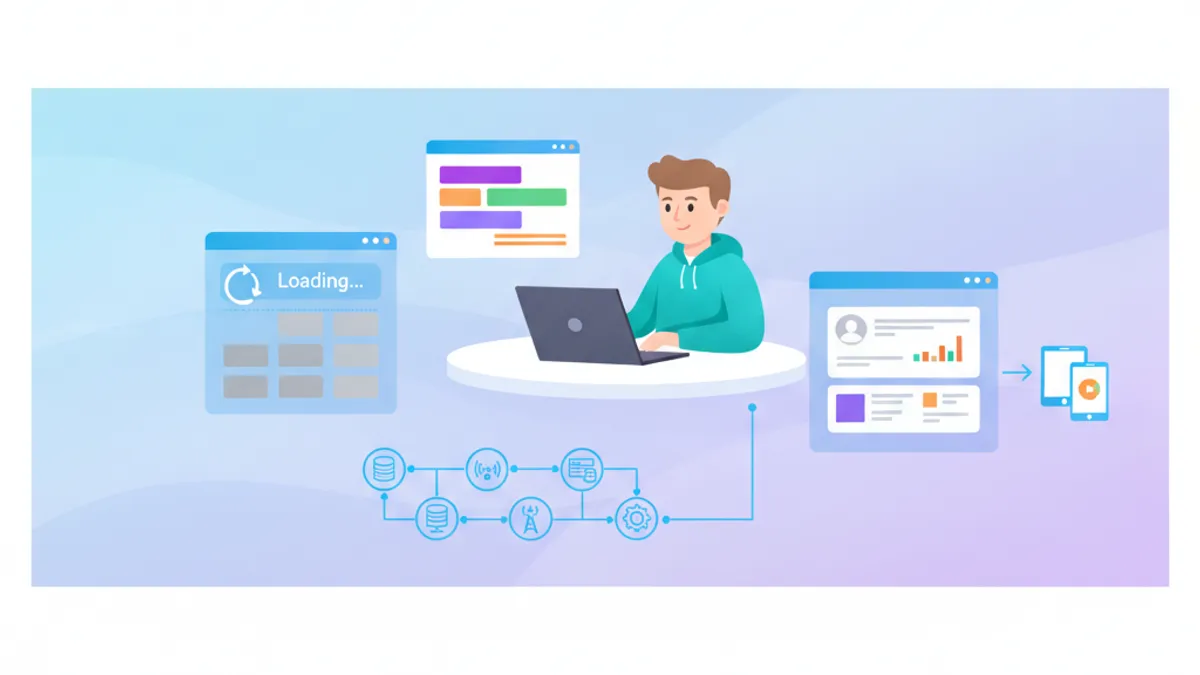
React 19 Suspense transforms how applications handle asynchronous operations by providing a declarative model for loading states, error handling, and data fetching. Combined with concurrent rendering, Suspense enables streaming SSR that delivers faster time-to-content while keeping the UI responsive during heavy computations.
Suspense boundaries define where loading fallbacks appear. Concurrent rendering lets React interrupt low-priority work to keep high-priority interactions (typing, clicking) responsive. Together, they enable progressive hydration and streaming HTML from the server.
How Concurrent Rendering Differs from Synchronous React
Before React 18, rendering was synchronous: once React started rendering a component tree, it had to finish before handling any other work. Concurrent rendering breaks this model by allowing React to pause, interrupt, and resume rendering based on priority.
The React documentation describes concurrent rendering as a behind-the-scenes mechanism that enables features like Suspense, transitions, and streaming SSR. The key insight: React can prepare multiple versions of the UI simultaneously.
import { useState, useTransition } from 'react';

function SearchResults({ query }: { query: string }) {
  // Expensive computation or data fetching
  const results = searchDatabase(query);
  return <ResultsList items={results} />;
}

export function SearchPage() {
  const [query, setQuery] = useState('');
  const [isPending, startTransition] = useTransition();

  function handleChange(e: React.ChangeEvent<HTMLInputElement>) {
    const value = e.target.value;
    // High priority: update input immediately
    setQuery(value);
    // Low priority: update results in background
    startTransition(() => {
      setDeferredQuery(value);
    });
  }

  return (
    <div>
      <input value={query} onChange={handleChange} />
      {isPending && <Spinner />}
      <SearchResults query={deferredQuery} />
    </div>
  );
}
The useTransition hook marks state updates as non-urgent. React continues showing the previous UI while computing the new one in the background, then swaps when ready.
Suspense Boundaries and the Loading Hierarchy
Suspense boundaries define fallback UI for components that suspend. When a component inside a Suspense boundary throws a promise (signals that data is loading), React shows the fallback until the promise resolves.
import { Suspense } from 'react';

function ProductDetails({ id }: { id: string }) {
  // This component suspends while fetching
  const product = use(fetchProduct(id));
  return <div>{product.name}</div>;
}

function ProductReviews({ id }: { id: string }) {
  const reviews = use(fetchReviews(id));
  return <ReviewsList reviews={reviews} />;
}

export function ProductPage({ id }: { id: string }) {
  return (
    <div>
      {/* Outer boundary: catches both if needed */}
      <Suspense fallback={<PageSkeleton />}>
        {/* Inner boundary: reviews can load independently */}
        <ProductDetails id={id} />
        <Suspense fallback={<ReviewsSkeleton />}>
          <ProductReviews id={id} />
        </Suspense>
      </Suspense>
    </div>
  );
}
Nested Suspense boundaries enable granular loading states. The product details can render as soon as they load, while reviews show their own skeleton.
The use() API for Data Fetching
React 19 introduces the use() API, documented in the React RFC, as the official way to read promises and context in render. Unlike hooks, use() can be called conditionally.
import { use, Suspense } from 'react';

// Promise created outside component (render-as-you-fetch)
const userPromise = fetchUser(userId);

function UserProfile() {
  // use() suspends until promise resolves
  const user = use(userPromise);

  return (
    <div>
      <h1>{user.name}</h1>
      <p>{user.email}</p>
    </div>
  );
}

export function UserPage() {
  return (
    <Suspense fallback={<ProfileSkeleton />}>
      <UserProfile />
    </Suspense>
  );
}
The render-as-you-fetch pattern starts data fetching before rendering begins, typically in route loaders or server components. This preserves parallelism because multiple fetches can run simultaneously rather than waterfalling.
Ready to ace your React / Next.js interviews?
Practice with our interactive simulators, flashcards, and technical tests.
Streaming SSR with React Server Components
Streaming SSR sends HTML to the client in chunks as data becomes available. Combined with React Server Components, this approach delivers faster first contentful paint while progressively hydrating interactive parts.
import { Suspense } from 'react';

// Server Component: runs on server only
async function ProductInfo({ id }: { id: string }) {
  const product = await db.products.findUnique({ where: { id } });
  return (
    <section>
      <h1>{product.name}</h1>
      <p>{product.description}</p>
    </section>
  );
}

// Server Component with slow data
async function RelatedProducts({ categoryId }: { categoryId: string }) {
  const products = await db.products.findMany({
    where: { categoryId },
    take: 6
  });
  return <ProductGrid products={products} />;
}

export default async function ProductPage({
  params
}: {
  params: { id: string }
}) {
  const product = await db.products.findUnique({
    where: { id: params.id }
  });

  return (
    <main>
      {/* Streams immediately */}
      <ProductInfo id={params.id} />

      {/* Streams when ready, shows skeleton first */}
      <Suspense fallback={<GridSkeleton />}>
        <RelatedProducts categoryId={product.categoryId} />
      </Suspense>
    </main>
  );
}
The server streams the ProductInfo HTML first. When RelatedProducts data resolves, React sends the additional HTML with instructions to replace the skeleton.
useDeferredValue for Expensive Computations
While useTransition wraps state updates, useDeferredValue defers the rendering of a specific value. This works well for filtering large lists or expensive derived computations.
import { useState, useDeferredValue, useMemo } from 'react';

function ExpensiveList({ filter }: { filter: string }) {
  // Expensive filtering operation
  const filteredItems = useMemo(() => {
    return items.filter(item =>
      item.name.toLowerCase().includes(filter.toLowerCase())
    );
  }, [filter]);

  return (
    <ul>
      {filteredItems.map(item => (
        <li key={item.id}>{item.name}</li>
      ))}
    </ul>
  );
}

export function SearchableList() {
  const [filter, setFilter] = useState('');
  // Deferred version lags behind during typing
  const deferredFilter = useDeferredValue(filter);
  const isStale = filter !== deferredFilter;

  return (
    <div>
      <input
        value={filter}
        onChange={(e) => setFilter(e.target.value)}
        placeholder="Search..."
      />
      <div style={{ opacity: isStale ? 0.7 : 1 }}>
        <ExpensiveList filter={deferredFilter} />
      </div>
    </div>
  );
}
The input stays responsive because React prioritizes the state update. The list re-renders with the deferred value when React has idle time.
Interview Questions: Concurrent Rendering
Technical interviews for React positions frequently probe understanding of concurrent features. These questions separate candidates who have shipped production Suspense code from those who only know the theory.
Q: What happens when a component suspends?
When a component throws a promise during render, React catches it at the nearest Suspense boundary. React renders the fallback UI and subscribes to the promise. When it resolves, React re-renders the suspended component. If the promise rejects, the error propagates to the nearest error boundary.
Q: Why does render-as-you-fetch matter for Suspense?
Fetching during render creates request waterfalls: Parent fetches, then renders Child, which fetches, then renders Grandchild, which fetches. Each step waits for the previous. Render-as-you-fetch starts all fetches before rendering, so they run in parallel. Route loaders and server components naturally support this pattern.
Q: When would useTransition hurt performance?
Transitions keep the old UI visible while computing the new one. This means React renders twice: once for the stale UI and once for the fresh UI. For fast operations, this overhead exceeds the benefit. Use transitions only for updates that take noticeable time, typically 100ms or more.
Error Boundaries with Suspense
Suspense handles loading states, but error boundaries handle failures. Production applications need both:
import { Component, Suspense, ReactNode } from 'react';

interface Props {
  children: ReactNode;
  fallback: ReactNode;
  errorFallback: ReactNode;
}

interface State {
  hasError: boolean;
  error: Error | null;
}

class ErrorBoundary extends Component<Props, State> {
  state: State = { hasError: false, error: null };

  static getDerivedStateFromError(error: Error): State {
    return { hasError: true, error };
  }

  render() {
    if (this.state.hasError) {
      return this.props.errorFallback;
    }
    return this.props.children;
  }
}

export function DataBoundary({
  children,
  fallback,
  errorFallback
}: Props) {
  return (
    <ErrorBoundary errorFallback={errorFallback}>
      <Suspense fallback={fallback}>
        {children}
      </Suspense>
    </ErrorBoundary>
  );
}
The error boundary wraps the Suspense boundary so rejected promises trigger the error UI rather than crashing the app.
Suspense Batching in React 19.2
React 19.2 introduced Suspense batching for server rendering, addressing a common pain point: multiple sibling components suspending caused multiple round trips. With batching, React waits briefly to collect multiple suspensions, then resolves them together.
// After 19.2: React batches nearby suspensions

export function Dashboard() {
  return (
    <div className="grid grid-cols-3 gap-4">
      {/* These now batch together */}
      <Suspense fallback={<CardSkeleton />}>
        <RevenueCard />
      </Suspense>
      <Suspense fallback={<CardSkeleton />}>
        <UsersCard />
      </Suspense>
      <Suspense fallback={<CardSkeleton />}>
        <OrdersCard />
      </Suspense>
    </div>
  );
}
Batching reduces the visual flicker of cards appearing one by one and improves perceived performance by presenting related data together.
Performance Patterns for Production
These patterns address common production issues with Suspense and concurrent rendering.
Avoid Suspense Waterfalls
// Problem: Sequential fetching
function Parent() {
  const data = use(fetchParent());
  return <Child parentId={data.id} />; // Child fetches after Parent
}

// Solution: Parallel fetching with Promise.all
const [parentPromise, childPromise] = [
  fetchParent(),
  fetchChild()
];

function OptimizedParent() {
  const parent = use(parentPromise);
  return <OptimizedChild promise={childPromise} />;
}
Preload on Hover
function LinkWithPrefetch({ href, children }: Props) {
  const router = useRouter();

  function handleMouseEnter() {
    // Start fetching before click
    router.prefetch(href);
  }

  return (
    <Link href={href} onMouseEnter={handleMouseEnter}>
      {children}
    </Link>
  );
}
Start practicing!
Test your knowledge with our interview simulators and technical tests.
Key Patterns for React 19 Concurrent Features
- Place Suspense boundaries at UI seams where independent loading makes sense, not around every async component
- Trigger data fetching in route loaders or server components, not inside render functions, to enable parallel requests
- Use
useTransitionfor user-initiated navigations and form submissions that take over 100ms - Apply
useDeferredValueto expensive derived computations like filtering 10,000+ items - Combine error boundaries with Suspense boundaries so rejected promises show error UI instead of crashing
- Prefer streaming SSR for content-heavy pages where time-to-first-byte matters more than full hydration
- Test concurrent features with React DevTools Profiler to identify unnecessary re-renders during transitions
Can you spot the bug in React / Next.js?
One real snippet, one hidden bug, one attempt a day. No account needed to try.

Written by
Anthony Fillion-MailletFounder of SharpSkill
Full-stack developer for over 10 years. Runs SharpSkill and answers for everything published here.
Updated on August 21, 2026
Tags
Share
Related articles

Zustand Interview Questions 2026: React State Management and Best Practices
Master Zustand interview questions with this complete guide covering state management patterns, middleware, TypeScript integration, and comparisons with Redux and Context API.

React Compiler in 2026: Automatic Memoization and Interview Questions
Master React Compiler interview questions for 2026. Covers automatic memoization, HIR compilation pipeline, Rules of React, ESLint integration, and when manual optimization still matters.
Next.js 16 Server Actions in 2026: Mutations, Revalidation and Interview Questions
How Next.js 16 Server Actions handle mutations, revalidation, pending state, optimistic UI, and security, with the interview questions that test each concept.