Laravel Sanctum vs Passport in 2026: API Authentication and Interview Questions
Compare Laravel Sanctum and Passport for API authentication. Learn when to use each package, implementation patterns, and prepare for Laravel authentication interview questions.
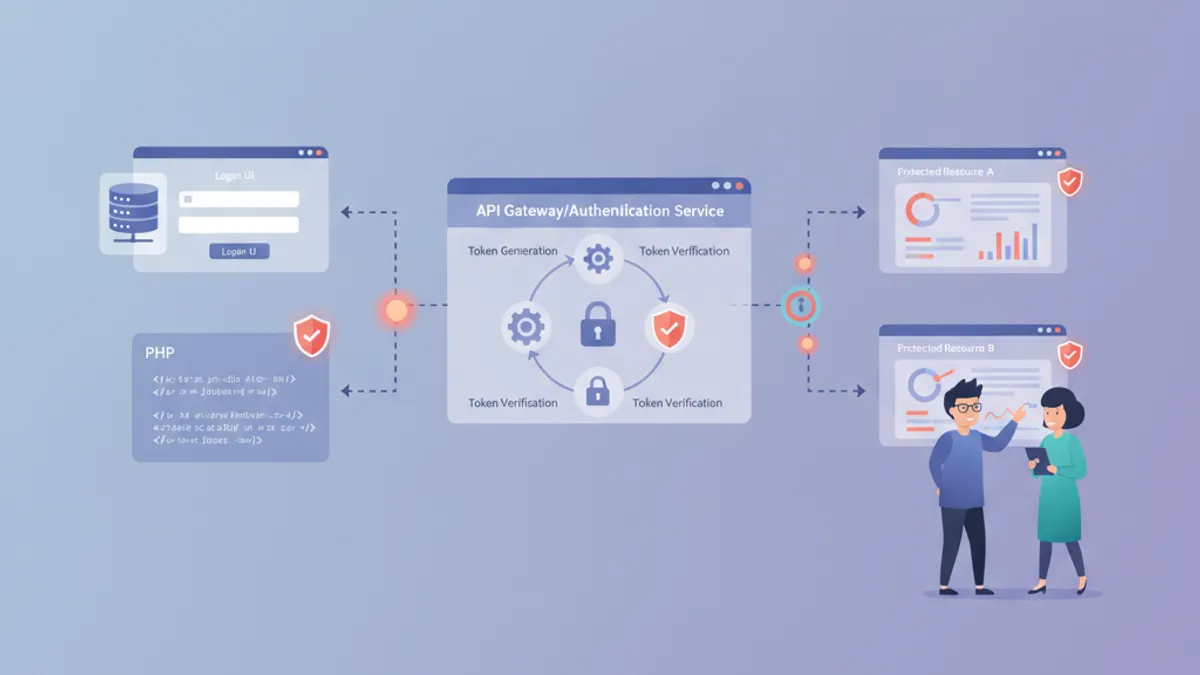
Laravel Sanctum and Passport serve different API authentication needs, and choosing the wrong one leads to unnecessary complexity or security gaps. This guide breaks down both packages with practical code examples and real interview questions.
Sanctum handles SPA authentication and simple API tokens. Passport implements full OAuth2 with authorization codes, client credentials, and refresh tokens. Most applications need Sanctum.
Laravel Sanctum vs Passport: Core Differences
Sanctum provides lightweight token-based authentication designed for first-party applications. The package uses cookie-based session authentication for SPAs and personal access tokens for mobile apps and simple APIs.
Passport implements the complete OAuth2 specification, including authorization servers, client credentials grants, and machine-to-machine authentication. This complexity makes sense for applications that need to authorize third-party access.
| Feature | Sanctum | Passport |
|---|---|---|
| Primary Use Case | SPAs, Mobile Apps, Simple APIs | Third-party OAuth2, Machine-to-Machine |
| Token Type | Simple hashed tokens | JWT with OAuth2 scopes |
| Session Auth | Yes (cookie-based) | No |
| OAuth2 Grants | None | Full specification |
| Package Size | Minimal | Significant |
| Configuration | Simple | Complex |
Implementing Sanctum for SPA Authentication
Sanctum SPA authentication relies on Laravel session cookies rather than API tokens. The frontend and backend must share the same top-level domain for this to work.
return [
    'stateful' => explode(',', env('SANCTUM_STATEFUL_DOMAINS', sprintf(
        '%s%s',
        'localhost,localhost:3000,127.0.0.1,127.0.0.1:8000,::1',
        env('APP_URL') ? ','.parse_url(env('APP_URL'), PHP_URL_HOST) : ''
    ))),

    'expiration' => null, // Tokens never expire by default

    'middleware' => [
        'verify_csrf_token' => App\Http\Middleware\VerifyCsrfToken::class,
        'encrypt_cookies' => App\Http\Middleware\EncryptCookies::class,
    ],
];
The SPA must call the CSRF cookie endpoint before making authenticated requests. This establishes the session and sets the XSRF-TOKEN cookie.
// Frontend: Initialize CSRF protection before login
async function initializeAuth() {
    await fetch('/sanctum/csrf-cookie', {
        credentials: 'include'
    });
}

async function login(email, password) {
    await initializeAuth();

    const response = await fetch('/api/login', {
        method: 'POST',
        headers: {
            'Content-Type': 'application/json',
            'X-XSRF-TOKEN': getCookie('XSRF-TOKEN'),
            'Accept': 'application/json'
        },
        credentials: 'include',
        body: JSON.stringify({ email, password })
    });

    return response.json();
}
Sanctum API Token Authentication
Mobile applications and third-party integrations use personal access tokens instead of session cookies. Sanctum stores these tokens as SHA-256 hashes in the database.
namespace App\Http\Controllers;

use App\Models\User;
use Illuminate\Http\Request;
use Illuminate\Support\Facades\Hash;
use Illuminate\Validation\ValidationException;

class AuthController extends Controller
{
    public function createToken(Request $request)
    {
        $request->validate([
            'email' => 'required|email',
            'password' => 'required',
            'device_name' => 'required',
        ]);

        $user = User::where('email', $request->email)->first();

        if (! $user || ! Hash::check($request->password, $user->password)) {
            throw ValidationException::withMessages([
                'email' => ['The provided credentials are incorrect.'],
            ]);
        }

        // Token with abilities (scopes)
        $token = $user->createToken(
            $request->device_name,
            ['read', 'write'] // Optional abilities
        );

        return response()->json([
            'token' => $token->plainTextToken,
            'expires_at' => null // Configure in sanctum.php
        ]);
    }

    public function revokeToken(Request $request)
    {
        // Revoke current token
        $request->user()->currentAccessToken()->delete();

        return response()->json(['message' => 'Token revoked']);
    }
}
Protect routes with the auth:sanctum middleware. Check token abilities using the tokenCan method.
use Illuminate\Support\Facades\Route;

Route::middleware('auth:sanctum')->group(function () {
    Route::get('/user', function (Request $request) {
        return $request->user();
    });

    Route::post('/posts', function (Request $request) {
        // Check if token has write ability
        if (! $request->user()->tokenCan('write')) {
            abort(403, 'Token does not have write permissions');
        }

        // Create post logic
    });
});
Ready to ace your Laravel interviews?
Practice with our interactive simulators, flashcards, and technical tests.
When to Use Laravel Passport
Passport becomes necessary when the application acts as an OAuth2 authorization server. Common scenarios include:
- Third-party developers building integrations with the API
- Machine-to-machine authentication between microservices
- Applications requiring OAuth2 compliance for enterprise customers
- Systems needing refresh token rotation and JWT validation
namespace App\Http\Controllers\Api;

use App\Models\User;
use Illuminate\Http\Request;
use Illuminate\Support\Facades\Hash;

class PassportController extends Controller
{
    public function issueToken(Request $request)
    {
        $request->validate([
            'email' => 'required|email',
            'password' => 'required',
        ]);

        $user = User::where('email', $request->email)->first();

        if (! $user || ! Hash::check($request->password, $user->password)) {
            return response()->json([
                'error' => 'invalid_credentials'
            ], 401);
        }

        // Create OAuth2 token with scopes
        $token = $user->createToken('API Token', ['read-posts', 'write-posts']);

        return response()->json([
            'access_token' => $token->accessToken,
            'token_type' => 'Bearer',
            'expires_at' => $token->token->expires_at
        ]);
    }
}
Passport also supports the client credentials grant for server-to-server authentication without user context.
// Machine-to-machine authentication
// config/auth.php
'guards' => [
    'api' => [
        'driver' => 'passport',
        'provider' => 'users',
    ],
],

// routes/api.php - Client credentials protected route
Route::middleware('client')->group(function () {
    Route::get('/machine-data', function () {
        return response()->json(['data' => 'Machine accessible']);
    });
});
Security Best Practices for Laravel API Authentication
Both packages require additional security measures beyond basic setup. Token expiration, rate limiting, and proper scope validation prevent common vulnerabilities.
namespace App\Providers;

use Illuminate\Support\ServiceProvider;
use Laravel\Sanctum\Sanctum;
use Laravel\Sanctum\PersonalAccessToken;

class AuthServiceProvider extends ServiceProvider
{
    public function boot(): void
    {
        // Set token expiration (Sanctum)
        Sanctum::authenticateAccessTokensUsing(function ($token, $isValid) {
            // Expire tokens after 24 hours
            $expiration = config('sanctum.expiration');

            if ($expiration === null) {
                return $isValid;
            }

            return $isValid && $token->created_at->gt(now()->subMinutes($expiration));
        });
    }
}
Implement rate limiting on authentication endpoints to prevent brute force attacks. Laravel 12 provides flexible rate limiter configuration through the RateLimiting facade.
use Illuminate\Cache\RateLimiting\Limit;
use Illuminate\Support\Facades\RateLimiting;

public function boot(): void
{
    RateLimiting::for('login', function ($request) {
        return Limit::perMinute(5)->by($request->ip());
    });

    RateLimiting::for('api', function ($request) {
        return Limit::perMinute(60)->by($request->user()?->id ?: $request->ip());
    });
}
Laravel Authentication Interview Questions
Technical interviews frequently test understanding of API authentication patterns. These questions appear in Laravel developer interviews at all levels.
Q: What is the difference between Sanctum's SPA authentication and token authentication?
SPA authentication uses Laravel session cookies with CSRF protection. The frontend calls /sanctum/csrf-cookie to establish a session, then subsequent requests include the session cookie automatically. Token authentication uses Bearer tokens in the Authorization header, suitable for mobile apps and third-party integrations where cookies are impractical.
Q: When would you choose Passport over Sanctum?
Passport implements full OAuth2, required when third-party developers need to integrate with the API using authorization code flow, or when machine-to-machine authentication requires client credentials grants. Sanctum handles first-party applications more simply.
Q: How does Sanctum store API tokens?
Sanctum stores the SHA-256 hash of each token in the personal_access_tokens table. The plain text token returns only once during creation. This approach means compromised database data cannot reveal valid tokens.
Q: How would you implement token abilities/scopes in Sanctum?
// Creating token with abilities
$token = $user->createToken('api-token', ['posts:read', 'posts:write']);

// Checking abilities in controller
if ($request->user()->tokenCan('posts:write')) {
    // Authorized for write operations
}

// Middleware-based ability check
Route::middleware(['auth:sanctum', 'ability:posts:write'])
    ->post('/posts', [PostController::class, 'store']);
Q: How do you revoke all tokens for a user in Sanctum?
// Revoke all tokens
$user->tokens()->delete();

// Revoke specific token by ID
$user->tokens()->where('id', $tokenId)->delete();

// Revoke current token only
$request->user()->currentAccessToken()->delete();
Migrating from Passport to Sanctum
Applications that started with Passport but only use simple token authentication can migrate to Sanctum for reduced complexity. The migration requires updating token creation, middleware configuration, and any scope checks.
// Migration helper: Convert Passport tokens to Sanctum
use App\Models\User;
use Laravel\Passport\Token;

// This is a one-way migration - run once then remove Passport
User::chunk(100, function ($users) {
    foreach ($users as $user) {
        $passportTokens = Token::where('user_id', $user->id)
            ->where('revoked', false)
            ->get();

        foreach ($passportTokens as $token) {
            $user->createToken(
                $token->name ?? 'migrated-token',
                $token->scopes ?? []
            );
        }
    }
});
Update route middleware from auth:api to auth:sanctum and replace $request->user()->token()->scopes with $request->user()->currentAccessToken()->abilities.
Conclusion
- Sanctum fits SPAs, mobile apps, and first-party APIs with minimal configuration
- Passport handles OAuth2 authorization servers and third-party integrations
- SPA authentication uses session cookies; API authentication uses Bearer tokens
- Token abilities provide fine-grained permission control in Sanctum
- Rate limiting and token expiration are essential security measures regardless of package choice
- Most Laravel applications should start with Sanctum and only add Passport when OAuth2 compliance becomes a requirement
Start practicing!
Test your knowledge with our interview simulators and technical tests.
Can you spot the bug in Laravel?
One real snippet, one hidden bug, one attempt a day. No account needed to try.

Written by
Anthony Fillion-MailletFounder of SharpSkill
Full-stack developer for over 10 years. Runs SharpSkill and answers for everything published here.
Updated on July 26, 2026
Tags
Share
Related articles
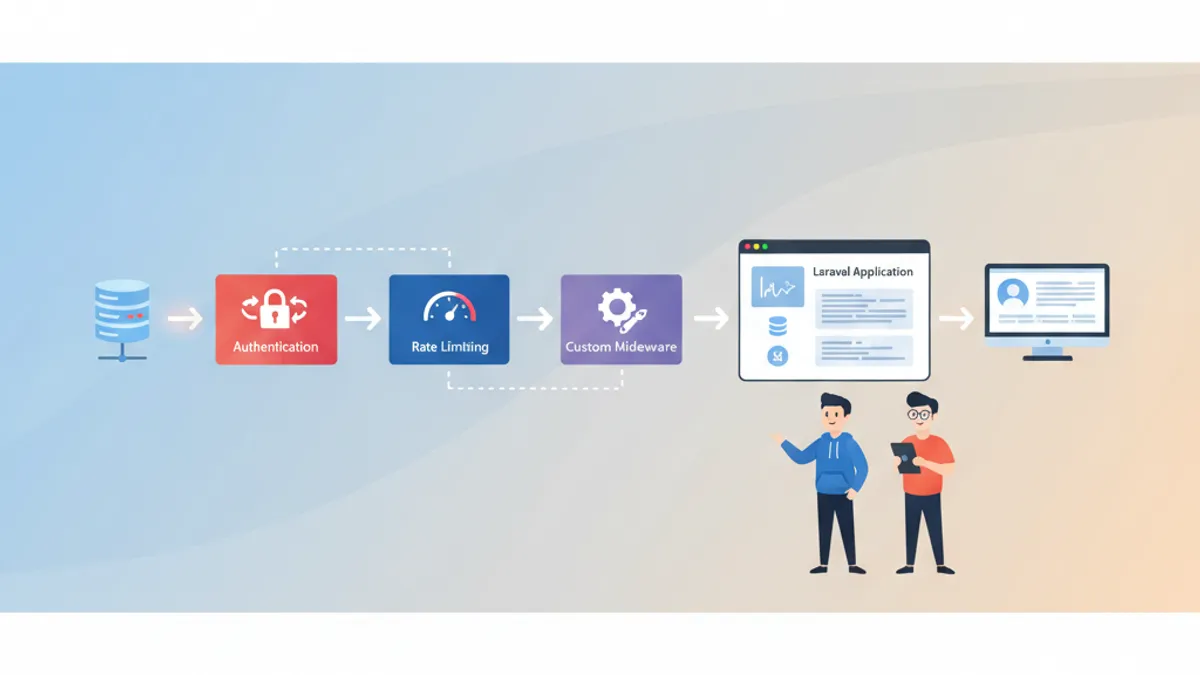
Laravel Middleware Deep Dive: Authentication, Rate Limiting and Custom Middleware
Master Laravel middleware with practical examples covering authentication guards, rate limiting with throttle, custom middleware creation, PHP attributes in Laravel 13, and advanced patterns for production applications.

PHP Laravel Developer Interview Questions 2026: Complete Preparation Guide
Master Laravel interview questions for 2026. From Eloquent ORM and Service Container to queues, testing, and Laravel 13 features, prepare for technical interviews with real-world examples.
Laravel Solutions: Advanced Patterns, Debugging and Interview Questions 2026
Master Laravel solutions with advanced architectural patterns, debugging techniques, and interview-ready knowledge. Covers service classes, repository pattern, debugging with Telescope, and common interview questions for Laravel developers.