Swift Package Manager in 2026: Creating, Publishing and Interview Questions
Master Swift Package Manager with this comprehensive tutorial. Learn to create packages, manage dependencies, publish libraries, and prepare for iOS interview questions about SPM.
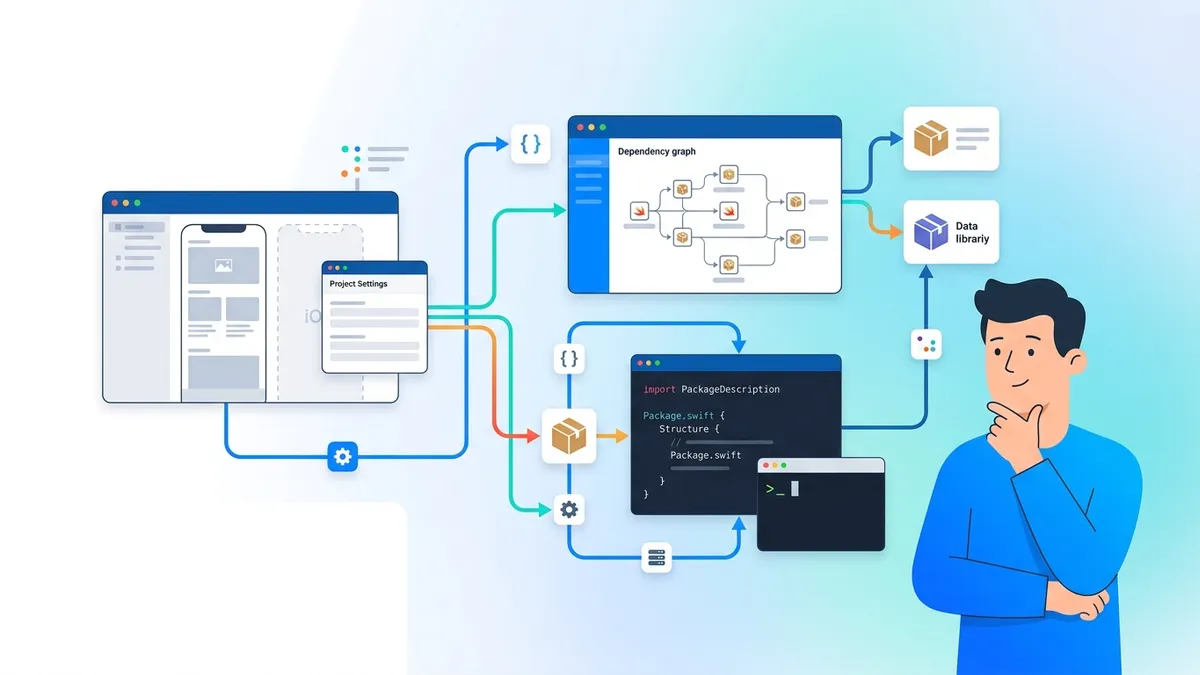
Swift Package Manager (SPM) handles dependency management and package distribution for Swift projects. Unlike CocoaPods or Carthage, SPM integrates directly into Xcode and the Swift toolchain, requiring no external installation. Swift 6.2 and 6.3 introduced strict memory safety settings, default actor isolation, and the new Swift Build system, making SPM the definitive choice for modern iOS development.
Swift Package Manager resolves dependencies, downloads source code, compiles modules, and links them into the final binary. A single Package.swift manifest file defines everything: dependencies, targets, products, and build settings.
Package.swift Manifest Structure and Syntax
Every Swift package starts with a Package.swift file at the repository root. This manifest uses Swift code to declare the package structure, dependencies, and build configuration.
import PackageDescription

let package = Package(
    name: "NetworkKit",
    platforms: [
        .iOS(.v15),
        .macOS(.v12)
    ],
    products: [
        .library(
            name: "NetworkKit",
            targets: ["NetworkKit"]
        )
    ],
    dependencies: [
        .package(
            url: "https://github.com/Alamofire/Alamofire.git",
            from: "5.9.0"
        )
    ],
    targets: [
        .target(
            name: "NetworkKit",
            dependencies: ["Alamofire"]
        ),
        .testTarget(
            name: "NetworkKitTests",
            dependencies: ["NetworkKit"]
        )
    ]
)
The platforms array specifies minimum deployment targets. The products section defines what other packages can import. The targets section lists compilation units with their respective dependencies.
Creating a Swift Package from the Command Line
The swift package init command scaffolds a new package with the standard directory structure. The --type flag determines whether the package produces a library or an executable.
# Create a library package
mkdir NetworkKit && cd NetworkKit
swift package init --type=library

# Generated structure:
# NetworkKit/
# ├── Package.swift
# ├── Sources/
# │   └── NetworkKit/
# │       └── NetworkKit.swift
# └── Tests/
#     └── NetworkKitTests/
#         └── NetworkKitTests.swift
Running swift build compiles the package. Running swift test executes the test suite. Both commands use the configuration from Package.swift without additional setup.
Dependency Version Requirements and Resolution
SPM supports three version specification strategies: exact version, version range, and branch or commit reference. The choice affects reproducibility and flexibility.
dependencies: [
    // Semantic versioning: 5.9.0 up to next major
    .package(url: "https://github.com/Alamofire/Alamofire.git", from: "5.9.0"),

    // Exact version: locks to 5.9.1
    .package(url: "https://github.com/Alamofire/Alamofire.git", exact: "5.9.1"),

    // Version range: 5.8.0 to 5.9.9
    .package(url: "https://github.com/Alamofire/Alamofire.git", "5.8.0".."5.9.9"),

    // Branch reference: for development
    .package(url: "https://github.com/Alamofire/Alamofire.git", branch: "main"),

    // Commit reference: pinned to specific commit
    .package(url: "https://github.com/Alamofire/Alamofire.git", revision: "abc123")
]
The Package.resolved file records the exact versions resolved during dependency resolution. This file should be committed to version control for reproducible builds across team members and CI systems.
Branch and commit references bypass semantic versioning. Using branch: "main" in a production app means any push to main can break the build. Reserve branch references for active development against unreleased features.
Adding Packages to an Xcode Project
Xcode integrates SPM through the File menu. Navigate to File, then Add Package Dependencies. Enter the repository URL, select the version rule, and choose which targets should link the dependency.
import UIKit
import Alamofire // Available after adding via Xcode

@main
class AppDelegate: UIResponder, UIApplicationDelegate {
    func application(
        _ application: UIApplication,
        didFinishLaunchingWithOptions launchOptions: [UIApplication.LaunchOptionsKey: Any]?
    ) -> Bool {
        AF.request("https://api.example.com/health").response { response in
            print(response.result)
        }
        return true
    }
}
Xcode stores package references in the .xcodeproj file and resolved versions in Package.resolved at the project root. The Derived Data folder caches downloaded packages.
Local Package Development with Path Dependencies
During development, pointing to a local path instead of a remote URL enables rapid iteration without publishing intermediate versions. This technique suits monorepo setups and feature development.
dependencies: [
    // Local path for development
    .package(path: "../NetworkKit"),

    // Remote URL for release
    // .package(url: "https://github.com/company/NetworkKit.git", from: "1.0.0")
]
Switch between local and remote dependencies by commenting out the inactive line. Xcode and the Swift CLI resolve path dependencies relative to the consuming package.
Ready to ace your iOS interviews?
Practice with our interactive simulators, flashcards, and technical tests.
Publishing a Swift Package to GitHub
Publishing requires a Git repository with semantic version tags. SPM treats Git tags as release versions. The Swift Package Index indexes public packages automatically.
# Initialize repository and push
git init
git add .
git commit -m "Initial commit"
git remote add origin https://github.com/username/NetworkKit.git
git push -u origin main

# Create version tag
git tag 1.0.0
git push origin 1.0.0

# Other packages can now depend on:
# .package(url: "https://github.com/username/NetworkKit.git", from: "1.0.0")
Follow semantic versioning conventions: increment the major version for breaking changes, minor for new features, and patch for bug fixes. SPM assumes adherence to these rules when resolving from: version requirements.
Swift 6.2 and 6.3 Package Settings
Swift 6.2 introduced per-target language mode configuration and strict memory safety settings. Swift 6.3 adds Swift Build integration as an opt-in build system.
import PackageDescription

let package = Package(
    name: "SafeNetworkKit",
    platforms: [.iOS(.v17)],
    products: [
        .library(name: "SafeNetworkKit", targets: ["SafeNetworkKit"])
    ],
    targets: [
        .target(
            name: "SafeNetworkKit",
            swiftSettings: [
                // Enable Swift 6 language mode for this target only
                .swiftLanguageMode(.v6),
                // Enable strict memory safety checking (SE-0458)
                .enableExperimentalFeature("StrictMemorySafety"),
                // Set default actor isolation (SE-0466)
                .enableExperimentalFeature("GlobalActorIsolation")
            ]
        )
    ]
)
The swiftLanguageMode setting allows gradual adoption of Swift 6 features across a codebase. Targets can use different language modes within the same package.
SBOM Generation for Security Compliance
SE-0509 added native Software Bill of Materials generation in Swift 6.3. SBOM documents list all dependencies and their versions for security auditing and regulatory compliance.
# Generate SBOM in CycloneDX format
swift build --sbom-spec cyclonedx

# Generate SBOM using dedicated subcommand
swift package generate-sbom --format spdx

# Output includes:
# - Package name and version
# - All transitive dependencies
# - License information
# - Source repository URLs
Enterprise environments and government contracts increasingly require SBOM documentation. The CycloneDX and SPDX formats integrate with standard vulnerability scanning tools.
Binary Targets and XCFramework Distribution
Binary targets allow distribution of precompiled frameworks instead of source code. XCFrameworks bundle binaries for multiple platforms and architectures.
import PackageDescription

let package = Package(
    name: "AnalyticsSDK",
    platforms: [.iOS(.v14)],
    products: [
        .library(name: "AnalyticsSDK", targets: ["AnalyticsSDK"])
    ],
    targets: [
        .binaryTarget(
            name: "AnalyticsSDK",
            url: "https://releases.example.com/AnalyticsSDK-2.0.0.xcframework.zip",
            checksum: "abc123def456..."
        )
    ]
)

// Generate checksum:
// swift package compute-checksum AnalyticsSDK-2.0.0.xcframework.zip
Binary targets reduce build times for consumers and protect proprietary implementations. The checksum ensures download integrity.
Common Interview Questions About Swift Package Manager
Technical interviews for iOS positions frequently include SPM questions. These range from basic usage to architecture decisions.
Q: How does SPM differ from CocoaPods and Carthage?
SPM integrates into Xcode and the Swift toolchain without external tools. CocoaPods uses a central spec repository and modifies Xcode workspace structure. Carthage builds frameworks in a separate step without Xcode integration. SPM resolves dependencies and builds in a single unified process. The Apple documentation on Swift packages covers the official tooling.
Q: What happens during dependency resolution?
SPM reads Package.swift manifests recursively, building a dependency graph. It then applies version constraints to find compatible versions for all packages. The resolver writes exact versions to Package.resolved. Conflicts occur when two packages require incompatible versions of a shared dependency.
Q: How do you handle a diamond dependency conflict?
When package A and B both depend on package C with incompatible version requirements, SPM fails resolution. Solutions include: updating one consumer to support a wider version range, forking the restrictive package, or using module aliasing if the conflict is between different packages with the same module name.
// Module aliasing for name conflicts
.target(
    name: "MyApp",
    dependencies: [
        .product(name: "Logging", package: "swift-log", moduleAliases: ["Logging": "SwiftLogging"])
    ]
)
Q: When would you use a binary target instead of source distribution?
Binary targets suit proprietary SDKs where source exposure is unacceptable, large dependencies where compilation time affects developer productivity, and prebuilt vendor libraries. Source distribution remains preferable for open source projects and internal libraries where debugging into dependencies adds value.
Migrating from CocoaPods to Swift Package Manager
Migration requires replacing Podfile entries with SPM package references. Not all CocoaPods have SPM equivalents, so verify availability on Swift Package Index before starting.
# Before: Podfile
pod 'Alamofire', '~> 5.9'
pod 'SwiftyJSON', '~> 5.0'
pod 'Kingfisher', '~> 7.0'// After: Package dependencies in Xcode
// File > Add Package Dependencies for each:
// https://github.com/Alamofire/Alamofire.git from 5.9.0
// https://github.com/SwiftyJSON/SwiftyJSON.git from 5.0.0
// https://github.com/onevcat/Kingfisher.git from 7.0.0Remove the Podfile, Podfile.lock, and Pods directory after migration. Run pod deintegrate to remove CocoaPods workspace modifications. Import statements in Swift files remain unchanged.
SPM Best Practices for Production Apps
- Pin major versions with
from:for stability while receiving minor updates and patches - Commit
Package.resolvedto ensure reproducible builds across the team - Use local packages during active development, switching to remote URLs before merging
- Separate test-only dependencies using
testTargetto avoid bundling them in release builds - Document minimum Swift tools version at the manifest top:
// swift-tools-version: 5.10 - Validate package builds on CI before tagging releases
The // swift-tools-version: comment must appear on the first line of Package.swift. It determines which PackageDescription API version the manifest uses. Swift 6.0 added flexibility to allow this comment on subsequent lines for license headers.
Key Takeaways for iOS Developers Using SPM
- SPM integrates into Xcode natively, eliminating CocoaPods and Carthage setup overhead
- The
Package.swiftmanifest uses Swift code, enabling type-checked dependency declarations - Version requirements support semantic versioning ranges, exact versions, and branch references
Package.resolvedlocks dependency versions for reproducible builds- Swift 6.2 added per-target language modes and strict memory safety settings
- Swift 6.3 introduced SBOM generation for compliance documentation
- Binary targets distribute precompiled XCFrameworks when source distribution is impractical
- Interview questions focus on resolution conflicts, migration strategies, and architectural trade-offs between SPM and alternatives
For comprehensive iOS interview preparation, review the SwiftUI state management and protocol-oriented programming modules on SharpSkill.
Start practicing!
Test your knowledge with our interview simulators and technical tests.
Can you spot the bug in iOS?
One real snippet, one hidden bug, one attempt a day. No account needed to try.

Written by
Anthony Fillion-MailletFounder of SharpSkill
Full-stack developer for over 10 years. Runs SharpSkill and answers for everything published here.
Updated on September 20, 2026
Tags
Share
Related articles

Combine vs async/await in Swift: Progressive Migration Patterns
Complete guide to migrating from Combine to async/await in Swift: progressive strategies, bridging patterns, and paradigm coexistence in iOS codebases.

iOS Accessibility Interview Questions in 2026: VoiceOver and Dynamic Type
Prepare for iOS interviews with key accessibility questions: VoiceOver, Dynamic Type, semantic traits, and accessibility audits.

Swift Macros: Practical Metaprogramming Examples
Complete guide to Swift Macros: creating freestanding and attached macros including Swift 6 body macros, AST manipulation with swift-syntax, and practical examples to eliminate boilerplate code.