ArgoCD and GitOps in 2026: Kubernetes Continuous Deployment and Interview Questions
ArgoCD GitOps tutorial covering Kubernetes continuous deployment, Application CRDs, sync strategies, multi-cluster management, and common interview questions with practical YAML examples.
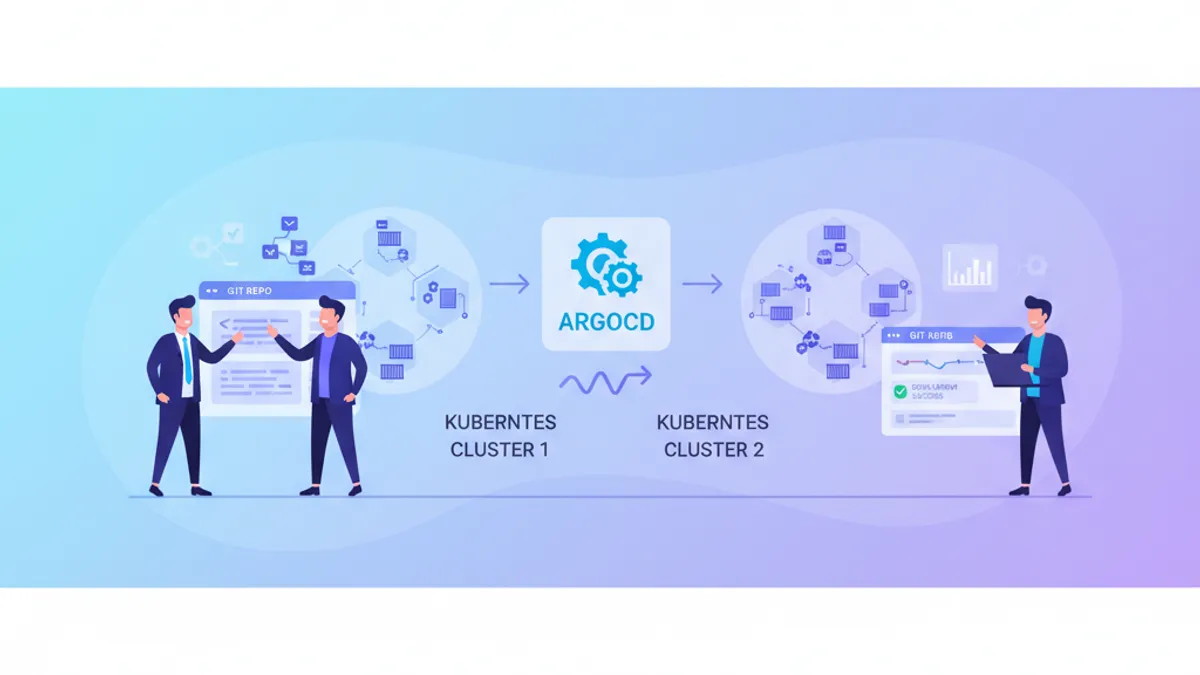
ArgoCD has become the dominant GitOps tool for Kubernetes continuous deployment, with version 3.4 shipping in May 2026 and over 64% of enterprises now reporting GitOps as their primary delivery mechanism. This tutorial walks through ArgoCD's core concepts, practical configuration patterns, and the interview questions that come up most frequently for DevOps and platform engineering roles.
GitOps is a deployment methodology where Git serves as the single source of truth for both application code and infrastructure configuration. A GitOps agent running inside the cluster continuously reconciles the actual cluster state with the desired state declared in a Git repository, automatically correcting any drift.
How ArgoCD Implements the GitOps Model
ArgoCD runs as a set of microservices inside a Kubernetes cluster: an API server, a repo server, an application controller, and a Redis cache. The controller watches Git repositories and compares the desired state (manifests in Git) against the live state in the cluster. When a difference appears, ArgoCD either alerts or automatically syncs depending on the configured policy.
This pull-based model offers a security advantage over traditional CI-driven push deployments. The cluster pulls changes from Git rather than exposing an inbound endpoint for a CI tool to push into. Credentials for the cluster never leave the cluster boundary.
The first step is installing ArgoCD and defining an Application resource:
# argocd-application.yaml
apiVersion: argoproj.io/v1alpha1
kind: Application
metadata:
  name: my-web-app
  namespace: argocd
spec:
  project: default
  source:
    repoURL: https://github.com/acme/my-web-app-config
    targetRevision: main
    path: overlays/production
  destination:
    server: https://kubernetes.default.svc
    namespace: production
  syncPolicy:
    automated:
      prune: true        # Remove resources deleted from Git
      selfHeal: true     # Revert manual changes in the cluster
    syncOptions:
      - CreateNamespace=true
The source block points to the Git repository containing Kubernetes manifests. The destination block specifies which cluster and namespace to deploy into. Setting automated.selfHeal: true ensures that any manual kubectl change gets overwritten by the Git-declared state within seconds.
Sync Waves and Hooks for Ordered Deployments
Real-world deployments rarely consist of a single manifest. Database migrations need to run before application pods start. ConfigMaps and Secrets must exist before Deployments reference them. ArgoCD solves this with sync waves and resource hooks.
Sync waves assign a numeric order to resources. Lower numbers deploy first, and ArgoCD waits for each wave to become healthy before proceeding:
# migration-job.yaml
apiVersion: batch/v1
kind: Job
metadata:
  name: db-migrate
  annotations:
    argocd.argoproj.io/sync-wave: "-1"   # Runs before wave 0
    argocd.argoproj.io/hook: PreSync      # Executes before main sync
    argocd.argoproj.io/hook-delete-policy: HookSucceeded
spec:
  template:
    spec:
      containers:
        - name: migrate
          image: acme/my-web-app:latest
          command: ["python", "manage.py", "migrate"]
      restartPolicy: Never
The PreSync hook runs the migration job before ArgoCD applies the main application manifests. The HookSucceeded delete policy cleans up the Job after successful completion. ArgoCD 3.3 introduced PreDelete hooks as well, solving the long-standing problem of orphaned resources during application removal.
Multi-Cluster Management with ApplicationSets
Managing dozens of clusters from a single ArgoCD instance requires more than copy-pasting Application manifests. ApplicationSets generate Application resources dynamically from templates and generators:
# applicationset-clusters.yaml
apiVersion: argoproj.io/v1alpha1
kind: ApplicationSet
metadata:
  name: my-web-app-all-clusters
  namespace: argocd
spec:
  generators:
    - clusters:
        selector:
          matchLabels:
            env: production
  template:
    metadata:
      name: 'my-web-app-{{name}}'
    spec:
      project: default
      source:
        repoURL: https://github.com/acme/my-web-app-config
        targetRevision: main
        path: 'overlays/{{metadata.labels.region}}'
      destination:
        server: '{{server}}'
        namespace: production
      syncPolicy:
        automated:
          prune: true
          selfHeal: true
The cluster generator iterates over all registered clusters matching the label env: production and creates one Application per cluster. The {{name}}, {{server}}, and {{metadata.labels.region}} placeholders are resolved from the cluster registration data. Adding a new production cluster to ArgoCD automatically triggers deployment of the application to that cluster.
Ready to ace your DevOps interviews?
Practice with our interactive simulators, flashcards, and technical tests.
ArgoCD vs Flux: Choosing the Right GitOps Tool
The ArgoCD vs Flux comparison is one of the most common DevOps interview topics. Both are CNCF Graduated projects implementing the GitOps pattern, but they differ in architecture and trade-offs:
| Feature | ArgoCD 3.4 | Flux 2.8 |
|---|---|---|
| Architecture | Centralized server with UI | Distributed controllers per cluster |
| Web UI | Built-in, polished dashboard | No built-in UI (third-party options) |
| Helm support | Renders templates server-side | Native Helm SDK integration |
| Multi-cluster | Hub-and-spoke from single instance | Independent installation per cluster |
| RBAC | Application-level with SSO | Kubernetes-native RBAC only |
| Image automation | Separate Image Updater component | Built-in image reflector/automation |
| Progressive delivery | Argo Rollouts integration | Flagger integration |
| Resource footprint | Higher (API server, repo server, Redis) | Lower (only needed controllers) |
ArgoCD fits teams that value centralized visibility, a web dashboard, and fine-grained application-level RBAC. Flux fits teams running edge or resource-constrained environments, or those relying heavily on native Helm lifecycle features. Some organizations use both: ArgoCD for application deployments where the UI adds value, and Flux for infrastructure components where distributed operation and Helm fidelity matter.
Repository Structure for Production GitOps
A common mistake in GitOps adoption is storing Kubernetes manifests alongside application source code. Separating the config repository from the app repository provides cleaner Git history, independent review cycles, and simpler CI triggers:
# Recommended repository structure
my-web-app-config/
  base/
    deployment.yaml
    service.yaml
    kustomization.yaml
  overlays/
    staging/
      kustomization.yaml       # Patches for staging
      replica-count.yaml
    production/
      kustomization.yaml       # Patches for production
      replica-count.yaml
      hpa.yaml
The base directory contains shared manifests. Each overlay applies environment-specific patches through Kustomize. The CI pipeline builds and pushes the container image, then updates the image tag in the config repository. ArgoCD detects the commit and syncs the new version to the cluster.
Configure webhook receivers from GitHub, GitLab, or Bitbucket to trigger ArgoCD reconciliation immediately on push. This eliminates the default 3-minute polling interval and delivers sub-10-second deployment detection. Set the polling interval to 5-10 minutes as a fallback.
ArgoCD 3.4 Features Worth Knowing
ArgoCD 3.4, released in May 2026, targets Day 2 operations with features that frequently come up in senior DevOps interviews:
Pause cluster reconciliation allows operators to freeze ArgoCD sync during production incidents. This prevents ArgoCD from reverting emergency hotfixes applied directly to the cluster while the team resolves the issue:
# Pause reconciliation on a specific cluster
apiVersion: v1
kind: Secret
metadata:
  name: prod-cluster
  namespace: argocd
  labels:
    argocd.argoproj.io/secret-type: cluster
  annotations:
    argocd.argoproj.io/pause-reconciliation: "true"
stringData:
  server: https://prod-cluster.example.com
  config: |
    { "tlsClientConfig": { "insecure": false } }
Helm value globs replace verbose valueFiles arrays with patterns, reducing merge conflicts in teams that maintain many environment-specific value files:
# Before ArgoCD 3.4
source:
  helm:
    valueFiles:
      - values.yaml
      - values-production.yaml
      - values-production-eu.yaml
      - values-production-eu-secrets.yaml

# With ArgoCD 3.4 value globs
source:
  helm:
    valueFiles:
      - values.yaml
      - values-production*.yaml
Common ArgoCD Interview Questions
These questions appear regularly in DevOps and platform engineering interviews. They test understanding of GitOps principles, not just ArgoCD syntax. For broader Kubernetes preparation, the Kubernetes advanced module covers scheduling, security contexts, and custom controllers.
Senior-level interviews expect candidates to explain trade-offs and failure modes, not just list features. Prepare concrete examples from production experience: an incident where self-heal caused problems, a migration that required sync waves, or a multi-cluster rollout that needed progressive delivery.
"Explain the difference between automated sync and manual sync in ArgoCD."
Automated sync applies changes to the cluster as soon as ArgoCD detects a difference between Git and the live state. Manual sync requires an explicit trigger from the UI, CLI, or API. Automated sync with selfHeal: true continuously corrects drift, which is the standard for production environments where configuration consistency is critical. Manual sync suits staging environments where teams want to review changes before applying them.
"What happens when ArgoCD detects drift between Git and the cluster?"
ArgoCD compares the desired state (Git manifests rendered through Helm, Kustomize, or plain YAML) against the live state in the cluster. If automated sync is enabled with selfHeal, ArgoCD immediately reverts the cluster to the Git state. If selfHeal is disabled, ArgoCD marks the application as OutOfSync and waits for manual intervention. The resource diff is visible in the UI, showing exactly which fields diverged.
"How would you handle database migrations in a GitOps workflow?"
Database migrations run as PreSync hook Jobs with a negative sync wave number. The migration Job executes before ArgoCD deploys the new application version. If the migration fails, the sync aborts and the previous application version remains running. The HookSucceeded delete policy cleans up successful migration Jobs. For rollback scenarios, migration scripts must be designed as idempotent operations.
"Compare ArgoCD and Flux for a multi-cluster production setup."
ArgoCD manages multiple clusters from a single control plane, providing centralized visibility through its dashboard and unified RBAC across all clusters. Flux runs independently in each cluster, reducing blast radius since a control plane failure only affects one cluster. At 100+ clusters, ArgoCD's centralized model requires a robust management cluster, while Flux's distributed approach eliminates that single point of failure. The choice depends on whether the team prioritizes operational simplicity (ArgoCD) or failure isolation (Flux). Review the CI/CD pipeline security module for related questions about securing deployment pipelines.
"What is an ApplicationSet and when would you use one?"
An ApplicationSet is a controller that generates ArgoCD Application resources from templates. It uses generators (cluster, Git directory, list, matrix, merge) to produce multiple Applications from a single definition. Typical use cases include deploying the same application across all production clusters, generating per-tenant applications in a multi-tenant SaaS platform, or creating Applications for every directory in a monorepo.
Start practicing!
Test your knowledge with our interview simulators and technical tests.
Conclusion
- ArgoCD 3.4 (May 2026) adds pause reconciliation and Helm value globs, targeting Day 2 operational needs in production Kubernetes clusters
- The pull-based GitOps model eliminates the need to expose cluster credentials to CI tools, keeping secrets within the cluster boundary
- Sync waves and hooks solve deployment ordering: migrations before app pods, ConfigMaps before Deployments, cleanup after deletion
- ApplicationSets automate multi-cluster deployment by generating Application resources from cluster labels, Git directories, or custom lists
- Separate config repositories from app repositories for cleaner Git history, independent review cycles, and simpler CI triggers
- ArgoCD suits centralized multi-cluster management with its dashboard and RBAC; Flux suits distributed, resource-constrained, or Helm-heavy environments
- Interview preparation for GitOps roles should cover drift detection, sync strategies, failure modes, and concrete production scenarios rather than memorized definitions
Start practicing!
Test your knowledge with our interview simulators and technical tests.
Can you spot the bug in DevOps?
One real snippet, one hidden bug, one attempt a day. No account needed to try.

Written by
Anthony Fillion-MailletFounder of SharpSkill
Full-stack developer for over 10 years. Runs SharpSkill and answers for everything published here.
Updated on June 5, 2026
Tags
Share
Related articles

Kubernetes Helm Charts in 2026: Packaging, Deployment and Interview Questions
Learn Helm chart structure, templating, dependencies, and deployment strategies. Includes common interview questions and best practices for production deployments.

Kubernetes Interview: Pods, Services and Deployments Explained
Master the three core Kubernetes building blocks — Pods, Services, and Deployments — with production-ready YAML manifests, networking internals, and common interview questions.
Essential DevOps Interview Questions: Complete Guide 2026
Prepare for DevOps interviews with must-know questions on CI/CD, Kubernetes, Docker, Terraform, and SRE practices. Detailed answers included.