Great Expectations in 2026: Data Quality Validation and Interview Questions
Master Great Expectations (GX) 1.22 for data quality validation. Covers Expectation Suites, Checkpoints, Data Docs, and common data engineering interview questions with practical Python examples.

Great Expectations (GX) is the standard open-source framework for data quality validation in Python-based data pipelines. Version 1.22, released in August 2026, solidifies the API changes introduced in GX 1.0 and adds experimental Python 3.14 support, making it a critical tool for data engineers building production-grade pipelines.
GX Core is the open-source library (Apache 2.0 license) with 11,400+ GitHub stars. GX Cloud is the managed SaaS platform built on top of it, offering collaboration tools and real-time monitoring dashboards. This article focuses on GX Core.
What Great Expectations Solves in Data Pipelines
Data pipelines fail silently. A schema change upstream, a null value where none should exist, a date format that shifts from ISO to Unix timestamp: these issues often reach dashboards or ML models before anyone notices. Great Expectations treats data like code, applying assertions (called Expectations) that run automatically at checkpoints in the pipeline.
The framework integrates with Apache Airflow, Databricks, Snowflake, and cloud storage services like AWS S3 and Azure Blob Storage. Each validation produces Data Docs, HTML reports that non-technical stakeholders can read.
Core Concepts: Data Context, Data Sources, and Expectations
GX 1.22 organizes validation around four components: the Data Context, Data Sources, Data Assets, and Expectation Suites.
The Data Context is the central configuration object. It stores metadata for Data Sources, Expectation Suites, Checkpoints, and historical Validation Results. In most projects, a single gx/ directory holds the YAML configuration files and generated Data Docs.
A Data Source represents a connection to a database, data warehouse, or file system. A Data Asset is a logical collection of records within that source, similar to a table or the result set of a query.
# gx_setup.py
import great_expectations as gx

# Initialize or load an existing Data Context
context = gx.get_context()

# Add a Pandas Data Source for local files
data_source = context.data_sources.add_pandas("local_files")

# Define a Data Asset pointing to a specific CSV pattern
data_asset = data_source.add_csv_asset(
    name="user_events",
    filepath_or_buffer="data/user_events_*.csv"  # Glob pattern
)
This setup allows GX to validate any CSV matching user_events_*.csv in the data/ directory.
Building an Expectation Suite for Column Validation
An Expectation Suite is a collection of assertions against a Data Asset. Each Expectation declares a condition that should hold true for the data, such as "column user_id should never be null" or "column age should contain values between 0 and 120."
# build_suite.py
import great_expectations as gx

context = gx.get_context()

# Create or retrieve an Expectation Suite
suite = context.suites.add(
    gx.ExpectationSuite(name="user_events_suite")
)

# Add Expectations to the suite
suite.add_expectation(
    gx.expectations.ExpectColumnToExist(column="user_id")
)
suite.add_expectation(
    gx.expectations.ExpectColumnValuesToNotBeNull(column="user_id")
)
suite.add_expectation(
    gx.expectations.ExpectColumnValuesToBeBetween(
        column="age",
        min_value=0,
        max_value=120
    )
)
suite.add_expectation(
    gx.expectations.ExpectColumnValuesToMatchRegex(
        column="email",
        regex=r"^[\w.-]+@[\w.-]+\.\w+$"
    )
)

# Save the suite to the Data Context
context.suites.save(suite)
GX 1.0+ uses a class-based API for Expectations. The older dictionary-based syntax (expect_column_to_exist) remains available but the class-based approach provides better IDE autocompletion and type safety.
Running Validations with Checkpoints
A Checkpoint ties together a Data Asset, an Expectation Suite, and optional Actions that trigger when validation passes or fails. Checkpoints are the primary entry point for automated validation in production.
# run_checkpoint.py
import great_expectations as gx

context = gx.get_context()

# Create a Checkpoint
checkpoint = context.checkpoints.add(
    gx.Checkpoint(
        name="user_events_checkpoint",
        validation_definitions=[
            gx.ValidationDefinition(
                name="validate_user_events",
                data=context.data_sources.get("local_files")
                    .get_asset("user_events")
                    .build_batch_request(),
                suite=context.suites.get("user_events_suite")
            )
        ],
        actions=[
            gx.checkpoint.UpdateDataDocsAction(name="update_docs"),
        ]
    )
)

# Run the Checkpoint
result = checkpoint.run()

# Check overall success
if result.success:
    print("All validations passed")
else:
    print("Validation failures detected")
    for validation_result in result.run_results.values():
        for expectation_result in validation_result.results:
            if not expectation_result.success:
                print(f"  Failed: {expectation_result.expectation_config}")
When the Checkpoint runs, GX loads the batch, applies each Expectation, and updates the Data Docs. Failed validations can trigger Slack notifications, PagerDuty alerts, or pipeline termination depending on the configured Actions.
Ready to ace your Data Engineering interviews?
Practice with our interactive simulators, flashcards, and technical tests.
Integrating GX with Apache Airflow DAGs
Most production data pipelines use an orchestrator like Apache Airflow. GX provides an official Airflow integration that wraps Checkpoint execution in an operator.
# dags/user_events_pipeline.py
from airflow import DAG
from airflow.operators.python import PythonOperator
from datetime import datetime
import great_expectations as gx

def validate_user_events():
    """Run GX Checkpoint for user events data."""
    context = gx.get_context(context_root_dir="/opt/airflow/gx")
    checkpoint = context.checkpoints.get("user_events_checkpoint")
    result = checkpoint.run()

    if not result.success:
        # Raise exception to fail the Airflow task
        raise ValueError("Data validation failed. Check Data Docs for details.")

with DAG(
    dag_id="user_events_pipeline",
    start_date=datetime(2026, 1, 1),
    schedule_interval="@daily",
    catchup=False
) as dag:

    validate_task = PythonOperator(
        task_id="validate_user_events",
        python_callable=validate_user_events
    )

    # Downstream tasks depend on validation passing
    # transform_task >> load_task
Placing validation before transformation tasks prevents bad data from propagating downstream. This pattern, sometimes called "shift-left testing," catches issues at ingestion rather than after expensive compute jobs complete.
Common Interview Questions on Great Expectations
Data engineering interviews in 2026 frequently include questions about data quality tooling. Below are questions that appear in technical screens, along with the answers that distinguish experienced candidates from juniors.
"How would you implement data quality checks in a production pipeline?"
Strong answers mention embedding validation as a pipeline stage, not as a separate dashboard. Specifically:
- Schema validation at ingestion catches structural issues immediately, for example a string appearing where an integer was expected
- Business logic validation checks domain constraints like positive prices and date ranges
- Automated alerts notify on-call engineers when validation fails, preventing silent data corruption
- dbt tests handle transformation-layer checks while GX handles ingestion and output validation
"What is the difference between an Expectation Suite and a Checkpoint?"
An Expectation Suite contains the assertions themselves: which columns should exist, what value ranges are acceptable, which regex patterns should match. It defines what to check.
A Checkpoint defines when and how to run those checks. It connects a specific Data Asset (the data to validate), an Expectation Suite (the rules to apply), and Actions (what happens after validation).
"How do you handle Expectations that vary by environment?"
Production data often has different characteristics than staging data. Two approaches:
-
Parameterized Expectations: Use environment variables or runtime parameters to adjust thresholds. For example,
min_value=int(os.getenv("AGE_MIN", 0)). -
Multiple Suites: Maintain separate suites for staging and production. Staging might allow nulls in optional fields for testing incomplete data flows.
"What happens when a Checkpoint fails in a scheduled pipeline?"
The Checkpoint returns a CheckpointResult with success=False. Pipeline behavior depends on how the orchestrator handles the failure:
- In Airflow, raising an exception marks the task as failed, blocking downstream tasks
- In Databricks, the notebook can exit with an error status
- Actions attached to the Checkpoint can send Slack messages, create Jira tickets, or trigger rollback procedures
Custom Expectations for Domain-Specific Validation
GX includes 300+ built-in Expectations, but domain-specific rules often require custom implementations. A custom Expectation extends the base class and implements the validation logic.
# custom_expectations/expect_valid_iso_country_code.py
from great_expectations.expectations import Expectation
from great_expectations.core import ExpectationConfiguration
import pycountry

class ExpectValidIsoCountryCode(Expectation):
    """Expect column values to be valid ISO 3166-1 alpha-2 country codes."""

    column: str

    @classmethod
    def _prescriptive_template(cls) -> str:
        return "Column {column} values must be valid ISO country codes"

    def _validate(self, metrics, runtime_configuration=None, execution_engine=None):
        column_values = metrics.get("column_values")
        valid_codes = {c.alpha_2 for c in pycountry.countries}

        invalid_values = [
            v for v in column_values
            if v is not None and v not in valid_codes
        ]

        return {
            "success": len(invalid_values) == 0,
            "result": {
                "observed_value": len(invalid_values),
                "unexpected_list": invalid_values[:10]  # Sample
            }
        }
Register custom Expectations by placing them in the great_expectations/plugins/ directory or adding the module to the plugins_directory in great_expectations.yml.
Data Docs: Communicating Quality to Stakeholders
Data Docs are static HTML sites generated from validation results. Each run produces a page showing which Expectations passed or failed, with drill-down details on unexpected values.
# Generate and open Data Docs
context = gx.get_context()
context.build_data_docs()
context.open_data_docs()  # Opens browser
For production systems, Data Docs can be hosted on S3, GCS, or Azure Blob Storage with appropriate access controls. The GX Cloud platform offers hosted Data Docs with team collaboration features.
GX 1.0 Migration: Breaking Changes from 0.x
Teams upgrading from GX 0.x face API changes. The main differences:
| GX 0.x | GX 1.0+ |
|---|---|
context.create_expectation_suite() | context.suites.add() |
context.add_datasource() | context.data_sources.add_*() |
| Dictionary-based Expectations | Class-based Expectations |
context.run_checkpoint() | checkpoint.run() |
The official migration guide covers each change. For large codebases, incremental migration using compatibility shims reduces risk.
Start practicing!
Test your knowledge with our interview simulators and technical tests.
Key Takeaways for Data Quality with GX 1.22
- Great Expectations 1.22 (August 2026) supports Python 3.10 through 3.13, with experimental 3.14 support via the
GX_PYTHON_EXPERIMENTALenvironment variable - Expectation Suites define what to validate, Checkpoints define when and how
- Embed Checkpoints as pipeline stages in Airflow DAGs or Databricks notebooks to catch bad data at ingestion
- Custom Expectations handle domain-specific rules that built-in Expectations cannot cover
- Data Docs provide stakeholder-readable HTML reports; host them on cloud storage for production access
- Interview answers should emphasize data quality as an embedded pipeline stage, not a bolt-on dashboard
Can you spot the bug in Data Engineering?
One real snippet, one hidden bug, one attempt a day. No account needed to try.

Written by
Anthony Fillion-MailletFounder of SharpSkill
Full-stack developer for over 10 years. Runs SharpSkill and answers for everything published here.
Updated on September 13, 2026
Tags
Share
Related articles

Apache Airflow in 2026: Pipeline Orchestration, DAGs and Interview Questions
Master Apache Airflow 3.2 with this hands-on tutorial covering DAG authoring with the Task SDK, pipeline orchestration patterns, asset partitions, and real interview questions for data engineering roles in 2026.
Apache Spark with Python: Building Data Pipelines Step by Step
A hands-on PySpark tutorial covering DataFrame operations, ETL pipeline construction, and Spark 4.0 features. Includes production-ready code examples for data engineers preparing for technical interviews.
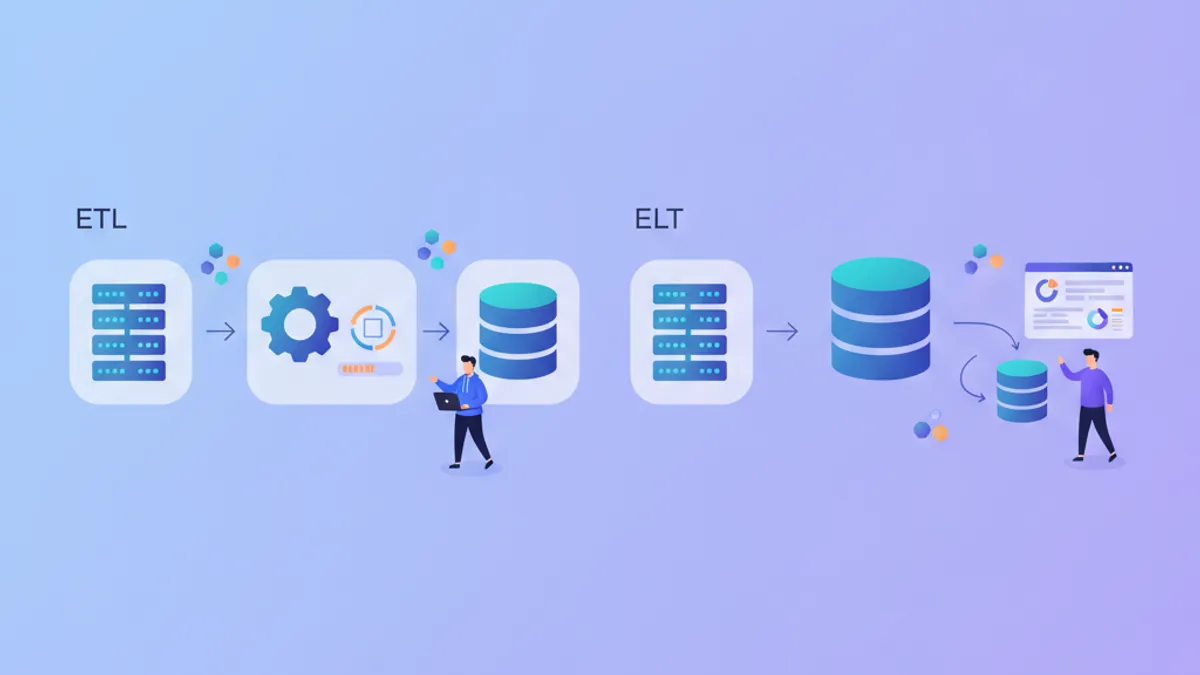
ETL vs ELT in 2026: Data Pipeline Architecture and Interview Questions
ETL and ELT represent two approaches to data pipeline architecture. This comparison breaks down when to use each pattern, the tools that support them, and the interview questions data engineers face about pipeline design.