Angular Forms in 2026: Reactive Forms, Validation and Technical Interview Questions
Master Angular Reactive Forms with typed FormBuilder, custom validators, async validation, FormArray patterns, and prepare for technical interviews with common form-related questions.
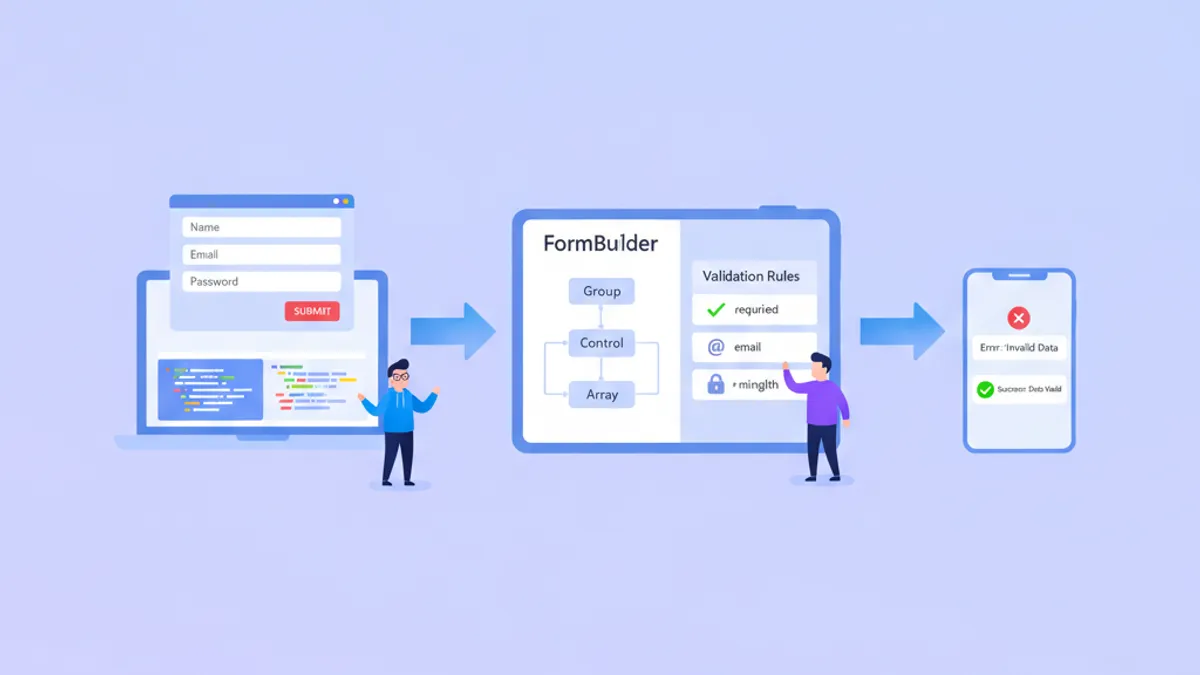
Angular Reactive Forms remain the backbone of enterprise form development in 2026, providing type-safe, testable form handling that scales from simple login screens to complex multi-step wizards. With Angular 19's refined APIs and the emerging Signal Forms in developer preview, understanding both the current standard and what's coming next gives developers a competitive edge in technical interviews.
Reactive Forms use a model-driven approach where the form structure is defined in TypeScript, enabling full control over validation timing, dynamic field manipulation, and comprehensive unit testing without DOM interaction.
Understanding Reactive Forms Architecture
Reactive Forms operate on an immutable data model. Every change creates a new state object, making form behavior predictable and debuggable. The core building blocks are FormControl, FormGroup, and FormArray, all managed through the FormBuilder service.
The separation between the form model (TypeScript) and the template (HTML) allows validation logic to be tested independently. This architectural choice also enables dynamic form generation based on backend configurations—a common requirement in enterprise applications.
import { Component, inject } from '@angular/core';
import { FormBuilder, Validators, ReactiveFormsModule } from '@angular/forms';
import { CommonModule } from '@angular/common';

@Component({
  selector: 'app-user-profile',
  standalone: true,
  imports: [CommonModule, ReactiveFormsModule],
  template: `
    <form [formGroup]="profileForm" (ngSubmit)="onSubmit()">
      <input formControlName="email" placeholder="Email" />
      <input formControlName="name" placeholder="Full Name" />
      <button type="submit" [disabled]="profileForm.invalid">Save</button>
    </form>
  `
})
export class UserProfileComponent {
  private fb = inject(FormBuilder);

  // Typed form with NonNullable configuration
  profileForm = this.fb.nonNullable.group({
    email: ['', [Validators.required, Validators.email]],
    name: ['', [Validators.required, Validators.minLength(2)]]
  });

  onSubmit() {
    // profileForm.getRawValue() returns typed object
    const data = this.profileForm.getRawValue();
    console.log(data.email, data.name); // Both are string, not string | null
  }
}
The nonNullable form builder configuration, introduced in Angular 14, eliminates nullable types from form values. This reduces null checks throughout the codebase and makes form handling more predictable.
Custom Validators for Complex Business Rules
Built-in validators cover common scenarios, but real-world applications require custom validation logic. Angular supports both synchronous and asynchronous validators, with async validators useful for server-side checks like username availability.
import { AbstractControl, ValidationErrors, ValidatorFn } from '@angular/forms';

// Synchronous validator: password strength
export function strongPassword(): ValidatorFn {
  return (control: AbstractControl): ValidationErrors | null => {
    const value = control.value;
    if (!value) return null;

    const hasUpperCase = /[A-Z]/.test(value);
    const hasLowerCase = /[a-z]/.test(value);
    const hasNumber = /\d/.test(value);
    const hasSpecial = /[!@#$%^&*]/.test(value);
    const isLongEnough = value.length >= 8;

    const valid = hasUpperCase && hasLowerCase && hasNumber && hasSpecial && isLongEnough;

    return valid ? null : {
      strongPassword: {
        hasUpperCase,
        hasLowerCase,
        hasNumber,
        hasSpecial,
        isLongEnough
      }
    };
  };
}

// Cross-field validator: password confirmation
export function passwordMatch(): ValidatorFn {
  return (group: AbstractControl): ValidationErrors | null => {
    const password = group.get('password')?.value;
    const confirm = group.get('confirmPassword')?.value;

    return password === confirm ? null : { passwordMismatch: true };
  };
}
The error object returned by validators can include detailed information about which specific checks failed. This enables granular error messages rather than generic "invalid password" feedback.
@Component({
  selector: 'app-registration',
  standalone: true,
  imports: [CommonModule, ReactiveFormsModule],
  template: `
    <form [formGroup]="registrationForm" (ngSubmit)="register()">
      <input formControlName="password" type="password" />
      <input formControlName="confirmPassword" type="password" />

      @if (registrationForm.errors?.['passwordMismatch']) {
        <span class="error">Passwords do not match</span>
      }
    </form>
  `
})
export class RegistrationComponent {
  private fb = inject(FormBuilder);

  registrationForm = this.fb.nonNullable.group({
    password: ['', [Validators.required, strongPassword()]],
    confirmPassword: ['', Validators.required]
  }, { validators: passwordMatch() }); // Group-level validator
}
Group-level validators receive the entire FormGroup, enabling validation rules that span multiple fields. This pattern applies to any scenario requiring cross-field logic: date ranges, conditional requirements, or related field combinations.
Async Validators and Debouncing
Async validators perform server-side checks without blocking the UI. Common use cases include validating unique usernames, checking email availability, or verifying promotional codes against an API.
import { AbstractControl, AsyncValidatorFn, ValidationErrors } from '@angular/forms';
import { Observable, of, timer } from 'rxjs';
import { map, switchMap, catchError } from 'rxjs/operators';
import { inject } from '@angular/core';
import { UserService } from '../services/user.service';

export function uniqueEmailValidator(userService: UserService): AsyncValidatorFn {
  return (control: AbstractControl): Observable<ValidationErrors | null> => {
    if (!control.value) {
      return of(null);
    }

    // Debounce 300ms to avoid excessive API calls
    return timer(300).pipe(
      switchMap(() => userService.checkEmailAvailable(control.value)),
      map(isAvailable => isAvailable ? null : { emailTaken: true }),
      catchError(() => of(null)) // Fail open on network errors
    );
  };
}
The debounce pattern using timer prevents API requests on every keystroke. The switchMap operator cancels pending requests when new input arrives, ensuring only the latest value triggers a server check.
@Component({
  selector: 'app-signup',
  standalone: true,
  imports: [CommonModule, ReactiveFormsModule],
  template: `
    <form [formGroup]="signupForm">
      <input formControlName="email" />
      @if (emailControl.pending) {
        <span>Checking availability...</span>
      }
      @if (emailControl.errors?.['emailTaken']) {
        <span class="error">This email is already registered</span>
      }
    </form>
  `
})
export class SignupComponent {
  private fb = inject(FormBuilder);
  private userService = inject(UserService);

  signupForm = this.fb.nonNullable.group({
    email: ['',
      [Validators.required, Validators.email],
      [uniqueEmailValidator(this.userService)] // Async validator as 3rd argument
    ]
  });

  get emailControl() {
    return this.signupForm.controls.email;
  }
}
Async validators run after synchronous validators pass, avoiding unnecessary API calls for malformed input. The pending state signals ongoing validation, enabling loading indicators in the template.
Ready to ace your Angular interviews?
Practice with our interactive simulators, flashcards, and technical tests.
Dynamic Forms with FormArray
FormArray enables dynamic collections of form controls—essential for scenarios like adding multiple addresses, phone numbers, or order line items. Each array element can be a simple FormControl or a nested FormGroup.
import { Component, inject } from '@angular/core';
import { FormBuilder, FormArray, ReactiveFormsModule, Validators } from '@angular/forms';
import { CommonModule } from '@angular/common';

@Component({
  selector: 'app-order-form',
  standalone: true,
  imports: [CommonModule, ReactiveFormsModule],
  template: `
    <form [formGroup]="orderForm">
      <div formArrayName="items">
        @for (item of itemsArray.controls; track item; let i = $index) {
          <div [formGroupName]="i" class="item-row">
            <input formControlName="productName" placeholder="Product" />
            <input formControlName="quantity" type="number" />
            <input formControlName="price" type="number" />
            <button type="button" (click)="removeItem(i)">Remove</button>
          </div>
        }
      </div>
      <button type="button" (click)="addItem()">Add Item</button>
      <p>Total: {{ calculateTotal() | currency }}</p>
    </form>
  `
})
export class OrderFormComponent {
  private fb = inject(FormBuilder);

  orderForm = this.fb.group({
    items: this.fb.array<FormGroup>([])
  });

  get itemsArray(): FormArray {
    return this.orderForm.get('items') as FormArray;
  }

  addItem() {
    const itemGroup = this.fb.nonNullable.group({
      productName: ['', Validators.required],
      quantity: [1, [Validators.required, Validators.min(1)]],
      price: [0, [Validators.required, Validators.min(0)]]
    });
    this.itemsArray.push(itemGroup);
  }

  removeItem(index: number) {
    this.itemsArray.removeAt(index);
  }

  calculateTotal(): number {
    return this.itemsArray.controls.reduce((sum, control) => {
      const quantity = control.get('quantity')?.value || 0;
      const price = control.get('price')?.value || 0;
      return sum + (quantity * price);
    }, 0);
  }
}
The @for block with track ensures Angular efficiently updates only changed items rather than re-rendering the entire list. For large arrays, this optimization significantly improves performance.
Signal Forms: The Future of Angular Form Handling
Angular 20 introduced Signal Forms in developer preview, offering a signals-based alternative to Reactive Forms. Angular 21.2 added the SignalFormControl wrapper for gradual migration, allowing signal-backed fields within traditional FormGroups.
import { Component, signal, computed } from '@angular/core';
import { SignalFormControl } from '@angular/forms';

@Component({
  selector: 'app-signal-form',
  standalone: true,
  template: `
    <input [value]="name()" (input)="name.set($any($event.target).value)" />
    <p>Character count: {{ charCount() }}</p>
    <p>Valid: {{ isValid() }}</p>
  `
})
export class SignalFormExampleComponent {
  // Signal-based form state
  name = signal('');

  // Computed values automatically update
  charCount = computed(() => this.name().length);
  isValid = computed(() => this.name().length >= 3);
}
Signal Forms eliminate the need for valueChanges subscriptions. Computed signals derive validation state and dependent values automatically, integrating with Angular's zoneless change detection. While still in developer preview, Signal Forms represent the direction Angular is heading for form management.
The key difference: Reactive Forms use RxJS Observables for state changes, while Signal Forms use Angular Signals. For new projects starting in late 2026 or beyond, Signal Forms may become the recommended approach once they reach stable status.
Common Interview Questions on Angular Forms
Technical interviews frequently test form handling knowledge. Here are patterns that distinguish senior candidates:
Q: How do you handle form state reset vs form control reset?
// Reset entire form to initial values
this.form.reset(); // All controls become null (or default if nonNullable)

// Reset with specific values
this.form.reset({ email: '', name: 'Guest' });

// Reset single control
this.form.controls.email.reset();

// Mark as pristine without changing values
this.form.markAsPristine();
this.form.markAsUntouched();
Q: What's the difference between setValue and patchValue?
// setValue requires ALL controls - throws if missing any
this.form.setValue({ email: 'a@b.com', name: 'Test' }); // Must include both

// patchValue allows partial updates
this.form.patchValue({ email: 'a@b.com' }); // Name unchanged
Q: How do you disable a form control without losing its value in submission?
this.form.controls.email.disable();
console.log(this.form.value); // { name: 'Test' } - email missing

// Use getRawValue() to include disabled controls
console.log(this.form.getRawValue()); // { email: 'a@b.com', name: 'Test' }
Understanding these nuances demonstrates practical experience. Interviewers often probe for awareness of edge cases in form state management, particularly around disabled controls and partial updates.
For deeper practice on Angular form-related interview questions, explore the Reactive Forms interview questions module and Template-Driven Forms module.
Best Practices for Production Forms
Production applications require patterns beyond basic form creation. Error handling, accessibility, and performance become critical at scale.
import { Component, input } from '@angular/core';
import { AbstractControl, ValidationErrors } from '@angular/forms';

@Component({
  selector: 'app-form-errors',
  standalone: true,
  template: `
    @if (control().invalid && (control().dirty || control().touched)) {
      <div class="errors" role="alert">
        @if (control().errors?.['required']) {
          <span>This field is required</span>
        }
        @if (control().errors?.['email']) {
          <span>Enter a valid email address</span>
        }
        @if (control().errors?.['minlength']) {
          <span>Minimum {{ control().errors?.['minlength'].requiredLength }} characters</span>
        }
      </div>
    }
  `
})
export class FormErrorsComponent {
  control = input.required<AbstractControl>();
}
The role="alert" attribute ensures screen readers announce error messages as they appear. Checking both dirty and touched prevents errors from showing before user interaction, avoiding frustrating premature validation feedback.
For comprehensive form validation patterns including cross-field validation and async checks, the Angular RxJS Fundamentals module covers the Observable patterns underlying form state management.
Conclusion
- Reactive Forms provide type-safe, testable form handling suitable for complex enterprise applications
- Custom validators support both synchronous business rules and async server-side checks with built-in debouncing
- FormArray enables dynamic form collections with efficient change tracking via
track - Signal Forms (developer preview) offer a simpler reactive model aligned with Angular's zoneless future
- Production forms require accessibility considerations and reusable error display components
- Understanding
setValuevspatchValueandgetRawValue()vsvaluedistinguishes senior candidates
Start practicing!
Test your knowledge with our interview simulators and technical tests.

Written by
Anthony Fillion-MailletFull-stack developer, founder of SharpSkill
Full-stack developer for over 10 years. Runs SharpSkill and answers for everything published here.
Updated on August 17, 2026
Tags
Share
Related articles

NgRx Signal Store vs Classic NgRx in 2026: Which Should You Choose?
A comprehensive comparison of NgRx Signal Store and Classic NgRx for Angular state management. Learn when to use each approach with practical code examples.

Angular 19 Interview Questions: Signals, SSR and Must-Know Concepts
The most common Angular 19 interview questions: Signals, incremental hydration, zoneless change detection, and new reactive APIs with code examples and expected answers.

RxJS in Angular 2026: Operators, Subjects and Signals Interop
RxJS in Angular 2026: master the operators, Subjects, and Signals interop patterns Angular developers use in production, plus the interview questions that come up most.