Vision Framework và CoreML: câu hỏi phỏng vấn iOS về ML trên thiết bị
Chuẩn bị phỏng vấn iOS với các câu hỏi quan trọng về Vision Framework và CoreML: nhận dạng hình ảnh, phát hiện đối tượng và ML trên thiết bị.
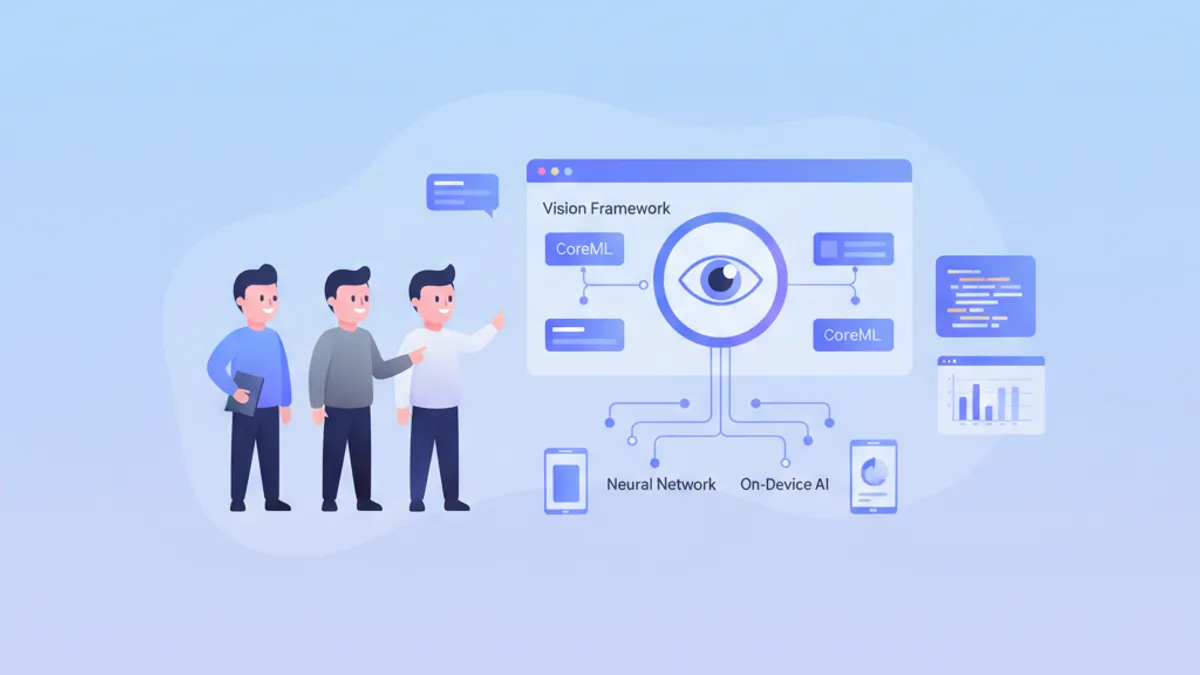
Machine learning trên thiết bị mang lại lợi thế cạnh tranh quan trọng cho các ứng dụng iOS hiện đại. Vision Framework và CoreML cho phép chạy mô hình trực tiếp trên thiết bị, đảm bảo quyền riêng tư dữ liệu và hiệu năng theo thời gian thực. Những câu hỏi phỏng vấn này bao quát các khái niệm cốt lõi mà mọi nhà phát triển iOS senior cần nắm vững.
Các câu hỏi được tổ chức theo chủ đề: nền tảng CoreML, Vision Framework, tối ưu hiệu năng và các tình huống thực tế. Mỗi câu trả lời đều kèm theo mã Swift hiện đại và giải thích chi tiết.
Nền tảng CoreML
1. CoreML là gì và có những ưu điểm gì?
CoreML là framework của Apple để tích hợp các mô hình machine learning vào ứng dụng iOS, macOS, watchOS và tvOS. Framework này tự động tối ưu mô hình cho phần cứng Apple (CPU, GPU, Neural Engine) và đảm bảo thực thi trên thiết bị mà không cần kết nối mạng.
Các ưu điểm chính bao gồm quyền riêng tư dữ liệu (không có dữ liệu nào rời khỏi thiết bị), độ trễ thấp (không có round-trip mạng) và tự động tối ưu cho Neural Engine trên các chip Apple Silicon.
import CoreML

// Loading a compiled CoreML model (.mlmodelc)
class ImageClassifier {
    // Model is compiled at build time to optimize loading
    private let model: VNCoreMLModel

    init() throws {
        // Configuration to use Neural Engine if available
        let config = MLModelConfiguration()
        config.computeUnits = .all  // CPU + GPU + Neural Engine

        // Load model with custom configuration
        let mlModel = try MobileNetV2(configuration: config).model
        model = try VNCoreMLModel(for: mlModel)
    }

    // Method to classify an image
    func classify(image: CGImage) async throws -> [(String, Float)] {
        // Create Vision request with CoreML model
        let request = VNCoreMLRequest(model: model)
        request.imageCropAndScaleOption = .centerCrop

        // Handler to process the image
        let handler = VNImageRequestHandler(cgImage: image, options: [:])
        try handler.perform([request])

        // Extract results
        guard let results = request.results as? [VNClassificationObservation] else {
            return []
        }

        // Return top 5 predictions with confidence
        return results.prefix(5).map { ($0.identifier, $0.confidence) }
    }
}
2. Làm thế nào để chuyển đổi mô hình TensorFlow hoặc PyTorch sang CoreML?
Việc chuyển đổi sử dụng coremltools, một gói Python chính thức của Apple. Gói này hỗ trợ TensorFlow, PyTorch, ONNX và các định dạng phổ biến khác. Quá trình chuyển đổi có thể bao gồm các tối ưu như lượng tử hóa để giảm kích thước mô hình.
# convert_model.py
import coremltools as ct
import torch

# Conversion from PyTorch
class MyClassifier(torch.nn.Module):
    def __init__(self):
        super().__init__()
        self.conv = torch.nn.Conv2d(3, 64, 3)
        self.fc = torch.nn.Linear(64, 10)

    def forward(self, x):
        x = self.conv(x)
        x = x.mean([2, 3])  # Global average pooling
        return self.fc(x)

# Example input for tracing
example_input = torch.rand(1, 3, 224, 224)

# Trace the PyTorch model
traced_model = torch.jit.trace(MyClassifier(), example_input)

# Convert to CoreML with metadata
mlmodel = ct.convert(
    traced_model,
    inputs=[ct.ImageType(name="image", shape=(1, 3, 224, 224))],
    classifier_config=ct.ClassifierConfig(["cat", "dog", "bird"]),
    minimum_deployment_target=ct.target.iOS17
)

# Save model with compression
mlmodel.save("MyClassifier.mlpackage")
Mô hình .mlpackage sau đó có thể được thêm trực tiếp vào dự án Xcode, công cụ này sẽ tự động sinh ra một class Swift được định kiểu.
3. Sự khác biệt giữa MLModel và VNCoreMLModel là gì?
MLModel là class nền tảng của CoreML để tải và chạy mô hình ML. VNCoreMLModel là một wrapper cho phép sử dụng mô hình CoreML với Vision Framework, cung cấp tiền xử lý hình ảnh tự động và tích hợp với các pipeline Vision.
import CoreML
import Vision

// Direct MLModel usage (low level)
func predictWithMLModel(features: MLFeatureProvider) async throws -> String {
    let config = MLModelConfiguration()
    let model = try MyModel(configuration: config)

    // Direct prediction with feature provider
    let prediction = try model.prediction(from: features)

    // Manual output access
    guard let output = prediction.featureValue(for: "classLabel")?.stringValue else {
        throw PredictionError.invalidOutput
    }
    return output
}

// Usage with VNCoreMLModel (high level, recommended for images)
func predictWithVision(image: CGImage) async throws -> [VNClassificationObservation] {
    let config = MLModelConfiguration()
    let mlModel = try MyModel(configuration: config).model

    // Wrapper for use with Vision
    let visionModel = try VNCoreMLModel(for: mlModel)

    // Vision automatically handles resizing and preprocessing
    let request = VNCoreMLRequest(model: visionModel)
    request.imageCropAndScaleOption = .scaleFill

    let handler = VNImageRequestHandler(cgImage: image)
    try handler.perform([request])

    return request.results as? [VNClassificationObservation] ?? []
}Dùng MLModel trực tiếp cho dữ liệu dạng bảng hoặc dữ liệu đầu vào không phải hình ảnh. Dùng VNCoreMLModel cho mọi tác vụ liên quan đến hình ảnh, vì Vision tự động xử lý chuyển đổi định dạng và tiền xử lý.
4. Làm thế nào để xử lý các phiên bản iOS khác nhau với CoreML?
CoreML phát triển theo từng phiên bản iOS. Cần xác định deployment target tối thiểu khi chuyển đổi và xử lý các tính năng không khả dụng trên các phiên bản cũ.
import CoreML

class AdaptiveMLManager {
    // Check model capabilities based on iOS version
    func loadOptimalModel() throws -> MLModel {
        let config = MLModelConfiguration()

        // iOS 17+: Optimized Neural Engine with compute budget
        if #available(iOS 17, *) {
            config.computeUnits = .cpuAndNeuralEngine
            // New in iOS 17: compute power limit
            config.allowLowPrecisionAccumulationOnGPU = true
            return try AdvancedModel(configuration: config).model
        }
        // iOS 16: Enhanced GPU support
        else if #available(iOS 16, *) {
            config.computeUnits = .all
            return try StandardModel(configuration: config).model
        }
        // iOS 15: CPU only fallback for reliability
        else {
            config.computeUnits = .cpuOnly
            return try LegacyModel(configuration: config).model
        }
    }

    // Check if Neural Engine is available
    var hasNeuralEngine: Bool {
        if #available(iOS 16, *) {
            // Devices with A11+ have Neural Engine
            var sysinfo = utsname()
            uname(&sysinfo)
            let machine = String(bytes: Data(bytes: &sysinfo.machine,
                count: Int(_SYS_NAMELEN)), encoding: .ascii)?
                .trimmingCharacters(in: .controlCharacters) ?? ""

            // iPhone X and later have Neural Engine
            return machine.contains("iPhone10") ||
                   machine.hasPrefix("iPhone1") && machine.count > 7
        }
        return false
    }
}
Vision Framework
5. Vision Framework hỗ trợ những loại request nào?
Vision Framework cung cấp nhiều loại request cho phân tích hình ảnh. Các nhóm chính bao gồm phát hiện khuôn mặt, nhận dạng văn bản (OCR), phát hiện đối tượng, theo dõi đối tượng trong video và phân tích độ tương đồng giữa các hình ảnh.
import Vision

class VisionAnalyzer {
    // Face detection with landmarks
    func detectFaces(in image: CGImage) async throws -> [VNFaceObservation] {
        let request = VNDetectFaceLandmarksRequest()
        request.revision = VNDetectFaceLandmarksRequestRevision3

        let handler = VNImageRequestHandler(cgImage: image)
        try handler.perform([request])

        return request.results ?? []
    }

    // Text recognition (OCR)
    func recognizeText(in image: CGImage) async throws -> [String] {
        let request = VNRecognizeTextRequest()
        request.recognitionLevel = .accurate  // .fast for real-time
        request.recognitionLanguages = ["en-US", "fr-FR"]
        request.usesLanguageCorrection = true

        let handler = VNImageRequestHandler(cgImage: image)
        try handler.perform([request])

        return request.results?.compactMap { observation in
            observation.topCandidates(1).first?.string
        } ?? []
    }

    // Object detection and classification
    func detectObjects(in image: CGImage) async throws -> [VNRecognizedObjectObservation] {
        // Use a CoreML model for detection
        let config = MLModelConfiguration()
        let detector = try YOLOv8(configuration: config)
        let visionModel = try VNCoreMLModel(for: detector.model)

        let request = VNCoreMLRequest(model: visionModel)
        request.imageCropAndScaleOption = .scaleFill

        let handler = VNImageRequestHandler(cgImage: image)
        try handler.perform([request])

        return request.results as? [VNRecognizedObjectObservation] ?? []
    }

    // Compute similarity between images
    func computeSimilarity(image1: CGImage, image2: CGImage) async throws -> Float {
        // Generate feature prints for both images
        let request = VNGenerateImageFeaturePrintRequest()

        let handler1 = VNImageRequestHandler(cgImage: image1)
        try handler1.perform([request])
        guard let print1 = request.results?.first else { throw VisionError.noResults }

        let handler2 = VNImageRequestHandler(cgImage: image2)
        try handler2.perform([request])
        guard let print2 = request.results?.first else { throw VisionError.noResults }

        // Compute distance between embeddings
        var distance: Float = 0
        try print1.computeDistance(&distance, to: print2)

        // Convert distance to similarity score (0-1)
        return 1.0 / (1.0 + distance)
    }
}
6. Làm thế nào để triển khai theo dõi đối tượng theo thời gian thực với Vision?
Việc theo dõi đối tượng sử dụng VNTrackObjectRequest để bám theo đối tượng đã phát hiện qua các frame video. Khởi tạo được thực hiện với một observation phát hiện, sau đó các frame tiếp theo sử dụng cùng request để theo dõi.
import Vision
import AVFoundation

class ObjectTracker: NSObject {
    private var trackingRequest: VNTrackObjectRequest?
    private let sequenceHandler = VNSequenceRequestHandler()

    // Callback to notify position updates
    var onTrackingUpdate: ((CGRect) -> Void)?
    var onTrackingLost: (() -> Void)?

    // Initialize tracking with an initial detection
    func startTracking(observation: VNDetectedObjectObservation) {
        // Create tracking request from observation
        trackingRequest = VNTrackObjectRequest(
            detectedObjectObservation: observation
        ) { [weak self] request, error in
            self?.handleTrackingResult(request: request, error: error)
        }

        // Configure tracking
        trackingRequest?.trackingLevel = .accurate  // .fast for 60fps
    }

    // Process each new video frame
    func processFrame(_ pixelBuffer: CVPixelBuffer) {
        guard let request = trackingRequest else { return }

        do {
            // Sequence handler maintains context between frames
            try sequenceHandler.perform([request], on: pixelBuffer)
        } catch {
            onTrackingLost?()
            trackingRequest = nil
        }
    }

    private func handleTrackingResult(request: VNRequest, error: Error?) {
        guard let result = request.results?.first as? VNDetectedObjectObservation else {
            onTrackingLost?()
            return
        }

        // Check tracking confidence
        if result.confidence < 0.3 {
            onTrackingLost?()
            trackingRequest = nil
            return
        }

        // Update request for next frame
        trackingRequest = VNTrackObjectRequest(detectedObjectObservation: result) {
            [weak self] request, error in
            self?.handleTrackingResult(request: request, error: error)
        }

        // Notify new position (normalized coordinates)
        DispatchQueue.main.async { [weak self] in
            self?.onTrackingUpdate?(result.boundingBox)
        }
    }
}

// Integration with AVCaptureSession
extension ObjectTracker: AVCaptureVideoDataOutputSampleBufferDelegate {
    func captureOutput(
        _ output: AVCaptureOutput,
        didOutput sampleBuffer: CMSampleBuffer,
        from connection: AVCaptureConnection
    ) {
        guard let pixelBuffer = CMSampleBufferGetImageBuffer(sampleBuffer) else {
            return
        }
        processFrame(pixelBuffer)
    }
}
Sẵn sàng chinh phục phỏng vấn iOS?
Luyện tập với mô phỏng tương tác, flashcards và bài kiểm tra kỹ thuật.
7. Làm thế nào để tối ưu hiệu năng Vision cho xử lý theo thời gian thực?
Việc tối ưu liên quan đến nhiều kỹ thuật: sử dụng mức độ nhận dạng phù hợp, xử lý các frame trên một queue riêng và giới hạn số lượng request đồng thời. Lựa chọn giữa độ chính xác và tốc độ phụ thuộc vào trường hợp sử dụng.
import Vision
import AVFoundation

class OptimizedVisionPipeline {
    // Dedicated queue for Vision processing (avoids main thread)
    private let processingQueue = DispatchQueue(
        label: "com.app.vision",
        qos: .userInteractive,
        attributes: .concurrent
    )

    // Limit number of simultaneously processed frames
    private let semaphore = DispatchSemaphore(value: 2)

    // Reuse requests to avoid allocations
    private lazy var textRequest: VNRecognizeTextRequest = {
        let request = VNRecognizeTextRequest()
        request.recognitionLevel = .fast  // .accurate if precision > speed
        request.usesLanguageCorrection = false  // Disable for +20% perf
        request.minimumTextHeight = 0.05  // Ignore text too small
        return request
    }()

    // Reuse sequence handler for tracking
    private let sequenceHandler = VNSequenceRequestHandler()

    // Optimized frame processing
    func processFrame(_ pixelBuffer: CVPixelBuffer) {
        // Skip if pipeline is saturated
        guard semaphore.wait(timeout: .now()) == .success else {
            return  // Drop frame rather than block
        }

        processingQueue.async { [weak self] in
            defer { self?.semaphore.signal() }

            guard let self = self else { return }

            do {
                // Use sequence handler for better performance
                try self.sequenceHandler.perform(
                    [self.textRequest],
                    on: pixelBuffer,
                    orientation: .up
                )

                // Process results
                if let results = self.textRequest.results {
                    self.handleResults(results)
                }
            } catch {
                print("Vision error: \(error)")
            }
        }
    }

    // Batch processing for static images
    func processImages(_ images: [CGImage]) async throws -> [[VNObservation]] {
        // Parallel processing with TaskGroup
        try await withThrowingTaskGroup(of: (Int, [VNObservation]).self) { group in
            for (index, image) in images.enumerated() {
                group.addTask {
                    let handler = VNImageRequestHandler(cgImage: image)
                    let request = VNDetectFaceRectanglesRequest()
                    try handler.perform([request])
                    return (index, request.results ?? [])
                }
            }

            // Collect results in original order
            var results = [[VNObservation]](repeating: [], count: images.count)
            for try await (index, observations) in group {
                results[index] = observations
            }
            return results
        }
    }

    private func handleResults(_ results: [VNRecognizedTextObservation]) {
        // Async processing of results
    }
}
8. Làm thế nào để triển khai phát hiện tư thế con người với Vision?
Vision Framework iOS 14+ cung cấp VNDetectHumanBodyPoseRequest để phát hiện các khớp cơ thể. Tính năng này được dùng cho ứng dụng fitness, game AR và phân tích chuyển động.
import Vision

struct DetectedPose {
    let joints: [VNHumanBodyPoseObservation.JointName: CGPoint]
    let confidence: Float

    // Calculate angle between three joints
    func angleBetween(
        _ joint1: VNHumanBodyPoseObservation.JointName,
        _ joint2: VNHumanBodyPoseObservation.JointName,
        _ joint3: VNHumanBodyPoseObservation.JointName
    ) -> Double? {
        guard let p1 = joints[joint1],
              let p2 = joints[joint2],
              let p3 = joints[joint3] else { return nil }

        let v1 = CGVector(dx: p1.x - p2.x, dy: p1.y - p2.y)
        let v2 = CGVector(dx: p3.x - p2.x, dy: p3.y - p2.y)

        let dot = v1.dx * v2.dx + v1.dy * v2.dy
        let mag1 = sqrt(v1.dx * v1.dx + v1.dy * v1.dy)
        let mag2 = sqrt(v2.dx * v2.dx + v2.dy * v2.dy)

        return acos(dot / (mag1 * mag2)) * 180 / .pi
    }
}

class PoseDetector {
    private let request = VNDetectHumanBodyPoseRequest()

    func detectPose(in image: CGImage) async throws -> DetectedPose? {
        let handler = VNImageRequestHandler(cgImage: image)
        try handler.perform([request])

        guard let observation = request.results?.first else { return nil }

        // Extract all detected joints
        var joints: [VNHumanBodyPoseObservation.JointName: CGPoint] = [:]

        // List of main joints
        let jointNames: [VNHumanBodyPoseObservation.JointName] = [
            .nose, .neck,
            .leftShoulder, .rightShoulder,
            .leftElbow, .rightElbow,
            .leftWrist, .rightWrist,
            .leftHip, .rightHip,
            .leftKnee, .rightKnee,
            .leftAnkle, .rightAnkle
        ]

        for jointName in jointNames {
            if let point = try? observation.recognizedPoint(jointName),
               point.confidence > 0.3 {
                // Convert normalized coordinates to points
                joints[jointName] = CGPoint(x: point.x, y: point.y)
            }
        }

        return DetectedPose(
            joints: joints,
            confidence: observation.confidence
        )
    }

    // Detect if person is doing a squat
    func isSquatting(pose: DetectedPose) -> Bool {
        guard let kneeAngle = pose.angleBetween(
            .leftHip, .leftKnee, .leftAnkle
        ) else { return false }

        // A squat typically has knee angle < 100°
        return kneeAngle < 100
    }
}
Tối ưu và sản xuất
9. Làm thế nào để lượng tử hóa mô hình CoreML nhằm giảm kích thước?
Lượng tử hóa giảm độ chính xác của trọng số (từ Float32 xuống Float16 hoặc Int8) để giảm kích thước mô hình và tăng tốc suy luận. Đánh đổi là một mức suy giảm độ chính xác nhỏ.
# quantize_model.py
import coremltools as ct
from coremltools.models.neural_network import quantization_utils

# Load existing model
model = ct.models.MLModel("MyModel.mlpackage")

# Float16 quantization (recommended, good size/precision balance)
model_fp16 = ct.models.neural_network.quantization_utils.quantize_weights(
    model,
    nbits=16,
    quantization_mode="linear"
)
model_fp16.save("MyModel_FP16.mlpackage")

# Int8 quantization (smallest size, possible precision loss)
# Requires calibration dataset for best results
def calibration_data():
    import numpy as np
    for _ in range(100):
        yield {"image": np.random.rand(1, 3, 224, 224).astype(np.float32)}

model_int8 = ct.compression_utils.affine_quantize_weights(
    model,
    mode="linear_symmetric",
    dtype=ct.converters.mil.mil.types.int8
)
model_int8.save("MyModel_INT8.mlpackage")import CoreML
class ModelBenchmark {
// Compare performance of different versions
func benchmark() async throws {
let configs: [(String, URL)] = [
("Full Precision", Bundle.main.url(forResource: "Model", withExtension: "mlmodelc")!),
("Float16", Bundle.main.url(forResource: "Model_FP16", withExtension: "mlmodelc")!),
("Int8", Bundle.main.url(forResource: "Model_INT8", withExtension: "mlmodelc")!)
]
for (name, url) in configs {
let model = try MLModel(contentsOf: url)
// Measure average inference time over 100 iterations
let startTime = CFAbsoluteTimeGetCurrent()
for _ in 0..<100 {
let input = try prepareInput()
_ = try model.prediction(from: input)
}
let elapsed = CFAbsoluteTimeGetCurrent() - startTime
// Model size
let size = try FileManager.default.attributesOfItem(atPath: url.path)[.size] as? Int ?? 0
print("\(name): \(elapsed/100*1000)ms/inference, \(size/1024/1024)MB")
}
}
private func prepareInput() throws -> MLFeatureProvider {
// Prepare test input
fatalError("Implement based on model requirements")
}
}10. Làm thế nào để quản lý bộ nhớ khi xử lý hình ảnh lớn?
Xử lý hình ảnh độ phân giải cao có thể gây ra các đỉnh bộ nhớ. Kỹ thuật bao gồm downsampling thông minh, xử lý theo tile và giải phóng tài nguyên chủ động.
import Vision
import CoreImage

class MemoryEfficientProcessor {
    // Reusable CoreImage context to avoid allocations
    private let ciContext = CIContext(options: [
        .useSoftwareRenderer: false,
        .cacheIntermediates: false  // Reduces memory usage
    ])

    // Smart downsampling of large images
    func downsampleImage(at url: URL, to maxDimension: CGFloat) -> CGImage? {
        // Options for downsampling at read time (avoids loading full image)
        let options: [CFString: Any] = [
            kCGImageSourceCreateThumbnailFromImageAlways: true,
            kCGImageSourceThumbnailMaxPixelSize: maxDimension,
            kCGImageSourceCreateThumbnailWithTransform: true,
            kCGImageSourceShouldCacheImmediately: false
        ]

        guard let source = CGImageSourceCreateWithURL(url as CFURL, nil),
              let image = CGImageSourceCreateThumbnailAtIndex(source, 0, options as CFDictionary) else {
            return nil
        }

        return image
    }

    // Tile processing for very large images
    func processByTiles(
        image: CGImage,
        tileSize: CGSize,
        processor: (CGImage) throws -> [VNObservation]
    ) throws -> [VNObservation] {
        var allObservations: [VNObservation] = []

        let imageWidth = CGFloat(image.width)
        let imageHeight = CGFloat(image.height)

        // Iterate through image by tiles
        var y: CGFloat = 0
        while y < imageHeight {
            var x: CGFloat = 0
            while x < imageWidth {
                // Calculate tile rectangle
                let tileRect = CGRect(
                    x: x, y: y,
                    width: min(tileSize.width, imageWidth - x),
                    height: min(tileSize.height, imageHeight - y)
                )

                // Extract tile
                autoreleasepool {
                    if let tile = image.cropping(to: tileRect) {
                        do {
                            let observations = try processor(tile)

                            // Adjust coordinates relative to full image
                            let adjusted = observations.compactMap { obs -> VNObservation? in
                                guard let detected = obs as? VNDetectedObjectObservation else {
                                    return obs
                                }
                                // Recalculate bounding box in global coordinates
                                var box = detected.boundingBox
                                box.origin.x = (box.origin.x * tileRect.width + x) / imageWidth
                                box.origin.y = (box.origin.y * tileRect.height + y) / imageHeight
                                box.size.width = box.size.width * tileRect.width / imageWidth
                                box.size.height = box.size.height * tileRect.height / imageHeight

                                return detected
                            }
                            allObservations.append(contentsOf: adjusted)
                        } catch {
                            print("Tile processing error: \(error)")
                        }
                    }
                }

                x += tileSize.width * 0.9  // 10% overlap to avoid cutting objects
            }
            y += tileSize.height * 0.9
        }

        return allObservations
    }
}Luôn dùng autoreleasepool trong các vòng lặp xử lý hình ảnh và kiểm tra retain cycle trong các closure của request Vision.
11. Làm thế nào để triển khai một pipeline ML với Create ML Components?
Create ML Components (iOS 16+) cho phép tạo các pipeline ML mô-đun với những transformer được định nghĩa sẵn. Cách này linh hoạt hơn so với mô hình monolithic truyền thống.
import CreateMLComponents
import CoreImage

@available(iOS 16.0, *)
class MLPipeline {
    // Image classification pipeline with preprocessing
    func createImageClassificationPipeline() throws -> some Transformer<CGImage, String> {
        // Transformer composition
        let pipeline = ImageReader()
            .appending(ImageScaler(targetSize: .init(width: 224, height: 224)))
            .appending(ImageNormalizer(mean: [0.485, 0.456, 0.406],
                                       std: [0.229, 0.224, 0.225]))
            .appending(try ImageFeaturePrint())
            .appending(try NearestNeighborClassifier<String>
                .load(from: trainingDataURL))

        return pipeline
    }

    // Custom pipeline with custom steps
    func createCustomPipeline() -> some Transformer<CIImage, AnalysisResult> {
        // Step 1: Preprocessing
        let preprocess = CIImageTransformer { image in
            // Apply CoreImage filters
            let adjusted = image
                .applyingFilter("CIColorControls", parameters: [
                    kCIInputContrastKey: 1.2,
                    kCIInputSaturationKey: 1.1
                ])
            return adjusted
        }

        // Step 2: Detection
        let detect = VisionTransformer<CIImage, [VNFaceObservation]> { image in
            let request = VNDetectFaceRectanglesRequest()
            let handler = VNImageRequestHandler(ciImage: image)
            try handler.perform([request])
            return request.results ?? []
        }

        // Step 3: Analysis
        let analyze = ResultTransformer<[VNFaceObservation], AnalysisResult> { faces in
            AnalysisResult(
                faceCount: faces.count,
                averageConfidence: faces.map(\.confidence).reduce(0, +) / Float(faces.count)
            )
        }

        return preprocess
            .appending(detect)
            .appending(analyze)
    }
}

struct AnalysisResult {
    let faceCount: Int
    let averageConfidence: Float
}
12. Làm thế nào để kiểm thử và xác thực một mô hình CoreML?
Kiểm thử bao gồm xác thực độ chính xác, kiểm thử hiệu năng và kiểm thử tích hợp. Việc kiểm thử trên nhiều thiết bị và điều kiện khác nhau là cực kỳ quan trọng.
import XCTest
import CoreML
import Vision

class CoreMLModelTests: XCTestCase {
    var model: VNCoreMLModel!

    override func setUpWithError() throws {
        let config = MLModelConfiguration()
        config.computeUnits = .cpuOnly  // Reproducible on CI
        let mlModel = try MyClassifier(configuration: config).model
        model = try VNCoreMLModel(for: mlModel)
    }

    // Accuracy test with validation dataset
    func testClassificationAccuracy() async throws {
        let testCases: [(imageName: String, expectedClass: String)] = [
            ("cat_001", "cat"),
            ("dog_001", "dog"),
            ("bird_001", "bird")
        ]

        var correct = 0
        for testCase in testCases {
            let image = try loadTestImage(named: testCase.imageName)
            let prediction = try await classify(image: image)

            if prediction == testCase.expectedClass {
                correct += 1
            }
        }

        let accuracy = Double(correct) / Double(testCases.count)
        XCTAssertGreaterThan(accuracy, 0.95, "Accuracy should be > 95%")
    }

    // Performance test (inference time)
    func testInferencePerformance() throws {
        let image = try loadTestImage(named: "test_image")

        measure(metrics: [XCTClockMetric(), XCTMemoryMetric()]) {
            let request = VNCoreMLRequest(model: model)
            let handler = VNImageRequestHandler(cgImage: image)
            try? handler.perform([request])
        }
    }

    // Transformation robustness test
    func testRobustness() async throws {
        let originalImage = try loadTestImage(named: "cat_001")
        let originalPrediction = try await classify(image: originalImage)

        // Test with rotation
        let rotated = try applyTransform(originalImage, rotation: .pi / 6)
        let rotatedPrediction = try await classify(image: rotated)
        XCTAssertEqual(originalPrediction, rotatedPrediction)

        // Test with noise
        let noisy = try addNoise(to: originalImage, intensity: 0.1)
        let noisyPrediction = try await classify(image: noisy)
        XCTAssertEqual(originalPrediction, noisyPrediction)
    }

    // Edge case handling test
    func testEdgeCases() async throws {
        // Very small image
        let smallImage = try loadTestImage(named: "tiny_10x10")
        let smallResult = try await classify(image: smallImage)
        XCTAssertNotNil(smallResult)

        // Monochrome image
        let monoImage = try loadTestImage(named: "grayscale")
        let monoResult = try await classify(image: monoImage)
        XCTAssertNotNil(monoResult)
    }

    // Helpers
    private func classify(image: CGImage) async throws -> String {
        let request = VNCoreMLRequest(model: model)
        let handler = VNImageRequestHandler(cgImage: image)
        try handler.perform([request])

        guard let results = request.results as? [VNClassificationObservation],
              let top = results.first else {
            throw TestError.noResults
        }

        return top.identifier
    }

    private func loadTestImage(named: String) throws -> CGImage {
        guard let url = Bundle(for: type(of: self))
                .url(forResource: named, withExtension: "jpg"),
              let source = CGImageSourceCreateWithURL(url as CFURL, nil),
              let image = CGImageSourceCreateImageAtIndex(source, 0, nil) else {
            throw TestError.imageNotFound
        }
        return image
    }
}
Sẵn sàng chinh phục phỏng vấn iOS?
Luyện tập với mô phỏng tương tác, flashcards và bài kiểm tra kỹ thuật.
Câu hỏi System Design
13. Làm thế nào để thiết kế kiến trúc ML trên thiết bị cho ứng dụng sản xuất?
Một kiến trúc ML vững chắc tách biệt các trách nhiệm: mô hình, tiền xử lý, hậu xử lý và caching. Kiến trúc này cần quản lý các bản cập nhật mô hình và fallback mượt mà.
import CoreML
import Vision

// Protocol for model abstraction
protocol MLModelProvider {
    associatedtype Input
    associatedtype Output

    func predict(_ input: Input) async throws -> Output
    var modelVersion: String { get }
}

// Model manager with OTA updates
class ModelManager {
    static let shared = ModelManager()

    private var models: [String: any MLModel] = [:]
    private let modelDirectory: URL

    private init() {
        modelDirectory = FileManager.default.urls(for: .applicationSupportDirectory, in: .userDomainMask)[0]
            .appendingPathComponent("MLModels")
        try? FileManager.default.createDirectory(at: modelDirectory, withIntermediateDirectories: true)
    }

    // Load model with fallback to bundled version
    func loadModel<T: MLModel>(
        named name: String,
        type: T.Type
    ) async throws -> T {
        // Check if downloaded version exists
        let downloadedURL = modelDirectory.appendingPathComponent("\(name).mlmodelc")

        if FileManager.default.fileExists(atPath: downloadedURL.path) {
            // Validate downloaded model integrity
            do {
                let model = try await loadAndValidate(from: downloadedURL, type: type)
                return model
            } catch {
                // Fallback to bundled version if corrupted
                print("Downloaded model corrupted, falling back to bundled version")
                try? FileManager.default.removeItem(at: downloadedURL)
            }
        }

        // Load bundled version
        guard let bundledURL = Bundle.main.url(forResource: name, withExtension: "mlmodelc") else {
            throw ModelError.modelNotFound(name)
        }

        return try await loadAndValidate(from: bundledURL, type: type)
    }

    // Download and install new model version
    func updateModel(named name: String, from url: URL) async throws {
        // Download model
        let (tempURL, _) = try await URLSession.shared.download(from: url)

        // Compile model if needed
        let compiledURL: URL
        if tempURL.pathExtension == "mlmodel" {
            compiledURL = try MLModel.compileModel(at: tempURL)
        } else {
            compiledURL = tempURL
        }

        // Validate before installation
        let config = MLModelConfiguration()
        _ = try MLModel(contentsOf: compiledURL, configuration: config)

        // Install in models directory
        let destURL = modelDirectory.appendingPathComponent("\(name).mlmodelc")
        try? FileManager.default.removeItem(at: destURL)
        try FileManager.default.moveItem(at: compiledURL, to: destURL)

        // Notify app of update
        NotificationCenter.default.post(name: .modelUpdated, object: name)
    }

    private func loadAndValidate<T: MLModel>(
        from url: URL,
        type: T.Type
    ) async throws -> T {
        let config = MLModelConfiguration()
        config.computeUnits = .all

        let model = try T(contentsOf: url, configuration: config)

        // Basic model validation
        // Verify inputs/outputs match expectations

        return model
    }
}

extension Notification.Name {
    static let modelUpdated = Notification.Name("MLModelUpdated")
}
14. Làm thế nào để xử lý lỗi và monitoring trong môi trường sản xuất?
Một hệ thống monitoring vững chắc thu thập các chỉ số hiệu năng, lỗi và cho phép gỡ lỗi từ xa. Việc tích hợp với các công cụ analytics là điều cần thiết.
import OSLog

class MLMonitor {
    static let shared = MLMonitor()

    private let logger = Logger(subsystem: "com.app.ml", category: "inference")
    private var metrics: [InferenceMetric] = []

    struct InferenceMetric: Codable {
        let modelName: String
        let inferenceTime: Double
        let inputSize: CGSize?
        let confidence: Float?
        let timestamp: Date
        let success: Bool
        let errorDescription: String?
    }

    // Record an inference
    func recordInference(
        model: String,
        duration: TimeInterval,
        inputSize: CGSize? = nil,
        confidence: Float? = nil,
        error: Error? = nil
    ) {
        let metric = InferenceMetric(
            modelName: model,
            inferenceTime: duration,
            inputSize: inputSize,
            confidence: confidence,
            timestamp: Date(),
            success: error == nil,
            errorDescription: error?.localizedDescription
        )

        metrics.append(metric)

        // Log for debugging
        if let error = error {
            logger.error("ML inference failed: \(model) - \(error.localizedDescription)")
        } else {
            logger.info("ML inference: \(model) completed in \(duration)s")
        }

        // Detect anomalies
        checkForAnomalies(metric)
    }

    // Wrapper for automatic measurement
    func measure<T>(
        model: String,
        inputSize: CGSize? = nil,
        operation: () async throws -> T
    ) async rethrows -> T {
        let start = CFAbsoluteTimeGetCurrent()

        do {
            let result = try await operation()
            let duration = CFAbsoluteTimeGetCurrent() - start

            recordInference(
                model: model,
                duration: duration,
                inputSize: inputSize
            )

            return result
        } catch {
            let duration = CFAbsoluteTimeGetCurrent() - start

            recordInference(
                model: model,
                duration: duration,
                inputSize: inputSize,
                error: error
            )

            throw error
        }
    }

    // Detect performance issues
    private func checkForAnomalies(_ metric: InferenceMetric) {
        // Alert if inference time exceeds threshold
        if metric.inferenceTime > 1.0 {
            logger.warning("Slow inference detected: \(metric.modelName) took \(metric.inferenceTime)s")

            // Send alert if available
            Task {
                await AnalyticsService.shared.reportAnomaly(
                    type: .slowInference,
                    details: metric
                )
            }
        }

        // Alert if confidence is too low
        if let confidence = metric.confidence, confidence < 0.5 {
            logger.info("Low confidence prediction: \(confidence) for \(metric.modelName)")
        }
    }

    // Generate performance report
    func generateReport() -> PerformanceReport {
        let recentMetrics = metrics.filter {
            $0.timestamp > Date().addingTimeInterval(-3600)  // Last hour
        }

        let avgInferenceTime = recentMetrics.map(\.inferenceTime).reduce(0, +) / Double(recentMetrics.count)
        let successRate = Double(recentMetrics.filter(\.success).count) / Double(recentMetrics.count)

        return PerformanceReport(
            totalInferences: recentMetrics.count,
            averageInferenceTime: avgInferenceTime,
            successRate: successRate,
            modelBreakdown: Dictionary(grouping: recentMetrics, by: \.modelName)
        )
    }
}

struct PerformanceReport {
    let totalInferences: Int
    let averageInferenceTime: Double
    let successRate: Double
    let modelBreakdown: [String: [MLMonitor.InferenceMetric]]
}
Kết luận
Vision Framework và CoreML là nền tảng của machine learning trên thiết bị trong iOS. Việc nắm vững các công nghệ này là cần thiết để phát triển những ứng dụng hiện đại tôn trọng quyền riêng tư của người dùng đồng thời cung cấp các tính năng ML nâng cao.
Danh sách kiểm tra
- ✅ Hiểu CoreML và những ưu điểm (quyền riêng tư, độ trễ, offline)
- ✅ Biết cách chuyển đổi mô hình TensorFlow/PyTorch sang CoreML
- ✅ Nắm vững các request Vision (phát hiện khuôn mặt, OCR, phân loại)
- ✅ Triển khai theo dõi đối tượng theo thời gian thực
- ✅ Tối ưu hiệu năng (lượng tử hóa, quản lý bộ nhớ)
- ✅ Thiết kế kiến trúc ML vững chắc cho sản xuất
- ✅ Thiết lập monitoring và xử lý lỗi
Điểm chính
Hiệu năng trên thiết bị phụ thuộc rất nhiều vào việc lựa chọn giữa CPU, GPU và Neural Engine. Lượng tử hóa mô hình mang lại sự cân bằng tuyệt vời giữa kích thước và hiệu năng. Monitoring trong môi trường sản xuất là yếu tố then chốt để phát hiện regression.
Bắt đầu luyện tập!
Kiểm tra kiến thức với mô phỏng phỏng vấn và bài kiểm tra kỹ thuật.
Bạn có tìm ra lỗi trong iOS không?
Một đoạn mã thật, một lỗi ẩn, mỗi ngày một lượt. Không cần tài khoản để thử.

Viết bởi
Anthony Fillion-MailletNgười sáng lập SharpSkill
Lập trình viên fullstack hơn 10 năm. Anh điều hành SharpSkill và chịu trách nhiệm về mọi nội dung đăng tại đây.
Cập nhật ngày 29 tháng 4, 2026
Thẻ
Chia sẻ
Bài viết liên quan

Phỏng vấn MapKit SwiftUI năm 2026: Chú thích, Lớp phủ và Định vị
Làm chủ MapKit với SwiftUI cho phỏng vấn iOS: chú thích tùy chỉnh, lớp phủ, định vị, tìm kiếm địa điểm và các mẫu tích hợp Maps.

Phỏng Vấn StoreKit 2: Quản Lý Đăng Ký và Xác Thực Biên Lai
Làm chủ các câu hỏi phỏng vấn iOS về StoreKit 2, quản lý đăng ký, xác thực biên lai và triển khai mua hàng trong ứng dụng với các ví dụ mã Swift thực tế.

Swift Testing Framework Phỏng vấn 2026: Macro #expect và #require so với XCTest
Làm chủ Swift Testing Framework mới cho phỏng vấn iOS: macro #expect và #require, di chuyển từ XCTest, các pattern nâng cao và những lỗi thường gặp.