Swift Testing Framework Phỏng vấn 2026: Macro #expect và #require so với XCTest
Làm chủ Swift Testing Framework mới cho phỏng vấn iOS: macro #expect và #require, di chuyển từ XCTest, các pattern nâng cao và những lỗi thường gặp.

Được giới thiệu tại WWDC 2024 và phát hành cùng Swift 6 và Xcode 16, Swift Testing đại diện cho việc tái thiết kế hoàn toàn cách kiểm thử hoạt động trong Swift. Framework này thay thế hơn 40 assertion của XCTest bằng chỉ hai macro: #expect và #require. Người phỏng vấn hiện kiểm tra kiến thức này thường xuyên trong các buổi phỏng vấn kỹ thuật iOS.
Mỗi phần phản ánh một câu hỏi phỏng vấn kỹ thuật với các câu trả lời chi tiết và mã hoạt động. Tiến trình đi từ các khái niệm cơ bản đến các pattern nâng cao.
Nền tảng Swift Testing
Câu hỏi 1: Sự khác biệt chính giữa Swift Testing và XCTest là gì?
Swift Testing mang đến năm thay đổi cơ bản so với XCTest:
- Cú pháp khai báo: thuộc tính
@Testthay vì tiền tốtest - Hai macro phổ quát:
#expectvà#requirethay thế hơn 40 assertion - Mặc định song song: tất cả các bài kiểm thử chạy đồng thời
- Hỗ trợ async gốc: tích hợp đầy đủ với Swift Concurrency
- Đa nền tảng: hoạt động trên các nền tảng Apple, Linux và Windows
import XCTest
import Testing

// ❌ Legacy XCTest pattern
class UserServiceXCTests: XCTestCase {
    // Must start with "test"
    func testUserCreation() {
        let user = User(name: "Alice", age: 25)

        // Multiple verbose assertions
        XCTAssertNotNil(user)
        XCTAssertEqual(user.name, "Alice")
        XCTAssertGreaterThan(user.age, 18)
        XCTAssertTrue(user.isValid)
    }
}

// ✅ Modern Swift Testing pattern
@Test("User creation with valid data")
func userCreation() {
    let user = User(name: "Alice", age: 25)

    // Single macro for all verifications
    #expect(user.name == "Alice")
    #expect(user.age > 18)
    #expect(user.isValid)
}
Sự khác biệt then chốt nằm ở khả năng diễn đạt: Swift Testing sử dụng các biểu thức Swift chuẩn thay vì assertion chuyên biệt, làm cho bài kiểm thử dễ đọc hơn và thông báo lỗi giàu thông tin hơn.
Câu hỏi 2: Macro #expect hoạt động như thế nào?
Macro #expect xác minh rằng một biểu thức boolean là đúng. Macro tự động ghi lại các giá trị được đánh giá để cung cấp thông báo lỗi chi tiết. Khác với XCTAssert, nó sử dụng cú pháp Swift gốc.
import Testing

@Test func basicExpectations() {
    let numbers = [1, 2, 3, 4, 5]
    let user = User(name: "Bob", email: "bob@example.com")

    // Simple comparisons - standard Swift expression
    #expect(numbers.count == 5)
    #expect(user.name == "Bob")

    // Comparisons with operators
    #expect(numbers.first! < numbers.last!)
    #expect(user.email.contains("@"))

    // Nil checking
    #expect(numbers.first != nil)

    // Collection verification
    #expect(numbers.contains(3))
    #expect(!numbers.isEmpty)
}

@Test func expectWithCustomMessage() {
    let balance = 150.0
    let withdrawAmount = 200.0

    // Custom message to clarify intent
    #expect(
        balance >= withdrawAmount,
        "Insufficient funds: balance \(balance) < withdrawal \(withdrawAmount)"
    )
}
Khi #expect thất bại, bài kiểm thử vẫn tiếp tục thực thi. Đặc điểm này cho phép thu thập nhiều lỗi trong một lần chạy duy nhất, giúp việc chẩn đoán dễ dàng hơn.
Câu hỏi 3: Sự khác biệt giữa #expect và #require là gì?
Sự khác biệt cơ bản liên quan đến hành vi sau khi thất bại:
#expect: ghi nhận lỗi và tiếp tục thực thi#require: ghi nhận lỗi và dừng bài kiểm thử ngay lập tức
#require luôn phải được sử dụng với try vì có thể ném lỗi.
import Testing

struct ApiResponse {
    let data: Data?
    let items: [Item]?
}

@Test func demonstrateExpectContinues() {
    let values = [1, 2, 3]

    // First #expect fails but test continues
    #expect(values.count == 10)  // ❌ Failure recorded

    // These verifications still execute
    #expect(values.first == 1)   // ✅ Success
    #expect(values.last == 3)    // ✅ Success

    // Result: 1 failure, 2 successes in the same test
}

@Test func demonstrateRequireStops() throws {
    let response = ApiResponse(data: nil, items: nil)

    // #require stops immediately if condition fails
    let data = try #require(response.data)  // ❌ Failure and STOP

    // This code NEVER executes if data is nil
    let json = try JSONDecoder().decode(User.self, from: data)
    #expect(json.name == "Alice")
}
Trong thực tế, #require thay thế hoàn hảo XCTUnwrap để unwrap optional một cách an toàn.
Sử dụng #require khi các bước tiếp theo phụ thuộc vào kết quả (unwrap, điều kiện tiên quyết). Sử dụng #expect cho các xác minh độc lập có thể thất bại mà không chặn phần còn lại của bài kiểm thử.
Pattern nâng cao với #require
Câu hỏi 4: Sử dụng #require để unwrap optional như thế nào?
#require rất xuất sắc trong việc unwrap optional. Nó trả về giá trị không-optional nếu tồn tại, hoặc làm bài kiểm thử thất bại ngay lập tức nếu là nil.
import Testing

struct UserProfile {
    let id: Int
    let name: String
    let settings: Settings?
}

struct Settings {
    let theme: String
    let notifications: Bool
}

@Test func unwrapOptionalChain() throws {
    let profile = UserProfile(
        id: 1,
        name: "Alice",
        settings: Settings(theme: "dark", notifications: true)
    )

    // Safe unwrap - stops if nil
    let settings = try #require(profile.settings)

    // Now settings is no longer optional
    #expect(settings.theme == "dark")
    #expect(settings.notifications == true)
}

@Test func unwrapArrayElement() throws {
    let users = ["Alice", "Bob", "Charlie"]

    // Unwrap first element
    let firstUser = try #require(users.first)
    #expect(firstUser == "Alice")

    // Unwrap with safe index
    let secondUser = try #require(users[safe: 1])
    #expect(secondUser == "Bob")
}

@Test func unwrapDictionaryValue() throws {
    let config: [String: Any] = [
        "apiUrl": "https://api.example.com",
        "timeout": 30,
        "retryCount": 3
    ]

    // Unwrap and cast in a single operation
    let apiUrl = try #require(config["apiUrl"] as? String)
    let timeout = try #require(config["timeout"] as? Int)

    #expect(apiUrl.contains("https"))
    #expect(timeout > 0)
}
Cách tiếp cận này loại bỏ kim tự tháp guard let và làm cho mã kiểm thử tuyến tính và dễ đọc.
Câu hỏi 5: Làm thế nào để kiểm thử rằng một hàm ném lỗi?
Swift Testing cung cấp #expect(throws:) để xác minh rằng một hàm ném ra lỗi cụ thể.
import Testing

enum ValidationError: Error, Equatable {
    case emptyName
    case invalidEmail
    case underAge(minimum: Int)
}

struct Validator {
    static func validateUser(name: String, email: String, age: Int) throws {
        guard !name.isEmpty else {
            throw ValidationError.emptyName
        }
        guard email.contains("@") else {
            throw ValidationError.invalidEmail
        }
        guard age >= 18 else {
            throw ValidationError.underAge(minimum: 18)
        }
    }
}

@Test func testThrowsSpecificError() {
    // Verify a specific error is thrown
    #expect(throws: ValidationError.emptyName) {
        try Validator.validateUser(name: "", email: "test@mail.com", age: 25)
    }

    #expect(throws: ValidationError.invalidEmail) {
        try Validator.validateUser(name: "Alice", email: "invalid", age: 25)
    }
}

@Test func testThrowsErrorType() {
    // Verify error type without specific value
    #expect(throws: ValidationError.self) {
        try Validator.validateUser(name: "Bob", email: "bob@mail.com", age: 15)
    }
}

@Test func testThrowsWithInspection() throws {
    // Capture error for detailed inspection
    let error = try #require(
        throws: ValidationError.self
    ) {
        try Validator.validateUser(name: "Charlie", email: "charlie@mail.com", age: 16)
    }

    // Verify error details
    if case .underAge(let minimum) = error {
        #expect(minimum == 18)
    }
}
Cú pháp này thay thế XCTAssertThrowsError bằng một API rõ ràng hơn và an toàn về kiểu.
Sẵn sàng chinh phục phỏng vấn iOS?
Luyện tập với mô phỏng tương tác, flashcards và bài kiểm tra kỹ thuật.
Tổ chức kiểm thử với @Test và @Suite
Câu hỏi 6: Tổ chức kiểm thử với @Suite như thế nào?
@Suite nhóm các bài kiểm thử liên quan một cách logic. Khác với XCTestCase, nó không yêu cầu kế thừa lớp.
import Testing

// Suite for authentication tests
@Suite("Authentication Tests")
struct AuthenticationTests {

    // Shared property for all tests in the suite
    let authService = AuthService()

    @Test("Login with valid credentials succeeds")
    func loginWithValidCredentials() async throws {
        let result = try await authService.login(
            email: "user@example.com",
            password: "validPass123"
        )

        #expect(result.isSuccess)
        let token = try #require(result.token)
        #expect(!token.isEmpty)
    }

    @Test("Login with invalid password fails")
    func loginWithInvalidPassword() async {
        let result = await authService.login(
            email: "user@example.com",
            password: "wrong"
        )

        #expect(!result.isSuccess)
        #expect(result.error == .invalidCredentials)
    }
}

// Nested suites for hierarchical organization
@Suite("User Management")
struct UserManagementTests {

    @Suite("Creation")
    struct CreationTests {
        @Test func createUserWithValidData() {
            // Creation test
        }

        @Test func createUserWithDuplicateEmail() {
            // Duplicate error test
        }
    }

    @Suite("Deletion")
    struct DeletionTests {
        @Test func deleteExistingUser() {
            // Deletion test
        }

        @Test func deleteNonExistentUser() {
            // Error test
        }
    }
}
Suites cho phép chạy các tập con bài kiểm thử và tổ chức báo cáo theo cách dễ đọc.
Câu hỏi 7: Sử dụng trait để cấu hình kiểm thử như thế nào?
Trait điều chỉnh hành vi kiểm thử: điều kiện thực thi, tag, timeout, v.v.
import Testing

@Suite("API Integration Tests")
struct APITests {

    // Temporarily disabled test
    @Test(.disabled("Backend under maintenance"))
    func fetchUserProfile() async {
        // Does not execute
    }

    // Conditional test based on platform
    @Test
    @available(iOS 17, *)
    func useNewAPIFeature() {
        // Executes only on iOS 17+
    }

    // Test with tags for filtering
    @Test(.tags(.critical, .network))
    func criticalNetworkOperation() async throws {
        // Tagged test for filtering
    }

    // Test with custom timeout
    @Test(.timeLimit(.minutes(2)))
    func longRunningOperation() async {
        // Must complete within 2 minutes
    }

    // Trait combination
    @Test(
        "Complex data sync",
        .tags(.slow),
        .timeLimit(.minutes(5)),
        .bug("JIRA-1234", "Flaky on CI")
    )
    func complexDataSync() async throws {
        // Test documented with known bug
    }
}

// Custom tag definitions
extension Tag {
    @Tag static var critical: Self
    @Tag static var network: Self
    @Tag static var slow: Self
}
Trait làm cho kiểm thử tự tài liệu hóa và cho phép thực thi chọn lọc qua dòng lệnh.
Kiểm thử có tham số
Câu hỏi 8: Tạo kiểm thử có tham số như thế nào?
Swift Testing cho phép chạy cùng một bài kiểm thử với các đầu vào khác nhau thông qua tham số.
import Testing

struct EmailValidator {
    static func isValid(_ email: String) -> Bool {
        let pattern = #"^[\w-\.]+@([\w-]+\.)+[\w-]{2,4}$"#
        return email.range(of: pattern, options: .regularExpression) != nil
    }
}

// Parameterized test with a collection
@Test(arguments: [
    "user@example.com",
    "test.name@domain.org",
    "contact@company.co.uk"
])
func validEmailsAreAccepted(email: String) {
    #expect(EmailValidator.isValid(email))
}

@Test(arguments: [
    "invalid",
    "@nodomain.com",
    "no@tld",
    "spaces in@email.com"
])
func invalidEmailsAreRejected(email: String) {
    #expect(!EmailValidator.isValid(email))
}

// Test with tuples for input/output cases
@Test(arguments: [
    ("hello", "HELLO"),
    ("World", "WORLD"),
    ("Swift", "SWIFT")
])
func uppercaseConversion(input: String, expected: String) {
    #expect(input.uppercased() == expected)
}

// Test with Cartesian product of two collections
@Test(arguments: [1, 2, 3], ["a", "b"])
func combinationTest(number: Int, letter: String) {
    // Runs for (1,"a"), (1,"b"), (2,"a"), (2,"b"), (3,"a"), (3,"b")
    let combined = "\(number)\(letter)"
    #expect(combined.count == 2)
}
Mỗi tổ hợp tham số tạo ra một bài kiểm thử độc lập, giúp dễ dàng nhận diện các trường hợp thất bại.
Câu hỏi 9: Kiểm thử mã bất đồng bộ như thế nào?
Swift Testing tích hợp async/await một cách native, đơn giản hóa đáng kể các bài kiểm thử bất đồng bộ.
import Testing

actor DataStore {
    private var items: [String] = []

    func add(_ item: String) {
        items.append(item)
    }

    func getAll() -> [String] {
        items
    }

    func clear() {
        items.removeAll()
    }
}

@Suite("Async Operations")
struct AsyncTests {

    @Test func basicAsyncOperation() async {
        // No need for expectation or wait
        let result = await fetchData()
        #expect(!result.isEmpty)
    }

    @Test func asyncWithTimeout() async throws {
        // Use Task.sleep to simulate delay
        try await Task.sleep(for: .milliseconds(100))

        let data = await loadConfiguration()
        let config = try #require(data)
        #expect(config.isValid)
    }

    @Test func testActorIsolation() async {
        let store = DataStore()

        // Operations on actor sequentially
        await store.add("Item 1")
        await store.add("Item 2")

        let items = await store.getAll()
        #expect(items.count == 2)
        #expect(items.contains("Item 1"))
    }

    @Test func testConcurrentOperations() async {
        let store = DataStore()

        // Concurrent execution with TaskGroup
        await withTaskGroup(of: Void.self) { group in
            for i in 1...10 {
                group.addTask {
                    await store.add("Item \(i)")
                }
            }
        }

        let items = await store.getAll()
        #expect(items.count == 10)
    }
}

// Async helpers for tests
func fetchData() async -> [String] {
    try? await Task.sleep(for: .milliseconds(50))
    return ["data1", "data2"]
}

func loadConfiguration() async -> Configuration? {
    Configuration(isValid: true)
}

struct Configuration {
    let isValid: Bool
}Swift Testing chạy các bài kiểm thử song song theo mặc định. Đối với các bài kiểm thử sửa đổi trạng thái dùng chung, hãy sử dụng .serialized trên suite hoặc cô lập trạng thái bằng actor.
Di chuyển từ XCTest sang Swift Testing
Câu hỏi 10: Làm thế nào để di chuyển dần từ XCTest?
Hai framework có thể cùng tồn tại trong cùng một dự án. Khuyến nghị di chuyển dần.
import XCTest
import Testing

// ⚠️ CRITICAL RULE: Never mix frameworks in the same test

// ❌ INCORRECT - Mixing forbidden
class BadMixedTest: XCTestCase {
    func testMixed() {
        #expect(true)  // Does not work in XCTestCase
    }
}

// ✅ CORRECT - Pure XCTest for existing tests
class LegacyUserTests: XCTestCase {
    func testUserCreation() {
        let user = User(name: "Test")
        XCTAssertNotNil(user)
        XCTAssertEqual(user.name, "Test")
    }
}

// ✅ CORRECT - Swift Testing for new tests
@Suite("User Tests - Modern")
struct ModernUserTests {
    @Test func userCreation() {
        let user = User(name: "Test")
        #expect(user.name == "Test")
    }
}

// Migration strategy by file
// 1. Identify tests to migrate (start with simplest)
// 2. Create new file with @Suite
// 3. Rewrite tests one by one
// 4. Delete old XCTest file once validated| XCTest | Swift Testing |
|---|---|
XCTAssertTrue(x) | #expect(x) |
XCTAssertFalse(x) | #expect(!x) |
XCTAssertEqual(a, b) | #expect(a == b) |
XCTAssertNil(x) | #expect(x == nil) |
XCTAssertNotNil(x) | #expect(x != nil) |
XCTUnwrap(x) | try #require(x) |
XCTAssertThrowsError | #expect(throws:) |
Câu hỏi 11: Những tính năng nào của XCTest chưa có trong Swift Testing?
Swift Testing (Swift 6) chưa bao phủ tất cả các trường hợp sử dụng của XCTest.
// ❌ NOT SUPPORTED: Performance tests
// Stick with XCTest for measuring performance
class PerformanceTests: XCTestCase {
    func testPerformance() {
        measure {
            // Code to measure
            _ = (0..<1000).map { $0 * 2 }
        }
    }
}

// ❌ NOT SUPPORTED: UI tests (XCUITest)
// Continue using XCUITest for interface tests
class UITests: XCTestCase {
    func testLoginFlow() {
        let app = XCUIApplication()
        app.launch()
        // UI tests...
    }
}

// ✅ SUPPORTED: Async integration tests
@Test func integrationTest() async throws {
    let api = APIClient()
    let response = try await api.fetchUsers()
    #expect(!response.isEmpty)
}

// ✅ SUPPORTED: Mocking with protocols
@Test func mockingWithProtocols() async {
    let mockService = MockUserService()
    let viewModel = UserViewModel(service: mockService)

    await viewModel.loadUser(id: 1)

    #expect(viewModel.user?.name == "Mock User")
}
Đối với các dự án có kiểm thử UI hoặc hiệu năng, hãy giữ XCTest cho những trường hợp cụ thể đó.
Sẵn sàng chinh phục phỏng vấn iOS?
Luyện tập với mô phỏng tương tác, flashcards và bài kiểm tra kỹ thuật.
Câu hỏi phỏng vấn hóc búa
Câu hỏi 12: Tại sao #require cần try nhưng #expect thì không?
#require có thể ném lỗi nếu điều kiện thất bại vì nó phải làm gián đoạn bài kiểm thử. #expect chỉ ghi nhận lỗi và tiếp tục, nên không ném gì cả.
import Testing

@Test func explainTryRequirement() throws {
    let optionalValue: String? = nil

    // #expect returns Void - no error thrown
    // Test continues even if it fails
    #expect(optionalValue != nil)  // No try

    // #require can throw ExpectationFailedError
    // Test stops if it fails
    // Must be marked with try
    let value = try #require(optionalValue)  // Requires try

    // If we reach here, optionalValue was not nil
    #expect(!value.isEmpty)
}

// The internal signature resembles:
// func #expect(_ condition: Bool) -> Void
// func #require<T>(_ value: T?) throws -> T
Sự phân biệt kiến trúc này cho phép trình biên dịch đảm bảo xử lý lỗi đúng cách.
Câu hỏi 13: Swift Testing quản lý song song như thế nào?
Theo mặc định, tất cả bài kiểm thử chạy song song, giúp tăng tốc các suite nhưng đòi hỏi cô lập trạng thái đúng cách.
import Testing

// ❌ PROBLEM: Mutable shared state
var sharedCounter = 0  // Dangerous in parallel!

@Suite("Problematic Parallel Tests")
struct ProblematicTests {
    @Test func incrementCounter1() {
        sharedCounter += 1  // Race condition!
    }

    @Test func incrementCounter2() {
        sharedCounter += 1  // Race condition!
    }
}

// ✅ SOLUTION 1: Force sequential execution
@Suite("Sequential Tests", .serialized)
struct SequentialTests {
    static var counter = 0

    @Test func first() {
        Self.counter += 1
        #expect(Self.counter == 1)
    }

    @Test func second() {
        Self.counter += 1
        #expect(Self.counter == 2)
    }
}

// ✅ SOLUTION 2: Isolate state per test
@Suite("Isolated Tests")
struct IsolatedTests {
    @Test func independentTest1() {
        var localCounter = 0
        localCounter += 1
        #expect(localCounter == 1)
    }

    @Test func independentTest2() {
        var localCounter = 0
        localCounter += 1
        #expect(localCounter == 1)
    }
}

// ✅ SOLUTION 3: Use actor for shared state
actor TestState {
    var value = 0

    func increment() -> Int {
        value += 1
        return value
    }
}

@Suite("Actor-based Tests")
struct ActorTests {
    let state = TestState()

    @Test func safeIncrement() async {
        let result = await state.increment()
        #expect(result > 0)
    }
}
Trait .serialized đảm bảo thực thi tuần tự cho toàn bộ một suite.
Câu hỏi 14: Sử dụng confirmation cho callback như thế nào?
Đối với API có callback (không async), Swift Testing cung cấp confirmation.
import Testing

// Legacy service with callback
class LegacyService {
    func fetchData(completion: @escaping (Result<String, Error>) -> Void) {
        DispatchQueue.global().asyncAfter(deadline: .now() + 0.1) {
            completion(.success("Data loaded"))
        }
    }
}

@Test func testCallbackWithConfirmation() async {
    let service = LegacyService()

    // confirmation waits for it to be called
    await confirmation("Data callback received") { confirm in
        service.fetchData { result in
            if case .success(let data) = result {
                #expect(data == "Data loaded")
                confirm()  // Signals callback was executed
            }
        }
    }
}

// For callbacks called multiple times
@Test func testMultipleCallbacks() async {
    let publisher = EventPublisher()

    // expectedCount specifies expected call count
    await confirmation("Events received", expectedCount: 3) { confirm in
        publisher.onEvent = { event in
            #expect(!event.isEmpty)
            confirm()  // Called 3 times
        }

        publisher.emit("Event 1")
        publisher.emit("Event 2")
        publisher.emit("Event 3")
    }
}

class EventPublisher {
    var onEvent: ((String) -> Void)?

    func emit(_ event: String) {
        DispatchQueue.global().async {
            self.onEvent?(event)
        }
    }
}
confirmation thay thế một cách thanh lịch XCTestExpectation và wait(for:timeout:).
Kết luận
Swift Testing đại diện cho tương lai của kiểm thử trên các nền tảng Apple. Hai macro #expect và #require đơn giản hóa đáng kể việc viết kiểm thử đồng thời nâng cao chất lượng thông báo lỗi.
Những điểm quan trọng cần ghi nhớ cho phỏng vấn:
- ✅
#expecttiếp tục sau khi thất bại,#requiredừng ngay lập tức - ✅
#requireyêu cầutryvì có thể ném lỗi - ✅ Swift Testing chạy song song theo mặc định
- ✅ Hai framework cùng tồn tại nhưng không được trộn lẫn trong cùng một bài kiểm thử
- ✅ XCTest vẫn cần thiết cho kiểm thử UI và hiệu năng
- ✅ Trait cho phép cấu hình tinh vi hành vi kiểm thử
- ✅ Kiểm thử có tham số tránh trùng lặp mã
Việc di chuyển sang Swift Testing có thể được thực hiện dần dần, từng tệp một, bắt đầu với những bài kiểm thử đơn giản nhất.
Bắt đầu luyện tập!
Kiểm tra kiến thức với mô phỏng phỏng vấn và bài kiểm tra kỹ thuật.
Bạn có tìm ra lỗi trong iOS không?
Một đoạn mã thật, một lỗi ẩn, mỗi ngày một lượt. Không cần tài khoản để thử.

Viết bởi
Anthony Fillion-MailletNgười sáng lập SharpSkill
Lập trình viên fullstack hơn 10 năm. Anh điều hành SharpSkill và chịu trách nhiệm về mọi nội dung đăng tại đây.
Cập nhật ngày 29 tháng 4, 2026
Thẻ
Chia sẻ
Bài viết liên quan

Phỏng Vấn StoreKit 2: Quản Lý Đăng Ký và Xác Thực Biên Lai
Làm chủ các câu hỏi phỏng vấn iOS về StoreKit 2, quản lý đăng ký, xác thực biên lai và triển khai mua hàng trong ứng dụng với các ví dụ mã Swift thực tế.
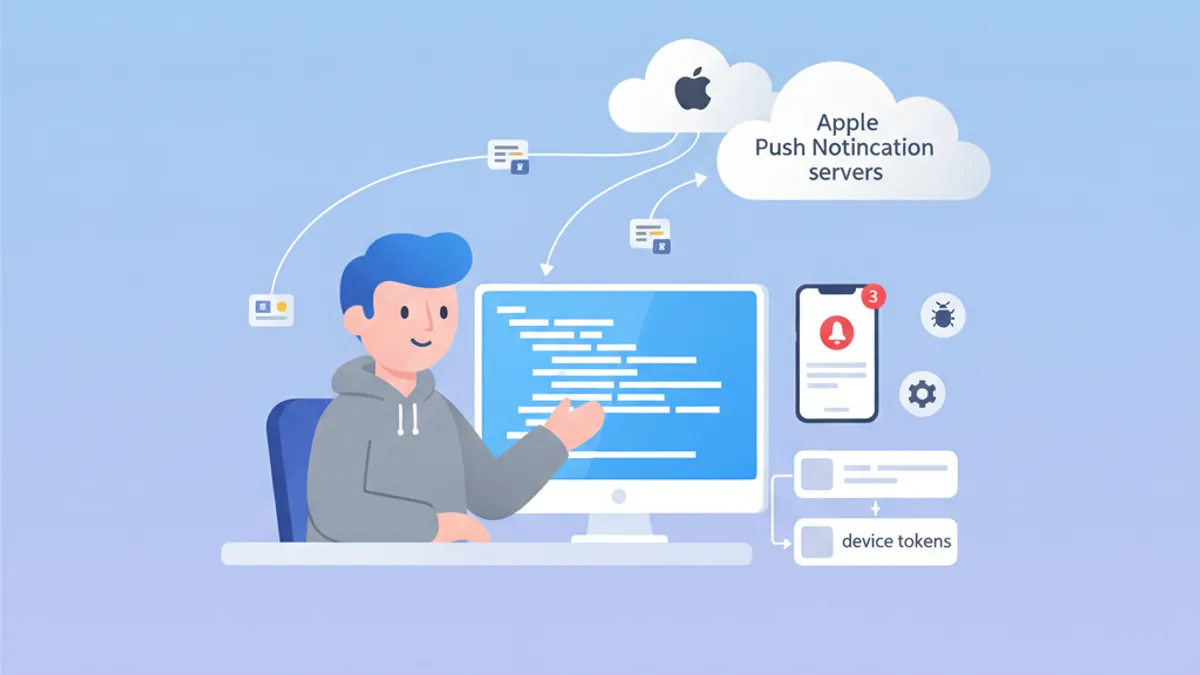
Phỏng vấn iOS Push Notifications 2026: APNs, token và troubleshooting
Hướng dẫn toàn diện chuẩn bị phỏng vấn iOS về Push Notifications, APNs, quản lý token và troubleshooting. Câu hỏi thường gặp kèm câu trả lời chi tiết.
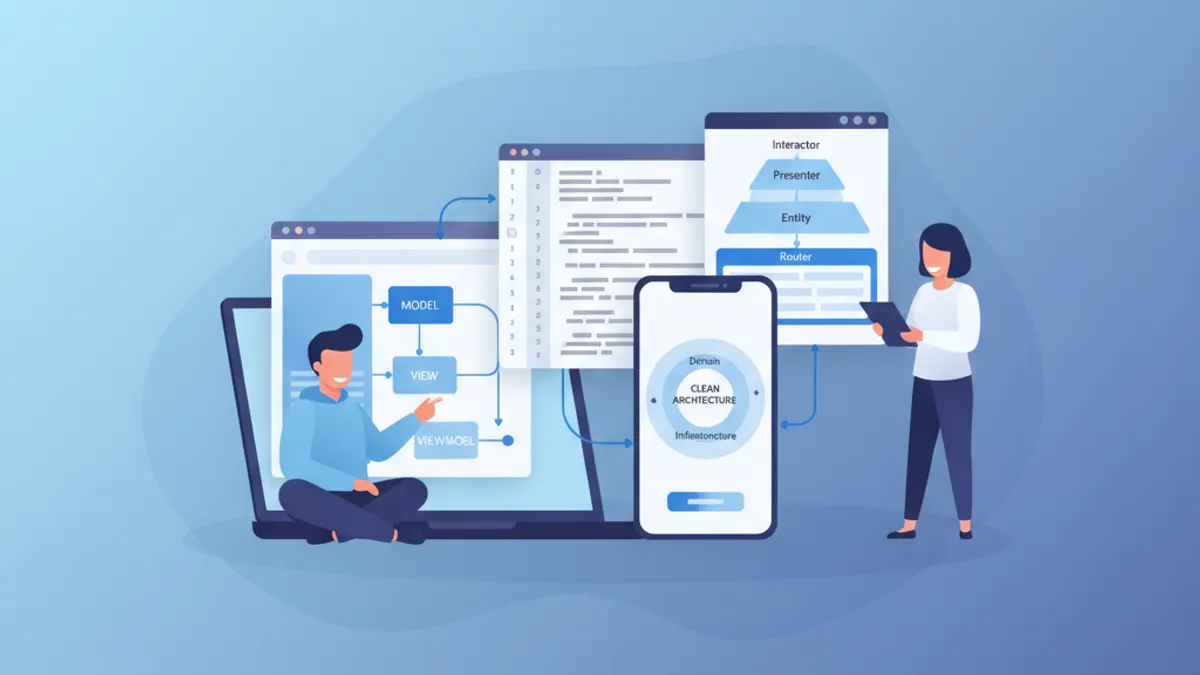
Phỏng vấn iOS Senior 2026: Câu hỏi về Kiến trúc và Design Pattern
Chuẩn bị phỏng vấn iOS senior với các câu hỏi quan trọng về MVVM, VIPER, Clean Architecture và design pattern. Hướng dẫn đầy đủ với ví dụ mã Swift.