Phỏng Vấn StoreKit 2: Quản Lý Đăng Ký và Xác Thực Biên Lai
Làm chủ các câu hỏi phỏng vấn iOS về StoreKit 2, quản lý đăng ký, xác thực biên lai và triển khai mua hàng trong ứng dụng với các ví dụ mã Swift thực tế.
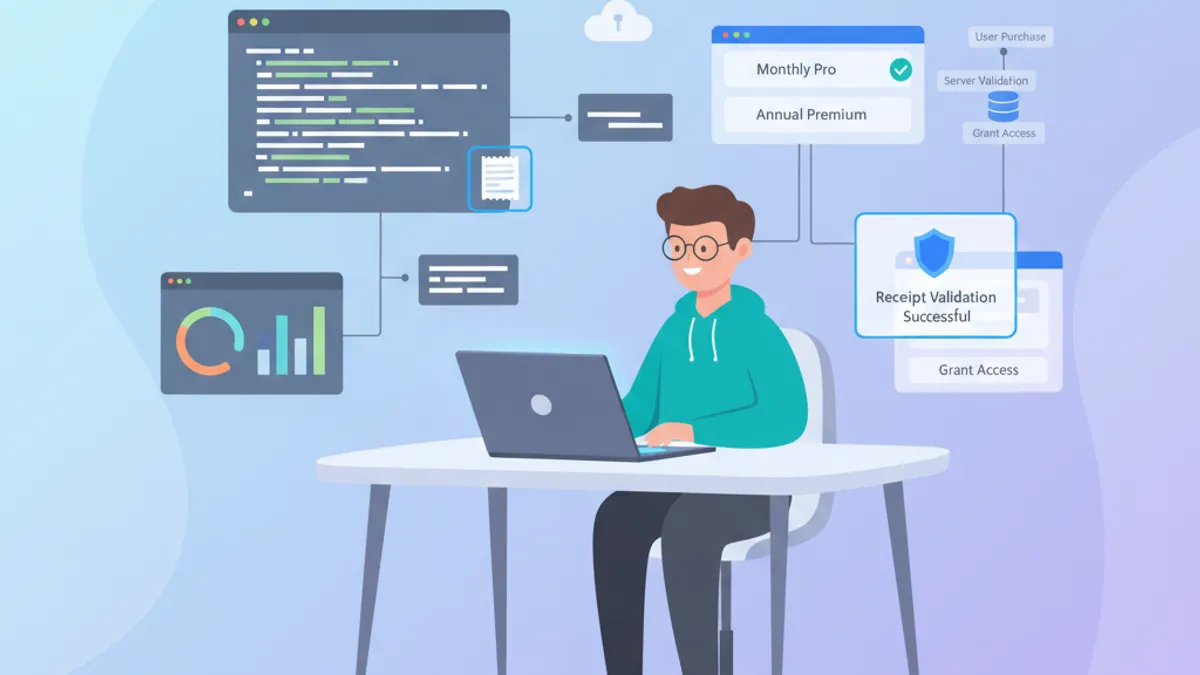
StoreKit 2 đại diện cho một sự thay đổi cơ bản trong cách xử lý mua hàng trong ứng dụng trên iOS. Được giới thiệu cùng iOS 15, framework hiện đại này đơn giản hóa đáng kể mã cần thiết cho việc quản lý đăng ký và xác thực giao dịch. Với iOS 18, StoreKit 1 chính thức bị deprecated, khiến StoreKit 2 trở thành con đường duy nhất được hỗ trợ. Các cuộc phỏng vấn kỹ thuật iOS thường xuyên đề cập đến chủ đề này để đánh giá chuyên môn của các nhà phát triển trong việc kiếm tiền từ ứng dụng.
StoreKit 2 tận dụng API Swift gốc với async/await, loại bỏ nhu cầu về các callback phức tạp và xác thực biên lai phía client. Người phỏng vấn đánh giá cao những ứng viên có thể trình bày rõ những khác biệt cơ bản so với StoreKit 1, và các tính năng iOS 18.4 mới như appTransactionID và SubscriptionOfferView.
Tổng Quan Kiến Trúc StoreKit 2
StoreKit 2 được xây dựng trên kiến trúc hiện đại tận dụng đầy đủ Swift Concurrency. Không giống như StoreKit 1, tất cả các thao tác đều bất đồng bộ và sử dụng các kiểu Swift gốc.
Lấy Sản Phẩm Khả Dụng
Bước đầu tiên là tải các sản phẩm được cấu hình trong App Store Connect. StoreKit 2 đơn giản hóa thao tác này với một API khai báo.
import StoreKit

actor ProductService {

    // Product identifiers configured in App Store Connect
    private let productIdentifiers: Set<String> = [
        "com.app.subscription.monthly",
        "com.app.subscription.yearly",
        "com.app.premium.lifetime"
    ]

    // Product cache to avoid repeated network calls
    private var cachedProducts: [Product] = []

    func loadProducts() async throws -> [Product] {
        // Return cache if available
        guard cachedProducts.isEmpty else {
            return cachedProducts
        }

        // Asynchronous request to the App Store
        let products = try await Product.products(for: productIdentifiers)
        cachedProducts = products
        return products
    }

    func product(for identifier: String) async throws -> Product? {
        let products = try await loadProducts()
        return products.first { $0.id == identifier }
    }
}
Việc sử dụng actor đảm bảo an toàn luồng khi quản lý bộ nhớ đệm sản phẩm.
Các Loại Sản Phẩm StoreKit 2
StoreKit 2 phân biệt rõ ràng giữa các loại sản phẩm khác nhau. Hiểu được sự phân biệt này là điều cần thiết cho các cuộc phỏng vấn.
import StoreKit

extension Product.ProductType {

    var displayName: String {
        switch self {
        case .consumable:
            // Consumable products (credits, lives, etc.)
            return "Consumable"
        case .nonConsumable:
            // Permanent purchases (feature unlock)
            return "Non-Consumable"
        case .autoRenewable:
            // Subscriptions with automatic renewal
            return "Auto-Renewable Subscription"
        case .nonRenewable:
            // Subscriptions without renewal (temporary pass)
            return "Non-Renewable Subscription"
        @unknown default:
            return "Unknown"
        }
    }
}
Đăng ký gia hạn tự động đại diện cho mô hình kinh doanh chủ đạo cho các ứng dụng iOS hiện đại.
Xử Lý Giao Dịch Mua Hàng
Quá trình mua hàng trong StoreKit 2 trở nên tuyến tính nhờ async/await. Không còn delegate và callback lồng nhau từ StoreKit 1.
Khởi Tạo Một Giao Dịch Mua
Bắt đầu từ iOS 18.2, giao dịch mua yêu cầu tham số ngữ cảnh UI. Thay đổi này đảm bảo sheet mua hàng xuất hiện đúng trong hệ thống phân cấp view của ứng dụng.
import StoreKit
import UIKit

actor PurchaseManager {

    enum PurchaseError: Error {
        case productNotFound
        case purchaseCancelled
        case purchasePending
        case verificationFailed
        case unknown
    }

    func purchase(_ product: Product, in scene: UIWindowScene) async throws -> Transaction {
        // Initiate purchase with UI context (iOS 18.2+)
        let result = try await product.purchase(confirmIn: scene)

        switch result {
        case .success(let verification):
            // Verify the transaction signature
            let transaction = try checkVerification(verification)

            // Mark the transaction as finished
            await transaction.finish()

            return transaction

        case .userCancelled:
            // User cancelled the purchase modal
            throw PurchaseError.purchaseCancelled

        case .pending:
            // Purchase pending (parental approval, etc.)
            throw PurchaseError.purchasePending

        @unknown default:
            throw PurchaseError.unknown
        }
    }

    private func checkVerification<T>(_ result: VerificationResult<T>) throws -> T {
        switch result {
        case .verified(let safe):
            // Transaction signed and verified by the App Store
            return safe
        case .unverified(_, let error):
            // Invalid or corrupted signature
            throw PurchaseError.verificationFailed
        }
    }
}
Phương thức finish() rất quan trọng: nó báo hiệu cho App Store rằng nội dung đã được giao đến người dùng.
Không bao giờ quên gọi transaction.finish() sau khi giao nội dung. Một giao dịch chưa hoàn thành sẽ được khôi phục vào lần khởi chạy ứng dụng tiếp theo, gây ra hành vi không mong muốn.
Lắng Nghe Giao Dịch Nền
StoreKit 2 giới thiệu Transaction.updates, một luồng bất đồng bộ phát ra các giao dịch xảy ra bên ngoài ứng dụng (gia hạn, mua family sharing, v.v.).
import StoreKit

actor TransactionObserver {

    private var updateTask: Task<Void, Never>?

    func startObserving() {
        // Cancel any previous observation
        updateTask?.cancel()

        updateTask = Task(priority: .background) {
            // Infinite stream of transaction updates
            for await result in Transaction.updates {
                do {
                    let transaction = try self.checkVerification(result)

                    // Process the transaction based on its type
                    await self.handleTransaction(transaction)

                    // Always finish the transaction
                    await transaction.finish()
                } catch {
                    // Log the error for debugging
                    print("Transaction verification failed: (error)")
                }
            }
        }
    }

    func stopObserving() {
        updateTask?.cancel()
        updateTask = nil
    }

    private func handleTransaction(_ transaction: Transaction) async {
        switch transaction.productType {
        case .autoRenewable:
            // Update subscription status
            await updateSubscriptionStatus(transaction)
        case .nonConsumable:
            // Unlock premium feature
            await unlockFeature(transaction.productID)
        default:
            break
        }
    }

    private func checkVerification<T>(_ result: VerificationResult<T>) throws -> T {
        switch result {
        case .verified(let safe):
            return safe
        case .unverified:
            throw PurchaseError.verificationFailed
        }
    }

    private func updateSubscriptionStatus(_ transaction: Transaction) async {
        // Implementation of status update
    }

    private func unlockFeature(_ productID: String) async {
        // Implementation of feature unlock
    }

    enum PurchaseError: Error {
        case verificationFailed
    }
}
Việc quan sát giao dịch nên bắt đầu ngay khi ứng dụng được khởi chạy để tránh bỏ lỡ bất kỳ cập nhật nào.
Câu Hỏi Phỏng Vấn Thường Gặp về Đăng Ký StoreKit 2
Các cuộc phỏng vấn iOS thường bao gồm các câu hỏi cụ thể về quản lý đăng ký. Dưới đây là những câu hỏi phổ biến nhất với câu trả lời chi tiết. Để biết thêm các chủ đề phỏng vấn Swift, xem hướng dẫn Swift structured concurrency.
Câu Hỏi 1: Làm Thế Nào Để Kiểm Tra Trạng Thái Đăng Ký Hiện Tại?
StoreKit 2 cung cấp quyền truy cập trực tiếp vào các quyền đang hoạt động. Lưu ý rằng Transaction.currentEntitlement(for:) đã bị deprecated kể từ iOS 18.4. API mới currentEntitlements(for:) trả về một sequence bất đồng bộ để xử lý nhiều quyền (ví dụ: đăng ký cộng với quyền truy cập Family Sharing).
import StoreKit

struct SubscriptionStatusChecker {

    struct SubscriptionStatus {
        let isActive: Bool
        let expirationDate: Date?
        let willRenew: Bool
        let productID: String?
        let appTransactionID: UInt64?  // iOS 18.4+
    }

    static func checkCurrentStatus(for productID: String) async -> SubscriptionStatus {
        // Use the new currentEntitlements(for:) API (iOS 18.4+)
        var latestTransaction: Transaction?

        for await result in Transaction.currentEntitlements(for: productID) {
            if case .verified(let transaction) = result {
                if transaction.productType == .autoRenewable {
                    if latestTransaction == nil ||
                       transaction.purchaseDate > latestTransaction!.purchaseDate {
                        latestTransaction = transaction
                    }
                }
            }
        }

        guard let transaction = latestTransaction else {
            return SubscriptionStatus(
                isActive: false,
                expirationDate: nil,
                willRenew: false,
                productID: nil,
                appTransactionID: nil
            )
        }

        // Check if the subscription is still active
        let isActive = transaction.expirationDate ?? Date.distantPast > Date()

        // Retrieve renewal information
        let renewalInfo = await getRenewalInfo(for: transaction.productID)

        return SubscriptionStatus(
            isActive: isActive,
            expirationDate: transaction.expirationDate,
            willRenew: renewalInfo?.willAutoRenew ?? false,
            productID: transaction.productID,
            appTransactionID: transaction.appTransactionID
        )
    }

    private static func getRenewalInfo(for productID: String) async -> Product.SubscriptionInfo.RenewalInfo? {
        guard let product = try? await Product.products(for: [productID]).first,
              let subscription = product.subscription else {
            return nil
        }

        // Retrieve renewal status
        let status = try? await subscription.status.first
        return status?.renewalInfo
    }
}
Cách tiếp cận này cung cấp trạng thái đăng ký chính xác mà không cần lệnh gọi máy chủ. Trường appTransactionID, được giới thiệu trong iOS 18.4, cho phép theo dõi khách hàng qua các giao dịch mà không cần các cuộc gọi server-to-server.
Sẵn sàng chinh phục phỏng vấn iOS?
Luyện tập với mô phỏng tương tác, flashcards và bài kiểm tra kỹ thuật.
Câu Hỏi 2: Làm Thế Nào Để Xử Lý Dùng Thử Miễn Phí và Ưu Đãi Khuyến Mãi?
StoreKit 2 đơn giản hóa quyền truy cập vào thông tin ưu đãi. Người phỏng vấn thường kiểm tra hiểu biết về các loại ưu đãi khác nhau. Kể từ iOS 18.4, các ưu đãi khuyến mãi có thể được ký bằng JWS với PromotionOfferV2SignatureCreator mới có sẵn trong App Store Server Library.
import StoreKit

struct OfferManager {

    enum OfferType {
        case freeTrial(duration: String)
        case payAsYouGo(periods: Int, price: Decimal)
        case payUpFront(duration: String, price: Decimal)
        case oneTime(price: Decimal)  // iOS 17.2+: offer codes for all product types
        case none
    }

    static func getIntroductoryOffer(for product: Product) -> OfferType {
        guard let subscription = product.subscription,
              let offer = subscription.introductoryOffer else {
            return .none
        }

        switch offer.paymentMode {
        case .freeTrial:
            // Free trial period
            return .freeTrial(duration: formatPeriod(offer.period))

        case .payAsYouGo:
            // Reduced price over multiple periods
            return .payAsYouGo(
                periods: offer.periodCount,
                price: offer.price
            )

        case .payUpFront:
            // Single payment for a period
            return .payUpFront(
                duration: formatPeriod(offer.period),
                price: offer.price
            )

        case .oneTime:
            // One-time offer code (consumables, non-consumables, non-renewing)
            return .oneTime(price: offer.price)

        @unknown default:
            return .none
        }
    }

    static func checkEligibility(for product: Product) async -> Bool {
        // Check if user can benefit from the offer
        guard let subscription = product.subscription else {
            return false
        }

        // isEligibleForIntroOffer indicates if this is a new subscriber
        return await subscription.isEligibleForIntroOffer
    }

    private static func formatPeriod(_ period: Product.SubscriptionPeriod) -> String {
        let value = period.value
        switch period.unit {
        case .day:
            return "(value) day(value > 1 ? "s" : "")"
        case .week:
            return "(value) week(value > 1 ? "s" : "")"
        case .month:
            return "(value) month(value > 1 ? "s" : "")"
        case .year:
            return "(value) year(value > 1 ? "s" : "")"
        @unknown default:
            return ""
        }
    }
}
Phương thức isEligibleForIntroOffer rất cần thiết để tránh hiển thị các ưu đãi không khả dụng. Lưu ý rằng offer codes, trước đây chỉ giới hạn cho đăng ký auto-renewable, hiện hỗ trợ consumables, non-consumables, và đăng ký non-renewing kể từ iOS 16.3.
Câu Hỏi 3: Làm Thế Nào Để Khôi Phục Các Giao Dịch Mua Trước Đó?
Khôi phục giao dịch mua là một tính năng bắt buộc theo App Store Review Guidelines.
import StoreKit

actor RestoreManager {

    struct RestoreResult {
        let restoredProducts: [String]
        let activeSubscriptions: [String]
    }

    func restorePurchases() async throws -> RestoreResult {
        var restoredProducts: [String] = []
        var activeSubscriptions: [String] = []

        // Synchronize with the App Store
        try await AppStore.sync()

        // Iterate through all user transactions
        for await result in Transaction.currentEntitlements {
            guard case .verified(let transaction) = result else {
                continue
            }

            switch transaction.productType {
            case .nonConsumable:
                // Restore permanent purchases
                restoredProducts.append(transaction.productID)

            case .autoRenewable:
                // Check if subscription is active
                if let expiration = transaction.expirationDate,
                   expiration > Date() {
                    activeSubscriptions.append(transaction.productID)
                }

            default:
                // Consumables are not restorable
                break
            }
        }

        return RestoreResult(
            restoredProducts: restoredProducts,
            activeSubscriptions: activeSubscriptions
        )
    }
}
AppStore.sync() buộc đồng bộ với máy chủ Apple, hữu ích sau khi cài đặt lại.
SubscriptionOfferView: Merchandising Đăng Ký Hiện Đại
iOS 18.4 giới thiệu SubscriptionOfferView, một thành phần SwiftUI hiển thị các tùy chọn đăng ký với tải metadata sản phẩm tự động. Đây là chủ đề phỏng vấn phổ biến cho các nhà phát triển xây dựng ứng dụng dựa trên đăng ký.
import SwiftUI
import StoreKit

struct SubscriptionSettingsView: View {
    let subscriptionGroupID = "com.app.subscription.group"

    var body: some View {
        VStack(spacing: 16) {
            // Show upgrade options for current subscribers
            SubscriptionOfferView(groupID: subscriptionGroupID)
                .visibleRelationship(.upgrade)
                .prefersPromotionalIcon(true)
                .subscriptionOfferViewDetailAction { path in
                    path.append("subscriptionDetail")
                }

            // Show current plan details
            SubscriptionOfferView(groupID: subscriptionGroupID)
                .visibleRelationship(.current)
        }
        .padding()
    }
}
Tham số visibleRelationship kiểm soát tier đăng ký nào xuất hiện: .upgrade hiển thị các gói cao hơn một tier, .downgrade hiển thị các tier thấp hơn, .crossgrade hiển thị các tier tương đương với giá trị tốt hơn, và .all hiển thị mọi gói trong nhóm.
Xác Thực Biên Lai Phía Máy Chủ
Xác thực phía máy chủ vẫn được khuyến nghị cho các ứng dụng có đăng ký quan trọng. StoreKit 2 sử dụng JWS (JSON Web Signatures) cho việc xác thực hiện đại. Endpoint verifyReceipt đã bị deprecated được thay thế bởi App Store Server API.
Trích Xuất Dữ Liệu Giao Dịch cho Máy Chủ
import StoreKit

struct TransactionPayload: Codable {
    let transactionID: String
    let originalTransactionID: String
    let productID: String
    let purchaseDate: Date
    let expirationDate: Date?
    let jwsRepresentation: String
    let appTransactionID: String?  // iOS 18.4+
}

actor ServerValidationService {

    private let apiEndpoint = "https://api.example.com/verify"

    func validateWithServer(_ transaction: Transaction) async throws -> Bool {
        // Create payload for the server
        let payload = TransactionPayload(
            transactionID: String(transaction.id),
            originalTransactionID: String(transaction.originalID),
            productID: transaction.productID,
            purchaseDate: transaction.purchaseDate,
            expirationDate: transaction.expirationDate,
            jwsRepresentation: transaction.jwsRepresentation ?? "",
            appTransactionID: transaction.appTransactionID.map { String($0) }
        )

        // Encode to JSON
        let encoder = JSONEncoder()
        encoder.dateEncodingStrategy = .iso8601
        let jsonData = try encoder.encode(payload)

        // Send to server
        var request = URLRequest(url: URL(string: apiEndpoint)!)
        request.httpMethod = "POST"
        request.httpBody = jsonData
        request.setValue("application/json", forHTTPHeaderField: "Content-Type")

        let (data, response) = try await URLSession.shared.data(for: request)

        guard let httpResponse = response as? HTTPURLResponse,
              httpResponse.statusCode == 200 else {
            return false
        }

        // Decode server response
        let validationResponse = try JSONDecoder().decode(
            ValidationResponse.self,
            from: data
        )

        return validationResponse.isValid
    }
}

struct ValidationResponse: Codable {
    let isValid: Bool
    let subscriptionStatus: String?
}
jwsRepresentation chứa chữ ký mật mã có thể xác minh bởi máy chủ. Trường appTransactionID mới cho phép theo dõi khách hàng chính xác mà không cần các round-trip máy chủ bổ sung.
App Store Server API của Apple cung cấp xác thực phía máy chủ với token JWS, Server Notifications V2 cho các sự kiện đăng ký theo thời gian thực, và SubscriptionStatus API mới chấp nhận Transaction IDs (iOS 18.4+) để truy vấn trạng thái trực tiếp.
Cấu Hình Thông Báo Máy Chủ
Server Notifications V2 cho phép nhận sự kiện theo thời gian thực.
enum NotificationType: String, Codable {
    case subscribed = "SUBSCRIBED"
    case didRenew = "DID_RENEW"
    case didFailToRenew = "DID_FAIL_TO_RENEW"
    case didChangeRenewalStatus = "DID_CHANGE_RENEWAL_STATUS"
    case expired = "EXPIRED"
    case gracePeriodExpired = "GRACE_PERIOD_EXPIRED"
    case offerRedeemed = "OFFER_REDEEMED"
    case priceIncrease = "PRICE_INCREASE"
    case refund = "REFUND"
    case renewalExtended = "RENEWAL_EXTENDED"
    case revoke = "REVOKE"
}

struct ServerNotification: Codable {
    let notificationType: NotificationType
    let subtype: String?
    let data: NotificationData

    struct NotificationData: Codable {
        let bundleId: String
        let environment: String
        let signedTransactionInfo: String
        let signedRenewalInfo: String?
    }
}
Những thông báo này cho phép giữ trạng thái đăng ký đồng bộ với backend.
Xử Lý Lỗi và Trường Hợp Biên
Các cuộc phỏng vấn thường kiểm tra hiểu biết về các kịch bản lỗi và cách xử lý phù hợp. Để biết thêm về các mẫu kiến trúc iOS, xem hướng dẫn phỏng vấn iOS senior về design patterns.
Các Lỗi Phổ Biến trong StoreKit 2
import StoreKit

struct PurchaseErrorHandler {

    enum UserFacingError {
        case networkError
        case paymentFailed
        case notAuthorized
        case productNotAvailable
        case unknown

        var message: String {
            switch self {
            case .networkError:
                return "Connection failed. Please check your internet connection."
            case .paymentFailed:
                return "Payment failed. Please verify your payment information."
            case .notAuthorized:
                return "In-app purchases are disabled on this device."
            case .productNotAvailable:
                return "This product is not currently available."
            case .unknown:
                return "An unexpected error occurred."
            }
        }
    }

    static func handle(_ error: Error) -> UserFacingError {
        // Check if it's a StoreKit error
        if let storeKitError = error as? StoreKitError {
            switch storeKitError {
            case .networkError:
                return .networkError
            case .userCancelled:
                // Don't show error, user cancelled
                return .unknown
            case .notAvailableInStorefront:
                return .productNotAvailable
            case .notEntitled:
                return .notAuthorized
            default:
                return .unknown
            }
        }

        // Purchase errors
        if let purchaseError = error as? Product.PurchaseError {
            switch purchaseError {
            case .invalidQuantity:
                return .unknown
            case .productUnavailable:
                return .productNotAvailable
            case .purchaseNotAllowed:
                return .notAuthorized
            default:
                return .unknown
            }
        }

        return .unknown
    }
}
Xử lý lỗi rõ ràng cải thiện trải nghiệm người dùng và đơn giản hóa việc gỡ lỗi.
Hỗ Trợ Chế Độ Ngoại Tuyến
import StoreKit

actor OfflineCapabilityManager {

    private let userDefaults = UserDefaults.standard
    private let entitlementsKey = "cached_entitlements"

    func cacheCurrentEntitlements() async {
        var entitlements: [String: Date] = [:]

        for await result in Transaction.currentEntitlements {
            if case .verified(let transaction) = result {
                entitlements[transaction.productID] = transaction.expirationDate
            }
        }

        // Save locally
        if let data = try? JSONEncoder().encode(entitlements) {
            userDefaults.set(data, forKey: entitlementsKey)
        }
    }

    func getCachedEntitlements() -> [String: Date] {
        guard let data = userDefaults.data(forKey: entitlementsKey),
              let entitlements = try? JSONDecoder().decode(
                  [String: Date].self,
                  from: data
              ) else {
            return [:]
        }

        // Filter expired entitlements
        let now = Date()
        return entitlements.filter { _, expiration in
            expiration > now
        }
    }

    func hasValidEntitlement(for productID: String) -> Bool {
        let cached = getCachedEntitlements()
        return cached[productID] != nil
    }
}
Bộ nhớ đệm cục bộ duy trì quyền truy cập các tính năng cao cấp ngay cả khi không có kết nối.
Thực Hành Tốt Nhất cho Sản Xuất
Kiến Trúc Được Đề Xuất
import StoreKit
import Combine

@MainActor
final class SubscriptionService: ObservableObject {

    static let shared = SubscriptionService()

    @Published private(set) var products: [Product] = []
    @Published private(set) var purchasedProductIDs: Set<String> = []
    @Published private(set) var subscriptionStatus: SubscriptionStatus = .none

    private var transactionObserver: Task<Void, Never>?

    enum SubscriptionStatus {
        case none
        case active(expirationDate: Date)
        case expired
        case inGracePeriod
    }

    private init() {
        // Start transaction observation
        startTransactionObserver()

        // Load initial state
        Task {
            await loadProducts()
            await updateSubscriptionStatus()
        }
    }

    private func startTransactionObserver() {
        transactionObserver = Task.detached(priority: .background) {
            for await result in Transaction.updates {
                if case .verified(let transaction) = result {
                    await transaction.finish()
                    await self.updateSubscriptionStatus()
                }
            }
        }
    }

    func loadProducts() async {
        do {
            let productIDs = [
                "com.app.subscription.monthly",
                "com.app.subscription.yearly"
            ]
            products = try await Product.products(for: productIDs)
        } catch {
            print("Failed to load products: (error)")
        }
    }

    func purchase(_ product: Product) async throws {
        let result = try await product.purchase()

        switch result {
        case .success(let verification):
            if case .verified(let transaction) = verification {
                await transaction.finish()
                await updateSubscriptionStatus()
            }
        case .userCancelled:
            break
        case .pending:
            break
        @unknown default:
            break
        }
    }

    func updateSubscriptionStatus() async {
        var purchasedIDs: Set<String> = []
        var latestSubscription: Transaction?

        for await result in Transaction.currentEntitlements {
            if case .verified(let transaction) = result {
                purchasedIDs.insert(transaction.productID)

                if transaction.productType == .autoRenewable {
                    if latestSubscription == nil ||
                       transaction.purchaseDate > latestSubscription!.purchaseDate {
                        latestSubscription = transaction
                    }
                }
            }
        }

        purchasedProductIDs = purchasedIDs

        if let subscription = latestSubscription,
           let expiration = subscription.expirationDate {
            if expiration > Date() {
                subscriptionStatus = .active(expirationDate: expiration)
            } else {
                subscriptionStatus = .expired
            }
        } else {
            subscriptionStatus = .none
        }
    }

    deinit {
        transactionObserver?.cancel()
    }
}
Kiến trúc tập trung này đơn giản hóa việc quản lý trạng thái mua hàng trong toàn bộ ứng dụng.
Nguồn Tham Khảo
- What's new in StoreKit and In-App Purchase, WWDC25 - Các bổ sung API iOS 18.4 bao gồm
appTransactionIDvàSubscriptionOfferView - App Store Server API Documentation - Xác thực phía máy chủ với JWS và Server Notifications V2
- StoreKit Documentation - Tham chiếu API đầy đủ cho StoreKit 2
Điểm Chính cho Phỏng Vấn StoreKit 2
StoreKit 2 biến đổi việc quản lý mua hàng trong ứng dụng thành một trải nghiệm phát triển hiện đại và an toàn. Những điểm chính cần ghi nhớ cho một cuộc phỏng vấn:
- API async/await gốc loại bỏ các delegate và callback phức tạp từ StoreKit 1, hiện đã bị deprecated kể từ iOS 18
- Xác minh tự động thông qua
VerificationResultxử lý xác thực mật mã của các giao dịch Transaction.updatescung cấp luồng bất đồng bộ cho các giao dịch nền bao gồm gia hạn và family sharingTransaction.currentEntitlements(for:)thay thếcurrentEntitlement(for:)đã bị deprecated để xử lý nhiều quyền- Trường
appTransactionID(iOS 18.4+) cho phép theo dõi khách hàng mà không cần các cuộc gọi server-to-server SubscriptionOfferViewcung cấp UI tích hợp cho merchandising đăng ký vớivisibleRelationshipcho các tùy chọn upgrade, downgrade, và crossgrade- Ưu đãi khuyến mãi có thể được ký bằng JWS với
PromotionOfferV2SignatureCreator - Offer codes hiện hỗ trợ consumables, non-consumables, và đăng ký non-renewing (iOS 16.3+)
- Xác thực máy chủ sử dụng App Store Server API với token JWS, thay thế endpoint
verifyReceiptđã bị deprecated - Luôn gọi
transaction.finish()sau khi giao nội dung để ngăn hành vi khôi phục không mong muốn - Triển khai bộ nhớ đệm quyền offline cho trải nghiệm người dùng liền mạch mà không cần kết nối
Bắt đầu luyện tập!
Kiểm tra kiến thức với mô phỏng phỏng vấn và bài kiểm tra kỹ thuật.
Bạn có tìm ra lỗi trong iOS không?
Một đoạn mã thật, một lỗi ẩn, mỗi ngày một lượt. Không cần tài khoản để thử.

Viết bởi
Anthony Fillion-MailletNgười sáng lập SharpSkill
Lập trình viên fullstack hơn 10 năm. Anh điều hành SharpSkill và chịu trách nhiệm về mọi nội dung đăng tại đây.
Cập nhật ngày 20 tháng 10, 2026
Thẻ
Chia sẻ
Bài viết liên quan
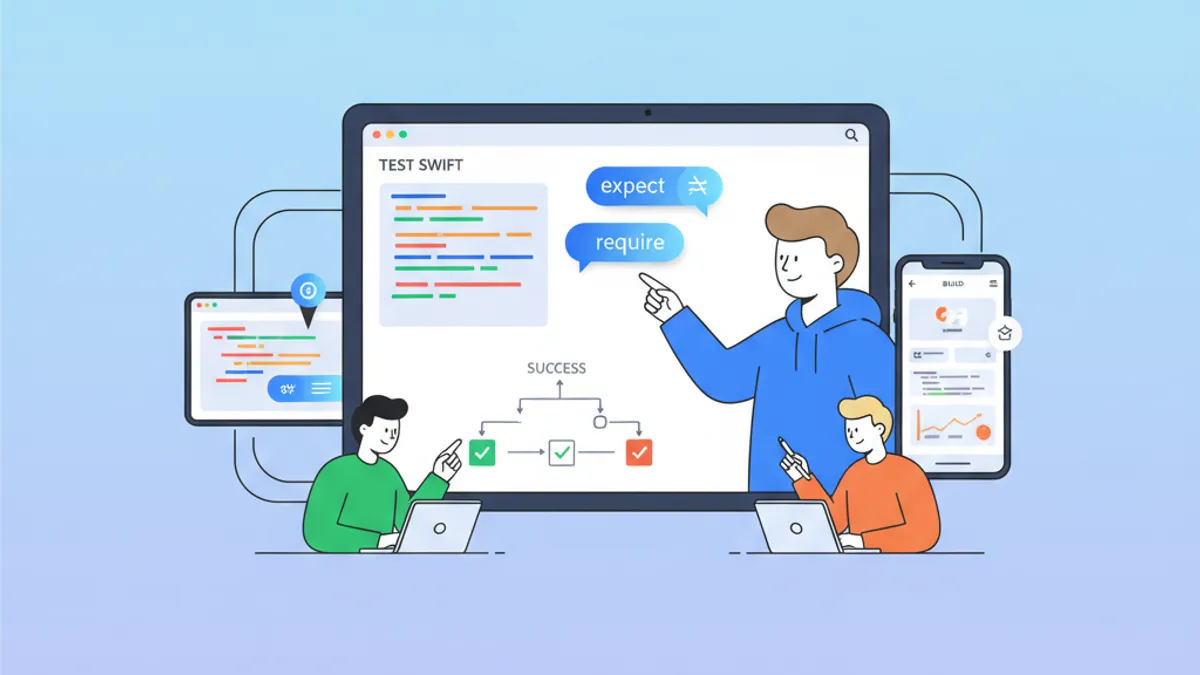
Swift Testing Framework Phỏng vấn 2026: Macro #expect và #require so với XCTest
Làm chủ Swift Testing Framework mới cho phỏng vấn iOS: macro #expect và #require, di chuyển từ XCTest, các pattern nâng cao và những lỗi thường gặp.
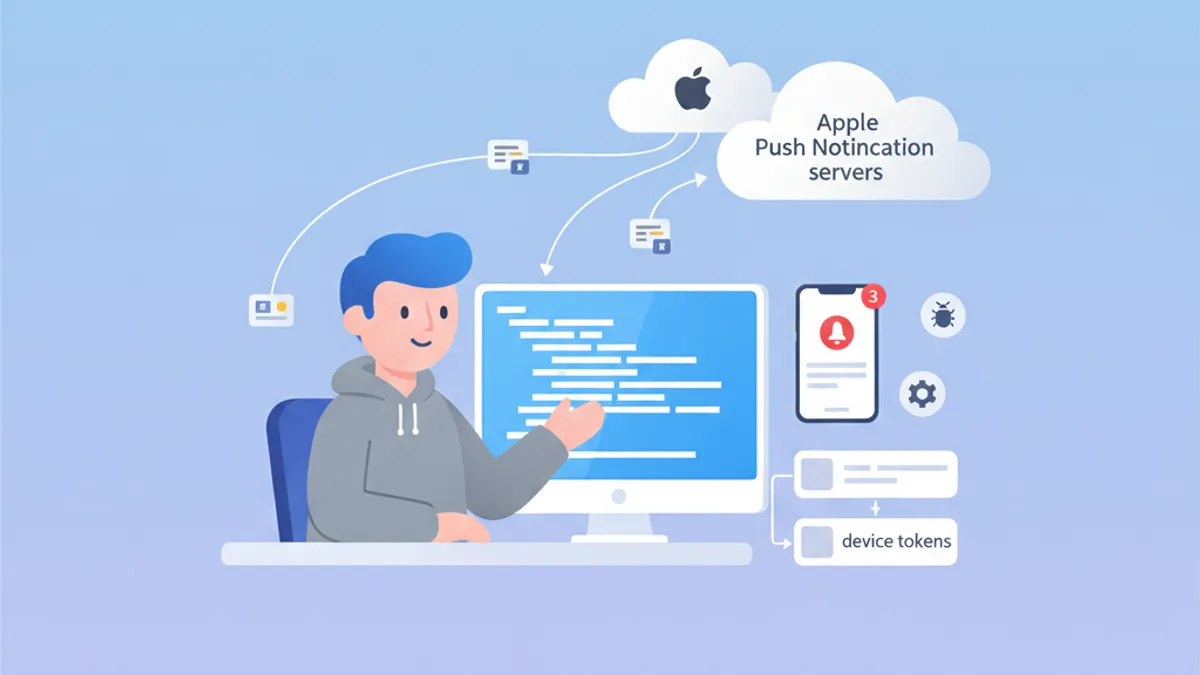
Phỏng vấn iOS Push Notifications 2026: APNs, token và troubleshooting
Hướng dẫn toàn diện chuẩn bị phỏng vấn iOS về Push Notifications, APNs, quản lý token và troubleshooting. Câu hỏi thường gặp kèm câu trả lời chi tiết.
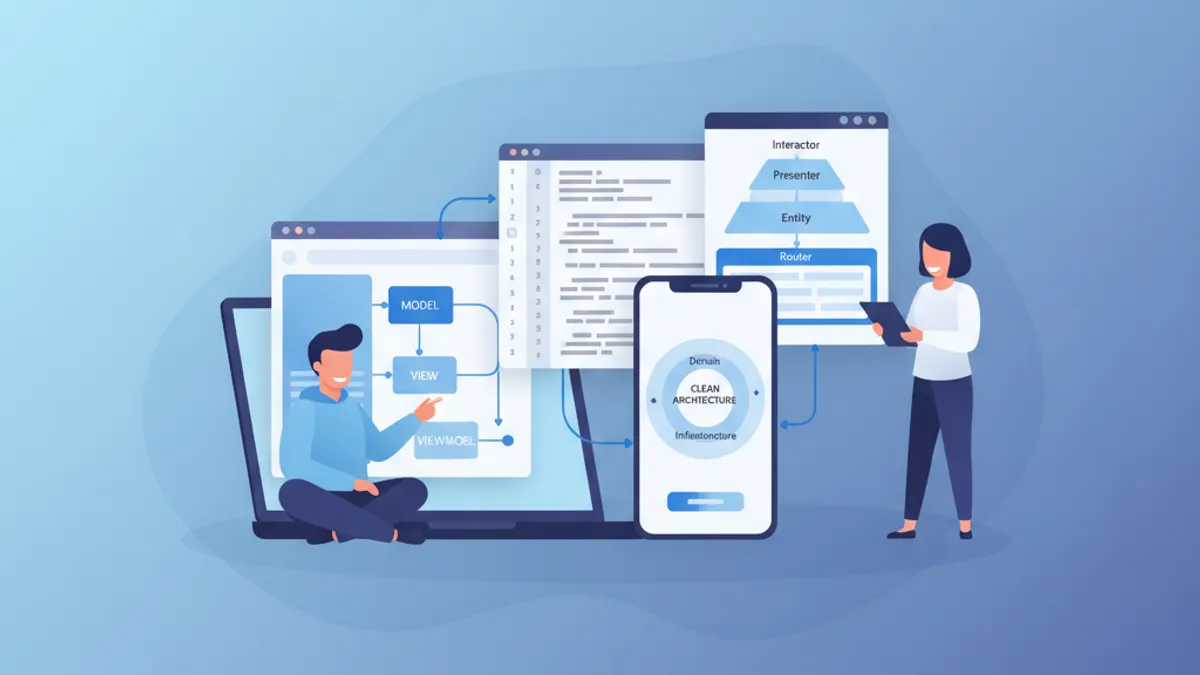
Phỏng vấn iOS Senior 2026: Câu hỏi về Kiến trúc và Design Pattern
Chuẩn bị phỏng vấn iOS senior với các câu hỏi quan trọng về MVVM, VIPER, Clean Architecture và design pattern. Hướng dẫn đầy đủ với ví dụ mã Swift.