Phỏng vấn iOS Push Notifications 2026: APNs, token và troubleshooting
Hướng dẫn toàn diện chuẩn bị phỏng vấn iOS về Push Notifications, APNs, quản lý token và troubleshooting. Câu hỏi thường gặp kèm câu trả lời chi tiết.
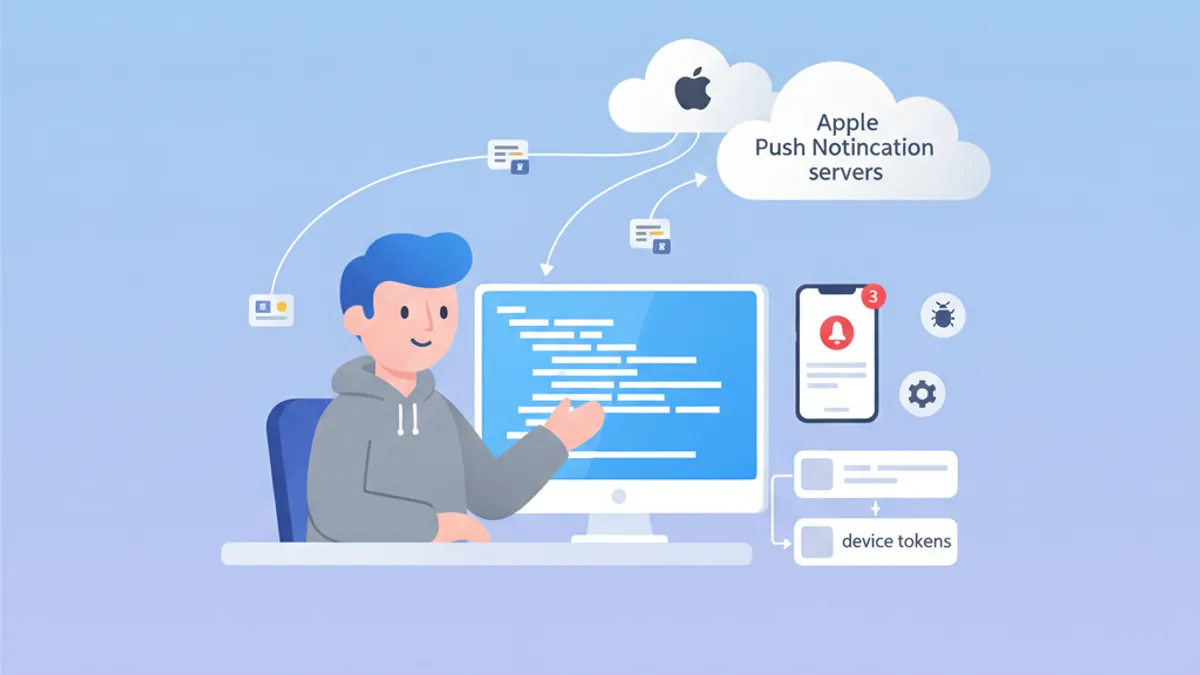
Push Notifications vẫn là chủ đề trọng yếu trong các buổi phỏng vấn iOS. Hiểu cách APNs hoạt động, quản lý device token và xử lý sự cố thường gặp thể hiện hiểu biết sâu về hệ sinh thái Apple. Hướng dẫn này tập hợp những câu hỏi phỏng vấn phổ biến nhất.
Người phỏng vấn tìm kiếm ứng viên hiểu trọn vòng đời: từ đăng ký thiết bị đến gửi notification, bao gồm xử lý lỗi đúng cách ở mỗi bước.
Kiến trúc APNs: nền tảng của thông báo iOS
Apple Push Notification service (APNs) là dịch vụ tập trung phụ trách phân phối push notification đến các thiết bị Apple. Hiểu kiến trúc của nó là cần thiết để trả lời tốt các câu hỏi phỏng vấn.
APNs hoạt động như thế nào?
Luồng giao tiếp gồm ba thành phần chính: ứng dụng iOS, APNs và máy chủ backend. Quy trình đầy đủ như sau:
import UIKit
import UserNotifications

@main
class AppDelegate: UIResponder, UIApplicationDelegate {

    func application(
        _ application: UIApplication,
        didFinishLaunchingWithOptions launchOptions: [UIApplication.LaunchOptionsKey: Any]?
    ) -> Bool {
        // Request notification authorization
        UNUserNotificationCenter.current().requestAuthorization(
            options: [.alert, .badge, .sound]
        ) { granted, error in
            guard granted else { return }
            // Register with APNs
            DispatchQueue.main.async {
                application.registerForRemoteNotifications()
            }
        }
        return true
    }
}
Việc đăng ký APNs diễn ra theo hai bước: xin quyền người dùng, sau đó gọi registerForRemoteNotifications().
Quản lý device token
Device token là định danh duy nhất do APNs tạo ra để nhắm tới một thiết bị cụ thể. Token có thể thay đổi và cần được gửi lên backend mỗi khi ứng dụng khởi động.
extension AppDelegate {

    // Callback when APNs provides the token
    func application(
        _ application: UIApplication,
        didRegisterForRemoteNotificationsWithDeviceToken deviceToken: Data
    ) {
        // Convert token to hexadecimal string
        let tokenString = deviceToken.map { String(format: "%02.2hhx", $0) }.joined()
        print("Device Token: \(tokenString)")

        // Send to backend server
        sendTokenToServer(tokenString)
    }

    // Callback on registration failure
    func application(
        _ application: UIApplication,
        didFailToRegisterForRemoteNotificationsWithError error: Error
    ) {
        print("Failed to register: \(error.localizedDescription)")
    }

    private func sendTokenToServer(_ token: String) {
        // Implement HTTP request to backend
    }
}
Token được trả về dưới dạng Data và phải được chuyển thành chuỗi hex trước khi gửi tới máy chủ.
Câu hỏi phỏng vấn thường gặp về APNs
Các buổi phỏng vấn iOS thường kết hợp câu hỏi lý thuyết và thực hành về APNs. Dưới đây là những câu phổ biến nhất kèm câu trả lời chi tiết.
Câu hỏi 1: Khác biệt giữa APNs sandbox và production là gì?
APNs có hai môi trường tách biệt với endpoint khác nhau. Token sinh ra ở môi trường này không hoạt động ở môi trường kia.
| Môi trường | Endpoint | Sử dụng |
|---|---|---|
| Sandbox | api.sandbox.push.apple.com | Debug, TestFlight |
| Production | api.push.apple.com | App Store |
Câu hỏi 2: Xử lý token hết hạn như thế nào?
Device token có thể đổi vì nhiều lý do: khôi phục hệ thống, cài lại trên thiết bị mới hoặc APNs làm mới định kỳ. Máy chủ phải xử lý đúng các phản hồi lỗi từ APNs.
enum APNsError: Int {
    case badDeviceToken = 400
    case unregistered = 410
    case payloadTooLarge = 413
    case tooManyRequests = 429
    case internalServerError = 500

    var shouldRemoveToken: Bool {
        // Remove token only if device is no longer registered
        return self == .unregistered || self == .badDeviceToken
    }
}

struct APNsResponse {
    let statusCode: Int
    let deviceToken: String

    func handleError() {
        guard let error = APNsError(rawValue: statusCode) else { return }

        if error.shouldRemoveToken {
            // Remove token from database
            TokenRepository.shared.remove(deviceToken)
        }
    }
}
Xử lý lỗi APNs phía máy chủ rất quan trọng để giữ database token sạch và tránh các yêu cầu không cần thiết.
Câu hỏi 3: Triển khai silent notification ra sao?
Silent notification cho phép đánh thức ứng dụng ở chế độ nền để thực hiện tác vụ mà không hiển thị bất kỳ cảnh báo nào cho người dùng.
func application(
    _ application: UIApplication,
    didReceiveRemoteNotification userInfo: [AnyHashable: Any],
    fetchCompletionHandler completionHandler: @escaping (UIBackgroundFetchResult) -> Void
) {
    // Check if this is a silent notification
    guard let aps = userInfo["aps"] as? [String: Any],
          aps["content-available"] as? Int == 1 else {
        completionHandler(.noData)
        return
    }

    // Perform background task
    performBackgroundTask { result in
        switch result {
        case .success:
            completionHandler(.newData)
        case .failure:
            completionHandler(.failed)
        }
    }
}
Payload JSON của silent notification phải chứa "content-available": 1 trong đối tượng aps.
Sẵn sàng chinh phục phỏng vấn iOS?
Luyện tập với mô phỏng tương tác, flashcards và bài kiểm tra kỹ thuật.
Notification Service Extension: tuỳ biến nâng cao
Notification Service Extension cho phép sửa nội dung notification trước khi hiển thị. Tính năng này thường được hỏi trong phỏng vấn.
Tạo Service Extension
import UserNotifications

class NotificationService: UNNotificationServiceExtension {

    var contentHandler: ((UNNotificationContent) -> Void)?
    var bestAttemptContent: UNMutableNotificationContent?

    override func didReceive(
        _ request: UNNotificationRequest,
        withContentHandler contentHandler: @escaping (UNNotificationContent) -> Void
    ) {
        self.contentHandler = contentHandler
        bestAttemptContent = request.content.mutableCopy() as? UNMutableNotificationContent

        guard let bestAttemptContent = bestAttemptContent else {
            contentHandler(request.content)
            return
        }

        // Modify content
        if let imageURLString = bestAttemptContent.userInfo["image-url"] as? String,
           let imageURL = URL(string: imageURLString) {
            downloadImage(from: imageURL) { attachment in
                if let attachment = attachment {
                    bestAttemptContent.attachments = [attachment]
                }
                contentHandler(bestAttemptContent)
            }
        } else {
            contentHandler(bestAttemptContent)
        }
    }

    override func serviceExtensionTimeWillExpire() {
        // Called when time limit (30 seconds) is exceeded
        if let contentHandler = contentHandler,
           let bestAttemptContent = bestAttemptContent {
            contentHandler(bestAttemptContent)
        }
    }

    private func downloadImage(
        from url: URL,
        completion: @escaping (UNNotificationAttachment?) -> Void
    ) {
        URLSession.shared.downloadTask(with: url) { localURL, _, error in
            guard let localURL = localURL, error == nil else {
                completion(nil)
                return
            }

            let tempDirectory = FileManager.default.temporaryDirectory
            let fileName = url.lastPathComponent
            let destinationURL = tempDirectory.appendingPathComponent(fileName)

            try? FileManager.default.moveItem(at: localURL, to: destinationURL)

            let attachment = try? UNNotificationAttachment(
                identifier: fileName,
                url: destinationURL,
                options: nil
            )
            completion(attachment)
        }.resume()
    }
}
Extension có 30 giây để chỉnh sửa nội dung. Phương thức serviceExtensionTimeWillExpire() được gọi khi vượt giới hạn này.
Troubleshooting Push Notifications
Gỡ lỗi push notification là chủ đề lặp lại trong phỏng vấn. Ứng viên cần nắm các công cụ và kỹ thuật chẩn đoán.
Kiểm tra trạng thái đăng ký
struct PushNotificationDebugger {

    static func checkNotificationStatus() async {
        let center = UNUserNotificationCenter.current()
        let settings = await center.notificationSettings()

        print("=== Push Notification Status ===")
        print("Authorization: \(settings.authorizationStatus.description)")
        print("Alert: \(settings.alertSetting.description)")
        print("Badge: \(settings.badgeSetting.description)")
        print("Sound: \(settings.soundSetting.description)")
        print("Notification Center: \(settings.notificationCenterSetting.description)")
    }
}

extension UNAuthorizationStatus {
    var description: String {
        switch self {
        case .notDetermined: return "Not Determined"
        case .denied: return "Denied"
        case .authorized: return "Authorized"
        case .provisional: return "Provisional"
        case .ephemeral: return "Ephemeral"
        @unknown default: return "Unknown"
        }
    }
}
Hàm debug này giúp nhanh chóng kiểm tra trạng thái cấp quyền của notification.
Lỗi thường gặp và cách xử lý
Người phỏng vấn hay hỏi về các lỗi thường gặp và giải pháp. Dưới đây là những lỗi quan trọng nhất cần ghi nhớ.
| Lỗi | Nguyên nhân | Giải pháp |
|---|---|---|
| Token không hợp lệ | Sai môi trường (sandbox/prod) | Kiểm tra provisioning profile |
| Notification không nhận được | Bật chế độ tiết kiệm pin | Thử lại với pin đầy |
| Extension không được gọi | Payload thiếu mutable-content | Thêm "mutable-content": 1 |
| Background fetch thất bại | Người dùng đã tắt ứng dụng | Thông báo cho người dùng về giới hạn |
Kiểm thử APNs trực tiếp
Để kiểm thử notification trong quá trình phát triển, công cụ curl cho phép gửi yêu cầu trực tiếp đến APNs:
struct APNsTestPayload {

    static let silentNotification = """
    {
        "aps": {
            "content-available": 1
        },
        "custom-data": "test"
    }
    """

    static let richNotification = """
    {
        "aps": {
            "alert": {
                "title": "New message",
                "body": "Message content"
            },
            "mutable-content": 1,
            "sound": "default"
        },
        "image-url": "https://example.com/image.jpg"
    }
    """
}
Những payload thử nghiệm này hữu ích để kiểm chứng hành vi của ứng dụng với các loại notification khác nhau.
Thực hành tốt nhất khi vận hành
Các câu hỏi về thực hành tốt nhất giúp đánh giá kinh nghiệm của ứng viên với ứng dụng production.
Xử lý lỗi mạng
actor PushTokenManager {

    private var pendingToken: String?
    private var retryCount = 0
    private let maxRetries = 3

    func registerToken(_ token: String) async {
        pendingToken = token
        await sendTokenWithRetry()
    }

    private func sendTokenWithRetry() async {
        guard let token = pendingToken else { return }

        do {
            try await APIClient.shared.registerPushToken(token)
            pendingToken = nil
            retryCount = 0
        } catch {
            retryCount += 1
            if retryCount < maxRetries {
                // Retry with exponential backoff
                let delay = UInt64(pow(2.0, Double(retryCount))) * 1_000_000_000
                try? await Task.sleep(nanoseconds: delay)
                await sendTokenWithRetry()
            }
        }
    }
}
Dùng actor đảm bảo an toàn luồng khi quản lý token trong môi trường đồng thời.
Lưu trữ token cục bộ
struct TokenStorage {

    private static let tokenKey = "com.app.pushToken"

    static func save(_ token: String) {
        UserDefaults.standard.set(token, forKey: tokenKey)
    }

    static func retrieve() -> String? {
        UserDefaults.standard.string(forKey: tokenKey)
    }

    static func hasTokenChanged(_ newToken: String) -> Bool {
        guard let savedToken = retrieve() else { return true }
        return savedToken != newToken
    }
}
Lưu token cục bộ giúp tránh các cuộc gọi mạng không cần thiết khi token chưa thay đổi.
Kết luận
Thông thạo iOS Push Notifications cho thấy hiểu biết sâu về hệ sinh thái Apple và các tương tác client-server. Những điểm cốt lõi cần ghi nhớ khi phỏng vấn:
✅ Kiến trúc APNs: hiểu trọn luồng từ đăng ký đến gửi đi
✅ Device token: vòng đời và xử lý khi token thay đổi
✅ Notification Service Extension: tuỳ biến nội dung trong giới hạn 30 giây
✅ Troubleshooting: nắm các lỗi thường gặp và cách xử lý
✅ Silent notifications: content-available cho background fetch
✅ Thực hành tốt nhất: cơ chế retry, lưu trữ cục bộ, xử lý lỗi
Bắt đầu luyện tập!
Kiểm tra kiến thức với mô phỏng phỏng vấn và bài kiểm tra kỹ thuật.
Bạn có tìm ra lỗi trong iOS không?
Một đoạn mã thật, một lỗi ẩn, mỗi ngày một lượt. Không cần tài khoản để thử.

Viết bởi
Anthony Fillion-MailletNgười sáng lập SharpSkill
Lập trình viên fullstack hơn 10 năm. Anh điều hành SharpSkill và chịu trách nhiệm về mọi nội dung đăng tại đây.
Cập nhật ngày 29 tháng 4, 2026
Thẻ
Chia sẻ
Bài viết liên quan

Phỏng Vấn StoreKit 2: Quản Lý Đăng Ký và Xác Thực Biên Lai
Làm chủ các câu hỏi phỏng vấn iOS về StoreKit 2, quản lý đăng ký, xác thực biên lai và triển khai mua hàng trong ứng dụng với các ví dụ mã Swift thực tế.

Swift Testing Framework Phỏng vấn 2026: Macro #expect và #require so với XCTest
Làm chủ Swift Testing Framework mới cho phỏng vấn iOS: macro #expect và #require, di chuyển từ XCTest, các pattern nâng cao và những lỗi thường gặp.
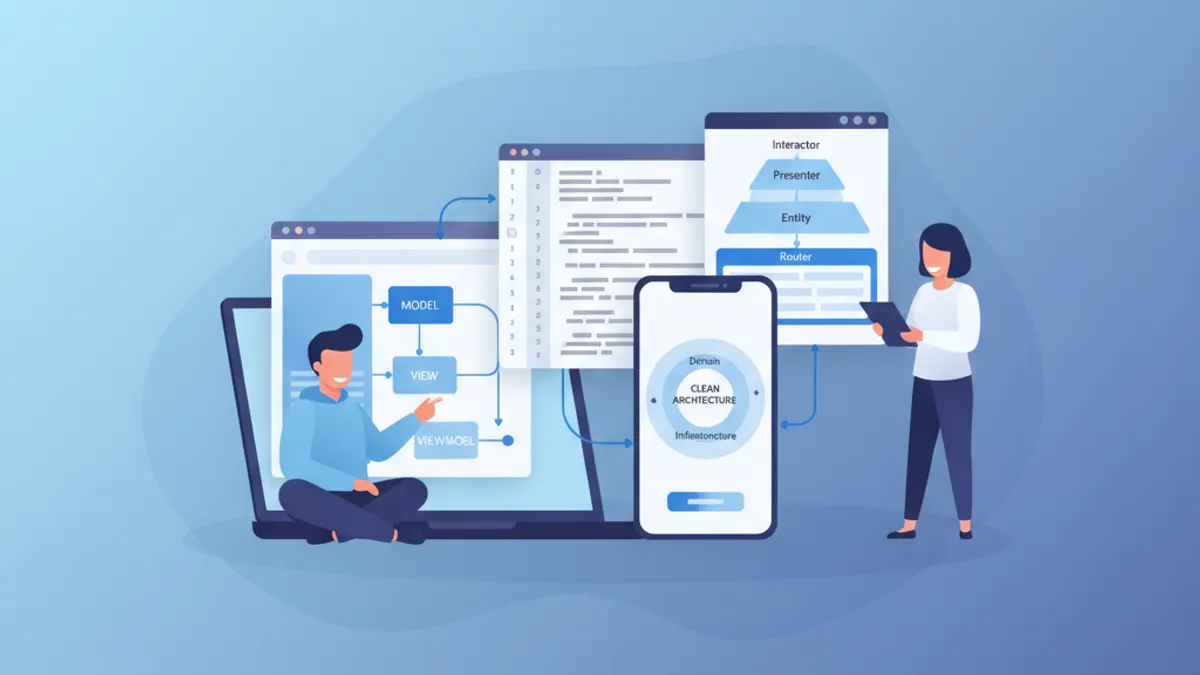
Phỏng vấn iOS Senior 2026: Câu hỏi về Kiến trúc và Design Pattern
Chuẩn bị phỏng vấn iOS senior với các câu hỏi quan trọng về MVVM, VIPER, Clean Architecture và design pattern. Hướng dẫn đầy đủ với ví dụ mã Swift.