Câu hỏi phỏng vấn SwiftUI NavigationStack: Mẫu điều hướng 2026
Chuẩn bị cho phỏng vấn iOS với những câu hỏi cốt lõi về NavigationStack, NavigationPath và các mẫu điều hướng SwiftUI hiện đại.
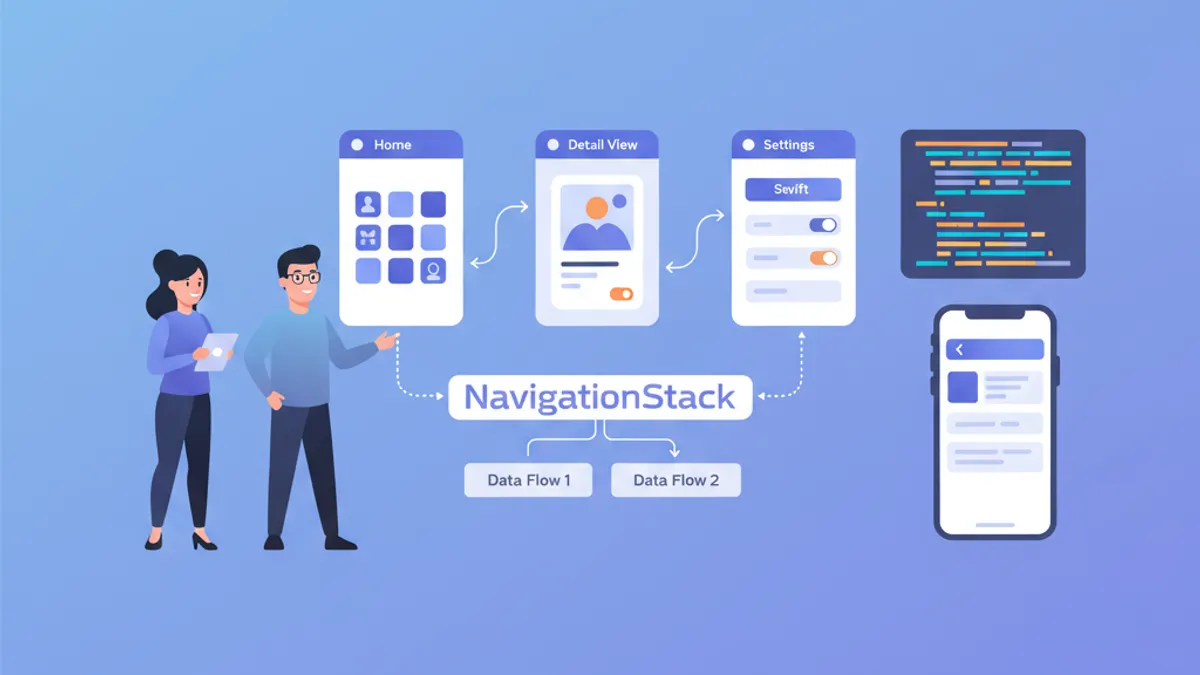
Điều hướng là một trụ cột nền tảng của bất kỳ ứng dụng iOS nào. Kể từ iOS 16, NavigationStack thay thế NavigationView và mang đến khả năng kiểm soát lập trình hoàn chỉnh đối với ngăn xếp điều hướng. Nhà tuyển dụng thường xuyên kiểm tra mức độ thành thạo của các khái niệm này trong các buổi phỏng vấn kỹ thuật.
Mỗi câu hỏi tái hiện định dạng của một buổi phỏng vấn kỹ thuật thực tế, cùng câu trả lời chi tiết và mã nguồn hoạt động. Các khái niệm phát triển từ cơ bản đến nâng cao.
Nền tảng của NavigationStack
Câu hỏi 1: Sự khác biệt giữa NavigationView và NavigationStack là gì?
NavigationView (đã bị loại bỏ kể từ iOS 16) tạo điều hướng ngầm dựa trên các NavigationLink lồng nhau. NavigationStack giới thiệu cách tiếp cận khai báo với một ngăn xếp điều hướng tường minh và có thể chỉnh sửa bằng lập trình.
// ❌ Old pattern with NavigationView (deprecated)
struct OldNavigation: View {
    var body: some View {
        NavigationView {
            NavigationLink("Details", destination: DetailView())
        }
    }
}

// ✅ New pattern with NavigationStack
struct ModernNavigation: View {
    // Navigation stack is explicit and controllable
    @State private var path = NavigationPath()

    var body: some View {
        NavigationStack(path: $path) {
            List {
                // NavigationLink with typed value
                NavigationLink("User 1", value: User(id: 1, name: "Alice"))
                NavigationLink("User 2", value: User(id: 2, name: "Bob"))
            }
            // Destination defined by value type
            .navigationDestination(for: User.self) { user in
                UserDetailView(user: user)
            }
        }
    }
}
Lợi thế lớn nhất nằm ở việc tách bạch khai báo liên kết với điểm đến của nó, cho phép điều hướng tập trung và có thể kiểm thử.
Câu hỏi 2: NavigationPath hoạt động như thế nào?
NavigationPath là một bộ chứa kiểu xóa lưu trữ các giá trị điều hướng. Nó cho phép thao tác trên ngăn xếp mà không cần biết kiểu chính xác của các màn hình, đồng thời vẫn giữ được an toàn kiểu tại thời điểm biên dịch.
struct ContentView: View {
    // NavigationPath can contain different Hashable types
    @State private var path = NavigationPath()

    var body: some View {
        NavigationStack(path: $path) {
            VStack(spacing: 20) {
                Button("View user profile") {
                    // Adds a User to the stack
                    path.append(User(id: 1, name: "Alice"))
                }

                Button("View settings") {
                    // Adds a Settings enum to the stack
                    path.append(SettingsRoute.notifications)
                }

                Button("Back to root") {
                    // Clears the entire stack
                    path.removeLast(path.count)
                }
            }
            .navigationDestination(for: User.self) { user in
                UserDetailView(user: user)
            }
            .navigationDestination(for: SettingsRoute.self) { route in
                SettingsView(route: route)
            }
        }
    }
}

// Types must be Hashable
struct User: Hashable {
    let id: Int
    let name: String
}

enum SettingsRoute: Hashable {
    case notifications
    case privacy
    case account
}NavigationPath sử dụng xóa kiểu ở bên trong nhưng kiểm tra kiểu tại thời điểm biên dịch thông qua navigationDestination. Một giá trị không có điểm đến tương ứng sẽ gây ra lỗi runtime ngầm.
Câu hỏi 3: Làm sao triển khai điều hướng lập trình hoàn chỉnh?
Điều hướng lập trình cho phép kiểm soát ngăn xếp từ bất kỳ điểm nào trong mã nguồn mà không cần thao tác trực tiếp của người dùng. Đây là yếu tố thiết yếu cho deep link, chuyển hướng sau xác thực hoặc các luồng nhiều bước.
// Centralized router to manage navigation
@Observable
class NavigationRouter {
    var path = NavigationPath()

    // Navigate to a specific screen
    func navigateTo(_ destination: AppRoute) {
        path.append(destination)
    }

    // Go back one level
    func goBack() {
        guard !path.isEmpty else { return }
        path.removeLast()
    }

    // Return to root
    func popToRoot() {
        path.removeLast(path.count)
    }

    // Navigate to a complete stack (deep link)
    func navigateToPath(_ routes: [AppRoute]) {
        popToRoot()
        for route in routes {
            path.append(route)
        }
    }
}

// Enum defining all app routes
enum AppRoute: Hashable {
    case userList
    case userDetail(userId: Int)
    case userEdit(userId: Int)
    case settings
    case settingsDetail(SettingsSection)
}

enum SettingsSection: String, Hashable {
    case notifications, privacy, account
}

// Usage in main view
struct MainView: View {
    @State private var router = NavigationRouter()

    var body: some View {
        NavigationStack(path: $router.path) {
            HomeView()
                .navigationDestination(for: AppRoute.self) { route in
                    destinationView(for: route)
                }
        }
        .environment(router)
    }

    @ViewBuilder
    private func destinationView(for route: AppRoute) -> some View {
        switch route {
        case .userList:
            UserListView()
        case .userDetail(let userId):
            UserDetailView(userId: userId)
        case .userEdit(let userId):
            UserEditView(userId: userId)
        case .settings:
            SettingsView()
        case .settingsDetail(let section):
            SettingsDetailView(section: section)
        }
    }
}
Mẫu này tập trung toàn bộ logic điều hướng, giúp dễ kiểm thử đơn vị và bảo trì.
Mẫu điều hướng nâng cao
Câu hỏi 4: Làm sao triển khai deep link với NavigationStack?
Deep link cho phép mở ứng dụng trực tiếp đến một màn hình cụ thể từ một URL bên ngoài. Với NavigationStack, ngăn xếp có thể được tái dựng bằng lập trình.
@Observable
class DeepLinkHandler {
    var router: NavigationRouter

    init(router: NavigationRouter) {
        self.router = router
    }

    // Parse a URL and navigate to destination
    func handle(url: URL) {
        guard let components = URLComponents(url: url, resolvingAgainstBaseURL: true),
              let host = components.host else {
            return
        }

        // Build navigation stack according to URL
        let routes = parseRoutes(host: host, path: components.path, queryItems: components.queryItems)
        router.navigateToPath(routes)
    }

    private func parseRoutes(host: String, path: String, queryItems: [URLQueryItem]?) -> [AppRoute] {
        // myapp://users/42/edit → [.userList, .userDetail(42), .userEdit(42)]
        switch host {
        case "users":
            return parseUserPath(path)
        case "settings":
            return parseSettingsPath(path)
        default:
            return []
        }
    }

    private func parseUserPath(_ path: String) -> [AppRoute] {
        let segments = path.split(separator: "/").map(String.init)
        var routes: [AppRoute] = [.userList]

        if let userIdString = segments.first, let userId = Int(userIdString) {
            routes.append(.userDetail(userId: userId))

            // /users/42/edit
            if segments.count > 1 && segments[1] == "edit" {
                routes.append(.userEdit(userId: userId))
            }
        }

        return routes
    }

    private func parseSettingsPath(_ path: String) -> [AppRoute] {
        var routes: [AppRoute] = [.settings]

        let segments = path.split(separator: "/").map(String.init)
        if let sectionString = segments.first,
           let section = SettingsSection(rawValue: sectionString) {
            routes.append(.settingsDetail(section))
        }

        return routes
    }
}

// In the main App
@main
struct MyApp: App {
    @State private var router = NavigationRouter()
    @State private var deepLinkHandler: DeepLinkHandler?

    var body: some Scene {
        WindowGroup {
            MainView()
                .environment(router)
                .onOpenURL { url in
                    // Handle deep links
                    deepLinkHandler?.handle(url: url)
                }
                .onAppear {
                    deepLinkHandler = DeepLinkHandler(router: router)
                }
        }
    }
}
Câu hỏi 5: Làm sao lưu và khôi phục trạng thái điều hướng?
Việc lưu trạng thái điều hướng cho phép phục hồi vị trí của người dùng sau khi khởi động lại ứng dụng. NavigationPath hỗ trợ Codable để tuần tự hóa.
// Extension to make NavigationPath persistable
extension NavigationPath {
    // Encode path to Data
    func encoded() -> Data? {
        guard let representation = self.codable else { return nil }
        return try? JSONEncoder().encode(representation)
    }

    // Decode from Data
    static func decoded(from data: Data) -> NavigationPath? {
        guard let representation = try? JSONDecoder().decode(
            NavigationPath.CodableRepresentation.self,
            from: data
        ) else {
            return nil
        }
        return NavigationPath(representation)
    }
}

// Router with persistence
@Observable
class PersistentNavigationRouter {
    var path: NavigationPath {
        didSet {
            saveState()
        }
    }

    private let storageKey = "navigation_path"

    init() {
        // Restore state at startup
        if let data = UserDefaults.standard.data(forKey: storageKey),
           let restored = NavigationPath.decoded(from: data) {
            self.path = restored
        } else {
            self.path = NavigationPath()
        }
    }

    private func saveState() {
        if let data = path.encoded() {
            UserDefaults.standard.set(data, forKey: storageKey)
        }
    }

    func clearPersistedState() {
        UserDefaults.standard.removeObject(forKey: storageKey)
    }
}Để NavigationPath.codable hoạt động, mọi kiểu được thêm vào path phải là Codable ngoài Hashable. Nếu không, thuộc tính codable sẽ trả về nil.
Sẵn sàng chinh phục phỏng vấn iOS?
Luyện tập với mô phỏng tương tác, flashcards và bài kiểm tra kỹ thuật.
Câu hỏi 6: Làm sao quản lý điều hướng với luồng xác thực?
Luồng xác thực thường yêu cầu chuyển hướng đến một màn hình được bảo vệ sau khi đăng nhập, hoặc quay về màn hình đăng nhập sau khi đăng xuất. Mẫu sau xử lý các chuyển tiếp này một cách gọn gàng.
enum AuthState {
    case unauthenticated
    case authenticated(User)
}

@Observable
class AuthManager {
    var state: AuthState = .unauthenticated
    var pendingDeepLink: URL?

    func login(email: String, password: String) async throws {
        // Simulated authentication
        let user = try await AuthService.shared.login(email: email, password: password)
        state = .authenticated(user)
    }

    func logout() {
        state = .unauthenticated
    }
}

struct RootView: View {
    @State private var authManager = AuthManager()
    @State private var router = NavigationRouter()

    var body: some View {
        Group {
            switch authManager.state {
            case .unauthenticated:
                // Separate navigation stack for auth
                AuthNavigationStack(authManager: authManager)
            case .authenticated:
                // Main app stack
                MainNavigationStack(router: router, authManager: authManager)
            }
        }
        .onChange(of: authManager.state) { oldState, newState in
            handleAuthStateChange(from: oldState, to: newState)
        }
    }

    private func handleAuthStateChange(from oldState: AuthState, to newState: AuthState) {
        switch (oldState, newState) {
        case (.unauthenticated, .authenticated):
            // Login successful: process pending deep link
            if let pendingURL = authManager.pendingDeepLink {
                DeepLinkHandler(router: router).handle(url: pendingURL)
                authManager.pendingDeepLink = nil
            }
        case (.authenticated, .unauthenticated):
            // Logout: reset navigation
            router.popToRoot()
        default:
            break
        }
    }
}

struct AuthNavigationStack: View {
    let authManager: AuthManager
    @State private var authPath = NavigationPath()

    var body: some View {
        NavigationStack(path: $authPath) {
            LoginView(authManager: authManager)
                .navigationDestination(for: AuthRoute.self) { route in
                    switch route {
                    case .register:
                        RegisterView(authManager: authManager)
                    case .forgotPassword:
                        ForgotPasswordView()
                    }
                }
        }
    }
}

enum AuthRoute: Hashable {
    case register
    case forgotPassword
}
Câu hỏi 7: Làm sao triển khai điều hướng modal với NavigationStack?
Modal và sheet cần ngữ cảnh điều hướng riêng. Việc kết hợp NavigationStack với các kiểu trình bày modal đòi hỏi quản lý trạng thái tách biệt.
struct ParentView: View {
    @State private var mainPath = NavigationPath()
    @State private var showSettings = false
    @State private var showUserProfile: User?

    var body: some View {
        NavigationStack(path: $mainPath) {
            ContentView()
                .toolbar {
                    Button("Settings") {
                        showSettings = true
                    }
                }
                .navigationDestination(for: MainRoute.self) { route in
                    MainRouteView(route: route)
                }
        }
        // Sheet with its own NavigationStack
        .sheet(isPresented: $showSettings) {
            SettingsSheet()
        }
        // Conditional sheet based on item
        .sheet(item: $showUserProfile) { user in
            UserProfileSheet(user: user)
        }
    }
}

// Each sheet has its own NavigationStack
struct SettingsSheet: View {
    @Environment(\.dismiss) private var dismiss
    @State private var settingsPath = NavigationPath()

    var body: some View {
        NavigationStack(path: $settingsPath) {
            SettingsListView()
                .navigationTitle("Settings")
                .toolbar {
                    ToolbarItem(placement: .cancellationAction) {
                        Button("Close") {
                            dismiss()
                        }
                    }
                }
                .navigationDestination(for: SettingsSection.self) { section in
                    SettingsDetailView(section: section)
                }
        }
    }
}

// Extension to make User identifiable for sheet(item:)
extension User: Identifiable {}
Quản lý trạng thái và khả năng kiểm thử
Câu hỏi 8: Làm sao viết kiểm thử đơn vị cho điều hướng?
Khả năng kiểm thử là một lợi thế quan trọng của NavigationStack. Bằng cách cô lập router, kiểm thử đơn vị xác minh logic điều hướng mà không cần UI.
// Protocol to abstract the router
protocol NavigationRouterProtocol {
    var pathCount: Int { get }
    func navigateTo(_ destination: AppRoute)
    func goBack()
    func popToRoot()
}

// Concrete implementation
@Observable
class AppNavigationRouter: NavigationRouterProtocol {
    var path = NavigationPath()

    var pathCount: Int {
        path.count
    }

    func navigateTo(_ destination: AppRoute) {
        path.append(destination)
    }

    func goBack() {
        guard !path.isEmpty else { return }
        path.removeLast()
    }

    func popToRoot() {
        path.removeLast(path.count)
    }
}

// Unit tests
import XCTest

final class NavigationRouterTests: XCTestCase {
    var router: AppNavigationRouter!

    override func setUp() {
        router = AppNavigationRouter()
    }

    func testNavigateToAddsToPath() {
        // Given
        XCTAssertEqual(router.pathCount, 0)

        // When
        router.navigateTo(.userDetail(userId: 42))

        // Then
        XCTAssertEqual(router.pathCount, 1)
    }

    func testGoBackRemovesLastItem() {
        // Given
        router.navigateTo(.userList)
        router.navigateTo(.userDetail(userId: 1))
        XCTAssertEqual(router.pathCount, 2)

        // When
        router.goBack()

        // Then
        XCTAssertEqual(router.pathCount, 1)
    }

    func testPopToRootClearsPath() {
        // Given
        router.navigateTo(.userList)
        router.navigateTo(.userDetail(userId: 1))
        router.navigateTo(.userEdit(userId: 1))
        XCTAssertEqual(router.pathCount, 3)

        // When
        router.popToRoot()

        // Then
        XCTAssertEqual(router.pathCount, 0)
    }

    func testGoBackOnEmptyPathDoesNothing() {
        // Given
        XCTAssertEqual(router.pathCount, 0)

        // When
        router.goBack()

        // Then
        XCTAssertEqual(router.pathCount, 0) // No crash
    }
}
Câu hỏi 9: Làm sao quản lý trạng thái điều hướng phức tạp với nhiều tab?
Ứng dụng có TabView cần một trạng thái điều hướng riêng cho mỗi tab. Mỗi tab duy trì ngăn xếp độc lập của riêng mình.
// Navigation state for each tab
@Observable
class TabNavigationState {
    var homePath = NavigationPath()
    var searchPath = NavigationPath()
    var profilePath = NavigationPath()
    var selectedTab: Tab = .home

    enum Tab: Hashable {
        case home, search, profile
    }

    func resetCurrentTab() {
        switch selectedTab {
        case .home:
            homePath.removeLast(homePath.count)
        case .search:
            searchPath.removeLast(searchPath.count)
        case .profile:
            profilePath.removeLast(profilePath.count)
        }
    }

    func resetAllTabs() {
        homePath.removeLast(homePath.count)
        searchPath.removeLast(searchPath.count)
        profilePath.removeLast(profilePath.count)
    }
}

struct TabRootView: View {
    @State private var tabState = TabNavigationState()

    var body: some View {
        TabView(selection: $tabState.selectedTab) {
            // Home tab
            NavigationStack(path: $tabState.homePath) {
                HomeView()
                    .navigationDestination(for: HomeRoute.self) { route in
                        HomeRouteView(route: route)
                    }
            }
            .tabItem { Label("Home", systemImage: "house") }
            .tag(TabNavigationState.Tab.home)

            // Search tab
            NavigationStack(path: $tabState.searchPath) {
                SearchView()
                    .navigationDestination(for: SearchRoute.self) { route in
                        SearchRouteView(route: route)
                    }
            }
            .tabItem { Label("Search", systemImage: "magnifyingglass") }
            .tag(TabNavigationState.Tab.search)

            // Profile tab
            NavigationStack(path: $tabState.profilePath) {
                ProfileView()
                    .navigationDestination(for: ProfileRoute.self) { route in
                        ProfileRouteView(route: route)
                    }
            }
            .tabItem { Label("Profile", systemImage: "person") }
            .tag(TabNavigationState.Tab.profile)
        }
        .environment(tabState)
    }
}
Câu hỏi 10: Làm sao tránh các vấn đề hiệu năng với NavigationStack?
Ngăn xếp điều hướng lớn hoặc các điểm đến phức tạp có thể ảnh hưởng đến hiệu năng. Một số kỹ thuật giúp tối ưu việc dựng giao diện và sử dụng bộ nhớ.
struct OptimizedNavigationStack: View {
    @State private var path = NavigationPath()

    var body: some View {
        NavigationStack(path: $path) {
            LazyContentView()
                // ✅ Lazy-loaded destinations
                .navigationDestination(for: HeavyRoute.self) { route in
                    // View only created on navigation
                    HeavyDetailView(route: route)
                }
        }
    }
}

// ✅ View with lazy content loading
struct LazyContentView: View {
    @State private var items: [Item] = []

    var body: some View {
        // LazyVStack only creates visible views
        ScrollView {
            LazyVStack(spacing: 12) {
                ForEach(items) { item in
                    NavigationLink(value: HeavyRoute.detail(item.id)) {
                        ItemRow(item: item)
                    }
                }
            }
        }
        .task {
            items = await loadItems()
        }
    }
}

// ✅ Detail with progressive loading
struct HeavyDetailView: View {
    let route: HeavyRoute
    @State private var data: DetailData?

    var body: some View {
        Group {
            if let data {
                DetailContent(data: data)
            } else {
                ProgressView()
            }
        }
        .task {
            // Load data only when view appears
            data = await loadDetailData(for: route)
        }
    }
}

// ❌ Avoid: eager creation of heavy views
struct BadNavigationStack: View {
    let allItems: [Item]

    var body: some View {
        NavigationStack {
            List(allItems) { item in
                // Creates all destinations immediately
                NavigationLink {
                    HeavyDetailView(item: item) // ❌ Created upfront
                } label: {
                    ItemRow(item: item)
                }
            }
        }
    }
}Nên luôn dùng navigationDestination(for:) thay vì NavigationLink với điểm đến nội tuyến. Mẫu đầu tiên chỉ tải view đích vào thời điểm điều hướng.
Kết luận
NavigationStack thay đổi cách quản lý điều hướng trong SwiftUI bằng cách cung cấp khả năng kiểm soát lập trình toàn diện. Việc thành thạo các mẫu này, từ điều hướng cơ bản đến deep link và lưu trữ trạng thái, giúp các nhà phát triển iOS dày dạn nổi bật trong các buổi phỏng vấn.
Danh sách kiểm tra
- ✅ Hiểu sự khác biệt giữa
NavigationViewvàNavigationStack - ✅ Biết sử dụng
NavigationPathcho điều hướng lập trình - ✅ Triển khai router tập trung cho điều hướng
- ✅ Xử lý deep link với việc tái dựng ngăn xếp
- ✅ Lưu và khôi phục trạng thái điều hướng bằng
Codable - ✅ Tách luồng xác thực khỏi điều hướng chính
- ✅ Kết hợp đúng cách modal với
NavigationStack - ✅ Viết kiểm thử đơn vị cho logic điều hướng
- ✅ Quản lý điều hướng nhiều tab với
TabView - ✅ Tối ưu hiệu năng cho ngăn xếp điều hướng lớn
Bắt đầu luyện tập!
Kiểm tra kiến thức với mô phỏng phỏng vấn và bài kiểm tra kỹ thuật.
Bạn có tìm ra lỗi trong iOS không?
Một đoạn mã thật, một lỗi ẩn, mỗi ngày một lượt. Không cần tài khoản để thử.

Viết bởi
Anthony Fillion-MailletNgười sáng lập SharpSkill
Lập trình viên fullstack hơn 10 năm. Anh điều hành SharpSkill và chịu trách nhiệm về mọi nội dung đăng tại đây.
Cập nhật ngày 29 tháng 4, 2026
Thẻ
Chia sẻ
Bài viết liên quan

Phỏng vấn MapKit SwiftUI năm 2026: Chú thích, Lớp phủ và Định vị
Làm chủ MapKit với SwiftUI cho phỏng vấn iOS: chú thích tùy chỉnh, lớp phủ, định vị, tìm kiếm địa điểm và các mẫu tích hợp Maps.

Việc làm lập trình viên iOS 2026: Nguồn tuyển dụng, mức lương, cách chuẩn bị phỏng vấn
Hướng dẫn toàn diện tìm việc lập trình viên iOS năm 2026. Khám phá nguồn tuyển dụng, dữ liệu lương thực tế, và chiến lược chuẩn bị phỏng vấn kỹ thuật.

Phỏng Vấn StoreKit 2: Quản Lý Đăng Ký và Xác Thực Biên Lai
Làm chủ các câu hỏi phỏng vấn iOS về StoreKit 2, quản lý đăng ký, xác thực biên lai và triển khai mua hàng trong ứng dụng với các ví dụ mã Swift thực tế.