Vision Framework และ CoreML: คำถามสัมภาษณ์ iOS เรื่อง ML บนอุปกรณ์
เตรียมตัวสัมภาษณ์ iOS ด้วยคำถามสำคัญเกี่ยวกับ Vision Framework และ CoreML: การรู้จำภาพ การตรวจจับวัตถุ และ ML บนอุปกรณ์
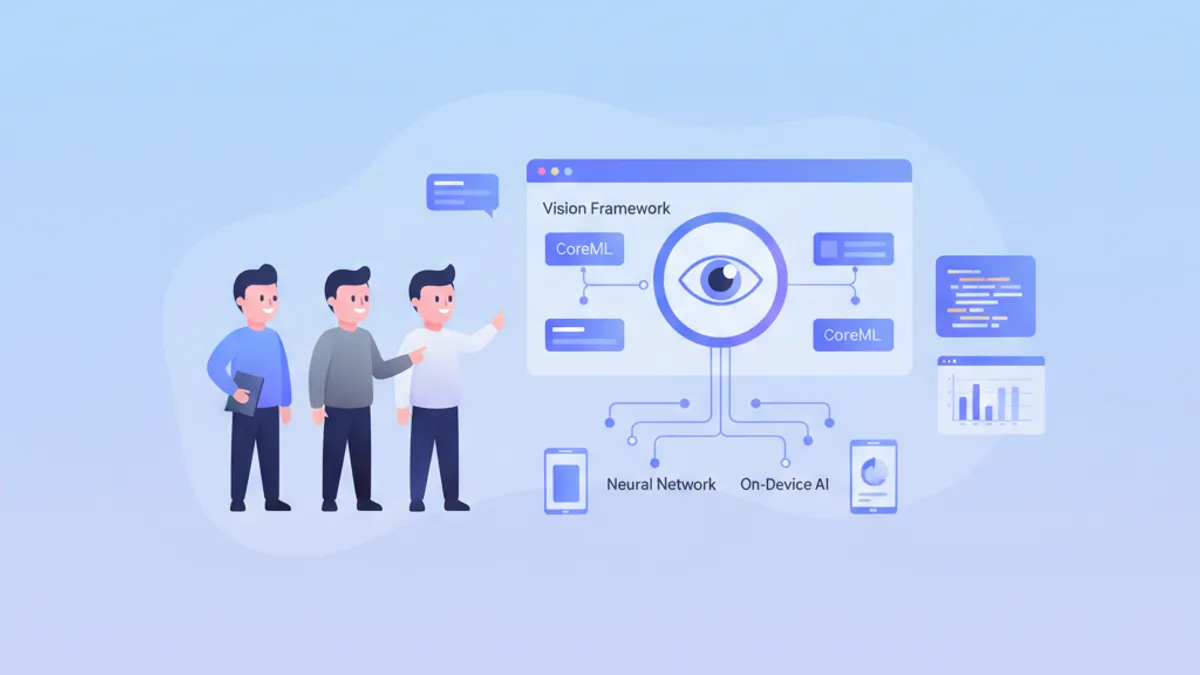
Machine learning บนอุปกรณ์เป็นข้อได้เปรียบทางการแข่งขันที่สำคัญสำหรับแอป iOS สมัยใหม่ Vision Framework และ CoreML ช่วยให้รันโมเดลได้โดยตรงบนอุปกรณ์ รับประกันความเป็นส่วนตัวของข้อมูลและประสิทธิภาพแบบเรียลไทม์ คำถามสัมภาษณ์เหล่านี้ครอบคลุมแนวคิดสำคัญที่นักพัฒนา iOS ระดับ senior ทุกคนควรเชี่ยวชาญ
คำถามจัดเรียงตามหัวข้อ: พื้นฐาน CoreML, Vision Framework, การปรับประสิทธิภาพ และกรณีการใช้งานจริง คำตอบแต่ละข้อมีโค้ด Swift สมัยใหม่และคำอธิบายโดยละเอียด
พื้นฐาน CoreML
1. CoreML คืออะไรและมีข้อดีอะไรบ้าง?
CoreML คือ framework ของ Apple สำหรับการรวมโมเดล machine learning เข้ากับแอป iOS, macOS, watchOS และ tvOS Framework นี้จะปรับโมเดลให้เหมาะกับฮาร์ดแวร์ของ Apple โดยอัตโนมัติ (CPU, GPU, Neural Engine) และรับประกันการทำงานบนอุปกรณ์โดยไม่ต้องมีการเชื่อมต่อเครือข่าย
ข้อดีหลักประกอบด้วยความเป็นส่วนตัวของข้อมูล (ข้อมูลไม่ออกจากอุปกรณ์), latency ที่ต่ำลง (ไม่มี round-trip ของเครือข่าย) และการปรับปรุงอัตโนมัติสำหรับ Neural Engine บนชิป Apple Silicon
import CoreML

// Loading a compiled CoreML model (.mlmodelc)
class ImageClassifier {
    // Model is compiled at build time to optimize loading
    private let model: VNCoreMLModel

    init() throws {
        // Configuration to use Neural Engine if available
        let config = MLModelConfiguration()
        config.computeUnits = .all  // CPU + GPU + Neural Engine

        // Load model with custom configuration
        let mlModel = try MobileNetV2(configuration: config).model
        model = try VNCoreMLModel(for: mlModel)
    }

    // Method to classify an image
    func classify(image: CGImage) async throws -> [(String, Float)] {
        // Create Vision request with CoreML model
        let request = VNCoreMLRequest(model: model)
        request.imageCropAndScaleOption = .centerCrop

        // Handler to process the image
        let handler = VNImageRequestHandler(cgImage: image, options: [:])
        try handler.perform([request])

        // Extract results
        guard let results = request.results as? [VNClassificationObservation] else {
            return []
        }

        // Return top 5 predictions with confidence
        return results.prefix(5).map { ($0.identifier, $0.confidence) }
    }
}
2. จะแปลงโมเดล TensorFlow หรือ PyTorch เป็น CoreML ได้อย่างไร?
การแปลงใช้ coremltools ซึ่งเป็นแพ็กเกจ Python อย่างเป็นทางการของ Apple แพ็กเกจนี้รองรับ TensorFlow, PyTorch, ONNX และรูปแบบยอดนิยมอื่น ๆ การแปลงสามารถรวมการปรับให้เหมาะสม เช่น quantization เพื่อลดขนาดโมเดล
# convert_model.py
import coremltools as ct
import torch

# Conversion from PyTorch
class MyClassifier(torch.nn.Module):
    def __init__(self):
        super().__init__()
        self.conv = torch.nn.Conv2d(3, 64, 3)
        self.fc = torch.nn.Linear(64, 10)

    def forward(self, x):
        x = self.conv(x)
        x = x.mean([2, 3])  # Global average pooling
        return self.fc(x)

# Example input for tracing
example_input = torch.rand(1, 3, 224, 224)

# Trace the PyTorch model
traced_model = torch.jit.trace(MyClassifier(), example_input)

# Convert to CoreML with metadata
mlmodel = ct.convert(
    traced_model,
    inputs=[ct.ImageType(name="image", shape=(1, 3, 224, 224))],
    classifier_config=ct.ClassifierConfig(["cat", "dog", "bird"]),
    minimum_deployment_target=ct.target.iOS17
)

# Save model with compression
mlmodel.save("MyClassifier.mlpackage")
โมเดล .mlpackage สามารถเพิ่มเข้าโครงการ Xcode ได้โดยตรง ซึ่ง Xcode จะสร้างคลาส Swift แบบมี type ให้อัตโนมัติ
3. ความแตกต่างระหว่าง MLModel และ VNCoreMLModel คืออะไร?
MLModel คือคลาสพื้นฐานของ CoreML สำหรับโหลดและรันโมเดล ML VNCoreMLModel เป็น wrapper ที่ช่วยให้ใช้โมเดล CoreML กับ Vision Framework ได้ พร้อมการ preprocessing ภาพอัตโนมัติและการรวมเข้ากับ pipeline ของ Vision
import CoreML
import Vision

// Direct MLModel usage (low level)
func predictWithMLModel(features: MLFeatureProvider) async throws -> String {
    let config = MLModelConfiguration()
    let model = try MyModel(configuration: config)

    // Direct prediction with feature provider
    let prediction = try model.prediction(from: features)

    // Manual output access
    guard let output = prediction.featureValue(for: "classLabel")?.stringValue else {
        throw PredictionError.invalidOutput
    }
    return output
}

// Usage with VNCoreMLModel (high level, recommended for images)
func predictWithVision(image: CGImage) async throws -> [VNClassificationObservation] {
    let config = MLModelConfiguration()
    let mlModel = try MyModel(configuration: config).model

    // Wrapper for use with Vision
    let visionModel = try VNCoreMLModel(for: mlModel)

    // Vision automatically handles resizing and preprocessing
    let request = VNCoreMLRequest(model: visionModel)
    request.imageCropAndScaleOption = .scaleFill

    let handler = VNImageRequestHandler(cgImage: image)
    try handler.perform([request])

    return request.results as? [VNClassificationObservation] ?? []
}ใช้ MLModel โดยตรงสำหรับข้อมูลตารางหรืออินพุตที่ไม่ใช่ภาพ ใช้ VNCoreMLModel สำหรับทุกอย่างที่เกี่ยวข้องกับภาพ เนื่องจาก Vision จะจัดการการแปลงรูปแบบและ preprocessing โดยอัตโนมัติ
4. จะจัดการเวอร์ชัน iOS ที่แตกต่างกันด้วย CoreML ได้อย่างไร?
CoreML พัฒนาไปพร้อมกับเวอร์ชัน iOS แต่ละครั้ง สิ่งที่จำเป็นคือการกำหนด deployment target ขั้นต่ำตอนแปลง และจัดการคุณสมบัติที่ไม่รองรับในเวอร์ชันเก่า
import CoreML

class AdaptiveMLManager {
    // Check model capabilities based on iOS version
    func loadOptimalModel() throws -> MLModel {
        let config = MLModelConfiguration()

        // iOS 17+: Optimized Neural Engine with compute budget
        if #available(iOS 17, *) {
            config.computeUnits = .cpuAndNeuralEngine
            // New in iOS 17: compute power limit
            config.allowLowPrecisionAccumulationOnGPU = true
            return try AdvancedModel(configuration: config).model
        }
        // iOS 16: Enhanced GPU support
        else if #available(iOS 16, *) {
            config.computeUnits = .all
            return try StandardModel(configuration: config).model
        }
        // iOS 15: CPU only fallback for reliability
        else {
            config.computeUnits = .cpuOnly
            return try LegacyModel(configuration: config).model
        }
    }

    // Check if Neural Engine is available
    var hasNeuralEngine: Bool {
        if #available(iOS 16, *) {
            // Devices with A11+ have Neural Engine
            var sysinfo = utsname()
            uname(&sysinfo)
            let machine = String(bytes: Data(bytes: &sysinfo.machine,
                count: Int(_SYS_NAMELEN)), encoding: .ascii)?
                .trimmingCharacters(in: .controlCharacters) ?? ""

            // iPhone X and later have Neural Engine
            return machine.contains("iPhone10") ||
                   machine.hasPrefix("iPhone1") && machine.count > 7
        }
        return false
    }
}
Vision Framework
5. Vision Framework รองรับ request ประเภทใดบ้าง?
Vision Framework มี request หลากหลายประเภทสำหรับการวิเคราะห์ภาพ หมวดหลักประกอบด้วยการตรวจจับใบหน้า การรู้จำตัวอักษร (OCR) การตรวจจับวัตถุ การติดตามวัตถุในวิดีโอ และการวิเคราะห์ความคล้ายของภาพ
import Vision

class VisionAnalyzer {
    // Face detection with landmarks
    func detectFaces(in image: CGImage) async throws -> [VNFaceObservation] {
        let request = VNDetectFaceLandmarksRequest()
        request.revision = VNDetectFaceLandmarksRequestRevision3

        let handler = VNImageRequestHandler(cgImage: image)
        try handler.perform([request])

        return request.results ?? []
    }

    // Text recognition (OCR)
    func recognizeText(in image: CGImage) async throws -> [String] {
        let request = VNRecognizeTextRequest()
        request.recognitionLevel = .accurate  // .fast for real-time
        request.recognitionLanguages = ["en-US", "fr-FR"]
        request.usesLanguageCorrection = true

        let handler = VNImageRequestHandler(cgImage: image)
        try handler.perform([request])

        return request.results?.compactMap { observation in
            observation.topCandidates(1).first?.string
        } ?? []
    }

    // Object detection and classification
    func detectObjects(in image: CGImage) async throws -> [VNRecognizedObjectObservation] {
        // Use a CoreML model for detection
        let config = MLModelConfiguration()
        let detector = try YOLOv8(configuration: config)
        let visionModel = try VNCoreMLModel(for: detector.model)

        let request = VNCoreMLRequest(model: visionModel)
        request.imageCropAndScaleOption = .scaleFill

        let handler = VNImageRequestHandler(cgImage: image)
        try handler.perform([request])

        return request.results as? [VNRecognizedObjectObservation] ?? []
    }

    // Compute similarity between images
    func computeSimilarity(image1: CGImage, image2: CGImage) async throws -> Float {
        // Generate feature prints for both images
        let request = VNGenerateImageFeaturePrintRequest()

        let handler1 = VNImageRequestHandler(cgImage: image1)
        try handler1.perform([request])
        guard let print1 = request.results?.first else { throw VisionError.noResults }

        let handler2 = VNImageRequestHandler(cgImage: image2)
        try handler2.perform([request])
        guard let print2 = request.results?.first else { throw VisionError.noResults }

        // Compute distance between embeddings
        var distance: Float = 0
        try print1.computeDistance(&distance, to: print2)

        // Convert distance to similarity score (0-1)
        return 1.0 / (1.0 + distance)
    }
}
6. จะใช้งานการติดตามวัตถุแบบเรียลไทม์ด้วย Vision ได้อย่างไร?
การติดตามวัตถุใช้ VNTrackObjectRequest เพื่อติดตามวัตถุที่ตรวจพบผ่านเฟรมวิดีโอ การเริ่มต้นทำด้วย observation จากการตรวจจับ จากนั้นเฟรมถัดไปจะใช้ request เดียวกันสำหรับการ tracking
import Vision
import AVFoundation

class ObjectTracker: NSObject {
    private var trackingRequest: VNTrackObjectRequest?
    private let sequenceHandler = VNSequenceRequestHandler()

    // Callback to notify position updates
    var onTrackingUpdate: ((CGRect) -> Void)?
    var onTrackingLost: (() -> Void)?

    // Initialize tracking with an initial detection
    func startTracking(observation: VNDetectedObjectObservation) {
        // Create tracking request from observation
        trackingRequest = VNTrackObjectRequest(
            detectedObjectObservation: observation
        ) { [weak self] request, error in
            self?.handleTrackingResult(request: request, error: error)
        }

        // Configure tracking
        trackingRequest?.trackingLevel = .accurate  // .fast for 60fps
    }

    // Process each new video frame
    func processFrame(_ pixelBuffer: CVPixelBuffer) {
        guard let request = trackingRequest else { return }

        do {
            // Sequence handler maintains context between frames
            try sequenceHandler.perform([request], on: pixelBuffer)
        } catch {
            onTrackingLost?()
            trackingRequest = nil
        }
    }

    private func handleTrackingResult(request: VNRequest, error: Error?) {
        guard let result = request.results?.first as? VNDetectedObjectObservation else {
            onTrackingLost?()
            return
        }

        // Check tracking confidence
        if result.confidence < 0.3 {
            onTrackingLost?()
            trackingRequest = nil
            return
        }

        // Update request for next frame
        trackingRequest = VNTrackObjectRequest(detectedObjectObservation: result) {
            [weak self] request, error in
            self?.handleTrackingResult(request: request, error: error)
        }

        // Notify new position (normalized coordinates)
        DispatchQueue.main.async { [weak self] in
            self?.onTrackingUpdate?(result.boundingBox)
        }
    }
}

// Integration with AVCaptureSession
extension ObjectTracker: AVCaptureVideoDataOutputSampleBufferDelegate {
    func captureOutput(
        _ output: AVCaptureOutput,
        didOutput sampleBuffer: CMSampleBuffer,
        from connection: AVCaptureConnection
    ) {
        guard let pixelBuffer = CMSampleBufferGetImageBuffer(sampleBuffer) else {
            return
        }
        processFrame(pixelBuffer)
    }
}
พร้อมที่จะพิชิตการสัมภาษณ์ iOS แล้วหรือยังครับ?
ฝึกฝนด้วยตัวจำลองแบบโต้ตอบ, flashcards และแบบทดสอบเทคนิคครับ
7. จะปรับประสิทธิภาพ Vision สำหรับการประมวลผลแบบเรียลไทม์ได้อย่างไร?
การปรับให้เหมาะสมเกี่ยวข้องกับเทคนิคหลายอย่าง: การใช้ระดับการรู้จำที่เหมาะสม การประมวลผลเฟรมบน queue เฉพาะ และการจำกัดจำนวน request พร้อมกัน การเลือกระหว่างความแม่นยำกับความเร็วขึ้นอยู่กับกรณีการใช้งาน
import Vision
import AVFoundation

class OptimizedVisionPipeline {
    // Dedicated queue for Vision processing (avoids main thread)
    private let processingQueue = DispatchQueue(
        label: "com.app.vision",
        qos: .userInteractive,
        attributes: .concurrent
    )

    // Limit number of simultaneously processed frames
    private let semaphore = DispatchSemaphore(value: 2)

    // Reuse requests to avoid allocations
    private lazy var textRequest: VNRecognizeTextRequest = {
        let request = VNRecognizeTextRequest()
        request.recognitionLevel = .fast  // .accurate if precision > speed
        request.usesLanguageCorrection = false  // Disable for +20% perf
        request.minimumTextHeight = 0.05  // Ignore text too small
        return request
    }()

    // Reuse sequence handler for tracking
    private let sequenceHandler = VNSequenceRequestHandler()

    // Optimized frame processing
    func processFrame(_ pixelBuffer: CVPixelBuffer) {
        // Skip if pipeline is saturated
        guard semaphore.wait(timeout: .now()) == .success else {
            return  // Drop frame rather than block
        }

        processingQueue.async { [weak self] in
            defer { self?.semaphore.signal() }

            guard let self = self else { return }

            do {
                // Use sequence handler for better performance
                try self.sequenceHandler.perform(
                    [self.textRequest],
                    on: pixelBuffer,
                    orientation: .up
                )

                // Process results
                if let results = self.textRequest.results {
                    self.handleResults(results)
                }
            } catch {
                print("Vision error: \(error)")
            }
        }
    }

    // Batch processing for static images
    func processImages(_ images: [CGImage]) async throws -> [[VNObservation]] {
        // Parallel processing with TaskGroup
        try await withThrowingTaskGroup(of: (Int, [VNObservation]).self) { group in
            for (index, image) in images.enumerated() {
                group.addTask {
                    let handler = VNImageRequestHandler(cgImage: image)
                    let request = VNDetectFaceRectanglesRequest()
                    try handler.perform([request])
                    return (index, request.results ?? [])
                }
            }

            // Collect results in original order
            var results = [[VNObservation]](repeating: [], count: images.count)
            for try await (index, observations) in group {
                results[index] = observations
            }
            return results
        }
    }

    private func handleResults(_ results: [VNRecognizedTextObservation]) {
        // Async processing of results
    }
}
8. จะใช้งานการตรวจจับท่าทางมนุษย์ด้วย Vision ได้อย่างไร?
Vision Framework iOS 14+ มี VNDetectHumanBodyPoseRequest สำหรับตรวจจับข้อต่อร่างกาย คุณสมบัตินี้ใช้ในแอปฟิตเนส เกม AR และการวิเคราะห์การเคลื่อนไหว
import Vision

struct DetectedPose {
    let joints: [VNHumanBodyPoseObservation.JointName: CGPoint]
    let confidence: Float

    // Calculate angle between three joints
    func angleBetween(
        _ joint1: VNHumanBodyPoseObservation.JointName,
        _ joint2: VNHumanBodyPoseObservation.JointName,
        _ joint3: VNHumanBodyPoseObservation.JointName
    ) -> Double? {
        guard let p1 = joints[joint1],
              let p2 = joints[joint2],
              let p3 = joints[joint3] else { return nil }

        let v1 = CGVector(dx: p1.x - p2.x, dy: p1.y - p2.y)
        let v2 = CGVector(dx: p3.x - p2.x, dy: p3.y - p2.y)

        let dot = v1.dx * v2.dx + v1.dy * v2.dy
        let mag1 = sqrt(v1.dx * v1.dx + v1.dy * v1.dy)
        let mag2 = sqrt(v2.dx * v2.dx + v2.dy * v2.dy)

        return acos(dot / (mag1 * mag2)) * 180 / .pi
    }
}

class PoseDetector {
    private let request = VNDetectHumanBodyPoseRequest()

    func detectPose(in image: CGImage) async throws -> DetectedPose? {
        let handler = VNImageRequestHandler(cgImage: image)
        try handler.perform([request])

        guard let observation = request.results?.first else { return nil }

        // Extract all detected joints
        var joints: [VNHumanBodyPoseObservation.JointName: CGPoint] = [:]

        // List of main joints
        let jointNames: [VNHumanBodyPoseObservation.JointName] = [
            .nose, .neck,
            .leftShoulder, .rightShoulder,
            .leftElbow, .rightElbow,
            .leftWrist, .rightWrist,
            .leftHip, .rightHip,
            .leftKnee, .rightKnee,
            .leftAnkle, .rightAnkle
        ]

        for jointName in jointNames {
            if let point = try? observation.recognizedPoint(jointName),
               point.confidence > 0.3 {
                // Convert normalized coordinates to points
                joints[jointName] = CGPoint(x: point.x, y: point.y)
            }
        }

        return DetectedPose(
            joints: joints,
            confidence: observation.confidence
        )
    }

    // Detect if person is doing a squat
    func isSquatting(pose: DetectedPose) -> Bool {
        guard let kneeAngle = pose.angleBetween(
            .leftHip, .leftKnee, .leftAnkle
        ) else { return false }

        // A squat typically has knee angle < 100°
        return kneeAngle < 100
    }
}
การปรับปรุงและการใช้งานจริง
9. จะ quantize โมเดล CoreML เพื่อลดขนาดได้อย่างไร?
Quantization ลดความแม่นยำของน้ำหนัก (จาก Float32 เป็น Float16 หรือ Int8) เพื่อลดขนาดโมเดลและเพิ่มความเร็วการ inference สิ่งที่ต้องแลกคือความแม่นยำที่ลดลงเล็กน้อย
# quantize_model.py
import coremltools as ct
from coremltools.models.neural_network import quantization_utils

# Load existing model
model = ct.models.MLModel("MyModel.mlpackage")

# Float16 quantization (recommended, good size/precision balance)
model_fp16 = ct.models.neural_network.quantization_utils.quantize_weights(
    model,
    nbits=16,
    quantization_mode="linear"
)
model_fp16.save("MyModel_FP16.mlpackage")

# Int8 quantization (smallest size, possible precision loss)
# Requires calibration dataset for best results
def calibration_data():
    import numpy as np
    for _ in range(100):
        yield {"image": np.random.rand(1, 3, 224, 224).astype(np.float32)}

model_int8 = ct.compression_utils.affine_quantize_weights(
    model,
    mode="linear_symmetric",
    dtype=ct.converters.mil.mil.types.int8
)
model_int8.save("MyModel_INT8.mlpackage")import CoreML
class ModelBenchmark {
// Compare performance of different versions
func benchmark() async throws {
let configs: [(String, URL)] = [
("Full Precision", Bundle.main.url(forResource: "Model", withExtension: "mlmodelc")!),
("Float16", Bundle.main.url(forResource: "Model_FP16", withExtension: "mlmodelc")!),
("Int8", Bundle.main.url(forResource: "Model_INT8", withExtension: "mlmodelc")!)
]
for (name, url) in configs {
let model = try MLModel(contentsOf: url)
// Measure average inference time over 100 iterations
let startTime = CFAbsoluteTimeGetCurrent()
for _ in 0..<100 {
let input = try prepareInput()
_ = try model.prediction(from: input)
}
let elapsed = CFAbsoluteTimeGetCurrent() - startTime
// Model size
let size = try FileManager.default.attributesOfItem(atPath: url.path)[.size] as? Int ?? 0
print("\(name): \(elapsed/100*1000)ms/inference, \(size/1024/1024)MB")
}
}
private func prepareInput() throws -> MLFeatureProvider {
// Prepare test input
fatalError("Implement based on model requirements")
}
}10. จะจัดการหน่วยความจำขณะประมวลผลภาพขนาดใหญ่ได้อย่างไร?
การประมวลผลภาพความละเอียดสูงอาจทำให้เกิดการใช้หน่วยความจำพุ่งสูง เทคนิคที่ใช้ ได้แก่ การ downsampling อย่างชาญฉลาด การประมวลผลแบบ tile และการคืนทรัพยากรเชิงรุก
import Vision
import CoreImage

class MemoryEfficientProcessor {
    // Reusable CoreImage context to avoid allocations
    private let ciContext = CIContext(options: [
        .useSoftwareRenderer: false,
        .cacheIntermediates: false  // Reduces memory usage
    ])

    // Smart downsampling of large images
    func downsampleImage(at url: URL, to maxDimension: CGFloat) -> CGImage? {
        // Options for downsampling at read time (avoids loading full image)
        let options: [CFString: Any] = [
            kCGImageSourceCreateThumbnailFromImageAlways: true,
            kCGImageSourceThumbnailMaxPixelSize: maxDimension,
            kCGImageSourceCreateThumbnailWithTransform: true,
            kCGImageSourceShouldCacheImmediately: false
        ]

        guard let source = CGImageSourceCreateWithURL(url as CFURL, nil),
              let image = CGImageSourceCreateThumbnailAtIndex(source, 0, options as CFDictionary) else {
            return nil
        }

        return image
    }

    // Tile processing for very large images
    func processByTiles(
        image: CGImage,
        tileSize: CGSize,
        processor: (CGImage) throws -> [VNObservation]
    ) throws -> [VNObservation] {
        var allObservations: [VNObservation] = []

        let imageWidth = CGFloat(image.width)
        let imageHeight = CGFloat(image.height)

        // Iterate through image by tiles
        var y: CGFloat = 0
        while y < imageHeight {
            var x: CGFloat = 0
            while x < imageWidth {
                // Calculate tile rectangle
                let tileRect = CGRect(
                    x: x, y: y,
                    width: min(tileSize.width, imageWidth - x),
                    height: min(tileSize.height, imageHeight - y)
                )

                // Extract tile
                autoreleasepool {
                    if let tile = image.cropping(to: tileRect) {
                        do {
                            let observations = try processor(tile)

                            // Adjust coordinates relative to full image
                            let adjusted = observations.compactMap { obs -> VNObservation? in
                                guard let detected = obs as? VNDetectedObjectObservation else {
                                    return obs
                                }
                                // Recalculate bounding box in global coordinates
                                var box = detected.boundingBox
                                box.origin.x = (box.origin.x * tileRect.width + x) / imageWidth
                                box.origin.y = (box.origin.y * tileRect.height + y) / imageHeight
                                box.size.width = box.size.width * tileRect.width / imageWidth
                                box.size.height = box.size.height * tileRect.height / imageHeight

                                return detected
                            }
                            allObservations.append(contentsOf: adjusted)
                        } catch {
                            print("Tile processing error: \(error)")
                        }
                    }
                }

                x += tileSize.width * 0.9  // 10% overlap to avoid cutting objects
            }
            y += tileSize.height * 0.9
        }

        return allObservations
    }
}ควรใช้ autoreleasepool ในลูปประมวลผลภาพเสมอ และตรวจสอบ retain cycle ใน closure ของ Vision request
11. จะใช้งาน ML pipeline ด้วย Create ML Components ได้อย่างไร?
Create ML Components (iOS 16+) ช่วยให้สร้าง ML pipeline แบบโมดูลด้วย transformer ที่กำหนดไว้ล่วงหน้าได้ ยืดหยุ่นกว่าโมเดลแบบ monolithic ดั้งเดิม
import CreateMLComponents
import CoreImage

@available(iOS 16.0, *)
class MLPipeline {
    // Image classification pipeline with preprocessing
    func createImageClassificationPipeline() throws -> some Transformer<CGImage, String> {
        // Transformer composition
        let pipeline = ImageReader()
            .appending(ImageScaler(targetSize: .init(width: 224, height: 224)))
            .appending(ImageNormalizer(mean: [0.485, 0.456, 0.406],
                                       std: [0.229, 0.224, 0.225]))
            .appending(try ImageFeaturePrint())
            .appending(try NearestNeighborClassifier<String>
                .load(from: trainingDataURL))

        return pipeline
    }

    // Custom pipeline with custom steps
    func createCustomPipeline() -> some Transformer<CIImage, AnalysisResult> {
        // Step 1: Preprocessing
        let preprocess = CIImageTransformer { image in
            // Apply CoreImage filters
            let adjusted = image
                .applyingFilter("CIColorControls", parameters: [
                    kCIInputContrastKey: 1.2,
                    kCIInputSaturationKey: 1.1
                ])
            return adjusted
        }

        // Step 2: Detection
        let detect = VisionTransformer<CIImage, [VNFaceObservation]> { image in
            let request = VNDetectFaceRectanglesRequest()
            let handler = VNImageRequestHandler(ciImage: image)
            try handler.perform([request])
            return request.results ?? []
        }

        // Step 3: Analysis
        let analyze = ResultTransformer<[VNFaceObservation], AnalysisResult> { faces in
            AnalysisResult(
                faceCount: faces.count,
                averageConfidence: faces.map(\.confidence).reduce(0, +) / Float(faces.count)
            )
        }

        return preprocess
            .appending(detect)
            .appending(analyze)
    }
}

struct AnalysisResult {
    let faceCount: Int
    let averageConfidence: Float
}
12. จะทดสอบและตรวจสอบโมเดล CoreML ได้อย่างไร?
การทดสอบครอบคลุมการตรวจสอบความแม่นยำ การทดสอบประสิทธิภาพ และการทดสอบการรวมระบบ การทดสอบบนอุปกรณ์และเงื่อนไขที่หลากหลายเป็นสิ่งสำคัญมาก
import XCTest
import CoreML
import Vision

class CoreMLModelTests: XCTestCase {
    var model: VNCoreMLModel!

    override func setUpWithError() throws {
        let config = MLModelConfiguration()
        config.computeUnits = .cpuOnly  // Reproducible on CI
        let mlModel = try MyClassifier(configuration: config).model
        model = try VNCoreMLModel(for: mlModel)
    }

    // Accuracy test with validation dataset
    func testClassificationAccuracy() async throws {
        let testCases: [(imageName: String, expectedClass: String)] = [
            ("cat_001", "cat"),
            ("dog_001", "dog"),
            ("bird_001", "bird")
        ]

        var correct = 0
        for testCase in testCases {
            let image = try loadTestImage(named: testCase.imageName)
            let prediction = try await classify(image: image)

            if prediction == testCase.expectedClass {
                correct += 1
            }
        }

        let accuracy = Double(correct) / Double(testCases.count)
        XCTAssertGreaterThan(accuracy, 0.95, "Accuracy should be > 95%")
    }

    // Performance test (inference time)
    func testInferencePerformance() throws {
        let image = try loadTestImage(named: "test_image")

        measure(metrics: [XCTClockMetric(), XCTMemoryMetric()]) {
            let request = VNCoreMLRequest(model: model)
            let handler = VNImageRequestHandler(cgImage: image)
            try? handler.perform([request])
        }
    }

    // Transformation robustness test
    func testRobustness() async throws {
        let originalImage = try loadTestImage(named: "cat_001")
        let originalPrediction = try await classify(image: originalImage)

        // Test with rotation
        let rotated = try applyTransform(originalImage, rotation: .pi / 6)
        let rotatedPrediction = try await classify(image: rotated)
        XCTAssertEqual(originalPrediction, rotatedPrediction)

        // Test with noise
        let noisy = try addNoise(to: originalImage, intensity: 0.1)
        let noisyPrediction = try await classify(image: noisy)
        XCTAssertEqual(originalPrediction, noisyPrediction)
    }

    // Edge case handling test
    func testEdgeCases() async throws {
        // Very small image
        let smallImage = try loadTestImage(named: "tiny_10x10")
        let smallResult = try await classify(image: smallImage)
        XCTAssertNotNil(smallResult)

        // Monochrome image
        let monoImage = try loadTestImage(named: "grayscale")
        let monoResult = try await classify(image: monoImage)
        XCTAssertNotNil(monoResult)
    }

    // Helpers
    private func classify(image: CGImage) async throws -> String {
        let request = VNCoreMLRequest(model: model)
        let handler = VNImageRequestHandler(cgImage: image)
        try handler.perform([request])

        guard let results = request.results as? [VNClassificationObservation],
              let top = results.first else {
            throw TestError.noResults
        }

        return top.identifier
    }

    private func loadTestImage(named: String) throws -> CGImage {
        guard let url = Bundle(for: type(of: self))
                .url(forResource: named, withExtension: "jpg"),
              let source = CGImageSourceCreateWithURL(url as CFURL, nil),
              let image = CGImageSourceCreateImageAtIndex(source, 0, nil) else {
            throw TestError.imageNotFound
        }
        return image
    }
}
พร้อมที่จะพิชิตการสัมภาษณ์ iOS แล้วหรือยังครับ?
ฝึกฝนด้วยตัวจำลองแบบโต้ตอบ, flashcards และแบบทดสอบเทคนิคครับ
คำถาม System Design
13. จะออกแบบสถาปัตยกรรม ML บนอุปกรณ์สำหรับแอป production ได้อย่างไร?
สถาปัตยกรรม ML ที่แข็งแกร่งจะแยกความรับผิดชอบ: โมเดล, preprocessing, postprocessing และ caching ต้องจัดการการอัปเดตโมเดลและ fallback อย่างราบรื่น
import CoreML
import Vision

// Protocol for model abstraction
protocol MLModelProvider {
    associatedtype Input
    associatedtype Output

    func predict(_ input: Input) async throws -> Output
    var modelVersion: String { get }
}

// Model manager with OTA updates
class ModelManager {
    static let shared = ModelManager()

    private var models: [String: any MLModel] = [:]
    private let modelDirectory: URL

    private init() {
        modelDirectory = FileManager.default.urls(for: .applicationSupportDirectory, in: .userDomainMask)[0]
            .appendingPathComponent("MLModels")
        try? FileManager.default.createDirectory(at: modelDirectory, withIntermediateDirectories: true)
    }

    // Load model with fallback to bundled version
    func loadModel<T: MLModel>(
        named name: String,
        type: T.Type
    ) async throws -> T {
        // Check if downloaded version exists
        let downloadedURL = modelDirectory.appendingPathComponent("\(name).mlmodelc")

        if FileManager.default.fileExists(atPath: downloadedURL.path) {
            // Validate downloaded model integrity
            do {
                let model = try await loadAndValidate(from: downloadedURL, type: type)
                return model
            } catch {
                // Fallback to bundled version if corrupted
                print("Downloaded model corrupted, falling back to bundled version")
                try? FileManager.default.removeItem(at: downloadedURL)
            }
        }

        // Load bundled version
        guard let bundledURL = Bundle.main.url(forResource: name, withExtension: "mlmodelc") else {
            throw ModelError.modelNotFound(name)
        }

        return try await loadAndValidate(from: bundledURL, type: type)
    }

    // Download and install new model version
    func updateModel(named name: String, from url: URL) async throws {
        // Download model
        let (tempURL, _) = try await URLSession.shared.download(from: url)

        // Compile model if needed
        let compiledURL: URL
        if tempURL.pathExtension == "mlmodel" {
            compiledURL = try MLModel.compileModel(at: tempURL)
        } else {
            compiledURL = tempURL
        }

        // Validate before installation
        let config = MLModelConfiguration()
        _ = try MLModel(contentsOf: compiledURL, configuration: config)

        // Install in models directory
        let destURL = modelDirectory.appendingPathComponent("\(name).mlmodelc")
        try? FileManager.default.removeItem(at: destURL)
        try FileManager.default.moveItem(at: compiledURL, to: destURL)

        // Notify app of update
        NotificationCenter.default.post(name: .modelUpdated, object: name)
    }

    private func loadAndValidate<T: MLModel>(
        from url: URL,
        type: T.Type
    ) async throws -> T {
        let config = MLModelConfiguration()
        config.computeUnits = .all

        let model = try T(contentsOf: url, configuration: config)

        // Basic model validation
        // Verify inputs/outputs match expectations

        return model
    }
}

extension Notification.Name {
    static let modelUpdated = Notification.Name("MLModelUpdated")
}
14. จะจัดการ error และ monitoring บน production ได้อย่างไร?
ระบบ monitoring ที่แข็งแกร่งจะบันทึกตัวชี้วัดประสิทธิภาพ, error และเปิดทางให้ทำการ debug จากระยะไกลได้ การรวมเข้ากับเครื่องมือ analytics เป็นสิ่งจำเป็น
import OSLog

class MLMonitor {
    static let shared = MLMonitor()

    private let logger = Logger(subsystem: "com.app.ml", category: "inference")
    private var metrics: [InferenceMetric] = []

    struct InferenceMetric: Codable {
        let modelName: String
        let inferenceTime: Double
        let inputSize: CGSize?
        let confidence: Float?
        let timestamp: Date
        let success: Bool
        let errorDescription: String?
    }

    // Record an inference
    func recordInference(
        model: String,
        duration: TimeInterval,
        inputSize: CGSize? = nil,
        confidence: Float? = nil,
        error: Error? = nil
    ) {
        let metric = InferenceMetric(
            modelName: model,
            inferenceTime: duration,
            inputSize: inputSize,
            confidence: confidence,
            timestamp: Date(),
            success: error == nil,
            errorDescription: error?.localizedDescription
        )

        metrics.append(metric)

        // Log for debugging
        if let error = error {
            logger.error("ML inference failed: \(model) - \(error.localizedDescription)")
        } else {
            logger.info("ML inference: \(model) completed in \(duration)s")
        }

        // Detect anomalies
        checkForAnomalies(metric)
    }

    // Wrapper for automatic measurement
    func measure<T>(
        model: String,
        inputSize: CGSize? = nil,
        operation: () async throws -> T
    ) async rethrows -> T {
        let start = CFAbsoluteTimeGetCurrent()

        do {
            let result = try await operation()
            let duration = CFAbsoluteTimeGetCurrent() - start

            recordInference(
                model: model,
                duration: duration,
                inputSize: inputSize
            )

            return result
        } catch {
            let duration = CFAbsoluteTimeGetCurrent() - start

            recordInference(
                model: model,
                duration: duration,
                inputSize: inputSize,
                error: error
            )

            throw error
        }
    }

    // Detect performance issues
    private func checkForAnomalies(_ metric: InferenceMetric) {
        // Alert if inference time exceeds threshold
        if metric.inferenceTime > 1.0 {
            logger.warning("Slow inference detected: \(metric.modelName) took \(metric.inferenceTime)s")

            // Send alert if available
            Task {
                await AnalyticsService.shared.reportAnomaly(
                    type: .slowInference,
                    details: metric
                )
            }
        }

        // Alert if confidence is too low
        if let confidence = metric.confidence, confidence < 0.5 {
            logger.info("Low confidence prediction: \(confidence) for \(metric.modelName)")
        }
    }

    // Generate performance report
    func generateReport() -> PerformanceReport {
        let recentMetrics = metrics.filter {
            $0.timestamp > Date().addingTimeInterval(-3600)  // Last hour
        }

        let avgInferenceTime = recentMetrics.map(\.inferenceTime).reduce(0, +) / Double(recentMetrics.count)
        let successRate = Double(recentMetrics.filter(\.success).count) / Double(recentMetrics.count)

        return PerformanceReport(
            totalInferences: recentMetrics.count,
            averageInferenceTime: avgInferenceTime,
            successRate: successRate,
            modelBreakdown: Dictionary(grouping: recentMetrics, by: \.modelName)
        )
    }
}

struct PerformanceReport {
    let totalInferences: Int
    let averageInferenceTime: Double
    let successRate: Double
    let modelBreakdown: [String: [MLMonitor.InferenceMetric]]
}
บทสรุป
Vision Framework และ CoreML เป็นรากฐานของ machine learning บนอุปกรณ์บน iOS การเชี่ยวชาญเทคโนโลยีเหล่านี้เป็นสิ่งจำเป็นสำหรับการพัฒนาแอปสมัยใหม่ที่เคารพความเป็นส่วนตัวของผู้ใช้พร้อมเสนอฟีเจอร์ ML ขั้นสูง
รายการตรวจสอบ
- ✅ เข้าใจ CoreML และข้อดีของมัน (ความเป็นส่วนตัว, latency, offline)
- ✅ รู้วิธีแปลงโมเดล TensorFlow/PyTorch เป็น CoreML
- ✅ เชี่ยวชาญ Vision request (การตรวจจับใบหน้า, OCR, การจัดประเภท)
- ✅ ติดตั้งการติดตามวัตถุแบบเรียลไทม์
- ✅ ปรับประสิทธิภาพ (quantization, การจัดการหน่วยความจำ)
- ✅ ออกแบบสถาปัตยกรรม ML ที่แข็งแกร่งสำหรับ production
- ✅ ตั้งค่า monitoring และการจัดการ error
ประเด็นสำคัญ
ประสิทธิภาพบนอุปกรณ์ขึ้นอยู่กับการเลือกระหว่าง CPU, GPU และ Neural Engine เป็นอย่างมาก Quantization โมเดลให้สมดุลระหว่างขนาดและประสิทธิภาพที่ยอดเยี่ยม Monitoring บน production มีความสำคัญต่อการตรวจจับ regression
เริ่มฝึกซ้อมเลย!
ทดสอบความรู้ของคุณด้วยตัวจำลองสัมภาษณ์และแบบทดสอบเทคนิคครับ
คุณหาบั๊กใน iOS เจอไหม
โค้ดจริงหนึ่งชิ้น บั๊กที่ซ่อนอยู่หนึ่งจุด วันละหนึ่งครั้ง ลองได้โดยไม่ต้องมีบัญชี

เขียนโดย
Anthony Fillion-Mailletผู้ก่อตั้ง SharpSkill
เป็นนักพัฒนาฟูลสแตกมากว่า 10 ปี ดูแล SharpSkill และรับผิดชอบทุกสิ่งที่เผยแพร่ที่นี่
อัปเดตเมื่อ 29 เมษายน 2569
แท็ก
แชร์
บทความที่เกี่ยวข้อง

สัมภาษณ์ MapKit SwiftUI ในปี 2026: คำอธิบายประกอบ การซ้อนทับ และการระบุตำแหน่ง
เชี่ยวชาญ MapKit ด้วย SwiftUI สำหรับการสัมภาษณ์ iOS: คำอธิบายประกอบแบบกำหนดเอง การซ้อนทับ การระบุตำแหน่ง การค้นหาสถานที่ และรูปแบบการผสานรวมกับ Maps

การสัมภาษณ์ StoreKit 2: การจัดการการสมัครสมาชิกและการตรวจสอบใบเสร็จ
เชี่ยวชาญคำถามสัมภาษณ์ iOS เกี่ยวกับ StoreKit 2 การจัดการการสมัครสมาชิก การตรวจสอบใบเสร็จ และการนำการซื้อในแอปไปใช้ พร้อมตัวอย่างโค้ด Swift ที่ใช้งานได้จริง

Swift Testing Framework สัมภาษณ์ 2026: มาโคร #expect และ #require เทียบกับ XCTest
เรียนรู้ Swift Testing Framework ใหม่สำหรับการสัมภาษณ์ iOS: มาโคร #expect และ #require การย้ายจาก XCTest แพทเทิร์นขั้นสูงและข้อผิดพลาดที่พบบ่อย