Clean Architecture บน .NET: คู่มือเชิงปฏิบัติ
เชี่ยวชาญ Clean Architecture บน .NET ด้วย C# เรียนรู้หลักการ SOLID การแยกชั้น และรูปแบบการนำไปใช้สำหรับแอปพลิเคชันที่บำรุงรักษาง่าย
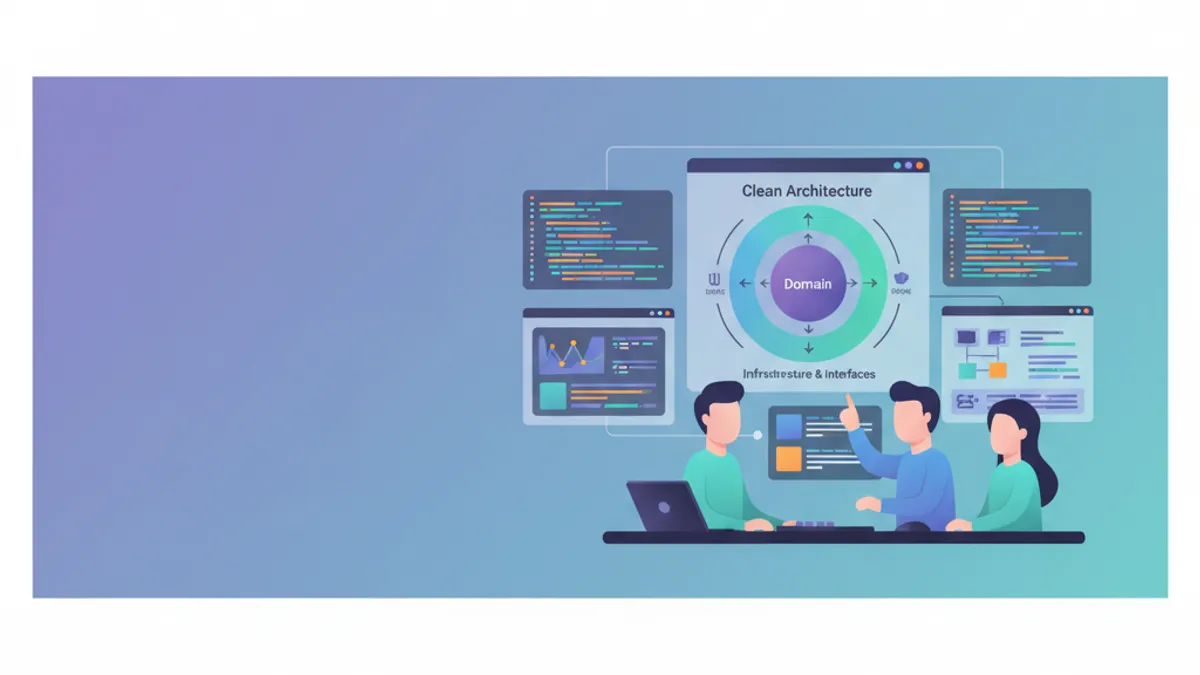
Clean Architecture ที่ Robert C. Martin (Uncle Bob) ทำให้เป็นที่นิยม จัดระเบียบโค้ดโดยให้ตรรกะทางธุรกิจอยู่ที่ศูนย์กลางของแอปพลิเคชัน เป็นอิสระจากเฟรมเวิร์กและรายละเอียดการนำไปใช้งาน แนวทางสถาปัตยกรรมนี้รับประกันความสามารถในการทดสอบ การบำรุงรักษา และการขยายตัวสำหรับแอปพลิเคชัน .NET คู่มือนี้นำเสนอการนำไปใช้งานเชิงปฏิบัติด้วย ASP.NET Core และกล่าวถึงการเปลี่ยนแปลงใบอนุญาต MediatR ปี 2025 ที่ส่งผลกระทบต่อการนำรูปแบบนี้ไปใช้
แอปพลิเคชันที่ผสมตรรกะทางธุรกิจกับโค้ดของชั้นโครงสร้างพื้นฐานจะกลายเป็นเรื่องบำรุงรักษายากอย่างรวดเร็ว Clean Architecture บังคับให้มีการแยกอย่างเข้มงวด ซึ่งเปิดโอกาสให้ปรับเปลี่ยนรายละเอียดทางเทคนิคได้โดยไม่กระทบต่อแกนทางธุรกิจ
หลักการพื้นฐานของ Clean Architecture
Clean Architecture ตั้งอยู่บนหลักการกลับด้านการพึ่งพา (dependency inversion): ชั้นภายในจะไม่รู้จักชั้นภายนอก โดเมนทางธุรกิจถูกแยกออกและสามารถพัฒนาได้โดยอิสระจากตัวเลือกทางเทคนิค เช่น เฟรมเวิร์กเว็บหรือฐานข้อมูล
┌─────────────────────────────────────────────────────────┐
│                     Presentation                        │
│  (Controllers, Razor Pages, Blazor, API Endpoints)     │
├─────────────────────────────────────────────────────────┤
│                    Infrastructure                       │
│    (EF Core, External APIs, File System, Email)        │
├─────────────────────────────────────────────────────────┤
│                      Application                        │
│       (Use Cases, Commands, Queries, DTOs)             │
├─────────────────────────────────────────────────────────┤
│                        Domain                           │
│     (Entities, Value Objects, Domain Services)          │
└─────────────────────────────────────────────────────────┘
การพึ่งพาจะชี้เข้าด้านในเสมอ: Presentation → Infrastructure → Application → Domain โดย Domain จะไม่อ้างอิงโปรเจกต์อื่นเลย
โครงสร้างโปรเจกต์ .NET ใน Clean Architecture
การจัดระเบียบโปรเจกต์สะท้อนชั้นต่าง ๆ แต่ละชั้นจะตรงกับโปรเจกต์ที่แยกต่างหากในโซลูชัน Visual Studio เพื่อให้แยกความรับผิดชอบในเชิงกายภาพ
# terminal
# สร้างโครงสร้างของโซลูชัน
dotnet new sln -n CleanArchitecture

# สร้างโปรเจกต์สำหรับแต่ละชั้น
dotnet new classlib -n CleanArchitecture.Domain -o src/CleanArchitecture.Domain
dotnet new classlib -n CleanArchitecture.Application -o src/CleanArchitecture.Application
dotnet new classlib -n CleanArchitecture.Infrastructure -o src/CleanArchitecture.Infrastructure
dotnet new webapi -n CleanArchitecture.Api -o src/CleanArchitecture.Api

# เพิ่มโปรเจกต์เข้าโซลูชัน
dotnet sln add src/CleanArchitecture.Domain
dotnet sln add src/CleanArchitecture.Application
dotnet sln add src/CleanArchitecture.Infrastructure
dotnet sln add src/CleanArchitecture.Api

# กำหนดค่าการอ้างอิงระหว่างโปรเจกต์
cd src/CleanArchitecture.Application
dotnet add reference ../CleanArchitecture.Domain

cd ../CleanArchitecture.Infrastructure
dotnet add reference ../CleanArchitecture.Application

cd ../CleanArchitecture.Api
dotnet add reference ../CleanArchitecture.Infrastructure
โครงสร้างนี้รับประกันว่า Domain ยังคงเป็นอิสระและการพึ่งพาดำเนินตาม Dependency Rule ของ Clean Architecture
ชั้น Domain: แกนทางธุรกิจ
ชั้น Domain ประกอบด้วย entity ทางธุรกิจ Value Object และ interface ของ repository ไม่อนุญาตให้มีการพึ่งพาจากภายนอกในชั้นนี้
namespace CleanArchitecture.Domain.Entities;

// Entity ที่มีตัวตนและวงจรชีวิตทางธุรกิจ
public class Order
{
    // ตัวระบุเฉพาะของคำสั่งซื้อ
    public Guid Id { get; private set; }

    // การอ้างอิงลูกค้า (Value Object สำหรับอีเมล)
    public string CustomerEmail { get; private set; }

    // คอลเลกชันของรายการ (ความสัมพันธ์แบบหนึ่งต่อหลาย)
    private readonly List<OrderItem> _items = new();
    public IReadOnlyCollection<OrderItem> Items => _items.AsReadOnly();

    // สถานะคำสั่งซื้อ (enum ทางธุรกิจ)
    public OrderStatus Status { get; private set; }

    // ยอดรวมที่คำนวณได้
    public decimal TotalAmount => _items.Sum(i => i.TotalPrice);

    // วันที่ใช้ติดตาม
    public DateTime CreatedAt { get; private set; }
    public DateTime? ShippedAt { get; private set; }

    // คอนสตรัคเตอร์ส่วนตัวบังคับให้ใช้ factory method
    private Order() { }

    // Factory method สำหรับสร้างคำสั่งซื้อที่ถูกต้อง
    public static Order Create(string customerEmail)
    {
        // ตรวจสอบกฎทางธุรกิจขณะสร้าง
        if (string.IsNullOrWhiteSpace(customerEmail))
            throw new DomainException("Customer email is required.");

        if (!IsValidEmail(customerEmail))
            throw new DomainException("Invalid email format.");

        return new Order
        {
            Id = Guid.NewGuid(),
            CustomerEmail = customerEmail,
            Status = OrderStatus.Pending,
            CreatedAt = DateTime.UtcNow
        };
    }

    // เมธอดทางธุรกิจ: เพิ่มรายการ
    public void AddItem(Product product, int quantity)
    {
        // กฎทางธุรกิจ: ห้ามแก้ไขคำสั่งซื้อที่จัดส่งแล้ว
        if (Status == OrderStatus.Shipped)
            throw new DomainException("Cannot modify a shipped order.");

        if (quantity <= 0)
            throw new DomainException("Quantity must be positive.");

        // ตรวจสอบว่าผลิตภัณฑ์มีอยู่แล้วหรือไม่
        var existingItem = _items.FirstOrDefault(i => i.ProductId == product.Id);
        if (existingItem != null)
        {
            existingItem.IncreaseQuantity(quantity);
        }
        else
        {
            _items.Add(OrderItem.Create(this, product, quantity));
        }
    }

    // เมธอดทางธุรกิจ: ยืนยันคำสั่งซื้อ
    public void Confirm()
    {
        if (Status != OrderStatus.Pending)
            throw new DomainException("Only pending orders can be confirmed.");

        if (!_items.Any())
            throw new DomainException("An order must contain at least one item.");

        Status = OrderStatus.Confirmed;
    }

    // เมธอดทางธุรกิจ: จัดส่งคำสั่งซื้อ
    public void Ship()
    {
        if (Status != OrderStatus.Confirmed)
            throw new DomainException("Order must be confirmed before shipping.");

        Status = OrderStatus.Shipped;
        ShippedAt = DateTime.UtcNow;
    }

    private static bool IsValidEmail(string email) =>
        email.Contains('@') && email.Contains('.');
}
Entity Order ห่อหุ้มกฎทางธุรกิจและคุ้มครองสถานะภายในของตน การเปลี่ยนแปลงต้องผ่านเมธอดทางธุรกิจที่ตรวจสอบ invariants
namespace CleanArchitecture.Domain.Entities;

// Entity ลูกที่มีตัวตนของตนเอง
public class OrderItem
{
    public Guid Id { get; private set; }
    public Guid OrderId { get; private set; }
    public Guid ProductId { get; private set; }
    public string ProductName { get; private set; }
    public decimal UnitPrice { get; private set; }
    public int Quantity { get; private set; }

    // คำนวณราคารวมของรายการ
    public decimal TotalPrice => UnitPrice * Quantity;

    private OrderItem() { }

    // Factory method พร้อมการตรวจสอบ
    public static OrderItem Create(Order order, Product product, int quantity)
    {
        return new OrderItem
        {
            Id = Guid.NewGuid(),
            OrderId = order.Id,
            ProductId = product.Id,
            ProductName = product.Name,
            UnitPrice = product.Price,
            Quantity = quantity
        };
    }

    // เมธอดเพิ่มจำนวน
    public void IncreaseQuantity(int additionalQuantity)
    {
        if (additionalQuantity <= 0)
            throw new DomainException("Additional quantity must be positive.");

        Quantity += additionalQuantity;
    }
}namespace CleanArchitecture.Domain.Enums;
// การแจกแจงสถานะของคำสั่งซื้อ
public enum OrderStatus
{
Pending = 0, // รอการยืนยัน
Confirmed = 1, // ยืนยันแล้ว พร้อมจัดส่ง
Shipped = 2, // จัดส่งแล้ว
Delivered = 3, // ส่งมอบแล้ว
Cancelled = 4 // ยกเลิก
}Value Object เช่น Money, Address หรือ Email ห่อหุ้มแนวคิดทางธุรกิจที่ไม่มีตัวตนของตน ความเท่ากันของพวกมันอยู่ที่ค่า ไม่ใช่การอ้างอิง แนวทางนี้ช่วยเสริมความสามารถในการสื่อความหมายของโดเมน
Interface ของ Repository ใน Domain
Interface ของ repository ถูกประกาศใน Domain ส่วนการนำไปใช้งานจริงอยู่ใน Infrastructure รูปแบบนี้สอดคล้องกับหลักการกลับด้านการพึ่งพา
namespace CleanArchitecture.Domain.Interfaces;

// Interface ของ repository Order
public interface IOrderRepository
{
    // ดึงข้อมูลตามตัวระบุ
    Task<Order?> GetByIdAsync(Guid id, CancellationToken cancellationToken = default);

    // ดึงข้อมูลพร้อมรายการ
    Task<Order?> GetByIdWithItemsAsync(Guid id, CancellationToken cancellationToken = default);

    // ดึงข้อมูลตามอีเมลลูกค้า
    Task<IEnumerable<Order>> GetByCustomerEmailAsync(
        string email,
        CancellationToken cancellationToken = default);

    // เพิ่มคำสั่งซื้อใหม่
    Task AddAsync(Order order, CancellationToken cancellationToken = default);

    // อัปเดตคำสั่งซื้อที่มีอยู่
    Task UpdateAsync(Order order, CancellationToken cancellationToken = default);

    // ลบคำสั่งซื้อ
    Task DeleteAsync(Guid id, CancellationToken cancellationToken = default);
}namespace CleanArchitecture.Domain.Interfaces;
// รูปแบบ Unit of Work สำหรับการจัดการธุรกรรม
public interface IUnitOfWork : IDisposable
{
// Repository ที่เข้าถึงได้ผ่าน UoW
IOrderRepository Orders { get; }
IProductRepository Products { get; }
// บันทึกการเปลี่ยนแปลงทั้งหมดแบบอะตอมิก
Task<int> SaveChangesAsync(CancellationToken cancellationToken = default);
// การจัดการธุรกรรมแบบชัดเจน
Task BeginTransactionAsync(CancellationToken cancellationToken = default);
Task CommitTransactionAsync(CancellationToken cancellationToken = default);
Task RollbackTransactionAsync(CancellationToken cancellationToken = default);
}รูปแบบ Unit of Work ประสานการดำเนินงานบนหลาย repository ภายในธุรกรรมเดียว
พร้อมที่จะพิชิตการสัมภาษณ์ .NET แล้วหรือยังครับ?
ฝึกฝนด้วยตัวจำลองแบบโต้ตอบ, flashcards และแบบทดสอบเทคนิคครับ
ชั้น Application: การกำกับ Use Case
ชั้น Application ประกอบด้วยตรรกะของแอปพลิเคชัน (use case) DTO และ interface ของบริการภายนอก ทำหน้าที่กำกับการมีปฏิสัมพันธ์ระหว่างโดเมนและโลกภายนอก
MediatR เปลี่ยนไปใช้ใบอนุญาตเชิงพาณิชย์ในเดือนกรกฎาคม 2025 สำหรับโปรเจกต์ใหม่ ควรพิจารณาทางเลือกอื่น: การใช้งาน mediator อย่างง่ายด้วยตนเอง, ใช้ FastEndpoints, หรือจัดสรรงบประมาณสำหรับใบอนุญาต รูปแบบ CQRS ที่แสดงที่นี่ยังคงใช้ได้โดยไม่ขึ้นกับการเลือกไลบรารี
using MediatR;

namespace CleanArchitecture.Application.Orders.Commands;

// Command ที่แสดงเจตนาในการสร้างคำสั่งซื้อ
public record CreateOrderCommand(
    string CustomerEmail,
    List<OrderItemDto> Items
) : IRequest<Guid>;

// DTO สำหรับรายการของคำสั่งซื้อ
public record OrderItemDto(
    Guid ProductId,
    int Quantity
);using MediatR;
using CleanArchitecture.Domain.Entities;
using CleanArchitecture.Domain.Interfaces;
namespace CleanArchitecture.Application.Orders.Commands;
// Handler ที่นำ use case มาใช้
public class CreateOrderCommandHandler : IRequestHandler<CreateOrderCommand, Guid>
{
private readonly IUnitOfWork _unitOfWork;
public CreateOrderCommandHandler(IUnitOfWork unitOfWork)
{
_unitOfWork = unitOfWork;
}
public async Task<Guid> Handle(
CreateOrderCommand request,
CancellationToken cancellationToken)
{
// สร้าง entity Order ผ่าน factory method
var order = Order.Create(request.CustomerEmail);
// เพิ่มรายการลงในคำสั่งซื้อ
foreach (var item in request.Items)
{
// ดึงผลิตภัณฑ์จาก repository
var product = await _unitOfWork.Products
.GetByIdAsync(item.ProductId, cancellationToken);
if (product == null)
throw new NotFoundException($"Product {item.ProductId} not found.");
// ใช้เมธอดทางธุรกิจของ entity
order.AddItem(product, item.Quantity);
}
// บันทึกผ่าน repository
await _unitOfWork.Orders.AddAsync(order, cancellationToken);
await _unitOfWork.SaveChangesAsync(cancellationToken);
return order.Id;
}
}MediatR นำรูปแบบ Mediator มาใช้เพื่อแยก handler ออกจาก controller โดย command แต่ละตัวจะมี handler ที่รับผิดชอบประมวลผลเพียงตัวเดียว
using MediatR;

namespace CleanArchitecture.Application.Orders.Queries;

// Query สำหรับดึงคำสั่งซื้อตาม ID
public record GetOrderByIdQuery(Guid OrderId) : IRequest<OrderDto?>;

// DTO สำหรับการตอบกลับของคำสั่งซื้อ
public record OrderDto(
    Guid Id,
    string CustomerEmail,
    string Status,
    decimal TotalAmount,
    DateTime CreatedAt,
    DateTime? ShippedAt,
    List<OrderItemResponseDto> Items
);

// DTO สำหรับรายการในคำตอบ
public record OrderItemResponseDto(
    Guid Id,
    string ProductName,
    decimal UnitPrice,
    int Quantity,
    decimal TotalPrice
);using MediatR;
using CleanArchitecture.Domain.Interfaces;
namespace CleanArchitecture.Application.Orders.Queries;
public class GetOrderByIdQueryHandler : IRequestHandler<GetOrderByIdQuery, OrderDto?>
{
private readonly IOrderRepository _orderRepository;
public GetOrderByIdQueryHandler(IOrderRepository orderRepository)
{
_orderRepository = orderRepository;
}
public async Task<OrderDto?> Handle(
GetOrderByIdQuery request,
CancellationToken cancellationToken)
{
// ดึงพร้อมรายการ
var order = await _orderRepository
.GetByIdWithItemsAsync(request.OrderId, cancellationToken);
if (order == null)
return null;
// แมปไปยัง DTO (ฉายข้อมูลด้วยตนเอง)
return new OrderDto(
Id: order.Id,
CustomerEmail: order.CustomerEmail,
Status: order.Status.ToString(),
TotalAmount: order.TotalAmount,
CreatedAt: order.CreatedAt,
ShippedAt: order.ShippedAt,
Items: order.Items.Select(i => new OrderItemResponseDto(
Id: i.Id,
ProductName: i.ProductName,
UnitPrice: i.UnitPrice,
Quantity: i.Quantity,
TotalPrice: i.TotalPrice
)).ToList()
);
}
}การแยก Commands/Queries เป็นไปตามรูปแบบ CQRS (Command Query Responsibility Segregation) ซึ่งช่วยปรับปรุงการอ่านและการเขียนแยกจากกันอย่างเป็นอิสระ
การตรวจสอบด้วย FluentValidation
การตรวจสอบ command เกิดขึ้นในชั้น Application ก่อนที่ handler จะทำงาน FluentValidation 12+ ต้องการ .NET 8 หรือใหม่กว่า
using FluentValidation;
using CleanArchitecture.Application.Orders.Commands;

namespace CleanArchitecture.Application.Orders.Validators;

public class CreateOrderCommandValidator : AbstractValidator<CreateOrderCommand>
{
    public CreateOrderCommandValidator()
    {
        // อีเมลจำเป็นและต้องมีรูปแบบที่ถูกต้อง
        RuleFor(x => x.CustomerEmail)
            .NotEmpty().WithMessage("Customer email is required.")
            .EmailAddress().WithMessage("Invalid email format.");

        // ต้องมีอย่างน้อยหนึ่งรายการ
        RuleFor(x => x.Items)
            .NotEmpty().WithMessage("Order must contain at least one item.");

        // ตรวจสอบทุกรายการ
        RuleForEach(x => x.Items).ChildRules(item =>
        {
            item.RuleFor(i => i.ProductId)
                .NotEmpty().WithMessage("Product identifier is required.");

            item.RuleFor(i => i.Quantity)
                .GreaterThan(0).WithMessage("Quantity must be positive.")
                .LessThanOrEqualTo(100).WithMessage("Maximum quantity: 100.");
        });
    }
}using FluentValidation;
using MediatR;
namespace CleanArchitecture.Application.Common.Behaviors;
// Pipeline behavior สำหรับการตรวจสอบอัตโนมัติ
public class ValidationBehavior<TRequest, TResponse>
: IPipelineBehavior<TRequest, TResponse>
where TRequest : notnull
{
private readonly IEnumerable<IValidator<TRequest>> _validators;
public ValidationBehavior(IEnumerable<IValidator<TRequest>> validators)
{
_validators = validators;
}
public async Task<TResponse> Handle(
TRequest request,
RequestHandlerDelegate<TResponse> next,
CancellationToken cancellationToken)
{
// ถ้าไม่มี validator ให้ทำงานต่อ
if (!_validators.Any())
return await next();
// เรียกใช้ validator ทั้งหมด
var context = new ValidationContext<TRequest>(request);
var validationResults = await Task.WhenAll(
_validators.Select(v => v.ValidateAsync(context, cancellationToken)));
// รวบรวมข้อผิดพลาด
var failures = validationResults
.SelectMany(r => r.Errors)
.Where(f => f != null)
.ToList();
// โยนข้อยกเว้นเมื่อมีข้อผิดพลาด
if (failures.Any())
throw new ValidationException(failures);
return await next();
}
}ValidationBehavior ทำงานอัตโนมัติก่อน handler ทุกครั้ง รับประกันว่ามีเพียง command ที่ถูกต้องเท่านั้นที่จะถึงตรรกะทางธุรกิจ
ชั้น Infrastructure: การนำไปใช้งานทางเทคนิค
ชั้น Infrastructure ให้การนำไปใช้งานเชิงรูปธรรมของ interface ที่ประกาศไว้ใน Domain และ Application Entity Framework Core 10 แนะนำตัวดำเนินการ LINQ ใหม่ (LeftJoin, RightJoin) และความสามารถ ExecuteUpdate ที่ได้รับการปรับปรุง ซึ่งทำงานร่วมกับรูปแบบ repository ได้ดี
using Microsoft.EntityFrameworkCore;
using CleanArchitecture.Domain.Entities;

namespace CleanArchitecture.Infrastructure.Persistence;

public class AppDbContext : DbContext
{
    public AppDbContext(DbContextOptions<AppDbContext> options) : base(options)
    {
    }

    public DbSet<Order> Orders => Set<Order>();
    public DbSet<OrderItem> OrderItems => Set<OrderItem>();
    public DbSet<Product> Products => Set<Product>();

    protected override void OnModelCreating(ModelBuilder modelBuilder)
    {
        // นำการกำหนดค่าจาก assembly มาใช้
        modelBuilder.ApplyConfigurationsFromAssembly(typeof(AppDbContext).Assembly);
    }
}using Microsoft.EntityFrameworkCore;
using Microsoft.EntityFrameworkCore.Metadata.Builders;
using CleanArchitecture.Domain.Entities;
namespace CleanArchitecture.Infrastructure.Persistence.Configurations;
public class OrderConfiguration : IEntityTypeConfiguration<Order>
{
public void Configure(EntityTypeBuilder<Order> builder)
{
// ตารางและคีย์หลัก
builder.ToTable("Orders");
builder.HasKey(o => o.Id);
// คุณสมบัติ
builder.Property(o => o.CustomerEmail)
.IsRequired()
.HasMaxLength(256);
builder.Property(o => o.Status)
.IsRequired()
.HasConversion<string>(); // เก็บเป็นสตริงที่อ่านเข้าใจง่าย
// ความสัมพันธ์กับ OrderItems
builder.HasMany(o => o.Items)
.WithOne()
.HasForeignKey(i => i.OrderId)
.OnDelete(DeleteBehavior.Cascade);
// ดัชนีสำหรับค้นหาตามอีเมล
builder.HasIndex(o => o.CustomerEmail);
// เข้าถึงฟิลด์ส่วนตัว _items
builder.Navigation(o => o.Items)
.UsePropertyAccessMode(PropertyAccessMode.Field);
}
}using Microsoft.EntityFrameworkCore;
using CleanArchitecture.Domain.Entities;
using CleanArchitecture.Domain.Interfaces;
using CleanArchitecture.Infrastructure.Persistence;
namespace CleanArchitecture.Infrastructure.Repositories;
public class OrderRepository : IOrderRepository
{
private readonly AppDbContext _context;
public OrderRepository(AppDbContext context)
{
_context = context;
}
public async Task<Order?> GetByIdAsync(
Guid id,
CancellationToken cancellationToken = default)
{
return await _context.Orders
.FirstOrDefaultAsync(o => o.Id == id, cancellationToken);
}
public async Task<Order?> GetByIdWithItemsAsync(
Guid id,
CancellationToken cancellationToken = default)
{
// โหลดรายการแบบ eager
return await _context.Orders
.Include(o => o.Items)
.FirstOrDefaultAsync(o => o.Id == id, cancellationToken);
}
public async Task<IEnumerable<Order>> GetByCustomerEmailAsync(
string email,
CancellationToken cancellationToken = default)
{
return await _context.Orders
.Include(o => o.Items)
.Where(o => o.CustomerEmail == email)
.OrderByDescending(o => o.CreatedAt)
.ToListAsync(cancellationToken);
}
public async Task AddAsync(
Order order,
CancellationToken cancellationToken = default)
{
await _context.Orders.AddAsync(order, cancellationToken);
}
public Task UpdateAsync(
Order order,
CancellationToken cancellationToken = default)
{
// EF Core ติดตามการเปลี่ยนแปลงโดยอัตโนมัติ
_context.Orders.Update(order);
return Task.CompletedTask;
}
public async Task DeleteAsync(
Guid id,
CancellationToken cancellationToken = default)
{
await _context.Orders
.Where(o => o.Id == id)
.ExecuteDeleteAsync(cancellationToken);
}
}Repository ไม่ควรเปิดเผย IQueryable ออกไปโดยตรง เพราะจะสร้างการพึ่งพา EF Core ในชั้นบน ควรใช้เมธอดเฉพาะที่กำหนดพารามิเตอร์ชัดเจน
การนำ Unit of Work ไปใช้
using Microsoft.EntityFrameworkCore.Storage;
using CleanArchitecture.Domain.Interfaces;
using CleanArchitecture.Infrastructure.Repositories;

namespace CleanArchitecture.Infrastructure.Persistence;

public class UnitOfWork : IUnitOfWork
{
    private readonly AppDbContext _context;
    private IDbContextTransaction? _transaction;

    // โหลด repository แบบ lazy
    private IOrderRepository? _orderRepository;
    private IProductRepository? _productRepository;

    public UnitOfWork(AppDbContext context)
    {
        _context = context;
    }

    // สร้างเมื่อจำเป็น (lazy initialization)
    public IOrderRepository Orders =>
        _orderRepository ??= new OrderRepository(_context);

    public IProductRepository Products =>
        _productRepository ??= new ProductRepository(_context);

    public async Task<int> SaveChangesAsync(
        CancellationToken cancellationToken = default)
    {
        return await _context.SaveChangesAsync(cancellationToken);
    }

    public async Task BeginTransactionAsync(
        CancellationToken cancellationToken = default)
    {
        _transaction = await _context.Database
            .BeginTransactionAsync(cancellationToken);
    }

    public async Task CommitTransactionAsync(
        CancellationToken cancellationToken = default)
    {
        if (_transaction == null)
            throw new InvalidOperationException("No active transaction.");

        await _transaction.CommitAsync(cancellationToken);
        await _transaction.DisposeAsync();
        _transaction = null;
    }

    public async Task RollbackTransactionAsync(
        CancellationToken cancellationToken = default)
    {
        if (_transaction == null)
            throw new InvalidOperationException("No active transaction.");

        await _transaction.RollbackAsync(cancellationToken);
        await _transaction.DisposeAsync();
        _transaction = null;
    }

    public void Dispose()
    {
        _transaction?.Dispose();
        _context.Dispose();
    }
}
การตั้งค่า Dependency Injection
การลงทะเบียนบริการเกิดขึ้นในแต่ละชั้นผ่าน extension method แล้วถูกควบคุมรวมใน Program.cs
using Microsoft.EntityFrameworkCore;
using Microsoft.Extensions.Configuration;
using Microsoft.Extensions.DependencyInjection;
using CleanArchitecture.Domain.Interfaces;
using CleanArchitecture.Infrastructure.Persistence;
using CleanArchitecture.Infrastructure.Repositories;

namespace CleanArchitecture.Infrastructure;

public static class DependencyInjection
{
    public static IServiceCollection AddInfrastructure(
        this IServiceCollection services,
        IConfiguration configuration)
    {
        // กำหนดค่า Entity Framework
        services.AddDbContext<AppDbContext>(options =>
            options.UseSqlServer(
                configuration.GetConnectionString("DefaultConnection"),
                b => b.MigrationsAssembly(typeof(AppDbContext).Assembly.FullName)));

        // ลงทะเบียน Unit of Work (Scoped)
        services.AddScoped<IUnitOfWork, UnitOfWork>();

        // Repository รายตัวเมื่อจำเป็น
        services.AddScoped<IOrderRepository, OrderRepository>();
        services.AddScoped<IProductRepository, ProductRepository>();

        return services;
    }
}using FluentValidation;
using MediatR;
using Microsoft.Extensions.DependencyInjection;
using CleanArchitecture.Application.Common.Behaviors;
namespace CleanArchitecture.Application;
public static class DependencyInjection
{
public static IServiceCollection AddApplication(this IServiceCollection services)
{
var assembly = typeof(DependencyInjection).Assembly;
// ลงทะเบียน MediatR พร้อม handler
services.AddMediatR(cfg => cfg.RegisterServicesFromAssembly(assembly));
// ลงทะเบียน validator ของ FluentValidation
services.AddValidatorsFromAssembly(assembly);
// Pipeline behavior (ลำดับการทำงานสำคัญ)
services.AddTransient(typeof(IPipelineBehavior<,>), typeof(ValidationBehavior<,>));
return services;
}
}using CleanArchitecture.Application;
using CleanArchitecture.Infrastructure;
var builder = WebApplication.CreateBuilder(args);
// ลงทะเบียนชั้นต่าง ๆ
builder.Services.AddApplication();
builder.Services.AddInfrastructure(builder.Configuration);
// การตั้งค่า API
builder.Services.AddControllers();
builder.Services.AddEndpointsApiExplorer();
builder.Services.AddSwaggerGen();
var app = builder.Build();
if (app.Environment.IsDevelopment())
{
app.UseSwagger();
app.UseSwaggerUI();
}
app.UseHttpsRedirection();
app.UseAuthorization();
app.MapControllers();
app.Run();ชั้น Presentation: คอนโทรลเลอร์ API
คอนโทรลเลอร์เป็นอแดปเตอร์ที่เรียบง่ายซึ่งมอบหมายงานให้ MediatR สำหรับ API ที่เรียบง่ายกว่านี้ ASP.NET Core Minimal APIs เสนอแนวทางที่เบากว่าในขณะที่ยังคงรักษาการแยกสถาปัตยกรรมแบบเดียวกัน
using MediatR;
using Microsoft.AspNetCore.Mvc;
using CleanArchitecture.Application.Orders.Commands;
using CleanArchitecture.Application.Orders.Queries;

namespace CleanArchitecture.Api.Controllers;

[ApiController]
[Route("api/[controller]")]
public class OrdersController : ControllerBase
{
    private readonly IMediator _mediator;

    public OrdersController(IMediator mediator)
    {
        _mediator = mediator;
    }

    [HttpPost]
    [ProducesResponseType(typeof(Guid), StatusCodes.Status201Created)]
    [ProducesResponseType(StatusCodes.Status400BadRequest)]
    public async Task<IActionResult> Create(
        [FromBody] CreateOrderCommand command,
        CancellationToken cancellationToken)
    {
        // มอบหมายงานทั้งหมดให้ MediatR
        var orderId = await _mediator.Send(command, cancellationToken);

        return CreatedAtAction(
            nameof(GetById),
            new { id = orderId },
            orderId);
    }

    [HttpGet("{id:guid}")]
    [ProducesResponseType(typeof(OrderDto), StatusCodes.Status200OK)]
    [ProducesResponseType(StatusCodes.Status404NotFound)]
    public async Task<IActionResult> GetById(
        Guid id,
        CancellationToken cancellationToken)
    {
        var order = await _mediator.Send(
            new GetOrderByIdQuery(id),
            cancellationToken);

        if (order == null)
            return NotFound();

        return Ok(order);
    }

    [HttpPost("{id:guid}/confirm")]
    [ProducesResponseType(StatusCodes.Status204NoContent)]
    [ProducesResponseType(StatusCodes.Status404NotFound)]
    public async Task<IActionResult> Confirm(
        Guid id,
        CancellationToken cancellationToken)
    {
        await _mediator.Send(new ConfirmOrderCommand(id), cancellationToken);
        return NoContent();
    }

    [HttpPost("{id:guid}/ship")]
    [ProducesResponseType(StatusCodes.Status204NoContent)]
    [ProducesResponseType(StatusCodes.Status404NotFound)]
    public async Task<IActionResult> Ship(
        Guid id,
        CancellationToken cancellationToken)
    {
        await _mediator.Send(new ShipOrderCommand(id), cancellationToken);
        return NoContent();
    }
}
คอนโทรลเลอร์ยังคงบางและไม่มีตรรกะทางธุรกิจ มีเพียงการจับคู่ HTTP เท่านั้น
Unit Test สำหรับชั้น Application
Clean Architecture ทำให้การเขียน unit test ง่ายขึ้นด้วยการแยกการพึ่งพา การเข้าใจ รูปแบบการทดสอบ C# และ .NET จะช่วยในการออกแบบสถาปัตยกรรมที่ทดสอบได้
using Moq;
using Xunit;
using CleanArchitecture.Application.Orders.Commands;
using CleanArchitecture.Domain.Entities;
using CleanArchitecture.Domain.Interfaces;

namespace CleanArchitecture.Tests.Application;

public class CreateOrderCommandHandlerTests
{
    private readonly Mock<IUnitOfWork> _unitOfWorkMock;
    private readonly CreateOrderCommandHandler _handler;

    public CreateOrderCommandHandlerTests()
    {
        _unitOfWorkMock = new Mock<IUnitOfWork>();
        _handler = new CreateOrderCommandHandler(_unitOfWorkMock.Object);
    }

    [Fact]
    public async Task Handle_ValidCommand_CreatesOrderAndReturnsId()
    {
        // Arrange
        var product = new Product { Id = Guid.NewGuid(), Name = "Test", Price = 100 };

        _unitOfWorkMock.Setup(x => x.Products.GetByIdAsync(
            It.IsAny<Guid>(),
            It.IsAny<CancellationToken>()))
            .ReturnsAsync(product);

        _unitOfWorkMock.Setup(x => x.Orders.AddAsync(
            It.IsAny<Order>(),
            It.IsAny<CancellationToken>()))
            .Returns(Task.CompletedTask);

        _unitOfWorkMock.Setup(x => x.SaveChangesAsync(It.IsAny<CancellationToken>()))
            .ReturnsAsync(1);

        var command = new CreateOrderCommand(
            CustomerEmail: "test@example.com",
            Items: new List<OrderItemDto>
            {
                new(ProductId: product.Id, Quantity: 2)
            });

        // Act
        var result = await _handler.Handle(command, CancellationToken.None);

        // Assert
        Assert.NotEqual(Guid.Empty, result);
        _unitOfWorkMock.Verify(x => x.Orders.AddAsync(
            It.Is<Order>(o => o.CustomerEmail == "test@example.com"),
            It.IsAny<CancellationToken>()), Times.Once);
        _unitOfWorkMock.Verify(x => x.SaveChangesAsync(
            It.IsAny<CancellationToken>()), Times.Once);
    }

    [Fact]
    public async Task Handle_ProductNotFound_ThrowsNotFoundException()
    {
        // Arrange
        _unitOfWorkMock.Setup(x => x.Products.GetByIdAsync(
            It.IsAny<Guid>(),
            It.IsAny<CancellationToken>()))
            .ReturnsAsync((Product?)null);

        var command = new CreateOrderCommand(
            CustomerEmail: "test@example.com",
            Items: new List<OrderItemDto>
            {
                new(ProductId: Guid.NewGuid(), Quantity: 1)
            });

        // Act & Assert
        await Assert.ThrowsAsync<NotFoundException>(
            () => _handler.Handle(command, CancellationToken.None));
    }
}
Mock ของ Moq ช่วยแยก handler ออกจากการพึ่งพา ทำให้ทดสอบเฉพาะตรรกะการกำกับเท่านั้น
Sources
- MediatR GitHub Repository - ข้อมูลใบอนุญาตและเวอร์ชัน
- What's New in EF Core 10 - ตัวดำเนินการ LINQ ใหม่และการปรับปรุง ExecuteUpdate
- FluentValidation 12.0 Upgrade Guide - การเปลี่ยนแปลง breaking และข้อกำหนดขั้นต่ำ .NET 8
เช็กลิสต์การนำ Clean Architecture .NET ไปใช้
Clean Architecture ร่วมกับ .NET มอบโครงสร้างที่แข็งแกร่งสำหรับแอปพลิเคชันระดับองค์กร การแยกความรับผิดชอบอย่างเข้มงวดระหว่างชั้น Domain, Application, Infrastructure และ Presentation รับประกันโค้ดที่บำรุงรักษาและทดสอบได้ในระยะยาว
- Domain แยกออกโดยไม่มีการพึ่งพาภายนอก
- Entity มีการห่อหุ้มตรรกะทางธุรกิจ
- Interface ของ repository อยู่ใน Domain
- Use Case ผ่าน Commands/Queries (CQRS)
- การตรวจสอบด้วย FluentValidation และ Pipeline Behaviors
- Infrastructure นำ interface ของ Domain ไปใช้
- คอนโทรลเลอร์บางที่มอบหมายงานให้ MediatR (หรือ mediator ที่สร้างเอง)
- Unit test ที่แยกออกพร้อมการใช้ mock
เริ่มฝึกซ้อมเลย!
ทดสอบความรู้ของคุณด้วยตัวจำลองสัมภาษณ์และแบบทดสอบเทคนิคครับ
การลงทุนเริ่มต้นในสถาปัตยกรรมนี้คุ้มค่าอย่างรวดเร็วในโครงการขนาดกลางถึงใหญ่ ที่ซึ่งการเปลี่ยนข้อกำหนดทางเทคนิค (เช่น การย้ายฐานข้อมูลหรือการเปลี่ยนเฟรมเวิร์ก) จะกระทบเฉพาะชั้นภายนอก โดยคงแกนทางธุรกิจไว้อย่างสมบูรณ์ สำหรับข้อพิจารณาด้านประสิทธิภาพ EF Core ในโปรดักชัน ดู คู่มือการปรับปรุงประสิทธิภาพ Entity Framework Core
คุณหาบั๊กใน .NET เจอไหม
โค้ดจริงหนึ่งชิ้น บั๊กที่ซ่อนอยู่หนึ่งจุด วันละหนึ่งครั้ง ลองได้โดยไม่ต้องมีบัญชี

เขียนโดย
Anthony Fillion-Mailletผู้ก่อตั้ง SharpSkill
เป็นนักพัฒนาฟูลสแตกมากว่า 10 ปี ดูแล SharpSkill และรับผิดชอบทุกสิ่งที่เผยแพร่ที่นี่
อัปเดตเมื่อ 3 กันยายน 2569
แท็ก
แชร์
บทความที่เกี่ยวข้อง

คำถามสัมภาษณ์ C# และ .NET: คู่มือฉบับสมบูรณ์ 2026
คำถามสัมภาษณ์ C# และ .NET ที่พบบ่อยที่สุด 17 ข้อ LINQ, async/await, dependency injection, Entity Framework และ best practice พร้อมคำตอบละเอียดและตัวอย่างโค้ด
.NET 10: สร้าง REST API ด้วย ASP.NET Core
คู่มือฉบับสมบูรณ์สำหรับการสร้าง REST API ระดับมืออาชีพด้วย .NET 10 และ ASP.NET Core ครอบคลุม Controller, Entity Framework Core, validation ในตัว และแนวทางปฏิบัติที่ดีที่สุด
Clean Code Architecture C#: คู่มือฉบับสมบูรณ์และคำถามสัมภาษณ์ 2026
เรียนรู้ Clean Code Architecture ใน C# พร้อมหลักการ SOLID, Repository Pattern, Dependency Injection และคำถามสัมภาษณ์ยอดนิยมสำหรับนักพัฒนา .NET