คำถามสัมภาษณ์งาน Django และ Python: 25 คำถามยอดนิยมประจำปี 2026
25 คำถามสัมภาษณ์งาน Django และ Python ที่พบบ่อยที่สุด ORM, views, middleware, DRF, signals และการปรับแต่งประสิทธิภาพ พร้อมคำตอบละเอียดและตัวอย่างโค้ด

การสัมภาษณ์งาน Django ประเมินความเชี่ยวชาญในการใช้ web framework ยอดนิยมของ Python ความเข้าใจเกี่ยวกับ ORM สถาปัตยกรรม MVT และความสามารถในการสร้าง REST API ที่แข็งแกร่ง คู่มือฉบับนี้ครอบคลุม 25 คำถามที่พบบ่อยที่สุด ตั้งแต่พื้นฐาน Django ไปจนถึง pattern ขั้นสูงของ Django REST Framework
ผู้สัมภาษณ์ให้ความสำคัญกับผู้สมัครที่สามารถอธิบายการตัดสินใจเชิงสถาปัตยกรรมของ Django การเข้าใจว่าทำไม framework จึงใช้แนวทางบางอย่าง (convention over configuration) สร้างความแตกต่างอย่างแท้จริงในการสัมภาษณ์
พื้นฐาน Django
คำถามที่ 1: อธิบายสถาปัตยกรรม MVT ของ Django
สถาปัตยกรรม Model-View-Template (MVT) คือรูปแบบ MVC เวอร์ชัน Django โดย framework จัดการส่วน controller โดยอัตโนมัติ ทำให้การพัฒนาง่ายขึ้น
# models.py
# The Model represents data structure and business logic
from django.db import models

class Article(models.Model):
    title = models.CharField(max_length=200)
    content = models.TextField()
    published_at = models.DateTimeField(auto_now_add=True)
    author = models.ForeignKey(
        "auth.User",
        on_delete=models.CASCADE,  # Deletes articles when author is deleted
        related_name="articles"     # Reverse access: user.articles.all()
    )

    class Meta:
        ordering = ["-published_at"]  # Default ordering

    def __str__(self):
return self.title# views.py
# View ประกอบด้วย logic การประมวลผล request
from django.shortcuts import render, get_object_or_404
def article_detail(request, pk):
# get_object_or_404 คืนค่า Http404 หากไม่พบ object
article = get_object_or_404(Article, pk=pk)
return render(request, "blog/article_detail.html", {"article": article})ใน MVT นั้น Django ทำหน้าที่เป็น controller โดยการส่งต่อ URL ไปยัง view ที่เหมาะสมผ่าน urls.py ส่วน Template รับผิดชอบการแสดงผล HTML
คำถามที่ 2: ความแตกต่างระหว่าง Project และ App ใน Django คืออะไร?
Project คือการตั้งค่าโดยรวม (settings, root URL, WSGI/ASGI) ส่วน app คือโมดูลที่นำกลับมาใช้ซ้ำได้โดยมีหน้าที่รับผิดชอบเพียงอย่างเดียว หนึ่ง project ประกอบด้วยหลาย app
# Creating a project and an app
# django-admin startproject myproject
# python manage.py startapp blog

# settings.py
# Registering apps in the project
INSTALLED_APPS = [
    "django.contrib.admin",       # Admin interface
    "django.contrib.auth",        # Authentication
    "django.contrib.contenttypes",
    "django.contrib.sessions",
    "django.contrib.messages",
    "django.contrib.staticfiles",
    # Custom apps
    "blog.apps.BlogConfig",       # Blog app
    "users.apps.UsersConfig",     # Users app
]
แต่ละ app ยึดตามหลักการ single responsibility และสามารถนำกลับมาใช้ซ้ำในหลาย project ได้
คำถามที่ 3: อธิบายวงจรชีวิตของ Request ใน Django
Request ผ่านหลายชั้นก่อนจะถึง view การเข้าใจวงจรนี้เป็นสิ่งจำเป็นสำหรับการ debug และการปรับแต่งประสิทธิภาพ
# middleware.py
# Middlewares intercept every request/response
class RequestTimingMiddleware:
    """Middleware that measures processing time."""

    def __init__(self, get_response):
        self.get_response = get_response  # Reference to the next middleware

    def __call__(self, request):
        import time
        start = time.time()

        # Request phase: before the view
        response = self.get_response(request)

        # Response phase: after the view
        duration = time.time() - start
        response["X-Request-Duration"] = f"{duration:.3f}s"
        return response
วงจรทั้งหมด: HTTP request → WSGI/ASGI → middlewares (process_request) → URL resolver → view → middlewares (process_response) → HTTP response
ORM และฐานข้อมูล
คำถามที่ 4: QuerySet ของ Django ทำงานอย่างไรและ Lazy Loading คืออะไร?
QuerySet ถูกประเมินแบบ lazy: ไม่มี SQL query ใดถูกรันจนกว่าข้อมูลจะถูกนำไปใช้จริง
# queryset_lazy.py
# Demonstrating QuerySet lazy loading

# No SQL query executed here
qs = Article.objects.filter(published=True)  # No query
qs = qs.exclude(title="Draft")               # Still none
qs = qs.order_by("-created_at")              # Still none

# The SQL query runs ONLY here
for article in qs:  # ONE combined SQL query
    print(article.title)

# Other evaluation triggers
list(qs)        # Converting to list
qs[0]           # Index access
len(qs)         # Counting (prefer qs.count())
bool(qs)        # Existence check (prefer qs.exists())
การประเมินแบบ lazy ช่วยให้สามารถต่อ filter ได้โดยไม่มี overhead รันเพียง query เดียวที่ถูกปรับแต่งแล้ว
คำถามที่ 5: ปัญหา N+1 คืออะไรและแก้ไขอย่างไร?
ปัญหา N+1 เกิดขึ้นเมื่อ query หลักหนึ่งตัวสร้าง N query เพิ่มเติมเพื่อโหลดความสัมพันธ์ นี่คือสาเหตุหลักที่พบบ่อยที่สุดของความช้าในแอปพลิเคชัน Django
# n_plus_one.py
# N+1 problem and solutions

# ❌ PROBLEM: N+1 queries
# 1 query for articles + 1 query PER article for the author
articles = Article.objects.all()
for article in articles:
    print(article.author.username)  # SQL query on every iteration!

# ✅ SOLUTION 1: select_related (ForeignKey, OneToOne)
# Joins tables in ONE SQL query (JOIN)
articles = Article.objects.select_related("author").all()
for article in articles:
    print(article.author.username)  # No additional query

# ✅ SOLUTION 2: prefetch_related (ManyToMany, reverse FK)
# Executes 2 separate queries + Python assembly
articles = Article.objects.prefetch_related("tags").all()
for article in articles:
    print(article.tags.all())  # Data already cached

# ✅ SOLUTION 3: Custom Prefetch with filtering
from django.db.models import Prefetch

articles = Article.objects.prefetch_related(
    Prefetch(
        "comments",
        queryset=Comment.objects.filter(approved=True).select_related("user"),
        to_attr="approved_comments"  # Custom attribute
    )
)
ใช้ select_related สำหรับความสัมพันธ์ ForeignKey/OneToOne (SQL JOIN) และ prefetch_related สำหรับ ManyToMany หรือ reverse relation (query แยกต่างหาก)
คำถามที่ 6: วิธีสร้าง Custom Manager และควรใช้เมื่อไร?
Custom Manager ห่อหุ้ม query ที่ใช้บ่อยไว้ที่ระดับ model ทำให้โค้ดอ่านง่ายและนำกลับมาใช้ซ้ำได้
# managers.py
# Custom Managers and QuerySets

class PublishedQuerySet(models.QuerySet):
    """Reusable QuerySet for published articles."""

    def published(self):
        return self.filter(status="published", published_at__lte=timezone.now())

    def by_author(self, user):
        return self.filter(author=user)

    def popular(self):
        return self.annotate(
            comment_count=models.Count("comments")
        ).order_by("-comment_count")


class PublishedManager(models.Manager):
    """Manager that exposes only published articles."""

    def get_queryset(self):
        return PublishedQuerySet(self.model, using=self._db).published()


class Article(models.Model):
    # ...
    objects = models.Manager()          # Default manager (all articles)
    published = PublishedManager()      # Custom manager (published only)

    # Usage:
    # Article.objects.all()             → All articles
    # Article.published.all()           → Published articles only
    # Article.published.popular()       → Published articles sorted by popularity
Custom Manager ยึดตามหลักการ DRY และรวมศูนย์ logic ของ query ไว้ที่เดียว
พร้อมที่จะพิชิตการสัมภาษณ์ Django แล้วหรือยังครับ?
ฝึกฝนด้วยตัวจำลองแบบโต้ตอบ, flashcards และแบบทดสอบเทคนิคครับ
Views และ URL
คำถามที่ 7: เมื่อไรควรใช้ Class-Based Views และ Function-Based Views?
Function-Based Views (FBVs) มอบความเรียบง่ายและการควบคุมที่ชัดเจน Class-Based Views (CBVs) มอบความสามารถในการนำกลับมาใช้ซ้ำและโครงสร้างผ่านการสืบทอด
# views_comparison.py
# FBV: Explicit, simple, easy to understand
from django.http import JsonResponse
from django.views.decorators.http import require_http_methods

@require_http_methods(["GET", "POST"])
def article_list(request):
    if request.method == "GET":
        articles = Article.published.all()
        return render(request, "articles/list.html", {"articles": articles})

    # POST: article creation
    form = ArticleForm(request.POST)
    if form.is_valid():
        form.save()
        return redirect("article-list")
return render(request, "articles/list.html", {"form": form})# views_cbv.py
# CBV: Reusable, extensible via mixins
from django.views.generic import ListView, CreateView
from django.contrib.auth.mixins import LoginRequiredMixin
class ArticleListView(LoginRequiredMixin, ListView):
model = Article
template_name = "articles/list.html"
context_object_name = "articles" # Variable name in the template
paginate_by = 20 # Automatic pagination
def get_queryset(self):
# Override to filter published articles
return Article.published.all()
class ArticleCreateView(LoginRequiredMixin, CreateView):
model = Article
form_class = ArticleForm
success_url = reverse_lazy("article-list")
def form_valid(self, form):
form.instance.author = self.request.user # Assign the author
return super().form_valid(form)กฎในทางปฏิบัติ: ใช้ FBV สำหรับ logic ง่ายๆ หรือไม่เป็นมาตรฐาน ใช้ CBV สำหรับการดำเนินการ CRUD มาตรฐาน
คำถามที่ 8: Middleware ทำงานอย่างไรใน Django?
Middleware คือ hook ที่ประมวลผลทุก request/response แต่ละ middleware สามารถแทรกแซงได้ในหลายช่วงของวงจรการประมวลผล
# auth_middleware.py
# Custom authentication middleware
import jwt
from django.conf import settings
from django.http import JsonResponse

class JWTAuthenticationMiddleware:
    """Verifies JWT token on protected endpoints."""

    EXEMPT_PATHS = ["/api/auth/login", "/api/auth/register", "/health"]

    def __init__(self, get_response):
        self.get_response = get_response

    def __call__(self, request):
        # Skip exempt paths
        if any(request.path.startswith(p) for p in self.EXEMPT_PATHS):
            return self.get_response(request)

        # Extract and verify the token
        auth_header = request.headers.get("Authorization", "")
        if not auth_header.startswith("Bearer "):
            return JsonResponse({"error": "Missing token"}, status=401)

        try:
            token = auth_header.split(" ")[1]
            payload = jwt.decode(token, settings.SECRET_KEY, algorithms=["HS256"])
            request.user_id = payload["user_id"]  # Attach to request
        except jwt.ExpiredSignatureError:
            return JsonResponse({"error": "Token expired"}, status=401)
        except jwt.InvalidTokenError:
            return JsonResponse({"error": "Invalid token"}, status=401)

        return self.get_response(request)
ลำดับของ middleware ใน MIDDLEWARE มีความสำคัญมาก: ทำงานจากบนลงล่างสำหรับ request และจากล่างขึ้นบนสำหรับ response
Django REST Framework
คำถามที่ 9: ความแตกต่างระหว่าง Serializer และ ModelSerializer คืออะไร?
Serializer กำหนดแต่ละ field ด้วยตนเอง ขณะที่ ModelSerializer สร้าง field โดยอัตโนมัติจาก model
# serializers.py
from rest_framework import serializers

# Manual Serializer: full control over each field
class ArticleSerializer(serializers.Serializer):
    id = serializers.IntegerField(read_only=True)
    title = serializers.CharField(max_length=200)
    content = serializers.CharField()
    author_name = serializers.SerializerMethodField()

    def get_author_name(self, obj):
        return obj.author.get_full_name()

    def create(self, validated_data):
        return Article.objects.create(**validated_data)

    def update(self, instance, validated_data):
        instance.title = validated_data.get("title", instance.title)
        instance.content = validated_data.get("content", instance.content)
        instance.save()
        return instance


# ModelSerializer: automatic field generation
class ArticleModelSerializer(serializers.ModelSerializer):
    author_name = serializers.SerializerMethodField()
    comment_count = serializers.IntegerField(read_only=True)

    class Meta:
        model = Article
        fields = ["id", "title", "content", "author", "author_name",
                  "comment_count", "published_at"]
        read_only_fields = ["published_at"]

    def get_author_name(self, obj):
        return obj.author.get_full_name()
ใช้ ModelSerializer สำหรับกรณีมาตรฐานและ Serializer เมื่อการแสดงผลข้อมูลแตกต่างจาก model อย่างมาก
คำถามที่ 10: วิธีใช้งาน Pagination ใน DRF?
DRF มีกลยุทธ์การแบ่งหน้าหลายแบบที่สามารถตั้งค่าได้ทั้งแบบ global และแบบเฉพาะแต่ละ view
# settings.py
# Global pagination configuration
REST_FRAMEWORK = {
    "DEFAULT_PAGINATION_CLASS": "rest_framework.pagination.PageNumberPagination",
    "PAGE_SIZE": 20,
}

# pagination.py
# Custom pagination per view
from rest_framework.pagination import CursorPagination, LimitOffsetPagination

class ArticleCursorPagination(CursorPagination):
    """Cursor pagination: performant for large datasets."""
    page_size = 20
    ordering = "-published_at"  # Indexed field required
    cursor_query_param = "cursor"

class ArticleLimitOffsetPagination(LimitOffsetPagination):
    """Offset/limit pagination: flexible but less performant."""
    default_limit = 20
    max_limit = 100

# views.py
class ArticleViewSet(viewsets.ModelViewSet):
    queryset = Article.published.all()
    serializer_class = ArticleModelSerializer
    pagination_class = ArticleCursorPagination  # View-specific pagination
Cursor pagination แนะนำสำหรับชุดข้อมูลขนาดใหญ่เพราะประสิทธิภาพคงที่ไม่ว่าจะอยู่หน้าไหน ต่างจาก OFFSET/LIMIT
คำถามที่ 11: วิธีรักษาความปลอดภัย API ด้วย Permission ของ DRF?
DRF มีระบบ permission แบบโมดูลาร์ที่รวมการยืนยันตัวตนและการอนุญาตแบบละเอียด
# permissions.py
from rest_framework.permissions import BasePermission, IsAuthenticated

class IsAuthorOrReadOnly(BasePermission):
    """Only the author can modify, everyone can read."""

    def has_object_permission(self, request, view, obj):
        # GET, HEAD, OPTIONS are always allowed
        if request.method in ("GET", "HEAD", "OPTIONS"):
            return True
        # Only the author can modify or delete
        return obj.author == request.user


class IsAdminOrManager(BasePermission):
    """Access restricted to admins and managers."""

    def has_permission(self, request, view):
        return (
            request.user.is_authenticated
            and request.user.role in ("admin", "manager")
        )


# views.py
from rest_framework.viewsets import ModelViewSet
from rest_framework.throttling import UserRateThrottle

class ArticleViewSet(ModelViewSet):
    permission_classes = [IsAuthenticated, IsAuthorOrReadOnly]
    throttle_classes = [UserRateThrottle]  # Rate limiting

    def get_permissions(self):
        # Dynamic permissions based on action
        if self.action == "destroy":
            return [IsAdminOrManager()]
        return super().get_permissions()
รวม permission_classes ที่ระดับ view และ has_object_permission เพื่อควบคุมละเอียดระดับ object
Signals และ Async Tasks
คำถามที่ 12: Django Signals ทำงานอย่างไรและควรใช้เมื่อไร?
Signals ช่วยแยกส่วนประกอบโดยการตอบสนองต่อเหตุการณ์จาก framework หรือแอปพลิเคชัน
# signals.py
from django.db.models.signals import post_save, pre_delete
from django.dispatch import receiver
from django.core.mail import send_mail

@receiver(post_save, sender=Article)
def notify_on_publish(sender, instance, created, **kwargs):
    """Sends a notification when an article is published."""
    if not created and instance.status == "published":
        # Triggered only on publication (not creation)
        subscribers = instance.author.subscribers.values_list("email", flat=True)
        send_mail(
            subject=f"New article: {instance.title}",
            message=f"Check out the latest article by {instance.author.username}",
            from_email="noreply@example.com",
            recipient_list=list(subscribers),
        )

@receiver(pre_delete, sender=Article)
def cleanup_article_files(sender, instance, **kwargs):
    """Deletes associated files before article deletion."""
    if instance.cover_image:
        instance.cover_image.delete(save=False)  # Deletes the physical file
Signals เหมาะสำหรับผลข้างเคียงที่เบา (logging, ล้าง cache) สำหรับงานหนักควรใช้ Celery
คำถามที่ 13: วิธีใช้ Celery ร่วมกับ Django สำหรับ Async Tasks?
Celery ช่วยรันงานเบื้องหลัง จำเป็นสำหรับการดำเนินการที่ใช้เวลานาน เช่น การส่งอีเมลหรือการประมวลผลไฟล์
# celery_config.py
# Celery configuration in the Django project
import os
from celery import Celery

os.environ.setdefault("DJANGO_SETTINGS_MODULE", "myproject.settings")

app = Celery("myproject")
app.config_from_object("django.conf:settings", namespace="CELERY")
app.autodiscover_tasks()  # Discovers tasks.py in each app

# tasks.py
from celery import shared_task
from django.core.mail import send_mass_mail

@shared_task(bind=True, max_retries=3, default_retry_delay=60)
def send_newsletter(self, article_id):
    """Sends newsletter asynchronously."""
    try:
        article = Article.objects.get(id=article_id)
        subscribers = User.objects.filter(newsletter=True)

        messages = [
            (f"New: {article.title}", article.content[:200],
             "noreply@example.com", [sub.email])
            for sub in subscribers
        ]
        send_mass_mail(messages, fail_silently=False)
    except Article.DoesNotExist:
        pass  # Article was deleted in the meantime
    except Exception as exc:
        self.retry(exc=exc)  # Automatic retry on error

# Calling from a view
# send_newsletter.delay(article.id)  # Async execution
# send_newsletter.apply_async(args=[article.id], countdown=300)  # 5-min delay
Celery จำเป็นสำหรับระบบ production สำหรับการดำเนินการที่ไม่ควรบล็อก HTTP response
ความปลอดภัยและการยืนยันตัวตน
คำถามที่ 14: Django ป้องกันการโจมตี CSRF อย่างไร?
Django มีการป้องกัน CSRF ในตัวผ่าน middleware ที่ตรวจสอบ token เฉพาะในทุก POST request
# CSRF protection in forms
# The {% csrf_token %} template tag generates a hidden field

# For APIs (DRF), CSRF is often disabled in favor of tokens
# settings.py
REST_FRAMEWORK = {
    "DEFAULT_AUTHENTICATION_CLASSES": [
        "rest_framework.authentication.SessionAuthentication",  # Includes CSRF
        "rest_framework.authentication.TokenAuthentication",     # No CSRF
    ],
}

# For AJAX views with session auth
# The csrftoken cookie must be sent in the X-CSRFToken header# csrf_exemption.py
# Exempting a specific view (use with caution)
from django.views.decorators.csrf import csrf_exempt, ensure_csrf_cookie
@ensure_csrf_cookie
def get_csrf_token(request):
"""Endpoint that forces sending the CSRF cookie to the client."""
return JsonResponse({"detail": "CSRF cookie set"})
@csrf_exempt # ⚠️ Use only for external webhooks
def stripe_webhook(request):
"""Stripe webhook - authenticated by signature, not CSRF."""
payload = request.body
sig_header = request.headers.get("Stripe-Signature")
# Verified by Stripe signature insteadห้ามปิด CSRF แบบทั้งระบบเด็ดขาด ใช้ csrf_exempt เฉพาะกับ endpoint ที่ยืนยันตัวตนด้วยวิธีอื่น (webhooks, API token) เท่านั้น
คำถามที่ 15: วิธีสร้างระบบยืนยันตัวตนแบบกำหนดเองใน Django?
Django รองรับการเปลี่ยน model User เดิมและการกำหนด backend ยืนยันตัวตนเอง
# models.py
from django.contrib.auth.models import AbstractBaseUser, BaseUserManager, PermissionsMixin

class CustomUserManager(BaseUserManager):
    """Manager for the custom User model."""

    def create_user(self, email, password=None, **extra_fields):
        if not email:
            raise ValueError("Email is required")
        email = self.normalize_email(email)  # Normalizes the domain
        user = self.model(email=email, **extra_fields)
        user.set_password(password)  # Hashes the password
        user.save(using=self._db)
        return user

    def create_superuser(self, email, password=None, **extra_fields):
        extra_fields.setdefault("is_staff", True)
        extra_fields.setdefault("is_superuser", True)
        return self.create_user(email, password, **extra_fields)


class CustomUser(AbstractBaseUser, PermissionsMixin):
    email = models.EmailField(unique=True)          # Login by email
    username = models.CharField(max_length=30, blank=True)
    is_active = models.BooleanField(default=True)
    is_staff = models.BooleanField(default=False)
    date_joined = models.DateTimeField(auto_now_add=True)

    objects = CustomUserManager()

    USERNAME_FIELD = "email"      # Field used for login
    REQUIRED_FIELDS = []          # Fields required in addition to USERNAME_FIELD

# settings.py
AUTH_USER_MODEL = "users.CustomUser"  # Before the first migration!
กำหนด AUTH_USER_MODEL ตั้งแต่เริ่มโปรเจกต์ การเปลี่ยนหลังจาก migration แรกนั้นซับซ้อนและมีความเสี่ยง
การปรับแต่งประสิทธิภาพ
คำถามที่ 16: วิธีปรับแต่ง Query ของ Django ORM?
การปรับแต่ง query เป็นสิ่งสำคัญสำหรับประสิทธิภาพ หลายเทคนิคช่วยลดจำนวนและต้นทุนของ SQL query
# query_optimization.py
from django.db.models import F, Q, Count, Avg, Prefetch

# 1. Only/Defer: load only needed fields
articles = Article.objects.only("title", "published_at")  # SELECT title, published_at
heavy_articles = Article.objects.defer("content")          # Everything EXCEPT content

# 2. SQL-level aggregations (not Python)
stats = Article.objects.aggregate(
    total=Count("id"),
    avg_views=Avg("view_count"),
)

# 3. F() expressions: SQL-level operations
Article.objects.filter(published=True).update(
    view_count=F("view_count") + 1  # Atomic SQL increment
)

# 4. Q() objects: complex queries
results = Article.objects.filter(
    Q(title__icontains="django") | Q(tags__name="python"),
    ~Q(status="draft"),  # NOT draft
    published_at__year=2026
)

# 5. Bulk operations: reduce INSERT/UPDATE queries
articles = [Article(title=f"Article {i}") for i in range(100)]
Article.objects.bulk_create(articles, batch_size=50)  # 2 queries instead of 100

Article.objects.filter(status="draft").update(status="archived")  # 1 query
ใช้ django-debug-toolbar ในสภาพแวดล้อมการพัฒนาเพื่อระบุ query ที่ช้าและปัญหา N+1
คำถามที่ 17: วิธีใช้งาน Caching ใน Django?
Django มี framework การแคชหลายระดับ: ตาม view, ตาม fragment template หรือสำหรับข้อมูลใดๆ ก็ได้
# settings.py
CACHES = {
    "default": {
        "BACKEND": "django.core.cache.backends.redis.RedisCache",
        "LOCATION": "redis://127.0.0.1:6379/1",
    }
}

# cache_strategies.py
from django.core.cache import cache
from django.views.decorators.cache import cache_page
from django.utils.decorators import method_decorator

# Per-view cache: caches the entire HTTP response
@cache_page(60 * 15)  # 15 minutes
def article_list(request):
    return render(request, "articles/list.html", {"articles": Article.published.all()})

# Data cache: granular control
def get_popular_articles():
    cache_key = "popular_articles_v1"
    articles = cache.get(cache_key)

    if articles is None:
        articles = list(
            Article.published.popular()[:10].values("id", "title", "view_count")
        )
        cache.set(cache_key, articles, timeout=60 * 30)  # 30 min

    return articles

# Cache invalidation
def invalidate_article_cache(article_id):
    cache.delete(f"article_{article_id}")
    cache.delete("popular_articles_v1")
    cache.delete_pattern("article_list_*")  # With django-redis
ใช้ Redis เป็น cache backend สำหรับ production เพื่อความคงทนและฟีเจอร์ขั้นสูง (patterns, TTL)
พร้อมที่จะพิชิตการสัมภาษณ์ Django แล้วหรือยังครับ?
ฝึกฝนด้วยตัวจำลองแบบโต้ตอบ, flashcards และแบบทดสอบเทคนิคครับ
Migration และการจัดการฐานข้อมูล
คำถามที่ 18: วิธีจัดการ Migration ที่ซับซ้อนใน Django?
Django migration จัดการการเปลี่ยนแปลง schema ฐานข้อมูลแบบมีเวอร์ชันและสามารถทำซ้ำได้
# 0005_migrate_data.py
# Custom data migration
from django.db import migrations

def migrate_user_roles(apps, schema_editor):
    """Converts is_admin booleans to text roles."""
    User = apps.get_model("users", "CustomUser")
    # Use apps.get_model() to access the historical model
    User.objects.filter(is_admin=True).update(role="admin")
    User.objects.filter(is_admin=False, is_staff=True).update(role="manager")
    User.objects.filter(is_admin=False, is_staff=False).update(role="user")

def reverse_migrate(apps, schema_editor):
    """Reverse migration for rollback."""
    User = apps.get_model("users", "CustomUser")
    User.objects.filter(role="admin").update(is_admin=True)

class Migration(migrations.Migration):
    dependencies = [
        ("users", "0004_add_role_field"),
    ]

    operations = [
        migrations.RunPython(migrate_user_roles, reverse_migrate),
    ]
ควรมีฟังก์ชัน reverse เสมอเพื่อให้สามารถ rollback ได้ ทดสอบ migration บนสำเนาฐานข้อมูล production ก่อน deploy
คำถามที่ 19: วิธีสร้าง Index แบบกำหนดเองเพื่อการปรับแต่ง?
Index ช่วยเพิ่มความเร็วของ query ที่ใช้บ่อยแต่เพิ่มต้นทุนการเขียน การเลือกอย่างระมัดระวังจึงสำคัญ
# models.py
class Article(models.Model):
    title = models.CharField(max_length=200)
    slug = models.SlugField(unique=True)
    status = models.CharField(max_length=20, db_index=True)  # Simple index
    published_at = models.DateTimeField(null=True)
    author = models.ForeignKey("auth.User", on_delete=models.CASCADE)

    class Meta:
        indexes = [
            # Composite index for frequent queries
            models.Index(fields=["status", "-published_at"], name="idx_status_date"),
            # Partial index: only published articles
            models.Index(
                fields=["published_at"],
                condition=models.Q(status="published"),
                name="idx_published_articles"
            ),
            # GIN index for full-text search (PostgreSQL)
            GinIndex(fields=["search_vector"], name="idx_search"),
        ]
Index แบบผสมเรียงตามลำดับคอลัมน์: field ที่มีความเลือกสรรสูงสุดควรอยู่ตำแหน่งแรก
การทดสอบและคุณภาพ
คำถามที่ 20: วิธีจัดโครงสร้างการทดสอบในโปรเจกต์ Django?
Django มี framework การทดสอบที่แข็งแกร่งบนพื้นฐาน unittest เสริมด้วย pytest-django เพื่อความยืดหยุ่นมากขึ้น
# tests/test_views.py
from django.test import TestCase, Client
from django.urls import reverse
from rest_framework.test import APITestCase, APIClient

class ArticleViewTests(TestCase):
    """View tests with Django's test client."""

    def setUp(self):
        self.client = Client()
        self.user = CustomUser.objects.create_user(
            email="test@example.com", password="testpass123"
        )
        self.article = Article.objects.create(
            title="Test Article",
            content="Content here",
            author=self.user,
            status="published"
        )

    def test_article_list_returns_200(self):
        response = self.client.get(reverse("article-list"))
        self.assertEqual(response.status_code, 200)
        self.assertContains(response, "Test Article")

    def test_create_article_requires_auth(self):
        response = self.client.post(reverse("article-create"), {"title": "New"})
        self.assertEqual(response.status_code, 302)  # Redirects to login


class ArticleAPITests(APITestCase):
    """REST API tests with DRF."""

    def setUp(self):
        self.user = CustomUser.objects.create_user(
            email="api@example.com", password="testpass123"
        )
        self.client = APIClient()
        self.client.force_authenticate(user=self.user)

    def test_create_article_via_api(self):
        data = {"title": "API Article", "content": "Created via API"}
        response = self.client.post("/api/articles/", data, format="json")
        self.assertEqual(response.status_code, 201)
        self.assertEqual(Article.objects.count(), 1)
แยกการทดสอบออกเป็นไฟล์ตาม domain: test_models.py, test_views.py, test_serializers.py, test_services.py
คำถามที่ 21: วิธีใช้ Fixture และ Factory สำหรับการทดสอบ?
Factory (ด้วย factory_boy) เป็นทางเลือกที่ดีกว่า JSON fixture สำหรับความยืดหยุ่นและการดูแลข้อมูลทดสอบ
# factories.py
import factory
from factory.django import DjangoModelFactory

class UserFactory(DjangoModelFactory):
    class Meta:
        model = CustomUser

    email = factory.Sequence(lambda n: f"user{n}@example.com")
    username = factory.Faker("user_name")
    is_active = True

class ArticleFactory(DjangoModelFactory):
    class Meta:
        model = Article

    title = factory.Faker("sentence", nb_words=5)
    content = factory.Faker("paragraphs", nb=3)
    author = factory.SubFactory(UserFactory)  # Creates a user automatically
    status = "published"

    class Params:
        draft = factory.Trait(status="draft", published_at=None)

# tests.py
def test_published_articles_count(self):
    ArticleFactory.create_batch(5)              # 5 published articles
    ArticleFactory.create_batch(3, draft=True)  # 3 drafts
    self.assertEqual(Article.published.count(), 5)
Factory ช่วยสร้างข้อมูลทดสอบที่สม่ำเสมอและหลีกเลี่ยงการพึ่งพาระหว่างการทดสอบ
Pattern ขั้นสูง
คำถามที่ 22: วิธีใช้งาน WebSocket ด้วย Django Channels?
Django Channels ขยายความสามารถของ Django เกินกว่า HTTP เพื่อรองรับ WebSocket โปรโตคอลแบบเรียลไทม์ และงานเบื้องหลัง
# consumers.py
import json
from channels.generic.websocket import AsyncWebsocketConsumer

class ChatConsumer(AsyncWebsocketConsumer):
    """WebSocket consumer for real-time chat."""

    async def connect(self):
        self.room_name = self.scope["url_route"]["kwargs"]["room_name"]
        self.room_group = f"chat_{self.room_name}"

        # Join the room group
        await self.channel_layer.group_add(self.room_group, self.channel_name)
        await self.accept()

    async def disconnect(self, close_code):
        # Leave the group
        await self.channel_layer.group_discard(self.room_group, self.channel_name)

    async def receive(self, text_data):
        data = json.loads(text_data)
        # Broadcast message to the entire group
        await self.channel_layer.group_send(
            self.room_group,
            {"type": "chat.message", "message": data["message"],
             "username": self.scope["user"].username}
        )

    async def chat_message(self, event):
        # Send message to the WebSocket client
        await self.send(text_data=json.dumps({
            "message": event["message"],
            "username": event["username"],
        }))
Django Channels ใช้ ASGI (แทน WSGI) และต้องการเซิร์ฟเวอร์ที่รองรับเช่น Daphne หรือ Uvicorn
คำถามที่ 23: อธิบาย Pattern Repository และ Service Layer ใน Django
Pattern Service Layer แยก business logic ออกจาก views และ ORM ทำให้การทดสอบและการดูแลง่ายขึ้น
# services/article_service.py
from django.db import transaction

class ArticleService:
    """Service encapsulating article business logic."""

    @staticmethod
    def publish_article(article_id: int, user) -> Article:
        """Publishes an article with all validations."""
        article = Article.objects.select_for_update().get(id=article_id)

        if article.author != user:
            raise PermissionError("Only the author can publish this article")
        if article.status == "published":
            raise ValueError("Article is already published")

        article.status = "published"
        article.published_at = timezone.now()
        article.save(update_fields=["status", "published_at"])

        # Side effects: notification, cache, analytics
        send_newsletter.delay(article.id)
        cache.delete("popular_articles_v1")

        return article

    @staticmethod
    @transaction.atomic
    def bulk_archive(article_ids: list[int], user) -> int:
        """Archives multiple articles in a transaction."""
        updated = Article.objects.filter(
            id__in=article_ids,
            author=user,
            status="published"
        ).update(status="archived", archived_at=timezone.now())
        return updated
Service Layer คือจุดเข้าสำหรับทุก business logic โดย views และ serializer มอบหมายให้ service ไม่เรียก ORM โดยตรง
คำถามที่ 24: วิธีจัดการ Environment Variable และการตั้งค่าหลายสภาพแวดล้อม?
การจัดการการตั้งค่ายึดตามหลักการ 12-Factor App: แยกการตั้งค่าออกจากโค้ดอย่างเคร่งครัด
# settings/base.py
# Shared configuration across all environments
import os
from pathlib import Path
from dotenv import load_dotenv

load_dotenv()  # Loads the .env file

BASE_DIR = Path(__file__).resolve().parent.parent.parent

SECRET_KEY = os.environ["DJANGO_SECRET_KEY"]  # Required, no default value
DEBUG = os.environ.get("DEBUG", "False").lower() == "true"
ALLOWED_HOSTS = os.environ.get("ALLOWED_HOSTS", "").split(",")

DATABASES = {
    "default": {
        "ENGINE": "django.db.backends.postgresql",
        "NAME": os.environ.get("DB_NAME", "myapp"),
        "USER": os.environ.get("DB_USER", "postgres"),
        "HOST": os.environ.get("DB_HOST", "localhost"),
        "PORT": os.environ.get("DB_PORT", "5432"),
    }
}

# settings/production.py
from .base import *

DEBUG = False
SECURE_SSL_REDIRECT = True
SESSION_COOKIE_SECURE = True
CSRF_COOKIE_SECURE = True
SECURE_HSTS_SECONDS = 31536000  # 1 year
ห้าม commit ข้อมูลลับลงในโค้ดโดยเด็ดขาด ใช้ environment variable หรือ secrets manager (Vault, AWS Secrets Manager)
คำถามที่ 25: วิธี Deploy แอปพลิเคชัน Django สำหรับ Production?
Deploy production ต้องการ checklist ครบถ้วนทั้งความปลอดภัย ประสิทธิภาพ และความน่าเชื่อถือ
# Django deployment checklist

# 1. Built-in verification command
# python manage.py check --deploy

# 2. WSGI/ASGI configuration for production
# gunicorn.conf.py
import multiprocessing

bind = "0.0.0.0:8000"
workers = multiprocessing.cpu_count() * 2 + 1  # Recommended formula
worker_class = "gthread"           # Threaded workers
threads = 4
max_requests = 1000                # Recycle workers to avoid memory leaks
max_requests_jitter = 50
timeout = 30
accesslog = "-"                    # Logs to stdout
errorlog = "-"# docker-compose.yml (typical configuration)
# Services: web (gunicorn), db (postgres), redis (cache/celery), worker (celery)
# 3. Static files
# python manage.py collectstatic --noinput
# Serve via nginx or CDN (WhiteNoise for simple cases)
# 4. Nginx configuration
# - Proxy to gunicorn on port 8000
# - Serve /static/ and /media/ directly
# - Enable gzip, HTTP/2, and security headersรัน python manage.py check --deploy ก่อนทุกครั้งที่ปล่อย production คำสั่งนี้ตรวจสอบการตั้งค่าความปลอดภัยที่สำคัญ
สรุป
25 คำถามเหล่านี้ครอบคลุมสิ่งสำคัญสำหรับการสัมภาษณ์งาน Django และ Python ตั้งแต่พื้นฐานสถาปัตยกรรม MVT ไปจนถึง pattern การ deploy production
Checklist เตรียมตัว:
- สถาปัตยกรรม MVT และวงจรชีวิต request
- ORM: QuerySet, N+1, select_related, prefetch_related
- Django REST Framework: serializer, pagination, permission
- ความปลอดภัย: CSRF, ยืนยันตัวตน, permission
- ประสิทธิภาพ: ปรับแต่ง ORM, caching, index
- การทดสอบ: TestCase, APITestCase, factory
- Pattern ขั้นสูง: Channels, Service Layer, deployment
แต่ละคำถามควรได้รับการศึกษาเพิ่มเติมจากเอกสารทางการอย่างเป็นทางการของ Django ผู้สัมภาษณ์ให้ความสำคัญกับผู้สมัครที่เข้าใจรายละเอียดของ framework และสามารถอธิบายเหตุผลของการตัดสินใจทางเทคนิคได้
เริ่มฝึกซ้อมเลย!
ทดสอบความรู้ของคุณด้วยตัวจำลองสัมภาษณ์และแบบทดสอบเทคนิคครับ
คุณหาบั๊กใน Django เจอไหม
โค้ดจริงหนึ่งชิ้น บั๊กที่ซ่อนอยู่หนึ่งจุด วันละหนึ่งครั้ง ลองได้โดยไม่ต้องมีบัญชี

เขียนโดย
Anthony Fillion-Mailletผู้ก่อตั้ง SharpSkill
เป็นนักพัฒนาฟูลสแตกมากว่า 10 ปี ดูแล SharpSkill และรับผิดชอบทุกสิ่งที่เผยแพร่ที่นี่
อัปเดตเมื่อ 12 เมษายน 2569
แท็ก
แชร์
บทความที่เกี่ยวข้อง
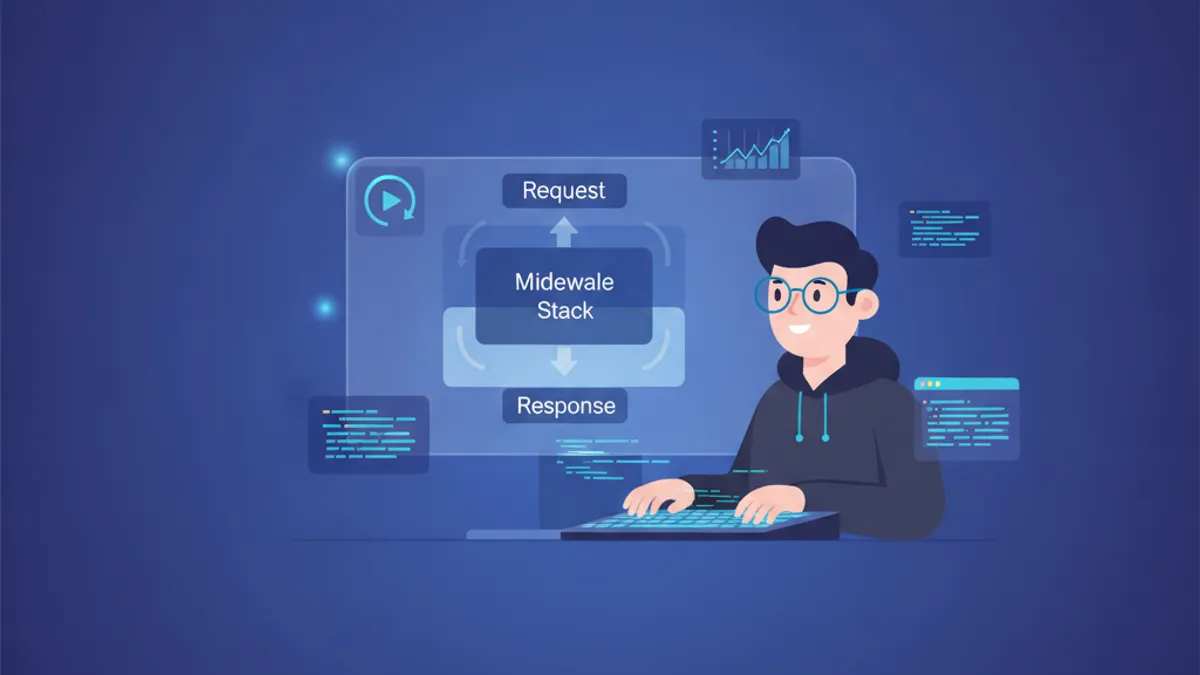
Django Middleware ขั้นสูง 2026: Custom Middleware, Logging และคำถามสัมภาษณ์งาน
คู่มือฉบับสมบูรณ์เกี่ยวกับ Django middleware ในปี 2026 ครอบคลุมการสร้าง custom middleware การใช้งาน logging อย่างมีประสิทธิภาพ และคำถามสัมภาษณ์ที่พบบ่อยสำหรับนักพัฒนา Django ระดับ senior
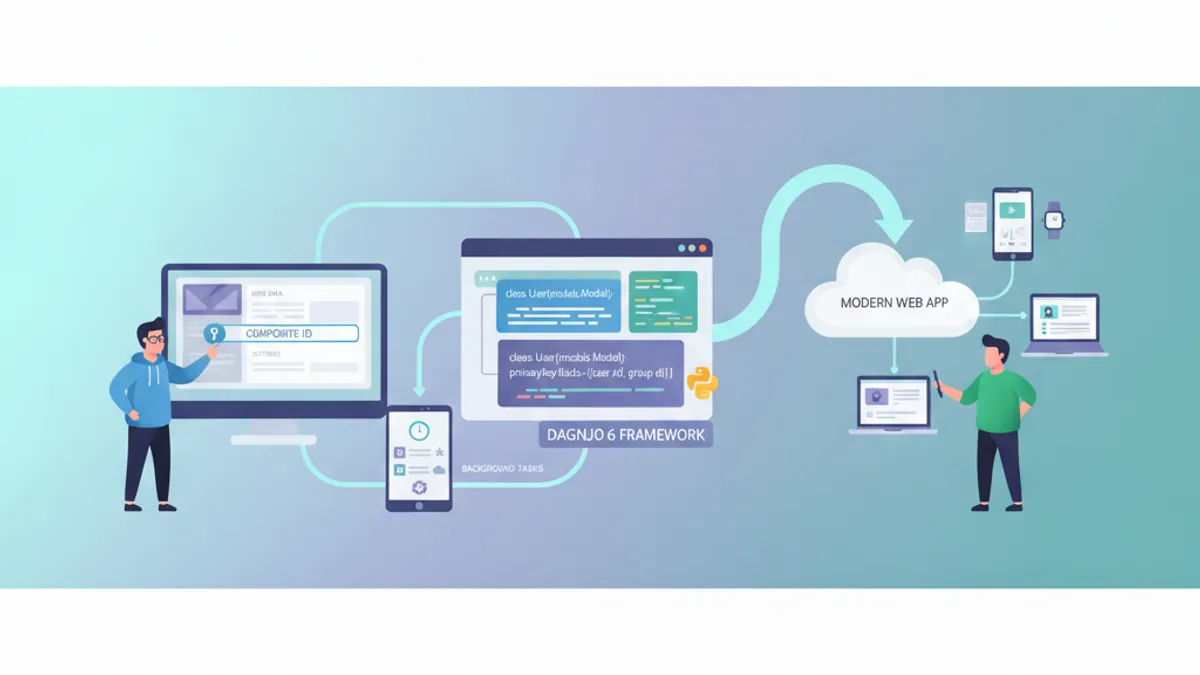
Django 6.0 ในปี 2026: Composite Primary Key, Background Task และคำถามสัมภาษณ์งาน
คู่มือฉบับสมบูรณ์เกี่ยวกับ Django 6.0 ครอบคลุม composite primary key, framework background task ในตัว, template partial, CSP middleware พร้อมตัวอย่างโค้ดจริงและการเตรียมตัวสัมภาษณ์
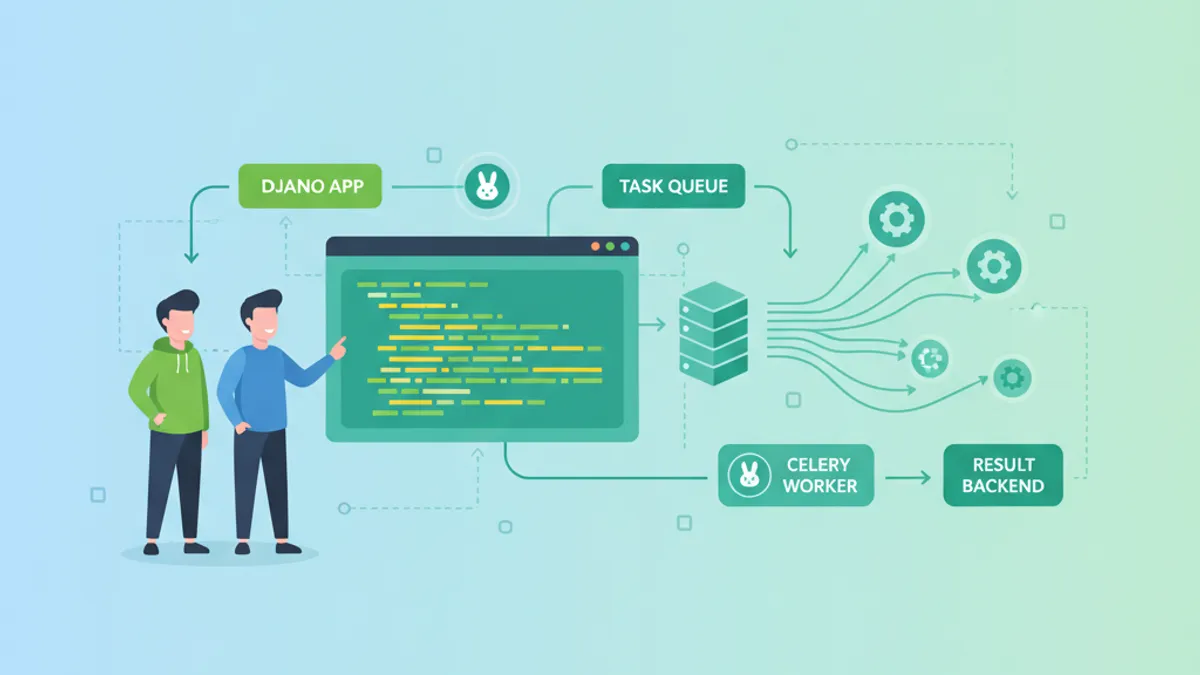
Django และ Celery: การประมวลผลงานแบบอะซิงโครนัสและคำถามสัมภาษณ์ 2026
คู่มือ Django Celery ฉบับสมบูรณ์พร้อมตัวอย่างโค้ดจริง, task routing, การตั้งเวลา Celery Beat, การกำหนดค่า production และคำถามสัมภาษณ์ทางเทคนิค 2026