Symfony 테스트 완벽 가이드 2026: PHPUnit, KernelTestCase, 기능 테스트 실전 활용법
Symfony 7.3과 PHPUnit 12를 활용한 포괄적인 테스트 전략을 학습합니다. 유닛 테스트, 통합 테스트, 기능 테스트의 구현 패턴을 다룹니다.
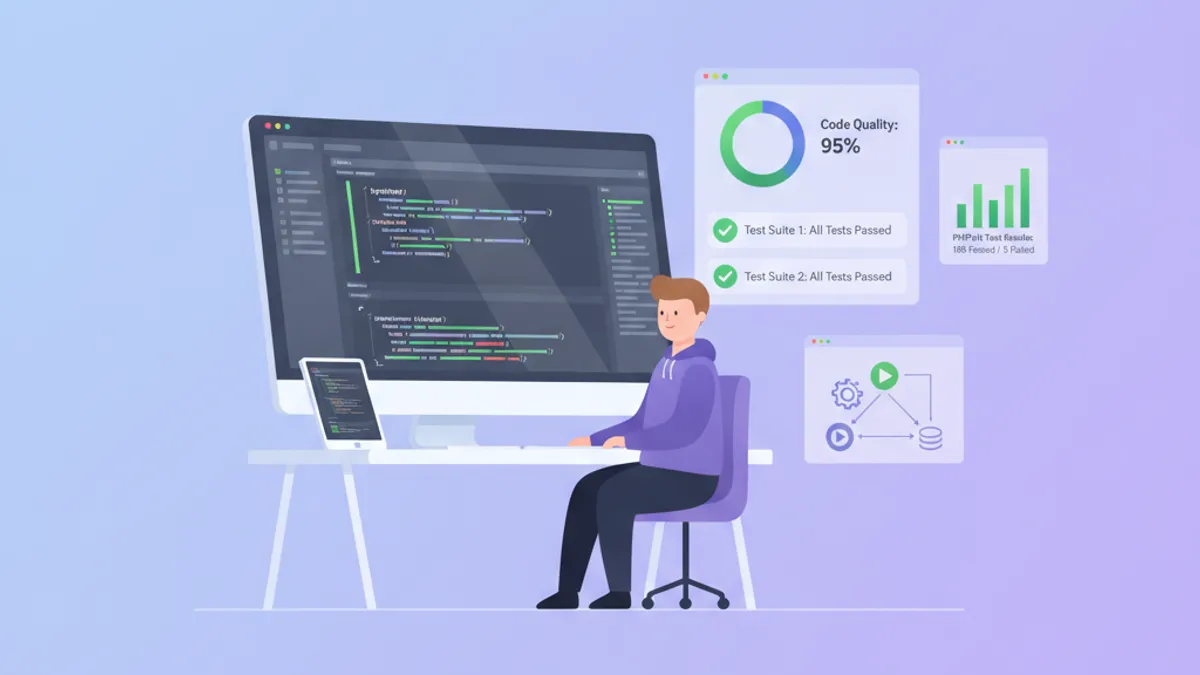
Symfony와 PHPUnit 12를 사용한 테스트는 유닛 테스트부터 HTTP 요청 시뮬레이션까지 애플리케이션 동작을 검증하기 위한 체계적인 접근 방식을 제공합니다. 프레임워크의 테스트 인프라는 서비스 컨테이너와 긴밀하게 통합되어 있어 최소한의 보일러플레이트로 서비스, 컨트롤러, 데이터베이스 작업을 테스트할 수 있습니다.
Symfony 7.3은 PHPUnit 12 지원, ResetInterface를 통한 향상된 테스트 격리, 더 읽기 쉬운 기능 테스트 어서션을 위한 CrawlerSelector 컴포넌트를 제공합니다. WebTestCase는 기본적으로 HTTP/2 푸시 어서션을 지원합니다.
PHPUnit 12로 서비스 유닛 테스트하기
유닛 테스트는 개별 클래스를 격리하여 검증합니다. 컨테이너에 의존하지 않는 Symfony 서비스의 경우 표준 PHPUnit 테스트가 프레임워크 개입 없이 작동합니다.
namespace App\Tests\Unit\Service;

use App\Service\PriceCalculator;
use PHPUnit\Framework\TestCase;

final class PriceCalculatorTest extends TestCase
{
    private PriceCalculator $calculator;

    protected function setUp(): void
    {
        // Create instance directly - no container needed
        $this->calculator = new PriceCalculator(vatRate: 0.20);
    }

    public function testCalculateTotalWithVat(): void
    {
        $result = $this->calculator->calculateTotal(100.00);

        // Assert exact decimal value with delta for float comparison
        $this->assertEqualsWithDelta(120.00, $result, 0.001);
    }

    public function testCalculateTotalWithZeroAmount(): void
    {
        $result = $this->calculator->calculateTotal(0.00);

        $this->assertEqualsWithDelta(0.00, $result, 0.001);
    }
}
순수 유닛 테스트는 통합 테스트보다 빠르게 실행되며 실패 지점을 정확하게 파악할 수 있습니다. 데이터를 변환하거나 계산을 수행하는 비즈니스 로직 클래스에 사용하는 것이 권장됩니다.
KernelTestCase를 활용한 통합 테스트
서비스가 Symfony 컨테이너(데이터베이스 연결, 캐시 어댑터, 기타 서비스)에 의존하는 경우, KernelTestCase는 최소한의 커널을 부팅하고 서비스 컨테이너에 대한 접근을 제공합니다.
namespace App\Tests\Integration\Repository;

use App\Entity\User;
use App\Repository\UserRepository;
use Doctrine\ORM\EntityManagerInterface;
use Symfony\Bundle\FrameworkBundle\Test\KernelTestCase;

final class UserRepositoryTest extends KernelTestCase
{
    private EntityManagerInterface $em;
    private UserRepository $repository;

    protected function setUp(): void
    {
        // Boot kernel and fetch services from container
        self::bootKernel();
        $container = static::getContainer();

        $this->em = $container->get(EntityManagerInterface::class);
        $this->repository = $container->get(UserRepository::class);
    }

    public function testFindByEmailReturnsUserWhenExists(): void
    {
        // Arrange: create and persist test user
        $user = new User();
        $user->setEmail('test@example.com');
        $user->setPassword('hashed_password');

        $this->em->persist($user);
        $this->em->flush();

        // Act: query through repository
        $found = $this->repository->findByEmail('test@example.com');

        // Assert: verify retrieval
        $this->assertNotNull($found);
        $this->assertSame('test@example.com', $found->getEmail());
    }

    protected function tearDown(): void
    {
        // Clean up to prevent test pollution
        $this->em->createQuery('DELETE FROM App\Entity\User')->execute();
        parent::tearDown();
    }
}
getContainer() 메서드는 테스트 컨테이너를 반환하며, 테스트 목적으로 프라이빗 서비스를 노출합니다. 이는 프라이빗 서비스가 접근 불가능한 상태로 유지되는 런타임 컨테이너와 다릅니다.
트랜잭션을 통한 데이터베이스 격리
테스트 격리는 한 테스트의 데이터가 다른 테스트에 영향을 미치는 것을 방지합니다. DAMADoctrineTestBundle은 각 테스트를 자동으로 롤백되는 트랜잭션으로 래핑합니다.
namespace App\Tests\Integration\Service;

use App\Entity\Order;
use App\Service\OrderService;
use Doctrine\ORM\EntityManagerInterface;
use Symfony\Bundle\FrameworkBundle\Test\KernelTestCase;

final class OrderServiceTest extends KernelTestCase
{
    private OrderService $orderService;
    private EntityManagerInterface $em;

    protected function setUp(): void
    {
        self::bootKernel();
        $container = static::getContainer();

        $this->orderService = $container->get(OrderService::class);
        $this->em = $container->get(EntityManagerInterface::class);
    }

    public function testCreateOrderPersistsToDatabase(): void
    {
        // With DAMA bundle, this persists within a transaction
        $order = $this->orderService->create(
            customerId: 1,
            items: [['sku' => 'ABC123', 'quantity' => 2]]
        );

        // Verify persistence
        $this->em->clear();
        $persisted = $this->em->find(Order::class, $order->getId());

        $this->assertNotNull($persisted);
        $this->assertCount(1, $persisted->getItems());
    }

    // Transaction rolls back after test - no cleanup needed
}phpunit.xml.dist에 익스텐션을 추가하여 번들을 구성합니다. 이렇게 하면 각 테스트가 수동 정리 코드 없이 완전히 격리된 상태에서 실행됩니다.
Symfony 면접 준비가 되셨나요?
인터랙티브 시뮬레이터, flashcards, 기술 테스트로 연습하세요.
WebTestCase를 활용한 기능 테스트
기능 테스트는 HTTP 요청을 시뮬레이션하고 응답을 검증합니다. WebTestCase는 웹 서버를 시작하지 않고 컨트롤러에 요청을 보내는 클라이언트를 제공합니다.
namespace App\Tests\Functional\Controller;

use Symfony\Bundle\FrameworkBundle\Test\WebTestCase;
use Symfony\Component\HttpFoundation\Response;

final class ProductControllerTest extends WebTestCase
{
    public function testListProductsReturnsJsonArray(): void
    {
        // Create client and make GET request
        $client = static::createClient();
        $client->request('GET', '/api/products');

        // Assert response status
        $this->assertResponseIsSuccessful();
        $this->assertResponseStatusCodeSame(Response::HTTP_OK);

        // Assert JSON structure
        $this->assertResponseHeaderSame('Content-Type', 'application/json');

        $data = json_decode($client->getResponse()->getContent(), true);
        $this->assertIsArray($data);
        $this->assertArrayHasKey('products', $data);
    }

    public function testCreateProductRequiresAuthentication(): void
    {
        $client = static::createClient();
        $client->request('POST', '/api/products', [], [], [
            'CONTENT_TYPE' => 'application/json',
        ], json_encode(['name' => 'New Product', 'price' => 29.99]));

        // Unauthenticated requests should return 401
        $this->assertResponseStatusCodeSame(Response::HTTP_UNAUTHORIZED);
    }
}
$client->request() 메서드는 HTTP 메서드, URI, 파라미터, 파일, 서버 변수, 바디 콘텐츠를 받습니다. Symfony는 미들웨어, 보안, 라우팅을 포함한 전체 커널을 통해 요청을 처리합니다.
인증된 요청 테스트하기
인증이 필요한 엔드포인트의 경우, Symfony의 보안 컴포넌트는 테스트 클라이언트에서 loginUser() 메서드를 제공합니다.
namespace App\Tests\Functional\Controller;

use App\Entity\User;
use App\Repository\UserRepository;
use Symfony\Bundle\FrameworkBundle\Test\WebTestCase;

final class AdminControllerTest extends WebTestCase
{
    public function testAdminDashboardRequiresAdminRole(): void
    {
        $client = static::createClient();
        $container = static::getContainer();

        // Fetch a test user with ROLE_ADMIN
        $userRepository = $container->get(UserRepository::class);
        $adminUser = $userRepository->findOneBy(['email' => 'admin@example.com']);

        // Authenticate the client
        $client->loginUser($adminUser);

        // Access protected route
        $client->request('GET', '/admin/dashboard');

        $this->assertResponseIsSuccessful();
        $this->assertSelectorTextContains('h1', 'Admin Dashboard');
    }

    public function testRegularUserCannotAccessAdmin(): void
    {
        $client = static::createClient();
        $container = static::getContainer();

        $userRepository = $container->get(UserRepository::class);
        $regularUser = $userRepository->findOneBy(['email' => 'user@example.com']);

        $client->loginUser($regularUser);
        $client->request('GET', '/admin/dashboard');

        // Should be forbidden, not redirected to login
        $this->assertResponseStatusCodeSame(403);
    }
}
loginUser() 메서드는 로그인 폼을 거치지 않고 보안 토큰을 설정하므로 테스트가 더 빠르고 집중적입니다.
폼 테스트와 CSRF 처리
폼 테스트에는 CSRF 토큰 처리가 필요합니다. 크롤러 컴포넌트는 폼 요소를 추출하고 적절한 토큰 처리와 함께 제출합니다.
namespace App\Tests\Functional\Controller;

use Symfony\Bundle\FrameworkBundle\Test\WebTestCase;

final class RegistrationControllerTest extends WebTestCase
{
    public function testRegistrationFormSubmission(): void
    {
        $client = static::createClient();

        // Load the registration page
        $crawler = $client->request('GET', '/register');

        // Extract the form and fill fields
        $form = $crawler->selectButton('Register')->form([
            'registration_form[email]' => 'newuser@example.com',
            'registration_form[plainPassword]' => 'SecurePass123!',
            'registration_form[agreeTerms]' => true,
        ]);

        // Submit - CSRF token is included automatically
        $client->submit($form);

        // Assert redirect after successful registration
        $this->assertResponseRedirects('/login');

        // Follow redirect and verify flash message
        $client->followRedirect();
        $this->assertSelectorTextContains('.alert-success', 'Registration successful');
    }

    public function testRegistrationValidationErrors(): void
    {
        $client = static::createClient();
        $crawler = $client->request('GET', '/register');

        // Submit with invalid email
        $form = $crawler->selectButton('Register')->form([
            'registration_form[email]' => 'not-an-email',
            'registration_form[plainPassword]' => '123', // Too short
            'registration_form[agreeTerms]' => false,
        ]);

        $client->submit($form);

        // Should stay on same page with errors
        $this->assertResponseIsSuccessful();
        $this->assertSelectorExists('.invalid-feedback');
    }
}
selectButton() 메서드는 제출 버튼 텍스트로 폼을 찾습니다. 버튼이 보이지 않는 폼의 경우 CSS 선택자를 사용하는 selectForm()을 사용합니다.
콘솔 커맨드 테스트하기
커맨드는 데이터 가져오기나 예약된 작업과 같은 중요한 작업을 수행하는 경우가 많습니다. CommandTester는 커맨드를 실행하고 출력을 캡처합니다.
namespace App\Tests\Command;

use Symfony\Bundle\FrameworkBundle\Console\Application;
use Symfony\Bundle\FrameworkBundle\Test\KernelTestCase;
use Symfony\Component\Console\Tester\CommandTester;

final class ImportUsersCommandTest extends KernelTestCase
{
    public function testImportUsersWithValidCsv(): void
    {
        self::bootKernel();
        $application = new Application(self::$kernel);

        $command = $application->find('app:import-users');
        $tester = new CommandTester($command);

        // Execute with arguments and options
        $tester->execute([
            'file' => 'tests/fixtures/users.csv',
            '--dry-run' => true,
        ]);

        // Assert exit code (0 = success)
        $this->assertSame(0, $tester->getStatusCode());

        // Assert output contains expected text
        $output = $tester->getDisplay();
        $this->assertStringContainsString('Imported 5 users', $output);
    }

    public function testImportUsersFailsWithMissingFile(): void
    {
        self::bootKernel();
        $application = new Application(self::$kernel);

        $command = $application->find('app:import-users');
        $tester = new CommandTester($command);

        $tester->execute(['file' => 'nonexistent.csv']);

        // Non-zero exit code indicates failure
        $this->assertSame(1, $tester->getStatusCode());
        $this->assertStringContainsString('File not found', $tester->getDisplay());
    }
}
대화형 입력이 있는 커맨드의 경우 execute()의 두 번째 인수로 ['interactive' => false]를 전달하거나 setInputs()를 사용하여 사용자 응답을 시뮬레이션합니다.
비동기 작업을 위한 Messenger 테스트
Symfony Messenger 핸들러 테스트에서는 메시지가 올바르게 디스패치되고 핸들러가 예상대로 처리하는지 검증해야 합니다.
namespace App\Tests\Integration\Message;

use App\Message\SendWelcomeEmail;
use Symfony\Bundle\FrameworkBundle\Test\KernelTestCase;
use Symfony\Component\Messenger\MessageBusInterface;
use Symfony\Component\Messenger\Transport\InMemoryTransport;

final class SendWelcomeEmailHandlerTest extends KernelTestCase
{
    public function testWelcomeEmailIsDispatched(): void
    {
        self::bootKernel();
        $container = static::getContainer();

        $bus = $container->get(MessageBusInterface::class);

        // Dispatch the message
        $bus->dispatch(new SendWelcomeEmail(userId: 123));

        // Retrieve the in-memory transport configured in config/packages/test/messenger.yaml
        /** @var InMemoryTransport $transport */
        $transport = $container->get('messenger.transport.async');

        // Assert message was sent
        $this->assertCount(1, $transport->getSent());

        $envelope = $transport->getSent()[0];
        $message = $envelope->getMessage();

        $this->assertInstanceOf(SendWelcomeEmail::class, $message);
        $this->assertSame(123, $message->getUserId());
    }
}config/packages/test/messenger.yaml에서 인메모리 트랜스포트를 구성하여 실제 큐 처리 없이 디스패치된 메시지를 캡처합니다.
코드 커버리지 설정
PHPUnit 코드 커버리지 리포트는 테스트되지 않은 코드 경로를 식별합니다. phpunit.xml.dist에서 커버리지를 구성합니다.
<!-- phpunit.xml.dist -->
<?xml version="1.0" encoding="UTF-8"?>
<phpunit xmlns:xsi="http://www.w3.org/2001/XMLSchema-instance"
         xsi:noNamespaceSchemaLocation="vendor/phpunit/phpunit/phpunit.xsd"
         bootstrap="tests/bootstrap.php"
         colors="true"
         executionOrder="depends,defects"
         cacheResult="true">

    <testsuites>
        <testsuite name="Unit">
            <directory>tests/Unit</directory>
        </testsuite>
        <testsuite name="Integration">
            <directory>tests/Integration</directory>
        </testsuite>
        <testsuite name="Functional">
            <directory>tests/Functional</directory>
        </testsuite>
    </testsuites>

    <source>
        <include>
            <directory suffix=".php">src</directory>
        </include>
        <exclude>
            <directory>src/DataFixtures</directory>
            <directory>src/Migrations</directory>
        </exclude>
    </source>

    <coverage>
        <report>
            <html outputDirectory="var/coverage"/>
            <clover outputFile="var/coverage/clover.xml"/>
        </report>
    </coverage>
</phpunit>
php bin/phpunit --coverage-html var/coverage를 사용하여 커버리지와 함께 테스트를 실행합니다. HTML 리포트는 라인별 커버리지 상태를 표시합니다.
결론
- 컨테이너 의존성이 없는 순수 유닛 테스트에는
TestCase를 사용합니다 - 테스트에서 컨테이너의 서비스가 필요한 경우
KernelTestCase를 사용합니다 - HTTP 요청 시뮬레이션과 응답 어서션에는
WebTestCase를 사용합니다 - 테스트 간 자동 트랜잭션 롤백을 위해 DAMADoctrineTestBundle을 구성합니다
- 로그인 폼을 시뮬레이션하는 대신
loginUser()로 인증을 테스트합니다 - 입출력 캡처를 통한 콘솔 커맨드 검증에는
CommandTester를 사용합니다 - Messenger 테스트를 위해 테스트 환경에서 인메모리 트랜스포트를 구성합니다
- 명확성을 위해 테스트를 Unit, Integration, Functional 디렉토리로 구성합니다
연습을 시작하세요!
면접 시뮬레이터와 기술 테스트로 지식을 테스트하세요.
Symfony 코드의 버그를 찾을 수 있나요
실제 코드 한 조각, 숨은 버그 하나, 하루 한 번. 계정 없이 바로 도전할 수 있습니다.

작성자
Anthony Fillion-MailletSharpSkill 창업자
10년 이상 풀스택 개발을 해왔습니다. SharpSkill을 운영하며 이곳에 게시되는 모든 내용에 책임을 집니다.
2026년 7월 15일 업데이트
공유
관련 기사

2026년 Symfony REST API 보안 완벽 가이드: OAuth2, 속도 제한, 면접 대비
Symfony 7.3에서 구현하는 REST API 보안 실무 가이드. OAuth2 토큰 인트로스펙션, RateLimiter 컴포넌트, Voter 인가, 기술 면접 대비를 다룹니다.
2026년 API Platform과 Symfony: 아키텍처 설계 및 기술 면접 완벽 가이드
API Platform 4.2와 Symfony 7.4를 활용한 REST API 개발 최신 기법을 상세히 설명합니다. State Provider, State Processor, Object Mapper, JSON Streamer를 통한 32% 성능 향상까지, 기술 면접에서 자주 묻는 핵심 개념을 다룹니다.
API Platform GraphQL Symfony: 스키마, 뮤테이션, 면접 질문 2026
Symfony에서 API Platform GraphQL을 구현하는 방법을 설명합니다. 자동 스키마 생성, 커스텀 리졸버, 보안 설정, 실시간 구독, 기술 면접 질문과 답변을 다룹니다.