2026년 Angular Forms 완벽 가이드: Reactive Forms, 유효성 검사, 기술 면접 질문
Angular Reactive Forms의 타입화된 FormBuilder, 커스텀 유효성 검사기, 비동기 유효성 검사, FormArray를 마스터합니다. 기술 면접에서 자주 나오는 질문과 Signal Forms 프리뷰도 다룹니다.
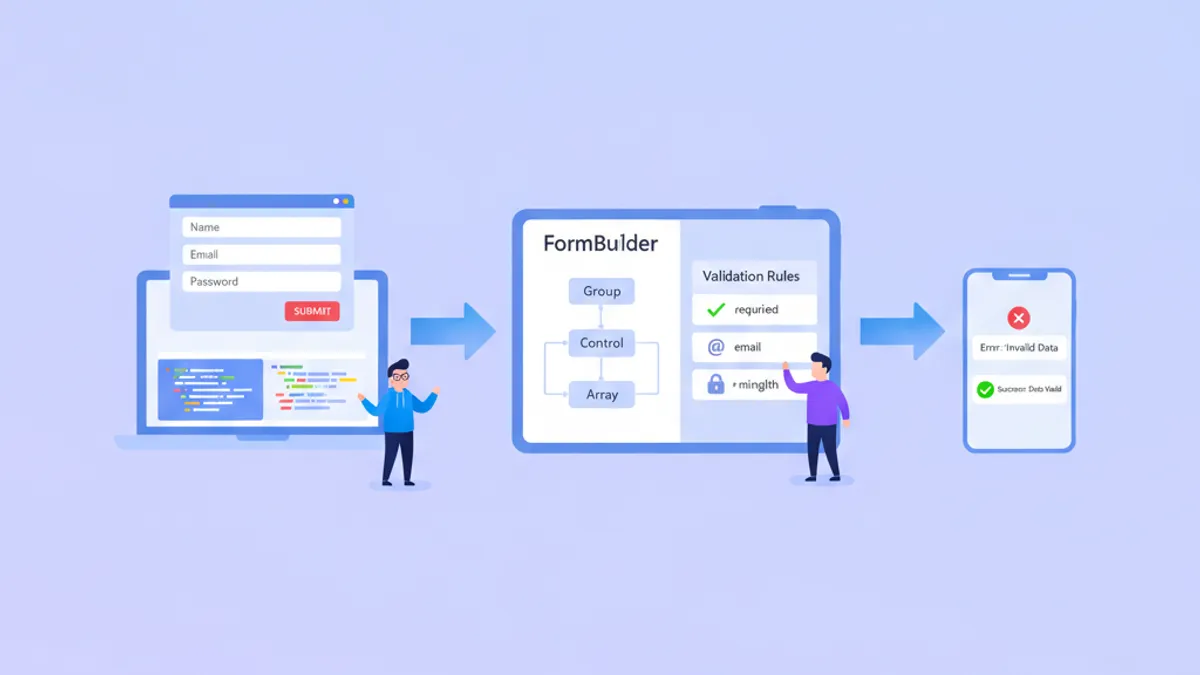
Angular Reactive Forms는 2026년에도 엔터프라이즈 폼 개발의 핵심으로 자리잡고 있으며, 간단한 로그인 화면부터 복잡한 다단계 마법사까지 타입 안전하고 테스트 가능한 폼 처리를 제공합니다. Angular 19의 세련된 API와 개발자 프리뷰 단계에 있는 Signal Forms를 모두 이해함으로써 기술 면접에서 경쟁 우위를 확보할 수 있습니다.
Reactive Forms는 TypeScript에서 폼 구조를 정의하는 모델 주도 방식을 사용합니다. 이를 통해 유효성 검사 타이밍, 동적 필드 조작, DOM 상호작용 없이 포괄적인 단위 테스트를 완전히 제어할 수 있습니다.
Reactive Forms 아키텍처 이해하기
Reactive Forms는 불변 데이터 모델로 작동합니다. 모든 변경은 새로운 상태 객체를 생성하므로 폼 동작이 예측 가능하고 디버깅하기 쉬워집니다. 핵심 구성 요소는 FormControl, FormGroup, FormArray이며, 모두 FormBuilder 서비스를 통해 관리됩니다.
폼 모델(TypeScript)과 템플릿(HTML)의 분리를 통해 유효성 검사 로직을 독립적으로 테스트할 수 있습니다. 이 아키텍처적 선택은 백엔드 구성을 기반으로 한 동적 폼 생성도 가능하게 합니다. 이는 엔터프라이즈 애플리케이션에서 일반적인 요구 사항입니다.
import { Component, inject } from '@angular/core';
import { FormBuilder, Validators, ReactiveFormsModule } from '@angular/forms';
import { CommonModule } from '@angular/common';

@Component({
  selector: 'app-user-profile',
  standalone: true,
  imports: [CommonModule, ReactiveFormsModule],
  template: `
    <form [formGroup]="profileForm" (ngSubmit)="onSubmit()">
      <input formControlName="email" placeholder="Email" />
      <input formControlName="name" placeholder="Full Name" />
      <button type="submit" [disabled]="profileForm.invalid">Save</button>
    </form>
  `
})
export class UserProfileComponent {
  private fb = inject(FormBuilder);

  // Typed form with NonNullable configuration
  profileForm = this.fb.nonNullable.group({
    email: ['', [Validators.required, Validators.email]],
    name: ['', [Validators.required, Validators.minLength(2)]]
  });

  onSubmit() {
    // profileForm.getRawValue() returns typed object
    const data = this.profileForm.getRawValue();
    console.log(data.email, data.name); // Both are string, not string | null
  }
}
Angular 14에서 도입된 nonNullable 폼 빌더 구성은 폼 값에서 nullable 타입을 제거합니다. 이를 통해 코드베이스 전체에서 null 체크가 줄어들고 폼 처리가 더 예측 가능해집니다.
복잡한 비즈니스 규칙을 위한 커스텀 유효성 검사기
내장 유효성 검사기는 일반적인 시나리오를 다루지만, 실제 애플리케이션에는 커스텀 유효성 검사 로직이 필요합니다. Angular는 동기 및 비동기 유효성 검사기를 모두 지원하며, 비동기 유효성 검사기는 사용자 이름 가용성 같은 서버 측 검사에 유용합니다.
import { AbstractControl, ValidationErrors, ValidatorFn } from '@angular/forms';

// Synchronous validator: password strength
export function strongPassword(): ValidatorFn {
  return (control: AbstractControl): ValidationErrors | null => {
    const value = control.value;
    if (!value) return null;

    const hasUpperCase = /[A-Z]/.test(value);
    const hasLowerCase = /[a-z]/.test(value);
    const hasNumber = /\d/.test(value);
    const hasSpecial = /[!@#$%^&*]/.test(value);
    const isLongEnough = value.length >= 8;

    const valid = hasUpperCase && hasLowerCase && hasNumber && hasSpecial && isLongEnough;

    return valid ? null : {
      strongPassword: {
        hasUpperCase,
        hasLowerCase,
        hasNumber,
        hasSpecial,
        isLongEnough
      }
    };
  };
}

// Cross-field validator: password confirmation
export function passwordMatch(): ValidatorFn {
  return (group: AbstractControl): ValidationErrors | null => {
    const password = group.get('password')?.value;
    const confirm = group.get('confirmPassword')?.value;

    return password === confirm ? null : { passwordMismatch: true };
  };
}
유효성 검사기가 반환하는 오류 객체에는 어떤 특정 검사가 실패했는지에 대한 상세 정보가 포함될 수 있습니다. 이를 통해 "비밀번호가 유효하지 않습니다"와 같은 일반적인 피드백 대신 세분화된 오류 메시지를 표시할 수 있습니다.
@Component({
  selector: 'app-registration',
  standalone: true,
  imports: [CommonModule, ReactiveFormsModule],
  template: `
    <form [formGroup]="registrationForm" (ngSubmit)="register()">
      <input formControlName="password" type="password" />
      <input formControlName="confirmPassword" type="password" />

      @if (registrationForm.errors?.['passwordMismatch']) {
        <span class="error">Passwords do not match</span>
      }
    </form>
  `
})
export class RegistrationComponent {
  private fb = inject(FormBuilder);

  registrationForm = this.fb.nonNullable.group({
    password: ['', [Validators.required, strongPassword()]],
    confirmPassword: ['', Validators.required]
  }, { validators: passwordMatch() }); // Group-level validator
}
그룹 수준 유효성 검사기는 전체 FormGroup을 수신하여 여러 필드에 걸친 유효성 검사 규칙을 가능하게 합니다. 이 패턴은 날짜 범위, 조건부 요구 사항, 관련 필드 조합 등 크로스 필드 로직이 필요한 모든 시나리오에 적용됩니다.
비동기 유효성 검사기와 디바운싱
비동기 유효성 검사기는 UI를 차단하지 않고 서버 측 검사를 수행합니다. 일반적인 사용 사례로는 고유한 사용자 이름 유효성 검사, 이메일 가용성 확인, API에 대한 프로모션 코드 검증 등이 있습니다.
import { AbstractControl, AsyncValidatorFn, ValidationErrors } from '@angular/forms';
import { Observable, of, timer } from 'rxjs';
import { map, switchMap, catchError } from 'rxjs/operators';
import { inject } from '@angular/core';
import { UserService } from '../services/user.service';

export function uniqueEmailValidator(userService: UserService): AsyncValidatorFn {
  return (control: AbstractControl): Observable<ValidationErrors | null> => {
    if (!control.value) {
      return of(null);
    }

    // Debounce 300ms to avoid excessive API calls
    return timer(300).pipe(
      switchMap(() => userService.checkEmailAvailable(control.value)),
      map(isAvailable => isAvailable ? null : { emailTaken: true }),
      catchError(() => of(null)) // Fail open on network errors
    );
  };
}timer를 사용한 디바운스 패턴은 매 키 입력마다 API 요청을 방지합니다. switchMap 연산자는 새 입력이 도착하면 대기 중인 요청을 취소하여 최신 값만 서버 검사를 트리거하도록 보장합니다.
@Component({
  selector: 'app-signup',
  standalone: true,
  imports: [CommonModule, ReactiveFormsModule],
  template: `
    <form [formGroup]="signupForm">
      <input formControlName="email" />
      @if (emailControl.pending) {
        <span>Checking availability...</span>
      }
      @if (emailControl.errors?.['emailTaken']) {
        <span class="error">This email is already registered</span>
      }
    </form>
  `
})
export class SignupComponent {
  private fb = inject(FormBuilder);
  private userService = inject(UserService);

  signupForm = this.fb.nonNullable.group({
    email: ['',
      [Validators.required, Validators.email],
      [uniqueEmailValidator(this.userService)] // Async validator as 3rd argument
    ]
  });

  get emailControl() {
    return this.signupForm.controls.email;
  }
}
비동기 유효성 검사기는 동기 유효성 검사기가 통과한 후에 실행되므로, 잘못된 입력에 대한 불필요한 API 호출을 피할 수 있습니다. pending 상태는 진행 중인 유효성 검사를 나타내어 템플릿에서 로딩 인디케이터를 표시할 수 있습니다.
Angular 면접 준비가 되셨나요?
인터랙티브 시뮬레이터, flashcards, 기술 테스트로 연습하세요.
FormArray를 이용한 동적 폼
FormArray는 동적인 폼 컨트롤 컬렉션을 가능하게 합니다. 여러 주소, 전화번호, 주문 항목 추가와 같은 시나리오에 필수적입니다. 배열의 각 요소는 간단한 FormControl이거나 중첩된 FormGroup일 수 있습니다.
import { Component, inject } from '@angular/core';
import { FormBuilder, FormArray, ReactiveFormsModule, Validators } from '@angular/forms';
import { CommonModule } from '@angular/common';

@Component({
  selector: 'app-order-form',
  standalone: true,
  imports: [CommonModule, ReactiveFormsModule],
  template: `
    <form [formGroup]="orderForm">
      <div formArrayName="items">
        @for (item of itemsArray.controls; track item; let i = $index) {
          <div [formGroupName]="i" class="item-row">
            <input formControlName="productName" placeholder="Product" />
            <input formControlName="quantity" type="number" />
            <input formControlName="price" type="number" />
            <button type="button" (click)="removeItem(i)">Remove</button>
          </div>
        }
      </div>
      <button type="button" (click)="addItem()">Add Item</button>
      <p>Total: {{ calculateTotal() | currency }}</p>
    </form>
  `
})
export class OrderFormComponent {
  private fb = inject(FormBuilder);

  orderForm = this.fb.group({
    items: this.fb.array<FormGroup>([])
  });

  get itemsArray(): FormArray {
    return this.orderForm.get('items') as FormArray;
  }

  addItem() {
    const itemGroup = this.fb.nonNullable.group({
      productName: ['', Validators.required],
      quantity: [1, [Validators.required, Validators.min(1)]],
      price: [0, [Validators.required, Validators.min(0)]]
    });
    this.itemsArray.push(itemGroup);
  }

  removeItem(index: number) {
    this.itemsArray.removeAt(index);
  }

  calculateTotal(): number {
    return this.itemsArray.controls.reduce((sum, control) => {
      const quantity = control.get('quantity')?.value || 0;
      const price = control.get('price')?.value || 0;
      return sum + (quantity * price);
    }, 0);
  }
}track을 사용한 @for 블록은 Angular가 전체 목록을 다시 렌더링하는 대신 변경된 항목만 효율적으로 업데이트하도록 합니다. 대규모 배열의 경우 이 최적화로 성능이 크게 향상됩니다.
Signal Forms: Angular 폼 처리의 미래
Angular 20에서 개발자 프리뷰로 Signal Forms가 도입되어 Reactive Forms에 대한 시그널 기반 대안을 제공합니다. Angular 21.2에서는 점진적 마이그레이션을 위한 SignalFormControl 래퍼가 추가되어 기존 FormGroups 내에서 시그널 기반 필드를 사용할 수 있게 되었습니다.
import { Component, signal, computed } from '@angular/core';
import { SignalFormControl } from '@angular/forms';

@Component({
  selector: 'app-signal-form',
  standalone: true,
  template: `
    <input [value]="name()" (input)="name.set($any($event.target).value)" />
    <p>Character count: {{ charCount() }}</p>
    <p>Valid: {{ isValid() }}</p>
  `
})
export class SignalFormExampleComponent {
  // Signal-based form state
  name = signal('');

  // Computed values automatically update
  charCount = computed(() => this.name().length);
  isValid = computed(() => this.name().length >= 3);
}
Signal Forms는 valueChanges 구독이 필요 없습니다. computed 시그널이 유효성 검사 상태와 종속 값을 자동으로 도출하며, Angular의 zoneless 변경 감지와 통합됩니다. 아직 개발자 프리뷰 단계이지만, Signal Forms는 Angular의 폼 관리가 나아가는 방향을 나타냅니다.
주요 차이점은 Reactive Forms가 상태 변경에 RxJS Observables를 사용하는 반면, Signal Forms는 Angular Signals를 사용한다는 것입니다. 2026년 후반 이후에 시작하는 새 프로젝트의 경우, 안정 버전에 도달하면 Signal Forms가 권장 접근 방식이 될 수 있습니다.
Angular Forms 관련 일반적인 면접 질문
기술 면접에서는 폼 처리 지식이 자주 테스트됩니다. 시니어 후보자를 구별하는 패턴을 소개합니다.
Q: 폼 상태 리셋과 폼 컨트롤 리셋의 차이점은 무엇입니까?
// Reset entire form to initial values
this.form.reset(); // All controls become null (or default if nonNullable)

// Reset with specific values
this.form.reset({ email: '', name: 'Guest' });

// Reset single control
this.form.controls.email.reset();

// Mark as pristine without changing values
this.form.markAsPristine();
this.form.markAsUntouched();
Q: setValue와 patchValue의 차이점은 무엇입니까?
// setValue requires ALL controls - throws if missing any
this.form.setValue({ email: 'a@b.com', name: 'Test' }); // Must include both

// patchValue allows partial updates
this.form.patchValue({ email: 'a@b.com' }); // Name unchanged
Q: 제출 시 값을 잃지 않고 폼 컨트롤을 비활성화하려면 어떻게 해야 합니까?
this.form.controls.email.disable();
console.log(this.form.value); // { name: 'Test' } - email missing

// Use getRawValue() to include disabled controls
console.log(this.form.getRawValue()); // { email: 'a@b.com', name: 'Test' }
이러한 뉘앙스를 이해하는 것은 실무 경험을 보여줍니다. 면접관들은 특히 비활성화된 컨트롤과 부분 업데이트와 관련된 폼 상태 관리의 엣지 케이스에 대한 인식을 탐색하는 경우가 많습니다.
Angular 폼 관련 면접 질문을 더 깊이 연습하려면 Reactive Forms 면접 질문 모듈과 Template-Driven Forms 모듈을 참조하시기 바랍니다.
프로덕션 폼 모범 사례
프로덕션 애플리케이션에는 기본적인 폼 생성을 넘어서는 패턴이 필요합니다. 오류 처리, 접근성, 성능이 규모에서 중요해집니다.
import { Component, input } from '@angular/core';
import { AbstractControl, ValidationErrors } from '@angular/forms';

@Component({
  selector: 'app-form-errors',
  standalone: true,
  template: `
    @if (control().invalid && (control().dirty || control().touched)) {
      <div class="errors" role="alert">
        @if (control().errors?.['required']) {
          <span>This field is required</span>
        }
        @if (control().errors?.['email']) {
          <span>Enter a valid email address</span>
        }
        @if (control().errors?.['minlength']) {
          <span>Minimum {{ control().errors?.['minlength'].requiredLength }} characters</span>
        }
      </div>
    }
  `
})
export class FormErrorsComponent {
  control = input.required<AbstractControl>();
}
role="alert" 속성은 스크린 리더가 오류 메시지가 나타날 때 이를 알리도록 합니다. dirty와 touched를 모두 확인하면 사용자 상호 작용 전에 오류가 표시되는 것을 방지하여 실망스러운 조기 유효성 검사 피드백을 피할 수 있습니다.
크로스 필드 유효성 검사와 비동기 검사를 포함한 포괄적인 폼 유효성 검사 패턴은 Angular RxJS 기초 모듈에서 폼 상태 관리의 기반이 되는 Observable 패턴을 다루고 있습니다.
결론
- Reactive Forms는 복잡한 엔터프라이즈 애플리케이션에 적합한 타입 안전하고 테스트 가능한 폼 처리를 제공합니다
- 커스텀 유효성 검사기는 동기적 비즈니스 규칙과 내장 디바운싱이 있는 비동기 서버 측 검사를 모두 지원합니다
- FormArray는
track을 통한 효율적인 변경 추적으로 동적 폼 컬렉션을 가능하게 합니다 - Signal Forms(개발자 프리뷰)는 Angular의 zoneless 미래에 맞는 더 간단한 반응형 모델을 제공합니다
- 프로덕션 폼에는 접근성 고려 사항과 재사용 가능한 오류 표시 컴포넌트가 필요합니다
setValue와patchValue,getRawValue()와value의 차이를 이해하면 시니어 후보자를 구별할 수 있습니다
연습을 시작하세요!
면접 시뮬레이터와 기술 테스트로 지식을 테스트하세요.

작성자
Anthony Fillion-Maillet풀스택 개발자, SharpSkill 창업자
10년 이상 풀스택 개발을 해왔습니다. SharpSkill을 운영하며 이곳에 게시되는 모든 내용에 책임을 집니다.
2026년 8월 17일 업데이트
공유
관련 기사

NgRx Signal Store vs 기존 NgRx: 2026년 어떤 것을 선택해야 할까요?
NgRx Signal Store와 기존 NgRx를 비교 분석하여 2026년 Angular 프로젝트에 최적의 상태 관리 솔루션을 선택하는 방법을 안내합니다.

Angular 2026의 RxJS: 연산자, Subject, Signals 상호 운용
Angular 2026의 RxJS: 실무에서 쓰이는 연산자, Subject, Signals 상호 운용 패턴을 가장 자주 나오는 면접 질문과 함께 익힙니다.

Angular @defer 완전 가이드 2026: 선언적 지연 로딩과 면접 질문
Angular @defer 블록을 활용한 선언적 지연 로딩의 작동 원리, 트리거 유형, 프리페치 전략, 점진적 하이드레이션, 면접 질문을 상세히 다룹니다.