Android Room Database 2026 완전 가이드: 마이그레이션, 관계 및 Coroutines 연동
Room Database의 마이그레이션, 엔티티 관계, Kotlin Coroutines 및 Flow와의 통합을 상세히 다룹니다. 2026년 프로덕션 환경에 적합한 패턴을 포함한 실전 튜토리얼입니다.

Room Database는 Android에서 SQLite에 대한 강력한 추상화 레이어를 제공하며, 원시 SQLite를 다룰 때 발생하는 반복적인 보일러플레이트 코드를 제거합니다. Room 2.6과 Kotlin Coroutines의 조합으로 리액티브하고 타입 안전한 데이터베이스 레이어 구축이 크게 간소화되었습니다.
Room 2.6(2026년 안정 버전)에서는 마이그레이션 지원 개선, KSP 처리 속도 향상, Flow 통합 강화가 도입되었습니다. 이 튜토리얼에서는 프로덕션 환경에 적합한 코드를 작성하기 위해 이러한 최신 API를 사용합니다.
Kotlin KSP를 사용한 Room Database 설정
Room에는 세 가지 핵심 컴포넌트가 필요합니다: 엔티티(테이블), DAO(데이터 접근 객체), 그리고 데이터베이스 클래스입니다. KSP 어노테이션 프로세서가 컴파일 시점에 구현 코드를 생성합니다.
모듈 레벨 build.gradle.kts에 의존성을 추가합니다. KSP는 2024년 이후 권장되는 어노테이션 프로세서로서 KAPT를 대체했으며, 더 빠른 빌드 시간을 제공합니다.
plugins {
    id("com.google.devtools.ksp") version "2.1.0-1.0.29"
}

dependencies {
    val roomVersion = "2.6.1"
    implementation("androidx.room:room-runtime:$roomVersion")
    implementation("androidx.room:room-ktx:$roomVersion") // Coroutines support
    ksp("androidx.room:room-compiler:$roomVersion")
}
room-ktx 아티팩트는 Coroutine 확장 기능을 제공하여 DAO에서 suspend 함수 사용을 가능하게 합니다.
기본 키와 인덱스를 포함한 엔티티 정의
엔티티는 SQLite 테이블에 직접 매핑됩니다. 각 엔티티 클래스에는 최소한 하나의 기본 키가 필요합니다. 자주 쿼리되는 컬럼에 인덱스를 추가하면 쓰기가 약간 느려지는 대신 읽기 성능이 향상됩니다.
import androidx.room.Entity
import androidx.room.Index
import androidx.room.PrimaryKey

@Entity(
    tableName = "users",
    indices = [
        Index(value = ["email"], unique = true), // Unique constraint + index
        Index(value = ["created_at"]) // Index for sorting queries
    ]
)
data class User(
    @PrimaryKey(autoGenerate = true)
    val id: Long = 0,
    val email: String,
    val displayName: String,
    @ColumnInfo(name = "created_at")
    val createdAt: Long = System.currentTimeMillis(),
    val isActive: Boolean = true
)
@ColumnInfo 어노테이션은 Kotlin 프로퍼티 이름과 원하는 데이터베이스 컬럼 이름이 다를 때 컬럼 이름을 커스터마이징합니다.
Coroutines와 Flow를 사용한 DAO 구축
DAO는 데이터베이스 작업을 정의합니다. Room 2.6은 세 가지 비동기 패턴을 지원합니다: 일회성 작업을 위한 suspend 함수, 리액티브 스트림을 위한 Flow, Java 상호 운용을 위한 ListenableFuture입니다.
import androidx.room.*
import kotlinx.coroutines.flow.Flow

@Dao
interface UserDao {
    // One-shot insert - returns the generated ID
    @Insert(onConflict = OnConflictStrategy.REPLACE)
    suspend fun insertUser(user: User): Long

    // Batch insert - efficient for multiple records
    @Insert(onConflict = OnConflictStrategy.IGNORE)
    suspend fun insertUsers(users: List<User>)

    // Flow emits new data whenever the table changes
    @Query("SELECT * FROM users WHERE is_active = 1 ORDER BY created_at DESC")
    fun observeActiveUsers(): Flow<List<User>>

    // Suspend function for one-shot read
    @Query("SELECT * FROM users WHERE id = :userId")
    suspend fun getUserById(userId: Long): User?

    // Update returns the number of affected rows
    @Update
    suspend fun updateUser(user: User): Int

    // Delete by primary key
    @Delete
    suspend fun deleteUser(user: User)

    // Custom delete query
    @Query("DELETE FROM users WHERE is_active = 0")
    suspend fun deleteInactiveUsers(): Int
}
Flow를 반환하는 쿼리는 기본 데이터가 변경될 때 자동으로 업데이트된 결과를 발행합니다. 이를 통해 ViewModel에서 수동 갱신 로직이 필요 없어집니다.
Room 데이터베이스 클래스 생성
데이터베이스 클래스는 엔티티와 DAO를 연결합니다. 싱글톤 패턴으로 여러 데이터베이스 인스턴스를 방지하여 리소스 누수를 예방합니다.
import android.content.Context
import androidx.room.Database
import androidx.room.Room
import androidx.room.RoomDatabase

@Database(
    entities = [User::class, Post::class],
    version = 1,
    exportSchema = true // Generates schema JSON for migration validation
)
abstract class AppDatabase : RoomDatabase() {
    abstract fun userDao(): UserDao
    abstract fun postDao(): PostDao

    companion object {
        @Volatile
        private var INSTANCE: AppDatabase? = null

        fun getInstance(context: Context): AppDatabase {
            return INSTANCE ?: synchronized(this) {
                val instance = Room.databaseBuilder(
                    context.applicationContext,
                    AppDatabase::class.java,
                    "app_database"
                )
                    .fallbackToDestructiveMigration() // Only for development
                    .build()
                INSTANCE = instance
                instance
            }
        }
    }
}
exportSchema = true를 설정하면 schemas/ 폴더에 JSON 스키마 파일이 생성되어 테스트에서 마이그레이션 검증에 유용합니다.
프로덕션 환경에서는 절대 fallbackToDestructiveMigration()을 사용하지 마십시오. 이는 스키마가 변경되면 모든 사용자 데이터를 삭제합니다. 다음 섹션에서 적절한 마이그레이션 처리에 대해 설명합니다.
안전한 데이터베이스 마이그레이션 작성
마이그레이션은 앱 버전 간 스키마가 변경될 때 사용자 데이터를 보존합니다. Room은 예상 스키마와 마이그레이션된 데이터베이스를 비교하여 런타임에 마이그레이션을 검증합니다.
마이그레이션은 데이터베이스를 버전 N에서 버전 N+1로 변환하는 데 필요한 SQL 문을 정의합니다.
import androidx.room.migration.Migration
import androidx.sqlite.db.SupportSQLiteDatabase

// Migration from version 1 to 2: add phone_number column
val MIGRATION_1_2 = object : Migration(1, 2) {
    override fun migrate(db: SupportSQLiteDatabase) {
        db.execSQL("ALTER TABLE users ADD COLUMN phone_number TEXT")
    }
}

// Migration from version 2 to 3: add posts table with foreign key
val MIGRATION_2_3 = object : Migration(2, 3) {
    override fun migrate(db: SupportSQLiteDatabase) {
        db.execSQL("""
            CREATE TABLE IF NOT EXISTS posts (
                id INTEGER PRIMARY KEY AUTOINCREMENT NOT NULL,
                user_id INTEGER NOT NULL,
                title TEXT NOT NULL,
                content TEXT NOT NULL,
                created_at INTEGER NOT NULL,
                FOREIGN KEY (user_id) REFERENCES users(id) ON DELETE CASCADE
            )
        """.trimIndent())
        db.execSQL("CREATE INDEX index_posts_user_id ON posts(user_id)")
    }
}

// Register migrations in database builder
fun getInstance(context: Context): AppDatabase {
    return INSTANCE ?: synchronized(this) {
        Room.databaseBuilder(
            context.applicationContext,
            AppDatabase::class.java,
            "app_database"
        )
            .addMigrations(MIGRATION_1_2, MIGRATION_2_3)
            .build()
            .also { INSTANCE = it }
    }
}
Room은 마이그레이션 체이닝을 지원합니다. 사용자가 버전 1에서 버전 3으로 업그레이드하면 Room은 MIGRATION_1_2를 실행한 다음 MIGRATION_2_3을 순차적으로 실행합니다.
Room 2.6의 자동 마이그레이션
단순한 스키마 변경(컬럼, 테이블, 인덱스 추가)의 경우 Room이 자동으로 마이그레이션을 생성할 수 있습니다. 이를 통해 간단한 업데이트의 보일러플레이트가 줄어듭니다.
@Database(
    entities = [User::class, Post::class],
    version = 3,
    autoMigrations = [
        AutoMigration(from = 1, to = 2), // Adding nullable column
        AutoMigration(
            from = 2,
            to = 3,
            spec = AutoMigration2To3::class // Complex changes need spec
        )
    ],
    exportSchema = true
)
abstract class AppDatabase : RoomDatabase() {
    // DAOs...
}

// Migration spec for changes that need hints
@RenameColumn(tableName = "users", fromColumnName = "name", toColumnName = "display_name")
class AutoMigration2To3 : AutoMigrationSpec
자동 마이그레이션은 버전 비교를 위해 exportSchema = true가 필요합니다. 컬럼 이름 변경, 테이블 이름 변경, 삭제의 경우 적절한 어노테이션이 포함된 AutoMigrationSpec을 제공합니다.
Android 면접 준비가 되셨나요?
인터랙티브 시뮬레이터, flashcards, 기술 테스트로 연습하세요.
임베디드 객체를 통한 엔티티 관계 모델링
Room은 세 가지 관계 패턴을 지원합니다: 임베디드 객체, 일대다, 다대다입니다. ORM과 달리 Room은 플랫 데이터를 반환하므로 관계에는 명시적인 쿼리가 필요합니다.
일대다: 사용자와 게시물
사용자는 여러 게시물을 가질 수 있습니다. 두 엔티티를 결합하는 데이터 클래스에서 @Relation 어노테이션을 사용하여 관계를 정의합니다.
@Entity(
    tableName = "posts",
    foreignKeys = [
        ForeignKey(
            entity = User::class,
            parentColumns = ["id"],
            childColumns = ["user_id"],
            onDelete = ForeignKey.CASCADE // Delete posts when user deleted
        )
    ],
    indices = [Index("user_id")] // Required for foreign key performance
)
data class Post(
    @PrimaryKey(autoGenerate = true) val id: Long = 0,
    @ColumnInfo(name = "user_id") val userId: Long,
    val title: String,
    val content: String,
    @ColumnInfo(name = "created_at") val createdAt: Long = System.currentTimeMillis()
)

// UserWithPosts.kt - Relation container
data class UserWithPosts(
    @Embedded val user: User,
    @Relation(
        parentColumn = "id",
        entityColumn = "user_id"
    )
    val posts: List<Post>
)

// In UserDao.kt
@Transaction // Ensures atomic read of user + posts
@Query("SELECT * FROM users WHERE id = :userId")
suspend fun getUserWithPosts(userId: Long): UserWithPosts?

@Transaction
@Query("SELECT * FROM users WHERE is_active = 1")
fun observeActiveUsersWithPosts(): Flow<List<UserWithPosts>>
@Transaction 어노테이션은 관계가 내부적으로 여러 쿼리에 걸쳐 있을 때 불일치한 읽기를 방지합니다.
다대다: 사용자와 태그
다대다 관계에는 외래 키 쌍을 저장하는 정션(교차 참조) 테이블이 필요합니다.
@Entity(tableName = "tags")
data class Tag(
    @PrimaryKey(autoGenerate = true) val tagId: Long = 0,
    val name: String
)

// UserTagCrossRef.kt - Junction table
@Entity(
    tableName = "user_tag_cross_ref",
    primaryKeys = ["userId", "tagId"],
    foreignKeys = [
        ForeignKey(entity = User::class, parentColumns = ["id"], childColumns = ["userId"], onDelete = ForeignKey.CASCADE),
        ForeignKey(entity = Tag::class, parentColumns = ["tagId"], childColumns = ["tagId"], onDelete = ForeignKey.CASCADE)
    ]
)
data class UserTagCrossRef(
    val userId: Long,
    val tagId: Long
)

// UserWithTags.kt
data class UserWithTags(
    @Embedded val user: User,
    @Relation(
        parentColumn = "id",
        entityColumn = "tagId",
        associateBy = Junction(UserTagCrossRef::class)
    )
    val tags: List<Tag>
)
associateBy 매개변수는 사용자와 태그를 연결하는 정션 테이블을 지정합니다.
Room과 ViewModel 및 Repository 통합
클린 아키텍처는 데이터베이스 레이어를 UI에서 분리합니다. Repository 패턴은 데이터 소스를 추상화하고 ViewModel은 Compose UI에 상태를 노출합니다.
class UserRepository(private val userDao: UserDao) {

    val activeUsers: Flow<List<User>> = userDao.observeActiveUsers()

    suspend fun createUser(email: String, displayName: String): Long {
        val user = User(email = email, displayName = displayName)
        return userDao.insertUser(user)
    }

    suspend fun deactivateUser(userId: Long) {
        userDao.getUserById(userId)?.let { user ->
            userDao.updateUser(user.copy(isActive = false))
        }
    }
}

// UserViewModel.kt
class UserViewModel(
    private val repository: UserRepository
) : ViewModel() {

    val users: StateFlow<List<User>> = repository.activeUsers
        .stateIn(
            scope = viewModelScope,
            started = SharingStarted.WhileSubscribed(5000),
            initialValue = emptyList()
        )

    fun createUser(email: String, name: String) {
        viewModelScope.launch {
            repository.createUser(email, name)
            // No manual refresh needed - Flow emits automatically
        }
    }
}
stateIn 연산자는 Room의 콜드 Flow를 Compose 수집에 적합한 핫 StateFlow로 변환합니다. Coroutines 패턴에 대한 자세한 내용은 Kotlin Coroutines 가이드를 참조하십시오.
Room은 테스트를 위한 인메모리 데이터베이스 빌더 Room.inMemoryDatabaseBuilder()를 제공합니다. 테스트는 더 빠르게 실행되며 실행 간에 데이터가 유지되지 않습니다. 마이그레이션은 반드시 room-testing 아티팩트의 MigrationTestHelper로 테스트하십시오.
복합 타입을 위한 타입 컨버터
Room은 프리미티브 타입만 네이티브로 저장합니다. 타입 컨버터는 복합 타입(날짜, 열거형, 리스트)을 저장 가능한 형식으로 변환합니다.
import androidx.room.TypeConverter
import java.time.Instant
import java.time.LocalDate
import java.time.ZoneOffset

class Converters {
    // Instant <-> Long (milliseconds)
    @TypeConverter
    fun fromInstant(instant: Instant?): Long? = instant?.toEpochMilli()

    @TypeConverter
    fun toInstant(millis: Long?): Instant? = millis?.let { Instant.ofEpochMilli(it) }

    // LocalDate <-> String (ISO format)
    @TypeConverter
    fun fromLocalDate(date: LocalDate?): String? = date?.toString()

    @TypeConverter
    fun toLocalDate(dateStr: String?): LocalDate? = dateStr?.let { LocalDate.parse(it) }

    // List<String> <-> JSON string
    @TypeConverter
    fun fromStringList(list: List<String>?): String? =
        list?.joinToString(separator = ",")

    @TypeConverter
    fun toStringList(data: String?): List<String>? =
        data?.split(",")?.filter { it.isNotBlank() }
}

// Register in database class
@Database(...)
@TypeConverters(Converters::class)
abstract class AppDatabase : RoomDatabase()
복합 객체의 JSON 직렬화에는 수동 문자열 조작 대신 kotlinx.serialization 사용을 고려하십시오.
Coroutines 스코프에서 데이터베이스 작업 처리
Room DAO 작업은 IO 디스패처에서 실행해야 합니다. Room은 suspend 함수의 스레딩을 내부적으로 처리하지만, 리포지토리 수준의 에러 처리로 코드의 견고성이 유지됩니다.
import kotlinx.coroutines.Dispatchers
import kotlinx.coroutines.withContext

class UserRepository(private val userDao: UserDao) {

    suspend fun createUser(email: String, displayName: String): Result<Long> {
        return withContext(Dispatchers.IO) {
            try {
                val id = userDao.insertUser(
                    User(email = email, displayName = displayName)
                )
                Result.success(id)
            } catch (e: SQLiteConstraintException) {
                // Unique constraint violation (duplicate email)
                Result.failure(DuplicateEmailException(email))
            }
        }
    }

    suspend fun deleteAllInactive(): Int = withContext(Dispatchers.IO) {
        userDao.deleteInactiveUsers()
    }
}

class DuplicateEmailException(email: String) : Exception("Email already exists: $email")
결과를 Result<T>로 래핑하면 ViewModel이 try-catch 보일러플레이트 없이 에러를 적절하게 처리할 수 있습니다.
결론
프로덕션 환경에 적합한 Room Database 레이어를 구축하려면 여러 가지 핵심 실천 사항이 필요합니다:
- Room 2.6에서 더 빠른 컴파일을 위해 KAPT 대신 KSP 사용
- WHERE 절과 JOIN 조건에 사용되는 컬럼에 인덱스 추가
- 데이터 변경 시 자동 UI 업데이트를 위해 DAO에서 Flow 반환
- 스키마 변경에 대한 명시적 마이그레이션 작성—프로덕션에서는 파괴적 마이그레이션 사용 금지
- 일관된 읽기를 보장하기 위해 관계 쿼리에
@Transaction사용 - ViewModel에서의 깔끔한 에러 처리를 위해 데이터베이스 작업을 Result로 래핑
- 업데이트 릴리스 전에
MigrationTestHelper로 마이그레이션 테스트
이러한 패턴을 Room Database 면접 질문으로 연습하여 개념을 강화하십시오.
연습을 시작하세요!
면접 시뮬레이터와 기술 테스트로 지식을 테스트하세요.
Android 코드의 버그를 찾을 수 있나요
실제 코드 한 조각, 숨은 버그 하나, 하루 한 번. 계정 없이 바로 도전할 수 있습니다.

작성자
Anthony Fillion-MailletSharpSkill 창업자
10년 이상 풀스택 개발을 해왔습니다. SharpSkill을 운영하며 이곳에 게시되는 모든 내용에 책임을 집니다.
2026년 7월 10일 업데이트
태그
공유
관련 기사
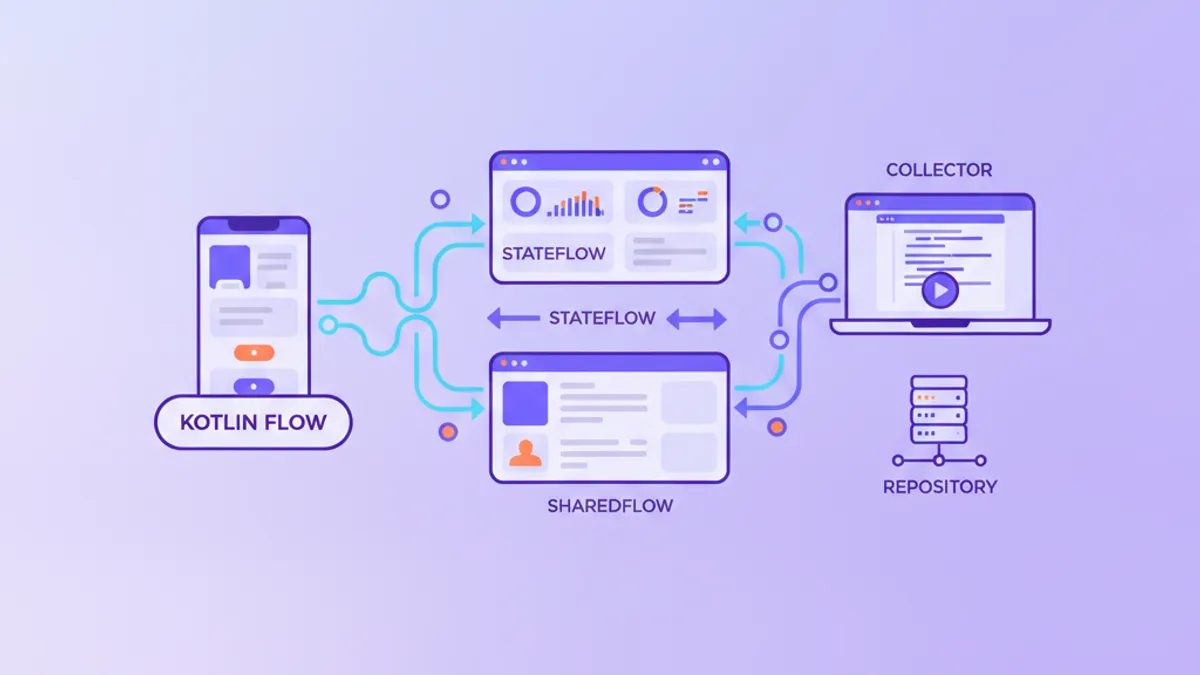
Kotlin Flow vs StateFlow vs SharedFlow: 2026 안드로이드 면접 질문
2026년 안드로이드 면접관이 묻는 Kotlin Flow vs StateFlow vs SharedFlow 질문을 명확한 답변, 비교 표, 실무용 코드와 함께 정리했습니다.

Kotlin 2.3 Android 면접 완벽 가이드: 이름 기반 구조 분해, KMP, 핵심 질문 정리 2026
2026년 Android 개발자 면접에서 출제되는 Kotlin 2.3 신기능을 상세히 분석합니다. 이름 기반 구조 분해, Kotlin Multiplatform, 컨텍스트 파라미터, Flow와 코루틴 코드 예제를 포함합니다.

Kotlin 코루틴 완전 가이드 2026: Android 비동기 처리 마스터하기
Android 개발에 필수적인 Kotlin 코루틴을 기초부터 고급 패턴까지 체계적으로 학습합니다. suspend 함수, 스코프, 디스패처, Flow를 실전 코드와 함께 배울 수 있습니다.