Symfony Security in 2026: Voters, Firewalls and Technical Interview Questions
A deep dive into Symfony Security covering firewalls, voters, authentication mechanisms, and common technical interview questions for Symfony developers in 2026.
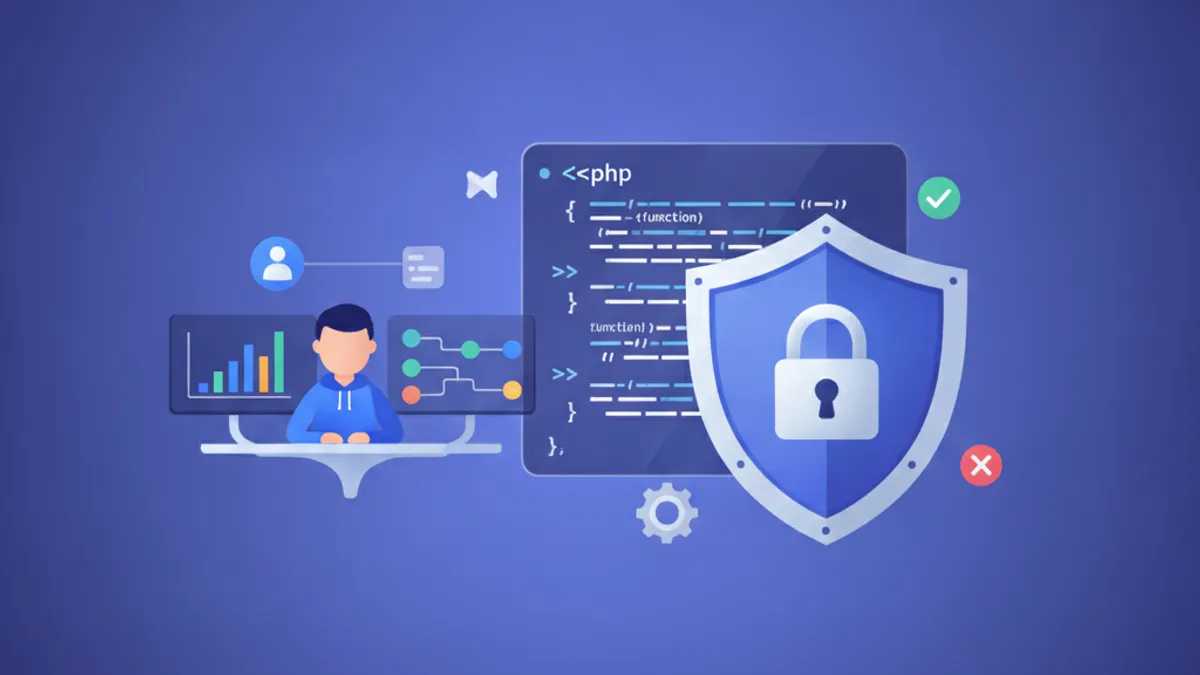
Symfony security operates through two core mechanisms: firewalls handle authentication (who are you?), and voters handle authorization (what can you do?). Understanding how these pieces interact is essential for building secure Symfony applications and answering technical interview questions confidently.
Symfony 7.4 (the current LTS, supported until November 2029) introduced voter decision explanations, new Twig authorization functions (access_decision() and access_decision_for_user()), and message signing for Messenger handlers. All examples in this article target Symfony 7.4+.
How Symfony Firewalls Control Authentication
A firewall in Symfony is not a network firewall. It is the entry point of the authentication system, defined in config/packages/security.yaml. Each firewall declares which part of the application it protects and which authentication mechanism it uses.
The order of firewalls matters. Symfony evaluates them top to bottom and routes each request to the first firewall whose pattern matches. A typical configuration separates API endpoints from web routes:
# config/packages/security.yaml
security:
    firewalls:
        dev:
            pattern: ^/(_(profiler|wdt)|css|images|js)/
            security: false

        api:
            pattern: ^/api
            stateless: true
            access_token:
                token_handler: App\Security\ApiTokenHandler

        main:
            lazy: true
            form_login:
                login_path: app_login
                check_path: app_login
                enable_csrf: true
            logout:
                path: app_logout
            remember_me:
                secret: '%kernel.secret%'
            login_throttling:
                max_attempts: 5
                interval: '15 minutes'
The dev firewall disables security entirely for profiler and asset routes. The api firewall uses stateless: true because API clients send an access token on every request rather than relying on sessions. The main firewall handles browser-based authentication with form login, CSRF protection, remember-me cookies, and brute-force throttling.
Stateless vs Stateful Firewalls and When to Use Each
Stateful firewalls (the default) store the authenticated user in the session. This suits traditional web applications where a browser sends cookies on every request. The lazy: true option delays loading the user from the session until authorization actually requires it, improving performance on public pages.
Stateless firewalls (stateless: true) never read or write sessions. Every request must carry its own credentials, typically a JWT or API token in the Authorization header. This is the standard approach for REST APIs, mobile backends, and microservice-to-microservice communication.
Mixing both in the same application is common. The configuration above demonstrates this pattern: API consumers authenticate via tokens, while human users authenticate via form login with session persistence.
Building a Custom Access Token Handler
The access_token authenticator, available since Symfony 6.2, provides a clean abstraction for token-based authentication. Implementing a custom handler requires a single class:
namespace App\Security;

use App\Repository\ApiTokenRepository;
use Symfony\Component\Security\Http\AccessToken\AccessTokenHandlerInterface;
use Symfony\Component\Security\Http\Authenticator\Passport\Badge\UserBadge;

class ApiTokenHandler implements AccessTokenHandlerInterface
{
    public function __construct(
        private readonly ApiTokenRepository $repository,
    ) {}

    public function getUserBadgeFrom(#[\SensitiveParameter] string $accessToken): UserBadge
    {
        $token = $this->repository->findOneByValue($accessToken);

        if (!$token || !$token->isValid()) {
            throw new BadCredentialsException('Invalid or expired token.');
        }

        return new UserBadge($token->getUser()->getUserIdentifier());
    }
}
Symfony extracts the token from the Authorization: Bearer <token> header by default. The handler validates the token against the database and returns a UserBadge that identifies the user. No session, no cookies, no state. The framework handles the rest: creating the security token, dispatching authentication events, and setting the authenticated user on the request.
Symfony Voters: Fine-Grained Authorization Logic
Voters answer a single question: "Can this user perform this action on this subject?" Unlike role-based checks (ROLE_ADMIN), voters encode business rules. A user might own a blog post but not have an admin role. A voter can check ownership, publication status, team membership, or any domain-specific condition.
Every voter extends Symfony\Component\Security\Core\Authorization\Voter\Voter and implements two methods:
namespace App\Security\Voter;

use App\Entity\Post;
use App\Entity\User;
use Symfony\Component\Security\Core\Authentication\Token\TokenInterface;
use Symfony\Component\Security\Core\Authorization\Voter\Vote;
use Symfony\Component\Security\Core\Authorization\Voter\Voter;

class PostVoter extends Voter
{
    public const EDIT = 'POST_EDIT';
    public const DELETE = 'POST_DELETE';

    protected function supports(string $attribute, mixed $subject): bool
    {
        return in_array($attribute, [self::EDIT, self::DELETE])
            && $subject instanceof Post;
    }

    protected function voteOnAttribute(
        string $attribute,
        mixed $subject,
        TokenInterface $token,
        ?Vote $vote = null,
    ): bool {
        $user = $token->getUser();

        if (!$user instanceof User) {
            $vote?->addReason('User is not authenticated.');
            return false;
        }

        /** @var Post $post */
        $post = $subject;

        return match ($attribute) {
            self::EDIT => $this->canEdit($post, $user, $vote),
            self::DELETE => $this->canDelete($post, $user, $vote),
            default => false,
        };
    }

    private function canEdit(Post $post, User $user, ?Vote $vote): bool
    {
        if ($post->getAuthor() === $user) {
            return true;
        }

        $vote?->addReason('Only the author can edit this post.');
        return false;
    }

    private function canDelete(Post $post, User $user, ?Vote $vote): bool
    {
        if (in_array('ROLE_ADMIN', $user->getRoles())) {
            return true;
        }

        if ($post->getAuthor() === $user && !$post->isPublished()) {
            return true;
        }

        $vote?->addReason('Only admins or authors of unpublished posts can delete.');
        return false;
    }
}
The ?Vote $vote parameter, introduced in Symfony 7.3, allows voters to explain their decisions. These reasons appear in the profiler and logs, which dramatically simplifies debugging authorization failures in production.
Ready to ace your Symfony interviews?
Practice with our interactive simulators, flashcards, and technical tests.
Using the IsGranted Attribute in Controllers
The #[IsGranted] attribute replaces manual denyAccessUnlessGranted() calls with a declarative approach. Symfony resolves controller arguments automatically as voter subjects:
namespace App\Controller;

use App\Entity\Post;
use Symfony\Bridge\Doctrine\Attribute\MapEntity;
use Symfony\Bundle\FrameworkBundle\Controller\AbstractController;
use Symfony\Component\HttpFoundation\Response;
use Symfony\Component\Routing\Attribute\Route;
use Symfony\Component\Security\Http\Attribute\IsGranted;

class PostController extends AbstractController
{
    #[Route('/posts/{id}/edit', name: 'post_edit')]
    #[IsGranted('POST_EDIT', subject: 'post', message: 'You cannot edit this post.')]
    public function edit(Post $post): Response
    {
        // The voter already validated access.
        // Only the post author reaches this point.
        return $this->render('post/edit.html.twig', ['post' => $post]);
    }

    #[Route('/admin/posts', name: 'admin_posts')]
    #[IsGranted('ROLE_ADMIN')]
    public function adminIndex(): Response
    {
        return $this->render('admin/posts.html.twig');
    }
}
This approach keeps authorization logic out of controllers entirely. The voter handles the business rules, and the attribute declares the requirement. If the check fails, Symfony throws an AccessDeniedException with the custom message before the controller method executes.
Access Decision Strategies and Voter Coordination
When multiple voters respond to the same attribute, the access decision manager aggregates their votes using one of four strategies:
| Strategy | Grants access when | Best for |
|---|---|---|
affirmative (default) | At least one voter grants | General use, permissive |
consensus | Majority of voters grant | Committee-style decisions |
unanimous | All voters grant | High-security operations |
priority | First non-abstain voter decides | Ordered evaluation |
For most applications, the default affirmative strategy works well. Switch to unanimous for sensitive operations where every security condition must be satisfied:
# config/packages/security.yaml
security:
    access_decision_manager:
        strategy: unanimous
        allow_if_all_abstain: false
With unanimous, a single deny vote from any voter blocks access. This prevents a permissive voter from overriding a restrictive one, which matters in applications with layered security requirements.
Symfony 7.4 Voter Debugging with Twig Functions
Symfony 7.4 introduced access_decision() and access_decision_for_user() in Twig, returning an AccessDecision object that exposes the verdict, individual votes, and voter reasons:
{# templates/post/show.html.twig #}
{% set decision = access_decision('POST_EDIT', post) %}

{% if decision.isGranted %}
    <a href="{{ path('post_edit', {id: post.id}) }}">Edit</a>
{% endif %}

{# In dev: inspect why access was denied #}
{% if app.debug and not decision.isGranted %}
    {% for vote in decision.votes %}
        {# vote.reasons contains explanations from voters #}
    {% endfor %}
{% endif %}
Compared to the older is_granted() function, access_decision() provides transparency into why a decision was made. This eliminates guesswork when debugging templates that conditionally show edit or delete buttons.
Common Technical Interview Questions on Symfony Security
These questions frequently appear in Symfony developer interviews, ranging from foundational concepts to architecture decisions.
What is the difference between authentication and authorization in Symfony?
Authentication verifies identity (handled by firewalls and authenticators). Authorization checks permissions (handled by voters, roles, and access control rules). A user can be authenticated but unauthorized to perform a specific action. Symfony enforces this separation architecturally: the firewall establishes who the user is, and the authorization layer determines what they can do.
When should a voter be used instead of a role check?
Role checks (ROLE_ADMIN, ROLE_EDITOR) work for static, user-level permissions. Voters handle dynamic, context-dependent authorization: "Can this user edit this specific post?" The answer depends on the post's author, publication status, or team ownership, none of which a role encodes. The rule of thumb: if the decision requires inspecting the subject, use a voter.
How does the CacheableVoterInterface improve performance?
Every call to isGranted() invokes all registered voters. In an application with 40 voters called 500 times per request, this creates significant overhead. CacheableVoterInterface adds a supportsAttribute() method that allows Symfony to skip voters that cannot handle the given attribute without calling supports() on every voter. Benchmarks show a 40% performance improvement in authorization handling.
How do you test voters in isolation?
Voters are plain PHP classes with no framework dependencies beyond the interfaces. Testing them requires creating a mock TokenInterface with a user and calling vote() directly:
namespace App\Tests\Security\Voter;

use App\Entity\Post;
use App\Entity\User;
use App\Security\Voter\PostVoter;
use PHPUnit\Framework\TestCase;
use Symfony\Component\Security\Core\Authentication\Token\UsernamePasswordToken;
use Symfony\Component\Security\Core\Authorization\Voter\VoterInterface;

class PostVoterTest extends TestCase
{
    private PostVoter $voter;

    protected function setUp(): void
    {
        $this->voter = new PostVoter();
    }

    public function testAuthorCanEdit(): void
    {
        $user = new User();
        $post = (new Post())->setAuthor($user);
        $token = new UsernamePasswordToken($user, 'main', $user->getRoles());

        $result = $this->voter->vote($token, $post, [PostVoter::EDIT]);

        $this->assertSame(VoterInterface::ACCESS_GRANTED, $result);
    }

    public function testNonAuthorCannotEdit(): void
    {
        $author = new User();
        $otherUser = new User();
        $post = (new Post())->setAuthor($author);
        $token = new UsernamePasswordToken($otherUser, 'main', $otherUser->getRoles());

        $result = $this->voter->vote($token, $post, [PostVoter::EDIT]);

        $this->assertSame(VoterInterface::ACCESS_DENIED, $result);
    }
}
No kernel boot, no database, no HTTP request. Voters are one of the most testable parts of Symfony's security stack.
What happens when security: false is set on a firewall?
The firewall is disabled entirely for matching routes. No authentication occurs, no user is loaded from the session, and no security events are dispatched. This is appropriate for static assets and development tools (profiler, web debug toolbar) but dangerous if applied to routes that serve user data. In Symfony's security documentation, the dev firewall uses this pattern exclusively for non-sensitive paths.
Setting security: false on a firewall that matches API routes removes all authentication. Unlike an access control rule that returns 401/403, a disabled firewall provides no user context at all. Logging, auditing, and rate limiting based on the authenticated user all stop working.
Hardening Symfony Security Beyond the Defaults
The default Symfony security configuration is reasonable but not production-hardened. Three areas deserve attention:
Login throttling limits failed attempts per IP+username combination. The login_throttling option in the firewall config (shown earlier) caps attempts at 5 per 15-minute window. Without this, brute-force attacks face no resistance.
CSRF protection should always be enabled on form login (enable_csrf: true). Symfony 7.4 also introduced a SameOriginCsrfTokenManager that leverages the Sec-Fetch-Site browser header for additional verification without requiring token management in reverse proxy setups.
Custom UserCheckers run after authentication succeeds but before the user gains access. They validate conditions like account suspension, email verification, or subscription status:
namespace App\Security;

use App\Entity\User;
use Symfony\Component\Security\Core\Exception\CustomUserMessageAccountStatusException;
use Symfony\Component\Security\Core\User\UserCheckerInterface;
use Symfony\Component\Security\Core\User\UserInterface;

class UserEnabledChecker implements UserCheckerInterface
{
    public function checkPreAuth(UserInterface $user): void
    {
        if (!$user instanceof User) {
            return;
        }

        if ($user->isBanned()) {
            throw new CustomUserMessageAccountStatusException(
                'This account has been suspended.'
            );
        }
    }

    public function checkPostAuth(UserInterface $user): void
    {
        if (!$user instanceof User) {
            return;
        }

        if (!$user->isEmailVerified()) {
            throw new CustomUserMessageAccountStatusException(
                'Please verify your email address before logging in.'
            );
        }
    }
}
Register it in the firewall configuration with user_checker: App\Security\UserEnabledChecker. Symfony automatically tags classes implementing UserCheckerInterface, but the firewall link must be explicit.
Symfony dispatches LoginSuccessEvent, LoginFailureEvent, and LogoutEvent during the authentication lifecycle. Subscribe to these events to build audit logs, trigger alerts on suspicious login patterns, or sync session data with external monitoring systems.
Ready to ace your Symfony interviews?
Practice with our interactive simulators, flashcards, and technical tests.
Conclusion
- Firewalls define authentication boundaries. Separate stateless API firewalls from stateful web firewalls, and always set
lazy: trueon session-based firewalls to defer user loading - Voters encapsulate business authorization rules. Use them for any permission check that depends on the subject (the entity being accessed), not just the user's role
- The
?Vote $voteparameter (Symfony 7.3+) adds explanations to voter decisions, making authorization debugging transparent in profiler and logs - The
#[IsGranted]attribute keeps controllers clean by declaring authorization requirements declaratively, with automatic subject resolution from controller arguments - Access decision strategies (
affirmative,consensus,unanimous,priority) control how conflicting voter responses are resolved. Defaultaffirmativesuits most cases; useunanimousfor high-security paths - Production hardening requires login throttling, CSRF protection, and custom UserCheckers for business-specific account validation
- Voters are fully unit-testable without booting the Symfony kernel, making them one of the cleanest pieces of the security architecture to maintain
Start practicing!
Test your knowledge with our interview simulators and technical tests.
Can you spot the bug in Symfony?
One real snippet, one hidden bug, one attempt a day. No account needed to try.

Written by
Anthony Fillion-MailletFounder of SharpSkill
Full-stack developer for over 10 years. Runs SharpSkill and answers for everything published here.
Updated on June 18, 2026
Tags
Share
Related articles

Symfony Interview Questions: Top 25 in 2026
The 25 most asked Symfony interview questions. Architecture, Doctrine ORM, services, security, forms, and testing with detailed answers and code examples.
Freelance Symfony Developer Jobs in 2026: Where to Find Contracts, Day Rates, How to Prepare
Find freelance Symfony developer contracts in 2026. Day rates, remote opportunities, where missions are posted, and how to prepare for technical interviews.
Symfony Developer Jobs in 2026: Where to Look, Salary Ranges, How to Prepare
Find Symfony developer jobs in 2026. Current salary data, remote opportunities, what employers ask for, and how to prepare for Symfony technical interviews.