Symfony and Docker in 2026: Development Environment and Production Deployment
A complete Symfony Docker workflow for 2026: a FrankenPHP development environment, a multi-stage production image, worker mode, encrypted secrets, image optimization and zero-downtime deploys with migrations.
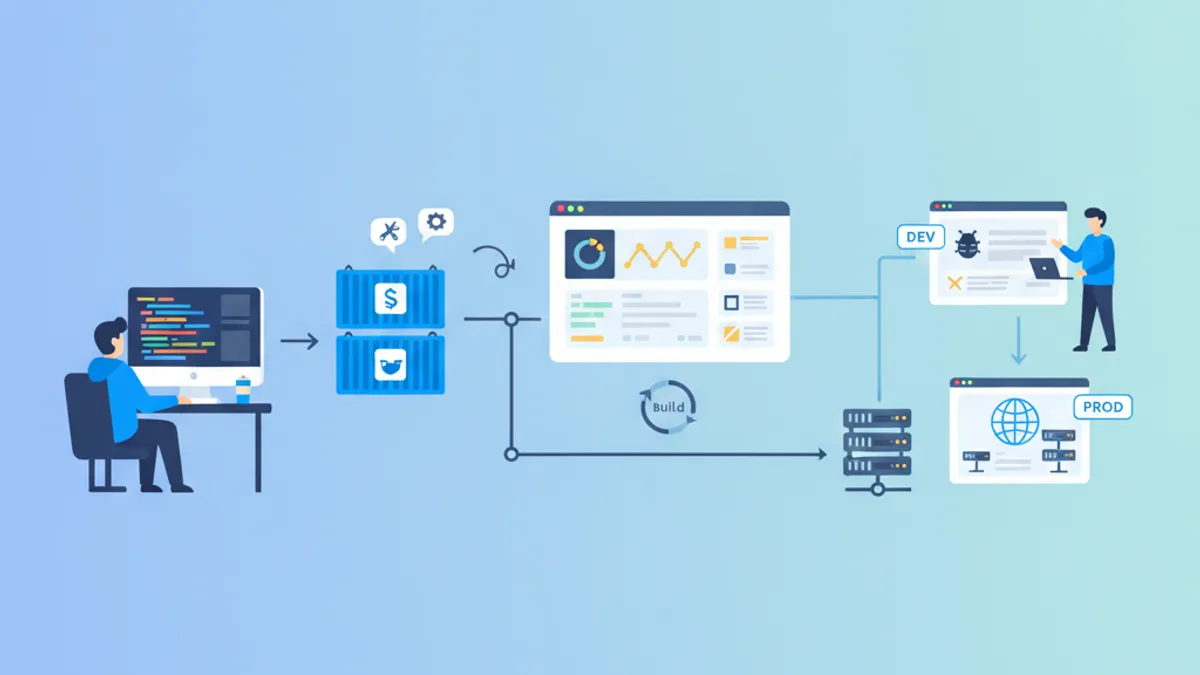
This Symfony Docker tutorial builds a complete container workflow: a reproducible local development environment and a hardened production image, both centered on FrankenPHP and Symfony 7.4 LTS. Running Symfony in containers removes the classic environment-drift gap between laptops and servers, and turns each deployment into shipping a single immutable artifact instead of running a fragile sequence of manual server commands.
The official Symfony Docker template now ships FrankenPHP as the runtime, replacing the traditional Nginx plus PHP-FPM pair. One binary serves HTTP/2 and HTTP/3, and runs Symfony in persistent worker mode by keeping the kernel booted between requests instead of rebuilding it on every call.
Docker Compose Development Environment for Symfony
A good development setup gives every contributor the same PHP version, the same extensions, and the same database without touching the host machine. Docker Compose describes that stack declaratively. The example below pairs a FrankenPHP container built from a local Dockerfile with a PostgreSQL 17 service, wired together on the default Compose network.
# compose.yaml
services:
  php:
    build:
      context: .
      target: frankenphp_dev
    ports:
      - "80:80"
      - "443:443"
    volumes:
      - ./:/app                    # bind mount: edits on the host appear instantly
      - caddy_data:/data           # persist TLS certificates across restarts
    environment:
      DATABASE_URL: "postgresql://app:app@database:5432/app?serverVersion=17"
    depends_on:
      - database

  database:
    image: postgres:17-alpine
    environment:
      POSTGRES_DB: app
      POSTGRES_USER: app
      POSTGRES_PASSWORD: app
    volumes:
      - db_data:/var/lib/postgresql/data

volumes:
  caddy_data:
  db_data:
The bind mount on the php service maps the project root into the container, so file changes take effect without rebuilding the image. FrankenPHP generates a local TLS certificate on first boot, which is why port 443 is exposed and caddy_data is a named volume: the certificate survives docker compose down. The serverVersion=17 hint in the DSN lets Doctrine skip a version-detection query on every connection.
Once the stack is running, every Symfony command executes inside the php container rather than on the host, which guarantees the correct PHP version and extensions. Creating a database, running migrations, or opening a shell all follow the same pattern through docker compose exec.
Prefix Symfony and Composer calls with docker compose exec php to run them against the container's PHP runtime, for example docker compose exec php bin/console make:entity or docker compose exec php composer require symfony/uid. The host never needs PHP installed.
Multi-Stage Dockerfile for Symfony Production
A multi-stage Dockerfile shares a common base and then splits into a development target and a production target. The production stage installs only runtime dependencies, drops Composer dev packages, and warms the cache at build time so the running container starts instantly.
# Dockerfile
FROM dunglas/frankenphp:1-php8.4 AS base
WORKDIR /app
# Install the PHP extensions Symfony relies on
RUN install-php-extensions \
intl \
opcache \
pdo_pgsql \
zip
COPY /composer /usr/bin/composer
# --- Development target ---
FROM base AS frankenphp_dev
ENV APP_ENV=dev
RUN mv "$PHP_INI_DIR/php.ini-development" "$PHP_INI_DIR/php.ini"
# --- Production target ---
FROM base AS frankenphp_prod
ENV APP_ENV=prod
ENV FRANKENPHP_CONFIG="worker ./public/index.php"
ENV APP_RUNTIME="Runtime\FrankenPhpSymfony\Runtime"
RUN mv "$PHP_INI_DIR/php.ini-production" "$PHP_INI_DIR/php.ini"
# Layer caching: copy manifests first, install, then copy the source
COPY composer.json composer.lock symfony.lock ./
RUN composer install --no-dev --no-scripts --no-autoloader --prefer-dist
COPY . .
RUN composer dump-autoload --no-dev --classmap-authoritative \
&& composer dump-env prod \
&& bin/console cache:warmupCopying composer.json and the lock files before the rest of the source is the key optimization: Docker caches the dependency-install layer and only re-runs it when the manifests change, not on every code edit. The --classmap-authoritative flag tells Composer the classmap is complete, so the autoloader never falls back to filesystem lookups at runtime. Warming the cache during the build means the first production request hits a fully compiled container.
FrankenPHP Worker Mode and the Symfony Runtime
Traditional PHP-FPM boots the Symfony kernel, handles one request, and throws everything away. Worker mode keeps the kernel and the dependency-injection container alive across requests, which is where most of the latency savings come from. The runtime/frankenphp-symfony package makes this work through the Symfony Runtime component and the standard public/index.php bootstrap.
use App\Kernel;

require_once dirname(__DIR__).'/vendor/autoload_runtime.php';

return function (array $context) {
    return new Kernel($context['APP_ENV'], (bool) $context['APP_DEBUG']);
};
The FRANKENPHP_CONFIG="worker ./public/index.php" line set in the Dockerfile activates this loop. Because the container is reused, any service that holds request-specific state must reset itself between requests. Symfony handles framework services automatically, but custom stateful services should implement Symfony\Contracts\Service\ResetInterface and get tagged with kernel.reset so accumulated state does not leak into the next request. This is the same discipline that long-running Messenger workers require, and the payoff is a request throughput several times higher than PHP-FPM on the same hardware.
For local development, running FrankenPHP with the --watch flag restarts the worker automatically when files change, so worker mode does not get in the way of an edit-refresh loop.
FrankenPHP Versus PHP-FPM in Symfony
The choice between FrankenPHP and the classic Nginx plus PHP-FPM stack shapes both the Dockerfile and the runtime behavior. The table below summarizes the practical differences for a Symfony production setup.
| Aspect | FrankenPHP worker mode | Nginx + PHP-FPM |
|---|---|---|
| Containers | One | Two (web server + PHP) |
| Kernel boot | Once per worker | Once per request |
| HTTP/3 | Built in | Requires extra config |
| TLS | Automatic (Caddy) | Manual certificate setup |
| State handling | Must reset between requests | Isolated per request |
| Cold-start cost | Paid once at boot | Paid on every request |
Worker mode wins on throughput because it amortizes the expensive kernel and container-compilation step across thousands of requests. PHP-FPM stays relevant when an application relies on globals or third-party libraries that assume a fresh process per request, since those break under a reused worker.
A service that caches request data in a private property will serve one request's data to the next unless it resets. Audit singletons, event subscribers, and anything holding a security token or the current request before switching to worker mode in production.
Ready to ace your Symfony interviews?
Practice with our interactive simulators, flashcards, and technical tests.
Managing Environment Variables and Secrets in Production
Symfony reads configuration from environment variables, and there are two sound ways to supply them in production. The first is injecting plain variables through the orchestrator or Compose file. The second is Symfony's encrypted secrets vault, which stores sensitive values in the repository as ciphertext and decrypts them at runtime with a single private key.
# Generate the keypair; commit the public key, keep the private key out of the image
php bin/console secrets:generate-keys

# Encrypt a value into config/secrets/prod/
php bin/console secrets:set DATABASE_URL

# In production, expose only the decryption key to the container
export SYMFONY_DECRYPTION_SECRET="$(cat config/secrets/prod/prod.decrypt.private.php)"
The composer dump-env prod step in the Dockerfile compiles .env files into a single optimized .env.local.php, which removes the runtime cost of parsing dotenv files on boot. Any variable set in the real container environment still overrides the compiled defaults, so orchestrator-provided secrets always win. The Symfony deployment guide documents the full precedence order, but the practical rule is simple: never bake APP_SECRET or database credentials into the image, and inject them at container start.
Optimizing the Symfony Production Image
Two OPcache settings account for most of the production performance gap: disabling timestamp validation and enabling preloading. Because a container image is immutable, the source never changes at runtime, so OPcache should never stat files to check for edits. Preloading goes further by loading Symfony and application classes into shared memory once at server start.
; docker/php/prod.ini
opcache.enable=1
opcache.preload=/app/var/cache/prod/App_KernelProdContainer.preload.php
opcache.preload_user=root
opcache.memory_consumption=256
opcache.max_accelerated_files=20000
opcache.validate_timestamps=0     ; immutable image: never re-check the filesystem
realpath_cache_size=4096K
realpath_cache_ttl=600
Symfony generates the preload.php file listed above during cache:warmup, so the file already exists in the image after the build. OPcache preloading links these classes at startup and skips the compilation step on the first request that needs them. Setting validate_timestamps=0 is safe only for immutable deployments where a new release means a new image; on a mutable host it would serve stale code. Sizing max_accelerated_files above the real file count keeps the entire framework cached without eviction.
Reducing the Symfony Image Size with .dockerignore
A missing .dockerignore file silently bloats the build. Without it, the COPY . . step ships the local vendor directory, the var/cache from development, node build output, and the .git history straight into the image and the build context. Excluding them shrinks the image, speeds up the upload of the build context to the daemon, and prevents development artifacts from overwriting the freshly installed production dependencies.
# .dockerignore
/.git/
/vendor/
/node_modules/
/var/
/.env.local
/.env.*.local
/tests/
/docker/
compose*.yaml
Dockerfile
Ignoring /vendor/ matters most: the production stage runs composer install --no-dev, so shipping the host's development-flavored vendor directory would defeat that step entirely. Excluding /var/ keeps the development cache and logs out of the image, letting the build-time cache:warmup produce a clean production cache. Combined with the multi-stage build and Alpine-based extensions, a lean Symfony image typically lands well under 150 MB.
Deploying Symfony Containers and Running Migrations
The production Compose file references a pre-built image from a registry rather than building locally, and it defines a health check so the orchestrator only routes traffic to a container that answers. Secrets arrive as environment variables, never as image layers.
# compose.prod.yaml
services:
  php:
    image: registry.example.com/app:${TAG}
    environment:
      APP_ENV: prod
      APP_SECRET: ${APP_SECRET}
      DATABASE_URL: ${DATABASE_URL}
    healthcheck:
      test: ["CMD", "curl", "-fsS", "http://localhost/health"]
      interval: 10s
      timeout: 3s
      retries: 3
    restart: unless-stopped
The health check curls a /health route, so the application has to expose one. A minimal controller that returns a 200 without touching the database keeps the check fast and avoids marking the container unhealthy during a transient database blip. When database readiness matters, a second deeper probe can run a lightweight query, but the liveness endpoint stays trivial.
namespace App\Controller;

use Symfony\Bundle\FrameworkBundle\Controller\AbstractController;
use Symfony\Component\HttpFoundation\JsonResponse;
use Symfony\Component\Routing\Attribute\Route;

final class HealthController extends AbstractController
{
    #[Route('/health', name: 'health', methods: ['GET'])]
    public function __invoke(): JsonResponse
    {
        return new JsonResponse(['status' => 'ok']);
    }
}
Database migrations should run as a discrete step before the new containers take traffic, not inside the application boot. Running them in a one-off container guarantees the schema is current exactly once per release, even when several application replicas start in parallel.
# deploy.sh
set -euo pipefail

docker compose -f compose.prod.yaml pull

# Apply migrations once, in an isolated container
docker compose -f compose.prod.yaml run --rm php \
  bin/console doctrine:migrations:migrate --no-interaction --allow-no-migration

# Start replicas and wait for the health check to pass
docker compose -f compose.prod.yaml up -d --wait
The --wait flag blocks until every service reports healthy, giving the deploy script a real success signal instead of a fire-and-forget start. Pairing this with a rolling update in an orchestrator like Kubernetes or Docker Swarm yields zero-downtime releases: old containers keep serving until the new ones pass their health check. For a broader view of the framework versions this workflow targets, the Symfony platform overview and the Symfony 8 and PHP 8.4 feature guide cover what changed in the current release line.
Conclusion
- Use a multi-stage Dockerfile so the development and production images share one base while the production target ships without Composer dev dependencies
- Copy
composer.jsonand the lock files before the source to keep the dependency-install layer cached across code changes - Run FrankenPHP in worker mode to reuse the booted kernel across requests, and reset stateful services with
ResetInterfaceto prevent state leaks - Warm the Symfony cache and compile
.envwithdump-env prodat build time so the running container starts fully initialized - Enable OPcache preloading and set
validate_timestamps=0in production, which is safe precisely because the image is immutable - Keep
APP_SECRET, database credentials, and the vault decryption key out of image layers; inject them as environment variables at container start - Apply Doctrine migrations in a one-off container before the new replicas take traffic, and gate the rollout on the health check with
up -d --wait
Start practicing!
Test your knowledge with our interview simulators and technical tests.
Can you spot the bug in Symfony?
One real snippet, one hidden bug, one attempt a day. No account needed to try.

Written by
Anthony Fillion-MailletFounder of SharpSkill
Full-stack developer for over 10 years. Runs SharpSkill and answers for everything published here.
Updated on July 6, 2026
Tags
Share
Related articles

API Platform GraphQL Symfony: Schemas, Mutations and Interview Questions 2026
Master API Platform GraphQL integration with Symfony. Learn schema generation, mutations, subscriptions, custom resolvers and prepare for technical interviews with real-world examples.

API Platform Symfony REST: Complete Tutorial and Interview Questions 2026
Build production-ready REST APIs with API Platform 4 and Symfony 7. Learn State Providers, Processors, filters, and master the most common interview questions about API Platform.

Symfony Testing in 2026: PHPUnit, KernelTestCase and Functional Tests
Master Symfony testing with PHPUnit 12, KernelTestCase for integration tests, and WebTestCase for functional testing. Learn database isolation, authentication testing, and code coverage configuration.