Vision Framework and CoreML: On-Device ML iOS Interview Questions
Prepare for iOS interviews with essential Vision Framework and CoreML questions: image recognition, object detection, and on-device ML explained.
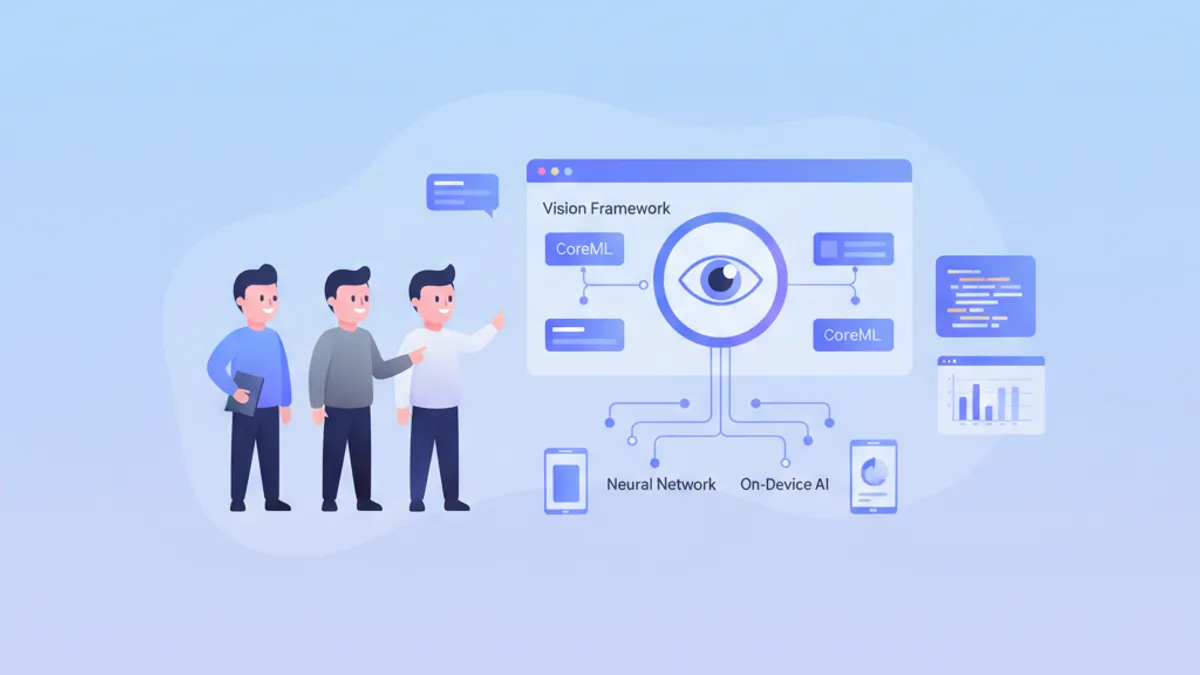
On-device machine learning represents a major competitive advantage for modern iOS applications. Vision Framework and CoreML enable running models directly on the device, ensuring data privacy and real-time performance. These interview questions cover essential concepts that every senior iOS developer should master.
Questions are organized by theme: CoreML fundamentals, Vision Framework, performance optimization, and practical cases. Each answer includes modern Swift code and detailed explanations.
CoreML Fundamentals
1. What is CoreML and what are its advantages?
CoreML is Apple's framework for integrating machine learning models into iOS, macOS, watchOS, and tvOS applications. It automatically optimizes models for Apple hardware (CPU, GPU, Neural Engine) and guarantees on-device execution without network connectivity.
Key advantages include data privacy (no data leaves the device), reduced latency (no network round-trip), and automatic optimization for the Neural Engine on Apple Silicon chips.
import CoreML

// Loading a compiled CoreML model (.mlmodelc)
class ImageClassifier {
    // Model is compiled at build time to optimize loading
    private let model: VNCoreMLModel

    init() throws {
        // Configuration to use Neural Engine if available
        let config = MLModelConfiguration()
        config.computeUnits = .all  // CPU + GPU + Neural Engine

        // Load model with custom configuration
        let mlModel = try MobileNetV2(configuration: config).model
        model = try VNCoreMLModel(for: mlModel)
    }

    // Method to classify an image
    func classify(image: CGImage) async throws -> [(String, Float)] {
        // Create Vision request with CoreML model
        let request = VNCoreMLRequest(model: model)
        request.imageCropAndScaleOption = .centerCrop

        // Handler to process the image
        let handler = VNImageRequestHandler(cgImage: image, options: [:])
        try handler.perform([request])

        // Extract results
        guard let results = request.results as? [VNClassificationObservation] else {
            return []
        }

        // Return top 5 predictions with confidence
        return results.prefix(5).map { ($0.identifier, $0.confidence) }
    }
}
2. How to convert a TensorFlow or PyTorch model to CoreML?
Conversion uses coremltools, an official Apple Python package. It supports TensorFlow, PyTorch, ONNX, and other popular formats. Conversion can include optimizations like quantization to reduce model size.
# convert_model.py
import coremltools as ct
import torch

# Conversion from PyTorch
class MyClassifier(torch.nn.Module):
    def __init__(self):
        super().__init__()
        self.conv = torch.nn.Conv2d(3, 64, 3)
        self.fc = torch.nn.Linear(64, 10)

    def forward(self, x):
        x = self.conv(x)
        x = x.mean([2, 3])  # Global average pooling
        return self.fc(x)

# Example input for tracing
example_input = torch.rand(1, 3, 224, 224)

# Trace the PyTorch model
traced_model = torch.jit.trace(MyClassifier(), example_input)

# Convert to CoreML with metadata
mlmodel = ct.convert(
    traced_model,
    inputs=[ct.ImageType(name="image", shape=(1, 3, 224, 224))],
    classifier_config=ct.ClassifierConfig(["cat", "dog", "bird"]),
    minimum_deployment_target=ct.target.iOS17
)

# Save model with compression
mlmodel.save("MyClassifier.mlpackage")
The .mlpackage model can then be added directly to the Xcode project, which automatically generates a typed Swift class.
3. What is the difference between MLModel and VNCoreMLModel?
MLModel is the base CoreML class for loading and running ML models. VNCoreMLModel is a wrapper that allows using a CoreML model with Vision Framework, providing automatic image preprocessing and integration with Vision pipelines.
import CoreML
import Vision

// Direct MLModel usage (low level)
func predictWithMLModel(features: MLFeatureProvider) async throws -> String {
    let config = MLModelConfiguration()
    let model = try MyModel(configuration: config)

    // Direct prediction with feature provider
    let prediction = try model.prediction(from: features)

    // Manual output access
    guard let output = prediction.featureValue(for: "classLabel")?.stringValue else {
        throw PredictionError.invalidOutput
    }
    return output
}

// Usage with VNCoreMLModel (high level, recommended for images)
func predictWithVision(image: CGImage) async throws -> [VNClassificationObservation] {
    let config = MLModelConfiguration()
    let mlModel = try MyModel(configuration: config).model

    // Wrapper for use with Vision
    let visionModel = try VNCoreMLModel(for: mlModel)

    // Vision automatically handles resizing and preprocessing
    let request = VNCoreMLRequest(model: visionModel)
    request.imageCropAndScaleOption = .scaleFill

    let handler = VNImageRequestHandler(cgImage: image)
    try handler.perform([request])

    return request.results as? [VNClassificationObservation] ?? []
}Direct MLModel for tabular data or non-image inputs. VNCoreMLModel for anything involving images, as Vision automatically handles format conversions and preprocessing.
4. How to handle different iOS versions with CoreML?
CoreML evolves with each iOS version. It's essential to define a minimum deployment target during conversion and handle features unavailable on older versions.
import CoreML

class AdaptiveMLManager {
    // Check model capabilities based on iOS version
    func loadOptimalModel() throws -> MLModel {
        let config = MLModelConfiguration()

        // iOS 17+: Optimized Neural Engine with compute budget
        if #available(iOS 17, *) {
            config.computeUnits = .cpuAndNeuralEngine
            // New in iOS 17: compute power limit
            config.allowLowPrecisionAccumulationOnGPU = true
            return try AdvancedModel(configuration: config).model
        }
        // iOS 16: Enhanced GPU support
        else if #available(iOS 16, *) {
            config.computeUnits = .all
            return try StandardModel(configuration: config).model
        }
        // iOS 15: CPU only fallback for reliability
        else {
            config.computeUnits = .cpuOnly
            return try LegacyModel(configuration: config).model
        }
    }

    // Check if Neural Engine is available
    var hasNeuralEngine: Bool {
        if #available(iOS 16, *) {
            // Devices with A11+ have Neural Engine
            var sysinfo = utsname()
            uname(&sysinfo)
            let machine = String(bytes: Data(bytes: &sysinfo.machine,
                count: Int(_SYS_NAMELEN)), encoding: .ascii)?
                .trimmingCharacters(in: .controlCharacters) ?? ""

            // iPhone X and later have Neural Engine
            return machine.contains("iPhone10") ||
                   machine.hasPrefix("iPhone1") && machine.count > 7
        }
        return false
    }
}
Vision Framework
5. What types of requests does Vision Framework support?
Vision Framework offers a wide range of requests for image analysis. Main categories include face detection, text recognition (OCR), object detection, video object tracking, and image similarity analysis.
import Vision

class VisionAnalyzer {
    // Face detection with landmarks
    func detectFaces(in image: CGImage) async throws -> [VNFaceObservation] {
        let request = VNDetectFaceLandmarksRequest()
        request.revision = VNDetectFaceLandmarksRequestRevision3

        let handler = VNImageRequestHandler(cgImage: image)
        try handler.perform([request])

        return request.results ?? []
    }

    // Text recognition (OCR)
    func recognizeText(in image: CGImage) async throws -> [String] {
        let request = VNRecognizeTextRequest()
        request.recognitionLevel = .accurate  // .fast for real-time
        request.recognitionLanguages = ["en-US", "fr-FR"]
        request.usesLanguageCorrection = true

        let handler = VNImageRequestHandler(cgImage: image)
        try handler.perform([request])

        return request.results?.compactMap { observation in
            observation.topCandidates(1).first?.string
        } ?? []
    }

    // Object detection and classification
    func detectObjects(in image: CGImage) async throws -> [VNRecognizedObjectObservation] {
        // Use a CoreML model for detection
        let config = MLModelConfiguration()
        let detector = try YOLOv8(configuration: config)
        let visionModel = try VNCoreMLModel(for: detector.model)

        let request = VNCoreMLRequest(model: visionModel)
        request.imageCropAndScaleOption = .scaleFill

        let handler = VNImageRequestHandler(cgImage: image)
        try handler.perform([request])

        return request.results as? [VNRecognizedObjectObservation] ?? []
    }

    // Compute similarity between images
    func computeSimilarity(image1: CGImage, image2: CGImage) async throws -> Float {
        // Generate feature prints for both images
        let request = VNGenerateImageFeaturePrintRequest()

        let handler1 = VNImageRequestHandler(cgImage: image1)
        try handler1.perform([request])
        guard let print1 = request.results?.first else { throw VisionError.noResults }

        let handler2 = VNImageRequestHandler(cgImage: image2)
        try handler2.perform([request])
        guard let print2 = request.results?.first else { throw VisionError.noResults }

        // Compute distance between embeddings
        var distance: Float = 0
        try print1.computeDistance(&distance, to: print2)

        // Convert distance to similarity score (0-1)
        return 1.0 / (1.0 + distance)
    }
}
6. How to implement real-time object tracking with Vision?
Object tracking uses VNTrackObjectRequest to track a detected object across video frames. Initialization is done with a detection observation, then subsequent frames use the same request for tracking.
import Vision
import AVFoundation

class ObjectTracker: NSObject {
    private var trackingRequest: VNTrackObjectRequest?
    private let sequenceHandler = VNSequenceRequestHandler()

    // Callback to notify position updates
    var onTrackingUpdate: ((CGRect) -> Void)?
    var onTrackingLost: (() -> Void)?

    // Initialize tracking with an initial detection
    func startTracking(observation: VNDetectedObjectObservation) {
        // Create tracking request from observation
        trackingRequest = VNTrackObjectRequest(
            detectedObjectObservation: observation
        ) { [weak self] request, error in
            self?.handleTrackingResult(request: request, error: error)
        }

        // Configure tracking
        trackingRequest?.trackingLevel = .accurate  // .fast for 60fps
    }

    // Process each new video frame
    func processFrame(_ pixelBuffer: CVPixelBuffer) {
        guard let request = trackingRequest else { return }

        do {
            // Sequence handler maintains context between frames
            try sequenceHandler.perform([request], on: pixelBuffer)
        } catch {
            onTrackingLost?()
            trackingRequest = nil
        }
    }

    private func handleTrackingResult(request: VNRequest, error: Error?) {
        guard let result = request.results?.first as? VNDetectedObjectObservation else {
            onTrackingLost?()
            return
        }

        // Check tracking confidence
        if result.confidence < 0.3 {
            onTrackingLost?()
            trackingRequest = nil
            return
        }

        // Update request for next frame
        trackingRequest = VNTrackObjectRequest(detectedObjectObservation: result) {
            [weak self] request, error in
            self?.handleTrackingResult(request: request, error: error)
        }

        // Notify new position (normalized coordinates)
        DispatchQueue.main.async { [weak self] in
            self?.onTrackingUpdate?(result.boundingBox)
        }
    }
}

// Integration with AVCaptureSession
extension ObjectTracker: AVCaptureVideoDataOutputSampleBufferDelegate {
    func captureOutput(
        _ output: AVCaptureOutput,
        didOutput sampleBuffer: CMSampleBuffer,
        from connection: AVCaptureConnection
    ) {
        guard let pixelBuffer = CMSampleBufferGetImageBuffer(sampleBuffer) else {
            return
        }
        processFrame(pixelBuffer)
    }
}
Ready to ace your iOS interviews?
Practice with our interactive simulators, flashcards, and technical tests.
7. How to optimize Vision performance for real-time processing?
Optimization involves several techniques: using the appropriate recognition level, processing frames on a dedicated queue, and limiting simultaneous requests. The choice between accuracy and speed depends on the use case.
import Vision
import AVFoundation

class OptimizedVisionPipeline {
    // Dedicated queue for Vision processing (avoids main thread)
    private let processingQueue = DispatchQueue(
        label: "com.app.vision",
        qos: .userInteractive,
        attributes: .concurrent
    )

    // Limit number of simultaneously processed frames
    private let semaphore = DispatchSemaphore(value: 2)

    // Reuse requests to avoid allocations
    private lazy var textRequest: VNRecognizeTextRequest = {
        let request = VNRecognizeTextRequest()
        request.recognitionLevel = .fast  // .accurate if precision > speed
        request.usesLanguageCorrection = false  // Disable for +20% perf
        request.minimumTextHeight = 0.05  // Ignore text too small
        return request
    }()

    // Reuse sequence handler for tracking
    private let sequenceHandler = VNSequenceRequestHandler()

    // Optimized frame processing
    func processFrame(_ pixelBuffer: CVPixelBuffer) {
        // Skip if pipeline is saturated
        guard semaphore.wait(timeout: .now()) == .success else {
            return  // Drop frame rather than block
        }

        processingQueue.async { [weak self] in
            defer { self?.semaphore.signal() }

            guard let self = self else { return }

            do {
                // Use sequence handler for better performance
                try self.sequenceHandler.perform(
                    [self.textRequest],
                    on: pixelBuffer,
                    orientation: .up
                )

                // Process results
                if let results = self.textRequest.results {
                    self.handleResults(results)
                }
            } catch {
                print("Vision error: \(error)")
            }
        }
    }

    // Batch processing for static images
    func processImages(_ images: [CGImage]) async throws -> [[VNObservation]] {
        // Parallel processing with TaskGroup
        try await withThrowingTaskGroup(of: (Int, [VNObservation]).self) { group in
            for (index, image) in images.enumerated() {
                group.addTask {
                    let handler = VNImageRequestHandler(cgImage: image)
                    let request = VNDetectFaceRectanglesRequest()
                    try handler.perform([request])
                    return (index, request.results ?? [])
                }
            }

            // Collect results in original order
            var results = [[VNObservation]](repeating: [], count: images.count)
            for try await (index, observations) in group {
                results[index] = observations
            }
            return results
        }
    }

    private func handleResults(_ results: [VNRecognizedTextObservation]) {
        // Async processing of results
    }
}
8. How to implement human pose detection with Vision?
Vision Framework iOS 14+ offers VNDetectHumanBodyPoseRequest to detect body joints. This feature is used for fitness apps, AR games, and motion analysis.
import Vision

struct DetectedPose {
    let joints: [VNHumanBodyPoseObservation.JointName: CGPoint]
    let confidence: Float

    // Calculate angle between three joints
    func angleBetween(
        _ joint1: VNHumanBodyPoseObservation.JointName,
        _ joint2: VNHumanBodyPoseObservation.JointName,
        _ joint3: VNHumanBodyPoseObservation.JointName
    ) -> Double? {
        guard let p1 = joints[joint1],
              let p2 = joints[joint2],
              let p3 = joints[joint3] else { return nil }

        let v1 = CGVector(dx: p1.x - p2.x, dy: p1.y - p2.y)
        let v2 = CGVector(dx: p3.x - p2.x, dy: p3.y - p2.y)

        let dot = v1.dx * v2.dx + v1.dy * v2.dy
        let mag1 = sqrt(v1.dx * v1.dx + v1.dy * v1.dy)
        let mag2 = sqrt(v2.dx * v2.dx + v2.dy * v2.dy)

        return acos(dot / (mag1 * mag2)) * 180 / .pi
    }
}

class PoseDetector {
    private let request = VNDetectHumanBodyPoseRequest()

    func detectPose(in image: CGImage) async throws -> DetectedPose? {
        let handler = VNImageRequestHandler(cgImage: image)
        try handler.perform([request])

        guard let observation = request.results?.first else { return nil }

        // Extract all detected joints
        var joints: [VNHumanBodyPoseObservation.JointName: CGPoint] = [:]

        // List of main joints
        let jointNames: [VNHumanBodyPoseObservation.JointName] = [
            .nose, .neck,
            .leftShoulder, .rightShoulder,
            .leftElbow, .rightElbow,
            .leftWrist, .rightWrist,
            .leftHip, .rightHip,
            .leftKnee, .rightKnee,
            .leftAnkle, .rightAnkle
        ]

        for jointName in jointNames {
            if let point = try? observation.recognizedPoint(jointName),
               point.confidence > 0.3 {
                // Convert normalized coordinates to points
                joints[jointName] = CGPoint(x: point.x, y: point.y)
            }
        }

        return DetectedPose(
            joints: joints,
            confidence: observation.confidence
        )
    }

    // Detect if person is doing a squat
    func isSquatting(pose: DetectedPose) -> Bool {
        guard let kneeAngle = pose.angleBetween(
            .leftHip, .leftKnee, .leftAnkle
        ) else { return false }

        // A squat typically has knee angle < 100°
        return kneeAngle < 100
    }
}
Optimization and Production
9. How to quantize a CoreML model to reduce its size?
Quantization reduces weight precision (from Float32 to Float16 or Int8) to decrease model size and speed up inference. The trade-off is a slight loss of precision.
# quantize_model.py
import coremltools as ct
from coremltools.models.neural_network import quantization_utils

# Load existing model
model = ct.models.MLModel("MyModel.mlpackage")

# Float16 quantization (recommended, good size/precision balance)
model_fp16 = ct.models.neural_network.quantization_utils.quantize_weights(
    model,
    nbits=16,
    quantization_mode="linear"
)
model_fp16.save("MyModel_FP16.mlpackage")

# Int8 quantization (smallest size, possible precision loss)
# Requires calibration dataset for best results
def calibration_data():
    import numpy as np
    for _ in range(100):
        yield {"image": np.random.rand(1, 3, 224, 224).astype(np.float32)}

model_int8 = ct.compression_utils.affine_quantize_weights(
    model,
    mode="linear_symmetric",
    dtype=ct.converters.mil.mil.types.int8
)
model_int8.save("MyModel_INT8.mlpackage")import CoreML
class ModelBenchmark {
// Compare performance of different versions
func benchmark() async throws {
let configs: [(String, URL)] = [
("Full Precision", Bundle.main.url(forResource: "Model", withExtension: "mlmodelc")!),
("Float16", Bundle.main.url(forResource: "Model_FP16", withExtension: "mlmodelc")!),
("Int8", Bundle.main.url(forResource: "Model_INT8", withExtension: "mlmodelc")!)
]
for (name, url) in configs {
let model = try MLModel(contentsOf: url)
// Measure average inference time over 100 iterations
let startTime = CFAbsoluteTimeGetCurrent()
for _ in 0..<100 {
let input = try prepareInput()
_ = try model.prediction(from: input)
}
let elapsed = CFAbsoluteTimeGetCurrent() - startTime
// Model size
let size = try FileManager.default.attributesOfItem(atPath: url.path)[.size] as? Int ?? 0
print("\(name): \(elapsed/100*1000)ms/inference, \(size/1024/1024)MB")
}
}
private func prepareInput() throws -> MLFeatureProvider {
// Prepare test input
fatalError("Implement based on model requirements")
}
}10. How to manage memory when processing large images?
Processing high-resolution images can cause memory spikes. Techniques include smart downsampling, tile processing, and proactive resource release.
import Vision
import CoreImage

class MemoryEfficientProcessor {
    // Reusable CoreImage context to avoid allocations
    private let ciContext = CIContext(options: [
        .useSoftwareRenderer: false,
        .cacheIntermediates: false  // Reduces memory usage
    ])

    // Smart downsampling of large images
    func downsampleImage(at url: URL, to maxDimension: CGFloat) -> CGImage? {
        // Options for downsampling at read time (avoids loading full image)
        let options: [CFString: Any] = [
            kCGImageSourceCreateThumbnailFromImageAlways: true,
            kCGImageSourceThumbnailMaxPixelSize: maxDimension,
            kCGImageSourceCreateThumbnailWithTransform: true,
            kCGImageSourceShouldCacheImmediately: false
        ]

        guard let source = CGImageSourceCreateWithURL(url as CFURL, nil),
              let image = CGImageSourceCreateThumbnailAtIndex(source, 0, options as CFDictionary) else {
            return nil
        }

        return image
    }

    // Tile processing for very large images
    func processByTiles(
        image: CGImage,
        tileSize: CGSize,
        processor: (CGImage) throws -> [VNObservation]
    ) throws -> [VNObservation] {
        var allObservations: [VNObservation] = []

        let imageWidth = CGFloat(image.width)
        let imageHeight = CGFloat(image.height)

        // Iterate through image by tiles
        var y: CGFloat = 0
        while y < imageHeight {
            var x: CGFloat = 0
            while x < imageWidth {
                // Calculate tile rectangle
                let tileRect = CGRect(
                    x: x, y: y,
                    width: min(tileSize.width, imageWidth - x),
                    height: min(tileSize.height, imageHeight - y)
                )

                // Extract tile
                autoreleasepool {
                    if let tile = image.cropping(to: tileRect) {
                        do {
                            let observations = try processor(tile)

                            // Adjust coordinates relative to full image
                            let adjusted = observations.compactMap { obs -> VNObservation? in
                                guard let detected = obs as? VNDetectedObjectObservation else {
                                    return obs
                                }
                                // Recalculate bounding box in global coordinates
                                var box = detected.boundingBox
                                box.origin.x = (box.origin.x * tileRect.width + x) / imageWidth
                                box.origin.y = (box.origin.y * tileRect.height + y) / imageHeight
                                box.size.width = box.size.width * tileRect.width / imageWidth
                                box.size.height = box.size.height * tileRect.height / imageHeight

                                return detected
                            }
                            allObservations.append(contentsOf: adjusted)
                        } catch {
                            print("Tile processing error: \(error)")
                        }
                    }
                }

                x += tileSize.width * 0.9  // 10% overlap to avoid cutting objects
            }
            y += tileSize.height * 0.9
        }

        return allObservations
    }
}Always use autoreleasepool in image processing loops and check for retain cycles in Vision request closures.
11. How to implement an ML pipeline with Create ML Components?
Create ML Components (iOS 16+) allows creating modular ML pipelines with predefined transformers. It's more flexible than traditional monolithic models.
import CreateMLComponents
import CoreImage

@available(iOS 16.0, *)
class MLPipeline {
    // Image classification pipeline with preprocessing
    func createImageClassificationPipeline() throws -> some Transformer<CGImage, String> {
        // Transformer composition
        let pipeline = ImageReader()
            .appending(ImageScaler(targetSize: .init(width: 224, height: 224)))
            .appending(ImageNormalizer(mean: [0.485, 0.456, 0.406],
                                       std: [0.229, 0.224, 0.225]))
            .appending(try ImageFeaturePrint())
            .appending(try NearestNeighborClassifier<String>
                .load(from: trainingDataURL))

        return pipeline
    }

    // Custom pipeline with custom steps
    func createCustomPipeline() -> some Transformer<CIImage, AnalysisResult> {
        // Step 1: Preprocessing
        let preprocess = CIImageTransformer { image in
            // Apply CoreImage filters
            let adjusted = image
                .applyingFilter("CIColorControls", parameters: [
                    kCIInputContrastKey: 1.2,
                    kCIInputSaturationKey: 1.1
                ])
            return adjusted
        }

        // Step 2: Detection
        let detect = VisionTransformer<CIImage, [VNFaceObservation]> { image in
            let request = VNDetectFaceRectanglesRequest()
            let handler = VNImageRequestHandler(ciImage: image)
            try handler.perform([request])
            return request.results ?? []
        }

        // Step 3: Analysis
        let analyze = ResultTransformer<[VNFaceObservation], AnalysisResult> { faces in
            AnalysisResult(
                faceCount: faces.count,
                averageConfidence: faces.map(\.confidence).reduce(0, +) / Float(faces.count)
            )
        }

        return preprocess
            .appending(detect)
            .appending(analyze)
    }
}

struct AnalysisResult {
    let faceCount: Int
    let averageConfidence: Float
}
12. How to test and validate a CoreML model?
Testing includes accuracy validation, performance tests, and integration tests. Testing on different devices and conditions is crucial.
import XCTest
import CoreML
import Vision

class CoreMLModelTests: XCTestCase {
    var model: VNCoreMLModel!

    override func setUpWithError() throws {
        let config = MLModelConfiguration()
        config.computeUnits = .cpuOnly  // Reproducible on CI
        let mlModel = try MyClassifier(configuration: config).model
        model = try VNCoreMLModel(for: mlModel)
    }

    // Accuracy test with validation dataset
    func testClassificationAccuracy() async throws {
        let testCases: [(imageName: String, expectedClass: String)] = [
            ("cat_001", "cat"),
            ("dog_001", "dog"),
            ("bird_001", "bird")
        ]

        var correct = 0
        for testCase in testCases {
            let image = try loadTestImage(named: testCase.imageName)
            let prediction = try await classify(image: image)

            if prediction == testCase.expectedClass {
                correct += 1
            }
        }

        let accuracy = Double(correct) / Double(testCases.count)
        XCTAssertGreaterThan(accuracy, 0.95, "Accuracy should be > 95%")
    }

    // Performance test (inference time)
    func testInferencePerformance() throws {
        let image = try loadTestImage(named: "test_image")

        measure(metrics: [XCTClockMetric(), XCTMemoryMetric()]) {
            let request = VNCoreMLRequest(model: model)
            let handler = VNImageRequestHandler(cgImage: image)
            try? handler.perform([request])
        }
    }

    // Transformation robustness test
    func testRobustness() async throws {
        let originalImage = try loadTestImage(named: "cat_001")
        let originalPrediction = try await classify(image: originalImage)

        // Test with rotation
        let rotated = try applyTransform(originalImage, rotation: .pi / 6)
        let rotatedPrediction = try await classify(image: rotated)
        XCTAssertEqual(originalPrediction, rotatedPrediction)

        // Test with noise
        let noisy = try addNoise(to: originalImage, intensity: 0.1)
        let noisyPrediction = try await classify(image: noisy)
        XCTAssertEqual(originalPrediction, noisyPrediction)
    }

    // Edge case handling test
    func testEdgeCases() async throws {
        // Very small image
        let smallImage = try loadTestImage(named: "tiny_10x10")
        let smallResult = try await classify(image: smallImage)
        XCTAssertNotNil(smallResult)

        // Monochrome image
        let monoImage = try loadTestImage(named: "grayscale")
        let monoResult = try await classify(image: monoImage)
        XCTAssertNotNil(monoResult)
    }

    // Helpers
    private func classify(image: CGImage) async throws -> String {
        let request = VNCoreMLRequest(model: model)
        let handler = VNImageRequestHandler(cgImage: image)
        try handler.perform([request])

        guard let results = request.results as? [VNClassificationObservation],
              let top = results.first else {
            throw TestError.noResults
        }

        return top.identifier
    }

    private func loadTestImage(named: String) throws -> CGImage {
        guard let url = Bundle(for: type(of: self))
                .url(forResource: named, withExtension: "jpg"),
              let source = CGImageSourceCreateWithURL(url as CFURL, nil),
              let image = CGImageSourceCreateImageAtIndex(source, 0, nil) else {
            throw TestError.imageNotFound
        }
        return image
    }
}
Ready to ace your iOS interviews?
Practice with our interactive simulators, flashcards, and technical tests.
System Design Questions
13. How to design an on-device ML architecture for a production app?
A robust ML architecture separates concerns: model, preprocessing, postprocessing, and caching. It must handle model updates and graceful fallback.
import CoreML
import Vision

// Protocol for model abstraction
protocol MLModelProvider {
    associatedtype Input
    associatedtype Output

    func predict(_ input: Input) async throws -> Output
    var modelVersion: String { get }
}

// Model manager with OTA updates
class ModelManager {
    static let shared = ModelManager()

    private var models: [String: any MLModel] = [:]
    private let modelDirectory: URL

    private init() {
        modelDirectory = FileManager.default.urls(for: .applicationSupportDirectory, in: .userDomainMask)[0]
            .appendingPathComponent("MLModels")
        try? FileManager.default.createDirectory(at: modelDirectory, withIntermediateDirectories: true)
    }

    // Load model with fallback to bundled version
    func loadModel<T: MLModel>(
        named name: String,
        type: T.Type
    ) async throws -> T {
        // Check if downloaded version exists
        let downloadedURL = modelDirectory.appendingPathComponent("\(name).mlmodelc")

        if FileManager.default.fileExists(atPath: downloadedURL.path) {
            // Validate downloaded model integrity
            do {
                let model = try await loadAndValidate(from: downloadedURL, type: type)
                return model
            } catch {
                // Fallback to bundled version if corrupted
                print("Downloaded model corrupted, falling back to bundled version")
                try? FileManager.default.removeItem(at: downloadedURL)
            }
        }

        // Load bundled version
        guard let bundledURL = Bundle.main.url(forResource: name, withExtension: "mlmodelc") else {
            throw ModelError.modelNotFound(name)
        }

        return try await loadAndValidate(from: bundledURL, type: type)
    }

    // Download and install new model version
    func updateModel(named name: String, from url: URL) async throws {
        // Download model
        let (tempURL, _) = try await URLSession.shared.download(from: url)

        // Compile model if needed
        let compiledURL: URL
        if tempURL.pathExtension == "mlmodel" {
            compiledURL = try MLModel.compileModel(at: tempURL)
        } else {
            compiledURL = tempURL
        }

        // Validate before installation
        let config = MLModelConfiguration()
        _ = try MLModel(contentsOf: compiledURL, configuration: config)

        // Install in models directory
        let destURL = modelDirectory.appendingPathComponent("\(name).mlmodelc")
        try? FileManager.default.removeItem(at: destURL)
        try FileManager.default.moveItem(at: compiledURL, to: destURL)

        // Notify app of update
        NotificationCenter.default.post(name: .modelUpdated, object: name)
    }

    private func loadAndValidate<T: MLModel>(
        from url: URL,
        type: T.Type
    ) async throws -> T {
        let config = MLModelConfiguration()
        config.computeUnits = .all

        let model = try T(contentsOf: url, configuration: config)

        // Basic model validation
        // Verify inputs/outputs match expectations

        return model
    }
}

extension Notification.Name {
    static let modelUpdated = Notification.Name("MLModelUpdated")
}
14. How to handle errors and monitoring in production?
A robust monitoring system captures performance metrics, errors, and enables remote debugging. Integration with analytics tools is essential.
import OSLog

class MLMonitor {
    static let shared = MLMonitor()

    private let logger = Logger(subsystem: "com.app.ml", category: "inference")
    private var metrics: [InferenceMetric] = []

    struct InferenceMetric: Codable {
        let modelName: String
        let inferenceTime: Double
        let inputSize: CGSize?
        let confidence: Float?
        let timestamp: Date
        let success: Bool
        let errorDescription: String?
    }

    // Record an inference
    func recordInference(
        model: String,
        duration: TimeInterval,
        inputSize: CGSize? = nil,
        confidence: Float? = nil,
        error: Error? = nil
    ) {
        let metric = InferenceMetric(
            modelName: model,
            inferenceTime: duration,
            inputSize: inputSize,
            confidence: confidence,
            timestamp: Date(),
            success: error == nil,
            errorDescription: error?.localizedDescription
        )

        metrics.append(metric)

        // Log for debugging
        if let error = error {
            logger.error("ML inference failed: \(model) - \(error.localizedDescription)")
        } else {
            logger.info("ML inference: \(model) completed in \(duration)s")
        }

        // Detect anomalies
        checkForAnomalies(metric)
    }

    // Wrapper for automatic measurement
    func measure<T>(
        model: String,
        inputSize: CGSize? = nil,
        operation: () async throws -> T
    ) async rethrows -> T {
        let start = CFAbsoluteTimeGetCurrent()

        do {
            let result = try await operation()
            let duration = CFAbsoluteTimeGetCurrent() - start

            recordInference(
                model: model,
                duration: duration,
                inputSize: inputSize
            )

            return result
        } catch {
            let duration = CFAbsoluteTimeGetCurrent() - start

            recordInference(
                model: model,
                duration: duration,
                inputSize: inputSize,
                error: error
            )

            throw error
        }
    }

    // Detect performance issues
    private func checkForAnomalies(_ metric: InferenceMetric) {
        // Alert if inference time exceeds threshold
        if metric.inferenceTime > 1.0 {
            logger.warning("Slow inference detected: \(metric.modelName) took \(metric.inferenceTime)s")

            // Send alert if available
            Task {
                await AnalyticsService.shared.reportAnomaly(
                    type: .slowInference,
                    details: metric
                )
            }
        }

        // Alert if confidence is too low
        if let confidence = metric.confidence, confidence < 0.5 {
            logger.info("Low confidence prediction: \(confidence) for \(metric.modelName)")
        }
    }

    // Generate performance report
    func generateReport() -> PerformanceReport {
        let recentMetrics = metrics.filter {
            $0.timestamp > Date().addingTimeInterval(-3600)  // Last hour
        }

        let avgInferenceTime = recentMetrics.map(\.inferenceTime).reduce(0, +) / Double(recentMetrics.count)
        let successRate = Double(recentMetrics.filter(\.success).count) / Double(recentMetrics.count)

        return PerformanceReport(
            totalInferences: recentMetrics.count,
            averageInferenceTime: avgInferenceTime,
            successRate: successRate,
            modelBreakdown: Dictionary(grouping: recentMetrics, by: \.modelName)
        )
    }
}

struct PerformanceReport {
    let totalInferences: Int
    let averageInferenceTime: Double
    let successRate: Double
    let modelBreakdown: [String: [MLMonitor.InferenceMetric]]
}
Conclusion
Vision Framework and CoreML represent the foundation of on-device machine learning on iOS. Mastering these technologies is essential for developing modern applications that respect user privacy while offering advanced ML features.
Review Checklist
- ✅ Understand CoreML and its advantages (privacy, latency, offline)
- ✅ Know how to convert TensorFlow/PyTorch models to CoreML
- ✅ Master Vision requests (face detection, OCR, classification)
- ✅ Implement real-time object tracking
- ✅ Optimize performance (quantization, memory management)
- ✅ Design robust ML architectures for production
- ✅ Set up monitoring and error handling
Key Takeaways
On-device performance heavily depends on the choice between CPU, GPU, and Neural Engine. Model quantization offers an excellent size/performance trade-off. Production monitoring is crucial for detecting regressions.
Start practicing!
Test your knowledge with our interview simulators and technical tests.
Can you spot the bug in iOS?
One real snippet, one hidden bug, one attempt a day. No account needed to try.

Written by
Anthony Fillion-MailletFounder of SharpSkill
Full-stack developer for over 10 years. Runs SharpSkill and answers for everything published here.
Updated on March 28, 2026
Tags
Share
Related articles

MapKit SwiftUI Interview in 2026: Annotations, Overlays and Geolocation
Master MapKit with SwiftUI for iOS interviews: custom annotations, overlays, geolocation, place search, and Maps integration patterns.

StoreKit 2 Interview: Subscription Management and Receipt Validation
Master iOS interview questions on StoreKit 2, subscription management, receipt validation, and in-app purchase implementation with practical Swift code examples.

Swift Testing Framework Interview 2026: #expect and #require Macros vs XCTest
Master the new Swift Testing Framework for iOS interviews: #expect and #require macros, XCTest migration, advanced patterns, and common pitfalls.