SwiftUI NavigationStack Interview Questions: Navigation Patterns 2026
Prepare for iOS interviews with essential questions on NavigationStack, NavigationPath and modern SwiftUI navigation patterns.
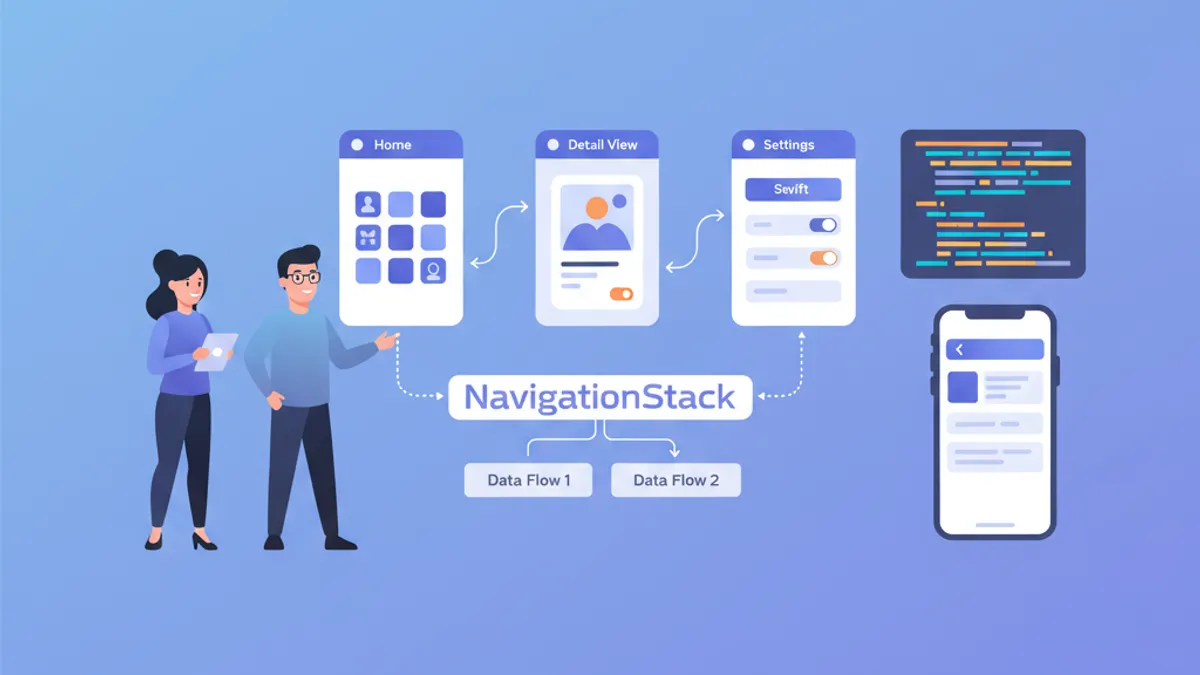
Navigation represents a fundamental pillar of any iOS application. Since iOS 16, NavigationStack replaces NavigationView and offers complete programmatic control over the navigation stack. Recruiters regularly test mastery of these concepts during technical interviews.
Each question reproduces the format of a real technical interview, with a detailed answer and working code. Concepts progress from fundamental to advanced.
NavigationStack Fundamentals
Question 1: What is the difference between NavigationView and NavigationStack?
NavigationView (deprecated since iOS 16) created implicit navigation based on nested NavigationLinks. NavigationStack introduces a declarative approach with an explicit, programmatically modifiable navigation stack.
// ❌ Old pattern with NavigationView (deprecated)
struct OldNavigation: View {
    var body: some View {
        NavigationView {
            NavigationLink("Details", destination: DetailView())
        }
    }
}

// ✅ New pattern with NavigationStack
struct ModernNavigation: View {
    // Navigation stack is explicit and controllable
    @State private var path = NavigationPath()

    var body: some View {
        NavigationStack(path: $path) {
            List {
                // NavigationLink with typed value
                NavigationLink("User 1", value: User(id: 1, name: "Alice"))
                NavigationLink("User 2", value: User(id: 2, name: "Bob"))
            }
            // Destination defined by value type
            .navigationDestination(for: User.self) { user in
                UserDetailView(user: user)
            }
        }
    }
}
The major advantage lies in separating the link declaration from its destination, enabling centralized and testable navigation.
Question 2: How does NavigationPath work?
NavigationPath is a type-erased container that stores navigation values. It allows manipulating the stack without knowing the exact types of screens, while preserving type-safety at compile time.
struct ContentView: View {
    // NavigationPath can contain different Hashable types
    @State private var path = NavigationPath()

    var body: some View {
        NavigationStack(path: $path) {
            VStack(spacing: 20) {
                Button("View user profile") {
                    // Adds a User to the stack
                    path.append(User(id: 1, name: "Alice"))
                }

                Button("View settings") {
                    // Adds a Settings enum to the stack
                    path.append(SettingsRoute.notifications)
                }

                Button("Back to root") {
                    // Clears the entire stack
                    path.removeLast(path.count)
                }
            }
            .navigationDestination(for: User.self) { user in
                UserDetailView(user: user)
            }
            .navigationDestination(for: SettingsRoute.self) { route in
                SettingsView(route: route)
            }
        }
    }
}

// Types must be Hashable
struct User: Hashable {
    let id: Int
    let name: String
}

enum SettingsRoute: Hashable {
    case notifications
    case privacy
    case account
}NavigationPath uses type erasure internally but checks types at compile time via navigationDestination. A value without a corresponding destination causes a silent runtime error.
Question 3: How to implement complete programmatic navigation?
Programmatic navigation allows controlling the stack from any point in code, without direct user interaction. This is essential for deep links, post-authentication redirects, or multi-step flows.
// Centralized router to manage navigation
@Observable
class NavigationRouter {
    var path = NavigationPath()

    // Navigate to a specific screen
    func navigateTo(_ destination: AppRoute) {
        path.append(destination)
    }

    // Go back one level
    func goBack() {
        guard !path.isEmpty else { return }
        path.removeLast()
    }

    // Return to root
    func popToRoot() {
        path.removeLast(path.count)
    }

    // Navigate to a complete stack (deep link)
    func navigateToPath(_ routes: [AppRoute]) {
        popToRoot()
        for route in routes {
            path.append(route)
        }
    }
}

// Enum defining all app routes
enum AppRoute: Hashable {
    case userList
    case userDetail(userId: Int)
    case userEdit(userId: Int)
    case settings
    case settingsDetail(SettingsSection)
}

enum SettingsSection: String, Hashable {
    case notifications, privacy, account
}

// Usage in main view
struct MainView: View {
    @State private var router = NavigationRouter()

    var body: some View {
        NavigationStack(path: $router.path) {
            HomeView()
                .navigationDestination(for: AppRoute.self) { route in
                    destinationView(for: route)
                }
        }
        .environment(router)
    }

    @ViewBuilder
    private func destinationView(for route: AppRoute) -> some View {
        switch route {
        case .userList:
            UserListView()
        case .userDetail(let userId):
            UserDetailView(userId: userId)
        case .userEdit(let userId):
            UserEditView(userId: userId)
        case .settings:
            SettingsView()
        case .settingsDetail(let section):
            SettingsDetailView(section: section)
        }
    }
}
This pattern centralizes all navigation logic, facilitating unit testing and maintenance.
Advanced Navigation Patterns
Question 4: How to implement deep links with NavigationStack?
Deep links allow opening the application directly to a specific screen from an external URL. With NavigationStack, the stack can be reconstructed programmatically.
@Observable
class DeepLinkHandler {
    var router: NavigationRouter

    init(router: NavigationRouter) {
        self.router = router
    }

    // Parse a URL and navigate to destination
    func handle(url: URL) {
        guard let components = URLComponents(url: url, resolvingAgainstBaseURL: true),
              let host = components.host else {
            return
        }

        // Build navigation stack according to URL
        let routes = parseRoutes(host: host, path: components.path, queryItems: components.queryItems)
        router.navigateToPath(routes)
    }

    private func parseRoutes(host: String, path: String, queryItems: [URLQueryItem]?) -> [AppRoute] {
        // myapp://users/42/edit → [.userList, .userDetail(42), .userEdit(42)]
        switch host {
        case "users":
            return parseUserPath(path)
        case "settings":
            return parseSettingsPath(path)
        default:
            return []
        }
    }

    private func parseUserPath(_ path: String) -> [AppRoute] {
        let segments = path.split(separator: "/").map(String.init)
        var routes: [AppRoute] = [.userList]

        if let userIdString = segments.first, let userId = Int(userIdString) {
            routes.append(.userDetail(userId: userId))

            // /users/42/edit
            if segments.count > 1 && segments[1] == "edit" {
                routes.append(.userEdit(userId: userId))
            }
        }

        return routes
    }

    private func parseSettingsPath(_ path: String) -> [AppRoute] {
        var routes: [AppRoute] = [.settings]

        let segments = path.split(separator: "/").map(String.init)
        if let sectionString = segments.first,
           let section = SettingsSection(rawValue: sectionString) {
            routes.append(.settingsDetail(section))
        }

        return routes
    }
}

// In the main App
@main
struct MyApp: App {
    @State private var router = NavigationRouter()
    @State private var deepLinkHandler: DeepLinkHandler?

    var body: some Scene {
        WindowGroup {
            MainView()
                .environment(router)
                .onOpenURL { url in
                    // Handle deep links
                    deepLinkHandler?.handle(url: url)
                }
                .onAppear {
                    deepLinkHandler = DeepLinkHandler(router: router)
                }
        }
    }
}
Question 5: How to persist and restore navigation state?
Navigation state persistence allows restoring the user's position after an app restart. NavigationPath supports Codable for serialization.
// Extension to make NavigationPath persistable
extension NavigationPath {
    // Encode path to Data
    func encoded() -> Data? {
        guard let representation = self.codable else { return nil }
        return try? JSONEncoder().encode(representation)
    }

    // Decode from Data
    static func decoded(from data: Data) -> NavigationPath? {
        guard let representation = try? JSONDecoder().decode(
            NavigationPath.CodableRepresentation.self,
            from: data
        ) else {
            return nil
        }
        return NavigationPath(representation)
    }
}

// Router with persistence
@Observable
class PersistentNavigationRouter {
    var path: NavigationPath {
        didSet {
            saveState()
        }
    }

    private let storageKey = "navigation_path"

    init() {
        // Restore state at startup
        if let data = UserDefaults.standard.data(forKey: storageKey),
           let restored = NavigationPath.decoded(from: data) {
            self.path = restored
        } else {
            self.path = NavigationPath()
        }
    }

    private func saveState() {
        if let data = path.encoded() {
            UserDefaults.standard.set(data, forKey: storageKey)
        }
    }

    func clearPersistedState() {
        UserDefaults.standard.removeObject(forKey: storageKey)
    }
}For NavigationPath.codable to work, all types added to the path must be Codable in addition to Hashable. Otherwise, the codable property returns nil.
Ready to ace your iOS interviews?
Practice with our interactive simulators, flashcards, and technical tests.
Question 6: How to handle navigation with authentication flows?
Authentication flows often require redirecting to a protected screen after login, or returning to login after logout. The following pattern handles these transitions cleanly.
enum AuthState {
    case unauthenticated
    case authenticated(User)
}

@Observable
class AuthManager {
    var state: AuthState = .unauthenticated
    var pendingDeepLink: URL?

    func login(email: String, password: String) async throws {
        // Simulated authentication
        let user = try await AuthService.shared.login(email: email, password: password)
        state = .authenticated(user)
    }

    func logout() {
        state = .unauthenticated
    }
}

struct RootView: View {
    @State private var authManager = AuthManager()
    @State private var router = NavigationRouter()

    var body: some View {
        Group {
            switch authManager.state {
            case .unauthenticated:
                // Separate navigation stack for auth
                AuthNavigationStack(authManager: authManager)
            case .authenticated:
                // Main app stack
                MainNavigationStack(router: router, authManager: authManager)
            }
        }
        .onChange(of: authManager.state) { oldState, newState in
            handleAuthStateChange(from: oldState, to: newState)
        }
    }

    private func handleAuthStateChange(from oldState: AuthState, to newState: AuthState) {
        switch (oldState, newState) {
        case (.unauthenticated, .authenticated):
            // Login successful: process pending deep link
            if let pendingURL = authManager.pendingDeepLink {
                DeepLinkHandler(router: router).handle(url: pendingURL)
                authManager.pendingDeepLink = nil
            }
        case (.authenticated, .unauthenticated):
            // Logout: reset navigation
            router.popToRoot()
        default:
            break
        }
    }
}

struct AuthNavigationStack: View {
    let authManager: AuthManager
    @State private var authPath = NavigationPath()

    var body: some View {
        NavigationStack(path: $authPath) {
            LoginView(authManager: authManager)
                .navigationDestination(for: AuthRoute.self) { route in
                    switch route {
                    case .register:
                        RegisterView(authManager: authManager)
                    case .forgotPassword:
                        ForgotPasswordView()
                    }
                }
        }
    }
}

enum AuthRoute: Hashable {
    case register
    case forgotPassword
}
Question 7: How to implement modal navigation with NavigationStack?
Modals and sheets require their own navigation context. Combining NavigationStack with modal presentations requires separate state management.
struct ParentView: View {
    @State private var mainPath = NavigationPath()
    @State private var showSettings = false
    @State private var showUserProfile: User?

    var body: some View {
        NavigationStack(path: $mainPath) {
            ContentView()
                .toolbar {
                    Button("Settings") {
                        showSettings = true
                    }
                }
                .navigationDestination(for: MainRoute.self) { route in
                    MainRouteView(route: route)
                }
        }
        // Sheet with its own NavigationStack
        .sheet(isPresented: $showSettings) {
            SettingsSheet()
        }
        // Conditional sheet based on item
        .sheet(item: $showUserProfile) { user in
            UserProfileSheet(user: user)
        }
    }
}

// Each sheet has its own NavigationStack
struct SettingsSheet: View {
    @Environment(\.dismiss) private var dismiss
    @State private var settingsPath = NavigationPath()

    var body: some View {
        NavigationStack(path: $settingsPath) {
            SettingsListView()
                .navigationTitle("Settings")
                .toolbar {
                    ToolbarItem(placement: .cancellationAction) {
                        Button("Close") {
                            dismiss()
                        }
                    }
                }
                .navigationDestination(for: SettingsSection.self) { section in
                    SettingsDetailView(section: section)
                }
        }
    }
}

// Extension to make User identifiable for sheet(item:)
extension User: Identifiable {}
State Management and Testability
Question 8: How to unit test navigation?
Testability is a major advantage of NavigationStack. By isolating the router, unit tests verify navigation logic without UI.
// Protocol to abstract the router
protocol NavigationRouterProtocol {
    var pathCount: Int { get }
    func navigateTo(_ destination: AppRoute)
    func goBack()
    func popToRoot()
}

// Concrete implementation
@Observable
class AppNavigationRouter: NavigationRouterProtocol {
    var path = NavigationPath()

    var pathCount: Int {
        path.count
    }

    func navigateTo(_ destination: AppRoute) {
        path.append(destination)
    }

    func goBack() {
        guard !path.isEmpty else { return }
        path.removeLast()
    }

    func popToRoot() {
        path.removeLast(path.count)
    }
}

// Unit tests
import XCTest

final class NavigationRouterTests: XCTestCase {
    var router: AppNavigationRouter!

    override func setUp() {
        router = AppNavigationRouter()
    }

    func testNavigateToAddsToPath() {
        // Given
        XCTAssertEqual(router.pathCount, 0)

        // When
        router.navigateTo(.userDetail(userId: 42))

        // Then
        XCTAssertEqual(router.pathCount, 1)
    }

    func testGoBackRemovesLastItem() {
        // Given
        router.navigateTo(.userList)
        router.navigateTo(.userDetail(userId: 1))
        XCTAssertEqual(router.pathCount, 2)

        // When
        router.goBack()

        // Then
        XCTAssertEqual(router.pathCount, 1)
    }

    func testPopToRootClearsPath() {
        // Given
        router.navigateTo(.userList)
        router.navigateTo(.userDetail(userId: 1))
        router.navigateTo(.userEdit(userId: 1))
        XCTAssertEqual(router.pathCount, 3)

        // When
        router.popToRoot()

        // Then
        XCTAssertEqual(router.pathCount, 0)
    }

    func testGoBackOnEmptyPathDoesNothing() {
        // Given
        XCTAssertEqual(router.pathCount, 0)

        // When
        router.goBack()

        // Then
        XCTAssertEqual(router.pathCount, 0) // No crash
    }
}
Question 9: How to manage complex navigation states with multiple tabs?
Applications with TabView require a navigation state per tab. Each tab maintains its own independent stack.
// Navigation state for each tab
@Observable
class TabNavigationState {
    var homePath = NavigationPath()
    var searchPath = NavigationPath()
    var profilePath = NavigationPath()
    var selectedTab: Tab = .home

    enum Tab: Hashable {
        case home, search, profile
    }

    func resetCurrentTab() {
        switch selectedTab {
        case .home:
            homePath.removeLast(homePath.count)
        case .search:
            searchPath.removeLast(searchPath.count)
        case .profile:
            profilePath.removeLast(profilePath.count)
        }
    }

    func resetAllTabs() {
        homePath.removeLast(homePath.count)
        searchPath.removeLast(searchPath.count)
        profilePath.removeLast(profilePath.count)
    }
}

struct TabRootView: View {
    @State private var tabState = TabNavigationState()

    var body: some View {
        TabView(selection: $tabState.selectedTab) {
            // Home tab
            NavigationStack(path: $tabState.homePath) {
                HomeView()
                    .navigationDestination(for: HomeRoute.self) { route in
                        HomeRouteView(route: route)
                    }
            }
            .tabItem { Label("Home", systemImage: "house") }
            .tag(TabNavigationState.Tab.home)

            // Search tab
            NavigationStack(path: $tabState.searchPath) {
                SearchView()
                    .navigationDestination(for: SearchRoute.self) { route in
                        SearchRouteView(route: route)
                    }
            }
            .tabItem { Label("Search", systemImage: "magnifyingglass") }
            .tag(TabNavigationState.Tab.search)

            // Profile tab
            NavigationStack(path: $tabState.profilePath) {
                ProfileView()
                    .navigationDestination(for: ProfileRoute.self) { route in
                        ProfileRouteView(route: route)
                    }
            }
            .tabItem { Label("Profile", systemImage: "person") }
            .tag(TabNavigationState.Tab.profile)
        }
        .environment(tabState)
    }
}
Question 10: How to avoid performance issues with NavigationStack?
Large navigation stacks or complex destinations can impact performance. Several techniques optimize rendering and memory.
struct OptimizedNavigationStack: View {
    @State private var path = NavigationPath()

    var body: some View {
        NavigationStack(path: $path) {
            LazyContentView()
                // ✅ Lazy-loaded destinations
                .navigationDestination(for: HeavyRoute.self) { route in
                    // View only created on navigation
                    HeavyDetailView(route: route)
                }
        }
    }
}

// ✅ View with lazy content loading
struct LazyContentView: View {
    @State private var items: [Item] = []

    var body: some View {
        // LazyVStack only creates visible views
        ScrollView {
            LazyVStack(spacing: 12) {
                ForEach(items) { item in
                    NavigationLink(value: HeavyRoute.detail(item.id)) {
                        ItemRow(item: item)
                    }
                }
            }
        }
        .task {
            items = await loadItems()
        }
    }
}

// ✅ Detail with progressive loading
struct HeavyDetailView: View {
    let route: HeavyRoute
    @State private var data: DetailData?

    var body: some View {
        Group {
            if let data {
                DetailContent(data: data)
            } else {
                ProgressView()
            }
        }
        .task {
            // Load data only when view appears
            data = await loadDetailData(for: route)
        }
    }
}

// ❌ Avoid: eager creation of heavy views
struct BadNavigationStack: View {
    let allItems: [Item]

    var body: some View {
        NavigationStack {
            List(allItems) { item in
                // Creates all destinations immediately
                NavigationLink {
                    HeavyDetailView(item: item) // ❌ Created upfront
                } label: {
                    ItemRow(item: item)
                }
            }
        }
    }
}Always use navigationDestination(for:) rather than NavigationLink with inline destinations. The former pattern loads the destination view only upon navigation.
Conclusion
NavigationStack transforms SwiftUI navigation management by offering complete programmatic control. Mastering these patterns — from basic navigation to deep links and state persistence — distinguishes experienced iOS developers in interviews.
Review Checklist
- ✅ Understand the difference between
NavigationViewandNavigationStack - ✅ Know how to use
NavigationPathfor programmatic navigation - ✅ Implement a centralized router for navigation
- ✅ Handle deep links with stack reconstruction
- ✅ Persist and restore navigation state with
Codable - ✅ Separate authentication flows from main navigation
- ✅ Combine modals and
NavigationStackcorrectly - ✅ Write unit tests for navigation logic
- ✅ Manage multi-tab navigation with
TabView - ✅ Optimize performance for large navigation stacks
Start practicing!
Test your knowledge with our interview simulators and technical tests.
Can you spot the bug in iOS?
One real snippet, one hidden bug, one attempt a day. No account needed to try.

Written by
Anthony Fillion-MailletFounder of SharpSkill
Full-stack developer for over 10 years. Runs SharpSkill and answers for everything published here.
Updated on March 28, 2026
Tags
Share
Related articles

MapKit SwiftUI Interview in 2026: Annotations, Overlays and Geolocation
Master MapKit with SwiftUI for iOS interviews: custom annotations, overlays, geolocation, place search, and Maps integration patterns.

StoreKit 2 Interview: Subscription Management and Receipt Validation
Master iOS interview questions on StoreKit 2, subscription management, receipt validation, and in-app purchase implementation with practical Swift code examples.

Vision Framework and CoreML: On-Device ML iOS Interview Questions
Prepare for iOS interviews with essential Vision Framework and CoreML questions: image recognition, object detection, and on-device ML explained.