iOS Push Notifications Interview in 2026: APNs, Tokens and Troubleshooting
Prepare for iOS interviews with this comprehensive guide on Push Notifications, APNs, token management and troubleshooting. Common questions with detailed answers.
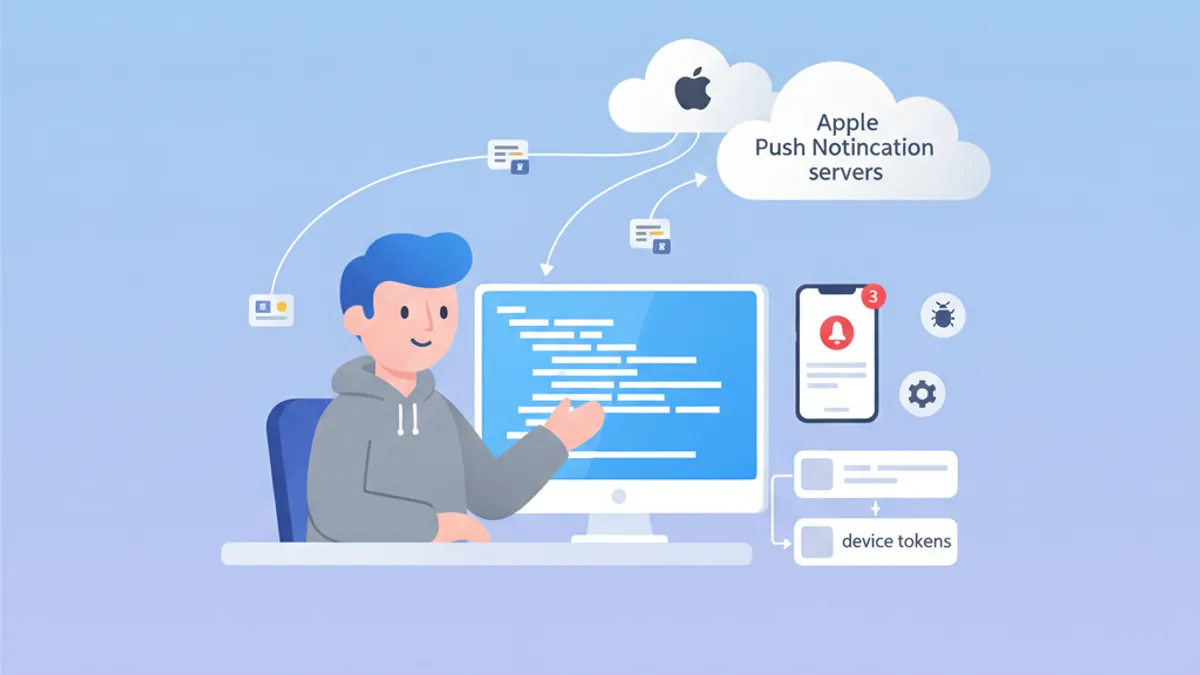
Push Notifications remain a critical topic in iOS interviews. Understanding how APNs works, managing device tokens, and troubleshooting common issues demonstrates deep knowledge of Apple's ecosystem. This guide covers the most frequently asked interview questions.
Interviewers look for understanding of the complete lifecycle: from device registration to notification delivery, including proper error handling throughout.
APNs Architecture: The Foundation of iOS Notifications
Apple Push Notification service (APNs) is the centralized service that handles push notification delivery to Apple devices. Understanding its architecture is essential for answering interview questions effectively.
How Does APNs Work?
The communication flow involves three main actors: the iOS application, APNs, and the backend server. Here is the complete process:
import UIKit
import UserNotifications

@main
class AppDelegate: UIResponder, UIApplicationDelegate {

    func application(
        _ application: UIApplication,
        didFinishLaunchingWithOptions launchOptions: [UIApplication.LaunchOptionsKey: Any]?
    ) -> Bool {
        // Request notification authorization
        UNUserNotificationCenter.current().requestAuthorization(
            options: [.alert, .badge, .sound]
        ) { granted, error in
            guard granted else { return }
            // Register with APNs
            DispatchQueue.main.async {
                application.registerForRemoteNotifications()
            }
        }
        return true
    }
}
APNs registration happens in two steps: obtain user authorization, then call registerForRemoteNotifications().
Device Token Management
The device token is a unique identifier generated by APNs to target a specific device. This token can change and should be sent to the backend server on each app launch.
extension AppDelegate {

    // Callback when APNs provides the token
    func application(
        _ application: UIApplication,
        didRegisterForRemoteNotificationsWithDeviceToken deviceToken: Data
    ) {
        // Convert token to hexadecimal string
        let tokenString = deviceToken.map { String(format: "%02.2hhx", $0) }.joined()
        print("Device Token: \(tokenString)")

        // Send to backend server
        sendTokenToServer(tokenString)
    }

    // Callback on registration failure
    func application(
        _ application: UIApplication,
        didFailToRegisterForRemoteNotificationsWithError error: Error
    ) {
        print("Failed to register: \(error.localizedDescription)")
    }

    private func sendTokenToServer(_ token: String) {
        // Implement HTTP request to backend
    }
}
The token is provided as Data and must be converted to a hexadecimal string before sending to the server.
Common APNs Interview Questions
iOS interviews often include both theoretical and practical questions about APNs. Here are the most common ones with detailed answers.
Question 1: What is the difference between APNs sandbox and production?
APNs has two distinct environments with different endpoints. Tokens generated in one environment do not work in the other.
| Environment | Endpoint | Usage |
|---|---|---|
| Sandbox | api.sandbox.push.apple.com | Debug, TestFlight |
| Production | api.push.apple.com | App Store |
Question 2: How to handle token expiration?
Device tokens can change for several reasons: system restore, installation on a new device, or periodic renewal by APNs. The server must handle APNs error responses appropriately.
enum APNsError: Int {
    case badDeviceToken = 400
    case unregistered = 410
    case payloadTooLarge = 413
    case tooManyRequests = 429
    case internalServerError = 500

    var shouldRemoveToken: Bool {
        // Remove token only if device is no longer registered
        return self == .unregistered || self == .badDeviceToken
    }
}

struct APNsResponse {
    let statusCode: Int
    let deviceToken: String

    func handleError() {
        guard let error = APNsError(rawValue: statusCode) else { return }

        if error.shouldRemoveToken {
            // Remove token from database
            TokenRepository.shared.remove(deviceToken)
        }
    }
}
Server-side APNs error handling is crucial for maintaining a clean token database and avoiding unnecessary requests.
Question 3: How to implement silent notifications?
Silent notifications allow waking up the app in the background to perform tasks without displaying an alert to the user.
func application(
    _ application: UIApplication,
    didReceiveRemoteNotification userInfo: [AnyHashable: Any],
    fetchCompletionHandler completionHandler: @escaping (UIBackgroundFetchResult) -> Void
) {
    // Check if this is a silent notification
    guard let aps = userInfo["aps"] as? [String: Any],
          aps["content-available"] as? Int == 1 else {
        completionHandler(.noData)
        return
    }

    // Perform background task
    performBackgroundTask { result in
        switch result {
        case .success:
            completionHandler(.newData)
        case .failure:
            completionHandler(.failed)
        }
    }
}
The JSON payload for a silent notification must contain "content-available": 1 in the aps object.
Ready to ace your iOS interviews?
Practice with our interactive simulators, flashcards, and technical tests.
Notification Service Extension: Advanced Customization
Notification Service Extensions allow modifying notification content before display. This feature is frequently discussed in interviews.
Creating a Service Extension
import UserNotifications

class NotificationService: UNNotificationServiceExtension {

    var contentHandler: ((UNNotificationContent) -> Void)?
    var bestAttemptContent: UNMutableNotificationContent?

    override func didReceive(
        _ request: UNNotificationRequest,
        withContentHandler contentHandler: @escaping (UNNotificationContent) -> Void
    ) {
        self.contentHandler = contentHandler
        bestAttemptContent = request.content.mutableCopy() as? UNMutableNotificationContent

        guard let bestAttemptContent = bestAttemptContent else {
            contentHandler(request.content)
            return
        }

        // Modify content
        if let imageURLString = bestAttemptContent.userInfo["image-url"] as? String,
           let imageURL = URL(string: imageURLString) {
            downloadImage(from: imageURL) { attachment in
                if let attachment = attachment {
                    bestAttemptContent.attachments = [attachment]
                }
                contentHandler(bestAttemptContent)
            }
        } else {
            contentHandler(bestAttemptContent)
        }
    }

    override func serviceExtensionTimeWillExpire() {
        // Called when time limit (30 seconds) is exceeded
        if let contentHandler = contentHandler,
           let bestAttemptContent = bestAttemptContent {
            contentHandler(bestAttemptContent)
        }
    }

    private func downloadImage(
        from url: URL,
        completion: @escaping (UNNotificationAttachment?) -> Void
    ) {
        URLSession.shared.downloadTask(with: url) { localURL, _, error in
            guard let localURL = localURL, error == nil else {
                completion(nil)
                return
            }

            let tempDirectory = FileManager.default.temporaryDirectory
            let fileName = url.lastPathComponent
            let destinationURL = tempDirectory.appendingPathComponent(fileName)

            try? FileManager.default.moveItem(at: localURL, to: destinationURL)

            let attachment = try? UNNotificationAttachment(
                identifier: fileName,
                url: destinationURL,
                options: nil
            )
            completion(attachment)
        }.resume()
    }
}
The extension has 30 seconds to modify the content. The serviceExtensionTimeWillExpire() method is called if this limit is exceeded.
Troubleshooting Push Notifications
Push notification debugging is a recurring interview topic. Candidates should know the tools and diagnostic techniques.
Verifying Registration Status
struct PushNotificationDebugger {

    static func checkNotificationStatus() async {
        let center = UNUserNotificationCenter.current()
        let settings = await center.notificationSettings()

        print("=== Push Notification Status ===")
        print("Authorization: \(settings.authorizationStatus.description)")
        print("Alert: \(settings.alertSetting.description)")
        print("Badge: \(settings.badgeSetting.description)")
        print("Sound: \(settings.soundSetting.description)")
        print("Notification Center: \(settings.notificationCenterSetting.description)")
    }
}

extension UNAuthorizationStatus {
    var description: String {
        switch self {
        case .notDetermined: return "Not Determined"
        case .denied: return "Denied"
        case .authorized: return "Authorized"
        case .provisional: return "Provisional"
        case .ephemeral: return "Ephemeral"
        @unknown default: return "Unknown"
        }
    }
}
This debug function allows quickly checking notification authorization status.
Common Errors and Solutions
Interviewers often ask about common errors and their solutions. Here are the most important ones to remember.
| Error | Cause | Solution |
|---|---|---|
| Invalid token | Wrong environment (sandbox/prod) | Check provisioning profile |
| Notification not received | Low Power Mode enabled | Test with charged battery |
| Extension not called | Payload missing mutable-content | Add "mutable-content": 1 |
| Background fetch fails | App terminated by user | Inform user about limitation |
Testing with APNs Directly
For testing notifications during development, the curl tool allows sending requests directly to APNs:
struct APNsTestPayload {

    static let silentNotification = """
    {
        "aps": {
            "content-available": 1
        },
        "custom-data": "test"
    }
    """

    static let richNotification = """
    {
        "aps": {
            "alert": {
                "title": "New message",
                "body": "Message content"
            },
            "mutable-content": 1,
            "sound": "default"
        },
        "image-url": "https://example.com/image.jpg"
    }
    """
}
These test payloads are useful for validating app behavior with different notification types.
Production Best Practices
Best practices questions help evaluate candidate experience with production applications.
Network Error Handling
actor PushTokenManager {

    private var pendingToken: String?
    private var retryCount = 0
    private let maxRetries = 3

    func registerToken(_ token: String) async {
        pendingToken = token
        await sendTokenWithRetry()
    }

    private func sendTokenWithRetry() async {
        guard let token = pendingToken else { return }

        do {
            try await APIClient.shared.registerPushToken(token)
            pendingToken = nil
            retryCount = 0
        } catch {
            retryCount += 1
            if retryCount < maxRetries {
                // Retry with exponential backoff
                let delay = UInt64(pow(2.0, Double(retryCount))) * 1_000_000_000
                try? await Task.sleep(nanoseconds: delay)
                await sendTokenWithRetry()
            }
        }
    }
}
Using an actor ensures thread-safety when managing tokens in concurrent environments.
Local Token Persistence
struct TokenStorage {

    private static let tokenKey = "com.app.pushToken"

    static func save(_ token: String) {
        UserDefaults.standard.set(token, forKey: tokenKey)
    }

    static func retrieve() -> String? {
        UserDefaults.standard.string(forKey: tokenKey)
    }

    static func hasTokenChanged(_ newToken: String) -> Bool {
        guard let savedToken = retrieve() else { return true }
        return savedToken != newToken
    }
}
Saving the token locally avoids unnecessary network calls when the token hasn't changed.
Conclusion
Mastering iOS Push Notifications demonstrates deep understanding of Apple's ecosystem and client-server interactions. Key points to remember for interviews:
✅ APNs Architecture: understand the complete flow from registration to delivery
✅ Device tokens: lifecycle management and handling token changes
✅ Notification Service Extension: content customization with 30-second limit
✅ Troubleshooting: know common errors and their solutions
✅ Silent notifications: content-available for background fetch
✅ Best practices: retry logic, local persistence, error handling
Start practicing!
Test your knowledge with our interview simulators and technical tests.
Can you spot the bug in iOS?
One real snippet, one hidden bug, one attempt a day. No account needed to try.

Written by
Anthony Fillion-MailletFounder of SharpSkill
Full-stack developer for over 10 years. Runs SharpSkill and answers for everything published here.
Updated on March 31, 2026
Tags
Share
Related articles

StoreKit 2 Interview: Subscription Management and Receipt Validation
Master iOS interview questions on StoreKit 2, subscription management, receipt validation, and in-app purchase implementation with practical Swift code examples.

Swift Testing Framework Interview 2026: #expect and #require Macros vs XCTest
Master the new Swift Testing Framework for iOS interviews: #expect and #require macros, XCTest migration, advanced patterns, and common pitfalls.
iOS Senior Interview 2026: Architecture and Design Patterns Questions
Prepare for iOS senior interviews with key questions on MVVM, VIPER, Clean Architecture and design patterns. Complete guide with Swift code examples.